
Here for you are a few simple steps to a dramatic light portrait.
Step One: Start with a room. Like this one, with some of my students last night:
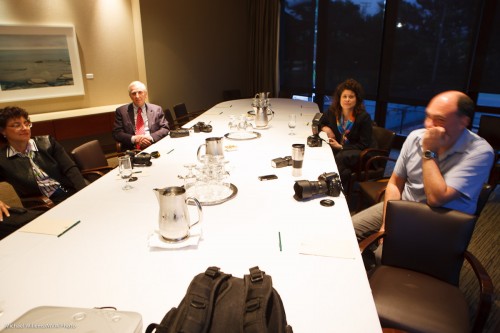
But for creative lighting we do not want to see the ambient light – it would just interfere.
Hence… Step two: make the ambient light disappear. You do this by selecting a setting for ISO-Aperture-Shutter that makes the room look dark. Like 200 ISO, 1/125th second., 200 ISO:

Yes, the room now looks dark, and no, I did not turn off the room lights. Your camera is a light-shifter.
Now we add the light that we do want to see. Step three: use an off-camera flash. All makes of camera support this: remote TTL works very well once you learn the ins and outs.
- Nikons and some Canons can use the pop-up to drive the remote (“slave”) flash.
- Others need a high-end flash on the camera to do this.
- Ensure that the on-camera flash only issues “commands” to remote flashes but that its actual flash-during-picture function is disabled.
- Use a modifier, like a grid (I use the Honl Photo modifiers) to ensure that light does not go “everywhere”.
- You can soften the light with a softbox or fire direct at the subject. Yes, you can fire direct at a subject, as long as the light is not where the camera is.
Now we get what we wanted:
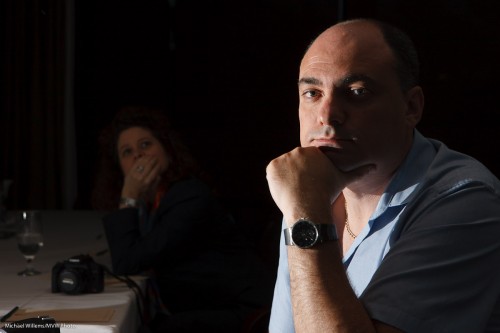
This technique is also good to learn lighting scenarios (like broad, short, butterfly, or Rembrandt lighting).