Manual redux

When do you shoot manual – remember that question?

One example of a case: when the light is constant (cloudy day), and when you need to shoot things that vary in brightness, and some of which are dark or bright, like monument and people in black uniforms.

Navy Commemoration

A solemn moment at a Burlington, Ont. Navy Commemoration Service

In other words, like in the shoot I did for The Burlington Post Sunday.

See  yesterday: you would have to change exposure all the time by varying exposure compensation constantly. “manual” means I can concentrate on what to shoot, not on technical details.

Why I use 1-series cameras

They don’t do anything more than a Digital Rebel. But they do do it better sometimes, and that is important when you shoot for a living. They are more waterproof and more shockproof and shoot faster. And they have several other neat functions that can really matter.

Look at this shot here, from a commercial shoot I just did:

Entertainment Central, Oakville

Entertainment Central, Oakville

No idea what happened to the bottom right corner: bad sector on the disk, perhaps?

That is why the 1-series cameras, like my 1D Mark IV and my 1Ds Mark III, can write to two memory cards at once. I always do this. Sometimes the same format to both, sometimes large RAW to one and small RAW or even JPG to the other. That way I still have one when the other one has a problem.

If you do not have a 1-series or similar camera that can write to two cards, what do you do?

  • Change memory cards regularly
  • Format them every time you re-insert into the camera
  • of course, backup, backup, backup.

But you knew that.

Snapshot of the day

And I mean snapshot: shot the other day while I was a passenger on The Danforth, getting some quick and excellent Greek food:

Danforth at night

The Danforth at night

The wide lens (16mm on a 1Ds MkIII) works well, and the warm street light makes the sky look extra blue, and it was dark enough to match nicely, so the sky looks rather threatening.Yes I know, I can see windscreen reflections – that’s why it is a snapshot.

Black and white

And this time I do not mean “as opposed to colour”. I am repeating myself here, but it is worth doing: a few words about metering light and how your camera does it, and how to fix it when it does a less than stellar job. I get so many questions abut this, it seems worth going over it again.

Let’s analyze this exposure puzzle. It has three elements.

ONE. Your camera’s light meter is a reflective meter. It measures light reflected off your subject. So it does not know how much light is hitting your subject – it only knows how much is reflected. That is one part of the puzzle.

TWO. Your camera also does not know what the subject is. That is the second part of the puzzle.

THREE. Your camera’s job is to:

  1. See how much light there is
  2. Then set aperture, shutter, ISO (or some of those – depending on what exposure mode you are in) to ensure that that observed quantity of light gives you a well-exposed picture: not too bright, not too dark. This is a narrow range of acceptable light on your sensor: a bit too little and it’s underexposed; a tad too much and it’s overexposed. Your camera’s job is to keep the light on your sensor within that range.

That is the third part of the puzzle.

So let’s put them together.

Usually, they go together well and you get a nice picture of whatever you are aiming at. Done.

But when does this not work? When your subject is meant to be dark – because it is. Or when your subject is meant to be bright – because it is.

Exercise. in Program mode “P”), and using no flash, and taking care to fully fill your viewfinder with it, shoot a ski hill. Or a white sheet of paper made to look like one:

Looks grey! Because that is the camera’s job.

Now shoot a coal mine. Or a coat that is as black as one:

What the… that also looks grey!

That is because the camera does not know it is meant to be black. By default, your camera makes everything “in between” in terms of brightness.

Solution. Now find the Exposure Compensation button on your camera. It looks like a “+” and a “-” with a diagonal line separating them. Plus means “turn up the brightness”, minus means “turn down the brightness”. (It does this by varying whatever it is varying of shutter speed, aperture or ISO, but only “more so”). You may have to hold the button while turning a wheel, and you can see what you are doing as a number or as a graph on the top of back of your camera, depending on which camera you have.

Find the control and turn the value up to +2 and re-shoot the ski hill. Now you get:

That’s better. Check the histogram to ensure it is not stuck against the right side (“overexposed”).

Now set the Exposure Compensation to -2 (minus two). Re-shoot the black coat. You get this:
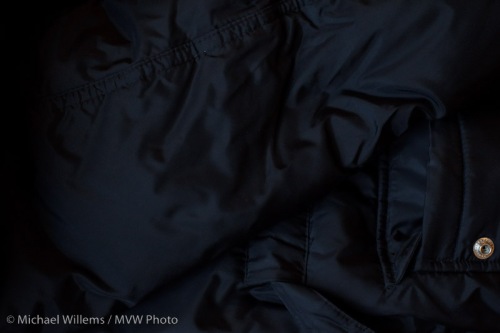
Finally. A black coat!

So now you know:

  • When your picture looks too dark, use +/- set to plus and retake the picture
  • When your picture looks too bright, use +/- set to minus and retake the picture
  • This is most likely to be needed when your subject is very dark (coal mine, black coat, dark night) or very bright (beach, snow, white marble room, piece of paper, person against a white wall).

That is actually quite simple!

Notes:

  • Do not use flash – that’s a separate subject (and it has a separate adjustment)
  • You can also spot meter to a grey subject to avoid the need for exp comp
  • You can use manual and use the displayed meter in the same way (minus mens darker, plus means brighter).

Try it and you should, from now on, have no problem exposing right.

See the light!

Tip of the day:

To see the colour of the light you are shooting in, to really see it, take a first test-shot in every shoot with the white balance set to daylight (the sun symbol). That will show you the real colour of the light. Then you can take it from there.

You can judge by yourself, by looking at the back of  your camera, or you can look at the colour histogram, if your camera supports that.

Zoom zoom zoom.

A beginner’s question this time:

What does zoom have to do with wide angle? I thought they were two opposite things!

Not necessarily. A “zoom” lens is simply an adjustable lens. As opposed to a prime lens.

What you are perhaps confusing with a “zoom” lens, dear student, is a telephoto lens.

Let me explain.

There are two main types of lenses:

  1. Zoom – this means adjustable focal length.
  2. Prime – this means not adjustable: you have to zoom in by stepping forward.

And, an entirely unrelated classification, there are various lengths of lenses:

  • Wide angle – roughly, less than 24mm on a crop camera
  • Standard – roughly, 30-40 mm on a crop camera
  • Telephoto – roughly, longer than 50 on a crop camera

So a 10-20mm zoom lens is a wide angle zoom lens. A 24-105 zoom lens is a wide-to-telephoto zoom. A 24mm prime is a wide angle prime lens. And so on!

Off-camera flash kept simple

Sometimes it can be simple: off-camera flash can be really easy. Like in this student’s recent portrait:

Off-camera flash portrait

Off-camera flash portrait

You can also see how nice the splash of colour is in the background, right?

A matter of choosing manual mode with just the right combination of aperture and shutter speed and ISO to get enough light into the background. And Flash White Balance makes the tungsten light look nice and orange.

My message today: although flash can be done in a very sophisticated manner, it is not always necessary to make it complicated. Often, very simple is all you need. “Off camera” is often enough to just make it work. And an off-camera flash cable, while not cheap, is the simplest way to achieve this.

Why would you use flash outdoors?

So why would you use flash outdoors during the day?

Sometimes it is obvious: to fill in shadows on backlit subjects. Or to soften hard shadows. But sometimes you do it for more artistic reasons.

Let me illustrate this with a shot taken during the Get Out and Shoot run we did in Toronto early this week – the workshop I wrote recently.

Imagine you are shooting someone – me, say – on a bright day, but in a spot where I am in the shade against the shady side of a grey building. Before you know it you get a dull picture: grey and low-contrast on all counts: blaah.

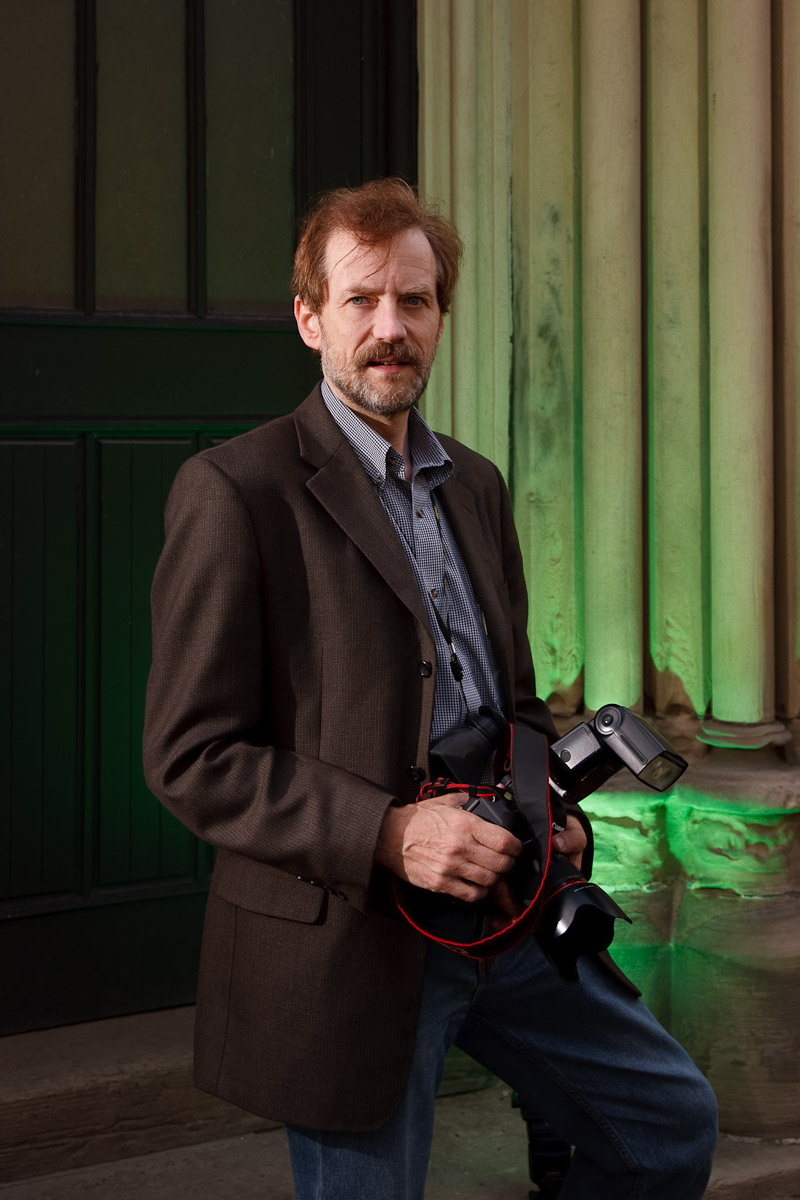
So that’s when you bring out the flashes. Say, two remote “slave” flashes, fired by a “master” flash on the camera. One slave to the camera’s left, shining into a Honl reflector, and aimed at the subject’s face, to add bright light to the subject. The second flash is equipped with a Honl Speedstrap and on it, a green gel, and this flash is aimed at the grey wall behind the subject to make it less grey.

Now you get this:

Outdoors Flash

Outdoors Flash Used During the Day

You will agree, I hope, that this is a lot better than it would have been without the help of flash. Even, no, especially, on this bright day.

Want to learn about all this stuff: read here of course, but also: join me for training.

(Thanks to colleague photographer Rob Corrado for the picture)