Happy Festive Days!

Happy Festive Days, everyone. Regardless of what creed, belief, religion, or nationality you may be: I wish you happiness. Life is short; enjoy it and make it better!

Michael


Don’t forget: check out the all-new Impactful Travel Photography e-book: perhaps some reading and playing for the holidays? Or get all three books for a reduced price. Interested in upping your skill level quickly, using my proven structured learning methods? Head on over to www.michaelwillems.ca/e-Books.html to buy now!
 

Lightroom issue to watch

A small Lightroom issue to watch if you sometimes shoot tethered (i.e. with the camera connected to the computer in real time). Like me today. Connect with a cable, then File-Tethered Shooting-Start and you’re good.

But. Since LR 5.0, this sometimes stops working. At random intervals. Sometimes after 15 minutes, sometimes after many hours. Then you have to stop and start tethering.  So if you tether, make sure you check after every shot that that shot gets to the computer.

So far, Adobe has not acknowledges the issue, but that is nothing new. Pretending it ain’t so is nothing new to software companies – any software companies. Alas. Yes, it makes financial sense, but it is dishonourable.


A:B C? Huh?

Every now and then I repost an item, because it needs to be done. Here’s one:

MVW_9056-1200If you use Canon’s excellent multi-flash E-TTL II system, you can get great results with simple speedlites like the 430EX.

But you have to know how the system works. There are a few gotchas – like the sensitivity of the E-TTL system to highlights: just one reflecting item in your shot and the entire picture is underexposed. except that reflective item.

One other thing to know is the way you set ratios. This is under-explained in the existing literature, and yet, is very simple once you know it.

You can divide your remote flashes into “groups”. You can assign each flash to group A , B, or C. You do this by controls on the back of the flash.

The options for setting up these groups are are”A+B+C”, “A:B”, and “A:B C”.

A+B+C simply means “fire all as one big group”.

A:B means “I have set one or more of my flashes (including the one on the camera, if that is enabled to flash) as group “A”, and one or more flashes as group “B”. I want to fire so that the ratio between group A and B is as set; e.g. if I set 4:1, then the “A” flashes fire four times more brightly than the “B” flashes”. So unlike the Nikon CLS system, which sets “stops with respect to neutral exposure”, the Canon system sets “ratios with respect to each other”. Not difficult: just another way of looking at it.

The one mode that gets most people is A:B C. (Note, just a space between the B and the C). This option simply means “A and B are as before, but any flashes in group “C” will fire at high power and this group will not be taken into account when calculating overall picture exposure”. This means you use group “C” to light up a white background.
Like in the pictures here of my son Jason, which I took in five minutes this morning before work. Including setting it all up. Pictures like this one:

MVW_9055-1200

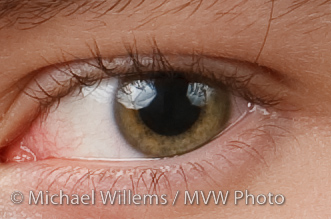
This picture was shot as follows: on our left, the “A” flash firing through an umbrella. On our right, the “B” flash also firing into an umbrella (you can see that in the reflections in his eye – you do always focus on the eyes, right?). And behind Jason firing at the white wall behind him, the “C” flash, aimed at the wall. All three of these are 430EX speedlites. On the camera, a 580EX II speedlite. This on-camera flash is disabled; it simply drives the three 430s. The system is set to A:B C, with an A:B ratio of 4:1 (the camera left side of the face is four times, i.e. two stops, brighter than the camera right side).
MVW_9055

Simple, really.

If you want to learn more about this subject, I teach at Sheridan College; and I teachFlash courses at Vistek; and as customised training, privately, to a wide range of clients. Contact me for more information via the links above.

Two landscape tips

First, this: Have you considered learning photography from a world class pro? If you live in the GTA: the all- evening Flash course on 3 Oct, and the 5-evening fundamentals of photography course with a weekly evening lesson starting  2 Oct. both have open places still, but you need to book soon. Like now.

Now, on to today’s second post: two landscape tips.

First Tip: Make sure you have sufficient depth of field. You do this by ensuring that you use: (a) a wide lens, (b) a small aperture, and (c) a focus point one third into the desired depth of field sharp area. That ensures it’s all sharp where you want it to be – and in landscapes, you want it to all be sharp.

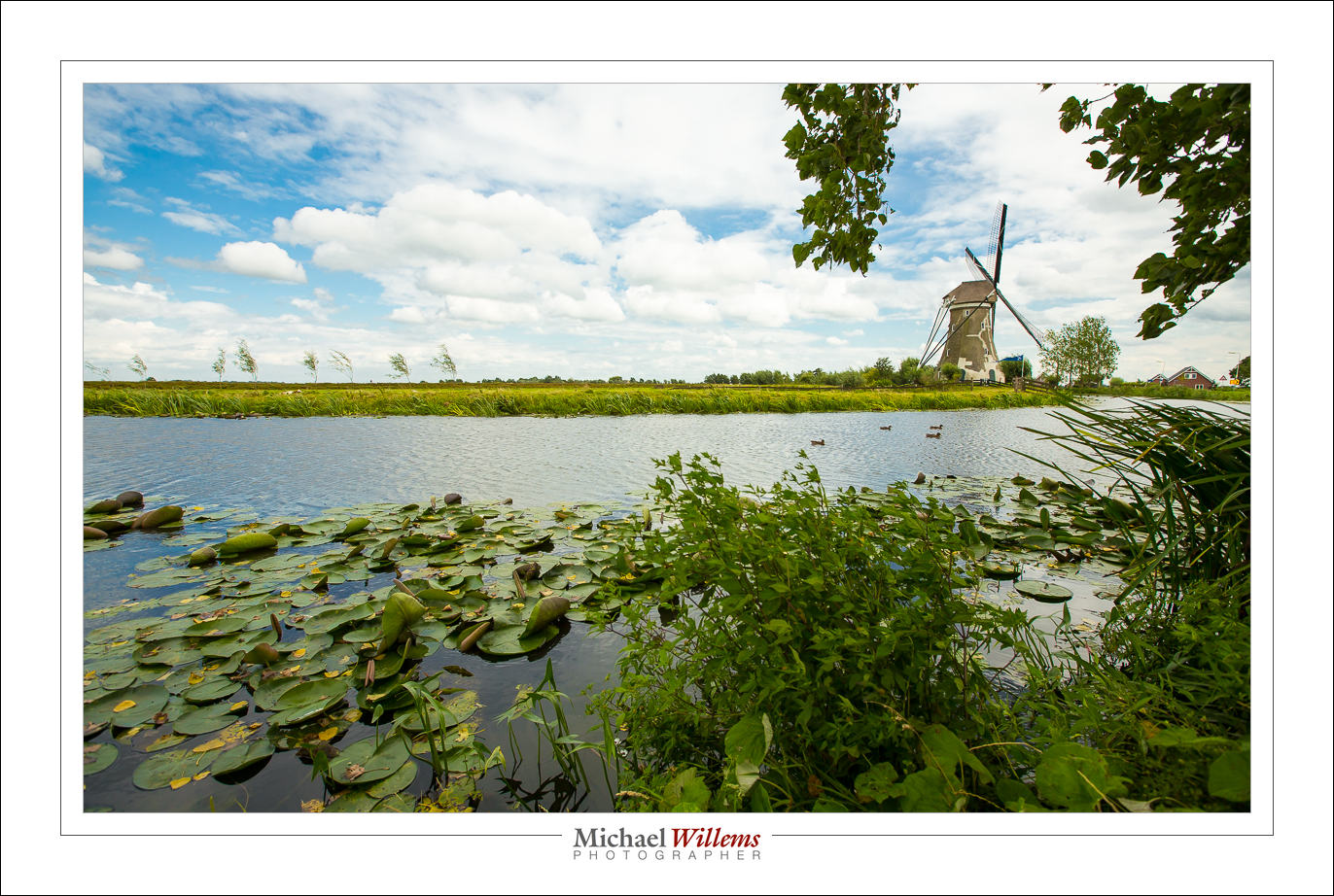
Second Tip: include a foreground object of interest. That makes the picture, well, more interesting, but it also provides perspective, depth. And thus, a sense of reality. Like in this scene of Haastrecht, the Netherlands:


Go practice those next time you shoot any landscape scene. Enjoy!


Go on, have some fun

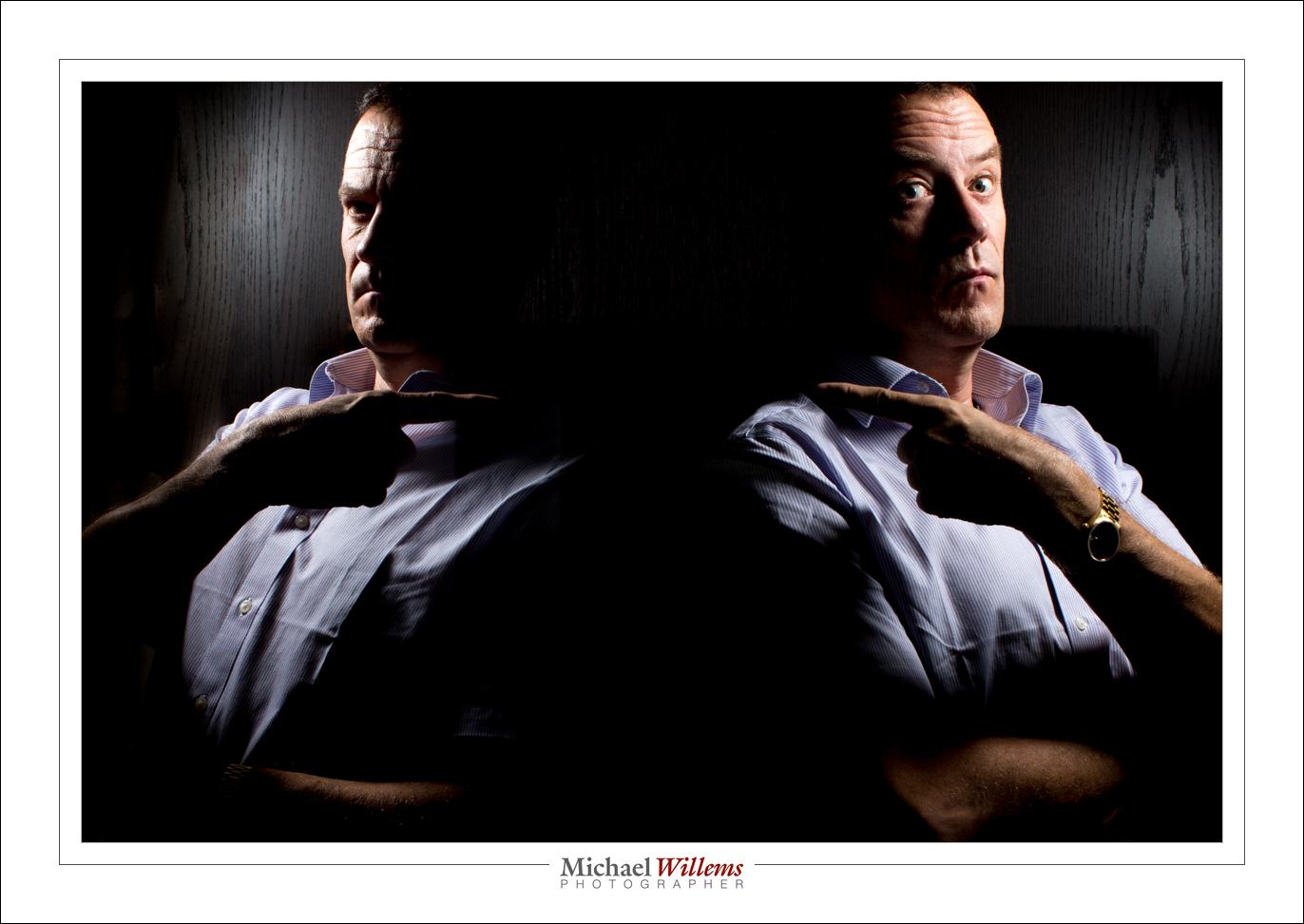
You saw in yesterday’s post that I was having some fun with the camera. Well, yes, and that continued. Here’s the last picture I took. Someone challenged me to take one with two of me.

I call this one HE did it!!”….:

This was in response to a forum challenge. Now, you need to know I do not have Photoshop. So I had to do this ion camera – and fortunately the 1Dx has this functionality, to make one RAW image in camera out of two pictures.

So what do I need to do this? In camera or in Photoshop?

In Photoshop I can use masks, layers, you name it. But in Lightroom I need to do the following:

  1. Tell the camera I am about to make such a double exposure.
  2. Take a self portrait as per yesterday’s instructions. Keep me on the left, but make sure the right is entirely dar (100 ISO, 1/125th sec, f/8). To make sure no light spills over, feather the softbox (point it away from the wall).
  3. Do the same on the other side (move the light, of course).
  4. Wait a few seconds
  5. Done.

If I overlap, or I get light on the wrong side, bad things happen:

Each half needs the other half to be dark, like so:

…because when you do it that way, it’s easy, and you can do it in camera.

So to do that, to get those dark backgrounds, you do the following:

  1. Make sure the settings are right for a dark ambient exposure (as above);
  2. Make sure the background is in fact dark and non reflective;
  3. Ensure that you are as far away from it if possible;
  4. Feather the flash away from said wall.
  5. Have the flash close to the subject (inverse square law applies!)

And then, it’s simple. The entire thing took but a minute or two. OK, five.


Discuss.

Note that you can add comments and questions to my posts – see the little “Leave a comment” link below. Your first comment needs to be approved by me (to verify that you are real, and not a spammer); after that, you can comment all you like without my approval. Note that your email address is only visible to you and me, not to anyone else.

Also, share the articles here by using the little social media icons. Speedlighter is free; all I ask is that you tell everyone 🙂

Just saying. Comments, feedback and questions are welcome!

Niagara School of Imaging

This week, the NSI – Niagara School of Imaging. We are having a blast – my 12 students and I. Here’s today:

This image puts paid to the thought that “you cannot create good pictures with one on-camera flash”. YES YOU CAN!

1/250th sec, 100 ISO, f/8

Thats the flash zoomed in, the lens zoomed out, and the flash aimed to the right while I aim straight ahead. Simple once you know how.

And this, with one on-camera straight-ahead flash using hi-speed flash and a softbox on the flash:

1/2000th second, f/4, 100 ISO.

Simple once you know!

But yes – one flash can do GREAT stuff!

Focus

When you focus, for optimum sharpness you need to do the following – and not all are obvious, so read carefully.

Normally, when shooting stationary objects do this:

  1. Ensure you are in “AF-S” (Nikon)/”One Shot AF” (Canon)  mode. This allows focus locking.  (For moving objects you will often use use AF-C/AI Servo)
  2. Select one focus point. This is simply telling your camera “do not choose where to focus, but focus on whatever I point this focus point at. It does not get “less focus” or anything like that! To select a single point, use the button on the back, or the menu entry. All cameras can do this, at least in the more advanced modes (and this is one of many reasons why you never use the red or green “full auto” mode!)
  3. Aim that focus point where you want maximum sharpness – but this has to be a contrasty area. You do not aim at a dark or light shirt, for instance, but at “where the shirt meets the tie so there’s lines”. Or better still, at the eyes!
  4. Realize that some focus points look for both horizontal and vertical lines (the centre point always does that), but many focus points can only detect horizontal, or vertical, lines! If you select a “detects vertical lines only`” point and point it at, say, the horizon, you will not get accurate focus!
  5. If you now keep the shutter pressed down you can recompose before clicking fully down, but do this carefully. If you let go, the camera will refocus!

Why this blog post? Because out of all the times I see students who complain about unsharp pictures, if it is actually focus (and not motion due to slow shutter speeds), then 90% of the time, the four simple points above have not been observed. And it is so simple!

If you are not 100% sure you are doing this right, go practice it right now, for an hour.