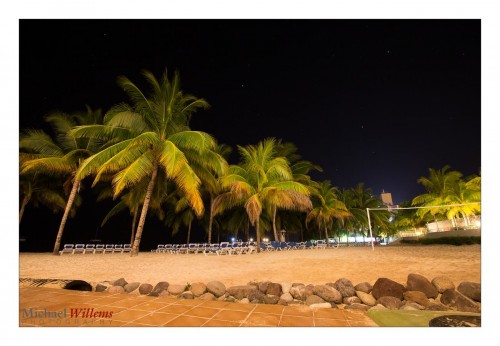
Screens on cameras

Today, a word about screens on cameras. Cameras can have several of them, with several uses for your convenience.
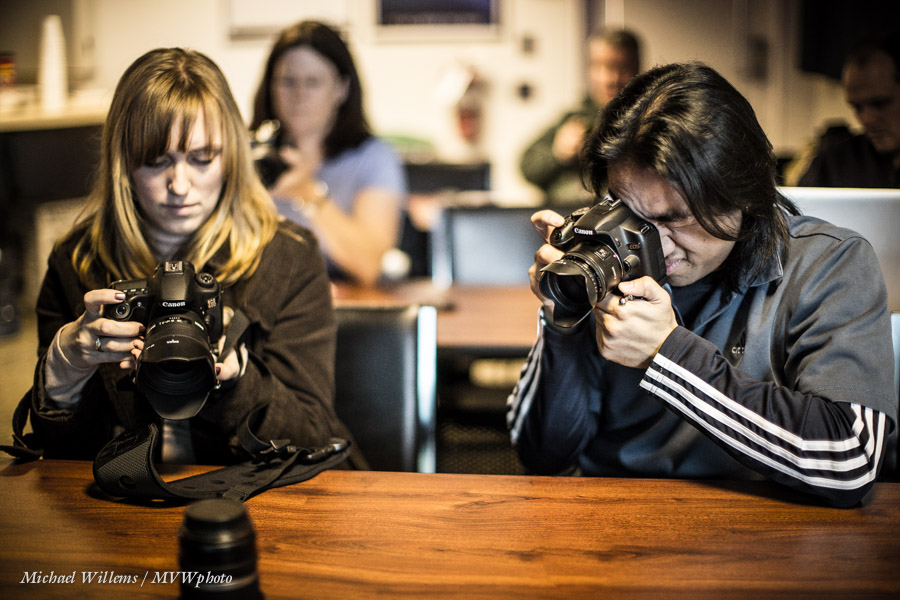
First, there is the screen on the camera’s back:

  • It can be used for “live view”. This is is not recommended except when shooting certain things like macro, and of course it is necessary when shooting video.  Other than that, it just uses up your battery.
  • This back screen can be an “articulated” screen. The sure sign of an amateur is a photographer who, before each schot, moves the articulated screen all the way out, only to move it back and reverse it to “close down” the back after the shot.  This is not necessary; it just wears out the screen hinges. Moving the entire screen out will just break the hinges eventually.
  • The back screen can also be used for review – that is valid use!
  • It can be used for menu operation – also good use.
  • It can optionally be used to set common settings. If you have alternate options (like a dedicated button, or a small LCD screen on the top of the camera), then those are better. The large back screen tends to be slower and it uses up a lot of battery power.

Then, you may have a dedicated screen on the top (and sometimes, on pro bodies another one on the back) that is much smaller and not normally luminescent. That screen is a great option for adjusting settings: it uses much less power than the back screen.

Finally, the viewfinder contains a small dedicated screen (on some cameras a large screen). I prefer optical viewfinders, but these LCD viewfinders can have valid uses.

My advice:

  • Use the optical viewfinder whenever possible: avoid “live view”.
  • Avoid using the back screen unless necessary to change settings. If possible, use dedicated switches and the small top LCD.
  • Avoid using the articulated screen unless necessary. All this unnecessary moving, twisting and turning your screen will just break things.
  • Do review your images as often as you like (I do!), but do not obsess over it.

And today I have a final piece of advice for my American friends in particular: Click here.

 

Tool Tip

I recently received a few screen protectors for review from Expert Shield (www.expertshield.com and  www.expertshielduk.com ).

Now, you need to know: I have never used screen protectors for any of my equipment: they are unnecessary, they are messy and they get in the way of clear visibility.

But wait. Not these! These are special, and so far, I am very impressed.

When you receive the screen protector, it comes in a neat box with a special cloth to clean your device’s display. The screen protector is pre-cut to your exat device including any openings for switches, cameras, loudspeakers, microphones, etc. These are available for a wide range of devices.

The screen protector comes as three layers: one protective mask below, the actual protector, and one protective mask above. You clean your display; then you peel off the bottom mask, then put the protector over the display, and finally, when any dust and air bubbles have been removed, you peel off the top mask. The actual screen protector is a silicone gel that sits on the display without any glue or any other substance: it appears just surface tension that holds it on.

No glues, so these are not messy. They are 100% transparent and I cannot see that the protective layer is on my screen. I have used the screen on my iPhone, Canon 1Dx, Fuji x100, and am about to put one on my iPad also.

The biggest benefit for me? My devices tend to start getting dirty and they then attract dirt and grease (the iphone and ipad in particularly turn from “oleophobic” to “oleophilic”). Wit these screen protectors, it will at worst be the screen protector that starts deteriorating – and it is easily replaceable.

I am doing a long term test of these, but so far I am very much impressed, and it is not often that I change my mind on an entire field, but that has happened here: I am now converted and am happy to use screen protectors. I will continue to use these and will update you after a while – so far, an unreserved recommendation.

Michael

___

I will not accept payment for reviews: when I review products, as in this case, I am not getting paid, and I will always give my honest opinion, good or bad. If you want me to review your product, send me a copy or a loaner (depending on how expensive and large the product is) and I shall review forthwith.


Softly, softly

“What is a softbox used for?”, I often hear. “To soften light”, I respond. But it occurs to me that showing you is probably worth a lot more than telling you.

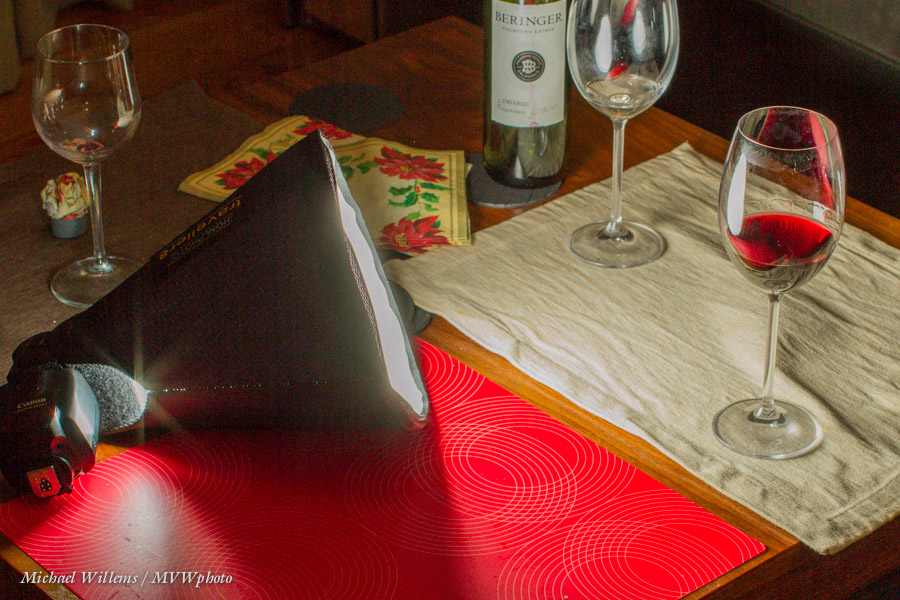
Here’s a picture of a wine glass, taken last night to demonstrate exactly this point:

As you see, I used off-camera flash, so it’s not too bad – but look at the shadows from the glasses’ stems. They are well delineated and sharp and clear. We call that “hard” shadow, caused by “hard” light.

Now let me put a little softbox on the flash:

I used a Honl photo Traveller 8 softbox – one that folds up to basically a flash nothing, and is light and sturdy. A very useful tool, and I always carry one or two.

What does it do? It modifies the light (a “modifier” is anything that changes the direction, size, or colour of the light) by making it bigger. A large light with respect to the subject avoids sharp shadows: the larger the light, the fuzzier (“softer”) the shadows become. Now look at the shadows coming from the glass:

What shadows? They are almost gone now! And that is what a softbox does. Even a small softbox, if close to the subject.

Why “close to the subject”? because what matters is how large the light source is with respoect to the subject, or, if you prefer, “as seen by the subject”. Small gives hard light; large gives soft light. Take the sun: it may be large, but as seen by us, because of its distance from us, it looks small, so it gives hard light. This 8″ softbox, on the other hand, may be only 8 inches across, but because it was close to the subject it looks large. Hence, soft light.

The softbox is better than an umbrella in the sense that it does not throw light all across the room. That is why the softbox is my favourite light softener, and that is why I usually carry a number of them, large and small, when I shoot.

___

My new e-book “Pro Flash Manual” discusses this and all sorts of other modifiers in detail, of course, as well as teaching you the rest of flash, all in once go. It’s a PDF; just $19.95, contains 123 unprotected (i.e. easy to read and copy) pages, and you can get it here now.


Reader Question

Today, reader Rita asks:

I was wondering if you might have some insight into this issue I’m having.

Shooting with Nikon D800. Off camera speed lights  – SB900 and SB800. Using Pocket Wizard – TT5s on the speedlights, TT1 on the camera, along with AC3 to control light coming out of speedlights. (zone controller).

The issue that I’m having (even on full batteries) is the delay. When I press the shutter, the shutter doesn’t actually release until well after my finger has stopped pressing the shutter. It’s worse than a point and shoot!

I was with Sal Cincotta on a workshop and he was shocked! He shoots Canon, and didn’t have a solution. Have you heard of this? Am I doing something wrong?

Rita followed up by saying she wanted the non-TTL Pocketwizards, but they were not available; and she is using second-curtain shutter sync.

Good question. OK, let’s start at the beginning. No, I doubt very much that you are doing anything wrong.

A "Manual Only" Pocketwizard connected to a Canon flash via a flashzebra.com cable

Yes, Pocketwizards need time to send all those pesky TTL signals back and forth (“group one: fire preflash. Now, group 2: fire preflash. Now the real flashes” – etc). Hence, there is extra delay.

When you are using multiple group TTL (group A, group B, etc), this is even more noticeable; and second-curtain sync, especially if you are using a slower shutter speed, will make it even worse. And Nikon is noticeably slower than Canon – even using normal light-driven TTL, on a Nikon most people can see two flashes, while on a Canon, you perceive the two flashes as one since they are very close together.

I have not tried the Nikon version of the TTL Pocketwizards, so I cannot say – but I am not surprised to hear you say this, alas.

Here’s my take on it.

First, I think these TTL Pocketwizards are too ambitious. The engineers who make them have to reverse-engineer the secret Canon and Nikon commands: not a recipe for great technology. Which is why the Canon version took several years to become reliable. And the Nikon version followed the Canon version, i.e. is less mature.

Second: I will never consider any device that uses “special” batteries, if there is an alternative. One of the biggest selling points about the regular PWs is that they use regular AA batteries, not special AAA123 batteries or whatever they are called, that cost $10 and are impossible to find anywhere. End of story, for me.

Third: when I do complex off camera flash, I prefer to use manual flash power settings anyway, meaning I do not need TT1/TT5 Pocketwizards and can now buy the $99 simple model.

So – Rita, while it is possible there is an issue of some sort, I fear that this may just be the inherent drawbacks in your system. But here is what I would check:

  1. Have you ensured that both your camera and the PW’s have the most recent firmware?
  2. Try without rear curtain sync, and with a fast enough shutter speed -what was it, in your case?
  3. Make sure there is a good path from transmitter to receiver and they are close together (for the test, anyway)
  4. Ensure that you have fresh batteries in everything, flashes and PW’s and camera.
  5. Set the PWs to the old channels. This might well help.
  6. Try using manual focus, just in case.
  7. Ensure you have a fresh, formatted memory card, and if necessary, reset your camera to defaults, to eliminate anything else.


Does that make any difference? If not – ask PW support for specs (what is normal?), and if that is too slow, as I fear it may be, then sell the TT1/TT5s and buy some of the new $99 ones. Extra benefit: You will then be able to use any flash (Canon, Nikon, Minolta) that has manual power settings!

___

LEARN WITH ME – NOW!

  • Who is coming to Oakville this Sunday, noon-4pm, for a Flash course?
  • Who is spending five days in my course at Brock University this August (the Niagara School of Imaging)? There’s still space and my “demystifying digital flash” course is on, so book now! Here’s a video about this course: [click here]


Back to basics

One thing I notice is that often, even working photographers get focus wrong. So let me go back to basics with you today. Focus basics.

There are two focus “settings”: where to focus and how to focus. Today, where to focus.

In the basic “auto” modes, you let the camera choose. You see all focus areas (all three, or all 9, or all 11, or all 42 – depends on your camera) and when you press the shutter halfway, the camera indicates which ones it uses.

These are the ones that have a close object. So you would get this:

But is that clever? Surely you should choose? Perhaps you want this, instead?

That can only be done if you:

  1. Select one focus point (read your camera manual if you need help doing that)
  2. Aim that focus point at the subject you want to have sharp
  3. Press half way down (you will hear a beep, if you haven’t disabled the beep)
  4. While holding the button half way down, recompose, if you like
  5. Press the shutter all the way down to take the image.

This is how you shoot most of the time. Letting the camera choose where to focus is not a great idea. It does not have a brain, and even if it did, it wouldn’t be your brain.  And no, “more focus points” does not mean “greater depth of field, i.e. more focus”! It merely means “camera gets to choose”.

So go set your camera to one focus point pronto!


Lens Choices Matter

Look at this Lake Ontario Shot from last year:

Not bad eh. You can see, I trust, that I used a wide-angle lens. 16mm on a full frame camera – you get that “wrap around” feeling.

Now look closely at the boat in the bottom right corner. See it?

Then let’s replace the wide angle lens with a 200mm telephoto lens on a crop camera (meaning, 320mm effectively). And aim at that boat.

Now I get a very different shot:

That difference should alert you to the fact that a different lens gives you a different world.


Update time?

A reminder – firmware updates for cameras happen, and they usually improve things. So I just updated my Canon 1Dx to the latest firmware: link here. I also checked that my 7D (same link) and Fuji x100 were up  to date (link here).

So if you have not updated your cameras firmware recently: check that you have a full battery and a newly formatted (in-camera) memory card, and go google the availability of new firmware.


The Seven Benefits To Wide

A lot of my teaching involves lenses, and lens choices. Tough choices, especially when you cannot just “bring them all”, for example when you travelling.

For travel, my favourite lens, as you know, is the extreme wide angle. “Wide angle” for me in this context means 16-35 on a full frame camera (10-20mm on a crop sensor camera); used usually on the wide side (16mm, for me; 10mm on a crop sensor camera).

Yes, the first reason is obvious: a wide angle lens allows me to “get more in”.  But this “pedestrian” reason is not at all the main reason I like it. First there are three additional “creative” advantages:

  1. I get nice diagonals.
  2. I can easily introduce depth (“close-far”).
  3. The wrap-around feeling that is so good for environmental shots – which is what travel shots often are.

There are three practical benefits, too:

  1. A wide angle lens is usually smaller  and lighter than a longer lens.
  2. I can shoot with slow shutter speeds without blurring the image.
  3. It is easy to get very extended depth of field, even at low “f-numbers”.

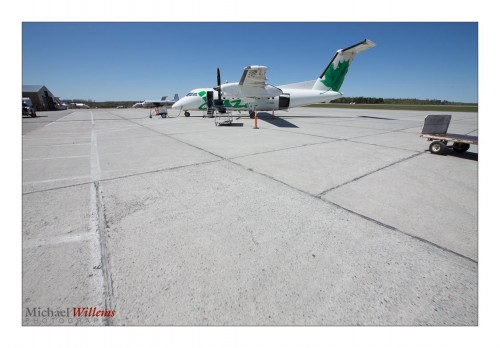
Now you see why I like wide angle lenses. “It’s like you’re there”:

___

Did you know I can teach you the ins and outs of your specific camera? Come to me for a short 1-2 hour session and we will fully set up your camera; I will teach you its menus and its custom settings; you will learn its quirks; and I will answer all your questions. Any camera type/brand; $125 per hour.


Blink. No, don’t!

Today a reminder, prompted by my recent Montréal visit.

If your subjects do this:

…that is because:

  1. The flash is aimed straight at the subject (remember, outside, since you are majorly mixing flash with available light, you can get away with this if you need to); and
  2. TTL flash uses a pre-flash for metering. Then, a few ms later, when the shutter opens and the “real” flash goes off, your subject is already in mid-blink from the preflash.

Yes, you will recall there is a solution. Flash Exposure Lock (FEL, Canon) / Flash Value Lock (FVL, Nikon). This allows you to first press a button for the preflash, and then press the shutter for the picture and the “real” flash.

  • Canon: use the “*” button, unless your camera has a little “FEL” or “M.Fn” button; then use that.
  • Nikon: assign the FVL function to the Fn button (do this via the pencil menu). Note, D3100/D5100 cameras lack this function. Then use that button.

After pressing the button as per the above, you have a few seconds to fire the “proper” flash and take the image. Remember to warn your subjects there will be two flashes and the second one is the “real” one.

That little tip makes you a better photographer than uncle Fred. There. You’r welcome.


Timmins Mining

Mining is one of Canada’s wealth-generating resource industries. Industries like mining made this country great, and I am honoured to be allowed to photograph a mine in northern Ontario this weekend. So I am off to Timmins in the morning.

I trust that it will not be like this:

In fact where I am going, underground, it will be hot, humid and dirty.

So this is the one time I will put filters on my lenses – clear filters, also known as UV or Daylight filters, whose only task is to protect. I recommend that you own them – but normally leave them off.

In a sandstorm, rainstorm or a mine, however, putting them on might be a good idea. Easier to replace a $100 filter than a $2,000 lens.

Now I have to go dig out my filters. Pun intended.