Canon 7D impressions

Some more “first impressions” after I have been using my Canon 7D for a few days. This is more a list of impressions, not a full review – but they are practical impressions. Here it is (and click for larger):

MVWS9996

And the back:

MVWS0005

As a teacher of photography and cameras, I am well familiar with all Canon cameras, so the first thing I look for is differences. And I see those in droves. Both compared to my 1D and 1Ds, and compared to other small-frame cameras and the 5D.

  • It feels great. Not only is it small and light (at least compared to my 1Ds MkIII and 1D MkIII), but it is also very nice to handle.
  • The layout has been changed a bit. the power switch, for instance, is now on the left.
  • The 7D has video. Very nice video: high-def, including 24 and 29.97 fps.
  • The all-new focus system is very good. Many more focus points (19 in all). Canon has added new focus modes: “Spot focus” (a smaller single focus spot), “zone focus” (where the camera chooses, but in one zone only) and “adjacent points” like on the 1D/1dDs, except it is always all points around the chosen point).
  • Weather sealing has been added.
  • The large display is very good. This not-unimportant innovation means you no longer worry unnecessarily about soft focus.
  • White balance in low light and Tungsten light is better than on previous Canon cameras.
  • A new “M.Fn” button has been added. This is needed to switch focus modes and it is used for various other functions.
  • A new “Q” button has been added: a “Quick settings” back of the LCD menu, á la Nikon’s. This can be quite convenient.
  • Many more ways to assign functions to the various buttons (including the “direct print” button which has never been used by anyone, ever, and which is now a “quickly add a RAW or JPG” button). This is pretty huge.
  • A new separate button for Live View and Video – convenient.
  • Exposure compensation goes farther (+/1 three stops are displayed; you can go farther).
  • Canon also added an electronic level; useful for landscape .JPG photographers (assuming they exist). You can choose to activate it with the “info” button, or you can see it in the viewfinder – using the focus points.
  • The viewfinder is 100% and very bright for a crop viewfinder. It has an all-new built-in transmissive LCD that shows focus points and grids (but inexplicably, does not have an option for a “rule of thirds” grid in viewfinder mode: an obvious mode I would have thought).
  • Peripheral illumination correction has been added, like in the 5D MkII.
  • Focus can be displayed in AI servo.
  • Batteries can be registered, so you remember when you bought which one.
  • The most important innovation: the pop-up flash can now be used to drive other (580 and 430) speedlites. No longer do you need a separate 580EX flash on the camera to do this. Lighten and you save$500. And more ways have been added to set rations: not just A:B and flash compensation – but now you also have the option to set built-in vs external ratio and separate flash compensation settings for popup and external. This is fantastic innovation and makes this camera an option for a pro like me.

The list of innovations is enormous. And yet the camera feels immediately familiar, only in a better way. Well done, Canon. Great news.

So is it perfect?

  • The 7D is more noisy than the 1Ds – it has a smaller sensor, after all – but not by much (see an earlier post on this blog). In practical applications this will not be noticed much.
  • It is a crop camera. That is no doubt why it is cheap. (if $2,000 can be called “cheap”).
  • Live View is more useful than before – but “live” focus is painfully slow.
  • Video is better than before too, but is it really practical? The need to use manual focus and manual exposure (which is at least possible) limit the utility. Still – I will definitely use it.
  • The camera has hung up a few times on me – locked up totally, something my 1D, 1Ds, 5D and others never did. It has only happened a few times.. but shows less than perfect software QA.
  • The auto lighting optimizer and highlight priority modes conflict; you have to use one or the other. And when you add “safety shift” and auto ISO, things get very complicated. Engineering degree, anyone?
  • Settings are missing for marketing reasons. Why not give me the ability to limit auto ISO? Nikon does it even on cheapish cameras. When reviewing, why not zoom in to the selected focus point? Why not give me the ability to store and retrieve standard settings (not using the “custom setting” modes)? Come on, Canon: you think I don’t know what you are doing? Instead of crippling cheaper cameras, how about enhancing the costlier ones?
  • Canon DPP is great, but incredibly, still lacks a function to rotate an arbitrary mount, and a “resize then sharpen” option. This makes it important that it should be supported in Adobe Lightroom – and it isn’t. Yet. Until Adobe gets around to it. Shame on Canon for not ensuring this happens right away, if they aim at pros!
  • Focus is better. Still, especially in low light the camera occasionally misses focus badly – the Canon problem of the last few years. I can live with it, but would love to see even more improvements.

Here’s another high ISO hand-held happy snap:

IMG_0975

For now, this camera is meeting my requirements as a working pro very well; when I carry two cameras, from now on that will not be the 1Ds MkIII and the 1D MkIII, but rather one of those (the 1Ds3, most likely, since it is full-frame) and the 7D. I am very happy so far.

More news from the field soon!

Attention

“If your pictures aren’t good enough, you’re not close enough”, said Robert Capa, famous photojournalist, in the 1940s.

Often, drawing attention to your subject can be effectively done through making it big.

And I mean big.

747

747

There is no mistaking what the subject is, and non-essential elements have been removed.

Try this more often than you do: yes you can do it, yes you can go close and crop off the sides, and yes, it is allowed.

Another 7D post

Canon 7D versus 1Ds Mark 3.

I was in a hurry so this test is by no means complete, and it is not quite apples versus apples. That said, I just shot a light in my studio with the 1Ds MkIII and with the 7D. Same lens length, effectively:

7D setup:

  • 35mm f/1.4L lens
  • 3200 ISO, f/5.6, 1/50th sec
  • AWB, standard camera NR settings

1Ds MkIII setup:

  • 24-70 f/2.8L lens set to 46mm
  • 1600 ISO, f/4, 1/50th sec
  • AWB, standard camera NR settings

In both cases I took the image into Canon DPP and did not adjustments at all. I saved as 1200 pixels long, and I saved it as an original size crop at 100% JPG quality.

Large shots, 7D first:

7D-1200

1DS3-1200

Now for the real size detail, 7D first – click on each to see them at original size:

7D-1200-Crop

1DS3-crop

The first thing you see is that the white balance is off on the 1Ds MkIII, and is much better on the 7D.

Also, the 7D looks sharper. More noise – it is 3200 ISO vs 1600 ISO on the 1Ds – but it is noticeably sharper.

The other thing to note is that on the 1Ds, I needed several shots to get the camera to focus on the “Opus” name. Several were eway off. The 7D is behving more consistently.

Note also that it is easy to be fooled: on the display, the 1D image looks soft at all times, while the 7D image looks crisp, sharp, wonderful. But that is partly due to the display.

Next week I will do some proper controlled tests. But this already shows me they are at te very least comparable.

The mysteries of life…

Take your flash and put it on your camera:

IMG_1076

Aim at a subject while looking through the viewfinder. Take a picture.

Did you see the flash? Through the viewfinder? Yes you did.

How is this possible? When the picture is taken on an SLR, the mirror is raised. When the mirror is raised, the viewfinder is black. So it is impossible that you see the flash through the viewfinder. You cannot have seen what you just saw!

Those of you who do not know, click on.

Continue reading

Flash help

Excellent session tonight: I did a training session with two truly excellent wedding photographers: Ruby from Phoenix and Baz from Ottawa. The subject was modern-but-complex flash technologies: multi flash, custom settings, dramatic flash, modern modifiers, and more.

Believe me, wedding photography is a tough job that takes enormous talent – and these two people have it in droves. If I have been able to contribute even the slightest amount to their excellent shoots becoming even more successful, that is enormously gratifying. And we had fun.

Exposure compensation for drama

…is the most important control after focus, if you use your camaera’s semi-automatic modes.

What does it do? It makes the picture darker and light.er But how? Does it change the pixels? Adjust the ISO? Change aperture? Do processing in the chip? What?

Actually it is very simple.

You use exposure compensation (the +/- button on your camera) only in modes where the camera is already adjusting something.

If you are in aperture mode (A/Av), the camera constantly adjusts the shutter speed to match the light. If you are in shutter speed mode (S/Tv), the camera adjusts the aperture. In Program mode (P), the camera adjusts either/both.

All you are saying with +/1 is “I want you to do that as usual, but to do it slightly differently to how you’d normally set it. + means do what you do but make it brighter than you’d normally do; – means do what you do but make it darker than you’d normally do (like in the picture below).

MVWS7002

So in Av/A mode, it adjusts the time as usual but to a slightly different value. In Tv/S mode, ditto for the aperture. In P mode, either.

No magic, then.

Aerial picture tips

IMG_0708

Since I have not been on an airplane for a year, I thought it might be time to tell you how to take pictures from one. And in sort, it is like this:

  1. Carry your camera, no bag, “underneath the seat in front of you”. Keep it discreetly when flight attendants walk by. A camera does not in any way endanger the aircraft. You could put the strap intop your seat belt to avoid the camera flying off in case of turbulence.
  2. Sit near a window (but not over the wing…).
  3. Wait until the plane banks, after take-off or before landing (as when turning final  in the picture of Manhattan above).
  4. Aperture mode, wide open, perhaps 100-200 ISO. Or you could try “sports” or “portrait” modes.
  5. Get close to the window – close, but no touching.
  6. Zoom in, but not extremely so: use the widest angle you can to still get the right composition.  Wide angles are less susceptible to vibration.
  7. Shoot repeatedly, as much at right angles to the window as you can.

Finally: you will find many aerial shots to be somewhat hazy. That can be fixed if the problem is not extreme. In Photoshop, do a “levels” adjustment to ensure the histogram goes from black to white.

It is as simple as that!

Do I need a fast lens?

When students ask me “should I really buy a fast lens?” (For beginners, that’s a lens with a low “F-number”, like f/2.8), my answer is “it depends.”

What are you shooting? Landscapes (no need for a fast lens, since you will shoot at f/16 or above) or nightclubs (which need a fast lens for low-light abilities), portraits (which need a fast lens for blurry backgrounds) or sports (which need a fast lens for fast exposures)?

And if you like blurry backgrounds, does it make sense to get a pro lens like an f/2.8, or is my kit f/5.6 lens enough? That’s an easy one to answer. It depends. On whether you like this, taken yesterday during a course at f/5.6:

5p6

..or whether you prefer the same shot at f/2.8:

2p8

You decide. View them full size to really see the difference.

Know that every stop faster (from 5.6 to 4, or from 4 to 2.8) doubles the lens price. But if you like the blur (“Bokeh”) in the bottom shot, there’s no substitute for fast.

And I did not say expensive – at least not necessarily so: while some lenses like my f/1.4 35mm cost $2,000, an excellent 50mm fixed (“prime”) f/1.8 lens (a “nifty fifty”, which on a crop camera is  great portrait lens) can be had for as little as $150 or less.

So yes, low f-numbers make a difference and that’s why photographers are willing to pay lots of money for them. But don’t worry: good lenses keep their value.

Indoor Flash

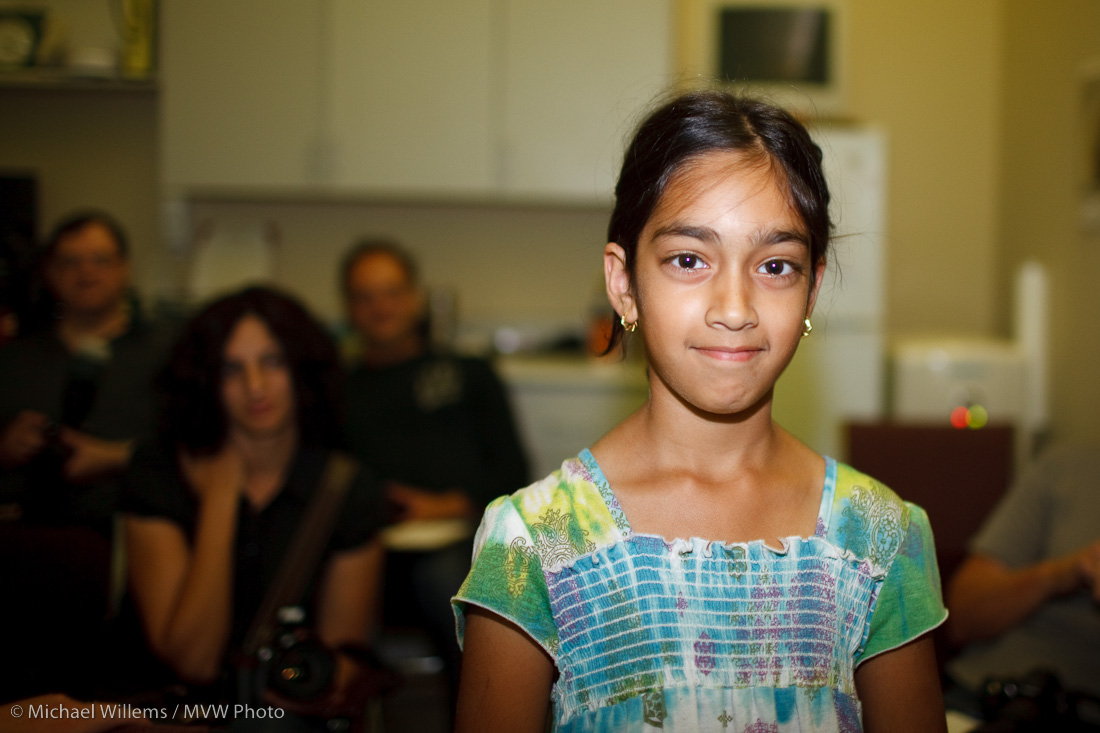
Here’s a few demo shots from a kind volunteer (a student’s daughter) at a recent camera course I taught. This bit was about “flash”.

First, pop up the flash and use “P” or “Auto” mode and you get the picture that makes people hate flash:

MVWS0106

Then enable “Slow flash” or “Night portrait mode” and you get a better picture.. yeah, it’s better. But not all that much:

MVWS0105

Then put your big flash on top of the camera (e.g. an SB-900 or 580EX II, or their slightly smaller equivalents SB-600 or 430EX II). And aim that flash behind you.

Yeah. Behind. So it bounces off ceilings and walls behind you.

Much better. Much. See:

MVWS0107

And then if you want extra “character” and “depth”, bounce off a side wall, if you can find one.

Now you get three-dimensionality, depth, character as well:

MVWS0108

I mean – how cool is that? And all this was done in “P” mode, with no special stuff, with no settings on the camera, no required knowledge of aperture, no complicated techniques.

Flash is wonderful once you learn how to play with it. And it is easier than ever.