The light, the whole light, and nothing but the light.

Often, the key to creative photography is to add light where you want it. And nowhere else. And ma ny people forget that added qualifier.

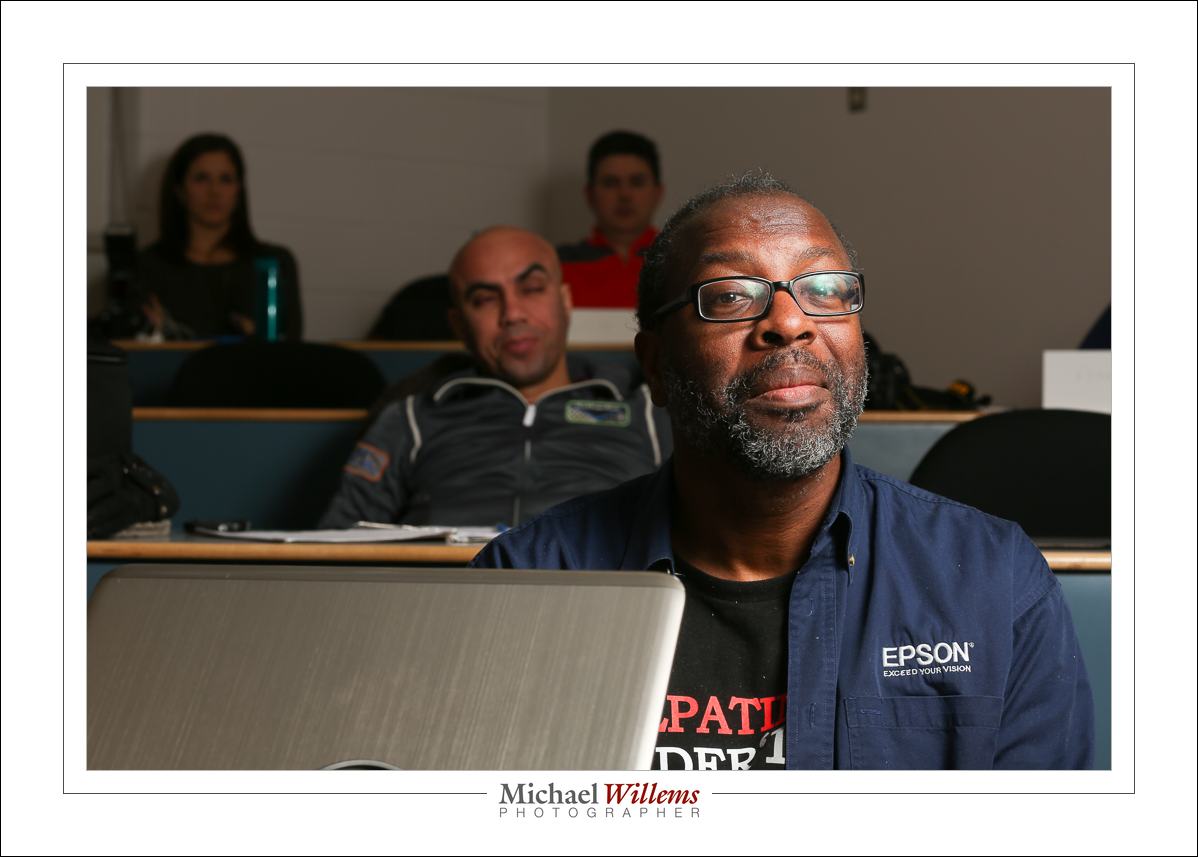
Take this, student Alonzo lit with a single flash through an umbrella. And umbrella spreads light widely, which is in fact one of its benefits:

20160229-MW5D6826-1024

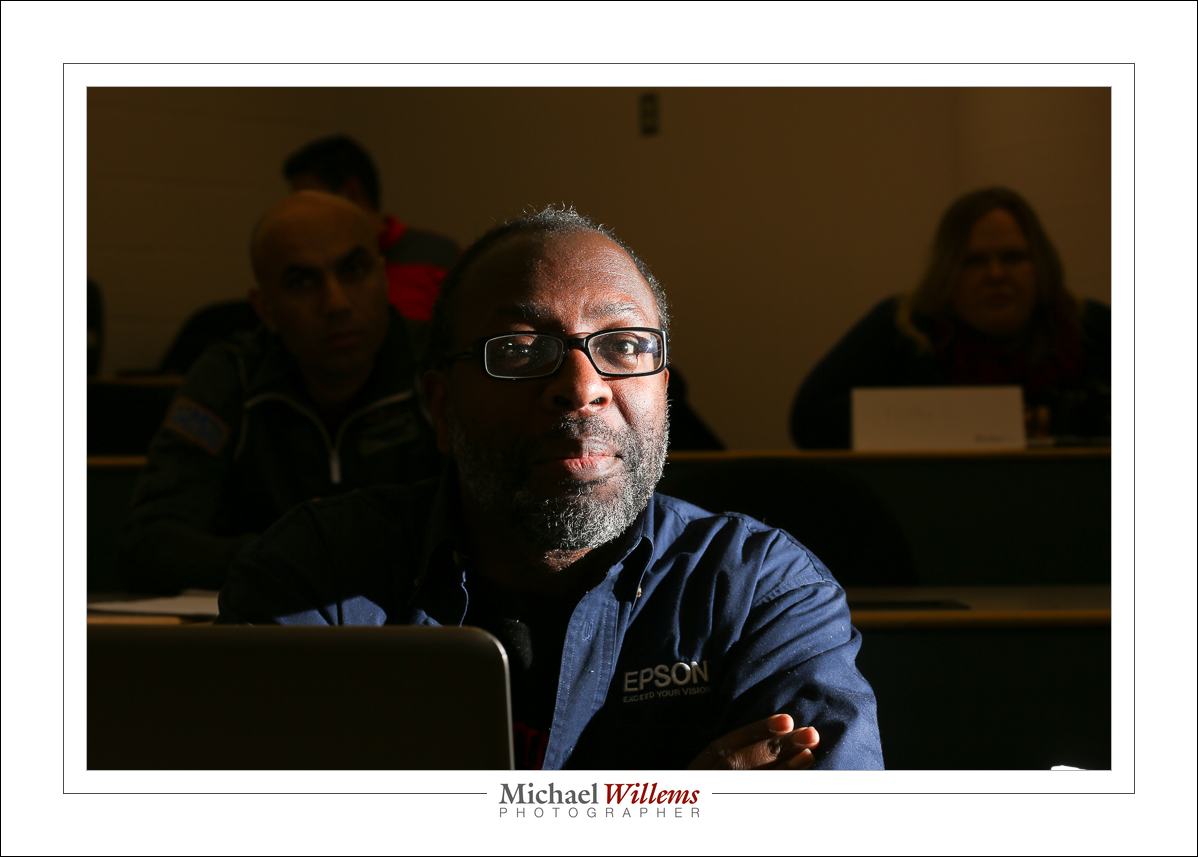
Now let’s use a single flash, unmodified, aimed at him from the right:

20160229-MW5D6822-1024

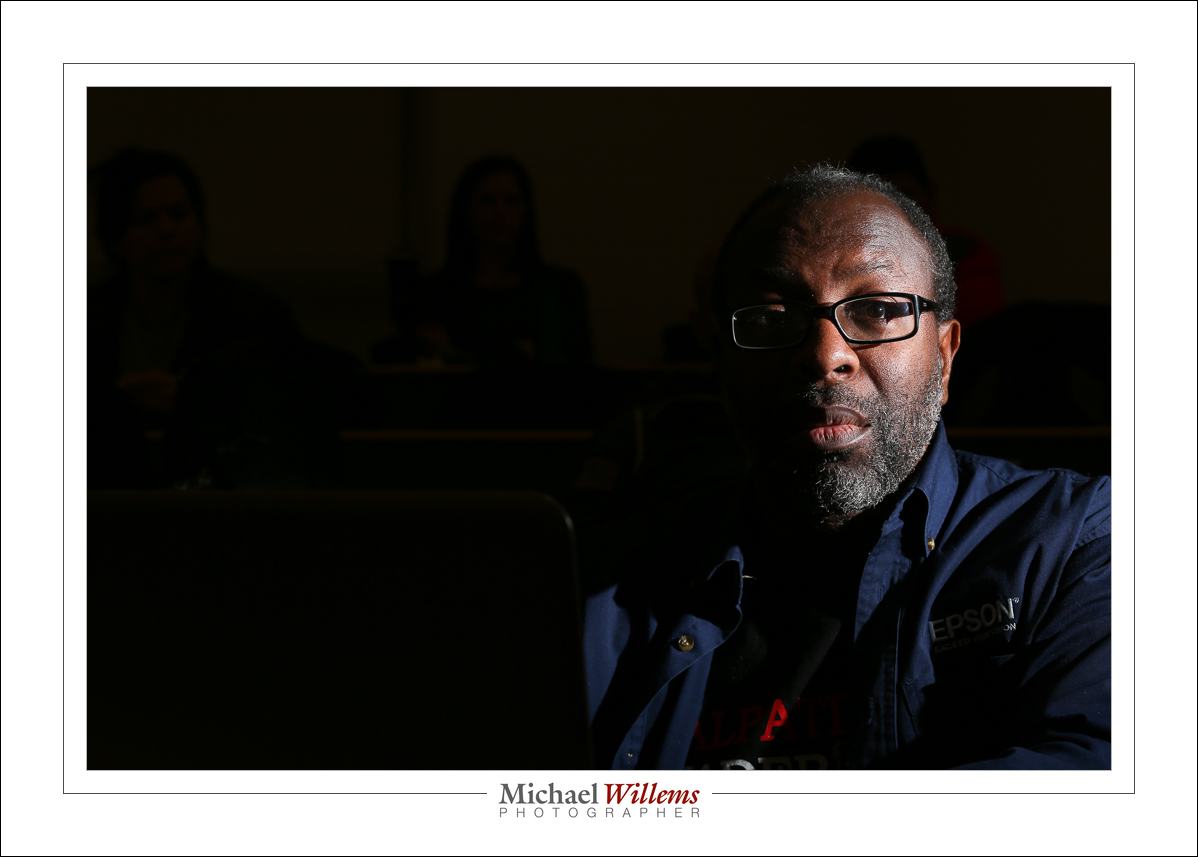
But now let’s put a grid on that flash:

20160229-MW5D6824-1024

It is the difference between the second and third photo in particular that I would like you to look at.

In the second photo, ambient light is still at zero (use the studio setting, see my books). But the flash itself creates light everywhere. In photo three, that is restricted: the flash only sends light where I want it to. Not everywhere else.

I use the Honl Photo modifiers. If you like them, follow this link and use code word “Willems” upon checkout to get an additional 10% off. I used a 1/4″ grid for that last photo. My favourite flash modifier, that grid!


Options

A recent encounter with a photographer leads me to re-iterate my message here: technical prowess can help expand your available options.

One of those is the use of light. Getting creative can involve any kind of light. Not just “available”, not just “Flash”, not just any type.All types. Why restrict yourself?

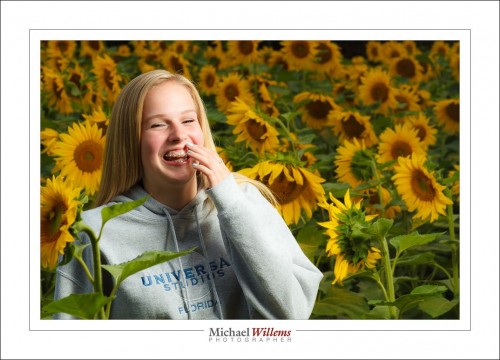
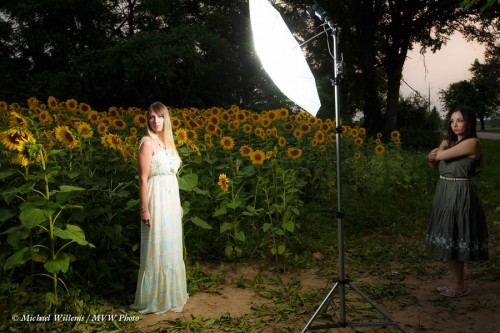
Take a portrait in a sunflower field. a “natural light only” photographer can do this:

20140807-MW7_8535-900

Nice. But I prefer for my subject to be the “bright pixels”, because 0f Willems’s dictum that:

Bright Pixels Are Sharp Pixels.

So I, an “everything” photographer, can do the above, but I can also do this:

20140807-MW7_8533-900

Which one do you prefer? The point is not that one is better. The point is that with flash added, you have a wide range of opportunities.

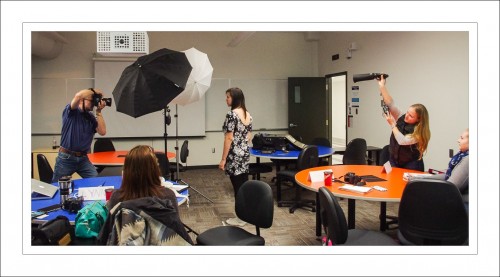
The above shot was made with nothing more than my camera and my usual portable umbrella outfit:

20140807-MVWX8477 (1)


By the way: My Dutch Master Class® courses teach you how to do this; how to think about flash; you learn the Three Essential Recipes: you get everything you need to get your vision into your work.

Your Home Studio: A Full Portrait Kit

One of the things you need to do to be a serious photographer is get a home studio running. And the good news: you do not need much.

23198938856_3315d50d25_o-1200

You can do it by using something like this—and this is a pretty well equipped speedlight portrait setup:

  1. Camera and lens(es). Pretty much any lens will do since you will be shooting at f/8. Use longer lenses for headshots. My favourite is my 70-200.
  2. Four cheap flashes. You can use any flash, any brand of flash whose power can be set manually and whose automatic time-out can be disabled. Like $85 Yongnuo manual (non-TTL) speedlites.
  3. Five Pocketwizards (or similar). The simplest, non-TTL types.
  4. Four Pocketwizard to hotshoe cables (from PW or from flashzebra.com).
  5. Four light stands.
  6. Two umbrella/flash mount brackets
  7. Two umbrellas.
  8. Two ball heads (for background light and hair light)
  9. 2 Speed straps, one Honl speedsnoot, one Honl photo 1/4″ grid.
  10. One set of Honl photo artistic gels.
  11. A backdrop stand with two or three crossbars (unless you have a grey wall).
  12. A roll of background paper. I suggest dark grey. But white and black are also useable.

We are talking a camera plus perhaps a couple of thousand dollars to be completely equipped for headshots, three-quarter shots, etc. (To make things easy, I recommend using a complete Honl photo kit, from www.honlphoto.com/?Click=2032 – use that link, and use discount word “Willems” at checkout to get an additional 10% off the kit price.)

That’s not much equipment. Yes, you can even do it in a simpler fashion (e.g. by using “SU-45” flash follower mode on three of the four flashes, and by using a reflector for your fill light), and you can do this in several phases rather than all at once, but the above setup gives you a reliable pro kit, and some redundancy as well.

If you want to learn how to do this, good news. It’s easy. Come to a custom personal class (see http://learning.photography) or join one of my Brantford meetups or buy my acclaimed e-book bundles from http://learning.photography/collections/e-books.

Flash tip

Quick tips are often the best. So this one is quick.

When you are using TTL flash, and you want to know if you have enough power to do the shot, do this:

Put your flash into MANUAL mode (Press MODE until TTL is replaced by M) and ensure you are set to full power (100% or 1/1). Then take the photo. You should see an overexposed flash photo.

  • If so, go back to TTL and carry on.
  • But if not, you have to increase your ISO or decrease your aperture number. Then repeat.

And that’s all. Just one of those quick tips that can make all the difference over the holiday season.
TIP: A GREAT Christmas present: my checklists book, the printed version. Shipped worldwide, and there’s time before Christmas. Act now: http://learning.photography.


A trick, revisited

With the holidays approaching, it is time for a refresher on an “event shooting” flash trick I have mentioned here before.

You all know how important it is to avoid, at least when the flash is on your camera, direct flash light reaching your subject. Both in order to avoid “flat” light, and especially to avoid those hard drop shadows, like this:

But you have also heard me talk (and those who come to my upcoming flash courses will learn hands-on) that you should “look for the virtual umbrella”. For most lighting, this means 45 degrees above, and in front of, the subject.

So when you are close to that subject, you aim your flash behind you to get to that point. Good.

But what when you are far, as when using a telephoto lens? In this situation, which happens at events, like receptions, the “virtual umbrella” may be in front of you. And aiming your flash straight, or even angled, forward is a no-no, since the subject will be lit in part by direct light, which will give you harsh shadows, and even worse, shadows from thesubject on the wall behind him or her.

A-ha. Unless you block the direct part of that light!

Like this:

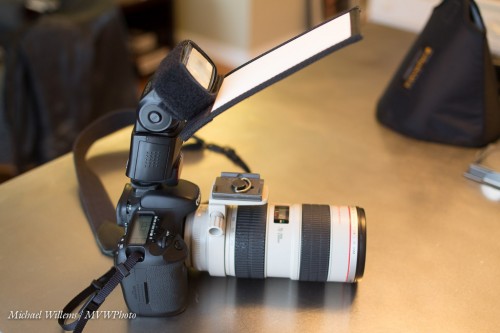
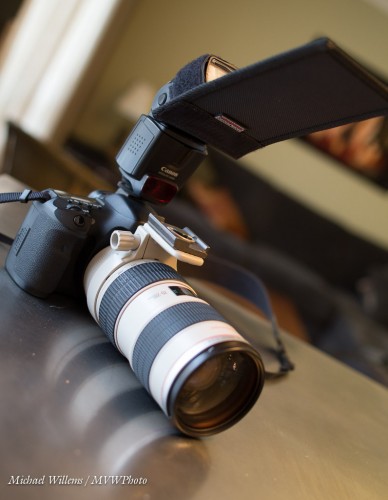
As you see, I use a Honl Photo bounce card/gobo to block the direct light. Simple, affordable, and very effective. I use either the white bounce side, or the black flag side, depending on the ceiling and position.

Simple, effective – done!

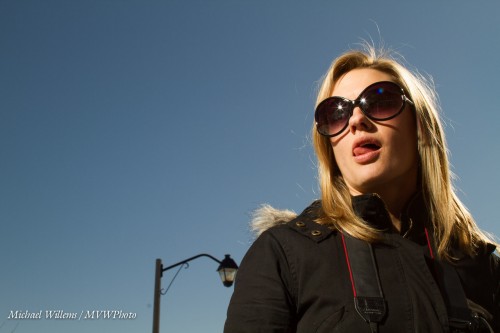
And one more thing. Direct flash is not bad per sé. Not at all. As long as it is not coming from where your lens is, it can be very effective, like in this “funny face” shot of a student a couple pf years ago (you know who you are):

Lit by a direct, unmodified flash. And the hair light, the shampooey goodness? Yeah. The sun. Just saying.

So, you now have yet another trick in your basket. Go try it out!


Filters for correction

You can use some gels (colour filters) for correction, Here’s an example.

Take this: I am lit pretty much OK by my flash, and with the camera set to FLASH white balance,, but the background is a tungsten light, so it looks red. I happen to like that, but what if I want that background to look normal, white, the way it looks to me?

Well…  can I not just set the white balance to Tungsten?

No, because then, while the background would look good, the parts lit by the flash would look all blue, like this:

Part 1 of the solution: make the light on me come from a tungsten light source too, so we both look red. We do this by adding a CTO (colour Temperature Orange) to the flash.

Part 2 of the solution: Now you can set the white balance on your camera to “Tungsten”, and both I and the background will look neutral:

Done. Now we both look normal.

So, in summary:  when you are dealing with a colour-cast ambient light, gel your flash to that same colour cast, and then adjust your white balance setting to that colour cast.


You can learn all about this, and much, much more, from my e-books. Now available from http://learning.photography — the checklist book even as a printed manual now,

Lighting Ratios

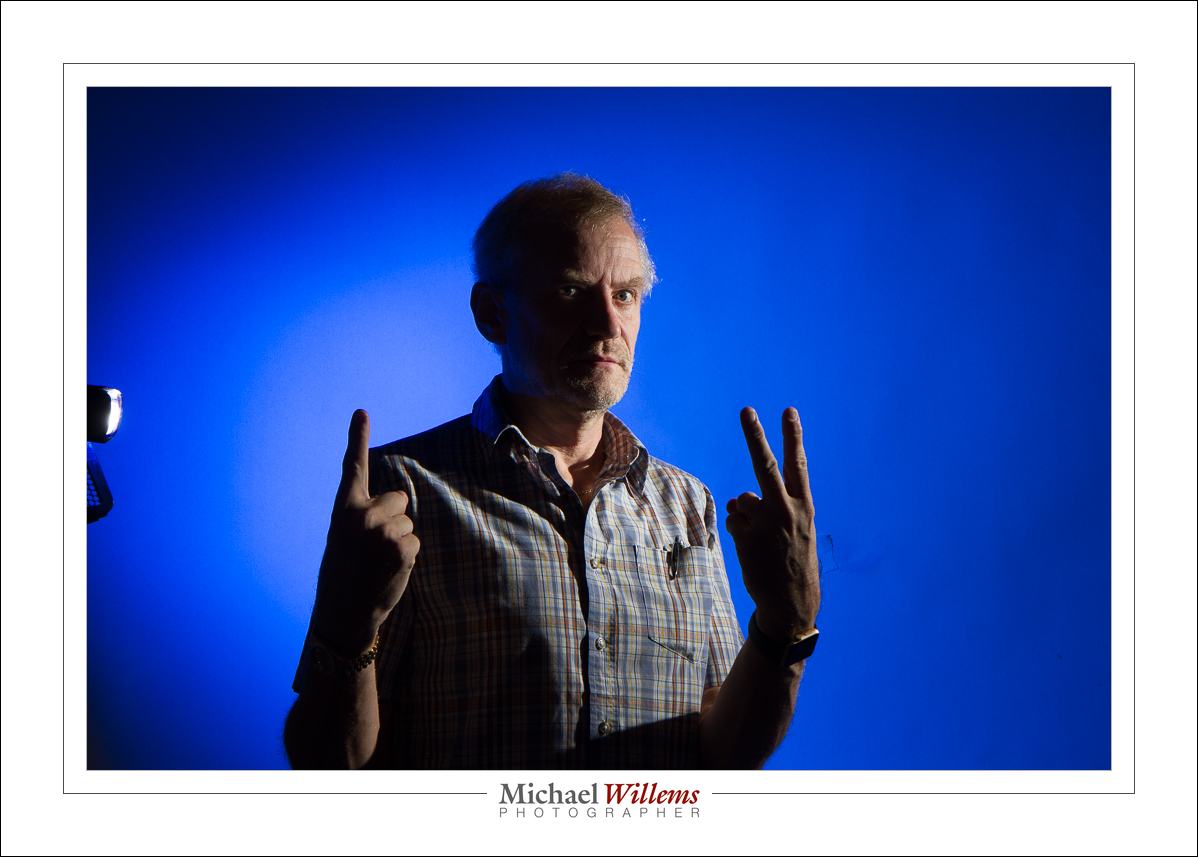
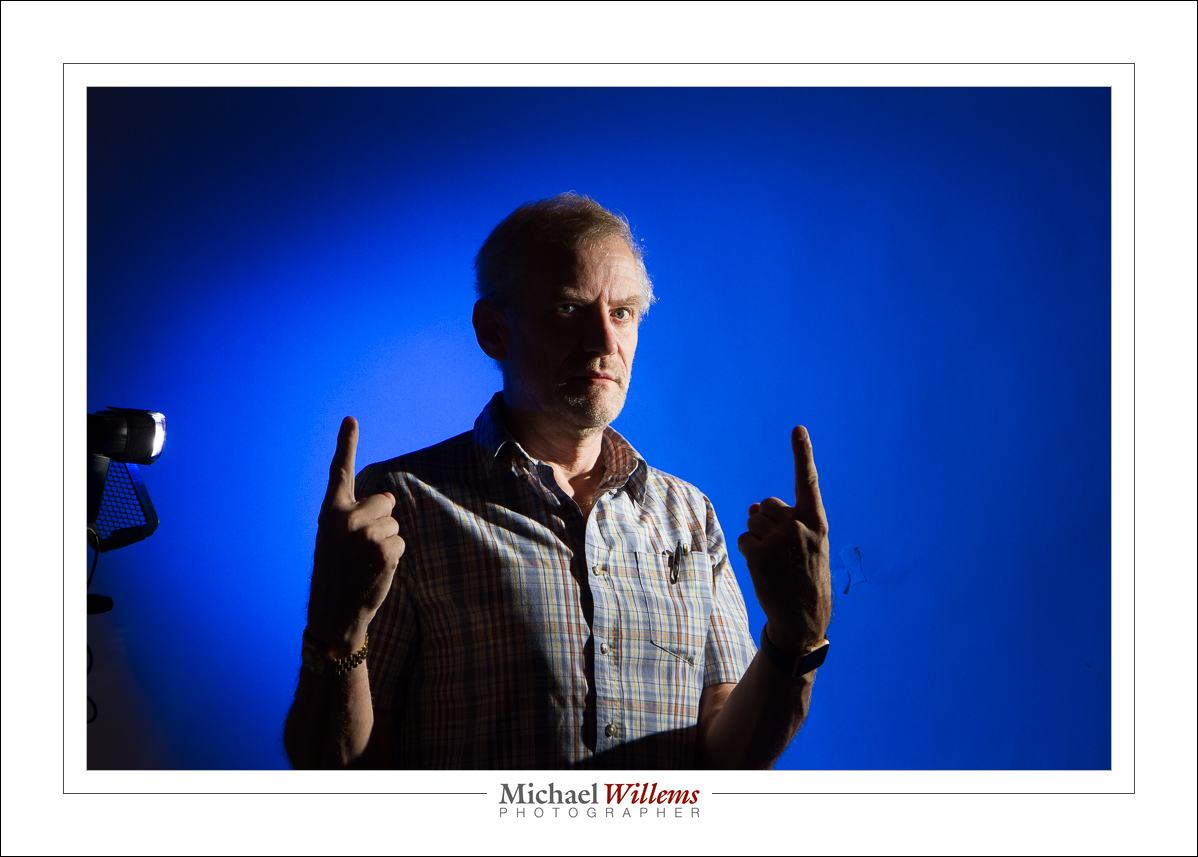
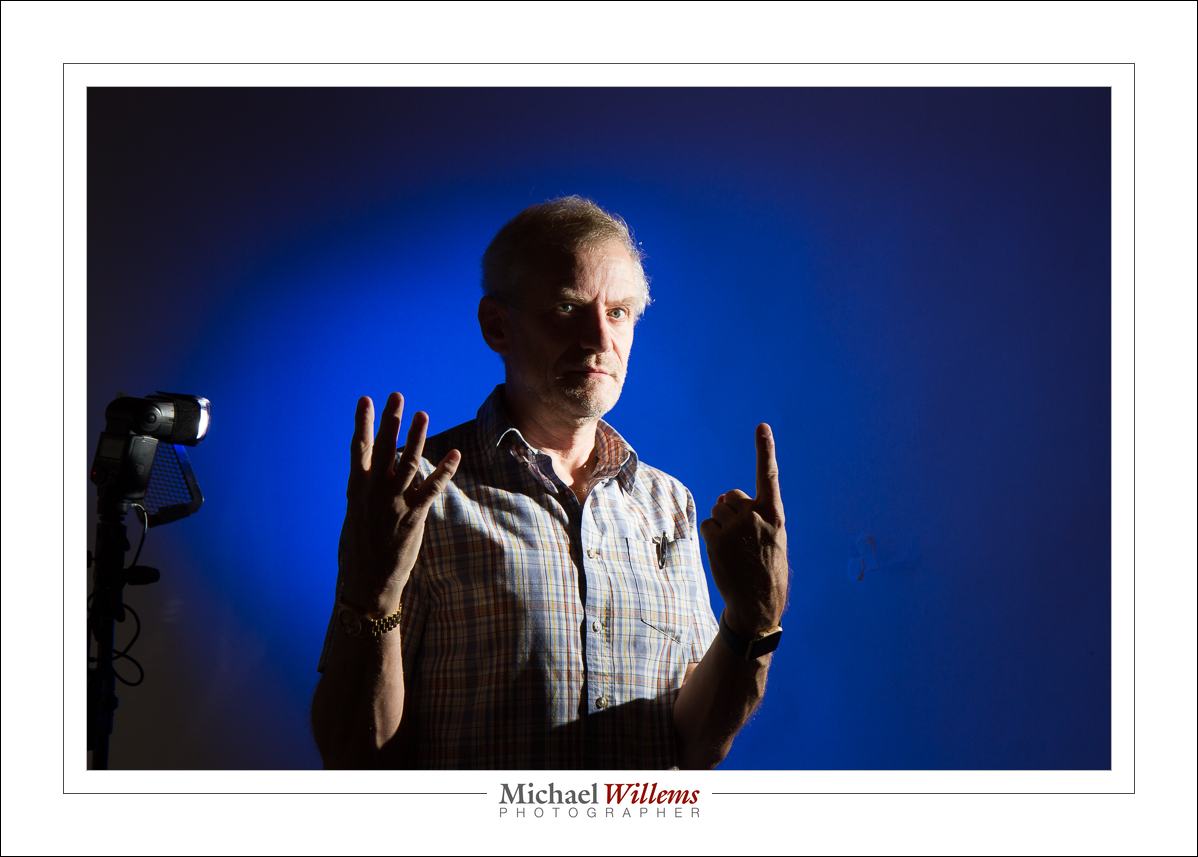
When you use more than one flash, you can adjust each light individually. If you use speedlights and your camera maker’s wireless TTL functionality, you can do that in two ways:

  • Canon: relative, using ratios. As in “A:B = 4:1” meaning A is 4x (two stops) lighter than B
  • Nikon: absolute, by adjusting individually. E.g. “A = No adjustment; B = -2 stops adjustment”.

An example of this using two Canon flashes.

Ratio between key light (face) and background light: 1:2

1:1:

2:1 (you are getting the hand signals by now I presume):

4:1:

The preference is yours: mine is 2:1. But that is largely a matter of taste.

If you use manual flash and radio triggers, it is conceptually easier, since you set up each flash by itself, independent of other flashes. Ratios are a little bit trickier to get your head around, because it is not immediately clear which flash will get darker and which flash lighter, and to what extent. So trial and error will be required. Either way, key point is that you should think carefully about how bright each flash is, in a multi-flash setup.


Problems and solutions in event shooting

In 2010, I wrote this:


I shot an event yesterday that prompts me to give you some TTL management strategies. This is a long post – one that you may want to bookmark or even print and carry in your bag.

TTL Management Strategies? Huh?

Yup. TTL (Through The Lens) flash metering is great, but it can have its challenges. Unpredictability, or perhaps better variability, being the main one.

So why use TTL at all? Well, for all its issues, it is the way to do it since you are shooting in different light for every shot, and you have no time for metering. Metering and setting things manually (or keeping distances identical) in an “event”-environment, especially when bouncing flash, is usually impossible. So TTL (automatic flash metering by the camera and flash, using a quick pre-flash) it is.
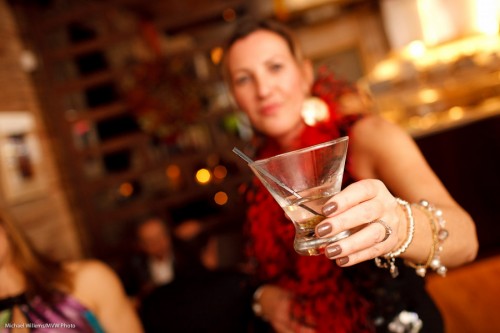
Cheers! (a Michael Willems signature shot)

Yesterday’s event was in a restaurant that had been closed to the public for the night. Challenges for me were:

  1. Light. It was dark. Very dark, meaning achieving focus was tough and settings needed to be wide open and slow.
  2. Consistency. The venue was unevenly lit: parts were light, parts even more dark. Meaning that achieving “one setting” is difficult.
  3. Space. Space was limited: hardly enough space in a small venue to walk around, let alone to compose shots.
  4. Bounceability. Walls were all sorts of colour, mainly dark brown, making bouncing a challenge.
  5. Colour. This also created coloured shots. Orange wall = orange shot.
  6. Predictability. Long lens? Very wide? Fast lens? Every shot seems to need another lens – which is impractical.
  7. Reflections. There is a good change reflections of glass or jewellery will upset your shots, causing them to become underexposed.
  8. Motion. People kept moving (uh yes, especially when the chair dances started).
  9. Technology. Batteries run out. Flashes stop working. Cards get corrupted. Nightmare scenarios we all know.
  10. Time. People were not there for me – it was of course the other way around. So my ability to ask people to pose and to move was limited. They are there for a party, not for the photographer.

So then you shoot and you notice that shots are too dark. or too bright. Or faces are too bright while backgrounds are too dark. But this is all in a day’s work for The Speedlighter… that is what I do for a living!
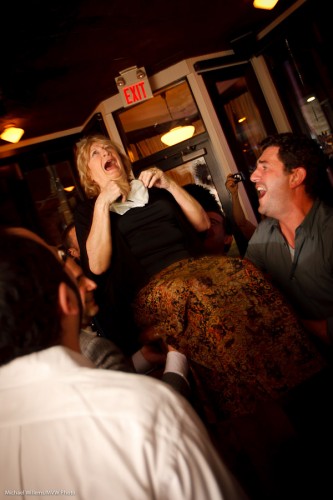
Mazel Tov!

I am sure everyone who has ever shot events is familiar with these issues. To solve them and come up with solutions, I have developed a number of strategies. So let me share some of them with you here.

(Click to continue and read the solutions…)

First, and this is not what this post is about:

Know your camera intimately and use the standard settings. Like a safe start setting of:

  • “Manual, 400 ISO, f/4.0 at 1/30th second”.
  • Aim the flash 45 degree up behind you.

Your objective with this is to get soft flash light onto your subject and warm ambient light into the background. Try to get the meter to “minus two stops indicated” when you aim at an average part of the room.

To learn all about this, read this blog and take one of my courses, a one-on-one, or a Mono course, or do the Flash course with me at Henry’s School of Imaging.

This post, however, is about the next step, which I also teach in my upcoming “Event Photography” course, namely: how to reduce the variability and get consistently great results.

My strategies to achieve this include (and you’d better sit down for this one: there are 20):

  1. Choose lenses for success. A 35mm fast prime (or 24 on a crop camera) is a good start, and this is what I used most of last night, but wider (like a 16-35, or  10-20 on a crop camera) is sometimes easier in tough light and is often necessary when space is tight. Sometimes you’ll want a long lens. I carry two cameras an no more than three lenses at any events.
  2. Give yourself time. Do not allow yourself to panic: I see beginning photographers do this. Instead, take your time, and shoot many test shots; find your happy spot. For me last night it was 800 ISO, f/3.2, 1/30th second. It took me a good while to arrive at this! Shoot, regularly check the shot, and when you see a pattern emerge of good shots at a particular setting, use that setting.
  3. Focus carefully. This is crucial: it is very tough and can be slow in low light. The trick: aim your single focus spot at brighter, contrasty areas (like faces, contrasty clothing), then focus, then hold that and recompose. And watch your distance: focus on something the same distance as your subject. Otherwise you get blurry pictures – also, TTL is sensitive to distance!
  4. Meter off mid grey. When you do this focusing, you are also metering (unless you have separated focus and metering, which in an event shoot is not an obvious choice). So be careful. If you focus and meter on a dark area, the flash will overexpose. On a bright area? Then it will underexpose. Most cameras meter with considerable bias towards your chosen focus point. So try to focus on something that is neither very bright nor very dark.
  5. Avoid hot spot reflections. TTL metering (especially on Canon cameras) is sensitive to this. Result: your entire shot in underexposed. On some cameras you can set your TTL metering to “centre weighted average” instead of “Evaluative” or “3D Color Matrix” metering: some photographers choose to do this. In any case, be aware of windows, mirrors, anything that can cause this issue.
  6. Use Flash Exposure Compensation (FEC). If you know you are metering off a bright white area, turn the flash up a stop. Conversely, if your subject is small with a big background (a person against the room), that subject may be overexposed. In that case, turn FEC down a stop. You will be using FEC a lot in many shoots. During the evening, you will see where you need plus, and where you need minus.
  7. Use your histogram. Avoid judging your shots solely by the preview on the LCD. Use the histogram by checking every now and then. It is OK to “expose to the right” (search for that on this blog, if you do not know what it means).
  8. Do not obsess about previews. Take a look often, but do not obsess. Images will be better on your computer than on the LCD, in all likelihood. You are there to shoot, not to edit.
  9. Find good bounce areas. For every shot, try to find a bounce area behind and above that is bright-ish, and that when reflecting flash, throws light onto the front of your subject’s faces.
  10. Go to a higher ISO. In a dark environment, where you bounce off walls and ceilings that “eat”most of your light, you will want to use a high ISO, like 800. Sometimes even higher: I shoot in clubs at 1600 ISO quite often.
  11. Use rechargeable NiMH batteries in your flash. These charge your flash more quickly. Essential in a fast-moving event situation, so do not use ordinary alkalines.
  12. Change those batteries often. You will be shooting at high power, and soon your batteries will get hot and will stop working. Happened to me last night – so I changed batteries a few times. Do not worry about “but they are not done yet”. Change them while the going is good. Batteries never fail at a convenient time. Take charge!
  13. Do safe shots. You will develop your style and this should include some safe shots. My signature safe shot is the “hold out your drink at arm’s length” shot I started this post with, above. Another safe shot is the food, shot at wide angle. Develop your own safe shots and always get some of those.
  14. Find good places. In an event location, there will be some shots (“in front of that great lit-up brick wall”) that work well for you. In that case, once you discover them, hang around those areas, even try to get people into those locations if you possibly can. The more of those you get, the more your ratio of great versus OK will go up.!
  15. Shoot ratios! This is a crucial point to understand. You are not in a studio environment. Not every shot will work. A failed shot or two is no issue. You are aiming for a good ratio between good and bad. I am delighted if 75% of my shots at an event are good enough to be shown. At a pinch, I will settle for half, if I must. This approach takes pressure off you. A bad shot does not mean you are a bad photographer.
  16. Shoot a lot. The ratio-approach I mention above means that event shooting is possible regardless of your expertise level: just shoot more. Tough light? Shoot even more. I do that too, and for for shots that I must get (mother with son, the happy couple, the main speech – that sort of thing), I always shoot two or three, even if I think the first one is good. So – shoot a lot.
  17. Do not delete bad shots in the camera. This takes time and wastes battery. You should be shooting, Also, you want to be able to tell your ratio of good vs bad – if you delete bad you will never know and you will never see the improvement.
  18. Shoot RAW-  and try to get within a stop. Crucially, you do not need to get every shot right. If you are within about a stop either way of perfect you are just fine and the rest can be done in post. Events need much more post-production than studio work. Many shots will need adjustments: exposure, white balance, crop. Vignette, sharpening, skin adjustments.
  19. Do not worry about white balance. Set it to “Flash” and adjust later.  That is why you shoot RAW.
  20. Catch the moment. Often, this is more important than the quality! Choose the decisive moment. “If it smiles, shoot it”. Look for moments and “damn the torpedoes” – shoot! The chair dance shot above is a good example: yes, more light and no “exit” sign and a tighter crop would have been even better,  but the moment beats all that.

Whew. A lot of strategies. Do not forget to have fun. Be a people person. Smile. Whatever you shoot, it will be OK, it will be better than if you do not shoot. get on with people, smile, laugh, eat and drink a bit if you are invited to. Enjoy!
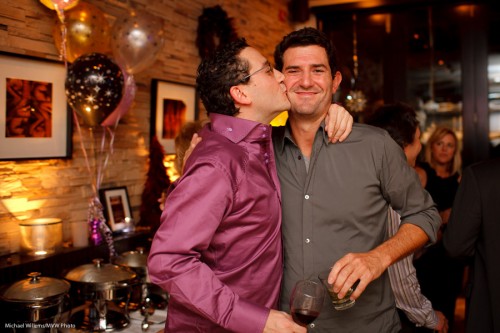
Kiss kiss! The decisive moment.

To learn the strategies, I recommend that you now read this post again, print it, and then start implementing the ideas one by one.

Practice makes perfect, you know what “they” say… and New Years’ Eve will be a great time for you all to practice.


And all that still holds today, of course!

 

Kill Ambient, Kill, Kill, Kill.

In studio photography, you want to kill ambient light completely. The light bulbs in your studio, or the light falling in through the window, should not affect the picture at all.

This is easy when using flash. 100 ISO, 1/125 second, f/8 and you’re all good. Ambient light: gone.

But when you are using hotlights, it’s not so simple—especially if you are using small, light, and affordable compact fluorescent lights. These are (by definition!) exactly as bright as a lightbulb. So now you need higher ISO, longer shutter, lower f-number… and now your lightbulbs do suddenly show up in the photos.

And that’s why most photographers use flashes.


Balance!

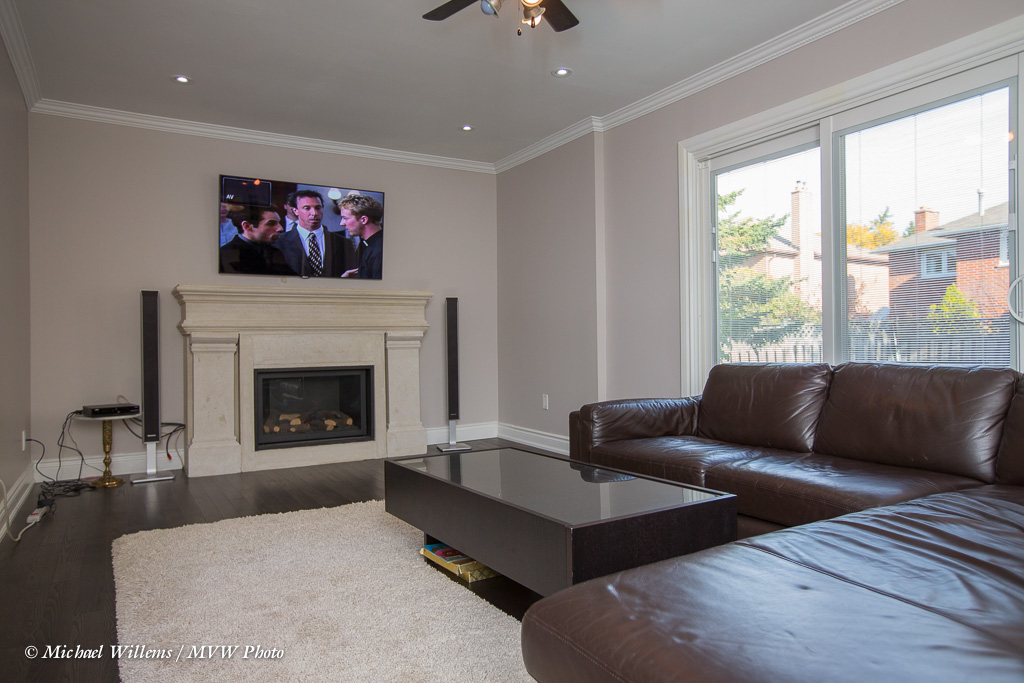
A photo like this needs careful balancing: the TV, the room, and the outside.

  1. First, as always, set the ambient exposure. Set your camera to match the outside.
  2. See how the TV works with that. If not good, find a good point in between, where the TV looks good, even if the outside is a little bright, like here.
  3. Keep your shutter speed below 1/250 sec or 1/200 sec, depending on your camera.
  4. Now add flash; add the right amount to match the ambient exposure. Bounce the flash from a point behind you that gives equal brightness through the room.

And that’s all. Not that difficult if you approach it right!