Christmas reminders

Today a very quick reminder (especially as yesterday I published two posts):

Shoot detail.

Christmas cheer

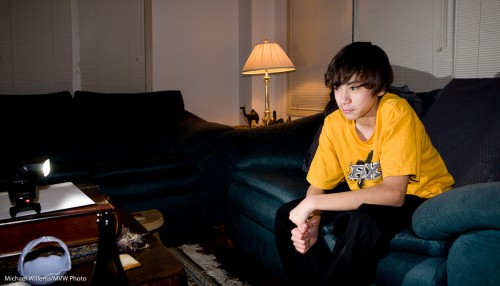
Use off-camera flash.

You do not need light stands, necessarily: you can often use just the little plastic stand that comes with the camera. Here, you can see it in the shot!

Off-camera flash

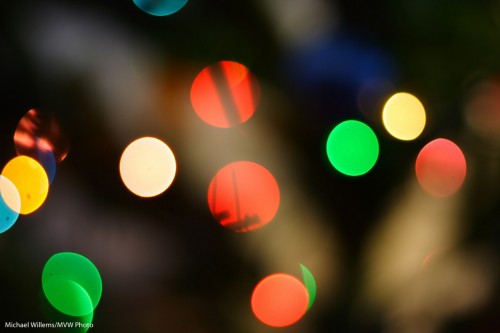
And finally, throw lights out of focus (with the aperture open all the way):

Lights

Tomorrow, a new tip.

The festive season.

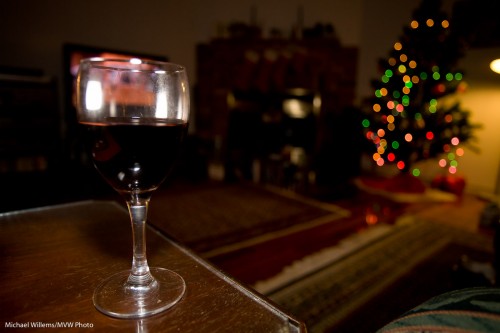
Whether you celebrate the Festival of Lights, or Christmas, or Kwanzaa, or whatever Eid this season has – or whether like me you just like parties and colourful lights, I urge you to shoot some unusual holiday pictures this month. So I will post a few posts in the next week with some ideas.

Idea number one is: detail and out of focus pictures of lights.

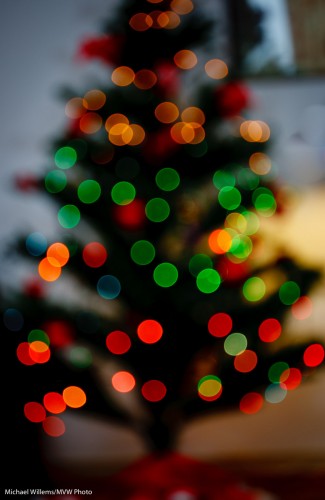
Start with the latter. Select a high enough ISO (say, 400 to start). Open your camera all the way (in Aperture Priority mode, select the lowest “F-number” your lens supports, like 3.5) and manually focus as close as possible (turn the lens to “MF”), while the lights are far away:

Out-of-focus tree lights

And then for the second type of image, get close to a subject and autofocus on the close subject. When using flash, use an external flash (not the pop-up), and aim this flash behind you (yes, behind).

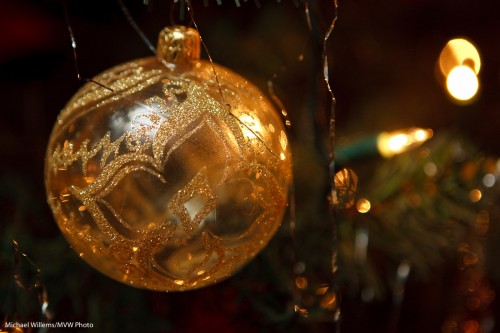
Ball

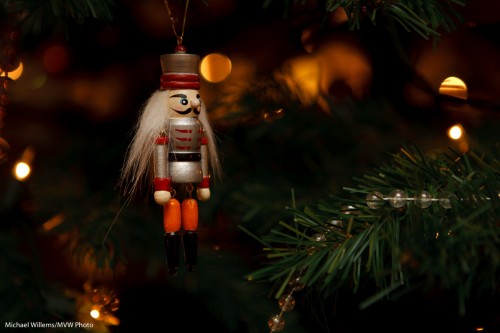
Ensure that you expose right: use exposure compensation (or when using flash, also Flash Exposure Compensation) as needed (minus, when shooting dark objects):

Nutcracker

That way you get pictures of detail that will help you tell the story and that in themselves are visually interesting.

That was tip 1. More later this week.

No tie

As reader Robert G pointed out, the other day I posted apicture of me without a tie.

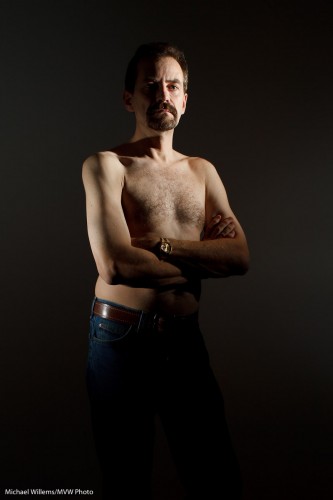
Yes, sometimes I catch myself unawares. I am my own frequent model, and today’s image is myself, again without a tie, to demonstrate an illustration of a different lighting technique from the onein the recent posts.

This time I am using two speedlights from the side. Both speedlights are fitted with a Honl Photo Speed Strap and 1/4″ grid to soften the light and to avoid it spilling onto the white wall. This gives you a dramatic light which can be very good when shooting males:

Michael Willems (by Michael Willems)

Yup. No tie.

See what this edge lighting technique provides?

  • Shape (muscles)
  • Texture (you want this for males, not so much for females)
  • Dark backgrounds
  • The ability to make other areas dark.

This latter ability is often useful. Rememer: lighting is not so much about what you light – it is at least as much about what you do not light.

Classic Portraits

Here’s one tip for classic portraits: you can use classic backgrounds.

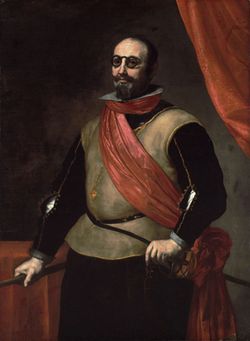
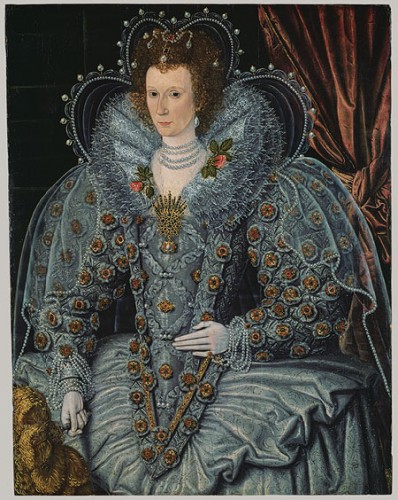
In the 17th century, that meant an elegant drape behind the subject, to provide:

  1. Nice texture;
  2. Elegance;
  3. A sign of wealth and comfort;
  4. A nice curve.

Somewhat like this:

1630 - portrait

You do wonder how people walked around in those Halloween costumes. But anyway, back to backdrops. Why not do that today?

My student Melony built this in her home studio.

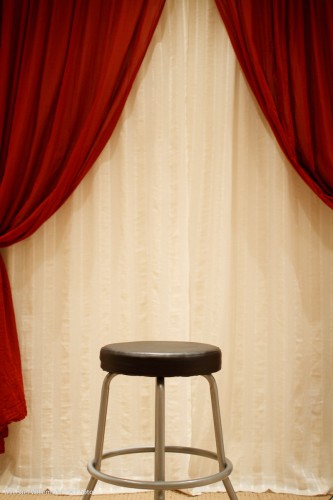
Home Studio Backdrop System

Against a wall, two curtain rods: the back one with white curtain hanging from it, and the front one with red curtain. Both operable independently so you can open or close either or both. Easy, and it is not in the way of normal use of the room.

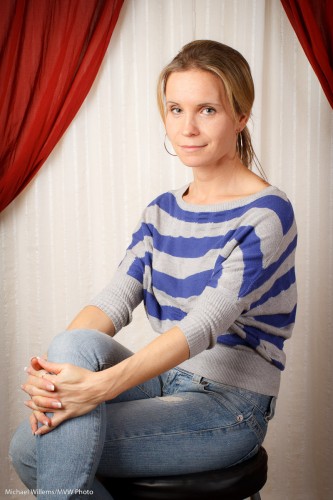
And with proper, light and white balance, this results in portraits like this:

Student Melony in home studio

That kind of setting is very suitable for family portraits. Even in 2010. Many times, I much prefer this to a standard white or black backdrop, or to a muslin.

I might even say especially in 2010. Tip: go to an art museum if you want to see great portraits.

How did we light that portrait?

  1. A softbox to camera left
  2. A fill light behind me to camera right

Questions?

  • Why a softbox? Because it does not spill light everywhere, like an umbrella. Umbrella = safe; softbox = more controllable, and hence more for art.
  • Why the fill light? Because without it, even in a small studio, the non-lit side of your subject can get a bit dark.
  • And if the light is too bright even at the lowest setting? Move it back.
  • Could we have used a reflector instead of a fill light? Absolutely.
  • But will you sometimes want a roll of paper for a neutral, simple background? Of course. Having a drape does not mean you have to use it every time.
  • What kind of lens were you using? A prime (fixed) 35mm lens on a crop camera (the Canon 7D). That means effectively a 50mm lens, which is perfect for half body portraits like this.

So, a classic portrait does not have to be complicated: a few simple tools and you have great options.

Be Not Uncle Fred

You know Uncle Fred. He carries a camera and thinks he knows about photography, but he does not. None of you are Uncle Fred, or you would not be reading this.

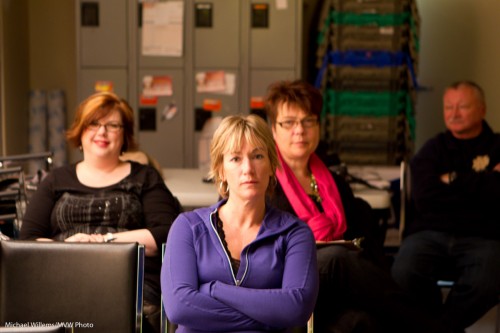
Uncle Fred takes snaps like this, where everything is wrong. See if you can spot the problems in this recent snap of a student:

Uncle Fred Takes A Picture

And there are many, including:

  • The picture is blurry (both out of focus as well as motion-blurred due to a slow shutter speed).
  • The orientation is wrong.
  • There is too much mess.
  • Fred puts the subject right in the centre and cuts off the bottom.

Uncle Mike, on the other hand, does the following:

  • He turns the camera to a vertical position.
  • He gets closer.
  • He watches the background and simplifies.
  • He uses good composition rules, like the Rule of Thirds.
  • He uses a fast lens – a lens with a low “f”-number.
  • If he uses a flash, he bounces the light off a wall or ceiling behind him.
  • Using one focus point, he focuses on the eyes – the closest eye, to be precise.

Uncle Mike Takes a Picture

That is simple. None of this needs a lot of knowledge, does it?

Here’s another one, of a lovely student the other night,taken with a 50mm lens:

Student Robbin

So for your next portrait, please try to get close, fill the frame, shoot vertical, and use a fast lens, focused on the closest eye, using either available soft light or a bounced flash. See the difference!

Black and white

Black and white is often under-appreciated. You are taking stuff away, after all.

Yes. Colour. Of course. But you are also adding stuff.

Model Lyndsay in Mono (Photo: Michael Willems)

Lyndsay in Mono

As advantages of a black and white image, you get:

  • Shades of grey. Everything becomes shades of grey. So while in a colour image you may have various little groups of shade, in a colour image, all becomes grey. So you automatically get shades all the way from black to white, if you like.
  • Emphasis on texture. Textures, which can be lost in colour photos, are seen clearly in black and white.
  • Emphasis on shape. The same is true of shape. You are not drawn to colour, so now the pure shape is what draws you attention.
  • Emphasis on light. In the absence of colour, it is all light. You can light dramatically, softly: Light is seen clearly, not as colour, but as light.
  • Ability to tweak. You can tweak colours in post (or when using film, by using filters. Like in the example that follows below.
  • Ability to create mood. You can add shade. Drama. Even grain, to create an old film look. I do this a lot nowadays.
  • Simplicity: it is also easier to shoot. No white balance to worry about.

So today, let me show you just one trick: the above-mentioned ability to selectively change colour.

An original image of a student the other day:

Student in colour

Student in colour

Now converted in Lightroom to “neutral” black and white:

Student in B/W (Neutral)

Now, I used the HSL/Color/B&W tool in the Develop module to selectively increase the brightness of her shirt:

Student in B/W (Light shirt)

But of course I want to de-emphasise the shirt, so her face stands out! Here’s the version I prefer, with a darker shirt:

Student in B/W (dark shirt)

Can you see how much more this emphasises the student, while in the original image, the colours stand out instead?

Here is one more example of how colour can distract, and how in the black and white version that distrction disappears.

So: I recommend you try some black and white. (And do it in “post”, not in the camera. Otherwise you lose the ability to tweak. You can set your camera to B/W as long as you shoot RAW, so you retain all the information).

Add a splash

Further to Thursday’s post, I thought I would brighten your day with some more colour.

You see, sometimes you need to shoot things that are a bit, well, drab. Like this wall – the screen is great but the wall is a bit dull:

Wall with screen

So then, as you also saw two days ago,  I shot it again, this time with two speedlites:

Wall with screen with gels

How was this rainbow effect achieved?

  • These two 430EX flashes were fired with TTL using a 580EX on my 1D MkIII.
  • They were aimed at the wall, one above the other, aimed in the same direction (good idea from my assistant).
  • They were fitted with Honl speedstraps and with a Honl gel each: red for the bottom flash, green for the top one. No other modifiers: other than the gels, they were bare.
  • The ratio between red and green was set on the back of the 580EX until I was happy.

That was simple, and I think you will agree it’s a better shot.

Home Studio Needs

A reader’s spouse just asked me:

My spouse had a few photography lessons with you and I am considering getting him some equipment to begin setting up a basic photography studio in our home.  Since it’s a Christmas gift, I didn’t want to ask him or her directly what he or she would need and was hoping you could give me some advice regarding the brands and equipment he or she  would need.

Sure, I would be delighted to help. Here’s what I think you need for a home studio.

Always:

  1. A camera, of course.
  2. A suitable lens (maybe a 24-70, or a prime 50mm lens. For available light it needs to be a fast lens, like an f/1.8; for studio, the speed does not matter. For a big studio, get a 70-200 – but at home you are unlikely to have enough space).
  3. Some kind of background. For simple portraits, this can be a white wall. Or an air mattress blown up as a nice patterned background. Or anything else improvised.

Then, if you want a proper background:

  1. A stand kit – these are very affordable at Henry’s: they consist of two stands and  three crossbars. all in one case. Mine is a Cameron kit and I recall I paid somewhere between $100 and $200 for it.
  2. A roll of paper to roll down from the stand kit (I like grey, since you can make it any colour you like). Wider is better but you need space, plus the ability to transport it home, so you may want to choose narrow.
  3. Alternately, you can use a curtain (or two), hung down from a curtain-rod you attach to the wall just below the ceiling.

For available light portraits:

  1. That 50mm prime lens I mentioned. Or a 24 or 35mm prime lens. Now the lens needs to be fast (have a low F-number, like 2.8 or lower).
  2. A reflector (it can be one of those that folds up when not in use).
  3. A stand for the reflector, so you do not have to hold it.
  4. A window that faces away from the sun (e.g. a north-facing window).

For studio portraits:

  1. A backdrop, again, as above.
  2. A main light. Like a Bowens light (avoid Opus, but pretty much all others are great. For a home studio 200 Ws may be enough, though normally I would try to go with 400 Ws just in case.).
  3. These lights come with stands, usually. If not, you need to add a stand.
  4. A reflector, as above.
  5. A way to connect a flash cable to your camera. The light should come with a cable, and if the camera has a PC-type flash connector output, you are set. If not, a small converter from hotshot to flash connector is all you need to add.

That is the minimum. But to do it well, you may want some of the following added:

  1. Preferably, a second light.  Fortunately, many lights come in kits of two, like the excellent Bowens Gemini kits.
  2. A light meter (this needs to be a flash-meter).
  3. Two Pocketwizards to fire a flash (any other flashes can be slave-cell followers).
  4. One or two additional lights. These can even be speedlights, as long as you can fire them. Four lioghts is ideal, but not necessary of course.
  5. Modifiers – like grids, snoots and gels. If you use speedlites (small flashes) you can keep this simple: use the  Honl Photo range of small flash modifiers. That’s what I do.
  6. A tripod.

Here are two previous posts that may be helpful:

Does this help at all? I bet many of you, with Christmas just a month away, will be thinking similar thoughts.

Doing the impossible

Often, as a photographer I have to do the impossible.

That is, of course, an overstatement. But there is a core of truth in it: photography is problem-solving.

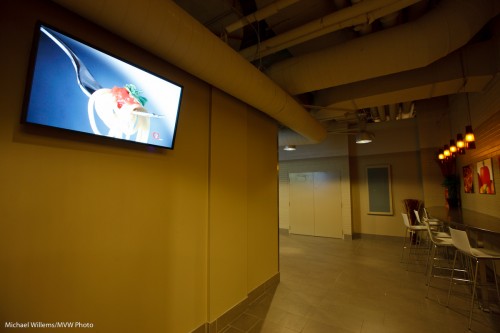
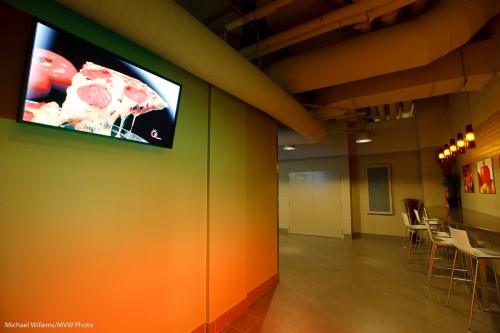
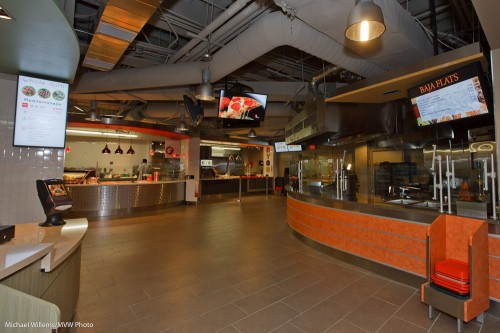
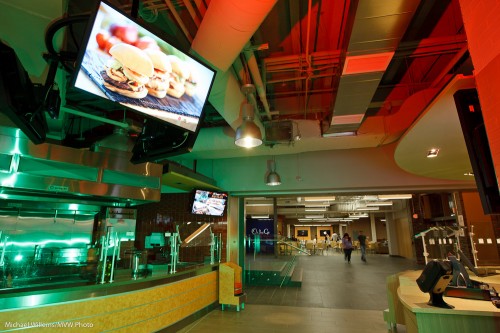
The other night I shot an excellent Digital Signage installation. Innovative screens, powered by EnQii software, in a self-service restaurant.

The problem is: the screens are bright and need to be seen. And the restaurant is dark compared to the screens. Expose for the screens and the restaurant is dark. Expose for the restaurant and the screens overexpose.

There are three potential solutions:

  1. Turn down the screens. Not an option here…
  2. Light the restaurant with flashes. Lot of work, and not practical in a working restaurant.
  3. Shoot RAW and bring bright and dark together in post-processing.

I used a combination of 2 and 3.

More 3 than 2 in this shot:

Digital Signage

Digital Signage

And more 2 than 3 in this shot – with coloured Honl gels on my speedlites:

Digital Signage and gels

Digital Signage and gels

As you see, an impossible-to-shoot scene is possible.

  1. Do a test shot or two, in some automatic mode. Ensure you shoot RAW.
  2. Ensure you use a tripod if necessary (and it will be).
  3. Now first, expose for the screens. Expose to the right, but do not lose detail. Use the histogram and the “blinkies” to gauge this.
  4. Use a tripod if necessary.
  5. Then add light if necessary.
  6. Then in post-production, use “recovery” to decrease brightness in the screens, and “shadows” to increase brightness in the darker areas.

Try it – it is really not all that difficult!

Elements of a picture

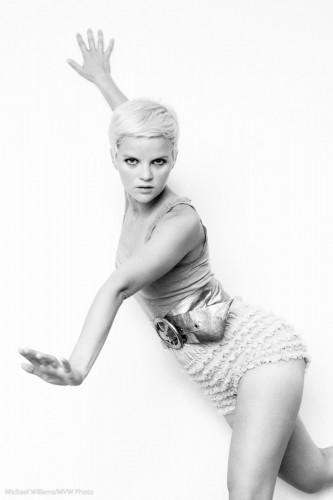
This, another photo from last Saturday’s Mono workshop, prompts me to write today’s post:
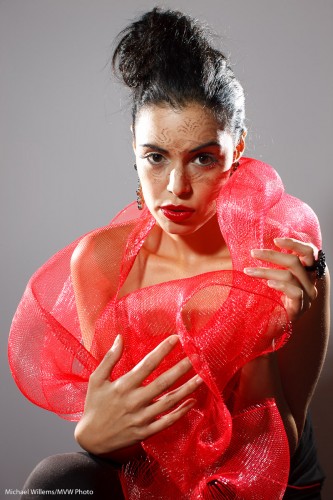
Tara Elizabeth

Tara Elizabeth in Mono, 20 November 2010

It prompts me to talk about how to make a photo like this. You see, a photo is not just one thing. It is a culmination of things all coming together.

First you need a subject. Yes, the subject is important. When all else is equal, your subject makes the image. After all, it is an image of something. Photographers are often enough all technique, to the extent that they forget about the subject. In this image, model Tara is looking great; her clothing is avant garde, her make-up, by Make-Up Artist Tea, is superb. Tara’s expression is just right.

Composition is also important, even in a simple portrait. Uncle Fred puts the subject (Tara’s eyes) in the middle. I use the rule of thirds; off-centre composition. Balance the image.

Next, you need technique and technology. I used a Canon 1Ds with a 50mm prime f/1.2 lens set to f/8 at 100 ISO and 1/125th second – pretty standard “studio” settings.  Pocket wizards were used to fire the flashes. A digital Rebel with a 50mm f/1.8 would have done the same here.

That brings me to the next factor: you need light. We used three speedlights. Two on the sides, with grids: edge lighting is always good. And one behind us, on our left, the fil-from-the-front light, down two stops, and fitted with a Honl Traveller 8 softbox. See that wonderful round catch light in her eyes? (yes, that is important.) The edge light also separates Tara’s arm, on our right, from the background.

Finally you need to simplify. A good photo is a simple photo. We used a simple white wall. I zoomed in enough to have nothing else in the picture. I used no background light or gels. Sometimes simple is better.

And there you have it, a photo worth using!

I encourage you to do the same kind of analysis on your own images. Always good to see what you are doing – it may remind you to think carefully about the image. And that will make it better. Promise.