Shooting events

A corporate shoot the other evening, with an assistant/second shooter. A music school shoot all weekend. Many more shoots coming up: lots to do, and lots of fun.

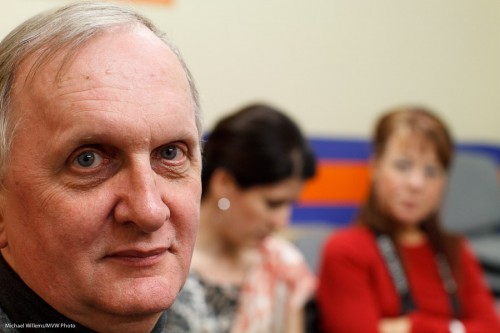
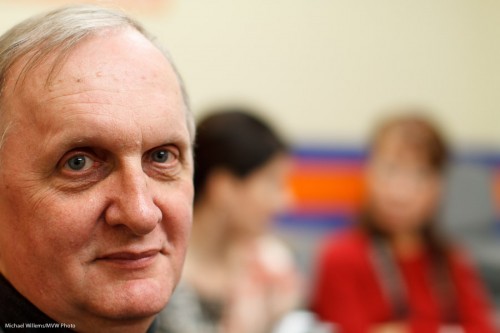
I like shooting indoors events, because with training, it is simple to get consistent results. And as you know, my favourite party lens is the 35mm f/1.4 prime (fixed) lens. It consistently gets you images like this, from the other night:
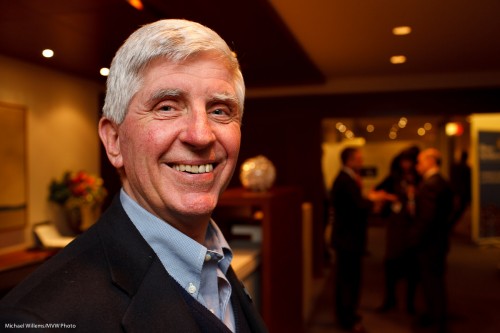
Event shot, photo Michael Willems

Event shot, photo Michael Willems (35mm prime lens)

I like this style of shooting and it is worth talking for a moment about how this is done.

  • The lens is a 35mm on a full frame camera. On a crop camera, you would use a 24mm lens. Prime lenses are nice and consistent and sharp.
  • The flash is a single 580EX II speedlight, on camera but bounced 45 degrees behind me, slightly to my right to get light onto the subject’s face.
  • The camera mode is manual. It is set to 400 ISO, 1/30th second, f/4. This gives me an ambient exposure of about -2 stops (the meter says “-2” when I look at an average part of the room).
  • The white balance is set to “flash”. That ensures that the subject is natural, but the background, which is lit by tungsten light, is warm.
  • The flash is on TTL.
  • I ensure the subject is close – but not too close. And not right next to the edge.
  • I compose using the rule of thirds – I avoid totally centered subjects here.
  • I look for a background that tells the story (i.e. a corporate cocktail party; people meeting and talking).

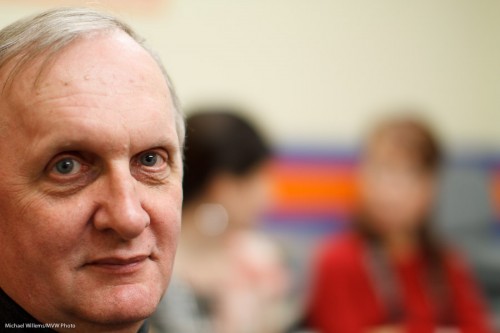
Here’s one more:
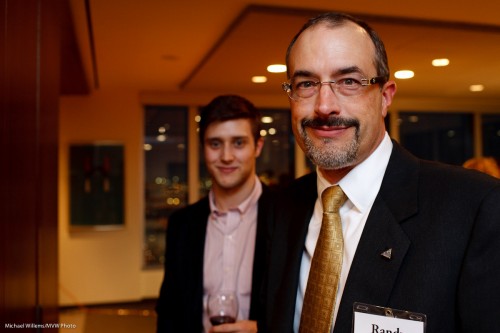
Event shot, photo Michael Willems

Event shot, photo Michael Willems

That person blurred in the background helps tell the story.

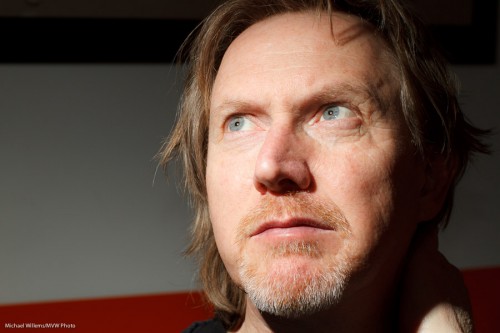
And one more, to inspire you all:

Event shot, photo Michael Willems

Food - always shoot this.

Do not hesitate: you can tilt. You can shoot the food. As an event photographer you probably should not be eating it, but shooting it is OK.

(These, and many other tips and tricks, are part of my special “Michael Willems’s Events Photography” course – soon as a special at Henry’s School of Imaging, as well as here as a one day special: April 3 in Mono, Ontario. Let me know if you are interested. )
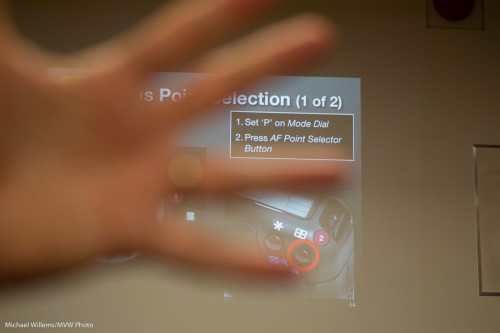
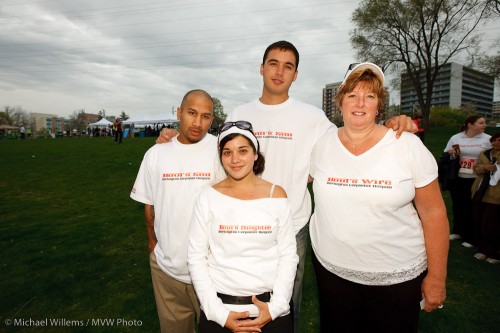
Focus!

The other day I said “focus using one focus point”. A reader asked why. So let me explain why I said that.

On a modern SLR camera you have many focus points: 9, 11, 22, or even 40. The camera has various modes, which may include:

  1. The camera chooses from all available points.
  2. The camera chooses from a smaller area of available points.
  3. You choose a point, but the camera will look immediately next to that point if it cannot find focus.
  4. You choose a focus point, period.
  5. You choose a very small focus point.

Method 1 is the “snapshot” mode. Methods 2, 3 and 5 may only be available on high end or very modern cameras (2 and 5 are only available on my 7D, for example). I like 3, but it too is for high-end cameras only. So usually the choice is “1 or 4?”

In method 1, the camera chooses one or more focus point; in other words, it decides where to focus.

What does it base its choice on?

A lot of people think “on the subject”. No, it does not have a brain, It does not know what the subject is. The camera basically bases its choice on “I’ll focus on whatever is closest”.

And that, as in the image below, is not always what you want. In this image I wanted the wall to be sharp – so I aimed the single focus spot between my fingers.

Which is why you choose method 4: YOU choose a focus point, and aim that at the subject where it should be sharpest.

There are a few things to remember:

  • You need to allow enough distance.
  • The subject needs to be well lit.
  • The subject needs to be contrasty (focusing on a blank white wall is impossible).
  • You can recompose after focusing, as long as you keep your finger half way on the shutter.
  • On high end cameras, exposure is also biased to the focus point, making it even more important to focus accurately.

Photographers who let the camera decide where to focus are playing roulette – Russian roulette. after all, in a portrait, do I want the closest object (the nose) to be sharp, or the eyes?

So take charge and usually, use one focus point. Focus, wait, recompose if needed, and shoot. Presto – sharp where you want it to be.

Warm up the colour

When the light is very dull and you want to add some quality, you can add a bit of flash outdoors, I am sure you all do this.

But do you also think about colour?

I often add a gel for a little colour. Like in this image:

A family celebrating their late father, Burlington, 2010

Burlington, 2010: A family celebrating their late father and husband

A half CTO gel (CTO means “colour temperature orange”) allowed me to warm up the light on the family here. I use the Honl Photo speed strap and gels: incredibly easy system that has revolutionized small flash use.

Make sure that if you want the effect in the image above, your white balance is set to “flash”.

TIP: If you use a CTO gel and set the white balance to Tungsten (light bulb), the family would look normal – but now the background would turn blue.

(I probably don’t have to mention it again – David Honl himself is joining me as Guest Star in Toronto on March 19, at the School of Imaging, for a special four-hour “advanced flash” course! Book now – there is still some space).

User Registration

I know many hundreds of you have registered here as users.

Alas, so have the spammers. I am currently under user registration spam attack: today and last night, a new fake user registers every few seconds,  I no have thousands of new fake users.

Alas, I have to, unfortunately, disable user registration.

That may or may not disable comments. A thousand apologies if it does, but I seem to have no other option. Either I sit here while I receive thousands of fake user registrations a day or I disable registering.

These spam users have domains advertising things and often, addresses ending in .pl, .ro and .ru (Poland, Romania and Russia, I fear your real users will be the losers here). No idea why they register because they then cannot do anything.

Also, I may also have to disable the emails that are being sent out. Right now for every legitimate user, ten emails are sent by my blog to these fake spammers. I do not have two hours a day to weed through the registrations: it is easy enough but takes time.

Anyone with any ideas, let me know. Yes I have tried various plugins but these do not work and are dangerous: one bad command, one wrong line of code  in a plugin will kill your entire WordPress.com blog.

Another tip

One more beginners’ tip today for my readers. (The term “my readers”, it occurs to me, makes me sound a little like col. Qaddafi. whose Green Book I read when I worked in Libya for around a year, a few decades ago).

Anyway. I often see that my images are really, really sharp where others’ are often not quite as sharp. So how do you make your images sharp? I have written about this before, see here, among others. Operation, light, settings, and good (prime, or quality) lenses all come into this.

A student, photographed by Michael Willems.

Student Volunteer, photo Michael Willems. Canon 7D, f/5.6, 400 ISO, 1/125th sec.

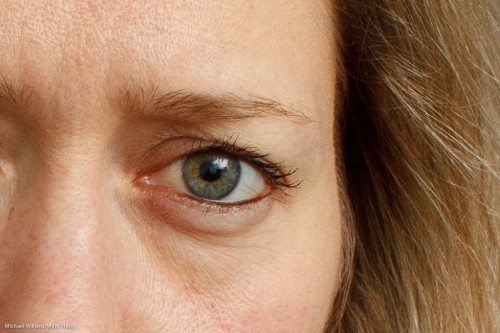
When you show that image large (original size), you see it’s sharp.

A student, photographed by Michael Willems. Detail.

Student Volunteer, photo Michael Willems. (Detail).

But today a quick tip about errors I see people make frequently.

Whenever I see people whose images, in spite of good lenses and the right settings, are not as sharp as mine, and when I then watch their technique, I often see these mistakes:

  1. People jam down on the shutter. I hear a beep, and a millisecond later, the click. This means the shooter is not giving himself or herself enough time to verify that focus was achieved on the right object. Instead, you should aim, press half way down, wait for the beep, then wait, and only once you have ensured the focus point activated properly where you wanted it, push down.
  2. The shooter leaves the beep off. This means no confirmation of focus unless you look away from the subject… bad.
  3. The shooter beeps and waits correctly – but then moves forward or backward before pushing down. Even a slight backward or forward movement shifts focus!

Watch yourself carefully when you shoot. If you discover that you are making any of the above mistakes, this will affect your sharp focus.

And that would be a shame. My people deserve sharp focus!

The Social Network

Sunday I spoke at a large Social Media show in Toronto – one of the world’s biggest, at Ryerson University.

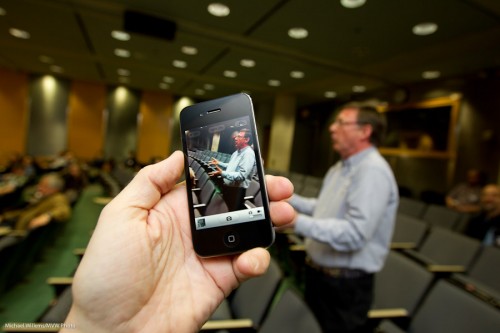
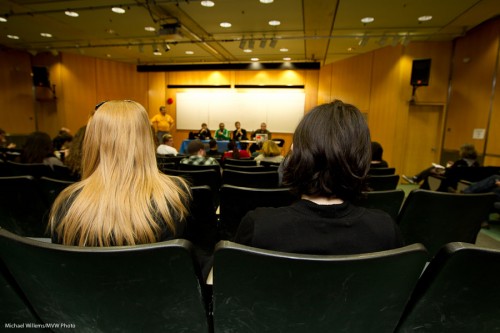
Peter West talking in a social media forum (Photo: Michael Willems)

Peter West talking in a social media forum

With my friend Peter West, pictured above in an image that stresses the importance of iPhotography, I talked to an audience about photography for social media. Small World: Ren Bostelaar and Mark Shannon, two of my Henry’s friends, were also on several of the forums, as well as in my audience.

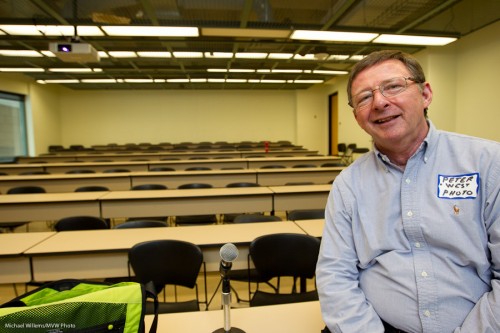
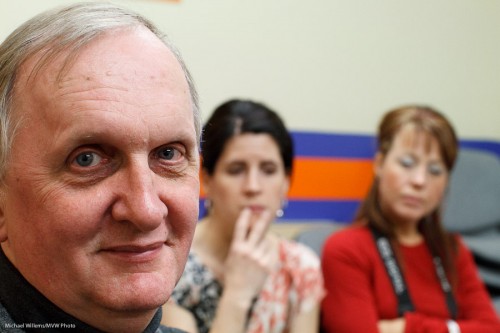
Peter West at Ryerson, before a Social Media workshop (photo: Michael Willems)

Peter West at Ryerson, before a Social Media workshop

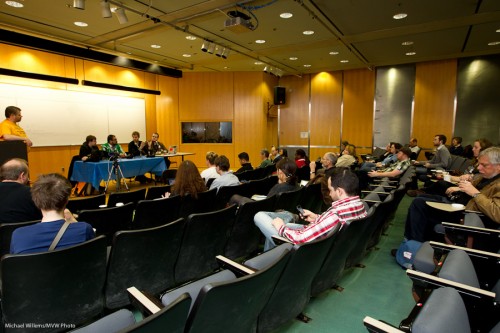
The interest (and, um, yes, the room filled before we started) shows that social media are interesting to, and understood by, not just young people but also people as old as 25.

Social networking Forum (photo: Michael Willems)

Social networking Experts at work

Okay, I kid. Peter and I are at least 30.

My talk was not just a 45-minute photography lesson. I had two additional main themes:

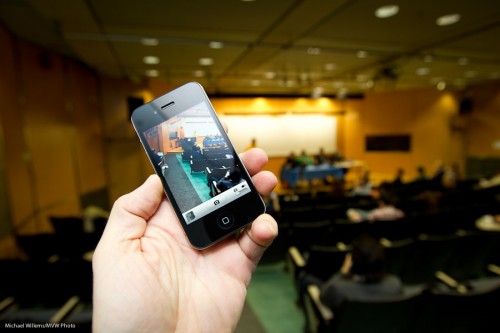
  • You can do a lot on an iPhone. You can compose well, focus where you want, and even expose on a chosen point.
  • Social media (like this blog post) are just better with photography.

When some people say photography is dead, I do not believe it at all. When others say “everyone can now do it”, I do agree – but only if they learn at least some of the same skills I, and every other professional photographer, had to learn.

Social Media Forum (photo: Michael Willems)

Social Media Forum

For the images above, I used a fairly standard recipe:

  • Camera on Manual mode
  • Flash in TTL mode, aimed behind me, 45 degrees up
  • 400 ISO
  • 1/80th second at f/3.5

Those settings gave me an exposure reading just over a stop below zero on the meter – meaning the background is just over a stop below ambient, and the flash lights up the rest, namely mainly what’s in front of me.

Social Networking Panel (Photo: Michael Willems)

Social Networking Panel

And I think you may agree those pictures tell the story better than just words would.

Ideal Aperture

The ideal aperture is like really large, yes, a small F-number?

Depends.

Well then, at least in a portrait it is, yes?

It can be. But you need to think about this carefully.

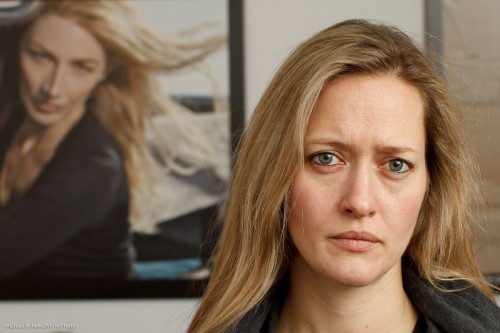
Look at this image of some students who kindly volunteered the other day:

f/5.6:

f/3.5:

f/1.8:

f/1.2:

Which one do you prefer?

I think you may agree with me that a blurrier background is better. But so is a sharp face. Often, the extremely shallow depth of field (e.g. the DOF you get at f/1.2) is too shallow for comfort. Personally, I would say that for this kind of close-up hand-held available light portrait, f/2.8 to f/4 is great.

One is a great number.

As you know, for a good flash picture you need many flashes. Or at least several.

False.

Sometimes you want to do it the dramatic way. In that case, the number of flashes is not very important; the location of the flash, however, is.

And the worst possible location is “on your camera”.

So you take your single light source off the camera. If you own a Nikon camera, or a Canon 60D – or the Canon 7D I took this picture with in yesterday’s Canon 7D class in Toronto, it’s simple.

  1. Using your camera’s menu, you make its pop-up flash into the “master” (Canon) or “commander” (Nikon).
  2. Ensure that you disable the “master’s” own flash function: it should only fire commands (“Morse code”) at the remote flash (430EX, 580EX, SB600, SB800, SB900, etc) that you are holding in your left hand…
  3. …which you have set to “slave” (Canon)/”remote” (Nikon) mode.
  4. You then ensure that the cell on the slave flash (on the front of a Canon, on the side of a Nikon) can see the command flashes emitted by the master.

A lot of words. What it means is that with just the right camera and a simple single hand-held flash you can create dramatic side-lit images like this, of a student in last night’s Toronto course:

And this, of another student:

Aren’t those great images? They show, I hope, that you can indeed take interesting images with a single flash aimed straight at your subject. As long as that single flash is not positioned on top of your camera.

About the settings. I set the camera in Manual exposure mode, and I made my settings right to create a dark background – i.e. I wanted to basically see only the flash light in the image.That meant 400 ISO, 1/125th second, f/5.6 on my 50mm f/1.2 lens. Razor sharp and dramatic light.

A note. I just want to remind you all that to learn these and many other advanced techniques, you have one chance to learn from me and, all the way from Los Angeles, my special guest star David Honl (the inventor of the great range of Honl Photo modifiers) on March 19, in Toronto. Just click here to book – in one day, just three weeks away, learn how to use flash, the most exciting light. There is still space, but to be assured of a spot, you need to book now. I promise you will be delighted with what you learn.

Beginner’s Tip

A tip for beginners today, about a subject that can confuse.

I constantly hear people confuse focus with exposure. I hear things like “I focused on the face”, when they mean “I exposed for the face”, and vice versa. Or “I used one focus point to get the right exposure”.

Clarity of language leads to clarity of thinking and hence, to better understanding. So here for beginners are a few definitions – you will find these helpful if you are just getting into photography.

Focus:

  • “Focus” means “what is sharp”, particularly “what distance is the sharpest”, and also “what range of distances is acceptably sharp” (we call the latter the “depth of field”). Your camera cannot make everything, from 5cm in front of your lens to the infinite distance, sharp. That is why we talk about it.
  • You focus by aiming focus spots, or preferably one chosen focus spot, at your subject and then pressing half way down before clicking. Your camera now sets its focus distance to the object you point at.

This does have anything to do with, or affect, exposure. They are entirely separate.

Exposure:

  • “Exposure” means, in practical terms, “how dark or how bright is my picture”.
  • Exposure is also measured when you press half way down – but it still has nothing to do with focus.
  • You can base your picture’s exposure on an average of the entire scene (we call this “average metering”) or intelligently (“evaluative metering”, or “3D Color Matrix metering”), or in one small area only (“spot metering”).

The fact that the camera measures and decides on focus and exposre at the same time is what leads to the confusion. But realise that they are different, and independent.

“How sharp a picture is” has nothing to do with “how dark or light a picture is”. One is set by the lens moving its elements, the other is set by adjusting ISO, aperture or shutter speed.

If these things are not clear, ask me!

Lenses

Take a headshot portrait (one where the head fills the page) using a 20mm lens.

Go on, do it. You know you can. And I mean a real 20mm lens, so if you have a 1.6 crop camera like a Digital Rebel you would use a 13mm lens; on a Nikon you would use a 14mm lens. Or that setting on your wide angle zoom lens.

You would get this – and thank you to the student who kindly volunteered to be pictured with, um, an enlarged nose:

Because that is what happens when you use a wide lens, because you have to be so close.

You see, it is not the lens that has the bad magic. It is your position right in front of his face.

Now use an 80mm lens (that would be a 50mm lens for crop factor camera users). That forces you to step back a couple of metres. Now you get this:

That’s a lot better, eh?

So the moral: portraits are best taken from a few metres away. Either that means you use a longer lens (80-135mm), or you avoid headshots where the subject is large so you have to get close.

And therefore yes, you can use a wide lens – just with a small subject, in the middle. So an environmental portrait with a wide angle lens is fine, if your subject is small and not near the picture’s edges. Otherwise, a long lens. On a crop camera, 50mm and longer!