Simplify…

More about simplifying to make pictures better. A recurrent theme here on speedlighter.

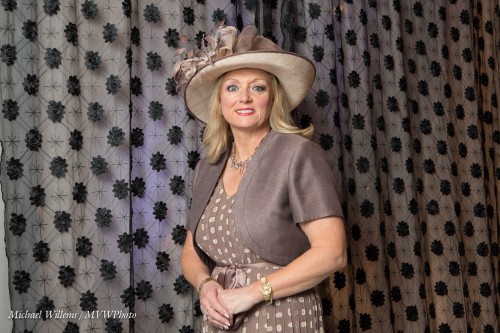
Consider this image, of Jane Dayus Hinch the other day:

It started like this:

I would argue that the above crop and the straightening (“disciplining”) of the verticals makes this a much better image.

Straightforward (forgive the pun) simplifying changes can have major effects. Every time you have an image, ask yourself:

  1. Does everything in it belong in it?
  2. Can I remove anything? Anything at all?

Do that, and you get more professional photos.


Tip Of The Day

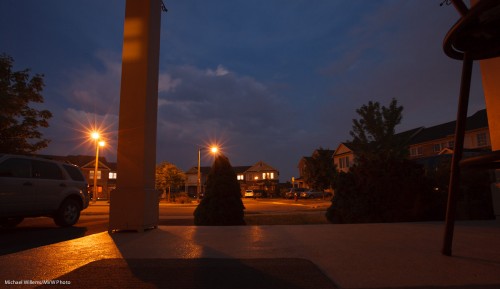
Do you like starburst patterns, like around the lights in the shot below?

They are easy to get. The secret? Use a small aperture. I shot the shot below at f/11 – that was enough. The image took 15 seconds to shoot at low ISO.

Q: Why low ISO? Surely you should shoot with high ISO at night?

A: Only if you are attempting handheld shots. For quality, use low ISO and a tripod!


Snap versus photograph

Let me give newcomers here a quick “go-to” recipe for a dramatic portrait.

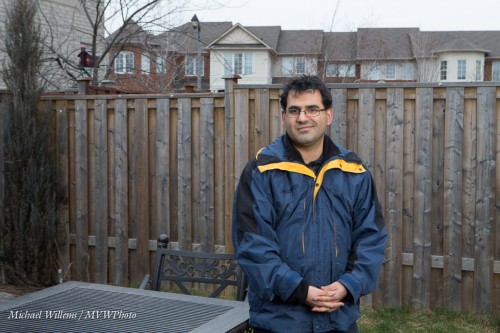
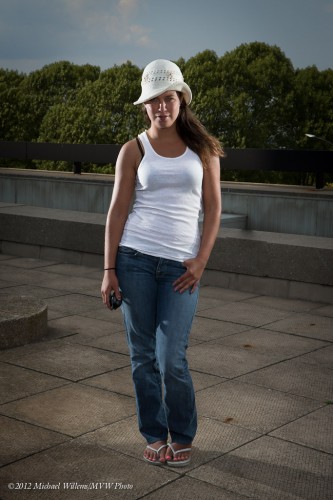
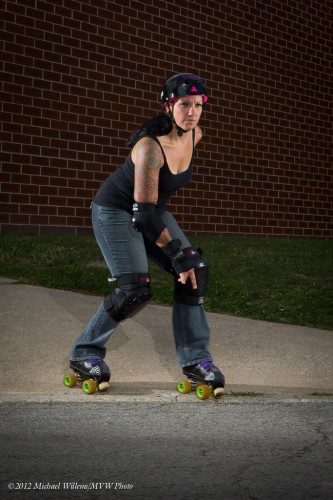
First, the snapshot. If I put my client outside and snap, I get this:

I exposed well; I used the Rule of Thirds; but it is still a snapshot that, well, lacks something.

So here’s what I do:

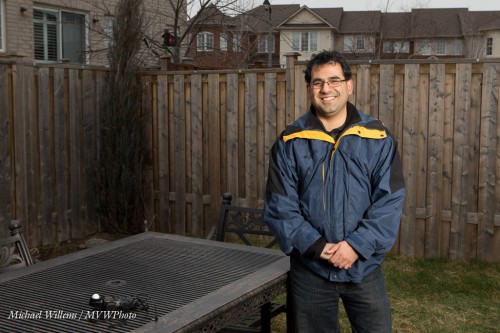
  1. I underexpose the background by two stops (I make the meter point to -2 instead of zero)
  2. When doing this, I make sure my shutter speed does not exceed my flash sync speed; say, 1/200th second. So I use low ISO, shutter up to 1/200th second, and aperture as needed. (On a sunny day this will mean an aperture such as f/8 or even f/11).
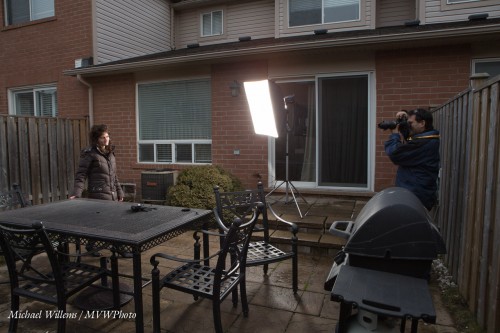
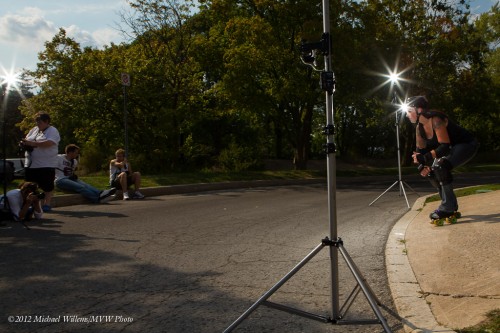
  3. Now I add my flash. Off-camera flash, preferably. I used a softbox on our right.
  4. I set the flash to the aperture I just decided on (so if I need f/8 for a dark enough background, I adjust the flash power and fire a test flash, using my flash meter to measure, and I repeat this until the flash meter says f/8.

The resulting shot:

The setup:

This is a simple technique which needs little equipment. I encourage you to try it!

___

Note: several flash workshops coming up, including one in Hamilton on Feb 17, 2-6pm. Keep that day open – and stay tuned!


Driving it home…

Today, I drove from Toronto to Montreal and back (that’s 12 hours driving the car – good that I took the 3 litre Bluetec turbo diesel).
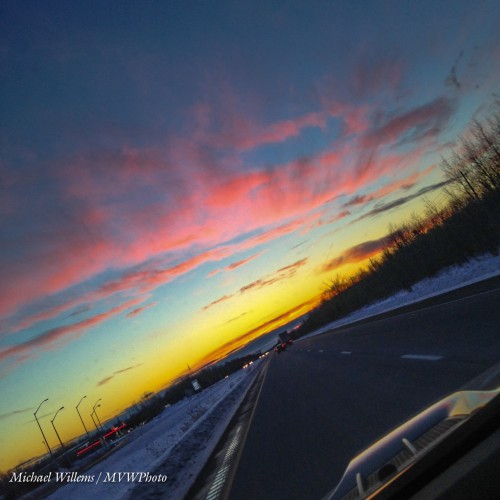
Here: for once I’ll make it easy for my Australian and New Zealand readers:
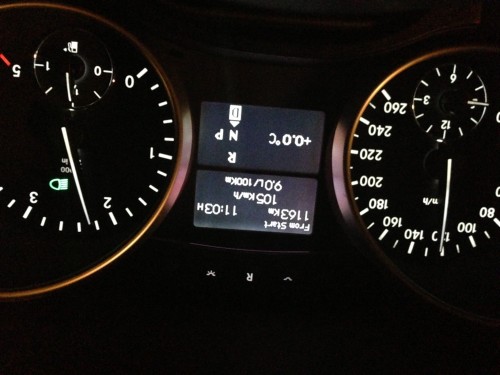
What I want to talk about is this: I brought my secondary photo disk with me, in the car.

Why?

Well… what if in my absence my home had been burgled, or had burned down?

Did I mention backups?

Yes I did: search for “backup” here and read all the posts. And you may really want to do that. Hands up everyone, who has a good backup right now? And who will make one tomorrow?

Thought so.

You know, every hard disk dies, and I keep telling everyone that. Case in point: my own Macbook Pro’s hard disk died in the middle of December’s Santa shoot. I had to go out the same morning to buy a new MacBook Pro with Retina Display.

Fortunately, I had backups of all important files. I make several levels of backups:

  • I use a backup strategy for photos as outlined in posts here (search: two external hard disks).
  • I use DropBox as an additional layer
  • I also use Time Machine as an additional layer.

I know I am preaching, but it’s for your own good. Your hard disk could also die – right now, or in fifteen minutes. Are your files safe?

This is worth stressing especially for photographers.  Once your disk dies, it is dead – and all your images are gone. So please – I don’t want to hear any more readers ask me what to do after their disk dies! Make tonight your backup day.

 

Update notes

A few software update notes for you today.

Software and firmware updates can be important. They can even be fun. But are they always necessary?

  1. If you use Lightroom, as I hope you do, then do update to version 4.2. (Yes, Aperture is good too).
  2. Always do printer driver updates when they are presented by your PC or Mac as options.
  3. Regularly check the firmware level on your camera. Just google “Firmware update for XXX camera”. If there is new firmware, check its functions: I always do all updates – but not until a week after the new firmware is released, just in case. Use a 100% full battery for these, and be patient. It can take time.
  4. Do not update your PC or Mac operating system on production machines. The OS update could break important things. I usually wait until I have a spare machine, update that, test it against all my software, and only then update the machine – if at all.

If you follow these simple rules, you will get new functions, bugfixes, but with the minimum of trouble. Life is too short for trouble!


Photography is drawing with….

…light!

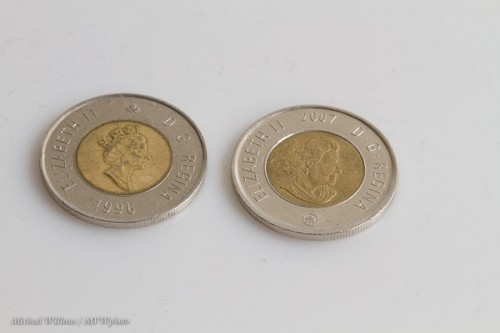
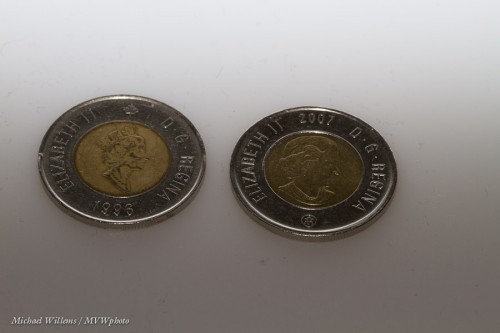
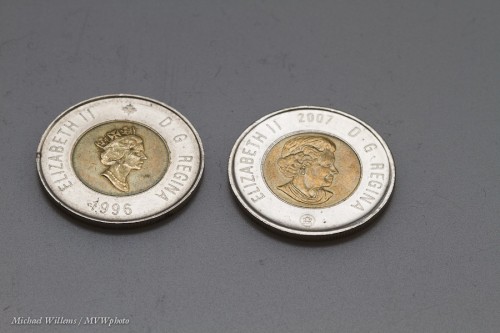
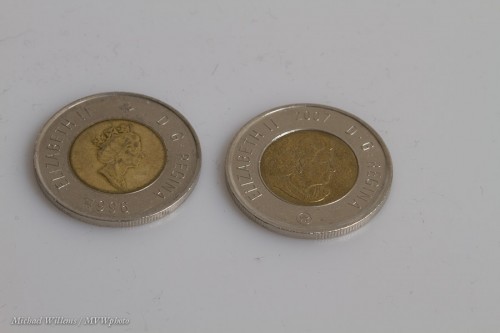
And to once again explain how important this is, let me show you a few images of two toonies ($2 coins). All I changed between them was the direction of the light.

Neutral:

Aimed behind:

Backlit:

Dull:

As you see, a small change in the nature or direction of the light makes a huge difference.

And the same is true in any photo ytou make. So always ask yourself: where is the light coming from? How is it hitting my subject? How contrasty is it? What colour is it? And so on.

I bet that just asking that question will make your photos better.


Fun with lights

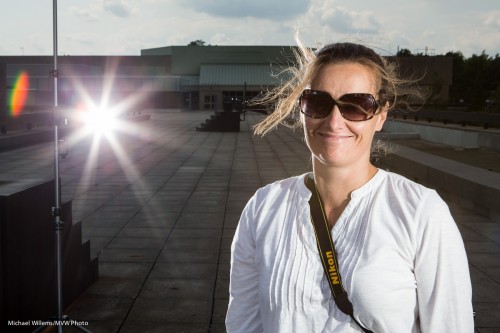
As regular readers here know, you can use speedlights for cool edgy shots that look photoshopped. Like these, taken today at my 5-day course at the Niagara School of Imaging at Brock University:

Those shots need you to take your time setting up, because you need equipment. But it can be simple equipment. like:

  1. Two lightstands with four speedlights driven by Pocketwizards: one right, one left, slightly behind the model. No modifiers.
  2. A lightstand with one speedlight, driven by Pocketwizard, behind the photographer. No modifiers.
  3. A pocketwizard on the camera to drive it all.
  4. You set your camera to ambient minus 1-2 stops, eg 200 ISO, 1/250th second, f/16.
  5. You set the speedlights to whatever power level you need to achieve f/16.

Like this:

Of course you need the brackets and cables and ball heads that are needed to connect the equipment together. But that is not rocket science.

Have a go – or come take one of my courses. Flash is wonderful light!