The studio

A studio is all about convenience, I find. I can work without one, but in a studio I have everything set up and ready to go. This is my Brantford studio a day ago, before I had finished tidying:

Notice that a studio need not be tidy. It needs to be well organized, large, and it needs all the equipment ready to use. All the equipment being

  • Cameras and lenses
  • Backdrops,
  • Many small flashes, many strobes
  • One or two hotlights (for video)
  • A host of modifiers
  • Light stands
  • Reflectors
  • Gadgets, like brackets
  • …and so on.

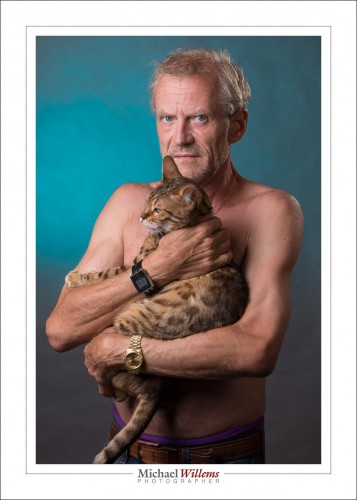
In my studio, I have two stations set up permanently. One for traditional portraits like this:

(Standard Studio Setting: 100 ISO, 1/125 sec, f/8)

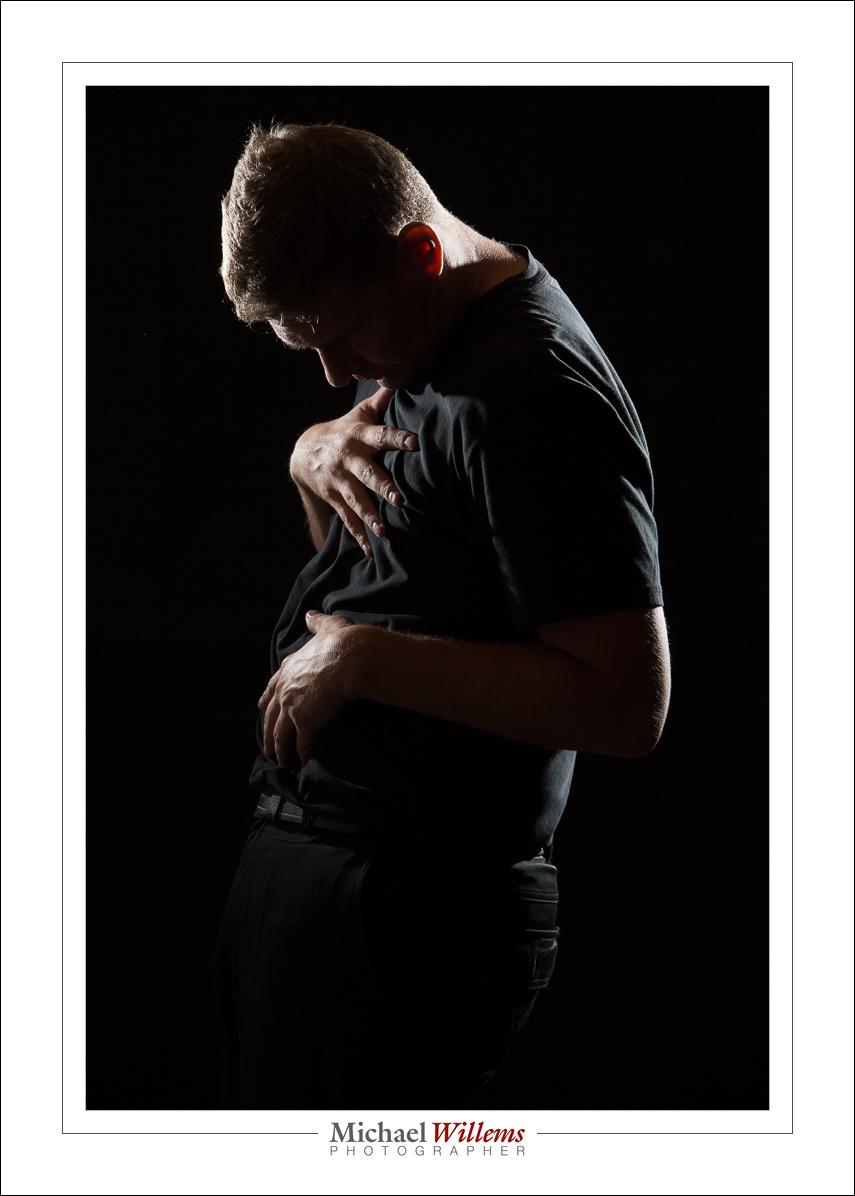
And one for edgy portraits like this, of my friend Adam pretending to be a pregnant woman:

(Standard Studio Setting: 100 ISO, 1/125 sec, f/8)

So do you need a permanent studio? Of course not. But it sure makes life easier and shoots faster to carry out. And it takes the guesswork out of photography.

My Brantford studio is now open for individual and class training, and portraiture. Just 20 minutes west of Hamilton, Brantford is centrally located, between the GTA, London, and Kitchener/Waterloo/Cambridge/Guelph. Come see me if you need a portrait for LinkedIn, a family portrait, or any form of photography training.


Happy Happier.

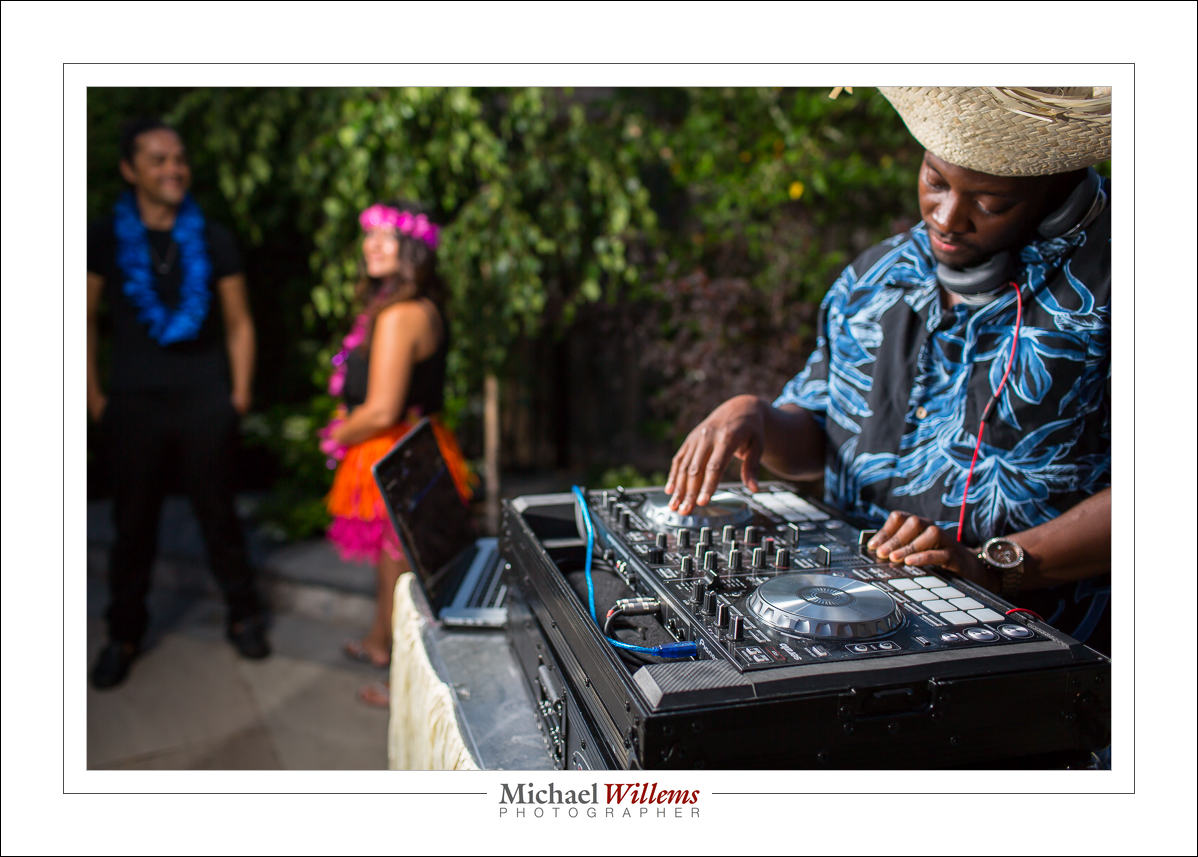
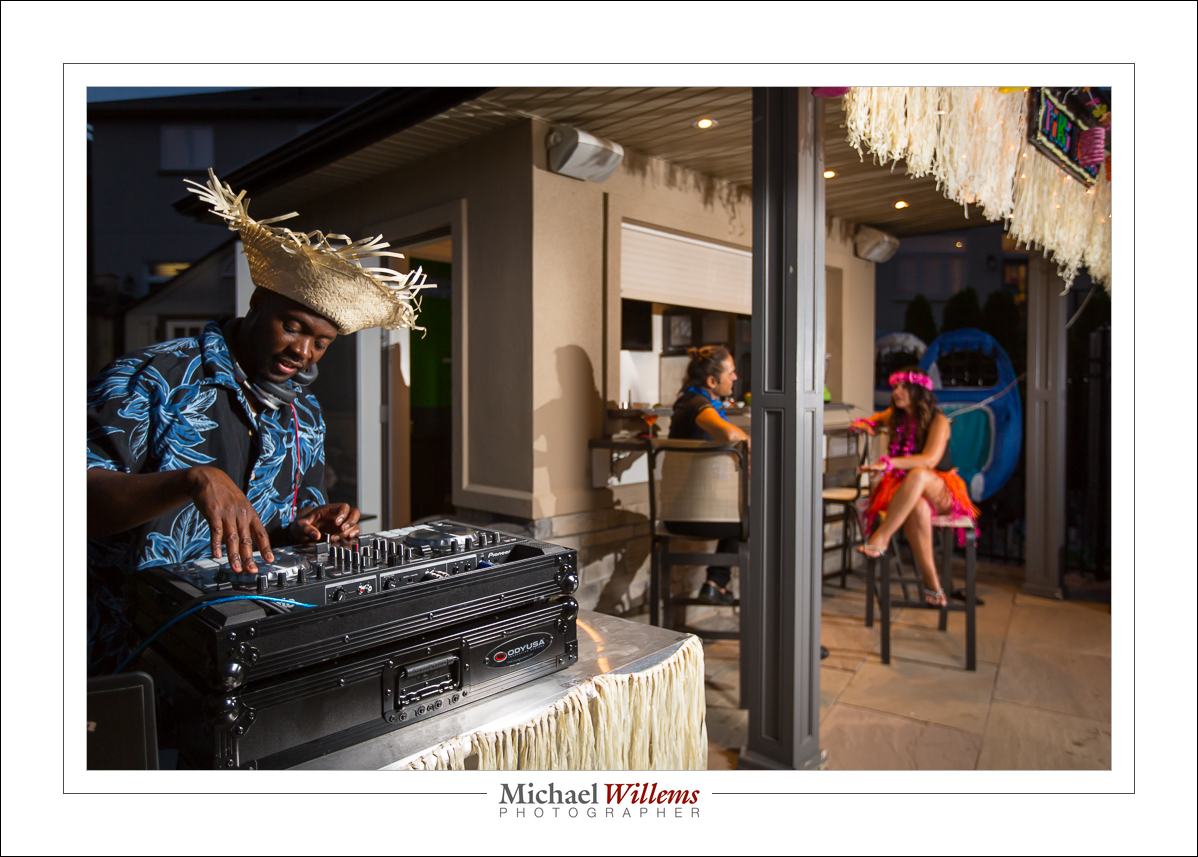
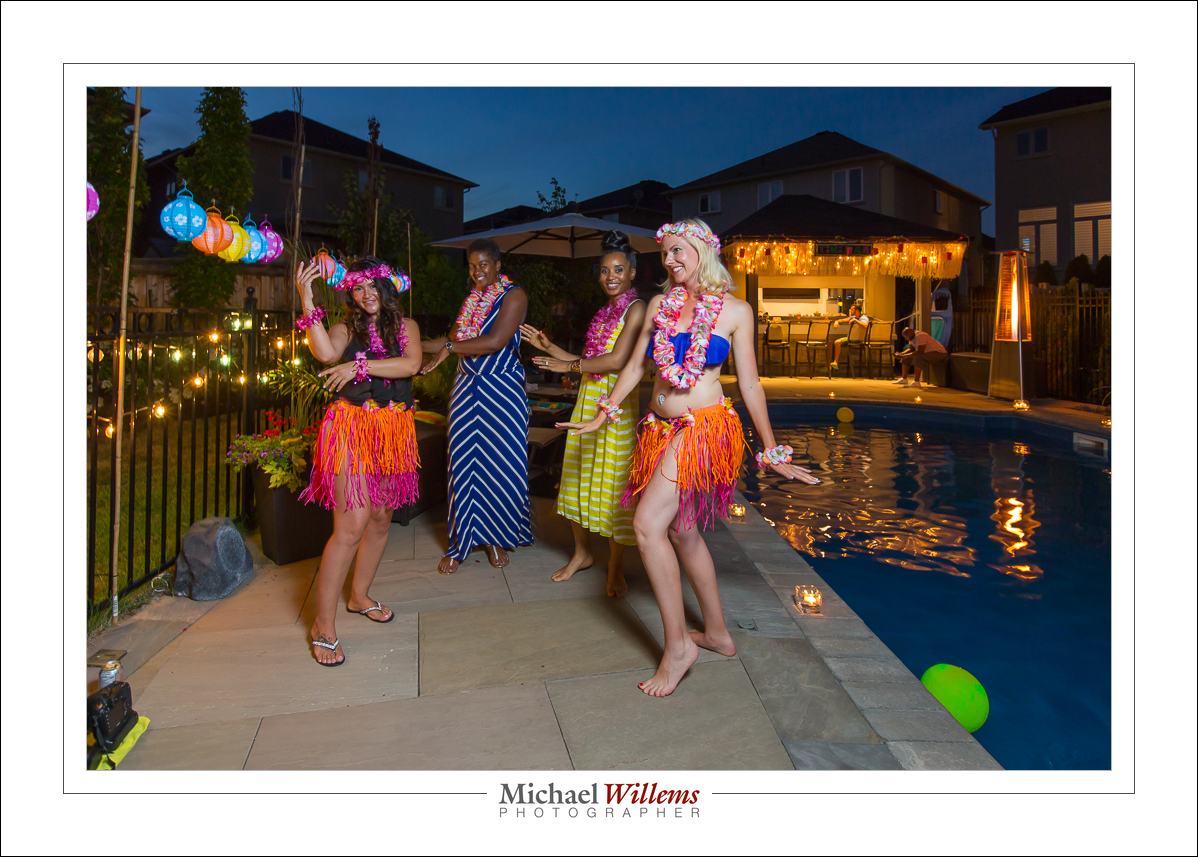
So yesterday was a lifestyle shoot. That means…

Happy:

Colourful:

Musical:

…Hawaii-themed:

It also needs careful lighting: yesterday for me was about composition and light. Two speedlights, one in an umbrella, that’s all I used. Everything in manual; flashes operated by pocketwizards. And careful balancing of foreground and background light. And saturated colours as a result.

A shoot like that also needs design, storyboarding, props, models, and timing. Everything is designed. And a photographer who knows what is required. I can shoot in any style required, and for this style, colour is the big requirement: colour and happiness and interaction, communication, “party”. It’s great when everything comes together, and yesterday’s shoot, for a mobile spa, was one of those.


A few opportunities.

I am a big proponent of wall art, as you probably know by now You should have walls full of it: your own, and other people’s. A great way to express your personality, and if it’s someone else’s, an investment too.

I can help with “your own”: that’s what the courses are about (see yesterday’s post and see the a la carte courses, or take an evening course at Sheridan College in Oakville, where I teach “Photography, Basic Digital” and as of September, also “Photography, Intermediate Digital”, as a faculty member of the faculty of continuing and professional studies), and that’s what my seven(!) e-books are about (see http://learning.photography). Once you can do it yourself, you can fill your wall with your best work.

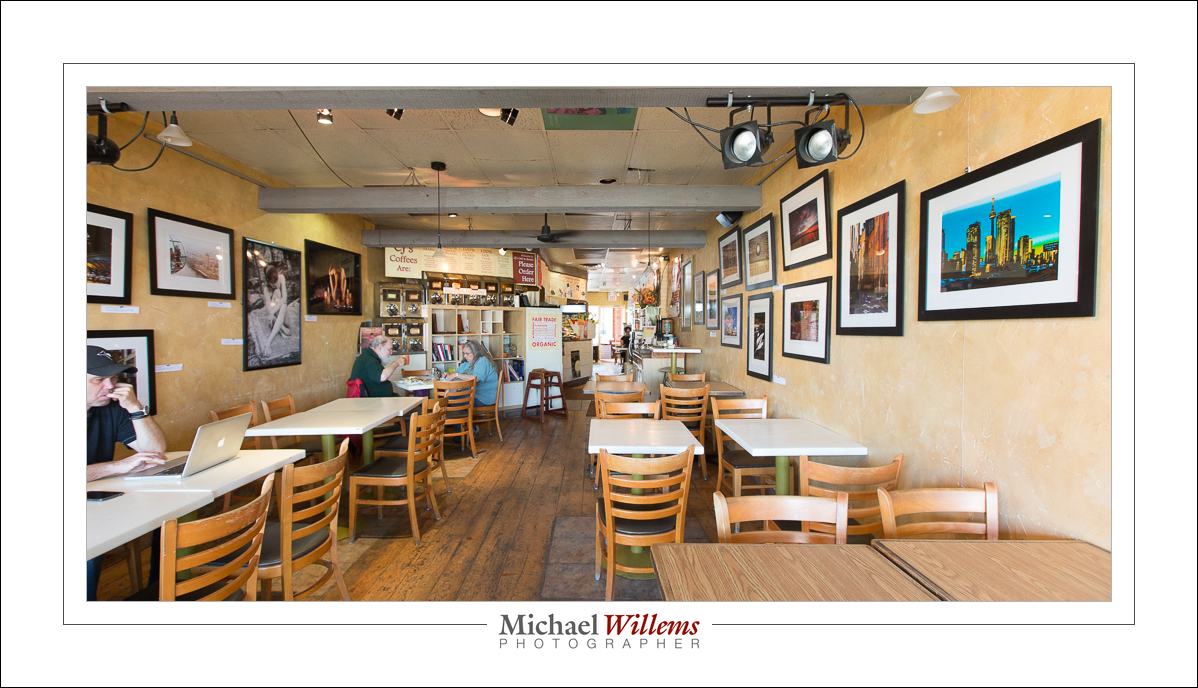
But I can also help with the “someone else’s”. As you know, I am currently exhibiting some of my work at CJ’s in Bronte, Oakville, Ontario: see the event page here.

The official opening is this Sunday, 12 July, at from 2–4pm. And great news: on that day only, if you are considering buying any of my limited edition photographs, then:

  • I will have a special discount for in-person visitors.
  • I will bring a further 115(!) unframed giclée prints, handmade by me at 13×19″ using permanent pigments on art paper, individually autographed. Unframed prints are of course more economical to buy than framed prints.
  • I will give away one print to a lucky visitor.

So… perhaps this will be the start of your wall art collection. Come join me for a coffee Sunday, 2pm. See you there? And by all means bring a camera; practice some of your photography.


Wall Art (2)

[Reprint from an earlier post]

I want to give you a little perspective on print pricing. Both for the buyers (companies and individuals) and for the sellers (the photographers and artists).

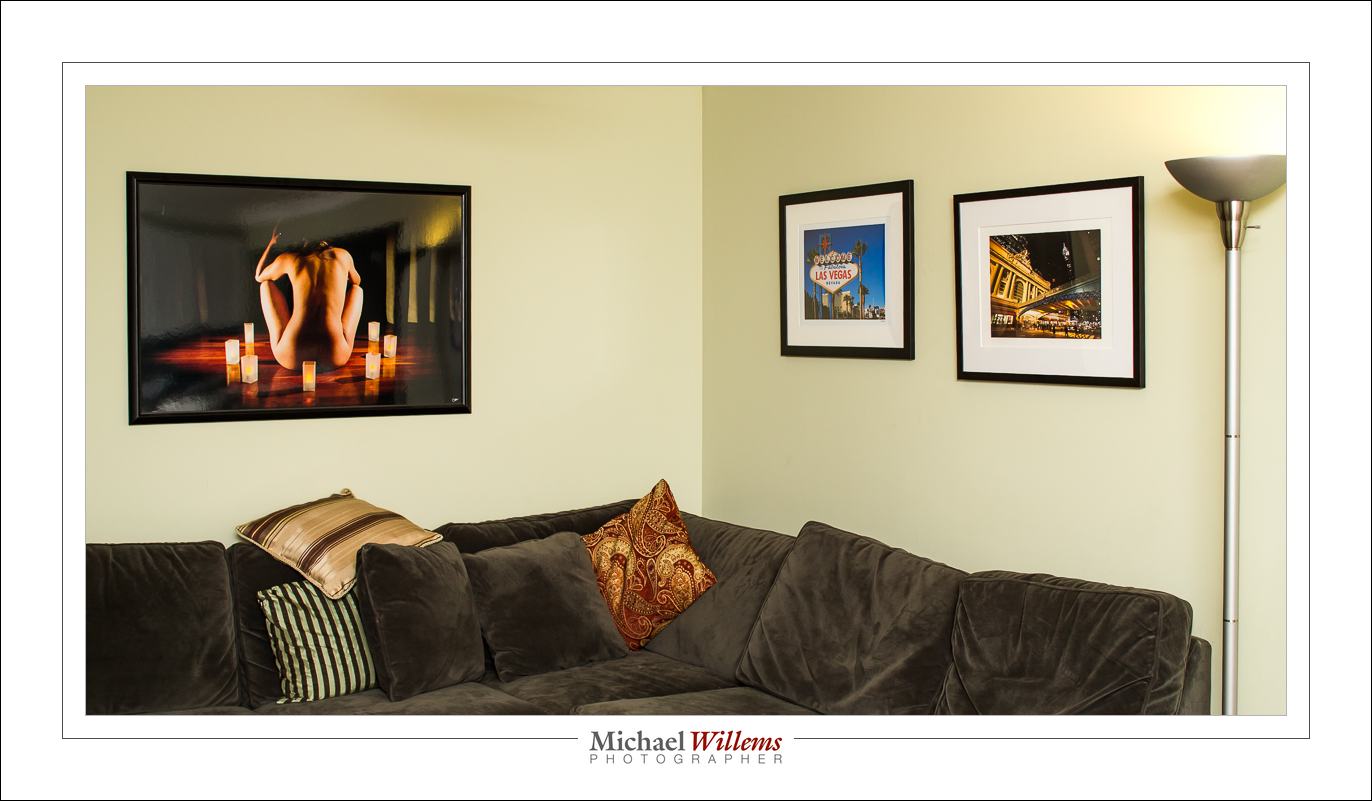
Professional art prints cost money. To give you an idea, a professionally made image printed on 13×19” paper, ready to frame, will cost $249. A 13×19” print framed ia $536 (you see two in the picture below). And a 40”x24” (approx.) metallic print, framed: $1435. (that’s the one on the left).
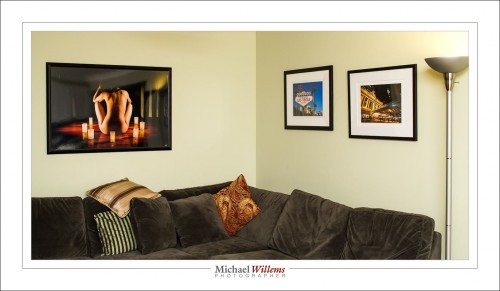
“Why? I can make a print for $20, surely?”, is an objection I have heard many times.

Well, no – that is not the way to look at this. And there are three ways to understand this. I thought it might be useful to go over those, today.

One way is by analogy. Sure, the print may not cost the sale price. But that is like saying “I went to the law office and I got my will done. I’ve got it here: it’s a piece of paper made by an HP printer, typed by a secretary. The paper and the typist time are no more than $15, so why should I pay more?”. Or perhaps it is like saying “Rembrandt’s brushes, canvas and paints cost him 2 florins, so that is what I’ll pay for that Rembrandt painting over there”. You see the silliness of those ways of looking at it, presumably. Printed photographs are the same. They are, in a term I have heard recently, “high-end wall furniture”. Any furniture designed for you and sold in limited numbers (“we’ll only make 20 of these couches”) will be worth money. And more than the cost of wood and cloth, of course, if we stay with the analogies.

The other way to understand is by looking what goes into a print. A framed art photograph for your wall contains, of course, a lot more than the paper and ink (just as the will contains more than just the paper and ink):

First, it contains, if you will, “intellectual property”:

  • Most importantly, the artistic taste, vision and ability that led to the image.
  • The photographic expertise. It takes 10,000 hours to become an expert at anything, and that is certainly true for artistic photography. You pay the lawyer for his experience and ability to deliver; same for the artist.
  • The printing expertise. Any idea how long it takes to become good at printing with the right colours, contracts, and so on, and to create prints on the right kind of paper, and prints that last?

A story, probably apocryphal, has it that Pablo Picasso was sketching in the park when a woman approached him. “It’s you — Picasso, the great artist! Oh, you must sketch my portrait! I insist.” So Picasso agreed to sketch her. After studying her for a moment, he used a single pencil stroke to create her portrait. He handed the woman his work of art. “It’s perfect!” she gushed. “You managed to capture my essence with one stroke, in one moment. Thank you! How much do I owe you?” “Five thousand dollars,” the artist replied. “But, what?” the woman sputtered. “How could you want so much money for this picture? It only took you a second to draw it!” To which Picasso responded, “Madame, it took me my entire life.”

Second, the photograph contains “real cost”. That is, of course, not your problem if you are buying, but it is nevertheless perhaps illuminating to see that there’s a lot that goes into a wall photo:

  1. Proper photographic equipment – at last $20,000 is needed to have a proper photographic setup. And that’s really just the cameras and lenses. Yes, proper equipment is important. When you blow up that image, imperfections due to cheap cameras and lenses will be noticed.
  2. Printer and computer equipment. Again, this is not cheap. You cannot expect permanent prints from a cheap inkjet printer or from a Costco machine. Proper printers have ten inks, not just one or two; and they are pigments, not dyes.  The computer equipment, software, disk space, etc also cost money, and proper high-end calibrated screens are essential.
  3. Supplies. Proper art paper and pigment inks are not cheap. My printer has 10 cartridges for the different colours, and it seems that every three minutes one of them is out. And they cost $22 each. And the paper: $50 will buy you a small box – and again, they’re constantly out.
  4. Time. The time to make the photo in the first place. But also, the time to finish that photo. And then the time to print. It takes two minutes to even feed a sheet of paper into a pro printer, and that’s without the printing having started yet!
  5. The frame. Handmade frames and custom-cut mats are a real cost. Go to an art supply store and ask to have something framed and you will see.
  6. Time to put it all together. By the time you see a work of wall art, the artist has made the photo, set up the equipment, finished the photo, made the print, driven back and forth to buy inks and paper, driven back and forth to have the photo framed or wrapped, and so on.

So buyer: while it may not be your problem that a lot of real cost goes into wall art, I think it may be enlightening to realize exactly how much. Your artist is not getting rich over your back. And seller:  when you do the math, on a simple spreadsheet, you see it is not viable to sell for less than “standard pricing”, unless you want to work for less than minimum wage, of course. Importantly, both buyer and seller should realize there is real, true, value in a piece of wall art.

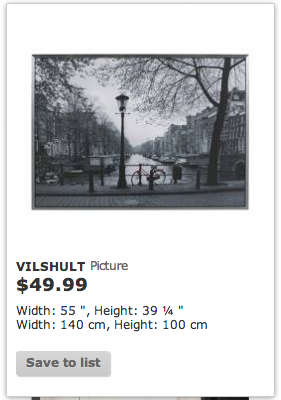
And finally, the third way to understand print pricing: a product’s value is defined by its scarcity. This is, presumably, interesting to any buyer! And this is why we tend to print in limited editions. You can go pick up a piece of wall art at Ikea, but apart from the cheap printing and eventual fading, more importantly, approximately 8 million other homes or offices will have the exact same print. And that’s just in your town.

So yeah, you want the same low-resolution, low quality Amsterdam canal photo that families from Toronto to Trondheim, from Stockholm to Singapore, from Israel to India, from Libya to Liberia, from Lagos to Lahore, have in their living room? Go ahead, here it is:
But if you want something unique, that not everyone else has, that is handmade, autographed, and produced in limited editions, then you may want to come to me and other wall art makers. That’s real value added to your environment.
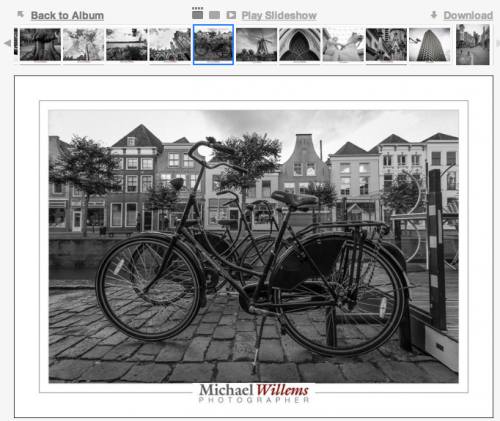
What’s more: I can produce this image at any size you like, on any paper you like, with any frame you like. To fit you, instead of you having to fit the print.

So – head on over to www.michaelsmuse.com and similar sites, or go visit a gallery, and buy your own unique wall art.  Now you know it’s worth it!

___

NEW: Come see my work at CJ’s in Bronte (Bronte Rd and Lakeshore, in Oakville, Ontario) from 7 July until 3 August, 2015. Special prices, so this is a great opportunity to start your own Wall Art collection. Don’t miss it!).

You’ll get credit.

“We have no budget for photography, but you’ll get credit!”. I have heard this many times, as I am sure all other photographers have, when a client is trying to get free photography.

It seems to me that there are a few problems with this: several reasons, in other words, to never engage in this type of free shoot.Let me explain.

One issue is the lack of perception of value. If, at a reception, say, it is taken for granted that the caterer, the waiters, the printer, the supplier of the flowers, the maker of the curtains, the electricity company, the people who supply the coffee and the barman all get paid but the photographer is expected to work for free, that means that the photographer is not perceived to be doing anything valuable. Would a waiter work “for credit”? No, and most of us would consider it insulting to even ask. If you are asked to do something that confirms the effort you are engaged in as having basically no value, I would argue that it is best not to do that.

Photography is not a thing

One reason for this absence of value perception is that photography is not a thing, and that furthermore there is a perception that the photographer does nothing but push a button. The Kodak perception: “anyone can do it”. Look online and see the advertisements offering to “teach you photography in ten minutes”. A staggering claim, and a sad one. Any photographer knows that ten thousand hours is more like it. But if the perception is that there is no value in pushing a button, and that that is all a photographer does, can you fight it?

No—but what you can do is look for value elsewhere. And that is in tangible objects. People like tangible things. My books on DVD are much easier to sell than my books as a download, for instance. So look for prints, albums, memory keys, possibly web sites, but as much as possible, things beyond just bits. Working ten hours for free is something you may be expected to do, but a large print costs money, and everyone understands this. It’s a thing, and things cost money.

I said several?

I said there were several reasons to not do unpaid work for credit. The second reason is that it simply does not work.

Quick: tell me the photo credit of the last 100 photos you saw.

So how many did you get? I would be surprised if you remembered any. “Photo credit” does not work. You will get nothing out of it.

I have heard many people promise me the world for doing free work. Unfortunately, I have never yet seen an iota of benefit out of all this crediting. So your name appears in a brochure, or under a picture on the newspaper. No-one notices. And if they do, it is because they are already your customer. But in no case will they buy more because of it.

Because building a brand takes time and effort. Name recognition, while a necessary component of a marketing approach, is not enough by itself. And even for that, name recognition, you need repeated mentions of your name, on and on, consistently, throughout multiple campaigns over time (yes, plural). One mention here and there is not going to do anything for you.  Sure—there are exceptions to this. But generally speaking, your name being mentioned underneath a photo will do exactly nothing for your bottom line.

Never?

When I said “never”, I did not actually mean never. Of course if it is charity or if it is for a friend, you can do whatever free work you like. But in those cases you are not expecting a few mentions of your name to generate business.

So?

So, do not be afraid to ask for a reasonable fee for your work. I had a washing machine fixed yesterday. For a ten minute visit and a five dollar switch I paid $140 plus tax: $158. So do I need to feel embarrassed to ask for $125 an hour? Not in the least. Bankruptcy is not good for me, but it would not be good for my clients either. A business needs to be sustainable.And free work does not result in that sustainability, unfortunately., So next time you are asked to do work “for credit”, I suggest you respectfully decline.


A black day

Blacks, the photo retailer, is closing its remaining 59 stores across Canada by August. The end of a long downhill story. “What do I think”, I am asked.

First, that this is bad for competition. Even though Blacks only sold a few pieces of hardware, and concentrated mainly on prints, any retailer disappearing is bad news for everyone. Less competition is never good. Wait for choice and quality to go down and prices to go up.

Second, that this is a disaster for me. The end of my film days for sure. Now that Blacks still exists, I can shoot a roll of film and drop it off a few kms away, and the next day, I get back prints and a CD/DVD. This is over. Now, the only way to get a roll of film developed is to find an envelope and print a label, line up at a post office (talk about 19th century anachronisms, and yes, there is always a lineup at every post office), pay too much to send the roll somewhere far away, and wait weeks and then pay a fortune. No way. The end.

Third, that this is not surprising. I have wondered for 20 years how Blacks survived. All they sold was rubbish frames and prints no-one bought, as well as a few cameras no-one was interested in. If ever I have seen a company without vision, it is Blacks. Run by grey Telco people in grey suits. If I were Blacks I would hire a bunch of young 20-odd year old Apple guys or McGill graduates and make a business out of something related to photography. And there must be something. I would create the market. Make a deal with Apple, if at all possible, or with other Telcos, or create a Telus app that automatically prints photos you take on a Telus phone: anything like that. There is a place where online and paper meet, and I would build a business around that. But no. They sold lousy 5×7 Chinese picture frames no-one wanted.

Fourth, that the market is changing and this is not Black’s fault. People should make prints, but they don’t: they keep all their snapshots on their phones and lose them all when their phone dies. Disasters in the making. Blacks was right that people should print their photos. But they don’t. That’s lack of vision on the part of the population as a whole. And everyone will pay for this, when all their family photos disappear. But you cannot enforce vision on the part of the public. You can try to educate, but that is it.

So, a sad day, and this is bad for everyone, including the 450 employees who will lose their jobs. But you can’t stop progress, right?


Workflow, again

Another note on workflow.

You need to rate your images, to separate the good from the less good. But this only works if the process is:

  1. Quick.
  2. Unequivocal, objective.

Lightroom helps in both cases. The “quick” is addressed by the following process. First, you rate all images to a standard, say 3 stars, namely the standard that most of your pictures will be; and now you only mark the exceptions. That takes half the work away. And to actually mark those exceptions, you simply use the number keys on your keyboard (“1” for one star, “2” for two stars, and so on) combined with right arrow (“next”) and left arrow (“previous”) in the negative strip.

This only works, as said, if your system is clear. A system that needs you to indicate “how much you like an image” will not work: it has to be more objective.

My system is as follows:

  • One star: this image is technically bad; too bad to fix in post-production editing. It is out of focus, or too under= or overexposed, say.
  • Two stars: this is technically OK, but it is not an inspiring image. A snapshot. Something you’d rather not use of you do not have to.
  • Three stars: this is an image that meets my standard; i.e. one that I would be willing to share with a customer. (That does not mean I will share it).
  • Four stars: this is one of the best shots in this shoot.
  • Five stars: this is a portfolio shot.

Note that the ratings indicate the end status; i.e. after editing, not the way it looks now.

Your system may be different, but be sure that like me, you design a system that is simple and objective in the sense that it is not open to interpretation.

As a result of the system described here, I can rate a shoot in a few minutes, even when I have hundreds of images.


Work. Flow.

Your workflow needs to be exactly that: a flow. A logical sequence of actions.

In my case, that means:

  1. Import the images.
  2. “Asset Manage” them: add keywords; rate them 1-5; backup.
  3. Then from the ones marked 3 and over, pick the ones to actually use.
  4. Edit only these.
  5. Mark the edited ones as finished.
  6. Select the finished ones and output them for use.

So it is basically “input – handle – select – edit – use”. And whether you are a pro or an amateur, it is going to be the same flow for you.

And that flow is where you need to save time: you do not want to spend an hour making photos, followed by two hours in Photoshop.

That is where Lightroom comes in. Lightroom is a one-stop workflow tool. It handles all the steps above: ingestion—asset management—editing—using. And it does it in an amazingly efficient way.

Evidently, if you can save time in Lightroom, it saves time overall. And that is where Wacom comes in. I now also use a Wacom Intuos tablet, which I find very useful; much more useful than I would have imagined. Part of the reason is better quality than the last time I looked, years ago. And part is new functionality. Like customizable buttons per app.

This tablet is especially useful when editing, and especially because of its pressure sensitivity. When using the brush, the harder I press, the more brush effect I get.  Very cool. Skin fixes and other local edits are now much quicker—and that saves me a lot of time. This functionality is simply not available on a mouse.

In the next weeks I will keep you up to date as to how I am using the Wacom tablet. I will start with customizing the buttons: how do I do it? What functions are most useful? As I sort it out, I will give you my recommendations. Stay tuned.


Newsflash: Flash News—Vistek Toronto, Saturday

Flash newsflash: I am teaching a flash workshop at Vistek in Toronto on Saturday, May 16, at 10AM. This is a workshop that covers everything from first principles to creative techniques, so expect an intensive three hours.

Book here:

www.vistek.ca/events/seminars/1449/Mastering-Flash-Workshop-with-Michael-Willems.aspx

There is space but seating is strictly limited, so if you plan to attend, book soon. And bring your (SLR or similar) camera and especially, your flash.


LR, Video, Flash: Learn Remotely

Lightroom 6 is out, and you need it. The End.

OK, not quite the end, but Adobe Lightroom 6 is an amazing workflow and editing tool, and no, you do not need to do the edits in Photoshop: you do almost all of them in Lightroom, as I do. Read yesterday’s post about some of the new features, and there’s a lot more. More description soon.

But how to learn it? It may be great and earth-shattering and all that, but most of us do not just intuitively learn a complicated app simply by playing with it.


Learn Lightroom Remotely:

Well: now there is a better way: I can teach you remotely. Using Google Hangouts, I can show you, and we can set up your workflow, edit photos, create cool presets: while we use the computer together. You see me; I see you; you hear me, I hear you; and we see each other’s desktops.mIt really is almost as good as being in the same room together. Whether you are next door, or in Australia (literally).

This method works so well that I have also started teaching video editing the same way. For my usual teaching rate I teach you individually. All you need is a reliable Internet connection, and preferably a computer with a built-in camera, speaker and microphone.

You see what I do, or I see what you do, while we talk and see each other as though we were in the same room. You will be amazed at how much more quickly you learn with this method.


Video Editing:

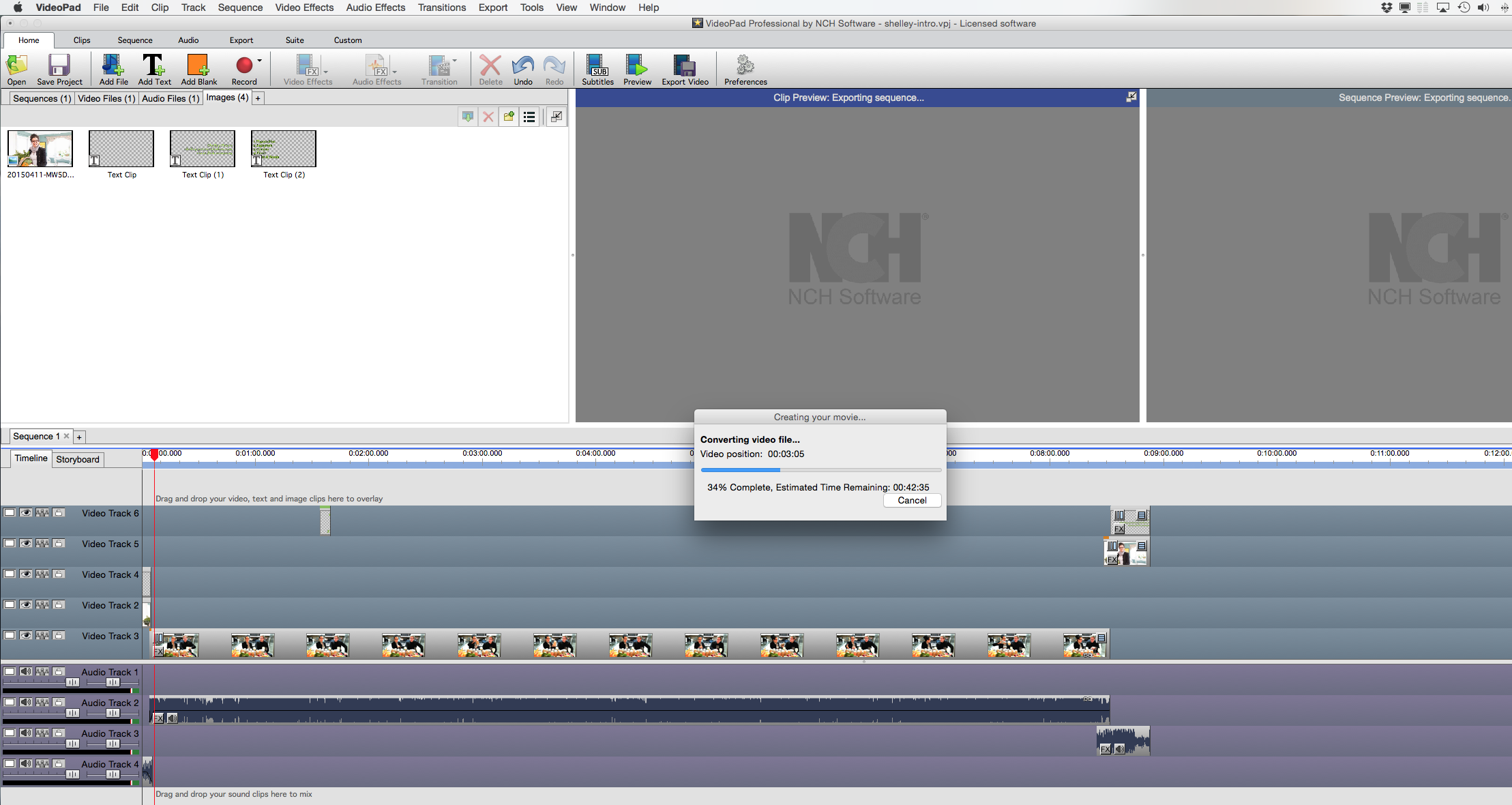
I also teach video and how to create video with a digital SLR. Here’s my desktop an hour ago, as I am creating a video export, combining video, audio, pictures, text, and royalty-free music, with a client:

This, too, lends itself very well to teaching remotely using Hangouts.

Pick up your phone and give me a call and from Lightroom to Video to Flash, I will teach you how it all works.  This, too, comes with my usual Full Happiness Guarantee: If you are not delighted, money back. It’s never happened, but if it does, I will honour my promise!


Finally: The Pro Checklist Book! IT WILL BE MADE.

Whether the Kickstarter campaign is successful or not (and you have about 12 hours left, if that) – the printed version of the new “Pro Checklists” book WILL be made. So in the last minutes, please go to Kickstarter (link HERE) now and support this print production, and at the same time benefit from interesting and fun rewards.

If the campaign fails to reach target, I will contact you individually, and I will honour the campaign promise, because come what may, this checklist/best practices book of charts and one-pagers will be made. Print quotes are rolling in as we speak!


Back to work, for me. No rest for the wicked, as they say.  —Michael