Canon tip of the day

If your images come out of the camera named something like this:

_MG_4037.CR2

What does that underscore mean? Why not “IMG”instead of “_MG”?

It’s Canon’s way of telling you that you have set your colour space to AdobeRGB instead if sRGB. This colour space setting determines how the conversion from RAW to JPG is done. If you are shooting JPG, the camera produces images in that space; if you shoot RAW, it tells the program at the other end you would prefer that colour space when eventually making JPGs.

And sRGB is the right setting in almost all cases, hence the warning if you use AdobeRGB. Although AdobeRGB has more colours, it needs software to show it properly; most software and most screens show sRGB much better; AdobeRGB looks dull on these devices.

ANyway now you know what that underscore means.


A tip for fast focus

Often, I shoot with manual focus. I do this when either of these are the case:

  • I want more personal control;
  • I use a lens that only allows manual focus, like my tilt-shift lens;
  • It is too dark to focus using autofocus, a situation that is in fact quite common with modern cameras.

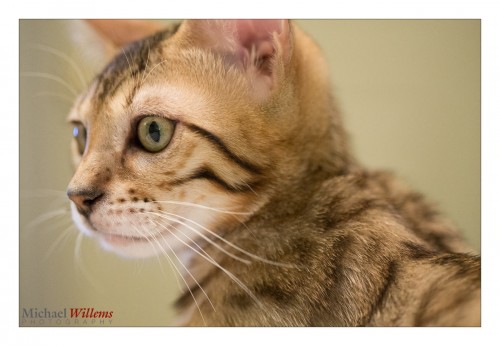
Tonight, I was taking a few snaps of my cats. It is dark here, it is evening. And I did it… this looks good, eh? Just a few minutes ago:

Why? Because the focus is sharp where it should be, on the pupil of the closest eye. Which at f/2.8 – I used f/2.8 to blur out the background – was not at all easy.

And it was too dark to autofocus. So I focused by hand. But this too was tough, because felines do not wish to sit still even for a millisecond. So I resorted to this technique:

  • Set focus to manual
  • Set drive to fast, continuous (10 fps)
  • Focus behind animal
  • While moving focus ring to bring focus forward, shoot in continuous mode.

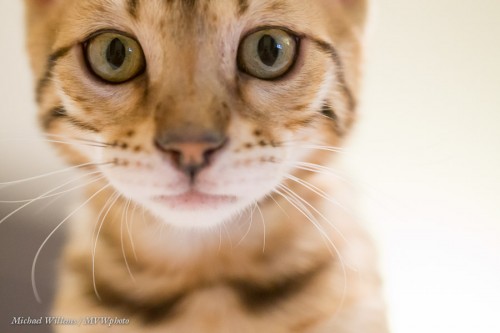
When you do this a few times you will waste a lot of shots but some will be sharp, and you only need one. Like in this sequence:

Shot 8:

Shot 10:

Shot 12:

As you see, shot 10 is good. And that is the only one I need.

So next time you ned to shoot a moving object and it’s dark, try this technique. Just do not tell anyone how you did it. I got 16 good, sharp shots out of a total of 123. And I only needed a few. Though there are never enough cat shots on the Internet.


Power Tip

And I mean: a tip about power.

A photographer on a forum I attend corrupted some photos due to her turning off the camera power after every shoot segment before the image had saved fully to the card.

Bad idea. You risk losing images. You lose time. You wear out the switch. You use extra battery power by cleaning the sensor each time, when every now and then is enough. But more than that: when the camera is “off”, it uses the same minimal amount of power that it uses when it has gone to sleep. It is never really fully off. So while you are shooting, just leave it on. Just turn it off when you put it away.

And when you are not using cameras for an extended period of time, do recharge the battery every few months. Else, it will lose its charge – not a good thing.


Studio is simple

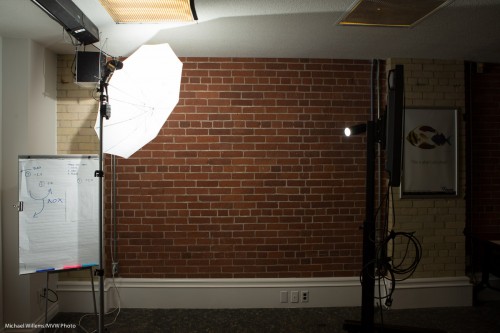
Studio shooting is very simple. This, today at my Vistek flash course, took but a moment or two to set up: a studio, using just ordinary speedlights and a few accessories:

Two speedlights, fired by pocketwizards. One on a lightstand, through an umbrella. The other on a clamp through a snoot from the back. Both were to manual power at 1/4 power.

And at 200 ISO, f/5.6, 1/125th second, that results in this student portrait:

And the great thing about this kind of “manual” shooting, where the flash is also set to manual (rather than using TTL metering) is that once you have the light right, it is right for every subsequent shot.

Regardless of subject: a pale person dressed in white, darker person dressed in black, and everything in between. You will never need to re-meter, provided you have each subject stand in the same place.

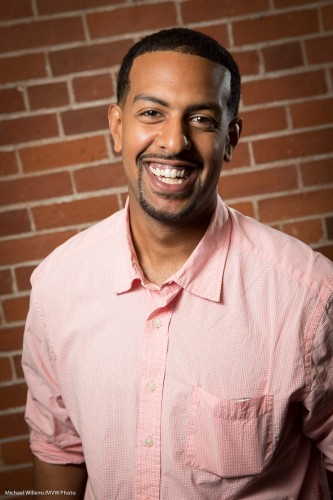
And how do you like those smiles? And a hint: they were not created by telling people to smile.

___

NB: This post shows you it’s simple. Want to learn the details of this type of studio portraiture? Come to my Tuesday evening course in Hamilton: http://www.cameratraining.ca/Studio-Ham.html and I’ll teach you all this – pocketwizards, light meters, light angles, and more.

Butbutbutbutbutbut

As a photographer who does it for a living, and a teacher who does that for a living, I get a lot of questions, and I love them – keep them coming. There is no such thing as a stupid question.

When fielding questions, and when I answer those questions, one objection that I get rather often, however, is what I call “The BUT.”

It comes in several ways, including:

  • Equipment.
  • Technique and Composition.

Equipment. As a pro, I use some pretty expensive equipment.
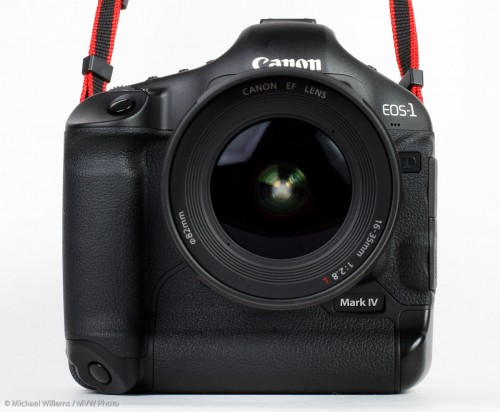
I. The Equipment But: Sometimes, that is just because the expensive gear is more waterproof, or stronger, or faster, or more reliable, or can save images to two cards at once, and so on. Those factors do not affect the image.

But often, it is because the expensive gear does things you cannot otherwise do. Like go to high ISOs or shoot at wide open aperture, or go to wider angles. And that’s where the “BUT” comes in. You can “but” the first factors, but you cannot “but” the second factor. The number of times I hear things like:

“I want to shoot a hockey game like you do – but I am not going to buy one of those expensive lenses”.

“I want to shoot an event like you do – but I am not going to buy one of those expensive high ISO cameras”.

“I want to shoot great travel pictures – but no way am I going to buy one of those wide angle lenses”.

“I want to shoot with that off camera flash light – but I am not going to buy a high end flash like an SB-910 or 600EX”.

…and my message for you in that regard is: sorry, but if it is necessary, it is necessary. If you turn up with an f/5,6 lens when I have an f/2.8 lens or an f/1.2 lens, you cannot get the same results. CAN NOT.  Wishing it doesn’t make it true: Hitler and Napoleon thought that will was enough, and look what happened to them!

So if I say it’s needed, believe me: it’s needed. No buts. That’s wishful thinking. You cannot get to Australia without getting on an airplane, much as you might like your bicycle. The reason a pro photographer costs more money than Uncle Fred is in part due to the fact that the pro has to spend more to get results.

“Has to” – I too would do it without spending if I could, but often enough, I have to! And so will you. So make sure that you know whether the expense you are debating is one of convenience or one of “must have”.

II. The Technique And Composition But: this is the most pernicious “but”. Every time I see a student image that is not great, I know that the student knows it.  My objections are always met with “But…” (and then I do not need to hear the rest).

  • But I could not move that thing out of the way. (then shoot from a different angle!)
  • But the light wasn’t good enough. (Then shoot at a different time or add flash!)
  • But that garbage can was there. (Then move it!)
  • But my lens didn’t go to a lower F-number (then buy one that does!)

…and so on. You know when your image is not good enough, and my most important pieve of advice here: you should not go easy on yourself. If you do, you are giving yourself  an excuse to come up with inferior images.

Remember: Your viewers do not care what the reasons for bad images are; they just care about the images.

So my advice is: face reality. Cut corner where you can (a Digital Rebel can make great pictures), but do not fool yourself into thinking you can invade Russia and it’ll be child’s play. Work with what you have, and do not go easy on yourself.

 

Camera Setting II

Today, part two of my “always do camera settings.

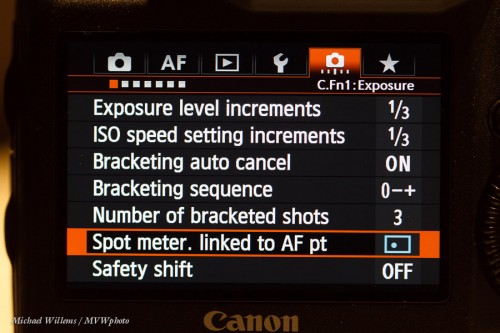
Many cameras bias their metering toward the focus point when spot metering. Some only allow centre point for metering. And mine allows me to choose. I choose “meter off my focus point”:

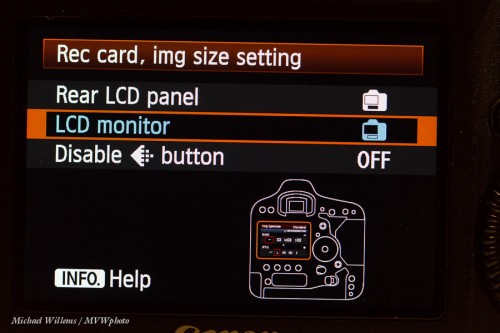
I like to see card choices on the bright, large screen:

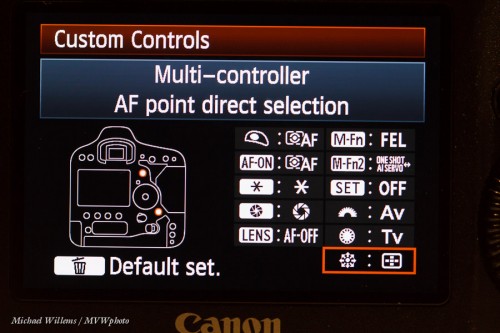
Now, on all modern Canon cameras, a very important one:

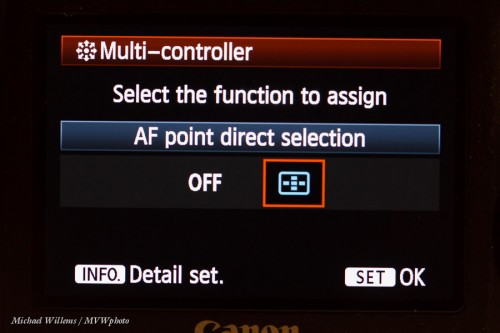
The “joystick” is normally disabled when shooting.

Instead, of course you should allow it to move the focus point! Here;s how:

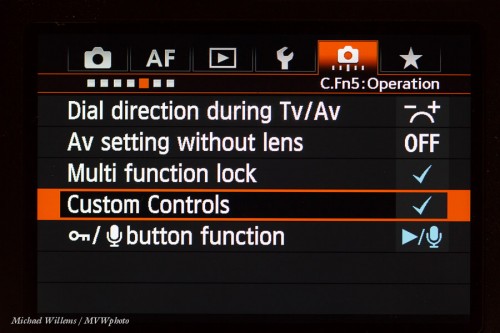
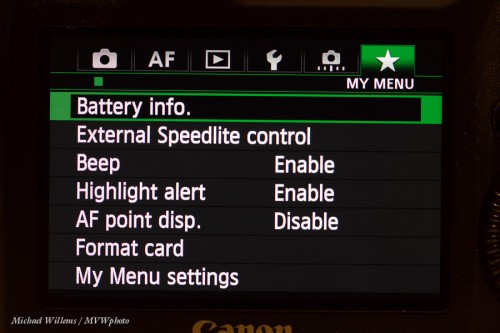
And one more: set your personalized menu! These are my options:

That’s it – your camera is now set up properly.

You may have different choices. And that is fine. As long as you go through your menus and tune your camera to your specific needs. It makes a big difference, folks!


Get your camera settings right.

Your camera has many standard and custom settings, and getting them right is important. In the next few posts, let me take you through the settings I always make sure are set on my Canon 1Dx and similar cameras. The examples here are for my Canon 1dx, but regardless of brand and model, you will probably have many similar settings.

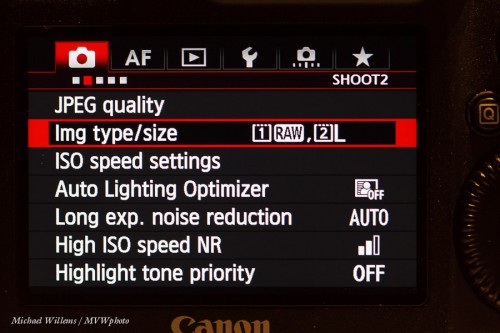
First, I use cameras that can save each image to multiple cards – and for safety, I always make a large JPG copy to card 2.

Next, I turn OFF any “auto image adjustment” settings that work only on JPG images, and this is important. ALO gets turned off:

(Otherwise, your images will look good in the preview, but in fact may be underexposed.)

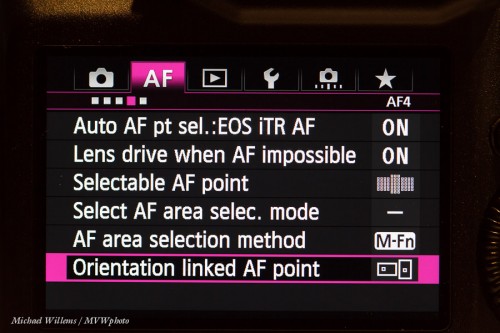
Next: I like the orientation linked AF point,so that when I turn the camera, I have a different focus point selected automatically.

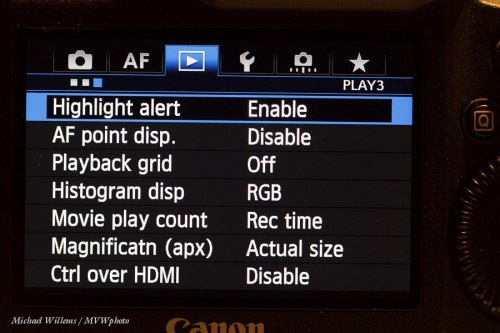
Then, I like seeing “the blinkies” warning for possible overexposure, so that goes ON:

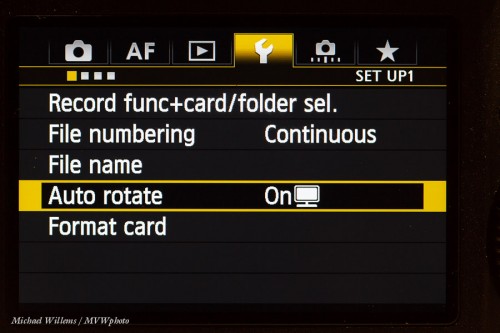
Then, anther very important one. I turn the preview rotation off, so that “portrait mode” images are rotated in the file, but they do not show as rotated on the preview. This avoid the letterboxing; instead, my images fill the entire screen when I preview them.

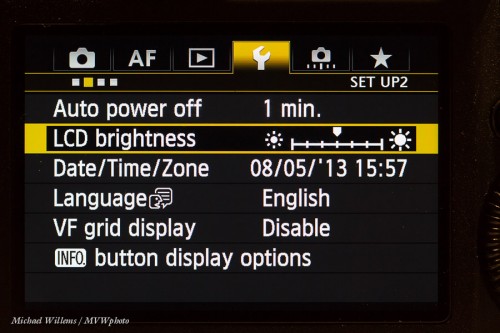
Now, I set my LCD brightness to medium and I disable, if a camera has it, auto preview brightness. Important, or you will misjudge many exposures!

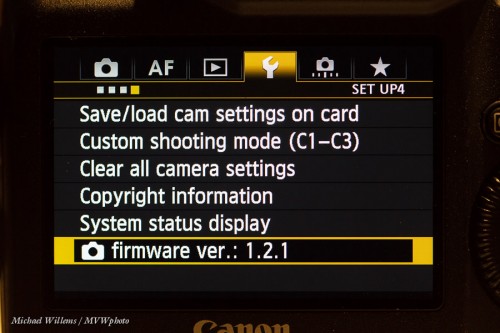
Then, I check that my camera has the latest firmware – and I recheck that a few times per year (Google it). If needed, I upgrade (Google it, again!):

This should get you started.

Tomorrow, the custom settings.


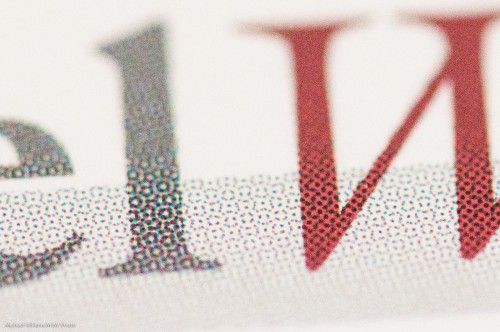
Hidden worlds

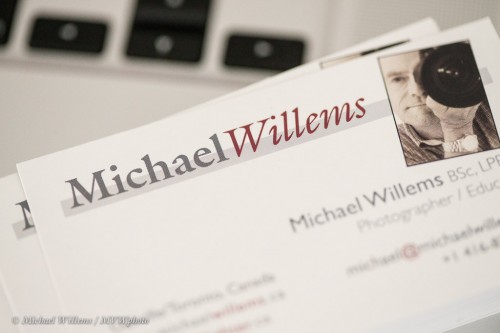
Look at my business card:

No, really look:

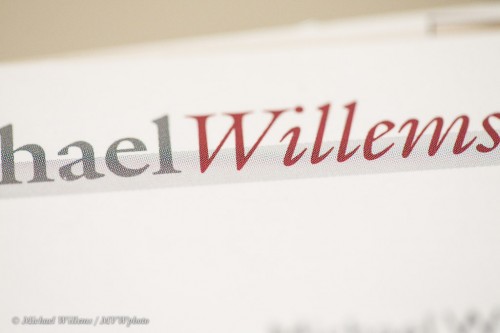
No, I mean really look:

No, I mean really look:

I had no idea.

And that is why you use a macro (or as Nikon calls, it, “micro”) lens. To get close, really close – so you unlock hidden worlds.  A macro lens like a 100mm f/2.8 will set you back $800, but it is worth every penny. And here you see why.


Tiger Direct, II

Worse: remember my to-be-returned hard drive from Tiger Direct, a local/US “cheap” electronics retailer?

After the broken English and vague promises from the Philippines yesterday, today, contrary to what the agent said, I get this:

WHOA. Jump though hoops: Contact manufacturer? Ship back at my own cost? “Fast, friendly service”, but it is slow, based in the Philippines, inefficient, doesn’t speak English, and.. the list goes on.

As in photography:

  • Price is not everything. Cheap means it does not get done well, or does not get done completely, or is risky, or comes with strings attached.
  • Service is everything. Tiger Direct has of course lost me (and I presume, now a fair number of my thousands of readers) as a customer forever: Best Buy gets me as a client from here on, even if it costs more.

You can do things efficiently, but you cannot do things cheaply. As Nasa says:

Fast – Cheap – Good : Choose Any Two

I cannot spend half a day finding a box, buying tape to close box (I have none!),  finding all the original bits, contacting original manufacturer, driving to post office, filling forms, paying for shipping plus “full insurance”, etc.

That $189 is lost, and I will now drive to Best Buy to buy two more drives.

Like in photography: cheap is expensive. I am editing photos as we speak – every shoot means lots of preparation and finishing work, and it is real work, and hours, and costs money; and no, you cannot cut it without compromising quality. As Tiger Direct shows. My strong advice: never, ever use them. Not worth it. Look:

Capitalized “DO NOT”… contempt for the customer if ever I have seen it.


I have seen the enemy, and he is…

…dust! Dust is the enemy of photos. Sensor dust, to be precise. Tiny pieces of dust that stick on your sensor.

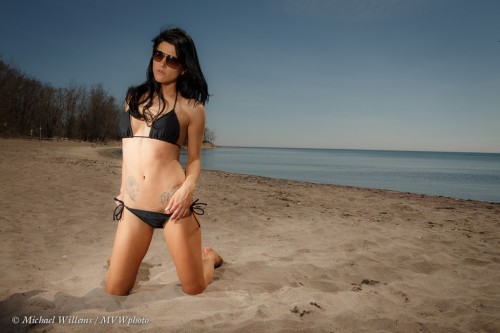
Look at this image of model Danielle on the beach yesterday:

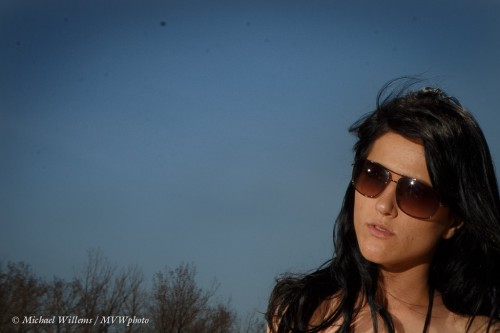
Now look at a small section, with slightly enhanced contrast:

See all those blurry specks? View at full original size (click through twice to do that) and see how terrible that dust really is.

And you see it when you are both:

  1. Shooting at small aperture (like my f/14 all day yesterday), and
  2. Shooting against an even surface – like the sky.

In other words, you get this on sunny days outside!

Solutions? In order of dangerousness, with the safe options first:

  • First, use the built-in dust removal function in your camera repeatedly.
  • Or have Canon/Nikon/etc do it (but this will cost money and take time).
  • Then, with a full battery use the “manual cleaning” option – the shutter stays open while you blow with a rubber bulb blower. Blow with that blower  without touching anything, repeatedly, and try again.
  • As a very last option, use liquids and special pads, but use the right liquids and brushes specifically for your camera 9ask the manufacturer if in doubt), and be very, very careful – a destroyed sensor is not covered by warranty and can cost more than the camera.

Or.. live with them, and remove them in post-production.

TIP: if you do that, do it before you crop, so that you can copy/paste the adjustment to all images with sky.

___

I am teaching this weekend: tomorrow at Vistek in Toronto (“Macro”), and Sunday “The Art of Shooting Nudes” in Hamilton. Book now – there is space.