Snaps

Today, Joseph Marranca and I were checking out the location for one of our next “Creative Light” workshops, this one to be held on August 13 at a beautiful location near the African Lion Safari park near Burlington/Hamilton. We will do great creative shots there with those who join.

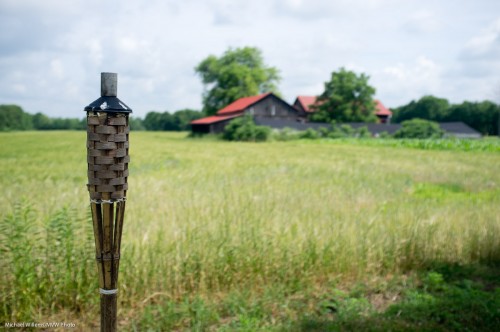
The setting is agricultural, as this snap shows:

Agriculture (Photo: Michael Willems)

Great setting for creative photography – we could not hope for more.

But wait. Wouldn’t that shot be better with nicer light?

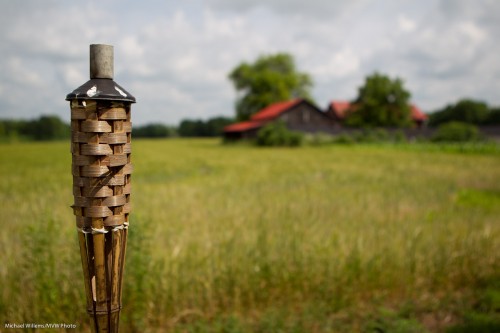
Yes it would! And that is one reason I always carry speedlights. With speedlights, you need not rely on nature to give you light. As it happens, nature did, so I did not need lights: moments after that shot, the sun appeared. But if it had not, I would have needed flash to get a shot like this:

Agriculture (Photo: Michael Willems)

I would have simply used a 580EX speedlight off camera, with a 1/2 CTO Honl Photo gel fitted with a 1/4″ grid. I promise you would not have been able to tell this from the shot above. And at the course we will use light for truly creative purposes.

A couple more snaps. That’s what they are, but even in snaps you try to be creative.

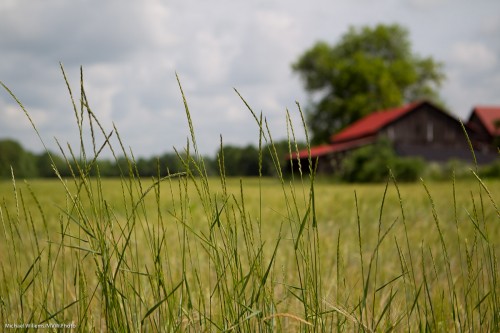
Blurred backgrounds that tell the story.. I like those:

Agriculture (Photo: Michael Willems)

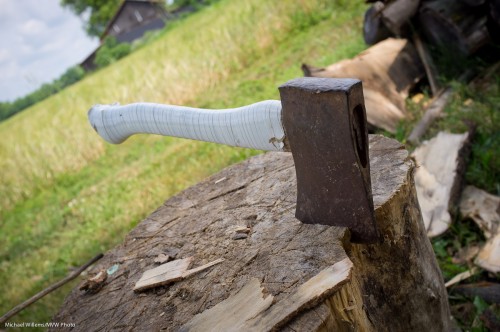
I also like large detail that you can use to tell a story. We’ll talk about props at the course. Props like this axe:

Axe (Photo: Michael Willems)

More about props in future posts!


Exposure metering basics

In the continuing series on flash and its complexities that I started yesterday, time for the next basic subject. And that is “metering” and “exposure compensation” while not using a flash. (Yes, to understand flash you need to first understand non-flash exposure basics. So bear with me in this series.)

What does your light meter do?

When you press down the button half way while pointing at your subject, you activate the light meter – and the camera now does one of two things:

  1. If in manual exposure mode (M), it merely shows you a light meter in the viewfinder. You can now adjust aperture, ISO and/or shutter speed, and when you achieve “meter in the middle” this means “well exposed (if the subject is mid-grey)”.
  2. Or when you are in an automatic mode (P, A/Av or S/Tv), the camera itself sets aperture and/or shutter to make the meter go to the middle. The picture will therefore be well exposed (if the subject is mid-grey).

Let’s look at that qualification: “well exposed (if the subject is mid-grey)”.

  1. Your light meter –  a reflective light meter – is calibrated to give you the “zero” reading when your subject is exposed to look mid-grey, i.e. neither very dark nor very bright. That’s just how it was decided it should work. Because most of the world is like that.
  2. So as long as what you are shooting is neither dark nor bright, all is well. Aim at zero and shoot, and all well.

So what if you are shooting dark or light subjects?

Let’s start with what happens if you are aimed at a dark subject:

  1. Setting the meter to zero gives you a light grey subject – not a black subject!
  2. So you need to somehow make the meter point at minus – say, minus two for a black subject.
  3. That way the subject will not look grey, but darker.
  4. Which is good – because since it is darker, it needs to look darker!

And what if you are aimed at a bright subject?

  1. Setting the meter to zero gives you a light grey subject – not a white subject!
  2. So you need to somehow make the meter point at plus – say, plus two for a totally white subject.
  3. That way the subject will not look grey, but lighter.
  4. Which is good – because since it is lighter, it needs to look lighter!

Your light meter does not know whether you are shooting a coalmine in the dark (total black)  or a snow-hill on a bright day (total white). It cannot know. So you will always need to compensate for this.

How do you adjust?

If you are using manual, you adjust aperture or shutter or ISO until the mater moves to the desired setting. If in an automatic mode like P, Tv/S, or Av/A, you use exposure compensation (“the plus-minus button”) and set that to minus or plus – the camera now adjusts aperture, shutter or ISO.  So the adjustment

Real-life example 1:

Here, a viewfinder-filling black bag with the camera on “P” (or on “M” where we make the meter go to “zero”):
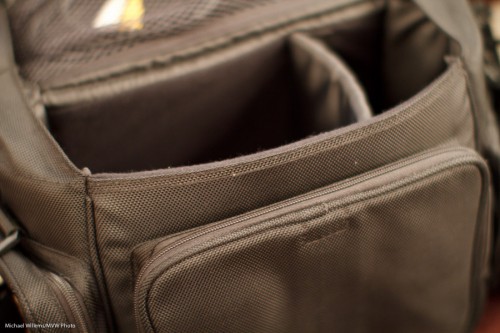
And here, the same viewfinder-filling black bag with the camera on “P” with exposure compensation (the +/- button) set to minus two (or on “M” where we make the meter point at -2):
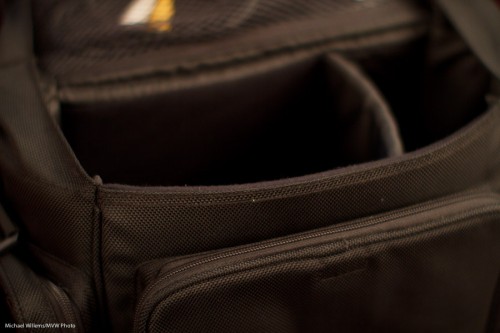
“But making the exposure go to minus two will make the subject all black, Michael”.

Yeah. And that is what we want, since it is black!

Real-life example 2:

Here, a viewfinder-filling white sheet of paper with the camera on “P” (or on “M” where we make the meter go to “zero”):
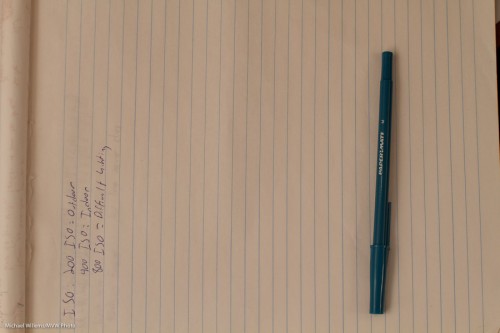
And here, the same viewfinder-filling white sheet of paper with the camera on “P” with exposure compensation (the +/- button) set to plus one (or on “M” where we make the meter point at +1):
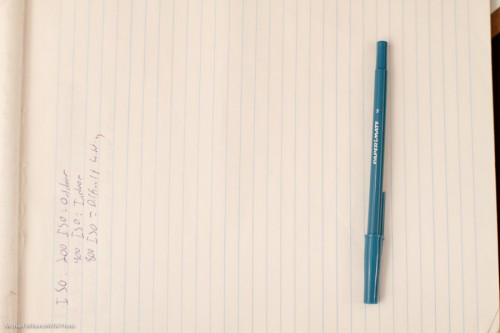
“But making the exposure go to plus one will make the subject all bright, Michael”.

Yeah. And that is what we want, since it is bright!

Conclusions:

So, no magic. Just logic. Simple:

  1. If a subject is lighter than average I need to make sure it shows as lighter than average, and if a subject is darker than average I need to make sure it shows as darker than average.
  2. I can make these adjustments in manual mode by changing aperture/shutter so that the meter does not point at zero.
  3. Or I can make these adjustments in automatic modes by using exposure compensation (and now the camera does exactly the same: it adjusts aperture and/or shutter).

In the next while, more – but first, start by understanding this. A good way is to use manual mode for the entire day tomorrow, and only available light.

Have fun!

1,001 flashes

My 1,001th post is once again about speedlights – appropriately, you might say.

Yesterday and today, I shot outdoors, with my Canon cameras – and with my second shooter who shoots Nikon. A wedding Saturday and soccer kids Sunday.

And that shooting experience prompts me to say a few things about exposure and flash on Canon and Nikon systems.

And as I was explaining today, it struck me again how complex these systems are if you try to understand them all at once. So I will be discussing them bit by bit, in easily digested parts. The big picture will be clear once you get all the parts. But you always start with the parts, and use deductive reasoning to get the the bigger picture.

So, let’s start with some simple definitions, today. Just to make sure you are all on the same page.

A picture like the one above uses (really, mixes) two types of light:

  1. Available, or ambient, light. From the sun, in this case.
  2. Flash light. From, um, the flash.

Each can appear light or dark in your image:

  • If the ambient light appears dark in your picture, this makes for a dark background.
  • If the flash light appears dark this can make for a dark foreground subject.
  • If the ambient light appears dark, the flash may be the main source of light on your subject, and when using just one flash, you can get a harsh look.
  • If the ambient light appears bright, the flash will not add much.

Both ambient and flash can be adjusted – by you or by the camera.

Ambient light:

  • Manual exposure means you are setting the ambient brightness entirely by yourself. You do this by adjusting ISO, Aperture and Shutter. You use “M” mode for this and ensure auto ISO is off.
  • Automatic exposure means the camera is setting the ambient brightness. It does that in P, S/Tv amd A/Av modes.

Flash light:

  • Manual flash is when you set the flash power level (really, its time) yourself. The flash displays “M” at the back. You set the power fo 1/1 or 100%, or to 1/2 or 50%, or to 1/4th or 25%, and so on. You would do this in a studio.
  • Automatic flash is when the camera sets the flash power level – usually in what we call “TTL” mode. It uses a preflash for this in TTL mode. You would use this at, say, a party.

Getting confused yet?

Then we make it more confusing.

In automatic modes, you can nevertheless adjust the brightness of various parts of your image.

And this is the subject of today’s post: when doing this, Canon and Nikon behave differently.

On a Canon camera, you use:

  • Exposure compensation to modify the brightness of the ambient part of the image from what your camera had in mind. Plus means brighter, minus means darker.
  • Flash exposure compensation to modify the brightness of the flash part of the image from what your camera had in mind. Plus means brighter, minus means darker.

On a Nikon camera, you use:

  • Exposure compensation to modify the overall brightness of the picture (i.e. the flash part as well as the ambient part) of the image from what your camera had in mind. Plus means brighter, minus means darker.
  • Flash exposure compensation to modify the brightness of only the flash part of the image from what your camera had in mind. But it does not always work. Plus means brighter, minus means darker.

You can set exposure compenstion by pressing and holding the “+/- button” or -dial. You set flash compensation on the flash or on the camera – but if you do it on the flash, that overrules  what you do on the camera.

In the next days and weeks I will touch upon these concepts some more. But let’s start here.


I’m left-eye dominant. Is that bad?

You may not have noticed, but just like you are left-handed or right-handed, you are also left-eye dominant or right-eye dominant.

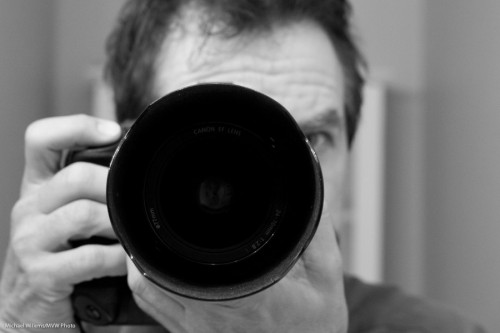
Most people are right-eye dominant. So they use that eye to look through the viewfinder:

Michael Willems using his camera

Meaning that the other eye looks at you directly – either that, or the photographer has to close that eye.

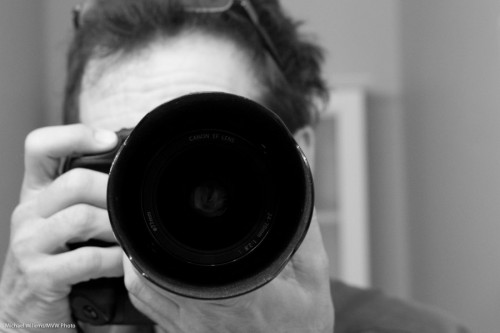
I, however, am left-eye-dominant:

Michael Willems using his camera

So you will never see my other eye.

This has two drawbacks: I look like I am hiding behind the camera, andthe LCD gets greasy from being in constant close contact with my node.

But at least I do not get confused by seeing two different views, and I do not have to squint with my other eye – the camera naturally blocks it. So I think left-eye dominance is good. Just saying.

(I am also left-ear dominant. You will never see my iPhone on my right ear. Always left.)

So now you have learned another little thing about photography – and quite possibly, about yourself. You are welcome.

(And do you see how I am holding the camera? That is how you hold a camera).


Beginners’ rules of thumb: Exposure

When shooting in auto modes (P, A/Av, S/Tv etc), you will need to adjust exposure often. How? Quick rules of thumb for you today.

What to adjust. If the non-flashed part of your pic (what’s lit by available light) is too light or too dark, use exposure compensation (the plus/minus symbol). If the flashed part of your picture (what’s mainly lit by your flash)  is too light or too dark, use flash exposure compensation (the plus/minus symbol with a lightning symbol next to it, or adjustable via the menu).

How to adjust. If what you see is too dark, use plus. If what you see is too light, use minus.

How to predict. When shooting a very dark subject or scene (coal mine), you will need minus. When shooting a very light subject or scene (snow scene), you will need plus.


CQ CQ CQ

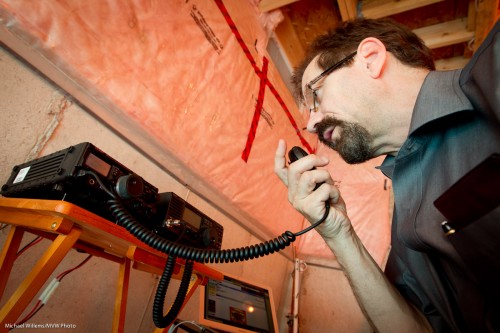
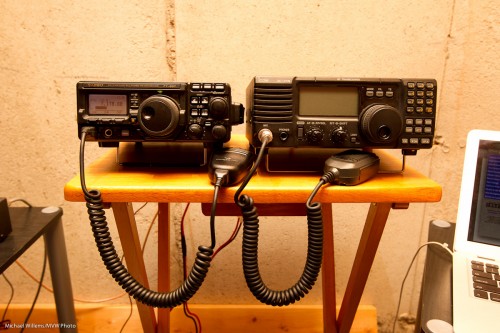
Yes, I have hobbies, too. Like this:

Michael Willems VA3MVW (Photo: Michael Willems)

Yup, I am a licensed radio amateur, VA3MVW. That’s me a little while ago this evening, on a QSO (a call) with another amateur or two elsewhere in the world.

I used a wide angle lens (see yesterday’s post), and I lit this self-portrait with a flash. Bounced, using TTL. Wide angle to get those wonderful diagonals. I was holding the camera in my other hand, and had the camera select a focus point – I seldom do that but in this case it makes sense, since no-one is looking through the camera.

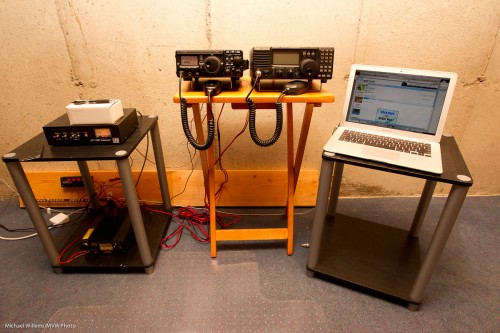
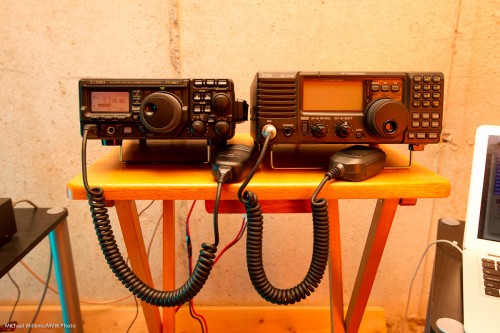
But I did not use just one flash. That would give me this:

Station VA3MVW (Photo: Michael Willems)

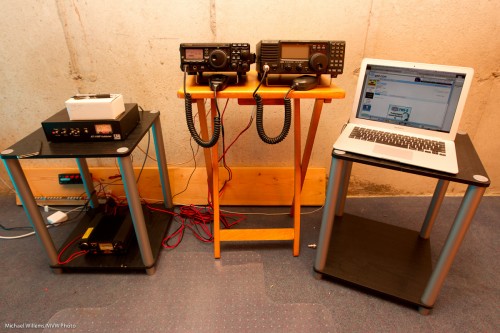
Nothing wrong with that. But I wanted to give the picture more dimension, more modelling, more of a live feel. Like this – compare the tables’ legs:

Station VA3MVW (Photo: Michael Willems)

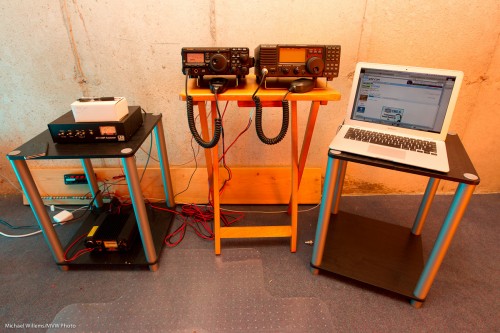
Or even more:

Station VA3MVW (Photo: Michael Willems)

I used a 580EX flash on the camera, bounced behind me, and two off-camera  430EX flashes, each equipped with a Honl Gel (one greenish and one yellowish – some of the artistic colours I really like) attached to a Honl Photo speed strap.

I often add a splash of colour. Instead of this:

I happen to like this:

Now look again at the image on the top, and you will see the same orange-like colour (left) and blue-like colour (right) – subtle but it is there.

A little colour adds a lot, methinks. And with small speedlights, a little knowledge, and simple flash modifiers, this takes mere seconds to shoot.


Practice makes perfect.

In photography, like in so many other endeavours, practice makes perfect.

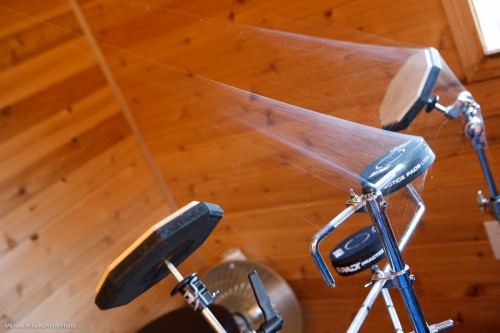
Just like in, say, drumming.

Don’t worry, the owner of those drums (you know who you are, Dan) is a very talented professional drummer who in fact practices several hours every single day. Just not on those practice pads.

He practices with his drums, just as I hope you do with your camera.  Whether you are a pro or a beginner, you need to practice.

As a beginner, you do this to make the theory, which you kind of understand after a good course, into something you feel. “Make it into your DNA”, we say. And we mean this – things like the aperture-shutter-ISO triangle should come to you naturally. And practice makes that happen. Shoot in manual mode all day tomorrow, then shoot in aperture mode all day the next day, and shoot in shutter priority mode the day after that.  That’s how you learn.  That is also why the photo walks I do are so good.

As a pro, you practice for different reasons:

  • In order to remember things. After you have not done something for a while, you forget how you did it last – even as a pro.
  • To keep up your muscular memory. Knowing things by feel is a valuable skill. I tend to work like that – hand me a camera and I do stuff without even thinking about how. Practice is key.
  • To ensure all your gear is working properly, batteries are charged, etc.
  • To see if you can do it differently; i.e. to develop new techniques and thus to stay fresh.

So whoever you are: if you have not touched your camera today, go take some pictures of your home today, or of your place of work. If  you are a beginner, go take some pictures in manual mode. If you are learning flash, then go take some pictures indoors by bright windows, using a flash to fill. You will have fun, learn new techniques, and strengthen existing skills.


Architectural

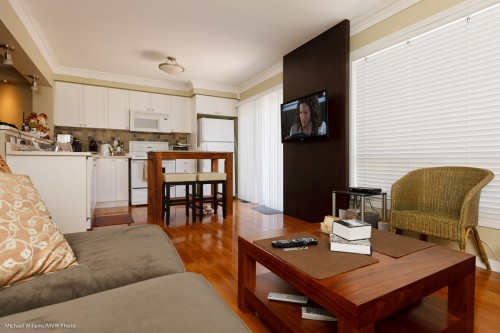
My living room prompts me to write a couple of words about indoors architectural photography:

Amberglen Court, Photo Michael Willems

To take architecture:

  1. Use a wide angle lens – 10-30mm on a crop SLR camera. That gets the rooms in.
  2. Not too wide though. If you shoot everything at 10mm, rooms will look huge, and people who see the home in real life will be disappointed. Underpromise and overdeliver is a good strategy.
  3. Focus a third of the way in – but when depth of field is not sufficient to get it all in, keep close objects sharp.
  4. Consider shooting from a lower vantage point. This makes rooms look bigger without exaggerating.
  5. Use bounced flash, if you use flash.
  6. Balance outside light with flash. Set aperture and shutter for outside, then fill rooms with flash.
  7. If that means slow shutter speeds, use a tripod.
  8. Keep the strongest verticals vertical.
  9. Compose to avoid clutter.
  10. Capture the feeling of the room.

Simple, really: these basic rules will make your architecture photos better. If you are bored today, and want a photo assignment: shoot your home indoors.


Opposite to what beginners think…

A working photographer does some things differently from the way beginners might think. Like these ten points:

  1. I do not use lens filters. Unless it is raining, snowing, grubby little fingers reach out, or I am at the beach or in a sandstorm.
  2. I always use a lens hood. Even at night, even indoors. Even at night, indoors.
  3. I often use flash outside. To fill in shadows and back lit faces.
  4. I often do not use flash in dark. To allow the shutter to stay open, and to use available light.
  5. I do not have a camera bag. Just a bag for lenses, flashes, and so on.
  6. Indoors, I point my flash behind me.
  7. I avoid zoom lenses when I can. I often prefer to use primes instead.
  8. I do not install software from my camera maker. Brrrr!
  9. I do not use all the focus points – I use only one.
  10. I set ISO manually. No auto ISO for me.

As you see, the obvious is not always right. Look at how the pros do it, and see if that might work for you.


Direct the light

Following up from my post the other day about simple light. Remember this shot:

As I said, the bounce light was directed so that the subject’s face is lit. That is the key here.

Let me show you what would happen if I did not do that right.

Say I just bounced the flash behind be. That would be “OK”, but no more  than that. The face would look dimensionless – flat, even:

And if I bounced behind me on the left – nowe that would be just plain wrong:

Badly shot (deliberately, and kudos to student Kayleigh for allowing me to demonstrate on her!)

Go back and look at all three – see how much better picture one is?

So the essence is: shoot not from your camera’s perspective, but from your subject’s perspective. Decide where the light should be coming from with resepect tou your subject; then direct your light to that point.