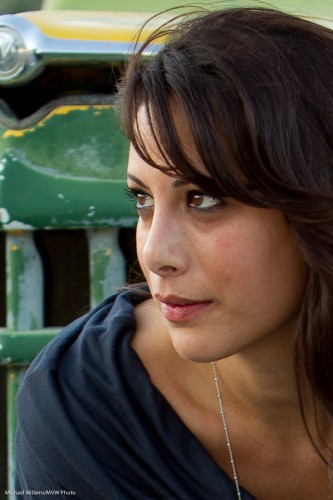
In the eye of the…

Take a day outside. You want to shoot a snap of a pretty model.

If you are Uncle Fred, you shoot in the “AUTO” mode. Or in Program, or even in Aperture mode, with a large aperture (low “F”-number), to blur out the background. OK, here we go. SNAP:
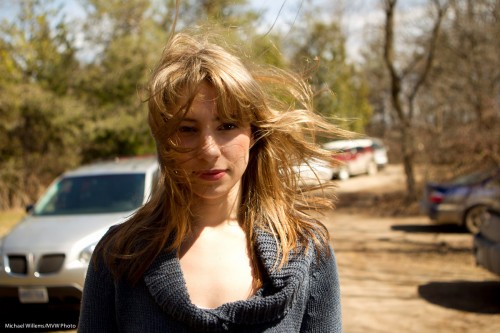
But because you read Speedlighter.ca, you realise that background should be darker. So then you shoot again, after setting exposure compensation down two stops (-2). That gives you 1/1000th second, and the image looks like this:
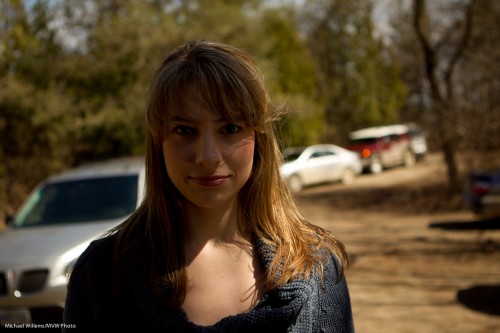
Mmm. So now you need to turn on the flash (and again, you know this because you are a Frequent Reader here).

So then you do this – and you get this:
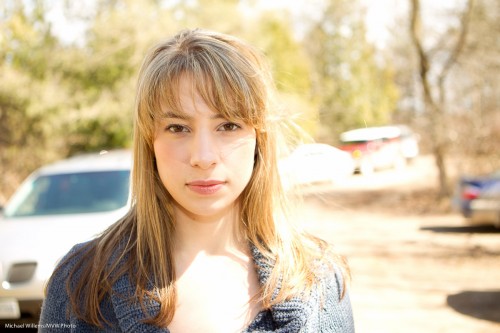
Oh. That’s right. The flash sync speed is 1/200th second, so your camera will not allow the 1/1000th second shutter speed you need. So the image is overexposed, at 1/200th second.

OK-  so now you use Fast Flash (“High Speed Flash”, on Canon, and “Auto FP Flash” on Nikon). And you move close, very close – or you have insufficient power.

That gives you this:
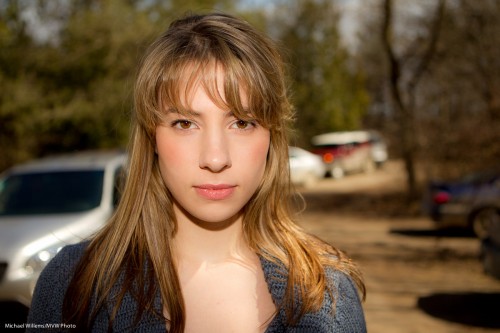
Nice.

But could that shadow be softer? Yes. So you put a Honl Photo softbox on the flash – yes, you can use a softbox like this on the on-camera flash – and now (after once again ascertaining you are close enough – even closer now, since the softbox loses some light too), you have the image you were after in the first place:
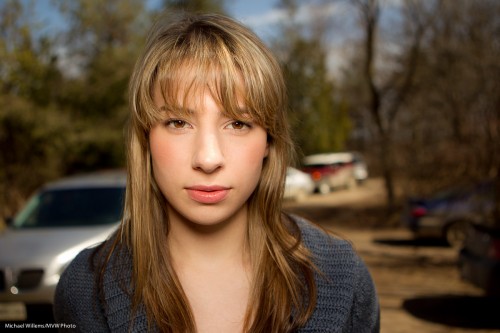
Compare this excellent image with the snapshot image at the top and you see why it pays to know flash techniques, and you see why I am passionate in teaching them.
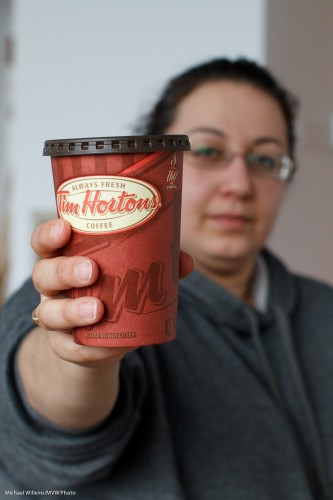
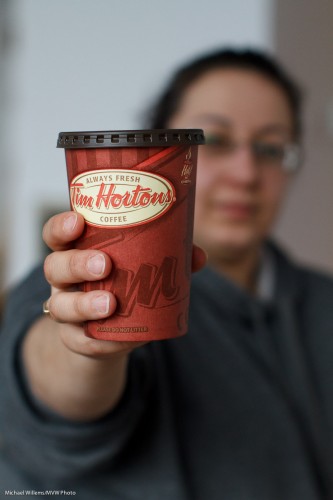
 

Effing!

F-numbers, that is.

A post for beginners, today. About the “F”-number and why it is important. Very important.

The most important number is the minimum f-number a lens can be set to. In other words, the maximum aperture, or lens opening that this lens can go to.

F-numbers? Yes, you know. These numbers: f/16,  f/11,  f/8,  f/5.6,  f/4,  f/2.8,  f/2.0,  f/1.4, etc.  And the lower the F-number, the larger the opening.  (The diameter of the opening, by the way, is the lens’s focal length, f, divided by this number. So a 100mm lens set to f/4 would have an aperture diameter of 100/4 = 25 mm).

So how low can we go?

  • On your consumer lens, that minimum f-number is 3.5 when you zoom out, or 5.6 when you zoom in. So on your lens it says “1:3.5-5.6”. Look at the top or at the very front of the lens.
  • On my photojournalist zoom lenses it says “1:2.8”, meaning that the lens can open to f/2.8 whether I zoom in or out.
  • On my fixed, or prime, lenses, this number says “1:1.4”: i.e. I can open to f/1.4.

This is important for two reasons.

First: lower F-numbers means more selective depth of field, i.e. the ability to blur the background. See these pictures, of a student the other day:

f5.6- 1/60th second

f2.8 - 1/250th second

f2.8 - 1/250th second

f1.4 - 1/800th second

You can see clearly that if you want those blurry backgrounds, you need the low f-numbers. No substitute will do. That’s why we pay for “fast lenses” (this just means “lenses with a low “F”-number”).

Second, the larger the opening (the smaller the f-number), the more light comes in. And hence, the faster the shutter speed can be. Look again at the above images. The “consumer lens” needs 1/60th second – barely fast enough for a sharp image. The “pro zoom” needs just 1/250th second. Nice. And  the fast prime lens needs only 1/800th second: a stunningly fast shutter speed that will freeze any motion.

The above images, and those numbers, show very clearly why I would rather shoot a party with a prime f/1.4 or f/2.0 lens than with a zoom lens. If there is one investment you might want to consider making it is that fast lens.


Last Tango in Mono

A reminder for those of you who live in the Toronto area and who want to learn all about flash and creative light: the last ever Mono workshop is on Saturday, 23 April, and there are just two spots left.

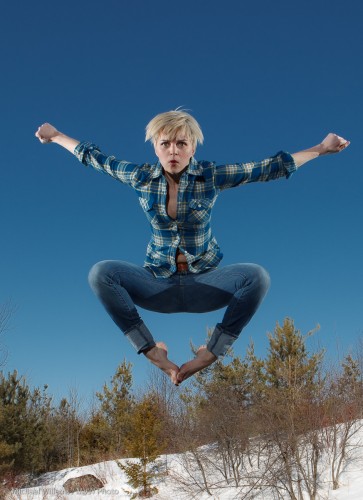
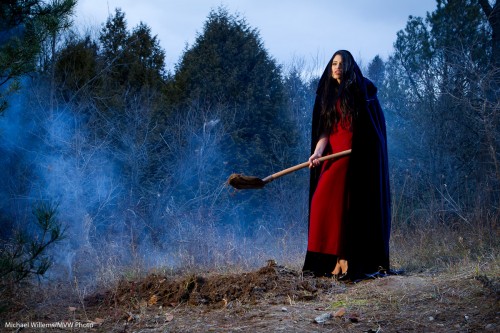
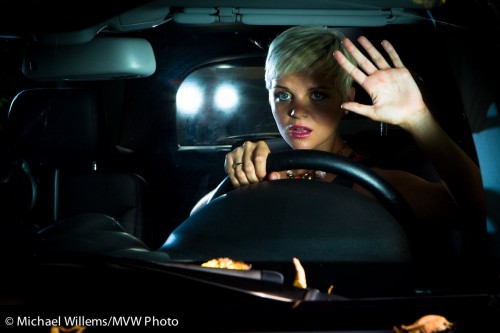
This workshop, in the country home I am leaving at the end of this month, teaches you first the technical points, and then Joseph Marranca and I help you put those into practice. So you will learn – plus you go back with actual portfolio shots that you have made – like these, from previous workshops:

Angry Jump

Angry Jump

All of these were shot “as is”, and minimal processing has been done. The shots were made in the camera, not in post. The one thing they have in common is that they use creative light.

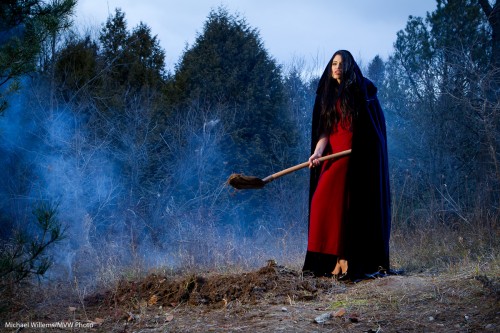
Burying a dead lover

Burying a dead lover

Smoke machine, gels, white balance: all doable once you know how.

Hitchcock! - Shot by Joseph Marranca and Michael Willems, Mono, Ontario, 2010

Hitchcock!

That was a “broad daylight” shot, above.  Shot with just speedlights. Yup, that is what creative light can do.

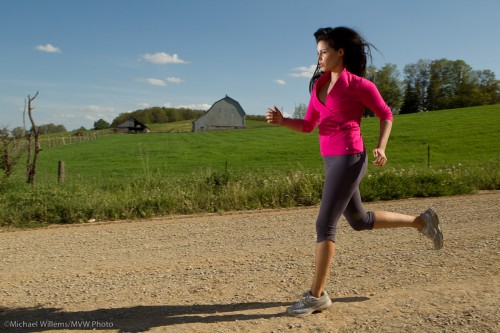
Lit Runner - Shot by Joseph Marranca and Michael Willems, Mono, Ontario, 2010

Lit Runner

Cross lighting – wonderful, no?

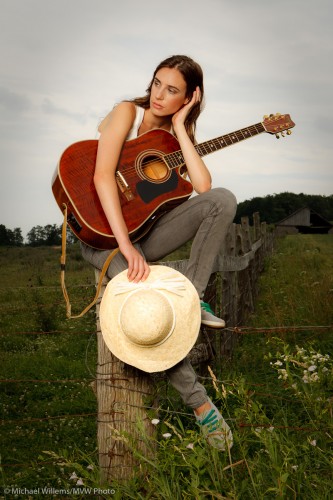
Pensive Girl - Shot by Joseph Marranca and Michael Willems, Mono, Ontario, 2010

Pensive Girl

Looks photoshopped? Nope. Just exposed well and lit well. Simple once you know, and that is what these workshops are all about.

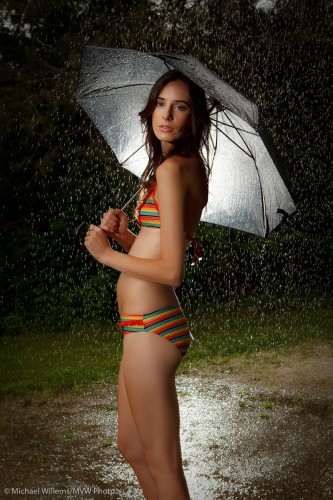
Umbrella Girl - Shot by Joseph Marranca and Michael Willems, Mono, Ontario, 2010

Umbrella Girl

The shot above was another daylight shot, nice day, no rain – but as it happens, we had a garden hose.

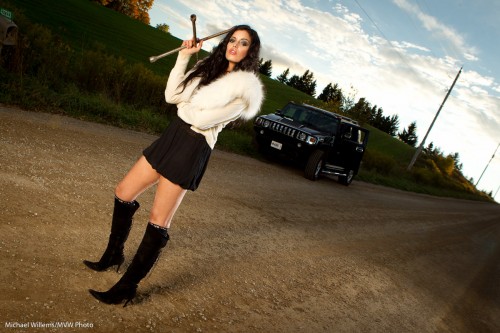
Hummer threat - Shot by Joseph Marranca and Michael Willems, Mono, Ontario, 2010

Hummer threat

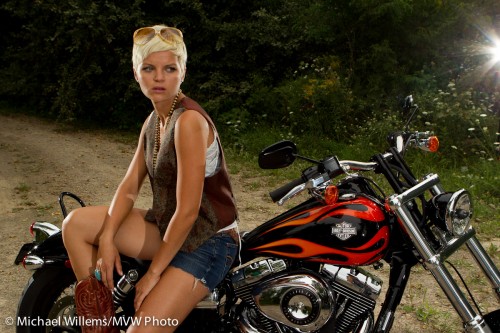
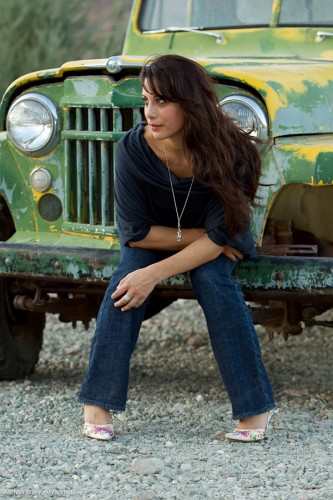
We have shot Hummers, Horses, and indeed also a Harley:

Harley Chick - Shot by Michael Willems and Joseph Marranca, Mono, 2010

Harley Chick

Those are just a few of the shots we did in past workshops – and Saturday’s will be a very special one. Think “wakeboarder” and “green screen”.

If you have always wanted to learn flash and then learn how to apply it both practically and creatively, book now and come to Mono.

Of course we will do more workshops going forward, but they will no longer be in Mono – one of the most amazing settings you will ever shoot in. Two spots left, and we will not allow more in, since the student-teacher ratio is very important to us. This is not a “20 people, one instructor” workshop (rather, it is “no more than 10 students, and two pro instructors”).

See you Saturday – and others, you will see a few shots here later.


Wide means deep

“Wide angle means deep depth of field”. Meaning, a wide angle lens makes everything sharp, from close to far.

That’s true, but as this image of my friend and colleague Joseph Marranca shows,  it is not quite all there is to be said:

Even with a 16mm lens you can create selective depth of field, by:

  1. Using the lens open (this was at f/4)
  2. Getting close to the subject that is closest.

You see, it is the ratio between close and far that counts. If the far subject is twice as far as the closest subject, then both will be sharp. But if the far subject is, say, twenty times as far as the closest subject, then it’s a different story: you can get the far subject blurred.

And getting it 20 times farther can be done in two ways: move it farther, or move the closest subject closer.  Or get closer to it. And that is why, and how, this works.

Metering outdoors

A modern light meter is a flash meter as well as an ambient light meter. And that can be good, but it can also be confusing. How do you meter when using a flash outdoors, when you meter both types?

For instance, for a shot like this?

Here is how I do it:

  1. I set my camera to the mode I want – manual, usually in this case.
  2. Now, I decide on ISO. Say 100.
  3. Then I decide on shutter speed – say 1/200th sec. No more than the camera’s fastest flash sync speed, usually around 1.200th second.
  4. Now I set those values on the light meter and I press the button to meter the ambient light and read the aperture that this gives me. (I can use the light meter in ambient mode, or I can use my camera. I prefer the light meter. )
  5. Then I set my camera to what I want with respect to that, say -2 stops w.r.t ambient. So if the meter reads f/4. I may use f/8 instead.
  6. Then I switch to flash meter.
  7. I now fire a test flash with my flash – and then adjust flash power and distance to give me exactly this aperture.

In fact it is often a bit of an iterative process:if step 3 does not give me a good aperture value (e.g. it gives me f/2.0 or f/16), then I will choose different shutter speed or ISO values until I get a value I like. Or if even at full flash power I cannot get the desired aperture in step 7, I adjust ISO and go back to step 1.

Try this technique: all you need is a manual camera, a manual flash (and a way to fire it), and a light meter.

And then you too can make shots like this:

That shot was taken at one of Joseph Marranca and my Mono workshops.

And there is good news: the last ever Mono workshop, on April 23, is open for booking. And it will be a very special one. Can you say “green screen”, “waterboarder”, and “amazing portfolio shots” as well as “learning great light and flash technique”? Sign up now if you want to have a great photographic learning experience.

Primes. Why?

Today I would once again like to chat for a moment about using prime lenses. This is a regularly recurring theme here at Speedlighter, because primes are beneficial in many ways.

50mm prime lens, set to f/1.2

A prime lens is a lens that does not zoom in or out. It is fixed. Like a 35mm lens, or a 50mm lens, rather than a 17-55 or 70-2oo zoom lens.

So that is a drawback, right? Zooming is more convenient than walking back and forth or than changing lenses all the time.

But prime lenses have many benefits, three of which are pretty well-known.

    1. They are usually sharper than zoom lenses, and often have less distortion around the edges.
    2. They are usually faster (wider aperture,lower “f-number”), meaning blurrier backgrounds and better low-light performance.
    3. They are often smaller and lighter than zoom lenses.

      There are, however, three other benefits, and these may surprise you.

        1. They enforce consistency in a shoot. You do not have a different look and feel for every image!
        2. “Work it out once during a shoot, you have worked it out for all other shots too”. When you zoom, each shot works differently. Use a prime, this is more predictable. Hands up everyone who likes “predictable”?
        3. Primes really teach you about depth of field, shutter speed, and how these work together. Using a zoom lens it can be very difficult to get a grip on how all these factors work together. Using a prime, you get to really understand how aperture, depth-of-field, distance, ISO, and shutter all work harmoniously together – an understanding every photographer needs.

          This is why I shoot with 50mm and 35mm prime lenses as often as I can.

          35mm prime lens

          35mm prime lens

          35mm prime lens

          35mm prime lens

          50mm lens

          50mm prime lens

          If you can, get yourself at least a 50mm prime lens.

          (Note that the examples here were shot on a full-frame camera, so 50 means 50. If you had a crop camera, like a Digital Rebel or a D90, you would want to use 24mm and 35mm lenses where I use 35mm and 50mm lenses.)

          Sharpness strategies

          Today, I helped a student get to grips with shooting with a long lens.

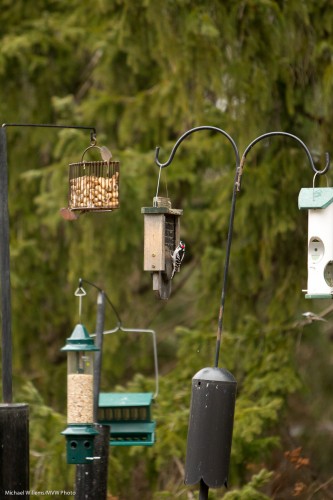
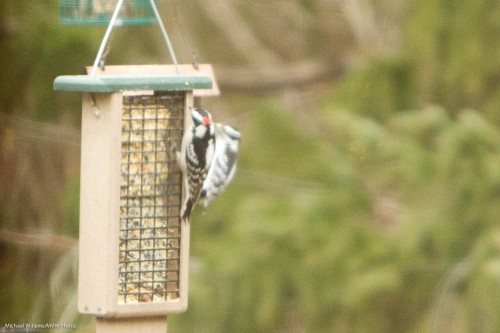
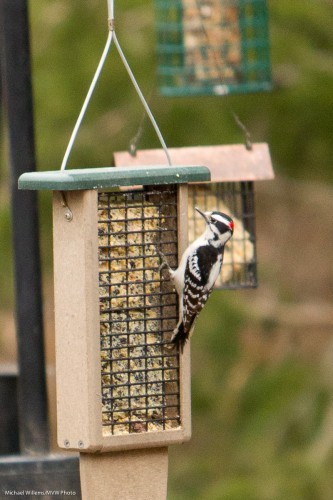
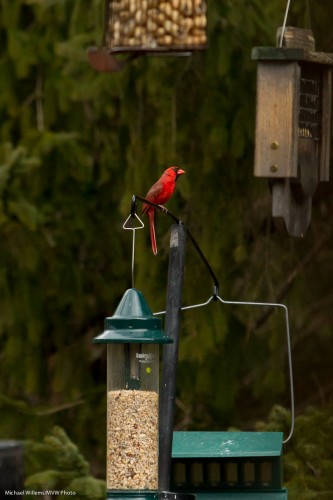
          So….was it really all that long? 70-200mm. And 200mm is not actually long when you are shooting small birds, some 10m away:

          This was shot at 1600 ISO – it was a dull cloudy day and with birds you want high speed, which means high ISO even when you have a good lens opened up to f/2.8.

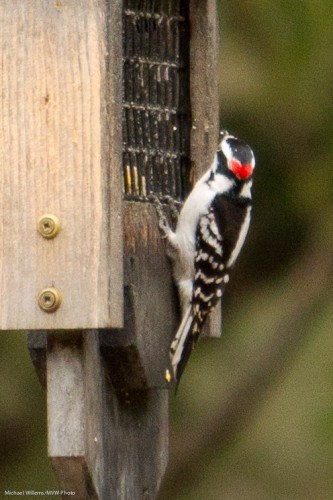
          So the lens is short. So we have to crop. And when you crop, you see the limitations (click to see this part of the image at full size):

          So.. what are some strategies you can use to get sharp pictures?

          First, do not shoot through obstructions. Through a clean window pane, and with a filter on the lens, we got this (a small crop out of the image):

          Without the filter and window, this becomes:

          Better!

          Other strategies:

            1. Use a good quality lens. Lenses are not what you should be saving on!
            2. Shoot at a fast enough shutter speed. “1 / lens length” or much better. I prefer to do this by using aperture mode at aperture wide (or nearly wide) open.
            3. Now set the ISO high enough to get a good shutter speed.
            4. Use VR/IS stabilization.
            5. Consider using a monopod (or even a tripod): one with a quick release.
            6. Focus on the background, then focus on the bird, then shoot.
            7. Use One Shot/AF-S focus, unless the subject moves. In that case use AI Servo/AF-C.
            8. Focus on contrasty bits!
            9. Use one focus spot, and avoid mis-focusing.
            10. Light well, if you can – meaning “light bright and expose to the right”. My dictum: “Bright pixels are sharp pixels”.
            11. Take multiple images and use what works. Your lens will mis-focus occasionally.

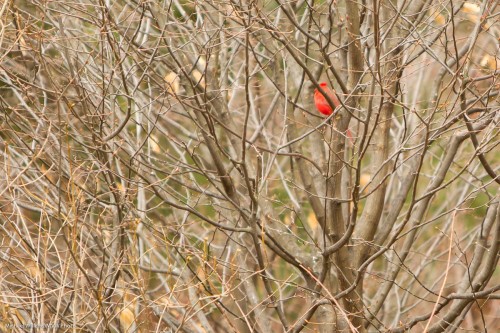
              Also, consider stopping down the aperture a bit when you have to. Like when the bird is inside a tree… f/2.8 gives you this:

              While f/4 gives you this:

              That depth of field is much better.

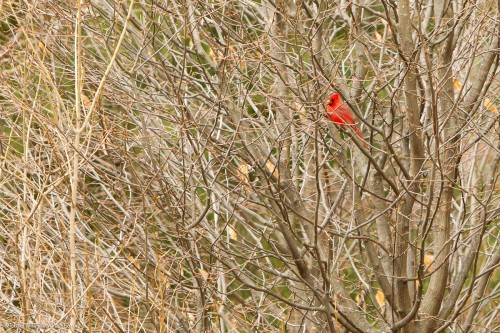
              And one more, where a bird is “bright pixels”:

              Concluding, there is not one way to get sharp pictures. The best technique is to try to stack the odds in your favour by using as many of the techniques described above.

              The One Minute Portrait

              Today, my friend Steve at the car dealership asked me to do a quick headshot snap of his managing director.

              No time to think: right now!

              Never to be one to shy away from a challenge, I quickly did the following:

              1. Move to the available backdrop with corporate logo.
              2. I used my Canon 1Ds MkIII with a fast prime lens, the Canon 50mm f/1.2L.
              3. Quickly, as we walked to the backdrop I put a flash on it: a 580EX II speedlight.
              4. Looking around, I saw a white ceiling above me so I knew I could bounce the flash off that ceiling.
              5. I ensured I bounced the flash 45 degrees up behind me, so that the light would come from “in front” of the subject. At a slight angle to my left, so as to aim light onto his face straight on from a 45 degree up-angle. Now this is important. If I had aimed up, or even worse, in front of me (a classical beginner’s mistake!), then this gentleman would have had raccoon eyes, reflective glasses, and a shiny head. If I had aimed straight behind me I would have had “broad lighting”: also not what I wanted.
              6. To mix a bit of ambient light, I set my camera to manual, and selected 1/100th second at f/2.2 at 100 ISO. I did a test shot.
              7. I found that this mixed too many different colours for my liking (flash and tungsten and fluorescent), so I decided to go “flash only”. To do that, I selected 1/250th second at f/4.0 at 100 ISO. That made sure no ambient light took part: the light was all flash. The open aperture at f/4.0 gives me that beautiful bokeh: the creamy softness of the background.
              8. I used TTL (through-the-lens automatic) flash metering, and in view of the white background, I selected a flash exposure compensation (“FEC”) setting of +1 stop.
              9. I positioned the subject at a slight angle.
              10. Now I did my second shot. Checked it on the back. Bingo, all good. Catchlight, check. Sharp, check. Exposure, check. Loved it. Took a few more just for safety’s sake.

              That is ten steps in less than one minute. As an event and news photographer, I have to be quick. “Hang on while I think” is never acceptable when photographing executives.

              The result is below, and I think you will agree it is a shot that, especially when you click through to see it at original size (you like sharp? I give you sharp!) cannot easily be distinguished from a studio shot.(I really encourage you to click though a few times until you have the full size pic, then view it at full size).

              Managing Director Mark LeRoeye

              Managing Director Mark LeRoeye

              All that in one minute!

              If I had had time? I might have tried softboxes, a longer lens, and even more different angles. But I would have produced roughly the same. As a photographer, I need to be able to think on my feet. As you will have to – so my advice: practice a lot, until these things become automatic.

              Just like in flying airplanes, where engine failure automatically results in the pilot going through a sequence like “trim up – turn with wind – look for field – check fuel switch – check primer locked – check main switch on – mags left/both/right/both – carb heat on – mixture rich – check oil T&P – check fuel sufficient – line up – use flaps if needed – brief passengers – radio mayday – main switch off”. No more complex, and no less complex, than what I did for this shot.

              Practice makes perfect, they say. In photography, practice makes consistent.

              Brrr…. Motion blur!

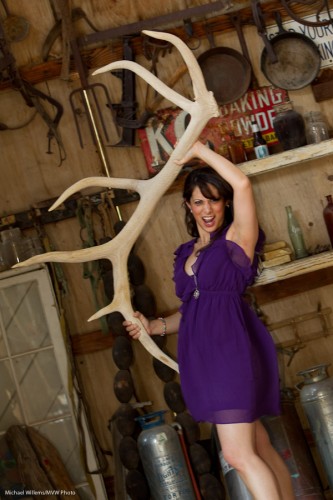
              We have all struggled with motion blur: the blurry nature of a shot where you really want it to be sharp. You shoot some animals (or a model and fellow photographer holding parts of an animal) with your long lens; you look on the display and it looks OK:

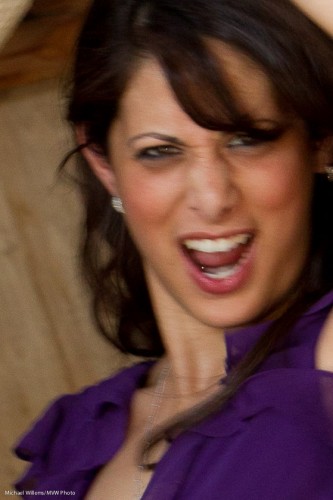
              And then you see the shot close up on your computer, and it is not sharp.

              What happened?

              Motion blur. Your shutter speed is too slow for the lens length you are using.

              If we look into the EXIF data for this image, you will see a 95mm lens focal length is used on a 1.3 crop camera, with a shutter speed of 1.30th second and f/4, at 400 ISO.

              Rule of thumb: your shutter speed needs to be at least one divided by the effective lens length. Preferably much faster! (Yes, VR/IS makes this easier, but it is still wise to stick to this rule). So the effective lens length above is 95 x 1.3 = 125mm, so in that case 1/125th second would be the slowest I would recommend using. Hence, 1/25th second does not cut it: too slow.

              Q: Can’t I just turn up the speed and set it to 1/250th, say?

              A: Um… yes, but then the image would be much too dark, unless you increase the ISO or open up the lens (use a lower “f-stop” setting).  Or you add more light (by going outside, say, or by using a flash).

              Here’s an image shot at 1/640th second at f/4 and 400 ISO:

              On close inspection, that one is sharp:

              Two more notes:

              • The longer the lens, the faster your shutter needs to be. So a wide angle lens is easier!
              • Use a tripod. Unless the subject itself is moving much, in which case you just simply need a faster shutter speed.
              • When you use a flash, that flash is very fast, so then this determines the “effective shutter speed”, at least for the parts of the areas lit by the flash.

              A final note: there are other causes of blurriness of course. Read this post from August to brush up your understanding of this subject.

              Assignment with lights

              The other day, I gave a student an assignment: shoot a picture where, using dramatic light, you tell a story, using flash. This means not lighting parts is as important as lighting them. And it means that you tell the story by not showing things as much as by showing them.

              Here is her resulting image:

              "Broken Hearted", By Mel McBride

              She used TTL flash. The main light (on our right, of course) was an SB-900 with a Honl Photo Traveller 8 Softbox, and the hairlight is an 8″ snooted SB600.

              So using TTL, Melony would have:

              • Used flash exposure compensation (minus!) to ensure not too much light.
              • Positioned the lights carefully.
              • Watched the shadows.
              • Avoided lighting the background – hence the snoot andf the carefully aimed softbox.
              • Thought about her story!

              And that last point is important: what you shoot is actually as important as how you shoot it! And what you shoot is determined by how you shoot. Complicated? No, simple, actually.

              The story: a depressed teenager with an iPhone – you can guess the blanks, I think?

              A job well done. Those of you who like assignments: do the same. A dramatically lit image that tells a story. See how you do!