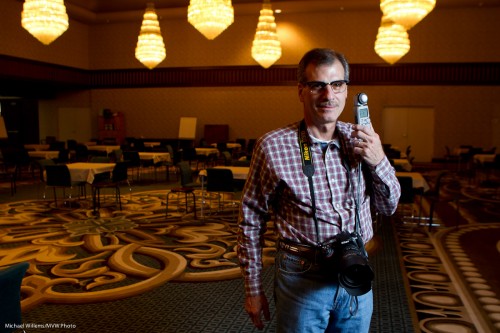
Keepin’ it fresh

During a recent event shoot, which I greatly enjoyed doing, I thought a little about how to stay fresh.

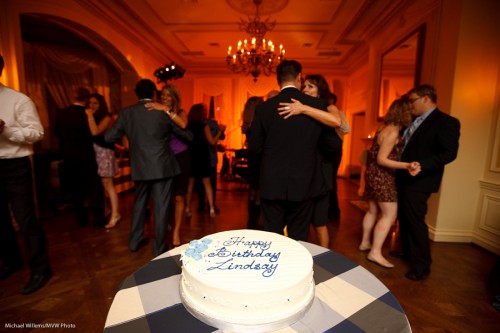
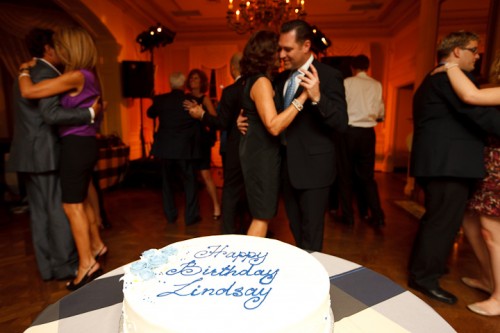
Event shoots do not naturally lend themselves to setting up creative lighting. But you can still do things like this:

How? Using a wide angle lens, close to the cake.

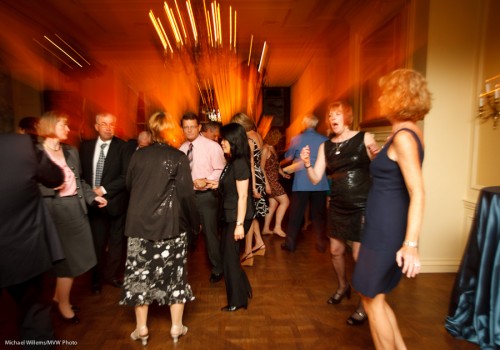
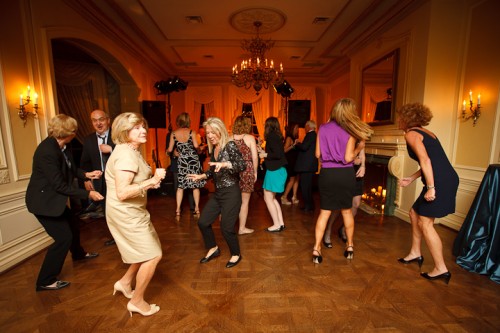
Or like this:

How? By setting shutter speed to 1/15th second, and zooming while shooting.

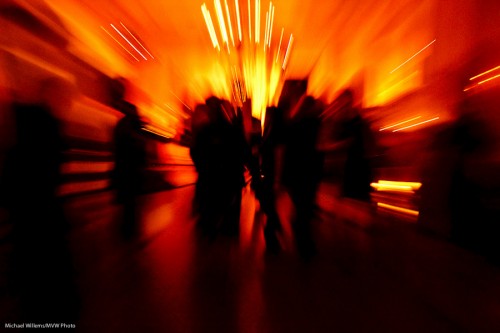
Or even this:

How? Essentially like before, but without flash.

The point: when you are shooting a routine thing, try to step outside the box a little. I do this by thinking “what would I normally do”, and then varying lens, aperture, shutter, composition, and so on, and just seeing what happens.

That way your shoot is more fun, and you might stumble upon new ideas or develop new techniques.


Sports portrait tips

I shot baseball kids yesterday.

When I do this, I see a lot of parents photograph their own kids, and with some exceptions, most get, well, basically, um, everything wrong. Sufficient reason for me to write this post with tips.

I want to get pictures like this – photogapher Mel standing in for a softball kid (see how she is swinging the camera like a bat)  while I get my settings and light right:

And you might do this as follows.

  • Position the subject in indirect light.
  • Find a background with vegetation – green, in other words, if at all possible.
  • Use an SLR camera with longer lens – in the range of, say, 50-100mm.
  • Use a flash on the camera, without modifier.
  • Shoot at person level, with the camera parallel with the horizon- avoid shooting up or down much.
  • Focus on the eyes – the closest eye.
  • Leave sufficient margin for later cropping to various aspect ratios
  • Ensure the kid looks good: shirt tucked in, no watch, hat on but slightly up so you can see the eyes!

My camera settings starting point:

  • Shutter speed priority, 1/200th second, at 200 ISO.
  • Exposure compensation -1 stop (on Canon. On Nikon, you may not need any, or even slightly +).
  • Flash on, aimed straight at the subject.
  • White balance set to “flash”.
  • Flash compensation 0 stops (on Canon. On Nikon, you may well need compensation, perhaps -1 stop).

Now I aim for an aperture of f/5.6. If I do not get close to that, I change ISO or shutter speed (the latter must stay within the camera’s flash sync range, i.e. usually 1/200 or 1/250th second). Watch this regularly!

I shoot TTL in these shoots, so when the player wears white, I need to increase flash compensation. When a player wears black, I need to decrease it.

These techniques will get you started. Of course you can, and perhaps should, consider hiring a pro!


Architectural

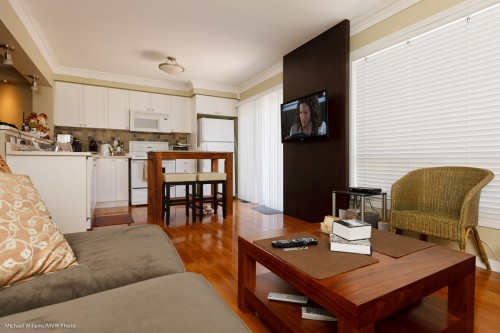
My living room prompts me to write a couple of words about indoors architectural photography:

Amberglen Court, Photo Michael Willems

To take architecture:

  1. Use a wide angle lens – 10-30mm on a crop SLR camera. That gets the rooms in.
  2. Not too wide though. If you shoot everything at 10mm, rooms will look huge, and people who see the home in real life will be disappointed. Underpromise and overdeliver is a good strategy.
  3. Focus a third of the way in – but when depth of field is not sufficient to get it all in, keep close objects sharp.
  4. Consider shooting from a lower vantage point. This makes rooms look bigger without exaggerating.
  5. Use bounced flash, if you use flash.
  6. Balance outside light with flash. Set aperture and shutter for outside, then fill rooms with flash.
  7. If that means slow shutter speeds, use a tripod.
  8. Keep the strongest verticals vertical.
  9. Compose to avoid clutter.
  10. Capture the feeling of the room.

Simple, really: these basic rules will make your architecture photos better. If you are bored today, and want a photo assignment: shoot your home indoors.


Graduation season

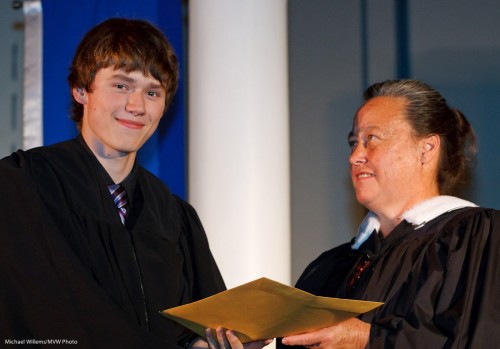
It’s graduation season. Right? So many parents are out to shoot their kids’ ceremony. High School, Grade School, Music School, University: important moments in a life; milestones that really deserve to be photographed. And understandably, you ask “how”.

A High School Grad

A High School Grad

So in that context, here’s a few tips.

You want pictures of graduation ceremonies. Both the “handing out of the diploma” and the crowd going wild. Make it into a permanent memory. Shoot context, too. Challenges: The light is likely to be somewhat low.  Your position may not be great.

Solutions: Use high ISO, a “fast” lens, and shoot lots. Be sure to get the “required” shots – like the one where your graduate is being handed his or her diploma.

Equipment:

  • SLR
  • Long lens over 100mm) for diploma shots
  • Wide lens (24-35mm) for the  crowd shots
  • Use fast lenses (“Low f-number”)!
  • Bring a flash – you may or may not need to, and be able to, use it
  • Bring a Fong Lightsphere: bounceability may be bad, so if that is the case and the light is low, the Lightsphere may be a way out.
  • Consider bringing a monopod. Just in case!

Settings:

  • Mode: Manual
  • Shutter: usually 1/30th – 1/60th sec (see meter)
  • Aperture: f/2.8 or low as as possible
  • ISO: at least 400 (at f/2.8) or 800 (at f/4) or even 1,600 (at f/5.6)
  • Drive mode: Continuous, fast
  • Focus points: Centre focus point/area
  • Focus mode: One Shot/AF-S
  • Metering: Evaluative/3D Color Matrix, or spot

Situation tips:

  • Arrive early, to get a good seat.
  • Be ready for light changes (someone turns on or off the spot lights).
  • Practice on kids who are in the line before yours!
  • Find out if “getting up” and Flash are allowed, and act accordingly.
  • Shoot wide open (largest aperture), at the highest ISO you can stand. Use the centre focus point (it’s more sensitive in low light).
  • Try to catch the graduate on the way up to receive the diploma, and on the way out with it.
  • Tell your graduate to look at you after he/she is handed the diploma. They may forget – or they may not.
  • And especially, get “the money shot”, with the graduate shaking hands and being handed the diploma.
  • Then change to wide or normal lens to catch the crowd,or perhaps “caps in the air”.
  • Catch the exit line near the beginning – not near the end, where it degrades.

These tips should be enough to get you going. And don’t forget: enjoy these once-in a lifetime moments.


Lights

Sometimes, light can be simple.

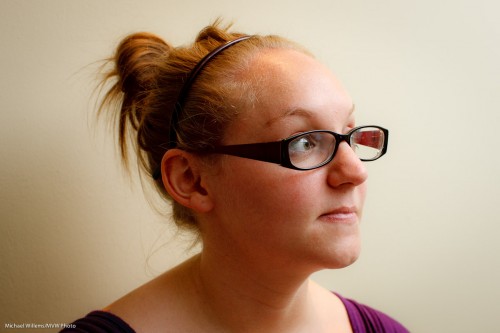
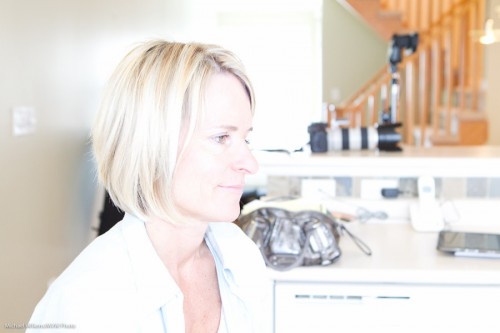
Like here: One TTL flash, bounced to my right (in order to ensure that light goes onto the subject’s face, not onto the back of her head):

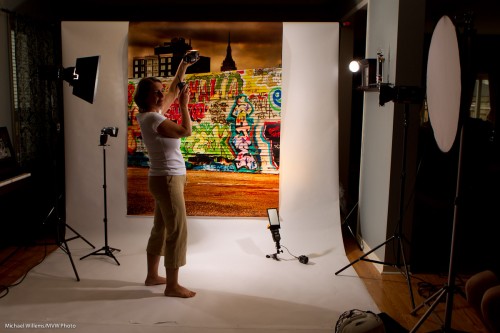
But sometime, for creative reasons you want more lights.Look at the following studio setup from a course the other day:

  1. Backdrop from www.backdropoutlet.com
  2. Main light is a speedlight with a softbox
  3. Right fill is a reflector
  4. Back fill, a flash bounced off the ceiling
  5. Edge light, two strobes
  6. Tow background lights: one white, one yellow (flagged with  Honl gobo)

Camera on typical “mixed light indoor flash” settings: 1/30th second at f/5.6, ISO 400.

Like this, demonstrated by my student, photographer Laura Wichman, the other day:

Camera on typical “Studio flash” settings: 1/125th second at f/8, ISO 100.

Because all that gets you light like this:

Both good, but both very different. And as a shooter you need to know how to handle both types of setup. Which is why I strongly recommend training. Because the good news: this is simple, once you know how.


Let there be…

To those of you who are new on speedlighter.ca – this daily blog (yes, I write every day) is your resource for photography knowledge – and very often, speedlight knowledge. Speedlights, as you know, are small flashes, and as you may or may not know, they are wonderful.

When used well.

That implies that you can use them badly. And yes, you can, and that is easy. So here’s how not to do it:

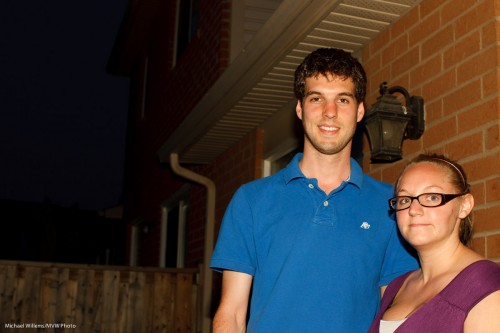
Typical “this is why I hate flash” snap. Of two kind student volunteers yesterday. Shot at f/8 at 400 ISO at 1/125th second. Ouch. Thanks, guys!

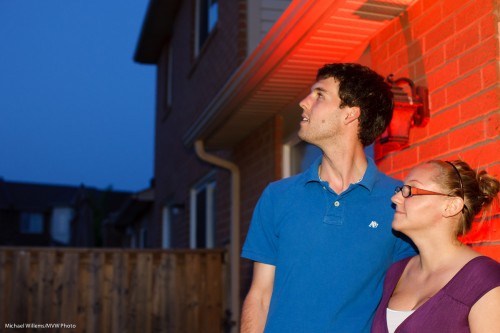
To improve this – nay, to have fun and make it good – I would do the following:

  • Set my camera to a better exposure setting for the background. In my case, this was  f/4.0 and 1/30th second, which made the light meter show “-2 stops”.
  • Set my white balance to “tungsten” to make the background blue.
  • But at the same time, add a Honl Photo Full CTO gel to my main flash, to keep the subjects neutral.
  • Now add a second flash to light up the wall.
  • Add a Honl Photo red gel to this second flash.

Then I would get this:

Looking Skyward (Photo: Michael Willems)

How long does that take? Mere seconds. And it results in a great picture, that belies the idea that you cannot use direct flash. When you are mixing light, you can.

What if I had had more time?

Then I would have added one more flash with a gel: a green one.In the bottom left corner. Red-Green-Blue, the three primary colours in one image, adds visual interest.


Light meter know-how

If you are a photographer, you will need to use a light meter sooner or later. Like in studios, when shooting flash, or when shooting outdoors in mixed light. Or for when you want it accurate. Light meters, like my Sekonic L-358, are invaluable.
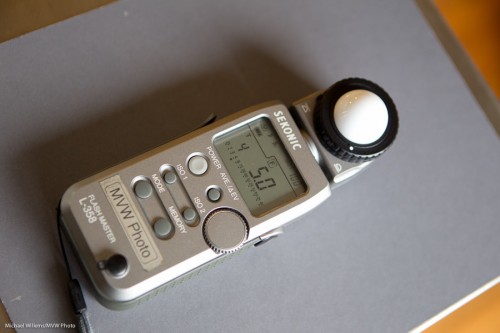
But light meters are not perfect. They can vary between modes, between measurements, and between light meters. Even between ISO settings, or times of day.

The good news: modern light meters can be calibrated, i.e. adjusted, when necessary. The bad news: this is sometimes a little similar to black magic.

If you doubt your meter’s accuracy, here is what I would suggest you do:

  1. Set your camera to aperture mode, f/5.6, 100 ISO
  2. Filling your entire viewfinder, shoot a grey card, evenly lit by diffuse daylight. Avoid reflections. Avoid standing in the light (d’oh).
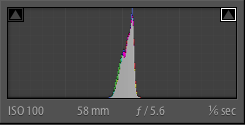
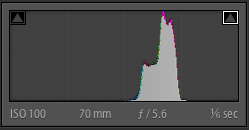
  3. Check if the histogram is neutral in color (Red, Green and Blue channels, if you can display those, are equally bright).
  4. Now check if the histogram is in the centre. If not, adjust the exposure using exposure compensation, until it is in the middle.

You should now see something like this on the back of your camera:
If instead you see a histogram like the one below, the image is too dark – use + (plus) exposure compensation:
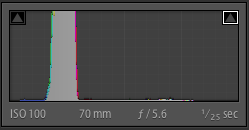
If you see the type of histogram below here instead, then the image is too light – use “-” (minus) exposure compensation:
So. Done? Now repeat the process until this is right.

Now that you have adjusted the exposure to get the histogram into the centre, read the shutter speed you now achieved.

Now:

  1. Set your light meter to f/5.6 and 100 ISO.
  2. Dome extended, put it on the grey card.
  3. Without blocking the light, measure the light.

If your light meter indicates the same shutter speed as you got on your camera,you are good. If it indicates something else, you may need to calibrate your meter.

On my Sekonix, this is done by pressing ISO1 and ISO2 together while you turn on the meter – and keeping them pressed. You can now adjust the meter, + or – as needed, then repeat your measurement. Repeat this until you see the same time on your meter that you saw on the camera before.

Now, take some shots metered with your meter, in various light intensities and types, and verify that the grey card peak is in the centre for most images.

Like I said, black magic.  But now you know. Bet you were not aware your meter was adjustable!

 

Ready.. aim (flash)… shoot!

An event shoot the other night prompts me to point out how important it is to bounce your flash into the right place.

When you shoot an event, you:

  1. Set your camera to a good starting point: Manual mode, 400 ISO, f/4.0 and 1/30th sec.
  2. Use the right lens: perhaps 35mm prime (on a full-frame camera, or 24mm prime on a crop camera).
  3. Aim your flash roughly behind you.
  4. Fire.

That gives you images like this:

You now adjust aperture, shutter and ISO according to ceiling height, available ambient light, background colour, and “how you like it”. For a neutral, normally lit background you want your in-camera meter to read roughly -2 stops when taking an average reading. So take a test shot, adjust where needed, and carry on.

Fine. But where exactly do you aim?

You aim the flash:

  1. Where you want the light to come from. Usually this means behind you.
  2. And it should throw light into your subject’s face, not onto the back of their head.
  3. This flash bounce area must be outside the image area.
  4. And it must have a nice bounce surface (not too far, not too coloured).

If you do not get the bounce area right, you get this, where I got it wrong (I aimed the flash too far forward):

Instead of this, where I did it right (I aimed it behind me):

Because I aimed correctly, the wall behind me became a big virtual umbrella, and cast natural light throughout the room, not mainly into one area like in the previous shot.

Another couple of shots from the event:

I like warm backgrounds. That’s my style.

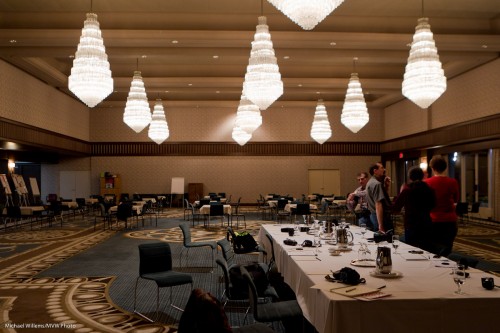
Dancing in dark rooms is hard to capture. Shoot a lot.

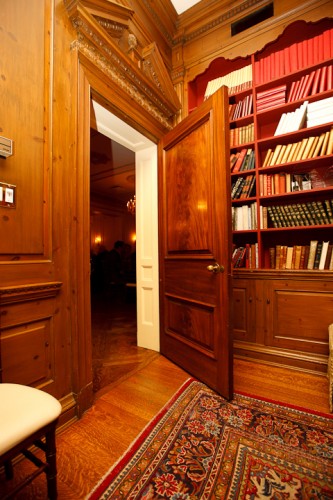
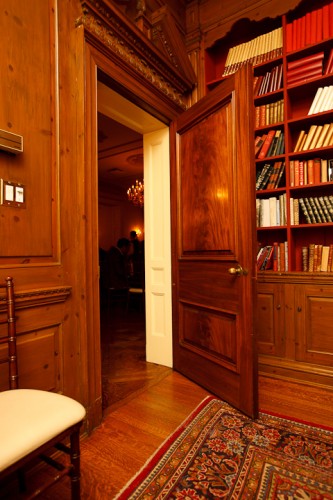
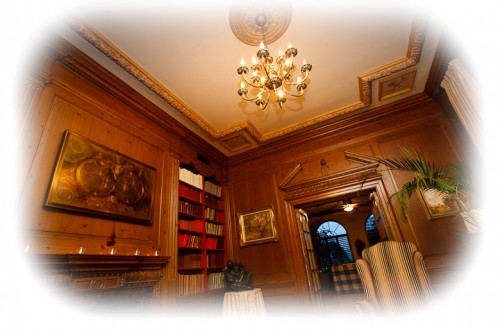
Yes – you can shoot in wood-paneled rooms too, but it can be challenging.

Want to read more? Watch out for the June/July issue of Photolife Magazine, with my article on “Flash: 20 problems, 10 solutions”. It should be in the stores any day now.


My Flash is too bright!

Help! My flash is too bright! Michael, I am doing what you say; and I am using TTL; and yet I get shots like this from my on-camera flash – way over-exposed:

What am I doing wrong?

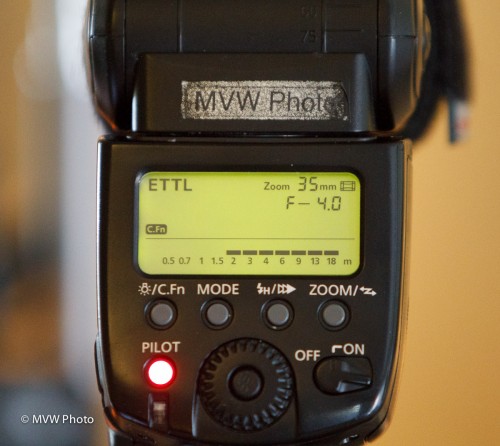
A-ha. Look at the back of your flash, if it is a high-end unit like my 580 EX flash. And you will see something like this (and an SB-900, for example, would do the same):

That flash says “with the current settings, and the flash aimed ahead, you can take pictures roughly from 2 meters to 18 meters distance”. You see, there is a minimum power setting. And hence a minimum distance.

Which in this example means you cannot take pictures of an object (or a person) 1 meter away. The picture will be overexposed if you try!

Solutions?

  1. Pay attention to this warning!
  2. And when needed to get closer, use a lower ISO!
  3. Or use a smaller aperture (larger F-number).

Simple, once you know. Just like brain surgery.

(Bonus point if you know how much overexposed the image will be at 1m. Answer: Twice the distance is 4x the light, hence 2 stops over).


Colour technique

Take a room lit by light bulbs. You have probably noticed that these often turn out slightly orange/yellow in photos taken with the automatic white balance setting (AWB).

But this can be solved: you can set your white balance to Tungsten or Incandescent (the “lightbulb” symbol). Then you get neutral colour (i.e. white looks white, not yellow):

But what if want this, and I also want to use flash?

Then I would put a CTO (“Colour Temperature Orange”) gel onto my flash, and it would look the same as the rest of the light. So the picture above would not change at all in terms of colour.

But when shooting events, I like a different look. I like the background to be warm, while the close-by subject is a neutral white. So I do in fact like a colour difference.

To achieve that, I do the following:

  1. I use my flash, without a gel.
  2. I put my camera’s White Balance setting to “Flash”.

Now, the background is warm (it is yellow with respect to flash light, and it shows as yellow), while the foreground subject is neutral. Like this:

Now that is my personal taste – yours may validly differ. The important thing is that you know how to create colour differences, or to minimize them.