Portrait tip

A quick tip or two – a few things to keep in mind when shooting studio portraits.

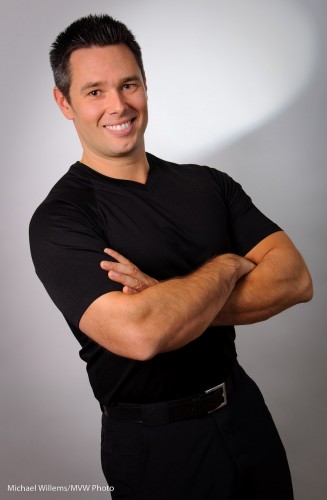
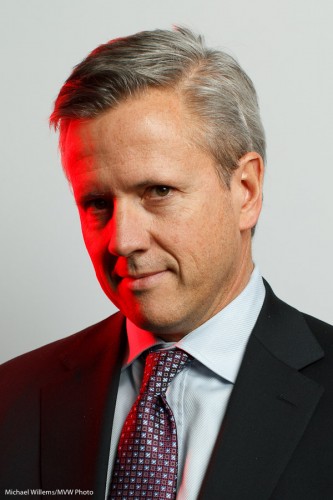
Like this one of my assistant Matt at this morning’s location shoot (where Matt kindly stood in for the subjects prior to their arrival, while we measured and adjusted the lights):

When shooting a studio portrait like this, there are a few things to keep in mind. These include:

  • Be sure you get a catch light in the eyes (usually from your main light)
  • If your subject wears glasses, do not turn their head too much.
  • Also, make sure the glasses do not reflect light. If they do, move your light source or ask the subject to aim their head very slightly down.
  • Ask your subject to move their head a little each time, and thus take various shots. I usually try to get at last four images – even the same look when shot seconds apart will lead to a different picture each time.
  • Ensure the ties, collars, etc, are well adjusted. You cannot do it over when you look at the pictures at home.

That was the quick tip of the day. Quick five tips, really.
Storytime

When you shoot an event, say a party, remember to tell a story. That means you also shoot, in addition to the “grip and grin” happy faces, the following background shots:

Where? – an “establishing shot”

What? Is it a happy occasion?

Why? What is the occasion?

Who?

And finally, How?

These shots, which you intersperse with the happy snaps, make your shooting so much more valuable.

Most event photographers forget this. If you don’t your shots will be better.

On another note: I need an assistant, maybe an ex student, for a two-hour corporate headshot shoot, tomorrow morning (Friday morning) in north Toronto by the 401, at 8am. If interested, email! (UPDATE: this position has been filled)

Light as a creative tool

A quick tip today. Look at this portrait of a personal trainer which I helped a student take earlier today:

Portrait of Travis

Standard key light (a small strobe), fill light (in an umbrella) against a white background. But instead of onto the head, which is already separated from the background by its colour, I turned the hairlight onto the background.

And because it has a snoot on it (a Honl Photo snoot, attached to a speed strap), I get this nice parabola-shaped beam of light behind the subject’s head. A technique worth using occasionally. Avoid getting stuck in the “same old light” category!

(The parabola reminds me of a satellite, somehow. Probaby because have an engineering degree?)

Why we shoot RAW.

What’s this RAW thing we keep hearing about? Should we shoot in that RAW format?

Um, yes.

And here’s why.

For two reasons.

  1. First, while JPG is like a Polaroid – all your settings are applied to the data – the RAW format is more like a negative – the settings are merely attached, so you can change stuff before you use it. White balance, colour space, and more. (Hands up, everyone who always gets every decision right? Yes, I thought so.)
  2. Second, there is more data – 14 bits versus 8 bits per colour channel. So you can fix under- or over-exposure more often.

What does that mean?

Let me give you an example. Say that I shoot Tara – but the flash does not fire. Result: a dark picture, totally unusable.

Tara - but no flash

Ah. But I shot RAW. So now I can do something wedding photographers do when a picture is unusable but they shot in RAW:

  1. Increase exposure in Lightroom by the maximum.
  2. Add fill light to the maximum.
  3. Convert to black and white.
  4. Increase luminance of red and orange (skin colours) to the maximum.
  5. Crop.
  6. Decrease noise.
  7. Add photo grain (looks great and moody).

And that gives me:

Tara - but no flash (fixed)

Wow. Like I intended it to be all trendy and moody and old-fashioned black and white and stuff. And this is with a picture that is underexposed by six, seven stops!

Case closed. Yeah?

Party recipe

There will be many parties in the next few weeks for many of you, so I would like to give you a few tips and reminders for better event photos.

I shall illustrate with a few pictures of an event I shot the other day.

A Recent Party picture

First, your equipment:

  1. Use an external flash. Never the popup.
  2. Aim it behind you – yes, behind you, high so that you bounce off the ceiling, provided there is a ceiling and it is somewhat like white.
  3. Use a “slightly wide angle” lens. I love the 35mm prime (fixed) lens – on a full frame camera, which means a 24mm lens on a typical crop sensor camera.
  4. A prime lens is good as it forces a consistency to your compositions, which will pay off since it also means consistency in your settings.

Cheers!

Then, the settings:

  1. Mode: Camera in manual exposure mode (“M”)
  2. Flash: in its normal TTL mode
  3. ISO: Set ISO to 400 for most venues (800 if it is dark, possibly even higher if the venue is pitch black)
  4. Exposure: Set aperture and shutter speed to a combination of values that gives you an ambient exposure of -2 stops. That is, when you press half way down on the shutter as you aim at an average part of  the room, your meter in the viewfinder points at a value around -2.  A typical combination at 400 ISO is f/4 at 1/30th of a second.
  5. White balance: Set your white balance to Flash. That gives you warm backgrounds, but your subjects will look natural, since they are lit primarily by the flash.
  6. Flash compensation: if your subjects are small in the picture, with a large background, your camera may overexpose the flash portion. In that case, use flash compensation and set it lower: try a value of -1, say.

If you shoot in a very dark venue, you will need to go to a wider aperture, so I recommend fast lenses. I often end up shooting at f/2, or even lower.

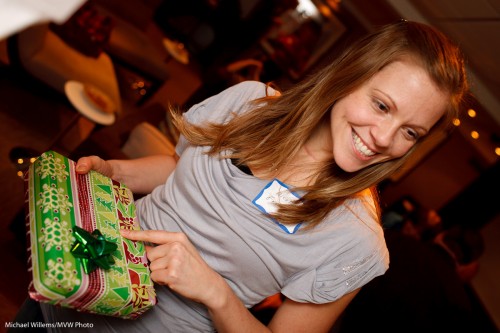
Is this present for me?

And finally, composition:

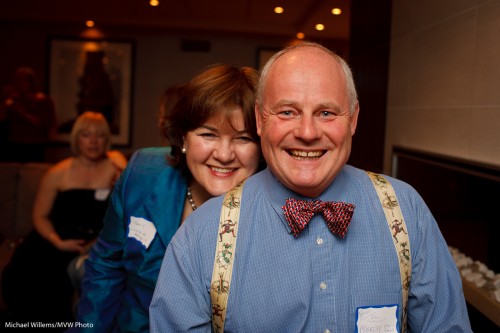
  1. Shoot “grip and grins” like the first one above: people like those. Heads together!
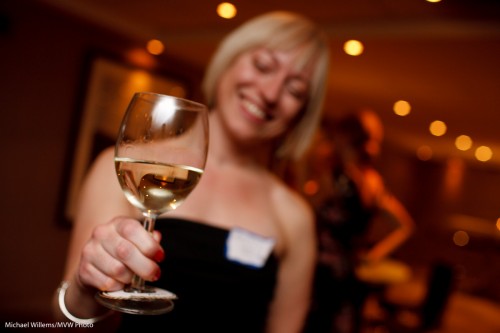
  2. Also shoot “fly on the wall” pictures. “If it smiles, shoot it”.
  3. Use the rule of thirds – “off-centre composition”)
  4. Tilt whenever you like.
  5. And please also shoot the food, the room, the small details.

The above will give you great images. But remember to finish them in Adobe Lightroom: crop, do minor adjustments, and only show your great pictures!

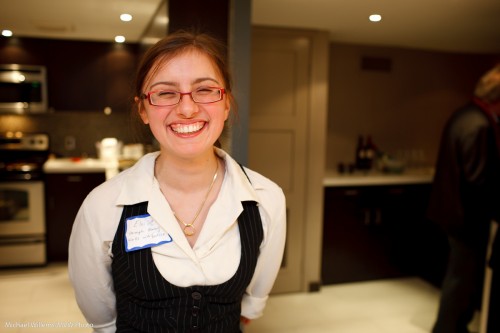
A wonderful smile

Above all: have fun!

Colour your season

The drab dark days of December can get to you – except if you take charge. That is why we put up trees, and icicles – and that is also why you can use gels.

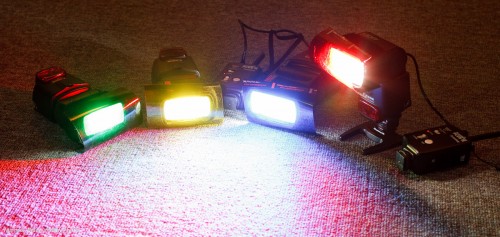
Like these Honl Photo gels, which I use on my speedlights all the time:

Fun with Gels

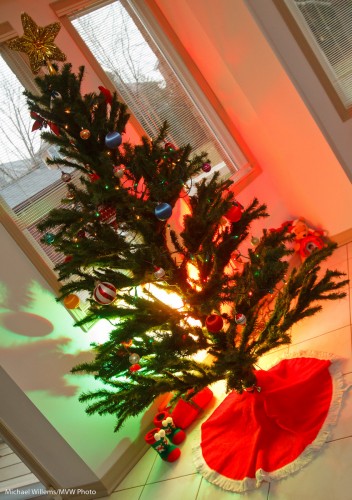
Red and green are the seasonal colours that can make a boring scene into an appropriately brightly coloured one.

Especially with the remote flash technique I metioned a couple of days ago:

Fun with Gels

So your assignment: today, go take a few pictures with a gelled flash – or preferably with two gelled flashes.

Christmas reminders

Today a very quick reminder (especially as yesterday I published two posts):

Shoot detail.

Christmas cheer

Use off-camera flash.

You do not need light stands, necessarily: you can often use just the little plastic stand that comes with the camera. Here, you can see it in the shot!

Off-camera flash

And finally, throw lights out of focus (with the aperture open all the way):

Lights

Tomorrow, a new tip.

A quick flash tip

One of the things you may wish to do this festive season is use off-camera TTL flash.

I.e. holding the camera in your right hand and the flash elsewhere – for instance in your left hand (or your other fight hand if you have two – well spotted, Mike).

In any case: away from the camera – this is key to good pictures.

All brands of camera allow this, and if you have a Nikon, or a Canon 7D or 60D, you do not even need additional hardware: just your flash and your camera, with its popup.

The popup (or on other camera, the on-camera flash) now sends commands to the other flash. So you can light a subject – like the student in Thursday’s Flash class – from one side, in this case with a flash in an umbrella on our right side, with a reflector on our left:

Off-camera flash using TTL

Much better than straight flash!

You can even use several flashes, divided into groups. In the next shot, we have an additional flash on our left, rather than a reflector. That flash has a red gel (one of the Honl Photo gels) on it, to see clearly which light is doing what work:

Off-camera flashes, using TTL

But what you must remember is this:

Disable the on-camera flash.

That is, the pop-up or 580EX/SB900 on your camera still sends its commands to the other flashes, but when the actual photo is beingtaken, it does not flash.

If you forget to disable it, it will fire. And then you get this unfortunate effect:

On-and Off-camera flashes, using TTL

Deer in the headlights. Harshness. Shadows. Brrr: baaad.

So your tip: use off-camera flash, and disable the main flash from firing actual flashes. The camera menu (or the flash on your camera) has functions for this.

If you want to learn this and many other techniques before the holiday, take the advanced flash course in Mono (see http://www.cameratraining.ca) next week. Else, take a course with me or at Henry’s early in the year. It is worth learning flash!

The festive season.

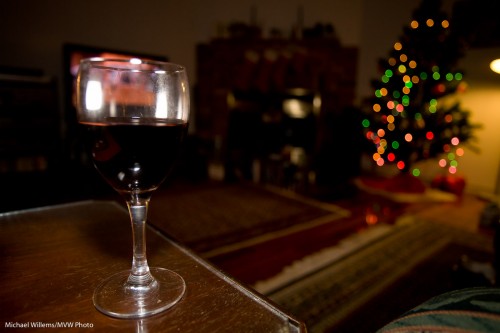
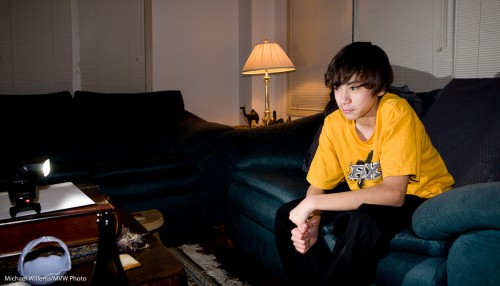
Whether you celebrate the Festival of Lights, or Christmas, or Kwanzaa, or whatever Eid this season has – or whether like me you just like parties and colourful lights, I urge you to shoot some unusual holiday pictures this month. So I will post a few posts in the next week with some ideas.

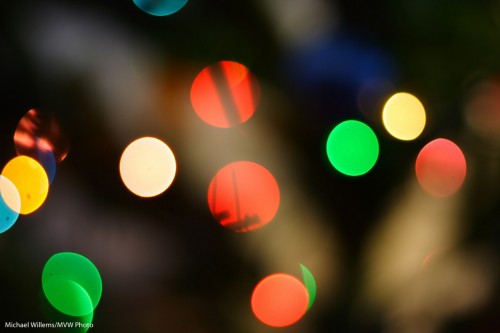
Idea number one is: detail and out of focus pictures of lights.

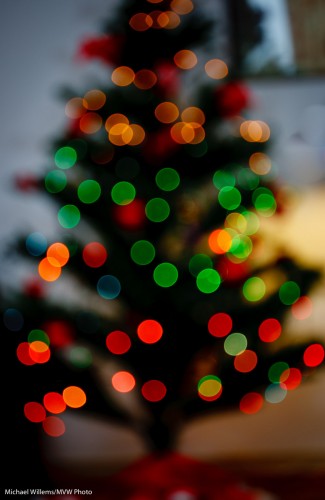
Start with the latter. Select a high enough ISO (say, 400 to start). Open your camera all the way (in Aperture Priority mode, select the lowest “F-number” your lens supports, like 3.5) and manually focus as close as possible (turn the lens to “MF”), while the lights are far away:

Out-of-focus tree lights

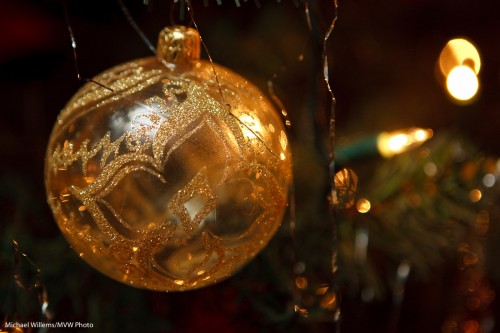
And then for the second type of image, get close to a subject and autofocus on the close subject. When using flash, use an external flash (not the pop-up), and aim this flash behind you (yes, behind).

Ball

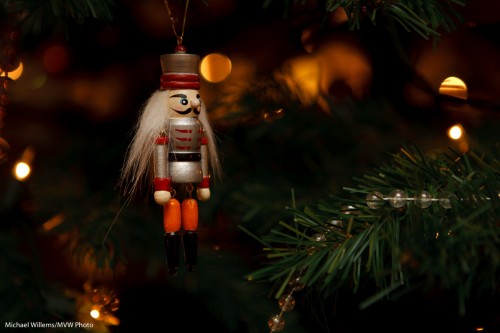
Ensure that you expose right: use exposure compensation (or when using flash, also Flash Exposure Compensation) as needed (minus, when shooting dark objects):

Nutcracker

That way you get pictures of detail that will help you tell the story and that in themselves are visually interesting.

That was tip 1. More later this week.

What camera should I buy?

I hear this question a lot.

And of course there is no real answer. Like asking “what car should I buy”. Up to you!

But there are part answers that may help you make your own decision. Last time, I talked about “Canon or Nikon versus Olympus, Sony, Pentax, etc”. This time let me talk about “Canon or Nikon”.

Both are great. They are the industry leaders. Most photographers and photojournalsits have eitehr Canon or Nikon (by far). But the most important question is “how recent is your camera”, not “what brand is it”.

Some people say the two brands have different DNA. That is an overstatement – you can use and like either and they do the very same job. That said:

  • I feel that in the low end (Nikon D3000, D5000, etc versus Canon Digital Rebel XS, T1i, T2i, etc) Canon beats Nikon. The inability to auto-focus using a 50mm lens on these Nikon cameras is, in my opinion, a showstopper. A lot of options are unavailable. The Canon cameras feel much “cleaner” here, and more professional.
  • In the mid-range, Nikon D90/D300 vs Canon 50D/60D, it’s a wash, especially if you compare modern with modern.
  • In the upper mid range, Canon wins my vote with the excellent 7D and 5D II.
  • In the high end (1D, 1Ds, 3D, etc) it’s a wash again.
  • Hold the cameras and see what feels and sounds better. This is like doing a car test drive. Essential part of your choice.
  • With video, Canon beats Nikon in all but the most recent cameras. But these are not video cameras, really.
  • If you like customizing, Nikon beats Canon. Canon seems to not like to give photographers customization options, especially in lower end cameras: these are used to drive people to the more expensive cameras.
  • On the other hand, Nikon’s menus are terrible: the user interface with the vertical tabs and scroll bars is hard for beginners to understand. Canon is much cleaner here.
  • Canon still has a better lens range than Nikon.
  • Controls on Nikon turn “the wrong way” – e.g. the exposure adjustment scale goes from plus to zero to minus, exactly the opposite to all other Cartesian coordinate systems we have been taught to use all our lives. And to unscrew a lens you turn clockwise. And so on. I find this extremely irritating, but you may love it.
  • Nikon’s TTL flash system is excellent. On the other hand, NIon’s high-end flashes overheat. So again, a wash.

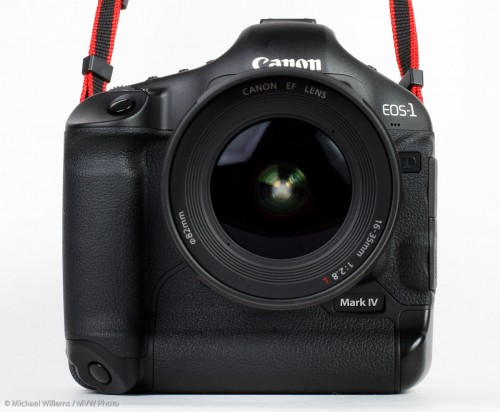
I am a Canon shooter, with a 1D4, a 1Ds3, and a 7D. Buit I also shoot Nikon. A good photographer can handle any camera.

My recommendation:

  1. Make a list of what you will use the camera for
  2. Make a list of MUST HAVES and LIKE TO HAVES in your camera
  3. Take those lists to a good camera store, like Henry’s, where the staff know photography.
  4. Research the recommendations on dpreview.com and via Google.

And above all, buy now, before the festive season.

And above even that: come get some training. Call or email me, sign up at Henrys or at cameratraining.ca, or do whatever you can to learn. It is simple, but if you do not take a course you will never live up to your potential.