Michael’s Top Ten Dicta

Legally speaking, a Dictum is “a statement of opinion or belief considered authoritative though not binding, because of the authority of the person making it”. More generally, it is “a noteworthy statement: as (a) : a formal pronouncement of a principle, proposition, or opinion; (b) : an observation intended or regarded as authoritative.” Google it if you want.

So, assuming you know me and trust my judgement, you may well be interested in my Top Ten Dicta:

  1. Bright pixels are sharp pixels. The more you make your subject bright pixels, the more it will be sharp and crisp. Noise hides in the darkness, like cockroaches. Light your subject and it becomes sharp.
  2. Go wide and get close. Wide angles combined with proximity to something introduces depth and perspective into y our images.
  3. Indoors flash: point your flash up, 45 degrees behind you. This gives you the correct light angle for close-by portraits, like in events.
  4. Indoors flash: Use the “4-4-4″ rule” as your camera setting starting point: Camera on manual, 400 ISO, 1/40th sec, f/4. Then adjust for brighter or darker rooms, to give average ambient exposure of around -2 stop.
  5. Turn baby turn. Feel free to angle your shots whenever you like. Composition, simplifying, energy: whatever your reasons. It’s cool, it’s allowed.
  6. You, and the lens, make the picture. Cameras are cool – I buy a lot of them – but the picture is made by you – even an iPhone can produce cool shots – and more technically, by the lens. A good lens on a cheap body is great. A cheap lens on a good body, not so much.
  7. Go Prime If You Can. Prime lenses lose on convenience but win in every other way. I love my 35mm f/1.4 lens.
  8. Use off-centre composition and the rule of thirds in your compositions.
  9. Get close: fill the frame. This so often makes your images better, it is worth stressing as a Dictum.
  10. Simplify! Ask yourself: is everything in my image the subject or the supporting background? If not, get rid of it. A circle has 360 degrees.

That’s my wisdom in a nutshell. Do you know, understand, feel, and above all use all ten principles above?


Learn about these and much more in one of my training or private coaching sessions. There is 10% December Discount – this is a great time to consider buying a friend a session with me: buy a Gift Certificate for the holiday season!

Effective shutter speed

When you are using flash, your shutter speed is not necessarily really what you think it is.

A flash, you see, fires at 1/1000th second or faster.

So if the only light falling onto your subject is the flash (an important qualifier), then the shutter speed will effectively be 1/1000th second. Even if the shutter ia actually open for a long time. It’s like opening a bedroom door and flashing the light switch on for a short flash. Then whether you open the door for 1/10th of a second or for a second to do that flash, you will see the same.

If the ambient light also hits your subject, you wil get a mix. This leads to ghosting, like this:

The image was taken at 1/10th second with me moving the camera rapidly.

What all this means to you? That you can often shoot a picture slowly, say at 1/15th of a second, without materially adversely affecting your foreground, flash-lit subject. You’ll get nice light into the background, and the only thing that will really see motion blur is the background.


Consider a splash…

…of colour for visual interest?

Take this off-camera flash picture, for example (taken with speedlites, of course):

Good, because it is using off-camera flash. But you might try to add some colour by using gels. I use the excellent HonlPhoto gels, part of the Honl Photo small flash modifier systems.

No, not like that.

But perhaps like this:

Much better, I think. And all that is needed is a simple gel on the background flash (ask me about the Honl Photo discount, by the way, if like me you are considering those flash modifiers).


TTL magic

When you use an automatic, TTL (“Through The Lens”) metered flash, how does your flash know how much power to emit?

I.e. when I set my camera to , say, 1/200th second, f/5.6, and 400 ISO, now the camera needs a certain amount of power to come from the flash to match that. If the flash emits too little power, you would get this too-dark picture:

If on the other hand it emits too much power, you would get this instead:

And yet, when you click, time and time again, you get something more like this:

So how does the camera magically know the power should be at that level for this shot? After all, for each shot it is different. Get closer to the subject, and you would need less power. Farther away, and you would need more.

OK – here is how the camera knows.

When you click, the following happens:

  1. The camera tells the flash to emit a little pre-flash.
  2. The camera measures the light returned from that pre-flash.
  3. It uses that amount of returned light to calculate the power needed for the shot.
  4. Only now does it raise its mirror and open the shutter.
  5. Then, it tells the flash to fire at that calculated power level.
  6. The flash does as it is told.
  7. Afterward, the camera closes the shutter and drops the mirror.
  8. Done.

A whole lot of stuff here to ensure you get correct flash exposures.

So yes – every time you see a flash, you are actually seeing two flashes, This also explains why you appear to see theflash through your viewfinder – you are seeing your preflash.


Fun with flashes

Off-camera flash rocks. And all your camera have the ability to take the flash off camera. On a Nikon, or a Cano 60D or 7D, you can use the pop-up fl;ash to drive the external flash. On other Canon cameras you need to use a 580EX flash or an IR controller on the camera.

And here, to motivate you, I shall show you another example or two, all take on Halloween night during a class at Sheridan College:

First, lit from below with a dual-color gelled flash:

Halloween (photo: Michael Willems)

Lit from below, suitable from Halloween:

Halloween (photo: Michael Willems)

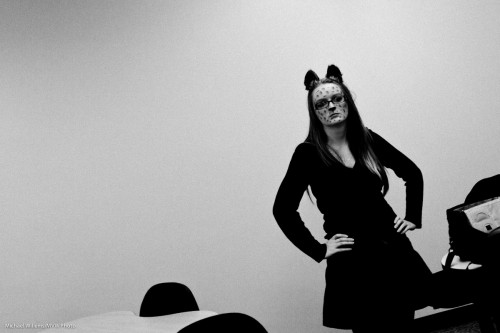
The following photo actually uses one flash on camera, but aimed behind me. Note how I made the image B/W and added grain to give this photo a stark feeling:

Halloween (photo: Michael Willems)

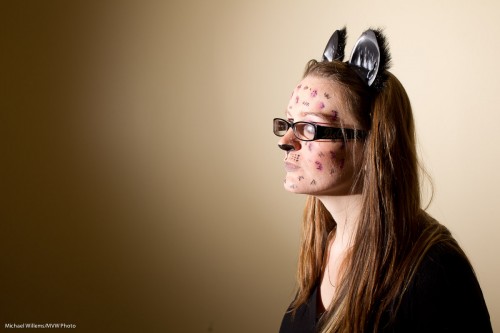
Now a direct flash from our left:

Halloween (photo: Michael Willems)

Yes, even direct hard flash is usable, as long as the flash is not in line with the lens!

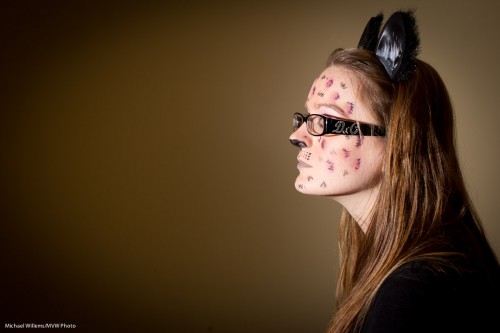
And here the same but with a grid on the flash, in case you want to avoid hitting the wall with light. (as a side effect, the grid also serves to slightly soften the light):

Halloween (photo: Michael Willems)

As you see, you can do a lot with a simple flash off camera.


Stop!

Before you take a picture outside, stop and think a moment.

You know you do not want a picture with your subjects squinting into the sun. So, turn subjects away from the sun.

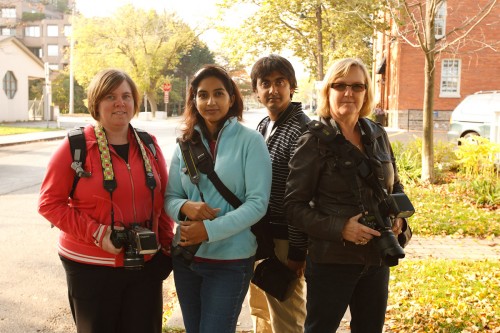
But you also do not want this – a picture of the same people pointing the other way. In tis picture, my students on my photo walk on Sunday are no longer squinting, but they are too dark, and the background is too bright:

Students (Photo: Michael Willems)

Not bad.. but noise hides in the shadows, while bright pixels are sharp pixels.

Better:

  1. Reduce exposure of the background to two stops below ambient (-2 stops, e.g. by using exposure compensation, or by using manual settings for aperture, shutter and ISO);
  2. Use flash. Even a single flash on camera.
  3. Consider making that flash warmer by using a 1/4 Hol photo CTO Gel (set your white balance to “flash”).

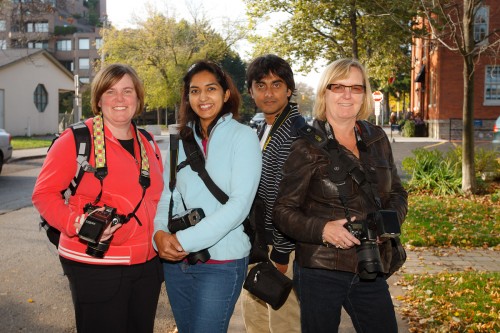
You now get what you want: brighter people and yet, a darker, more saturated, background. We’ve turned things around!

Students (Photo: Michael Willems)

Better eh!

(Yes, I grant you, straight flash is sub-optimal, so off-camera flash or softboxes (or a combo) would be even better of course. If I had had it at hand, I would have put my Honl softbox on the flash. Or you can use the Fong Lightsphere perhaps. Or raise the flash with a bracket. Or set up two flashes, one left and one right, to get a little rim lighting, as in image one – but lit well. Or use a flash turned down a little using Flash Exposure Compensation. Flash really has no limits to how you can use it creatively.)

For sure, this one is acceptable.

Here’s another one using the same technique:

Stop! (Photo: Michael Willems)

Make this STOP sign your beginning: go make a picture exactly like mine. On a bright day, using on-camera flash.


Balance

Let me talk about balance, again. Balancing flash and ambient light.

Here’s how my thinking goes:

  1. Bright pixels are sharp pixels.
  2. So the main subject of your photo should be brighter than the background.
  3. So you expose for the background by making it two stops below “normal” exposure for ambient light. That gives you good saturation, too.
  4. Then you light the main subject with extra lights (use your flash meter: see yesterday’s post).

Like this:

Which gives you this:

That’s straight out of the camera. To do this you need:

  • Camera, in manual mode
  • Light meter
  • Light – in sunlight, probably a strobe powered by battery
  • Stands pocketwizards, cables, small materials

Easy, and you can use speedlights too when the sun is not too bright. The principle is the balancing of the background light with the flash light, where the background is darker by 1-2 stops.

I teach this during my workshops – it is easy to learn and I urge you all to make the effort!


Magic Bowl

A simple trick for you today.

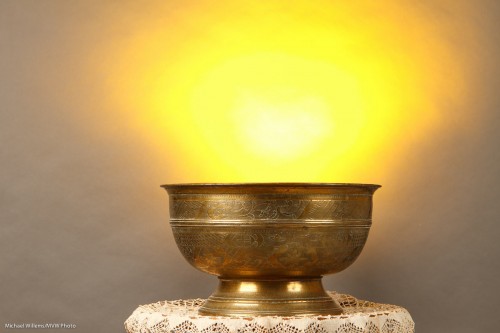
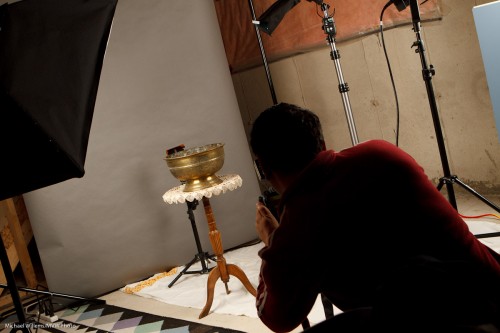
How do you create a magic bowl like this?

Magic Bowl (Photo: Michael Willems)

Gold? Incantations?

Simple technology, of course – you knew that, or I would not have mentioned it here.

  1. Use studio lighting with a key and fill light.
  2. Use a darker background – or move the subject away from a lighter background, to also make it darker.
  3. Then light the background with a flash with a gel – I used a speedlight (as it befits the speedlighter), with a Honl Photo “egg yolk yellow” gel.

That looks like this:

Magic Bowl Setup (Photo: Michael Willems)

See the flash behind the bowl, aimed up? Simple, innit – once you know?


Hidden worlds

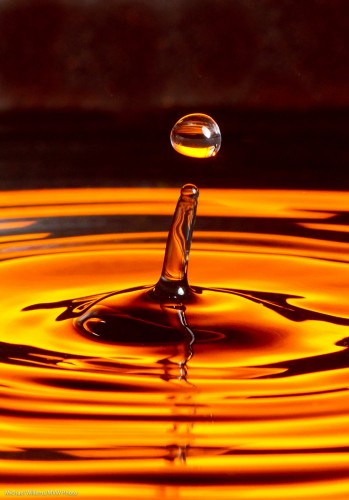
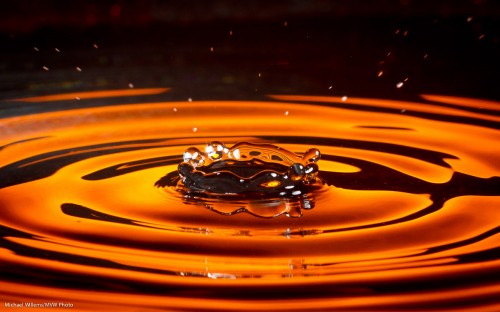
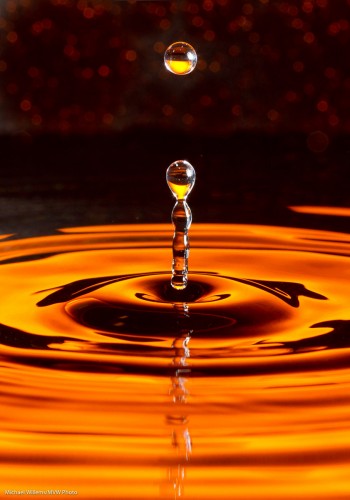
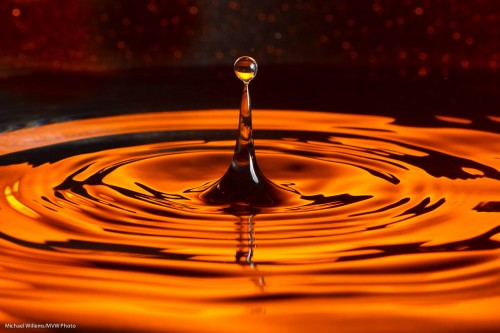
There is a hidden world in water’s surface tension. A world like this:

Water Drop (Photo: Michael Willems)

Is that difficult to photograph? Depends on how much patience you have.

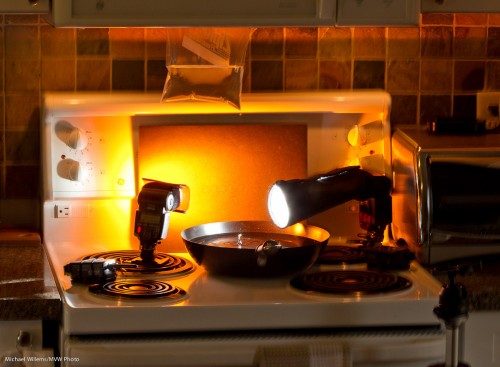
Here’s how I just took this picture:

  • Camera on a tripod, equipped with a suitable lens – I used a 100mm macro lens but a 50mm or a telephoto lens may also do.
  • I set the camera to 320 ISO, f/11, 1/250th second.
  • A black background, lit up with a gelled flash – or just a coloured background.
  • A tray with water – also preferably black. I used a wok since I had nothing else, plus a wok is round, so you get circular waves.
  • A plastic bag with water. I hung it from my microwave. Poke a very small hole in it with a pin.
  • A for the background – I used a 430EX with a Pocketwizard driving it. The flash set to manual 1/4 power and equipped with a Rust gel from Honlphoto.
  • Another flash aimed at the drops from the side. Also driven by a Pocketwizard, this flash was equipped with a Honl snoot. Also set to manual 1/4 power.

This looked like this:

Water Drop (Photo: Michael Willems)

See the ziplock stuck in my microwave door? And see the tripod on the right?

And given enough patience you will get pictures like the one above. Yes, patience is required – I just shot 500 pictures to get 10 great ones.

Gotchas to watch out for:

  • Too big a hole will give you streams of water – not flattering. You want slow-moving, large drops. Small pin hole achieves this (else, wait until the pressure lessens).
  • Like in any macro photo, you may need to clean up your picture to remove the dust you lit up with the flash.
  • You will also want to crop the image.
  • Watch for reflections of the waves in the bottom of the pan – shoot as horizontal as you can.
  • Watch for reflections elsewhere too – I got a reflection in the side of the pan; some of this I had to remove in post-production.
  • Focus manually; prefocus where the drops fall.
  • You want fast flashes – and since a flash’s power is set by its duration, this means not full power, so make sure the flashes are close.

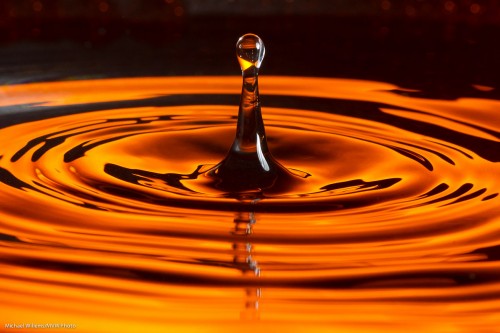
A few more samples:

Water Drop (Photo: Michael Willems)

Water Drop (Photo: Michael Willems)

Water drops (Photo: Michael Willems)

Water drops (Photo: Michael Willems)


What makes a shot?

What makes a shot? New photographers think “technique” – and that is understandable, since the weakest points are where you concentrate first.

But in the end, it is much more than technique.

As an illustration of some of the factors, take a shot like this, from that recent “autumn” magazine shoot in Oakville:

Vanessa and melony showing fashion (Photo: Michael Willems)

What had to happen for this shot?

  1. Technique, of course. I described this in my post of 5 September. Two lights, and a gel on the light on our right (that autumn feeling!), and a long lens (70-200).
  2. People. Two models (thanks, Vanessa and Mel), an assistant (thanks Kurt), client for direction, and myself. Five people. And they all have to show up.
  3. The models. Modeling is a profession, and not everyone can do it equally well. Models have to look good, be the right types for the shoot, carry themselves well, and even have a good day. I am sure even supermodels have off-days, so it is something to keep in mind: you are shooting people.
  4. Clothing. The clothing here was from a great Oakville store – instant makeover. Without that, nothing.
  5. Props. The theme was “autumn”. So flowers and fruit personalized that very well – as well as introducing wonderful colour. Props are often forgotten but they can make (or break) a shot.
  6. Weather. Since I am using strobes and speedlights, I can do this in pretty much any light – but I still don’t want too much rain, and I do not want direct sunlight on the models if I can help it, and I sure don’t want sunlight into the models’ eyes-  they would squint.
  7. Location. I chose this location because it had many options, and settled quickly on this particular option – shows a “boulevard” type walk, shows trees, even shows autumn trees even though this was still summer. And those wonderful European-looking street lights.
  8. Moment. In this shoot, half the shots (40 out of 85) shots were unusable due to one or both  of the two models blinking. With two models, on a bright day, that happens! And some were not in sharp focus (6 out of 85) or were awkward moments.

Get all of the above working, and you get nice shots. It’s not just technique: subject and moment are important!