Lights

Sometimes, light can be simple.

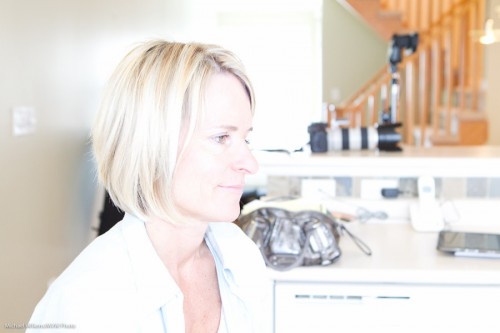
Like here: One TTL flash, bounced to my right (in order to ensure that light goes onto the subject’s face, not onto the back of her head):

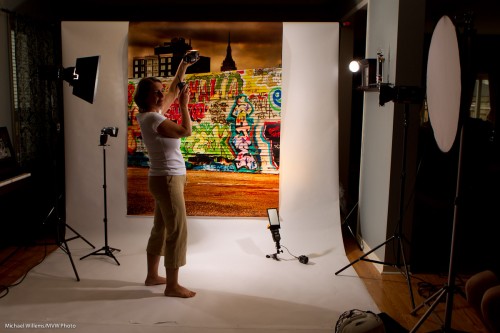
But sometime, for creative reasons you want more lights.Look at the following studio setup from a course the other day:

  1. Backdrop from www.backdropoutlet.com
  2. Main light is a speedlight with a softbox
  3. Right fill is a reflector
  4. Back fill, a flash bounced off the ceiling
  5. Edge light, two strobes
  6. Tow background lights: one white, one yellow (flagged with  Honl gobo)

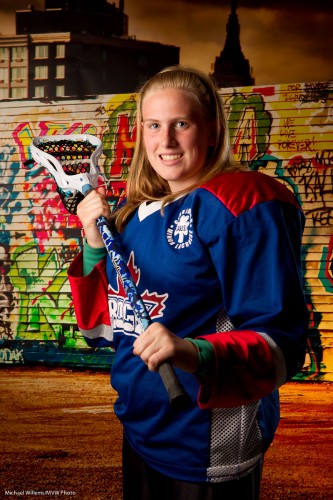
Camera on typical “mixed light indoor flash” settings: 1/30th second at f/5.6, ISO 400.

Like this, demonstrated by my student, photographer Laura Wichman, the other day:

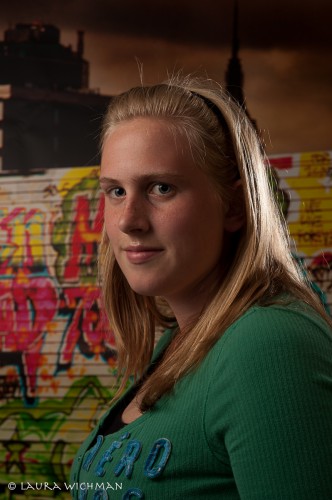
Camera on typical “Studio flash” settings: 1/125th second at f/8, ISO 100.

Because all that gets you light like this:

Both good, but both very different. And as a shooter you need to know how to handle both types of setup. Which is why I strongly recommend training. Because the good news: this is simple, once you know how.


TTL phenomenon

If you have ever shot with TTL off-camera flash, you will have ensured that the on-camera flash is “off”. It still fires its “Morse Code” commands at group A, B or C flashes in the room, but when the actual image is taken a fraction of a second later, it is off.

Except that you may have noticed noticed the following phenomenon: Especially on Nikon cameras, but on Canons as well, it is not totally, 100%, off.

There is a tiny bit of afterglow, which causes an extra little catch light in the very centre of the eye. You can see it in this image by my student, photographer Laura Wichman:

You only see this if you view the image at full size. It is not really very annoying, but if you are determined to get rid of it, simply “Lightroom it out”.

Anyway – learn to recognize this. This is how I know we shot this image in remote TTL mode.

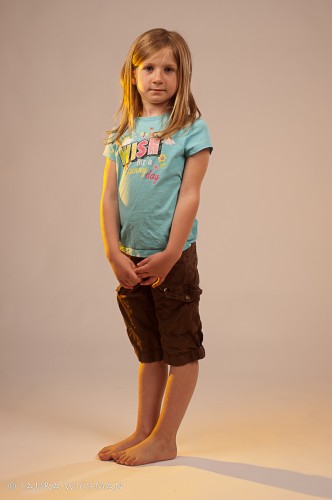
One more of Laura’s shots from this Creative Light session. Here’s we thought a gelled direct light might add some kick. And I love colour – this bright egg yolk yellow Honl gel is great.  Easiest gel to get saturated colour with:

Don’t you love those shadows? Today’s tip: hard shadows can be good. If intended and if created by an off-camera light.


Let there be…

To those of you who are new on speedlighter.ca – this daily blog (yes, I write every day) is your resource for photography knowledge – and very often, speedlight knowledge. Speedlights, as you know, are small flashes, and as you may or may not know, they are wonderful.

When used well.

That implies that you can use them badly. And yes, you can, and that is easy. So here’s how not to do it:

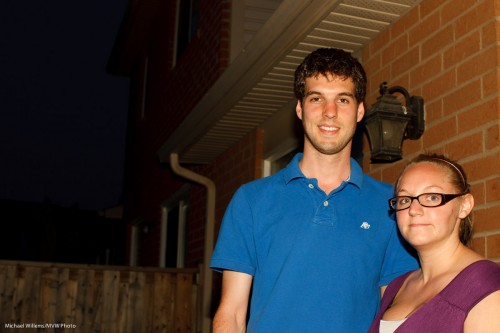
Typical “this is why I hate flash” snap. Of two kind student volunteers yesterday. Shot at f/8 at 400 ISO at 1/125th second. Ouch. Thanks, guys!

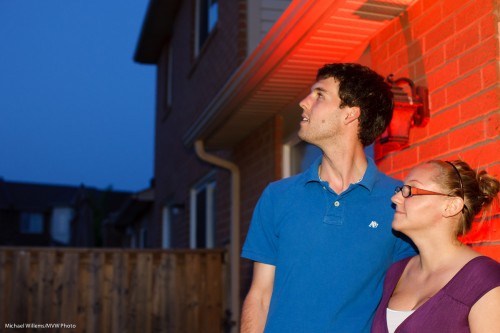
To improve this – nay, to have fun and make it good – I would do the following:

  • Set my camera to a better exposure setting for the background. In my case, this was  f/4.0 and 1/30th second, which made the light meter show “-2 stops”.
  • Set my white balance to “tungsten” to make the background blue.
  • But at the same time, add a Honl Photo Full CTO gel to my main flash, to keep the subjects neutral.
  • Now add a second flash to light up the wall.
  • Add a Honl Photo red gel to this second flash.

Then I would get this:

Looking Skyward (Photo: Michael Willems)

How long does that take? Mere seconds. And it results in a great picture, that belies the idea that you cannot use direct flash. When you are mixing light, you can.

What if I had had more time?

Then I would have added one more flash with a gel: a green one.In the bottom left corner. Red-Green-Blue, the three primary colours in one image, adds visual interest.


Speedlight tip

When you are using a speedlight (such as a Nikon SB-800, say, or a Canon 430EX) and firing it in manual mode by using a Pocketwizard, there is one problem I see a lot.

Namely: after a few minutes, the speedlight turns off. It times out, “goes to sleep”, and the flash stops responding until you wake it up again. Grrr!

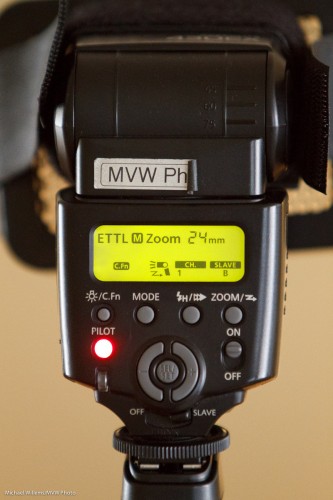
The solution: use a custom function on the flash to disable the timeout. When you have successfully done this, on a Nikon, you will see the timeout words followed by “—“. On a Canon, you will at least see an indication that a custom function has been activated, by the “C.Fn” symbol on the back of the flash:

See, bottom left of the display. (It’s usually custom function 1: check your manual).

Yes, I know – the interfaces used to operate your flash are terrible. Press this button, go right, hold down that button, sing incantations while dancing around an oak tree, then enter the square root of pi: not for the fainthearted. But worth learning!


Ready.. aim (flash)… shoot!

An event shoot the other night prompts me to point out how important it is to bounce your flash into the right place.

When you shoot an event, you:

  1. Set your camera to a good starting point: Manual mode, 400 ISO, f/4.0 and 1/30th sec.
  2. Use the right lens: perhaps 35mm prime (on a full-frame camera, or 24mm prime on a crop camera).
  3. Aim your flash roughly behind you.
  4. Fire.

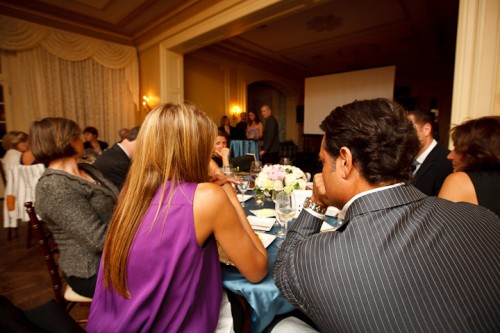
That gives you images like this:

You now adjust aperture, shutter and ISO according to ceiling height, available ambient light, background colour, and “how you like it”. For a neutral, normally lit background you want your in-camera meter to read roughly -2 stops when taking an average reading. So take a test shot, adjust where needed, and carry on.

Fine. But where exactly do you aim?

You aim the flash:

  1. Where you want the light to come from. Usually this means behind you.
  2. And it should throw light into your subject’s face, not onto the back of their head.
  3. This flash bounce area must be outside the image area.
  4. And it must have a nice bounce surface (not too far, not too coloured).

If you do not get the bounce area right, you get this, where I got it wrong (I aimed the flash too far forward):

Instead of this, where I did it right (I aimed it behind me):

Because I aimed correctly, the wall behind me became a big virtual umbrella, and cast natural light throughout the room, not mainly into one area like in the previous shot.

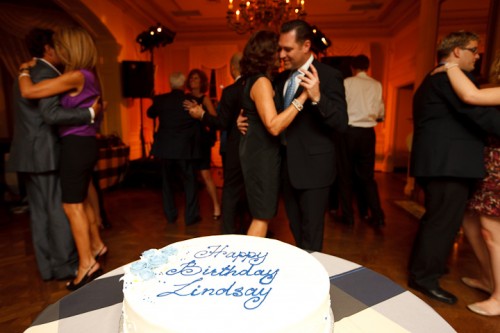
Another couple of shots from the event:

I like warm backgrounds. That’s my style.

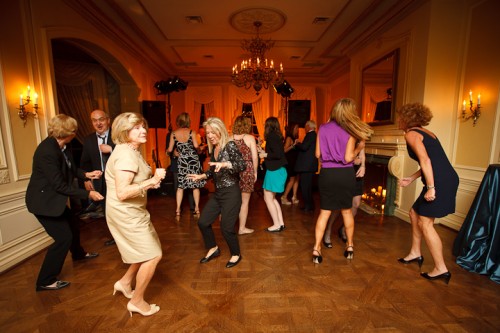
Dancing in dark rooms is hard to capture. Shoot a lot.

Yes – you can shoot in wood-paneled rooms too, but it can be challenging.

Want to read more? Watch out for the June/July issue of Photolife Magazine, with my article on “Flash: 20 problems, 10 solutions”. It should be in the stores any day now.


A little known fact

When you shoot Nikon and use the CLS/iTTL systen, you can fire remote flashes and set them to manual instead of TTL. This is well known since you set the options through the on camera menu.

In the Canon world, this is not possible: remote flashes operated by light control must use TTL. Right?

Wrong. Canon too supports this functionality.

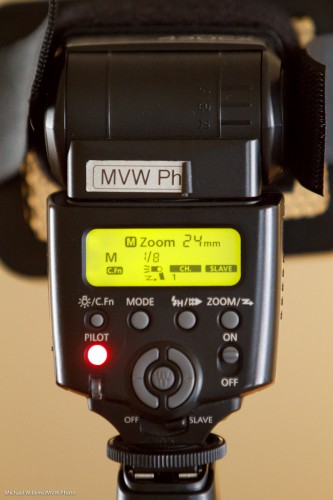
Here’s a TTL flash set to slave mode (a 430 EX in this case). The display looks like this: (And note that the “M” here refers to the flash’s zoom setting – nothing to do with flash mode):

So it’s a TTL flash set to slave mode.

Now press and hold the MODE button. After a few seconds, you see this:

Now your cannon flash is still in slave mode, but it is now in manual power mode – TTL will not meter: the flash will just fire at whatever level you set it to (1/8th power, in this case). Note that the “M” to the left of the “1/8” now flashes, to remind you. One press and it goes back to TTL mode.

I bet there are some here who did not know this! Yes, you can use light-operated remote slaves that you set to manual, even in the Canon world.

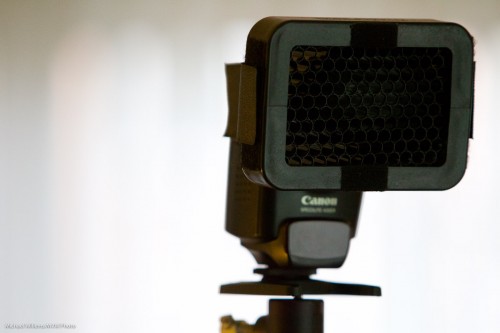
PS: what’s that on the front of the flash? A Honl Photo speed strap plus a Honl 1/4″ grid.


My Flash is too bright!

Help! My flash is too bright! Michael, I am doing what you say; and I am using TTL; and yet I get shots like this from my on-camera flash – way over-exposed:

What am I doing wrong?

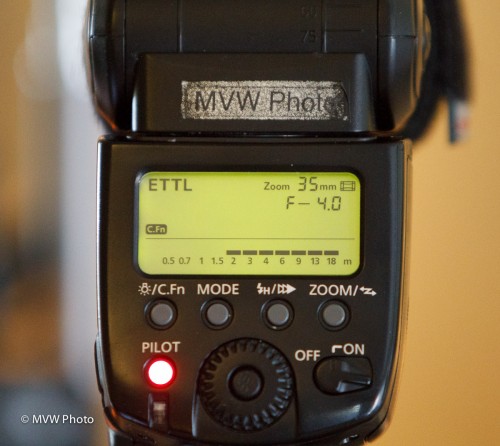
A-ha. Look at the back of your flash, if it is a high-end unit like my 580 EX flash. And you will see something like this (and an SB-900, for example, would do the same):

That flash says “with the current settings, and the flash aimed ahead, you can take pictures roughly from 2 meters to 18 meters distance”. You see, there is a minimum power setting. And hence a minimum distance.

Which in this example means you cannot take pictures of an object (or a person) 1 meter away. The picture will be overexposed if you try!

Solutions?

  1. Pay attention to this warning!
  2. And when needed to get closer, use a lower ISO!
  3. Or use a smaller aperture (larger F-number).

Simple, once you know. Just like brain surgery.

(Bonus point if you know how much overexposed the image will be at 1m. Answer: Twice the distance is 4x the light, hence 2 stops over).


Best light for macro

Today, allow me to talk again about “best light”.

And I would like to do this because quite often, there is no “best” light -just alternatives. Sure, there are big differences in light. But the best light, as so often, “depends”.

Take Macro shots. Sure, the conventional wisdom is that you should use cloudy-day light. And that is often true: lack of harsh shadows, and colours that “pop” with wonderful saturation.

But there are circumstances where direct sunlight is best, because it is bright. Bright means

  1. Small apertures (needed for macro)
  2. Fast shutter speeds (also needed, since the wind keeps moving the plants you are focusing on with millimeter accuracy).

So a shot like this…:
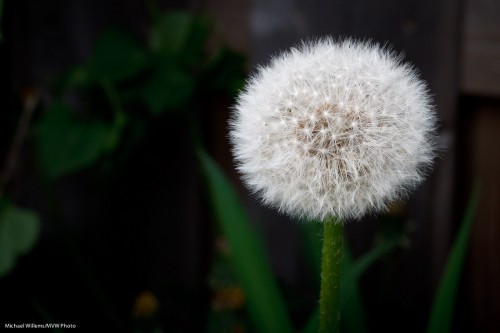
… can be lit with direct sunlight. Because:

  1. The dandelion is lit by a shaft of direct light, while the background is not
  2. Because the seeds are not large leaves, so they do not throw shadows.

Another example:

Are there alternatives?

Sure. Sometimes the wind blows too much, so the shutter speed you get will not stop the motion. One way to handle that: increase the shutter speed. But how? Well – increase the effective shutter speed, by using flash light.

You see, if you shoot outdoors at, say, 1/200th second, that would be the shutter speed, 1/200th second. But if you use flash, whose duration is perhaps in the order of 1/2000th sec, then never mind your shutter: that flash duration becomes your “effective” shutter speed. Like in this shot:
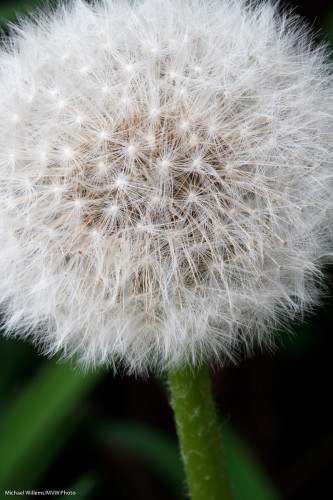
So I now shot at 1/200th, but because I used flash, I got an effective 1/2000th second. And because of the greater light intensity, I was able to shoot at f/16 or higher – in this shot, f/20. Which in macro shots, I often find I need.

Here’s the softbox being used – top left corner:
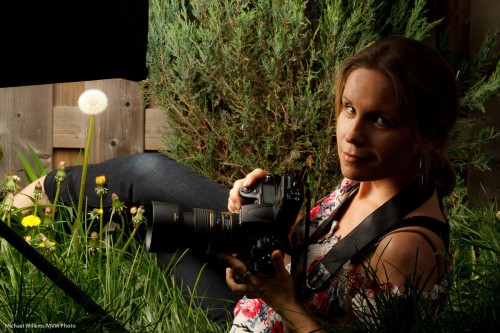
And yes, this is a sunny day. A sunny day at 1/200th and f/22 at 400 ISO looks black to your camera, so your only light source is the flash. I used a Bowens 400 Ws light with a battery pack for outdoors use.

And that also gave me some nice portraits, like this:
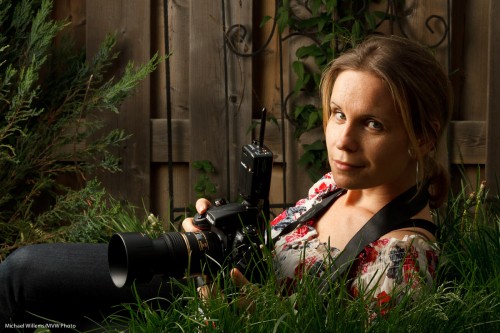
So here an outdoors shot is lit with flash light,which gives me better light than cloudy day light. And the macro shots looked better with direct sunlight than they would have looked in cloudy light.

There is no one source of light – there are many alternatives, and sometimes the best choice is not the obvious one.

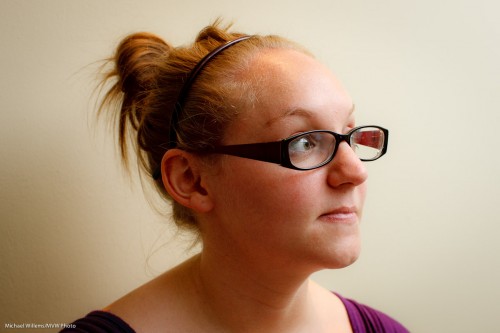
 

Colour technique

Take a room lit by light bulbs. You have probably noticed that these often turn out slightly orange/yellow in photos taken with the automatic white balance setting (AWB).

But this can be solved: you can set your white balance to Tungsten or Incandescent (the “lightbulb” symbol). Then you get neutral colour (i.e. white looks white, not yellow):

But what if want this, and I also want to use flash?

Then I would put a CTO (“Colour Temperature Orange”) gel onto my flash, and it would look the same as the rest of the light. So the picture above would not change at all in terms of colour.

But when shooting events, I like a different look. I like the background to be warm, while the close-by subject is a neutral white. So I do in fact like a colour difference.

To achieve that, I do the following:

  1. I use my flash, without a gel.
  2. I put my camera’s White Balance setting to “Flash”.

Now, the background is warm (it is yellow with respect to flash light, and it shows as yellow), while the foreground subject is neutral. Like this:

Now that is my personal taste – yours may validly differ. The important thing is that you know how to create colour differences, or to minimize them.


Studio light note

Welcome, all, including new students and reader.

Continuing in the studio lighting technique series of posts, today, let’s look at the effect of a background light.

A simple portrait (yes, as you see, I am my most patient model):

That was lit with one strobe in a softbox on our left. Simple, nice, soft light.

But wait. Perhaps a little more light on the background would help offset the model from the background a little better. For this, we use a speedlight, with a grid (so as to avoid the light going everywhere).

Like this, using a 430EX (similar to a Nikon SB600) fired with a Pocketwizard, and fitted with a Honl grid:

And that gives us very different light.

Now we could turn that background up, or down; or change the direction.

The point is that this allows us to play with “foreground versus background” a little. Offsetting your subject from the background is always good – dark background and light subject or light subject and dark background are both good. There’s no one way – it’s more that there are a number of ways of doing things. And by controlling liught, you control those ways.