Sometimes you make do

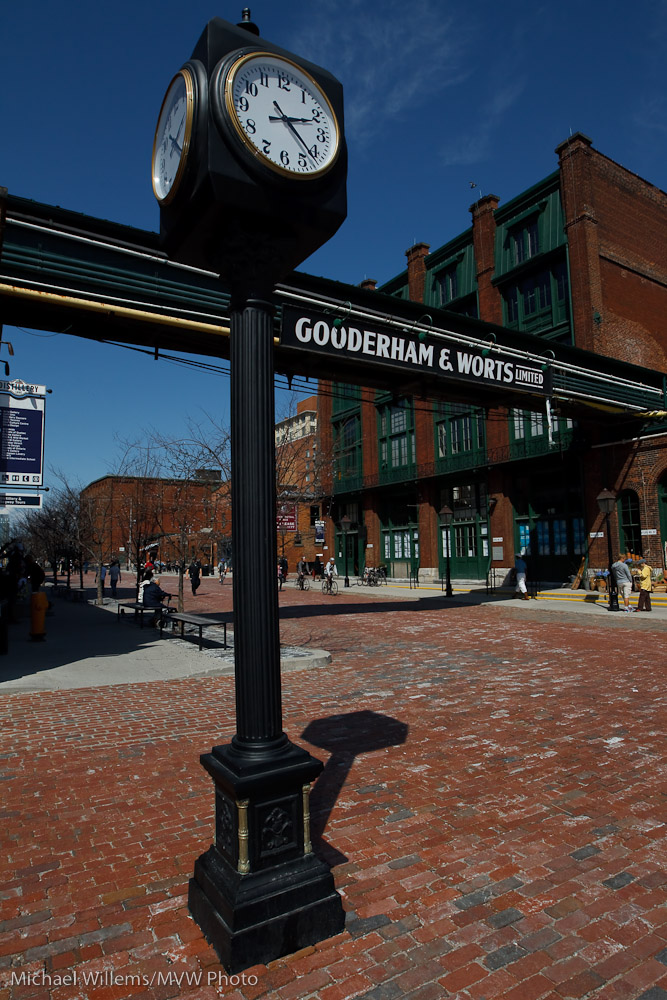
…with a hand, if you want a foreground object to light up with your flash, when for effect the background needs to be darker. Like just now in The Distillery District in Toronto:

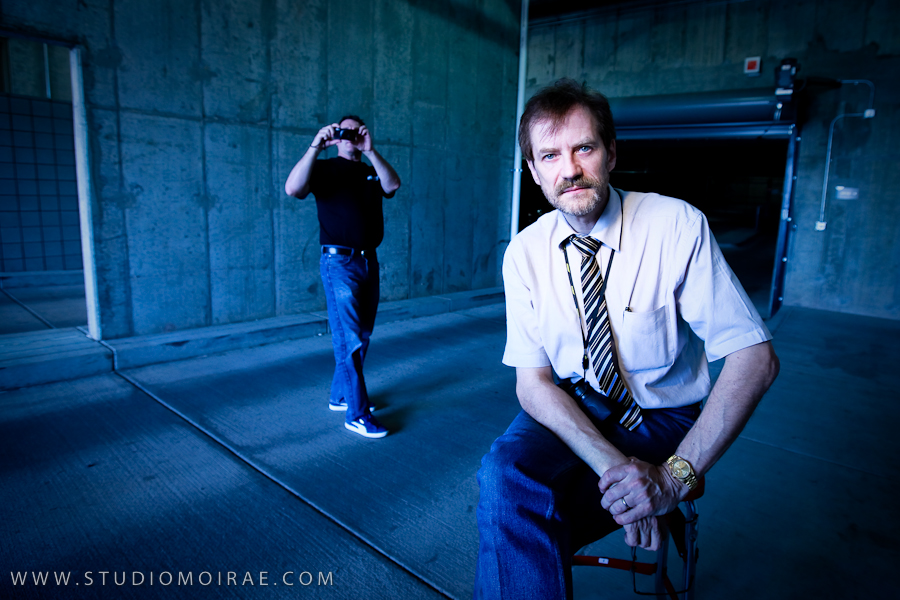
Another snap:

Again, using flash for lighting up the foreground, while exposing down to saturate the background on a bright day around noon. Sure you can take pictures at mid-day.

That wired effect

Here’s a picture I just took of my favourite patient model. I used some technique to get that dramatic “Wired” effect:

The way I made this picture:

Camera:

  • Camera: Canon 7D with 50mm f/1.4 lens
  • Set to Manual, 1/125th sec, f/8, 100 ISO

Flash:

  • Multi-flash TTL with one on-camera and two off-camera flashes.
  • One “A” Flash on the camera (580 EX) as fill flash and “commander”;
  • The main lighting was rim lighting: two 430 EX flashes either side of the model, slightly behind, set up as “B” flashes.
  • I was using a 1:8 A:B ratio.
  • The 430 flashes were each equipped with a Honl 1/4″ grid, to stop their light from hitting the entire room.
  • Flash compensation -1 stop to avoid overexposing the rims (this is common when your main flash lights only a small part of the picture).

Post:

  • And finally, I desaturated the colours in Lightroom: Presence +15, Vibrance -20 and Saturation -40. I also did a version where I desaturated only red and orange, and increased sharpness, which is the usual technique.

Try it yourself, or come to our two-day Light workshop 10+11 April to learn exactly how to do this.

Portrait using two flashes

Here’s an impromptu portrait I took on Tuesday, of a lovely student who kindly volunteered to be the subject, in the Flash for Pros course:

And here’s how I did this:

  • Camera: The camera was a Canon 7D
  • Lens: I used a 50mm f/1.4 lens. (50mm on a crop camera, even the very cheap f/1.8 version, makes a great portrait lens).
  • Settings: The settings were Manual mode at 1/30th second, f/5.6, 400 ISO
  • Flashes: I used two 430 EX flashes on light stands, fired from the pop-up flash (like most Nikon cameras, the 7D allows this). Other than that, the pop-up flash was disabled. (I could also have used a 580EX on the camera as master.)

And how I used those flashes:

  • I used e-TTL, so I did not have to meter and set the flashes manually.
  • The main flash (“A”) was on camera left: a 430EX fired into a Honl gold/silver (half CTO) reflector. It was about a foot away from her.
  • The second flash was also a 430EX; this one fired straight at her from 45 degrees behind, through a Honl 1/4″ grid. This flash was also about a foot away from her.
  • I set an A:B Ratio of 4:1, so the main light was two stops brighter than the hair light.

Another student that night wrote a blog post, here, where you can see a few pics with some of the modifiers I used.

So it’s actually quite simple: now you go try. It is amazing what you can do in just a few seconds with just a couple of flashes (speedlites) and some small, light, convenient modifiers.

My "two stops" technique

Here’s a quick start tip for using flash indoors.

First, set your camera to:

  • Manual mode
  • f/4
  • 1/60th second
  • 400 ISO

Now check the light meter in your viewfinder. You want it to read about minus two if you point at a representative part of the room.If it reads higher or lower, adjust aperture and shutter speed until it reads -2. If possible, try to keep the shutter between 1/30th and 1/200th second.

By using this method, your ambient lights shows (avoiding black backgrounds), and it becomes your “fill light”, two stops below the key light. And of course while your ambient is set manually, the flash is still automatic.

And finally: bounce that flash off a wall or ceiling behind you!

Eye of the beholder

Brightness is in the eye of the beholder.

For a creative photographer, it is meaningless to say “the sky is this bright” or “the sky is this dark”. Instead, on a given day with a given sky, you might say: “I’ll make the sky bright”:

Or “I’ll give it some colour”:

Or “I’ll turn it dark so I get dramatic saturation”:

You do this by exposing it more, or less. A blue sky can be anything from white if I overexpose it, to almost dark whrn I underexpose it.

That’s how I get pictures like the desert pictures the other day, or this, of my sister-in-law the other day too, on a bright Arizona afternoon:

Of course when I underexpose like that, she would be dark too, except I am using my flash to fill in the foreground.

Gold and blue

One more “blue background, gold foreground” picture for you all. No, two.

Here is Christy, of Studio Moirae, looking radiant, mainly because she looks radiant – but also perhaps just a little because I lit her with a CTO gelled flash (with the white balance set to “Tungsten”, which turns everything blue except the bits lit by my gelled flash)?

And one more lovely participant in the course, who soon will be two:

More technique:

Here’s me, shot by Christy Smith of Studio Moirae:

Yeah, I model too.

But wait. That cool blue urban look. Was it actually like that?

No. The actual scene was like this. Here’s Christy and David Honl taking a test shot:

So wait. How come it’s all blue?

That’s because Christy and Dave set their camera’s white balance to “Tungsten”. That will turn daylight blue.

But then I would be blue too!

Except they are lighting me with a flash with a CTO (“Colour Temperature Orange”, i.e. Tungsten-coloured) Honl gel and with a Honl Grid to make the light go mainly to my head and shoulders. The flash was aimed straight at me and set to manual, and it was fired with pocketwizards.

That’s the kind of cool technique Dave and I taught the participants who came to the workshops Monday and Tuesday in Phoenix, Arizona. If you have the chance, come to a future one: they’re fun and you will lean sooo much.

Today, part 2 of Phoenix

Today, part two of the Phoenix workshop at Studio Moirae. A repeat with a different emphasis; we go a bit deeper into the technology and we practice TTL multi-flash (both Nikon i-TTL/CLS and Canon E-TTL).

Yesterday, David Honl (yes, the David Honl) joined me, and he and I presented the workshop together. And we had fun: did we ever. A bright and energetic bunch of local photographers here in Phoenix.

Here’s David getting ready. In this shot I set my White Balance to “Tungsten”, which makes the background blue. Then a full CTO gel on the speedlite ensures that the subject, which after all is lit by the flash much more than by the ambient light, does not turn blue, but looks normal:
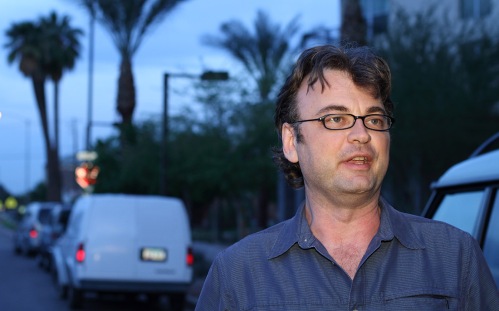
Here’s one of the set-up shots:

David setting up a speedlite, fired with a pocketwizard, with a half CTO-coloured Honl 8″ gold/silver reflector (while I blind Christy by actually firing the flash):

David carefully adjusting the subject’s head:
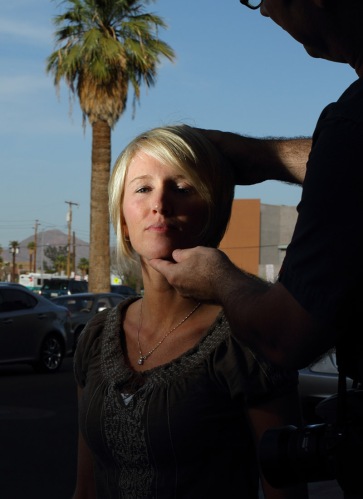
Tough job, but someone has to do it.

And here’s my shot of Christy, using this light:
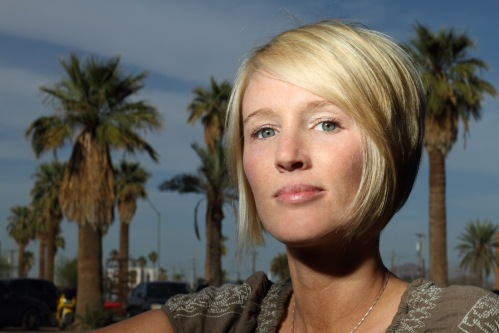
All I can say is, I am glad the model we hired did not show up, because Christy is an amazing subject to work with. Which is rare for photographers.

And finally, fair’s fair: one more picture by Christy of David and me. Slow shutter, turning the camera during the shot.
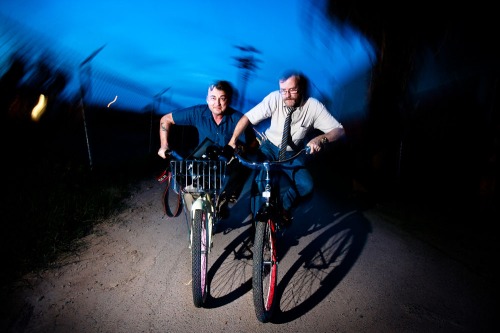
Can you see that direct flash can be great light? And that shadows do not necessarily need to be avoided?

Does TTL work when bouncing?

Does the fancy automatic “TTL” flash mode work when you bounce your light off the wall behind you?

Yes, and that is exactly the point of TTL (“eTTL in Canon terms; iTTL for Nikon).

You press the shutter button: Click.

But it is not one click! In the milliseconds after you press the shutter, your camera does all the following:

  1. Fires a low power test flash
  2. Measures light returned
  3. Calculates power needed
  4. Raises mirror
  5. Open shutter
  6. Flashes with power setting calculated  in step 3
  7. Closes shutter
  8. Drops mirror.

Steps 2 and 3 are crucial: that’s why it works wherever you are pointing the flash.

And that is also why you see the flash through the viewfinder: you are seeing the pre-flash. Try it: look through your viewfinder and shoot. If you see a flash, that cannot the be real flash – after all, the mirror is up when that goes. It is the preflash that you (and your camera’s light meter, near the pentaprism) are seeing!

Reader question

“Why are you in Manual exposure mode when shooting flash indoors?”, asks a reader. I thought that would make an excellent blog question.

So why?

Well, when I shoot flash indoors I have options. These include:

  • S/Tv mode, which is fine because I set the shutter to any value I like, but this has the big drawback that the lens will quite probably not have the aperture value needed to expose well – and also, aperture is the one thing I want to control.

So then next, there’s Aperture mode or Program mode. This works differently on the main brands:

Canon:

  • P: flash speed will not go below 1/60th. This simple engineering decision makes sense, but it can give me dark, “cold” backgrounds. When using a wide lens I want to be able to go slower, like 1/30th, to let in more ambient light.
  • Av: now shutter speed can go as low as it needs to in order to light ambient normally. The big drawback: in a dark room this could lead to very slow shutter speeds – even seconds, which would lead to totally blurred images.

Nikon:

  • A or P: flash speed will not go below 1/60th. This simple engineering decision makes sense, but it can give me dark, “cold” backgrounds. When using a wide lens I want to be able to go slower, like 1/30th, to let in more ambient light.
  • A or P with “slow flash” enabled: now shutter speed can go as low as it needs to in order to light ambient normally. The big drawback: in a dark room this could lead to very slow shutter speeds – even seconds, which would lead to totally blurred images.

So none of those seem quite ideal, do they?

Then there is manual (“M”). In manual exposure mode,

  • I can simply set the aperture and shutter speed that I want. The background will be lit accordingly.
  • But as long as my flash is set to TTL (Canon calls this eTTL; Nikon calls it iTTL), it is still fully metered and automatic, and the camera varies the flash power to light the flash portion of the photo properly. So “manual” is not manual flash – it is just manual background light.

So for that background light, my starting point is to set manual aperture/shutter speed to give me an exposure two stops below ambient. That means the meter points to minus two when I aim at a representative part of the room. That way I get these advantages:

  • Ambient light becomes “fill light”, which is usually 2 stops below the key light.
  • If I aim at a brighter part of the room, is it not likely to be two stops brighter, so it will not be overexposed.
  • If I aim at a darker part of the room, it is still likely to be light enough to be seen.

So try it next time?

Camera on manual and set time and aperture to a value that gives you -2 stops on the meter. Then bounce off a wall and you get well lit images. Like this one, of two very nice young people at the event I was a forum member at, tonight at UofT’s Mississauga campus:

This also shows that I have taken over 10,000 images with my new 1D Mark IV already. And that I always carry a camera, even when I am a speaker, not a shooter.