Studio Tip

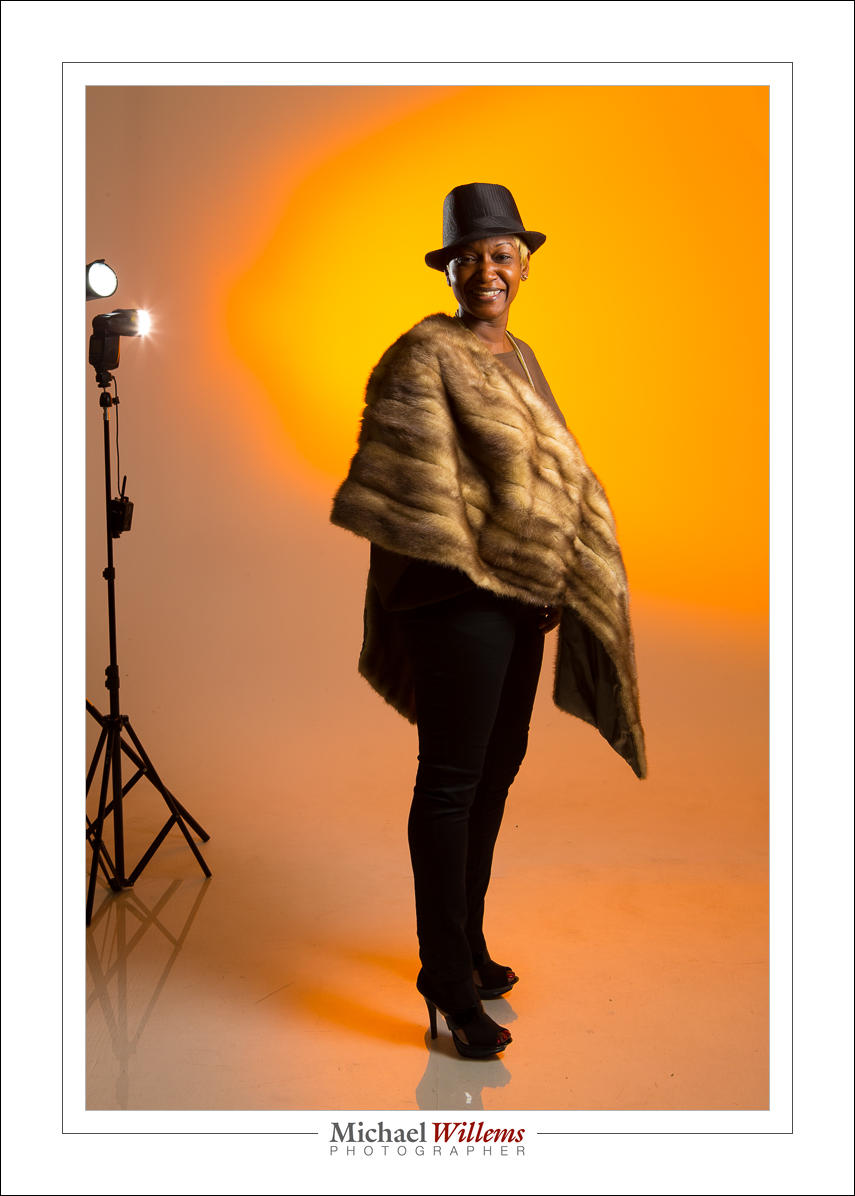
Look at these photos from yesterday’s studio lighting workshop to see how light makes a picture different.

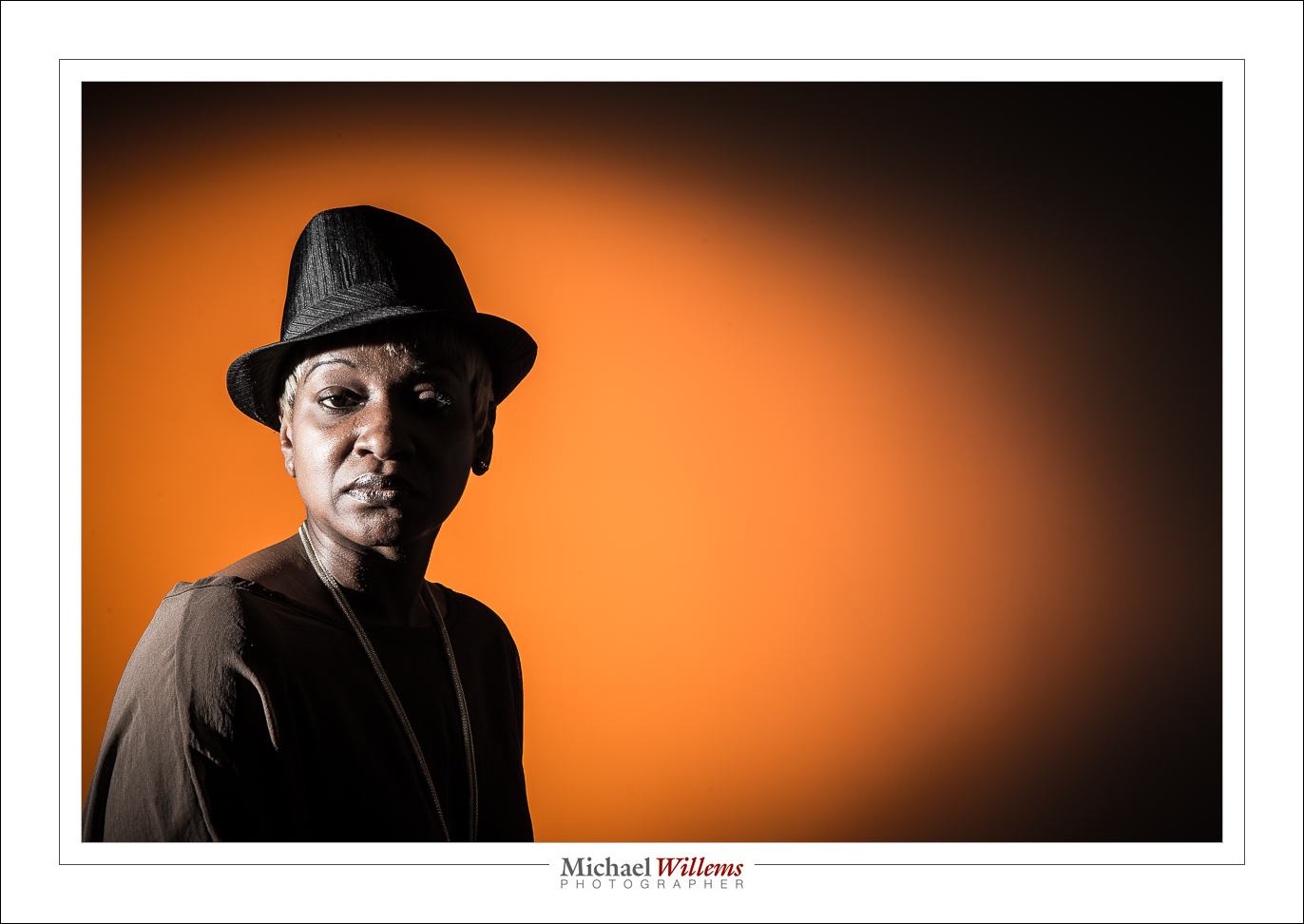
Here’s Roxy with one gridded flash on the left, giving us split lighting; and one gridded and rust-colour gelled flash aimed at the background. Both are speedlights driven by Pocketwizards and set to manual power. The image is a little desaturated; otherwise SOOC (“straight out of camera”).

Here. a softbox on our right (s small Honl photo softbox), and the same background light. Just two flashes!

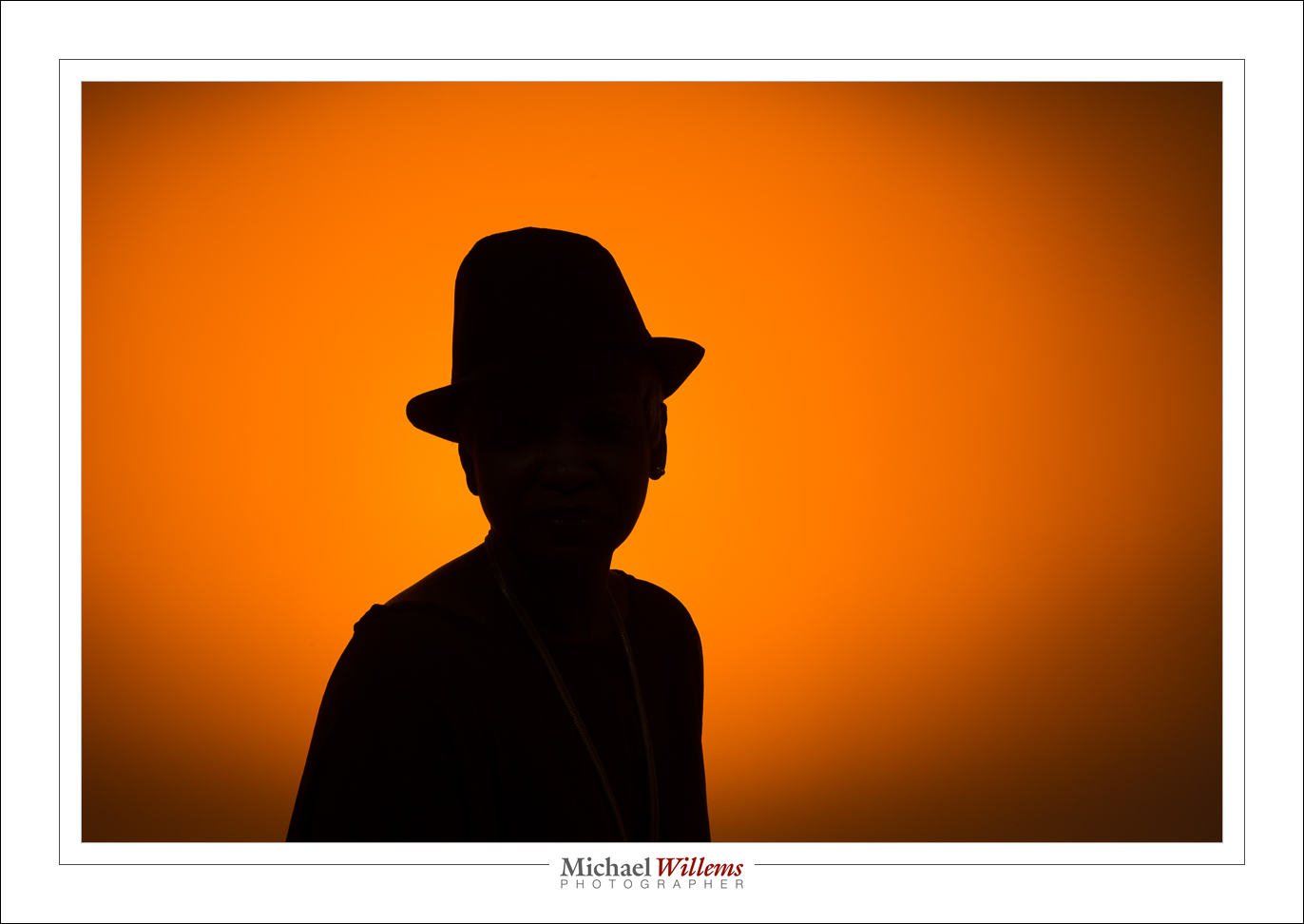
Now let’s turn off the softbox flash:

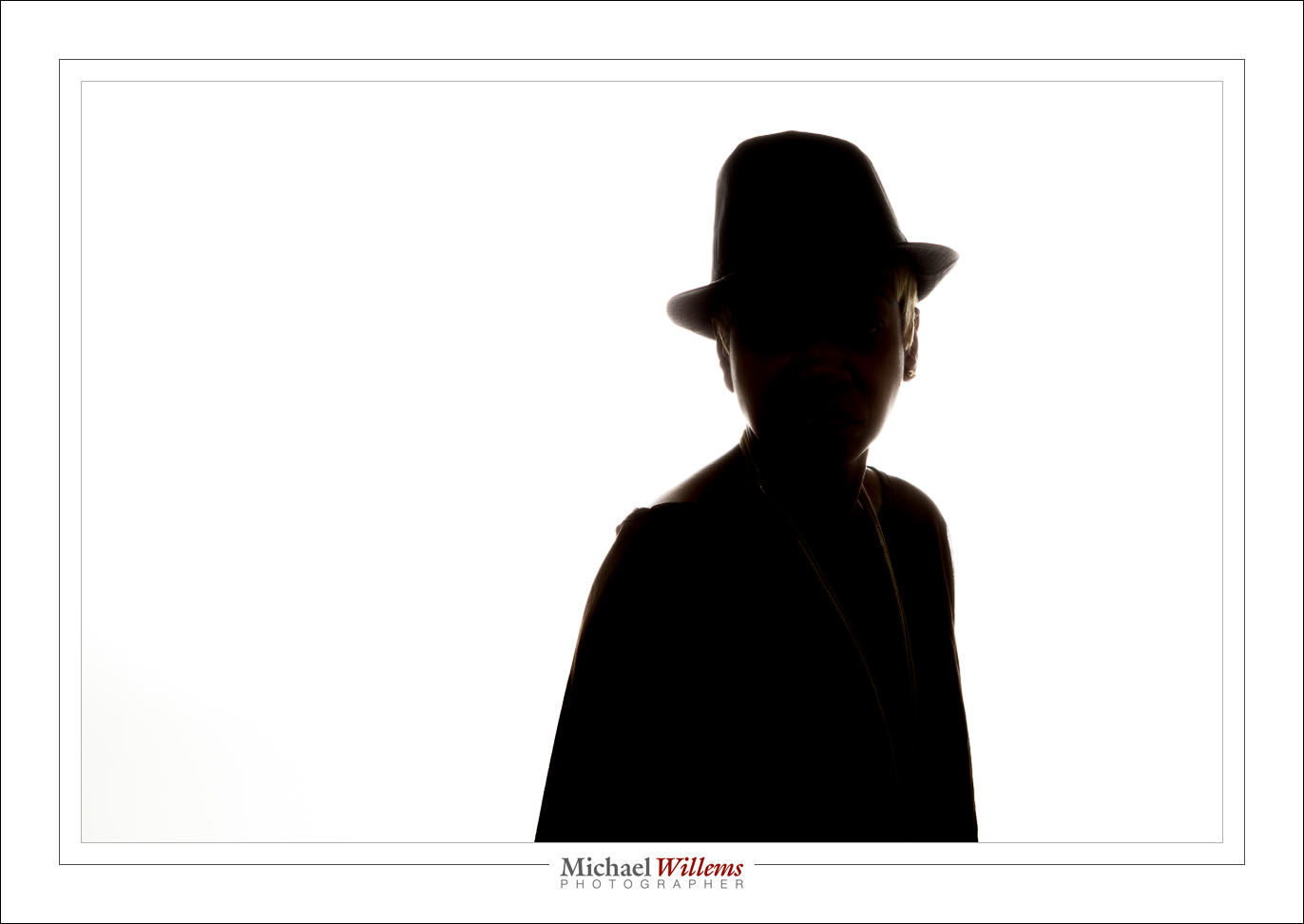
Now kets’ light up the background more, to get wraparound lighting:

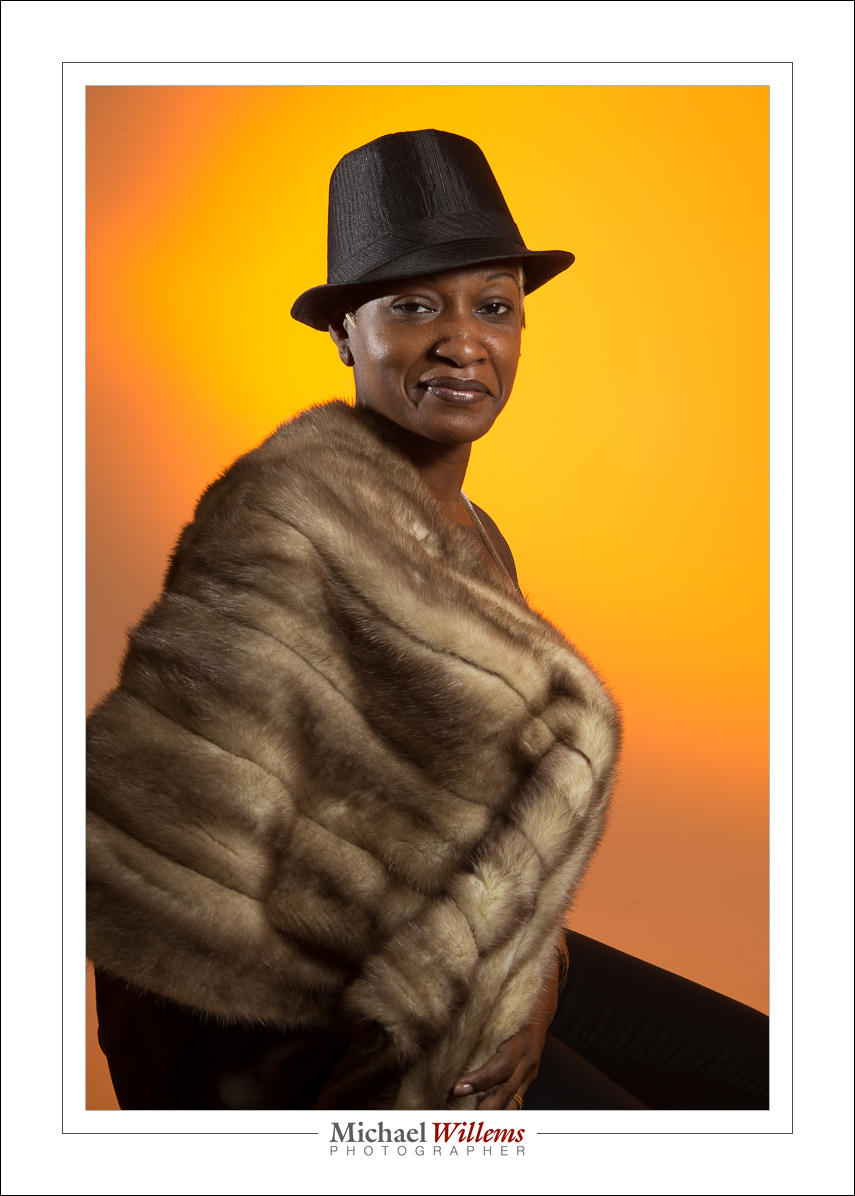
And back to normal, but now with an additional snooted flash for rim lighting on our left:

Here’s two of those flashes visible. Note also the reflection: a plexiglass sheet she is standing on. Note, I “Lightroomed” out the edges of that plexiglass, which took only seconds. Otherwise, like all, SOOC.

Can you see how each shot looks different depending just on light? It behooves you to learn about light, it really does, since with light you can translate a vision into reality. That’s what this is about!

___

Talking of learning: Season shopping? Get a personalized gift certificate for 3 hours private coaching with Michael for your loved one. Available now!


A seasonal portrait

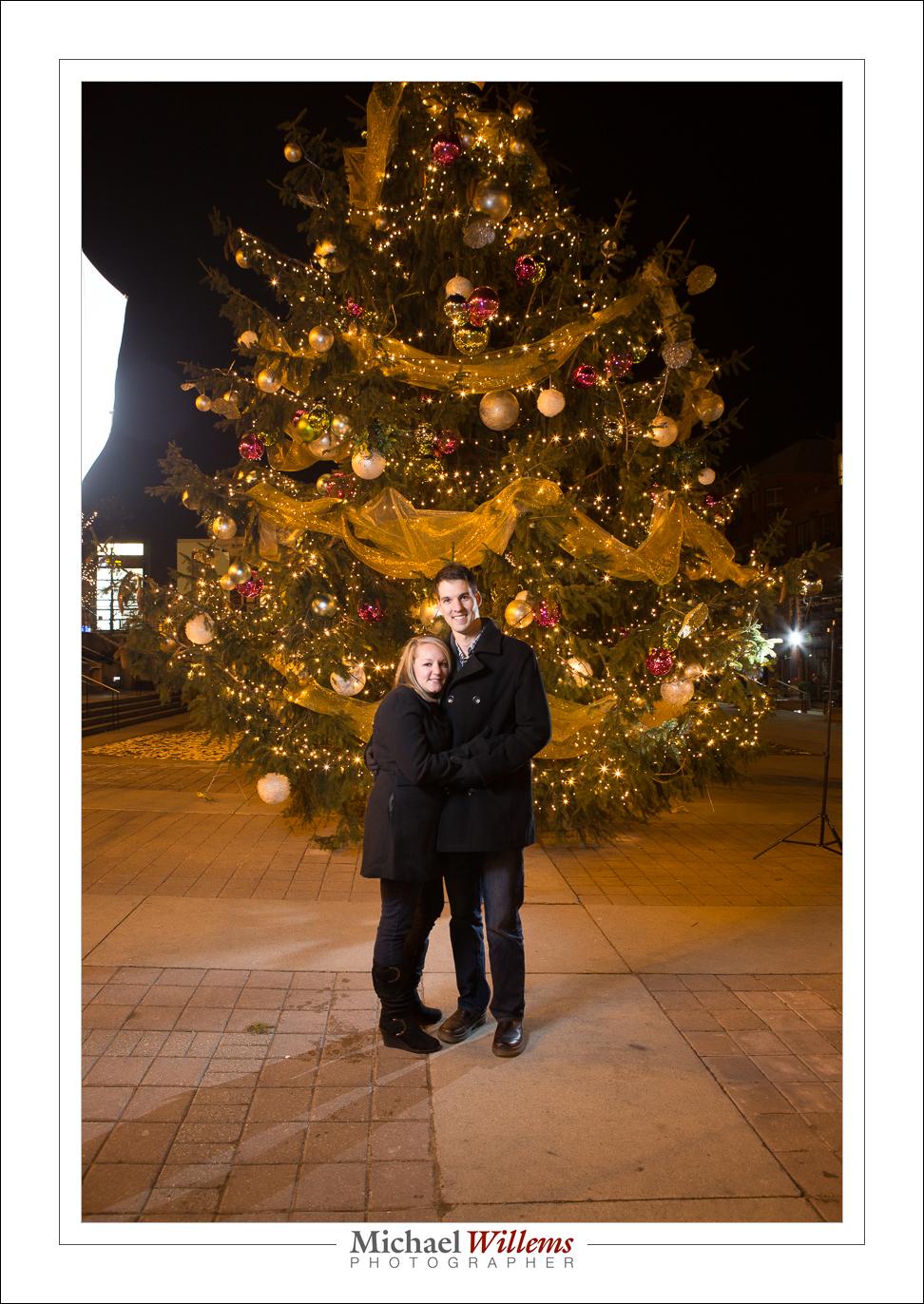
I shot a young couple’s season portrait last night. So here, the explanation of my thinking.

This couple usually shoots a fall picture, but this time, their photographer wasn’t available and they left it a little late. So they hired me, and we did a Christmas-themed picture, since I happened to have been told Oakville has a large Xmas tree.

But there was little night – a night shoot. So this meant I combined a very slow exposure with a couple of flashes. You can see them here left and right in this pullback shot (you do know you always take a pullback shot, right, so you can see later what you did?):

One on the left with an umbrella; on on the right behind the couple, fitted with a grid. Both flashes on manual, fired using pocketwizards. 1/8 power (key) and 1/4 power (fill). The resulting picture:

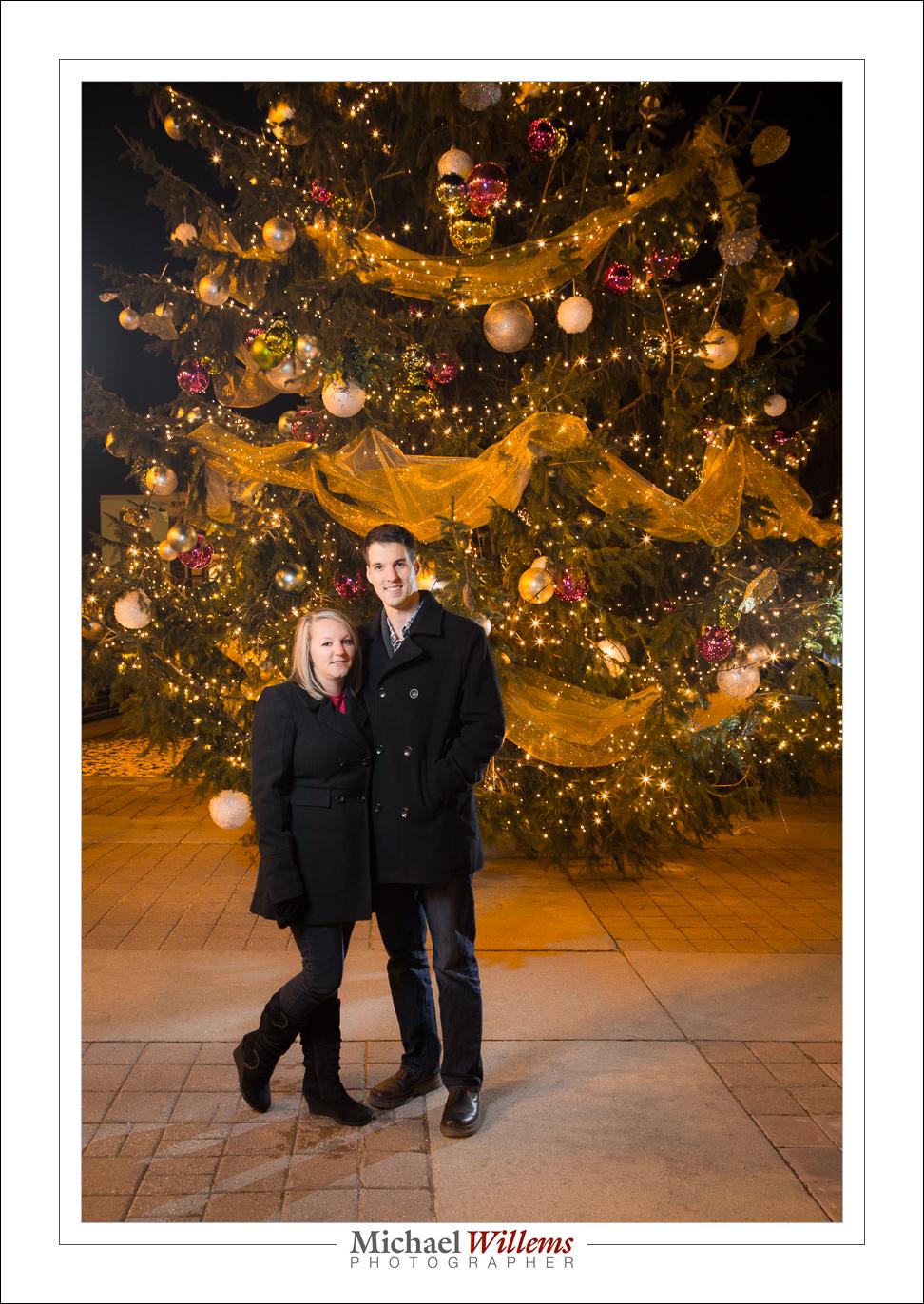
And one more, my favourite from this shoot:

I would have added more lights perhaps given time, but this was a fairly quick shoot, plus it was freezing – literally freezing, around minus 5C.  Try holding light stands at -5C. Not fun.

So I used a slow shutter: 1/4 sec at f/8 at 800 ISO. Why such a small aperture? Because I wanted depth of field. So that means a slow shutter and high-ish ISO in order to correctly expose for the tree. Then I add flash.

Note that I also tided up the ground in post, removing oil stains etc from the concrete.


Trick

You know why I want people, and especially my students, to know all about flash? Because you never know when it will be needed.

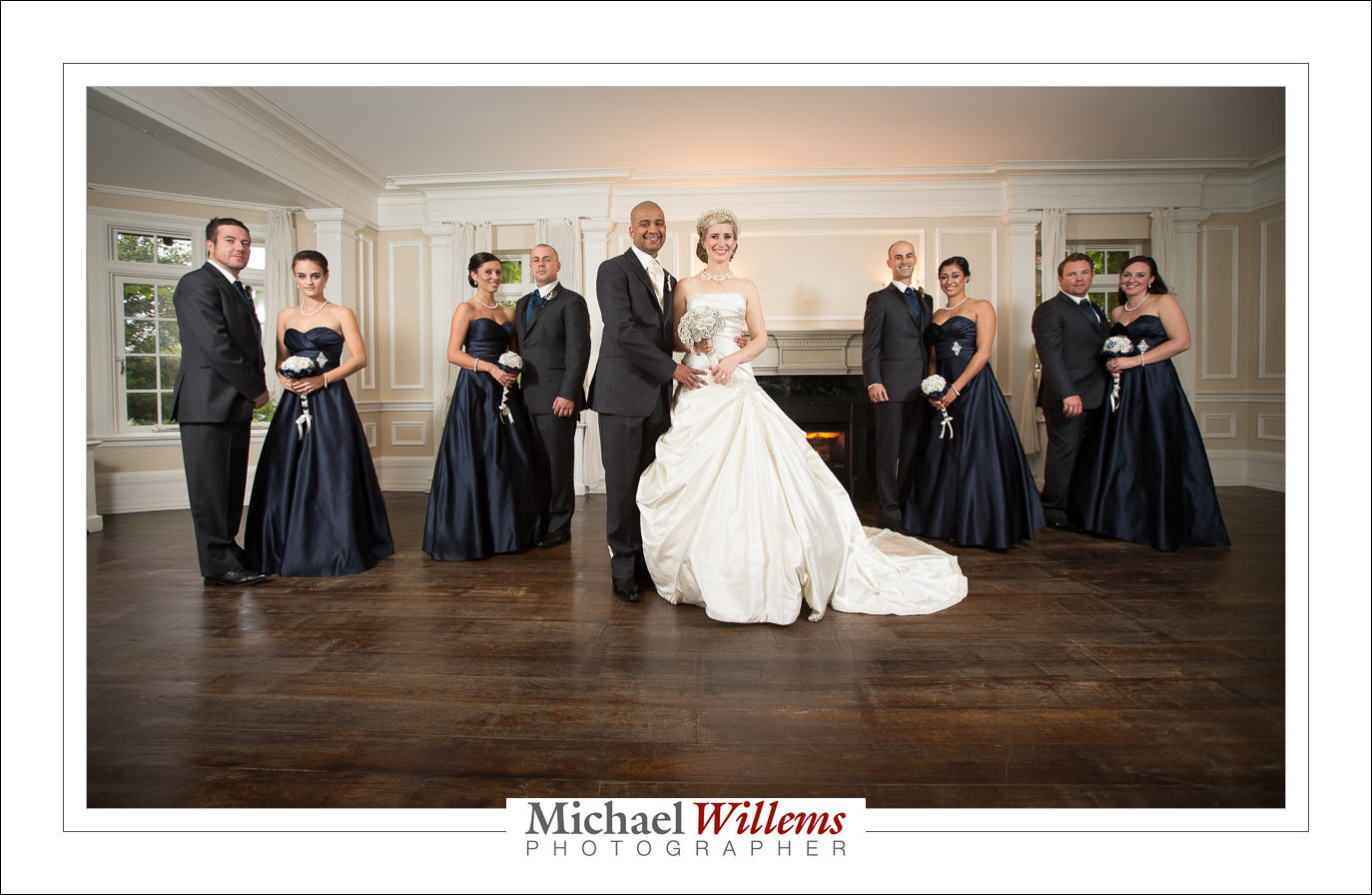
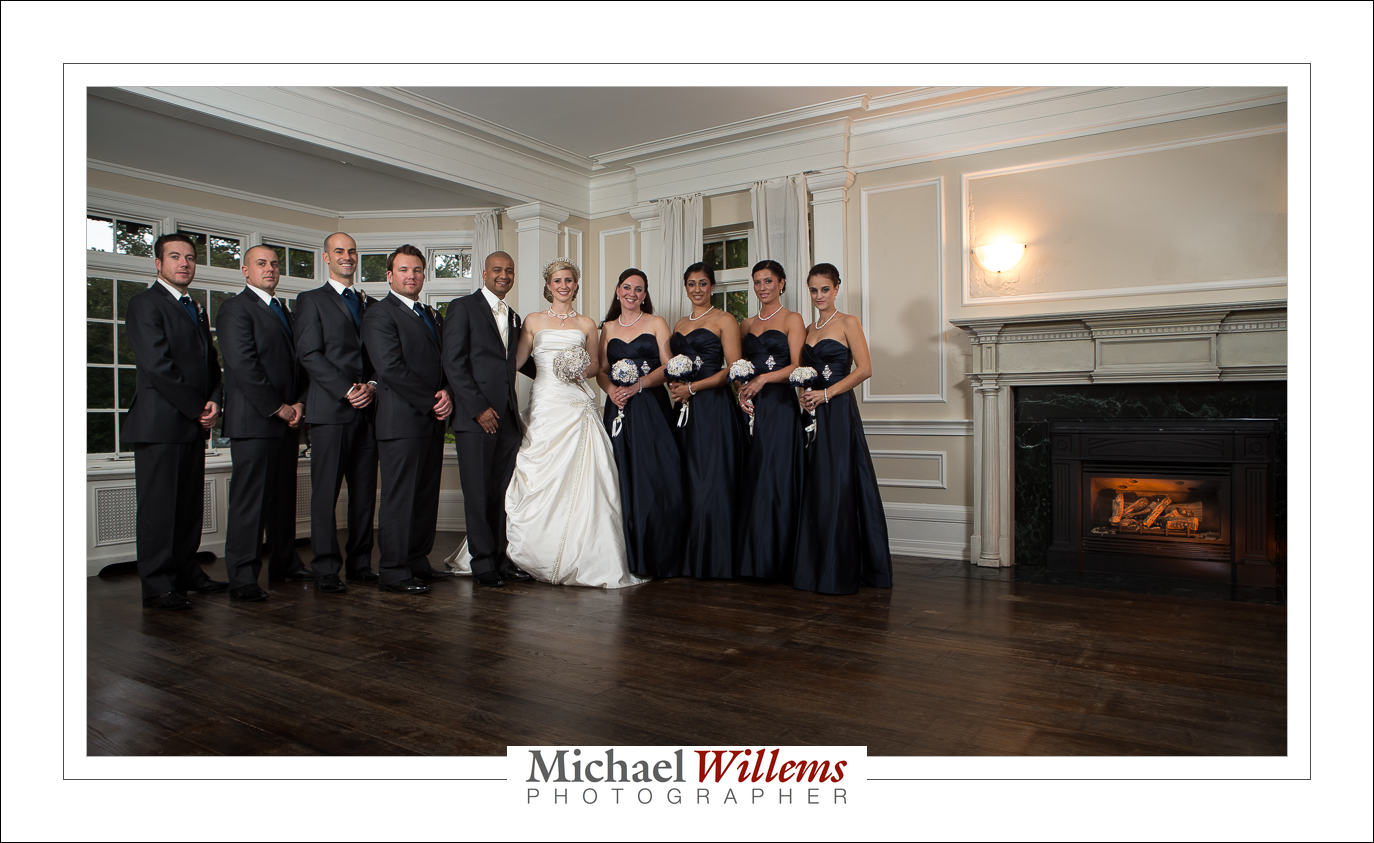
Take this shot, from the wonderful wedding of Stephanie and David on Saturday:

That nice fire in the fireplace, with its warm glow? The bride wanted the fireplace. And so we turned it on, of course.

Yeah right. There was no turning on – not possible. So that is a 430EX speedlight fitted with a snoot and a rust-colored gel (both Honl photo).

Same here:

The moral of the story: flash is not always used simply “to light a dark room”. In my world, the more common world is to do something creative. Take charge of the light, including its location and colour.


Mullets Unite

Why do you NOT normally shoot at your subjects with a flash aimed straight at them, unmodified? Especially when your subjects are in front of a wall? Especially if they are male?

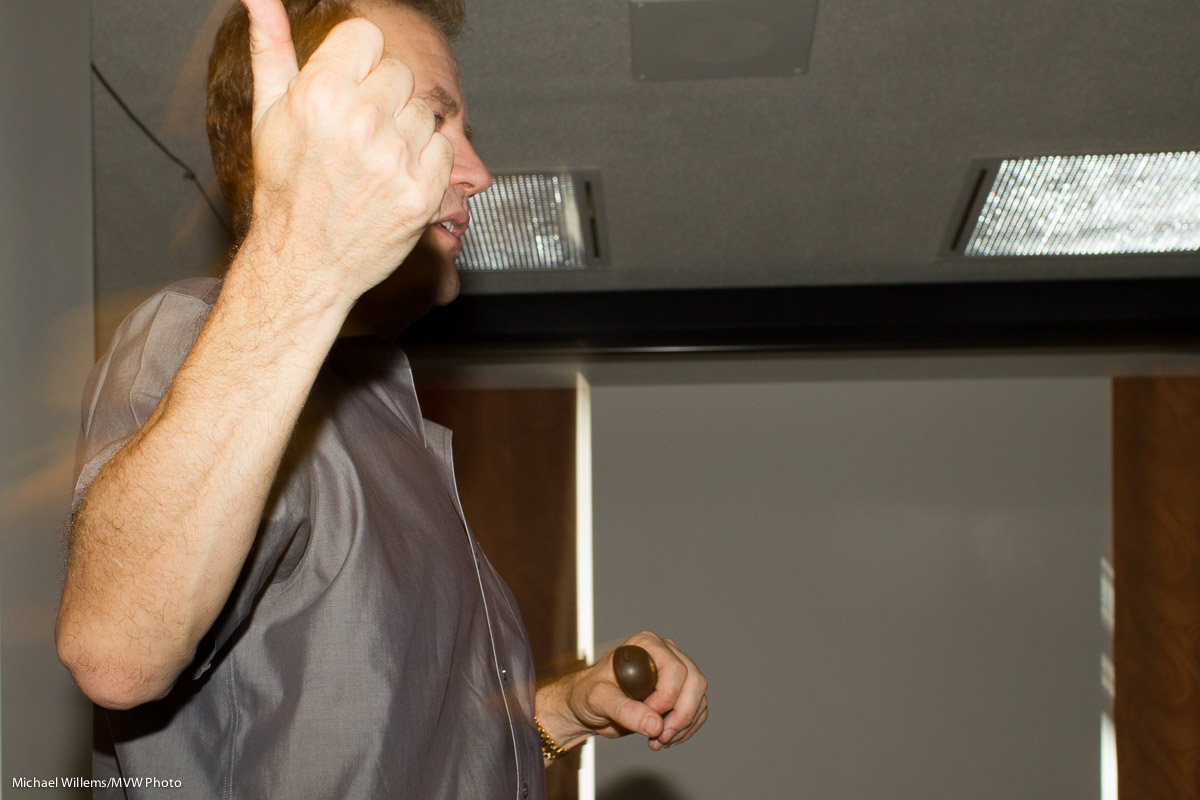
A picture in the local newspaper shows us exactly why not:

Um, yeah, that’s me there, second from left (this was at the recent art awards ceremony).

And like the three other gentlemen there, I have a “virtual mullet”, caused by the shadow thrown by our ears. Awful, and one reason people hate flash.

And yet the photographer could have easily bounced: conditions for it were prefect. But he did not know the right techniques. Ouch! So you get shiny skin, flat unnatural light, hard shadows, and mullets.

Instead, bounce the flash. Aim it up, 45 degrees behind you – depending of course on where you are, where the ceiling is, and so on. Go to 400 ISO or higher at f/4. It’s what I teach in mu courses… it’s a simple technique and I can teach everyone this. Start with what I just said, and see how that works for you. Better than the mullet shot, I am willing to bet!

___

Oakville “Flash” Courses 9/10 November: I think Saturday Nov 9 is full, but Sunday Nov 10 is still open. I am limiting the number of students in each class to no more than 4-5, so do get there first.  See the syllabus here, and book via the link at the bottom of that page – indicate your desired date!


Go Slow, Young Man (Or Woman)

When you use a flash, the shutter speed is not that important. Since the flash fires all its power in 1/1000th sec or less, it is not important whether your shutter speed is 1/200th second, or 1/100th, or 1/4 second. Only the ambient light will be affected; not the flash part.

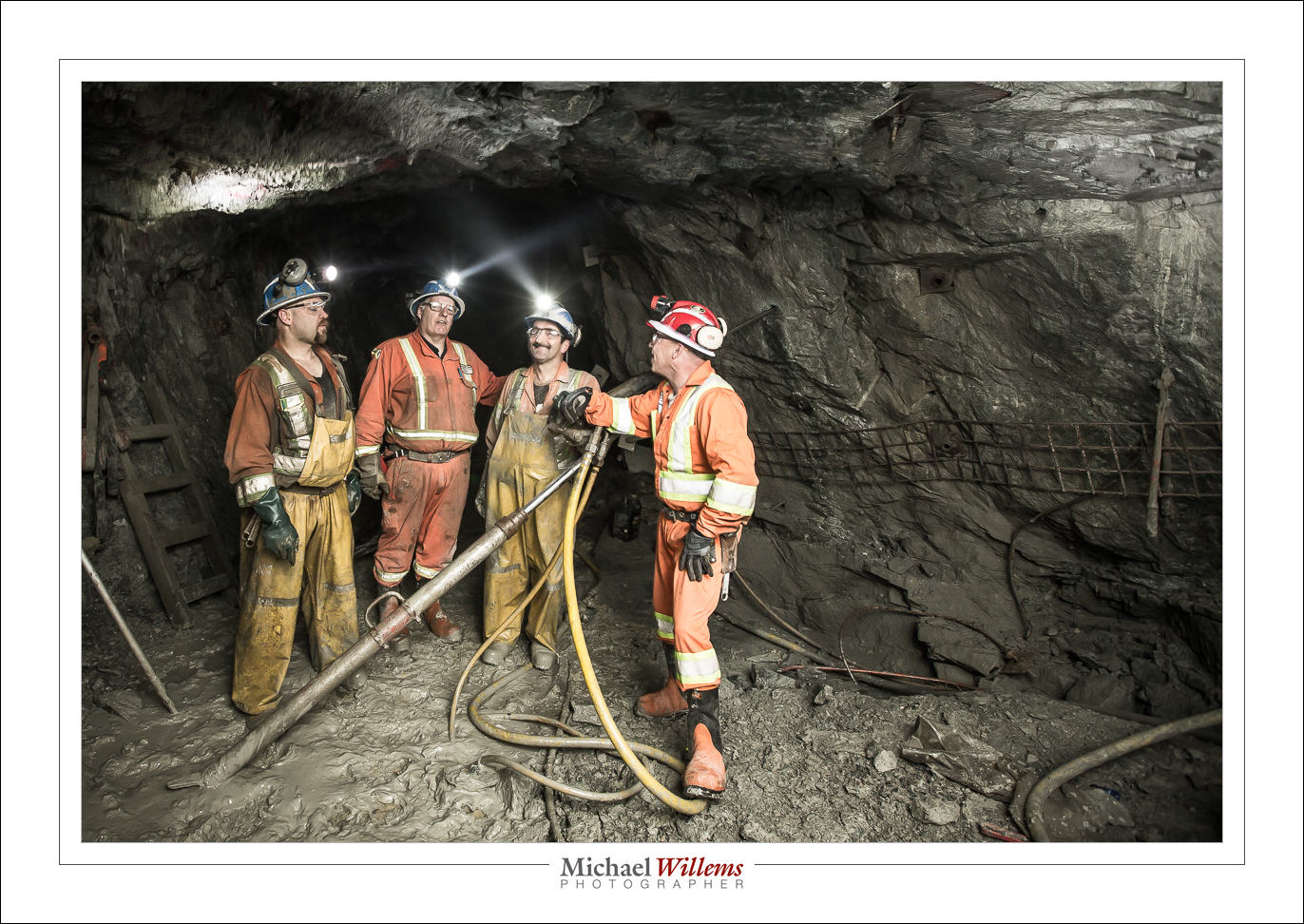
Take this, from a Goldcorp goldmine I shot earlier this year in Timmins, Ontario:

3200 ISO, f/4, and 1/4 second. Handheld.

Why so long? Because I wanted the light at the end of the tunnel to look like, well, the light at the end of the tunnel. And I needed f/4 for depth of field, hence 3200 ISO and 1/4 second.

But Michael, things will be blurry!

Not if they are lit by the flash. 1/1000th sec is 1/1000th sec! And if they are also lit by a little ambient light, then a little ghosting will appear, mainly in the moving parts:

But that is still better than not having any background light. So I shot the goldmine at slow shutter speed, and you should feel free to try the same. Here I did it to capture the hard hat lights:

Use a wider lens, and go slow, even very slow, any time you are using flash and it’s mainly flash lighting the important bits!


Anatomy of a portrait

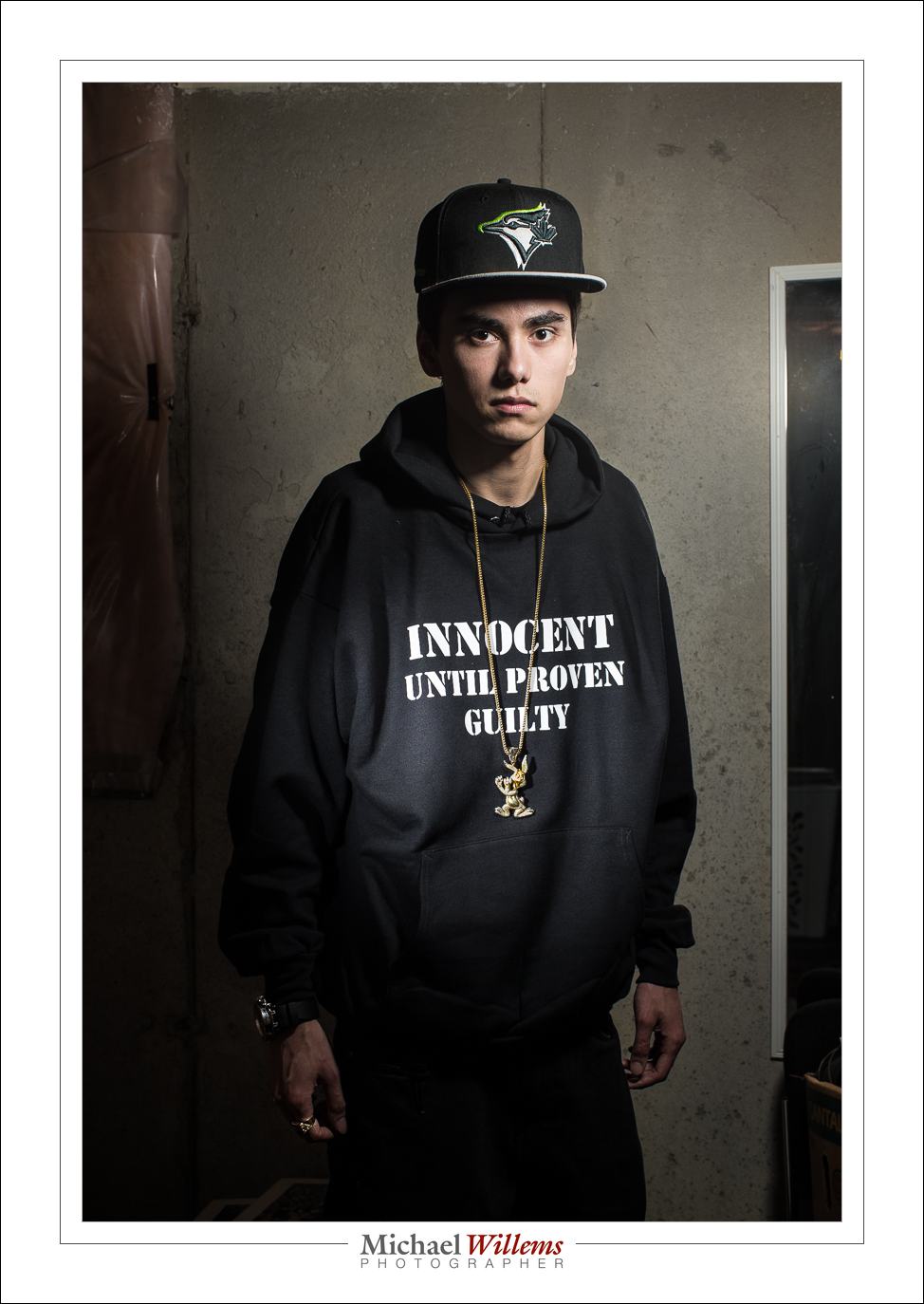
My younger son, who is a rapper, told me tonight, on his birthday, that he needed  a new portrait for publicity for his new album. So I obliged, before cooking dinner and while simultaneously doing laundry. Here he is:
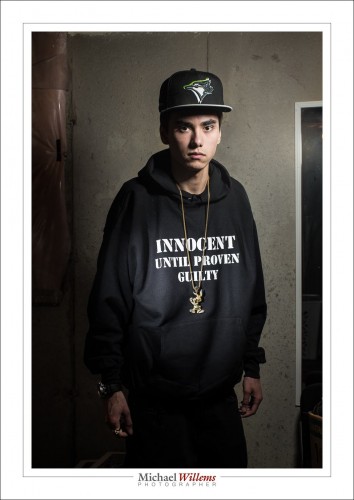
That image took maybe twenty minutes, half an hour tops – but a lot of experience and thinking and equipment goes into a portrait like that.

First, what is required? We discussed, and he clearly wanted a serious, dramatic, look. In a grungy setting. The T-shirt text and the bling should be clearly legible and visible, respectively.  So OK – the briefing being clear, I used the basement studio, and freed just enough space to do a half body portrait.

Then the light. Speed was of the essence: I was about to make dinner. So I used speedlights. First, I set up a light stand with a 430EX flash set to manual, 1/4 power, and driven by a pocketwizard. I equipped it with a Honl photo 8″ softbox. I feathered the softbox to get the right amount of drama in the light, and to get Loop Lighting, almost Rembrandt Lighting, on his face.

The camera was a 1Dx with a 50mm f/1.2 lens, set to 1/125th sec, f/11, 100 ISO. I knew the 50 was perfect for a half body portrait in a small space.

I tried, and the photos were OK:

Not too bad, but we wanted a little more emphasis on the writing. And more texture of the shirt. And clearly visible bling. So I added a second speedlight, this time with a 1/8″ grid, for a tight line of light, and aimed that at the shirt. Also equipped with a pocketwizard, and set to lower power (1/16th). Not having had time to prepare, I took my time finding things like cables and a bracket that fit the flash – all part of the fun.

I set the lights to the camera’s desired settings of, if you recall, 1/125th sec, 100 ISO, f/11. I used a light meter to verify that.

And there you have it. A few pictures – I took a total of 30, and we chose his preferred one, the one at the top. I could have done the light thing, the vignetting, in post, but call me crazy: I call that cheating if I could have done it in camera.

As a result, almost nothing needed to be done in post, but that still takes time: selecting, removing the odd bit of dust, any perspective correction, and so on.

Total time taken, as said, less than half an hour including getting things ready, setting up lights, moving stuff, and the entire discussion and post work. But that’s only because I have done this before. Experience is important. The good news: you can gain experience too and it costs very little.


___

If you want to learn, and you live near Oakville, Ontario: evening Flash course on 3 Oct, and 5-evening course with a weekly evening lesson starting  2 Oct. – both these small courses have open places still.

 

Back Yard

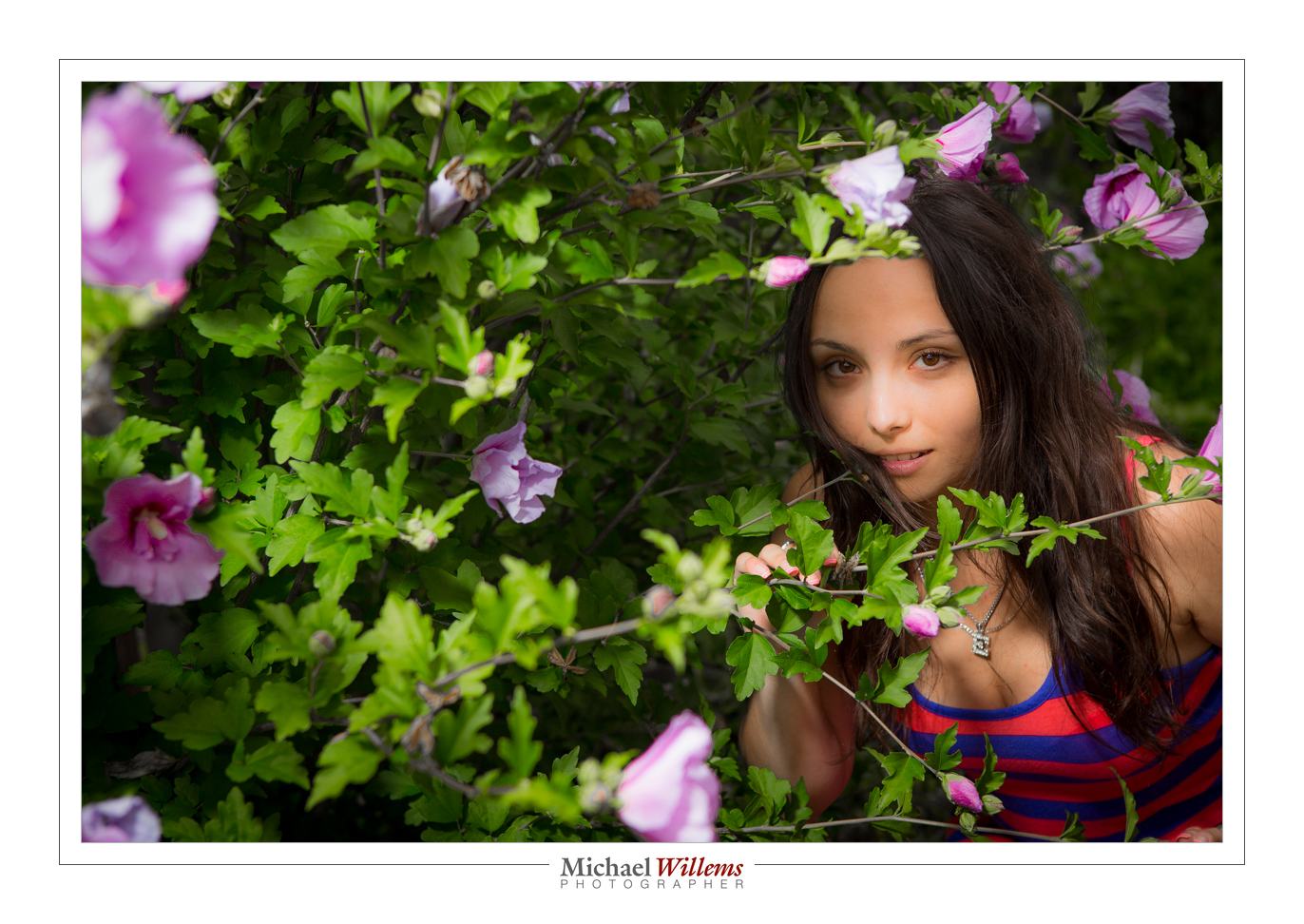
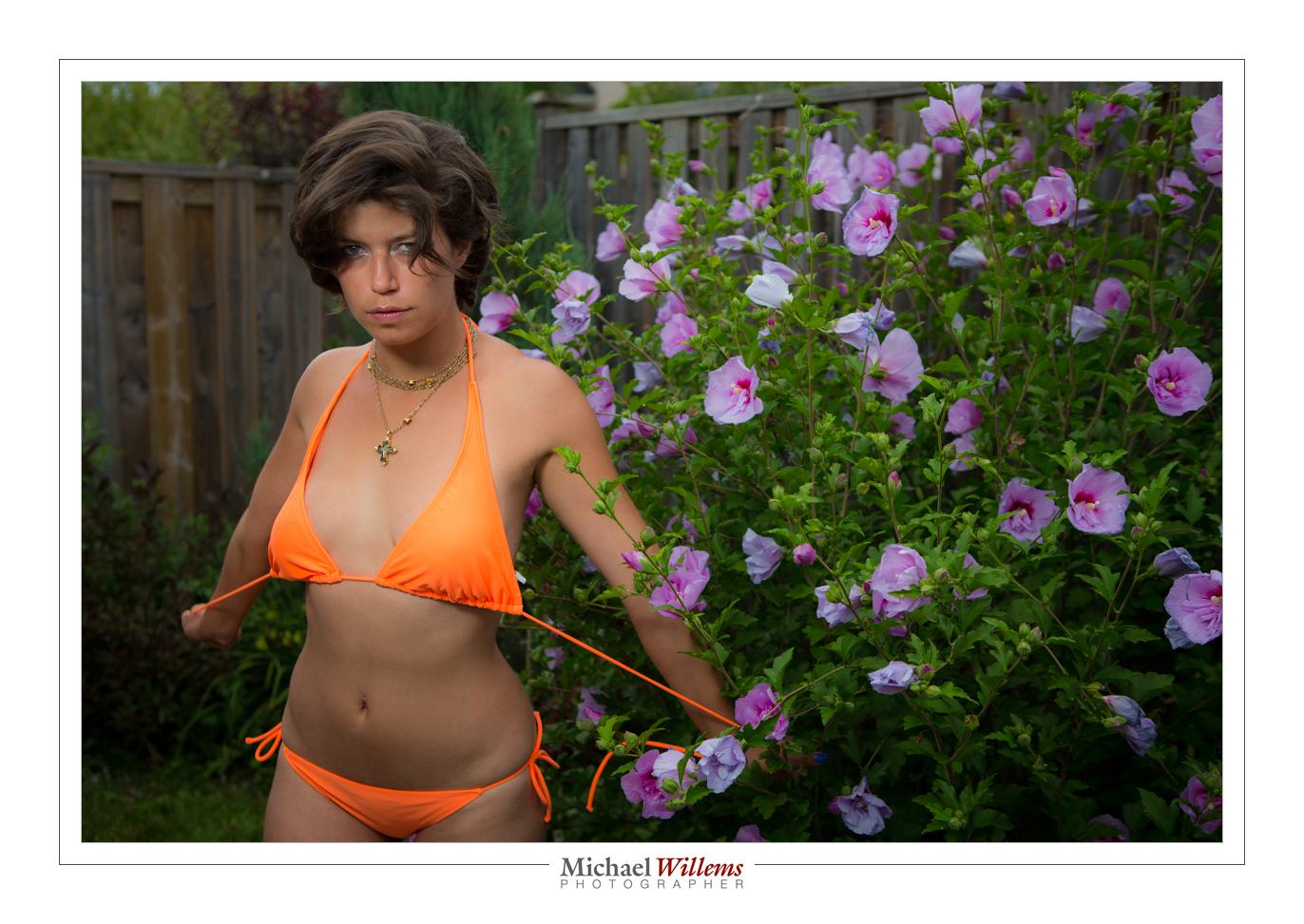
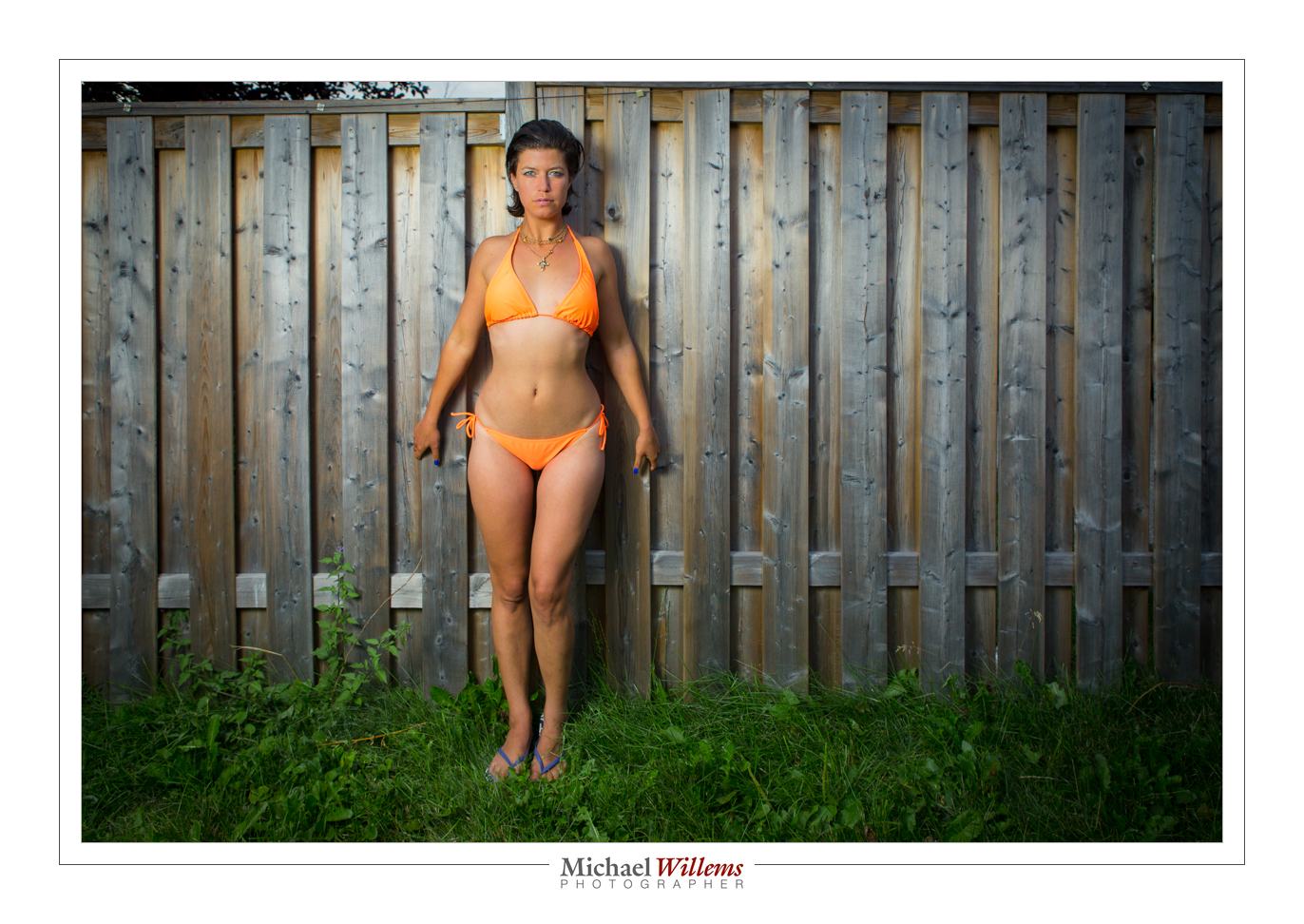
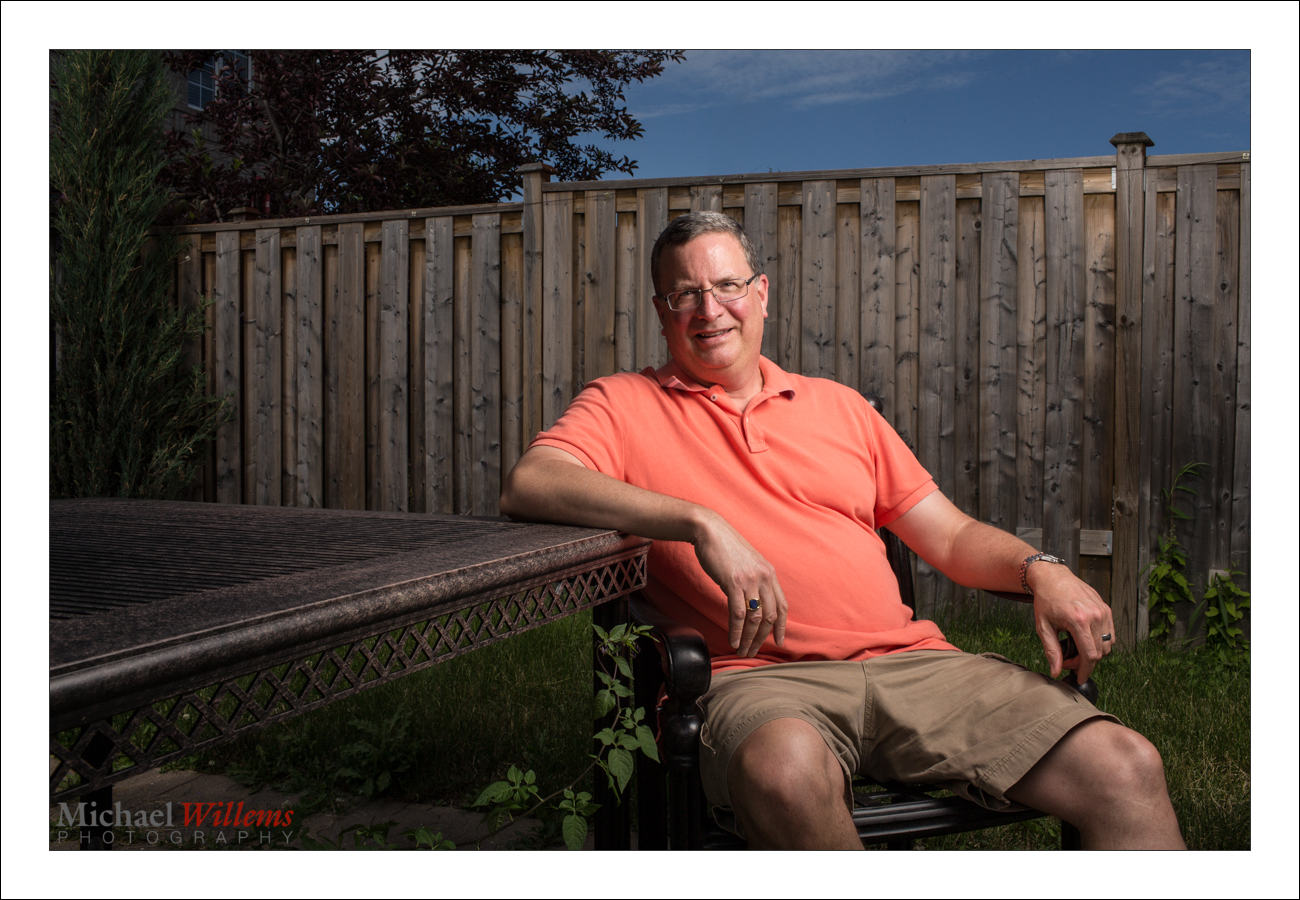
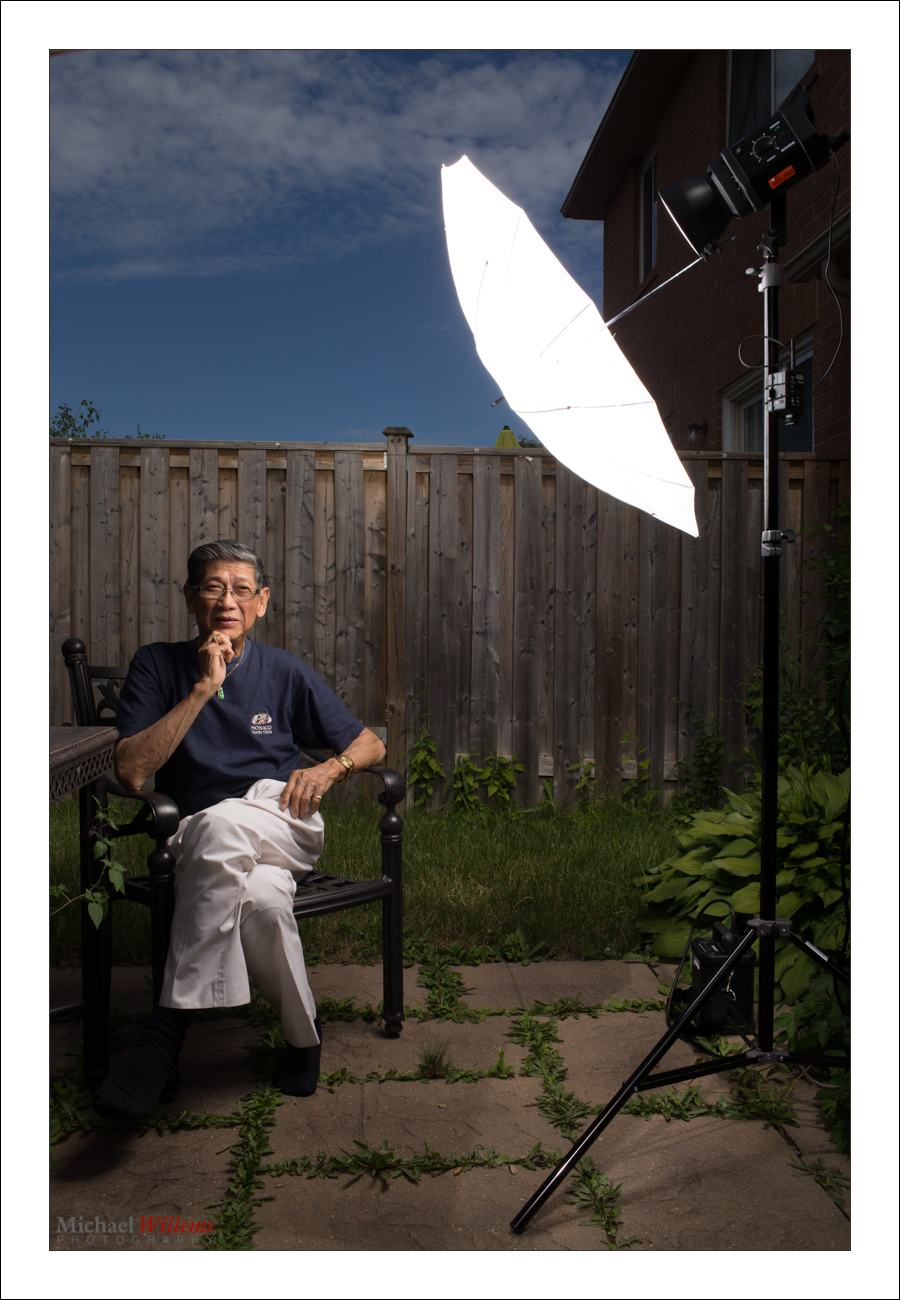
You can take nice pictures in the back yard. Like this one of yesterday:

To do this, you need:

  • An SLR camera with manual mode.
  • Off-camera flash: e.g. a remote flash in TTL mode fired by your camera’s pop-up, for many cameras, or by a 580EX/600EX/SB-900/etc on the camera; or a remote flash in manual mode fired with Pocketwizards.
  • Perhaps a modifier, like an umbrella or a small softbox.
  • A light stand and bracket to mount all the above.

So the equipment is relatively simple. And the use? Not so difficult either. Let me repeat how you do this.

First we set the exposure of ambient part of the image (the “background”):

  1. Camera on MANUAL mode
  2. ISO: Set to 100 ISO
  3. Shutter: Set to 1/250th sec
  4. Aperture: Start at f/5.6 if it is overcast. Or if it is brighter, go up to f/8, f/11, even f/16. Trial and error can work: you simply go as high as you need to get a darker background (for instance, on a sunny day, f/5.6 or f./8 will give you a way too bright background). For me, a “darker” background is -2 stops. If you like less drama, -1 stop is OK.

That’s the background done.

What about the foreground?

If the aperture you need to get to a darker background is f/8 or a smaller number, and your flash is close to the subject, you can probably use an umbrella or softbox. If it is f/11 or higher number, you will possibly need to use direct flash, unmodified, since a modifier loses power.

All I did was add a little vignetting and some minor tweaking.

Easy once you get the hang of this. And I can help in many ways. One of those ways: Aug 18-22 you get the chance to learn from me in a very intensive 5-day workshop at the annual Niagara School of Imaging, held at Brock University. There are still a few spots open: book now if you dig flash as much as I do.


Recipe, another

Yesterday’s recipe was the “Willems 400-40-4 rule” for indoors flash shots.

Today, another one. Say that you want to go outside for a saturated colour flash shot like this, on a fully sunny day at noon.

So for that you need a flash with a modifier. I used a strobe, but you can use speedlights if you are willing to fire them at high power and have them close to your subject.

Here’s my strobe:

Now follow my logic.

Step One: ISO and Shutter. The sun is bright and I am competing with it. So to cut the sun, I will be at low ISO (meaning at 100 ISO, the minimum) and high shutter speed (1/200th sec, the fastest sync speed for many cameras). This is a given, an “always” starting point: by default. sunny day means 100 ISO and 1/200th sec).

Step Two: Aperture. At that speed, a “normal” exposure would be f/11 (this is the Sunny Sixteen Rule in practice – look this up on this blog – yes, there is a reason I teach you all this stuff. At 200 ISO it would be f/16 “sunny sixteen”, so at 100 ISO, we’d need f/11.). So we arrive at 1/200th sec, 100 ISO, and f/11… this looks like this:

But wait – I want that background darker, to get saturated colour as in the first shot, not light as in the second shot. So we go to at least f/16, one stop darker than “sunny sixteen”. Now, indeed the background is darker.

Step three: Flash power. Now we adjust the flash to give us enough power to get to f/16. If we are using a small flash, that means no modifier (loses too much light); if using a strobe, we adjust it until the brightness matches f/16. Use a meter, or use trial and error.

So the method was:

  1. Set low ISO and fast shutter;
  2. Decide on aperture you want;
  3. Set flash to match that aperture.

And to this, we add:

  1. Use a modified flash if you can – like shooting through an umbrella, as I am doing here. But modifying loses power, so you may need a direct flash, or have the flash very close to the subject.
  2. Use off-centre composition (avoid the centre – use the Rule of Thirds).
  3. See if you can get diagonals included to lead into the image and give it depth.
  4. Avoid direct sunlight on the subject’s face: it shows wrinkles and it causes squinting. Sun from behind gives you “shampooey goodness” instead: much better.
  5. See if you can angle the flash w.r.t. the subject, off to the side, and turn the subject into that flash. Also raise the flash 45 degrees (looks natural and you see no glasses reflections).
  6. See if you can get lucky and include all three primaries, red (-ish); green and blue, in the image. If so, you have a good image!

Let’s see that image again. Click on it and click through to see the original image at full size:

That looks like a photoshopped image, and yet it is not – it is the way I shot it in the camera. yes… and I can teach you the same – it really is simple, once you get the idea.

___

The Pro Flash Manual e-book is designed to teach all this and much, much more, and it dovetails into this site and into my classes. Learn about both these e-books here on my web site. Want to learn? Check out www.cameratraining.ca as well.


Reader Question

Today, reader Rita asks:

I was wondering if you might have some insight into this issue I’m having.

Shooting with Nikon D800. Off camera speed lights  – SB900 and SB800. Using Pocket Wizard – TT5s on the speedlights, TT1 on the camera, along with AC3 to control light coming out of speedlights. (zone controller).

The issue that I’m having (even on full batteries) is the delay. When I press the shutter, the shutter doesn’t actually release until well after my finger has stopped pressing the shutter. It’s worse than a point and shoot!

I was with Sal Cincotta on a workshop and he was shocked! He shoots Canon, and didn’t have a solution. Have you heard of this? Am I doing something wrong?

Rita followed up by saying she wanted the non-TTL Pocketwizards, but they were not available; and she is using second-curtain shutter sync.

Good question. OK, let’s start at the beginning. No, I doubt very much that you are doing anything wrong.

A "Manual Only" Pocketwizard connected to a Canon flash via a flashzebra.com cable

Yes, Pocketwizards need time to send all those pesky TTL signals back and forth (“group one: fire preflash. Now, group 2: fire preflash. Now the real flashes” – etc). Hence, there is extra delay.

When you are using multiple group TTL (group A, group B, etc), this is even more noticeable; and second-curtain sync, especially if you are using a slower shutter speed, will make it even worse. And Nikon is noticeably slower than Canon – even using normal light-driven TTL, on a Nikon most people can see two flashes, while on a Canon, you perceive the two flashes as one since they are very close together.

I have not tried the Nikon version of the TTL Pocketwizards, so I cannot say – but I am not surprised to hear you say this, alas.

Here’s my take on it.

First, I think these TTL Pocketwizards are too ambitious. The engineers who make them have to reverse-engineer the secret Canon and Nikon commands: not a recipe for great technology. Which is why the Canon version took several years to become reliable. And the Nikon version followed the Canon version, i.e. is less mature.

Second: I will never consider any device that uses “special” batteries, if there is an alternative. One of the biggest selling points about the regular PWs is that they use regular AA batteries, not special AAA123 batteries or whatever they are called, that cost $10 and are impossible to find anywhere. End of story, for me.

Third: when I do complex off camera flash, I prefer to use manual flash power settings anyway, meaning I do not need TT1/TT5 Pocketwizards and can now buy the $99 simple model.

So – Rita, while it is possible there is an issue of some sort, I fear that this may just be the inherent drawbacks in your system. But here is what I would check:

  1. Have you ensured that both your camera and the PW’s have the most recent firmware?
  2. Try without rear curtain sync, and with a fast enough shutter speed -what was it, in your case?
  3. Make sure there is a good path from transmitter to receiver and they are close together (for the test, anyway)
  4. Ensure that you have fresh batteries in everything, flashes and PW’s and camera.
  5. Set the PWs to the old channels. This might well help.
  6. Try using manual focus, just in case.
  7. Ensure you have a fresh, formatted memory card, and if necessary, reset your camera to defaults, to eliminate anything else.


Does that make any difference? If not – ask PW support for specs (what is normal?), and if that is too slow, as I fear it may be, then sell the TT1/TT5s and buy some of the new $99 ones. Extra benefit: You will then be able to use any flash (Canon, Nikon, Minolta) that has manual power settings!

___

LEARN WITH ME – NOW!

  • Who is coming to Oakville this Sunday, noon-4pm, for a Flash course?
  • Who is spending five days in my course at Brock University this August (the Niagara School of Imaging)? There’s still space and my “demystifying digital flash” course is on, so book now! Here’s a video about this course: [click here]


An interesting day!

Today marked the release of my second book – this one on Flash Photography.

In many ways this is an opus magnum: it is my main area of special expertise, and I spent years thinking about how to teach this most effectively. And how to compress a world of knowledge into 123 pages. I think I succeeded. Sales have been good, which I am delighted about, because so many more people will learn how to use their flash.

Here’s the link. And there’s a discount if you get both books. Let me know what you think.

Why flash? Because it is a way to control light. There is no such thing as “flash photography”, really: there is just “photography including flash”.

A picture like the one below looks like it is all Photoshop. In fact, the post editing was minimal: desaturation, and a little clarity. The rest is simply this: the use of an off-camera flash on our right into an umbrella. That allowed me to make the background darker and hence, saturated, so the model looks three-dimensional and “real”.

The technique is really rather simple, once you know it. Here’s your checklist:

  • Camera set to Manual mode.
  • 100 ISO.
  • 1/250th second.
  • Aperture as needed to get an exposure of “minus 1 – minus 2 stops” on the meter (f/8-f/13 depending on how bright it is outside).
  • Use an off-camera flash – your on-camera flash, if present, should do nothing except tell the off-camera flash what to do.

That’s all, and now you get wonderful light, and plenty of modeling – meaning, objects take on a three-dimensional shape. Without flash, this would simply not be possible.

And that is just one lesson from the book. Learning flash, however you do it, makes sense: if you prefer available light, I suggest you try techniques like this, and then you tell me which light you prefer. Saying “I don’t use flash” is like saying “I like to a priori restrict my light opportunities”.