The UK is notorious for restricting news and photography freedoms. It has the stricted libel laws, where the accused has to prove he is not libeling. It has an “official secrets act”. It has a culture of “it’s forbidden unless it is allowed”.

In that background, this is interesting. There is a lot of unrest in the UK as terrorism laws are being used to stop ordinary people from taking any photos.

Policing and Crime Minister David Hanson MP said, in a statement today:

“I recently met with Austin Mitchell MP, members of the Parliamentary All Party Photography Group and representatives of the photographic press and the Royal Photographic Society to discuss the issue of counter terrorism powers and offences in relation to photography.

“I welcomed the opportunity to reassure all those concerned with this issue that we have no intention of Section 44 or Section 58A being used to stop ordinary people taking photos or to curtail legitimate journalistic activity.

“Guidance has been provided to all police forces advising that these powers and offences should not be used to stop innocent member of the public, tourists or responsible journalists from taking photographs.

“These powers and offences are intended to help protect the public and those on the front line of our counter terrorism operations from terrorist attack. For the 58A offence to be committed, the information is of a kind likely to be useful to a person committing or preparing an act of terrorism.

“I have committed to writing to Austin Mitchell MP to reinforce this message and to follow-up on the representations made to me at today’s meeting.”

This is interesting not for what it does to reassure, but for how it fails to. What is “legitimate” journalistic activity? What are “responsible” journalists? How do I become one? By never photographing anything critical of the government, one assumes?

This sounds like a press release from the Soviet Union: they used the same waffle language. The UK, I fear, is not about to become easier for photographers.

Turn on, tune in, drop out?

Tip: You do not need to keep constantly turning your camera off and on.

When it times out, it uses the same minimal amount of current as when you switch it “off”, which is not off either.

So unless you are putting it way for the day or are putting it into the bag, just leave it on and wake it up with a light touch of the shutter button when you want to use it again.

Shot of the day

…of yesterday, that is:

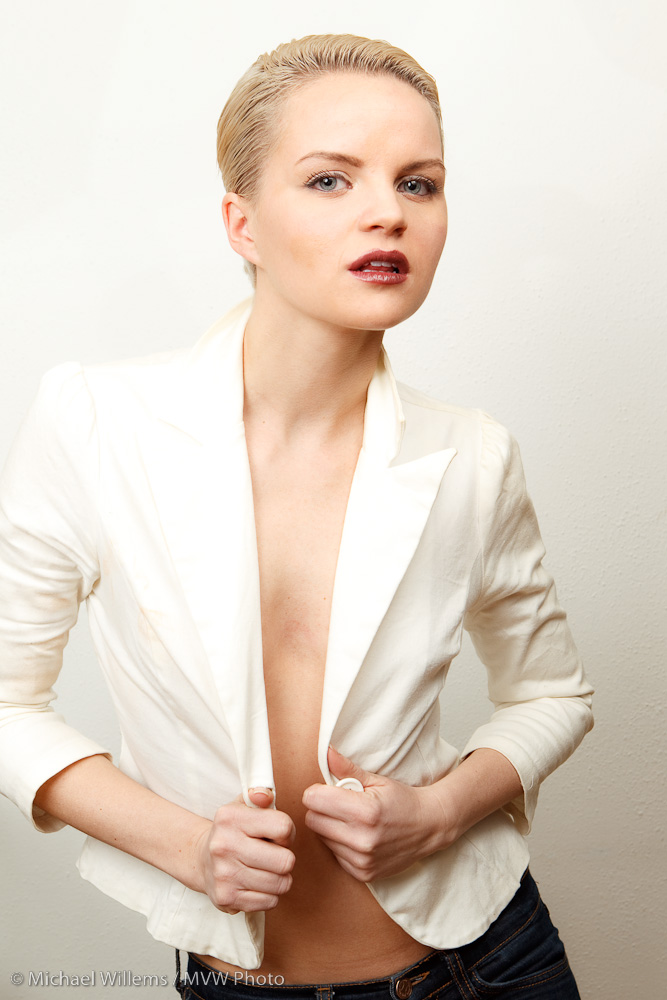
I used my 1D MarkIV, and light was two direct speedlights with Pocketwizards on the left and right (full power), and one behind me for fill (also direct, but on half flash power).

How this is done is something I will explain more on the weekend lighting workshop I am holding, with Joseph Marranca, at my country retreat in early April. Details to follow!

Dark trick

A trick from the dark side.

When you have to shoot in low light, and I mean super-super low light (think f/1.4 at 1/15th sec at 3200 ISO), you can underexpose and pull up the image later.

This introduces nice (grain).

So then you… and here’s the trick…..Convert it to black and white.

Noise looks OK in black and white, and muddy colour disappears.

So sometimes b&w just means “it wasn’t good enough for colour”.

And then, sometimes an images just looks better in b&w.

Clarity, or lack thereof

If you have ever wondered why you can’t read camera manuals: it’s not you. It’s the manual.

I am just reading an explanatory manual to my 1D Mark IV. This manual is meant to clarify the manual.

So does it? I quote:

When tracking sensitivity is set to slow (option -2) the length of time that objects entering the AF point are viewed as obstructions will be longer than when set to the intermediate slow option (-1). So, when the time a subject is hidden behind an obstruction is brief (long means about”0.X”sec.), this setting can be highly effective.
For example, when shooting events like breast stroke and butterfly in swimming, with repetitive patterns such as the swimmer going in and out of the water at regular intervals, the slow option (-2) setting can often be effective.
Depending on how long the subject is hidden, it will be best to distinguish between the intermediate slow option (-1) when the time hidden is shorter, and slow option (-2), when it is slightly longer.

Good God. That is so unclear. How about:

You can set “tracking sensitivity” to “slow” (option -2). If you do this, the camera will wait a while before it switches focus to an object that enters between you and the object you were focusing on.

This setting of -2 is good in a situation where objects tend to appear between you and your subject for, say, between 1/10th of a second and a full second. If objects only appear for under 1/10th of a second each time, you can also choose “intermediate slow” (-1).

For example, you can choose one of these settings when shooting events like breast stroke and butterfly in swimming, where a swimmer goes in and out of the water at regular intervals.

Choose the “slow” option (-2) setting if the swimmer disappears under water for longer periods each time. If the swimmer only disappears for short periods each time, you should choose “intermediate slow” (-1).

That’s how I would write that. Clarity, guys!

Why is it “Register Settings” and “Apply Settings”? Why not just “Save Settings” and “Load Settings”? That would be a lot more clear.. what does “register” mean?

Maybe we should communally rewrite all of Canon’s manuals. And Nikon’s, and the rest.

dpi/lpi versus pixels

I keep hearing people say “I want this picture at 300 dpi”, or “send it to me low quality at 72 lpi”.

When talking about a given image, that by itself is meaningless!

Let me see if I can explain. I will simplify and assume that dpi (dots per inch), ppi (pixels per inch) and lpi (lines per inch) are the same. They are not, not exactly; but assume for a moment that they are, since it makes no difference for this explanation.

Folks, the dpi (or lpi) setting makes no difference to the quality of an image. Not by itself. It is just an instruction to the printer.

It is the number of pixels that makes the difference. Not the number of pixels per inch, which is just an instruction to the print device.

Let me try to explain.

Let’s start with the image. You have taken a picture. It is a certain number of pixels in size. Say, 640 pixels wide, or 1,200, or 4,500. That is the resolution of the pixture. The more pixels, the higher the resolution. Very simple. So let’s say your camera is a 6 Megapixel camera – that means your image is 3000 pixels wide (3,000 wide x 2,000 high = 6,000,000 pixels, or 6 Megapixels).

When someone says “send your picture to me at 72 dpi” or “send it to me at 300 dpi” that means nothing by itself. Try it: export your photo from Photoshop as 72 dpi and then as 300 dpi and compare the two images. Identical number of kilobytes, and when viewed full size, identical detail.

DPI means “dots per inch”. So by saying “take this image and make it 300 dpi” that is just telling the printer “take this image and print it ten inches wide” (3000/300 = 10). Setting it to 72 dpi means “print it  42 inches wide” (3000/72 = 42). But it neither increases nor reduces the quality!

What people need to say if they are talking about image quality is:

  1. “Send it to me 10 inches wide at 72dpi”.
  2. Or “send it to me 10 inches wide at 300 dpi”.

Which just translates to:

  1. “Send it to me 10 x 72 pixels wide, i.e. I mean 720 pixels wide”
  2. or “”Send it to me 10 x 300 pixels wide, i.e. I mean 3,000 pixels wide”

So if you mean 720 pixels wide, or 3,000 pixels wide, why not just say that?

That is the essence. After all, it is easier to set one variable (pixels wide) than two (dpi and size); and pixels mean something real.

Unless we are printers, we are talking about it from this perspective, so we should use clear terms. Telling me “send it to me at 72 dpi” is only meaningful if you also add the inches. So be clear, and say “send it to me 3,000 pixels wide”.

Why you shoot through umbrellas

This is why.  A portrait with glasses, in which we shot into an umbrella. Looks fine, until you zoom all the way in, when you see this:

See the light?

Now of course the next shot is “tilt your head down” shot so the glasses no longer reflect – but the eyeball will still reflect a white circle with a black light inside it. Can you see it, in both eyes?

Shooting through the umbrella instead would have shown a nice white circle, instead.

Catch that light

Every portrait, classical rules have it, needs a single “catchlight” in the eyes.  While I am not religious about this, I do tend to ensure that this is present. This very recent portrait shows the catchlights clearly. I used two umbrellas with speedlights, fired with E-TTL, and a light on the camera aimed backwards to add a bit more softening.

This is a high-key portarit: everything bright.