A few admin words

A few admin words for my readers:

First, if you have not yet joined the Speedlighters Forum on Facebook, then by all means do. Here it is: www.facebook.com/groups/SpeedlightersForum/ – ask to be added and I will add you as soon as I see the request. It’s free, it’s secret, so you can ask basic questions without the whole world knowing about it, and it’s full of friendly people.

Second: I make some buying recommendations. These will always be in an Article, so pull down the “Articles” link above to find them. You can save money, or get best products, by using the recommended vendors. And they are there because I use these vendors myself.

Third: you get a 10% discount on one of them, Honlphoto, by using the link in the article (or by clicking on the Honl advert on the right), and then using Discount Code “willems” upon checkout. Take a look at the kits, especially.

Fourth: There’s about to be a special Flash kit, consisting of all sorts of things in a combination created by me, at Vistek. Stay tuned to hear about this as soon as it is ready to be released.

Fifth: I notice that many people are not quite sure how Lightroom work,s or how to set it up at the start. I therefore have a 2-hour consulting product: Setting Up Lightroom. Follow the link to learn more.

Sixth: The same is true for using your DSLR for Video. There, too, there’s things to know. And I can teach you those things… click right here to hear more.

Seventh: I teach almost all my courses (including the Flash signature course) remotely, using Google Hangouts. All you need is a good Internet connection and a computer with a (built-in or separate) camera. Whether you live next door, or in Australia. Keep that in mind, and do benefit from that to cut your learning time in half. Because that is what my courses do.

And now, back to the salt mines: picture editing. I love it, actually.

Michael

Ghostbuster

Or rather, misconception-buster. Let me just remove a nasty misconception that crops up again, and again, and again. In people who ought to know better. Namely, focus.

Let’s start at the beginning. When we say “Focus” we mean:

  • (noun): the focus distance, or
  • (verb:) the action of setting the focus distance.

“The focus distance” means “the distance at which the picture is sharpest”. Not “what is my subject”, or “what else is sharp”, or “are we free of motion blur”, or anything else. It just means “at what distance from the sensor is the image sharpest”. If I set my focus distance to one meter, that means the picture is only really, really sharp at a distance of one meter. Objects that are 90cm, or 1.10 meters, away from the camera will be less sharp. Objects at 80cm, or 1.20m, less sharp still. Even when you have a great depth of field (i.e. the unsharpness away from the focus distance only sets in gradually), there is still one distance at which objects are sharpest.

CAM--//-----VVF-----VF-----F-----LF----SH----LF-----F-----VF-----VVF
 0          0.6    0.7    0.8   0.9   1.0m   1.1   1.2   1.3 metres
                                  |==========| DOF
(SH=sharp, LF= A little fuzzy, F=fuzzy, VF=Very Fuzzy, etc)

Between the two “LF” markers, the image is acceptably sharp; we call that the “depth of field”.

Select a higher “F-number” and you get greater depth of field. True, but the principle remains the same: there’s only one distance at which the image is totally sharp. If the schematic above is for a certain lens at f/4, then the same lens at f/8 might look like this:

CAM--//--------VF---------LF-----------SH-----------LF---------VF--
 0          0.6    0.7    0.8   0.9   1.0m   1.1   1.2   1.3 metres
                           |=========================| DOF

We have more depth of field (sharp range). But the focus distance is unchanged.

OK, so now we know exactly what focus is. Now to the misconception.

There are two separate, unrelated focus system settings. One has to do with HOW to autofocus (ONE STOP vs AI-SERVO, or AF-s vs AF-C). That is not what this post is about.

The other setting, the one we are talking about now, is about WHERE to autofocus.

You can use the “where to autofocus” system in two ways:

  1. You choose where the camera autofocuses, or
  2. The camera chooses where it autofocuses.

If you set up your camera to use one focus point, for instance the one in the centre, or one of the others, then you are choosing what the camera focuses to choose on. So it’s still autofocus, but you choose where. (That’s the mode I usually use).

If on the other hand you set up the camera to use all focus points, so that when you press down the shutter, any combination of points might light up, that means that the camera is going to choose what it autofocuses on. It looks at all the focus points, and chooses the one(s) that have the closest object behind them; it lights those points up, and it focuses on those (close-by, equidistant) objects.

Let’s have that again. If you set up the camera to use all focus points, it looks at all the focus points, and chooses the one that has the closest object behind it; it lights up that point, and it focuses on the (close-by) object behind that point. If two or three focus points have a close by object at the same distance, it will simply light up all three of those points.

So, to the misconception…

NO: using all focus points does not give you “more focus”. It does not give you greater depth of field, or anything else. It just allows the camera to choose where to focus (namely, on the closest object it sees), instead of you choosing. If you see multiple focus points, that simply means there were multiple objects at the same close-by distance.

So, misconception solved. I hope. Finally.

Next time: Should you always format your memory cards? (Hint: the answer is “yes”).


DOF preview

Your camera probably has a DOF preview button. Depth-of-field preview. A little button next to the lens, at the bottom somewhere. Cameras have had that button since mid way through the 20th century.

Normally, while you are preparing foe a photo, your aperture is wide open. This button allows you to momentarily close it to the set value while preparing for a photo. That way, you can see the depth of field you will get with your chosen aperture. The drawback is that the brightness also goes down during this preview, so it does not help you much.

And therefore, some of you can re-assign that button. To use it for something else. On my Canon 5D Mark 3(*) I can re-assign that button to do one of 12 different things like focus, stop focus, AE lock, various autofocus things, flash lock, and so on. Is that cool? Yes.

So on your camera, look for that button. Do you have it? If so, can you use it—or can you reassign it? If so, is there a useful function you can assign it to? If so, you have an even better camera than you thought.

That’s it for today, just a tiny tip. After shooting this all day, I am very tired:

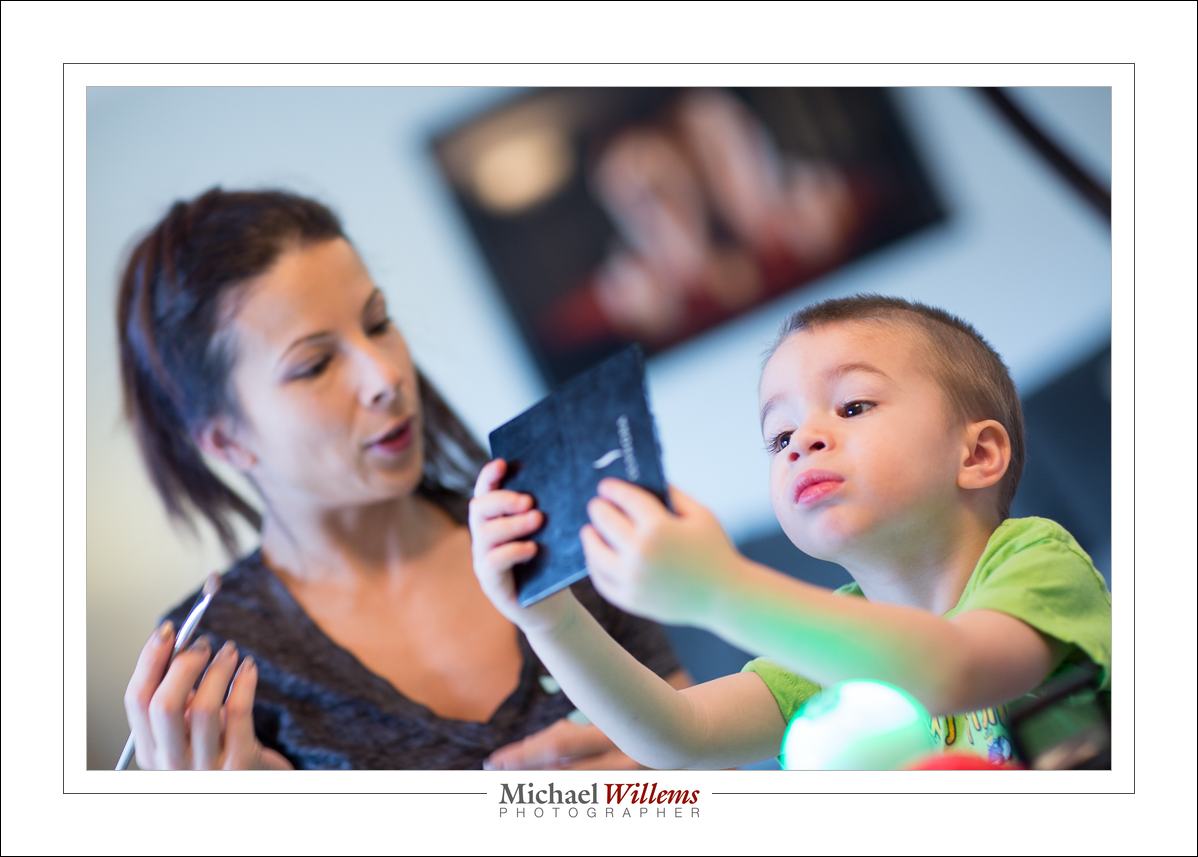
Isn’t that a nice mom/son team? It’s so great to make beautiful photos of a mom who doesn’t have any, for herself or her son, to put on the wall. Now she does.

And I will never stop saying it: please, everyone, buy wall art rather than just having electronic files on a PC or Mac somewhere.  You will see your photos more; you will be showing them to your friends and relatives; and you won’t lose them after a crash. A win-win-win.


(*) NOTE: I shoot with a Canon 7D and a Canon 1Dx, but the latter developed a malfunction: after playing video it switches off—dead—and cannot be restarted. Canon wil take 2-3 weeks to fix it and charge me $300. So until that time? Because I shoot for a living, I had to buy a Canon 5D Mark 3 to tide me over. That’s the life of a pro: I have to have the latest and greatest, and renting one for a month is the came cost as buying and then reselling it.

Colour. Just because.

That is often my answer when someone asks “why did you use those gels in that picture?. “Because I could”., “Why not”.  And you start adding colour here, there and everywhere. Consider this:

(100 ISO, 1/20 sec, f/16, 24-105 f/4 lens).

Private student Tim made the picture yesterday. And I put the yellow gelled flash inside the car why, exactly? Because otherwise it would be dark. A little colour adds a lot: think matching, or opposite, colours. Deep blue skies go well with yellow: blue and yellow, like red and green, or green and purple, constitute one of nature’s favourite combos.

And it’s so simple, with a Honlphoto gel:

Just strap it onto the speed strap and bingo. (If you do the Honl photo modifiers thing, go http://www.honlphoto.com/?Click=2032 and don’t forget code word “Willems” at the end to get another 10% off. Look at the kits: they rock, especially the last one).

I use gelled speedlights to:

  • Add opposites to relieve boredom
  • Warm up cold subjects (half CTO gel does wonders)
  • Get creative
  • Add a little red to skin in low key portraits
  • Correct colour when shooting in tungsten ambient light
  • Turn backgrounds blue

…and so on. Once you get into the habit, you’ll see how good your photography gets. Speedlights, and easy-to-use, sturdy gels, make all this not just possible. They make it convenient and affordable, too.

This site is called the speedlighter for a reason: speedlights unlock the potential. Just get another flash or two, get some gels and other modifiers, and get creative.


Gridlock

It always gives me enormous pleasure to see that this blog is being read. I mean really read, by real people, who put just about as much time into reading it as I put into writing it.

And so it was tonight, with a long-time reader, and new friend, Tim. So I used the opportunity to snap him:

That was “400-40-4” (see ARTICLES above)  and an on-camera flash bounced on the ceiling on the left, slightly behind me.

But then I thought: let’s pull out the stops and shoot Tim with an off camera flash and the “studio settings” of 1/125 sec, 100/200 ISO, f/8, to make ambient light disappear:

A little post was done to darken the background more, because flash spilled onto it, but it’s essentially SOOC—”Straight Out Of Camera”.

But then I showed Tim what happens when you use a grid on the flash. No light spill everywhere, like in the previous shot. So now the black background is really black:

That’s why the grid is my favourite flash utility. I used a 1/4″ Honl photo  grid; I love the Honl accessories (and as you will recall, readers — and that means you — get an extra 10% off by using this link and discount code “Willems”).  And want to shoot like me? Then get the Speedlighter–approved Master Lighting Kit. It contains all the accessories I use daily in one convenient—and discounted—package.

And let’s finish with…

Shiva!

And now I am so tired I must sleep. Good night!


See spot run!

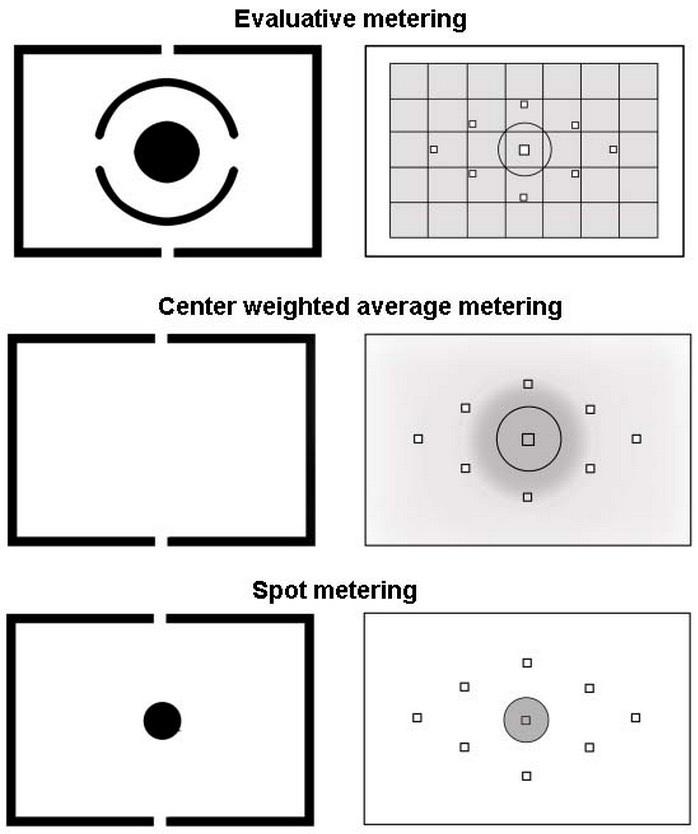
Your camera behaves in one of several possible ways when spot metering; and it behaves in one of several ways when using evaluative metering.

When spot metering (at the bottom in the graphic):

  • The camera only meters what is happening at the centre spot
  • OR the camera only meters what is happening at the focus spot you have selected.

It is easy to determine what it is on your camera. Shoot a scene with dark and light areas. Taking care not to move the camera at all between shots, shoot with the spot aimed at a light part of the shot; then shoot with the spot aimed at a dark part of the shot. If the exposure varies, your camera meters at the focus spot; if not, it meters at the centre spot.

When doing evaluative/matrix metering (a the top):

  • The camera evaluates the entire picture, and chooses the best exposure to suit the entire photo.
  • OR the camera evaluates the entire picture, and chooses the best exposure to suit the entire photo, biased to the selected focus point.

Again, it is easy enough to determine which one it is, using the same test.

My Canon 7D, for example, does the first option (centre point only) when spot metering, and the second option (bias to chosen AF point) when set to evaluative metering; while my 1Dx can be set to do either (using a custom function named “Spot meter. linked to AF pt”). The 7D, therefore, might seem to only do spot metering when it is not set to spot metering. Can you see how this can be confusing?

Did you know which it is, on your camera, before testing? If not, this will explain a lot of the “incorrect exposures” you have been seeing over the years. Yes, you need to know this stuff!

I remember a hardcover book. Pastel coloured pictures. “See Dick. See Jane. See Spot Run. Run Spot Run”. My memory is visual.


Shopping Recommendations

A few Shopping Recommendations here for you today. Read on, because some of them can be advantageous to you.

First: someone asked me for a good framer in the region. I forget who it was who asked, but here you go: Don Corby, of Corby Framing in Freelton (www.corbyframing.ca, 905-689-1976). Tell him I sent you. He does a great job with custom frames and affordably. Please print and frame your photos. Please!

Then, printing. As I have said many times here: please, please, please print your work. You will avoid losing it. It will look better, and you will feel much better about your skills and your art. Made into wall art your work will be much more valuable. For prints up to 13×19″ use a Canon Picma Pro or 9500 Mark II. For larger prints, use Fotobox in Etobicoke. These guys and what they do are amazing. Al my large metallic prints are theirs. Top work for a very affordable price. Again, tell them I sent you.

Then, shopping! I recommend you buy here: Henry’s in Oakville (ask for Rob, manager) or Vistek, in Mississauga or Toronto. Go to these guys every time over the big box stores, and tell them I sent you. They will take care of you with great selections, the latest stuff, and excellent product and market knowledge. They will sell you only what you need, not what gives them most commission. They’re like me: they want customers, not sales.

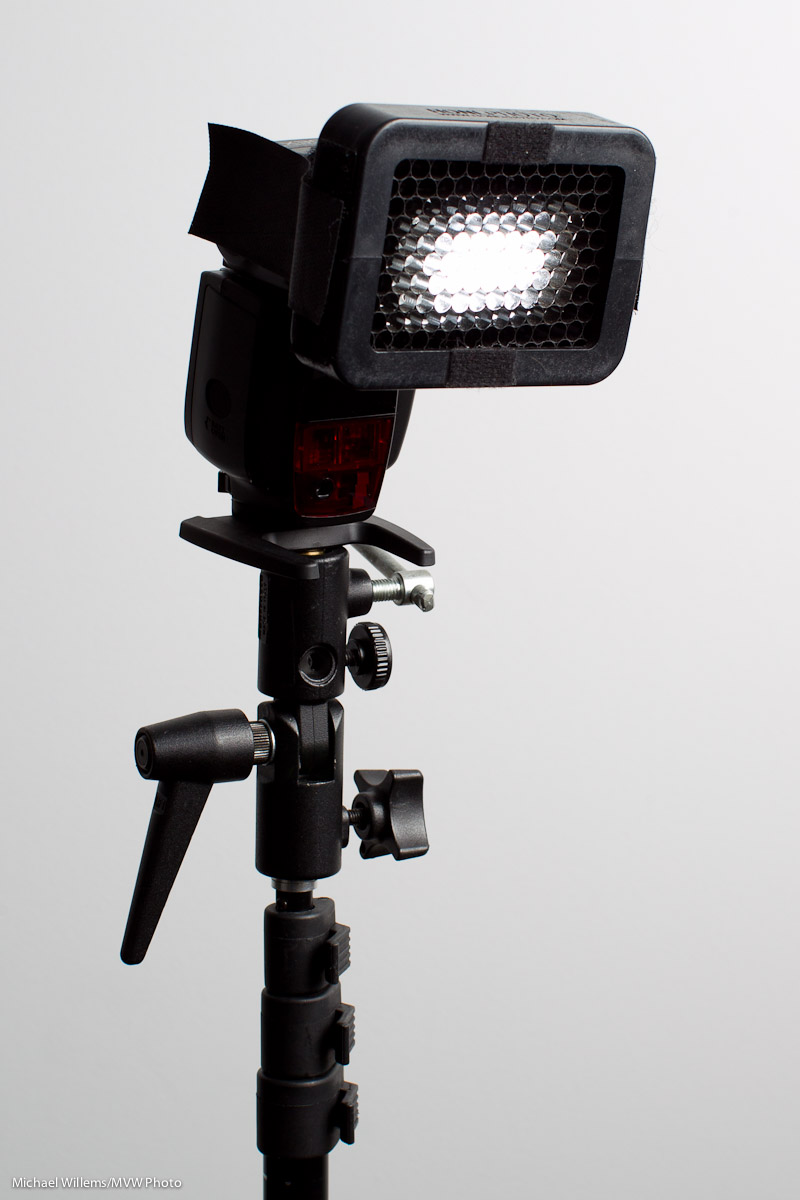
Finally, flash modifiers. Honl, honl, and Honl again. I have waxed lyrical over these small flash modifiers forever: not because David Honl is a friend of mine, but because his modifiers are small, light, sturdy and affordable, and that is an unbeatable combination for a photojournalist and for anyone else except masochists who like to carry more and pay more. Dave has joined me in teaching flash in Phoenix, Las Vegas, and Toronto, and he has agreed to put together special kits and to give you a 10% discount on any order if you, as a reader of speedlighter.ca and/or one of my students, order direct from him by using this link (click here) (or simply click on the Honl Photo ad on this page), and use discount code willems. 10% off on gear that is already affordable and that is the key to unlocking small flash success: what’s not to like? I strongly recommend this. There’s the grid, pictured here; the gels; the unique gell rollups; the speed snoot, the reflectors, the small softboxes: with these tools, small flashes effortlessly and quickly become flexible creative tools. I have a carrying case full of them, and you’ve seen my work: need I say more? Even in my studio I often use small flashes now, rather than strobes. The hair light is always a small flash with a speed snoot, for instance.

End note: I only make recommendations I strongly believe in; “for these, I would put my hand into the fire”, as the Dutch would say. The vendors and tools I recommend will help you become a better photographer, or will help you get more out of your work. Promise.


Lenses, Lenses everywhere, and nary a shot to take.

OK, weak joke, I know. But it is true that I feel like that: I sit here tonight surrounded by lenses instead of being out shooting. And not just me: lenses tend to take up a lot of a photographer’s time. What lens? Prime or zoom? Wide range or narrow range, more specialized?

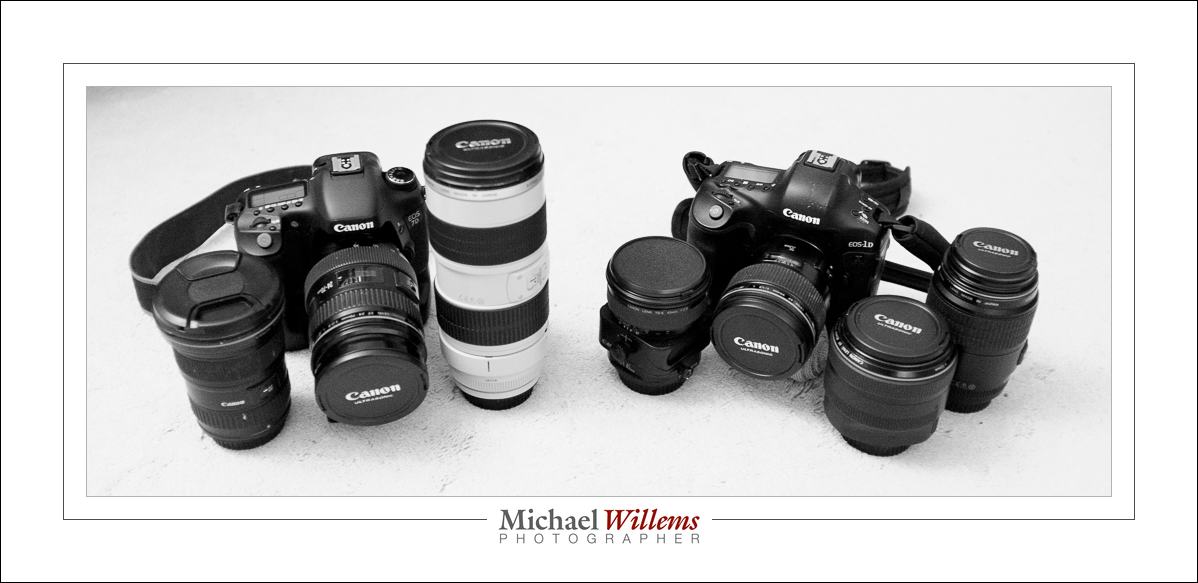
Most photojournalists would like roughly the same list of lenses in order to be able to handle everything. I think I am pretty close. Here are my lenses as they sit here in front of me:

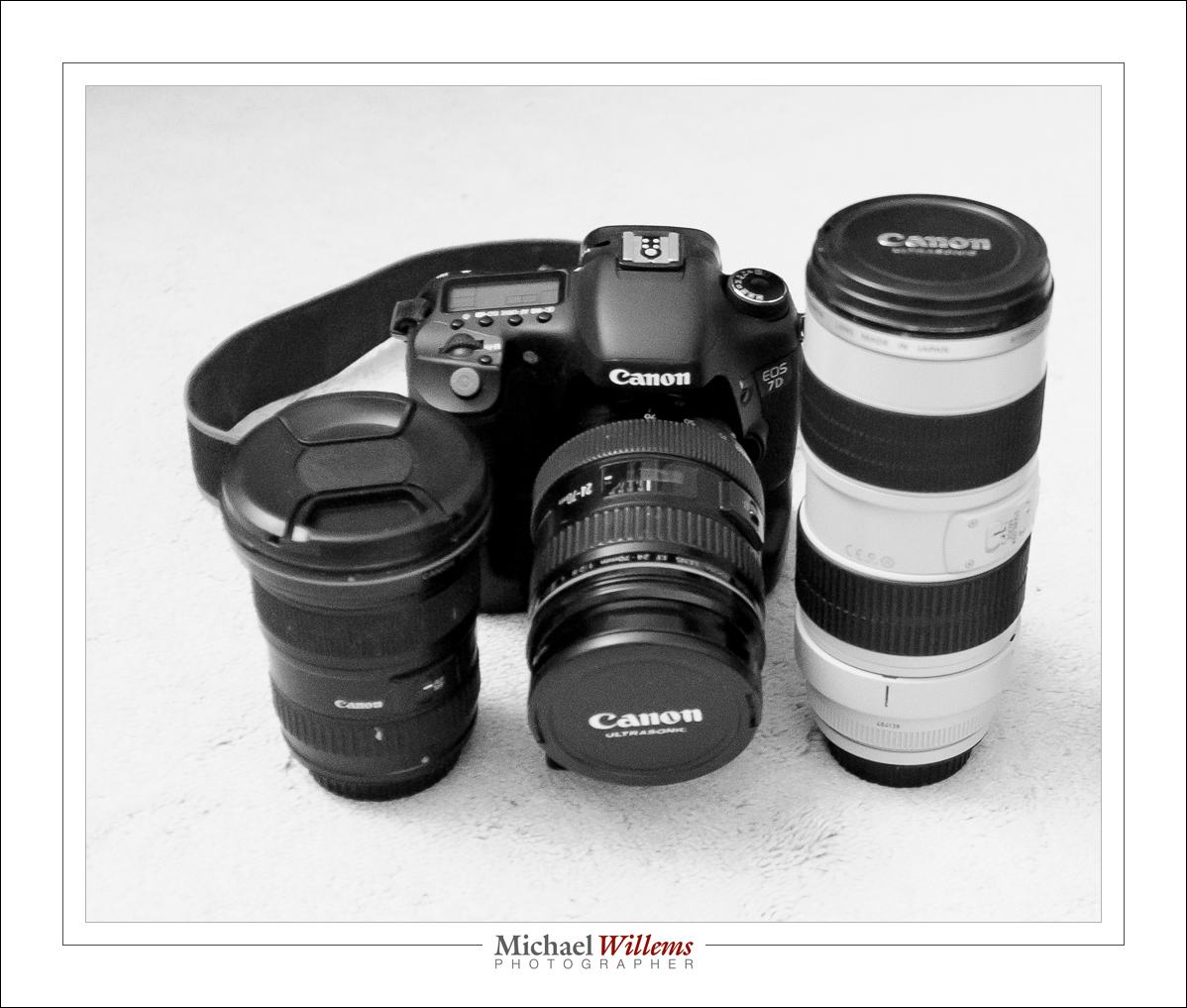
On the left, my zoom lenses. You use a zoom when you need convenience, when you have little time for lens changes, when you need various focal lengths, when you aren’t sure what you will be needing: in short, zooms are for flexibility. Professional zooms are f/2.8 lenses, for the most, meaning they will go down to an f-number of 2.8 whether you zoom in or out (ass opposed to consumer lenses, which generally go down to f/3.5 when zoomed out, and f/5.6 when zoomed in).

My zooms are:

You will see:

  • 16-35 f/2.8
  • 24-70 f/2.8
  • 70-200 f/2.8

A nice wide range: because of my two cameras, one of which is a crop, the range is effectively from 16 to 320mm (200mm on the crop camera works like 320mm). None of these are “one lens does it all” lenses: these are a compromise. For quality, choose whether your lens is a wide angle or a telephoto. It cannot be both, if it is to be good.

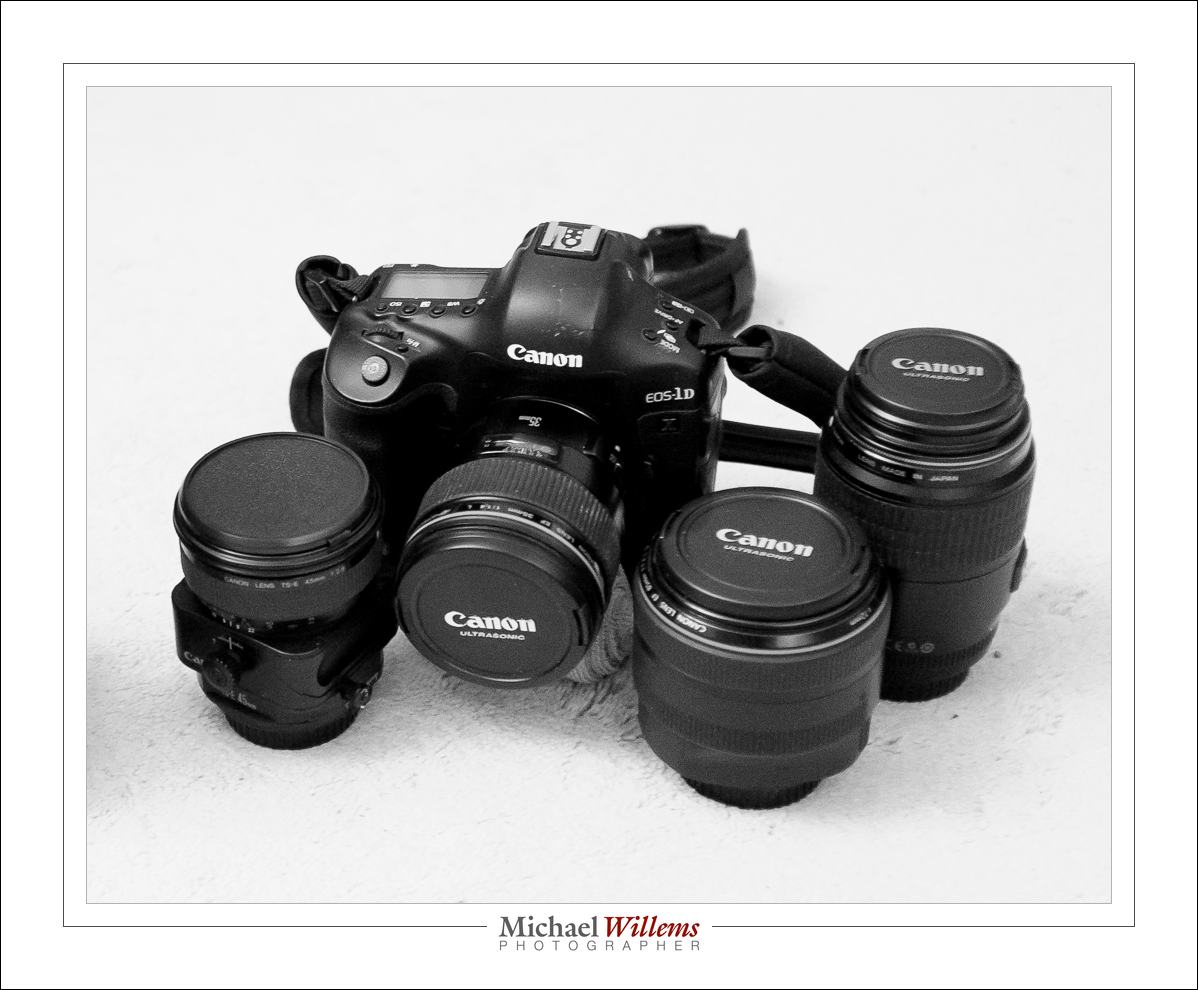
Then my prime lenses:

I have four primes:

  • 35mm f/1.4 (on the camera)
  • 45mm f/2.8 Tilt-Shift (left)
  • 85mm f/1.2 (second from right)
  • 100mm f/2.8 macro (right).

You use primes when you do not need the flexibility of a zoom, or when you need specialist lenses like a tilt-shift or a macro. In return for that, you get other benefits. A major one for many prime lenses is larger apertures: f/1.4 gives you both blurry backgrounds and faster shutter speeds. Another benefit is quality: fewer lens elements means sharper pictures. And, last but not least: consistency. The look and feel and composition of each shoot is the same.

Do we all need all of those lenses? Of course not. But now you know where you start saving. And especially: you learn to use the tools you have to what they were designed for. An f/5.6 lens is just fine-€”but don’t try to use it to shoot a dark event without flash, or to get a super blurry background. As long as you stay within the range of situations a particular lens was designed for, you’re just fine. After all, remember this: an SLR with a cheap kit lens is approximately a godzillion times better than an iPhone.

And the photos above? I took those with my Fujicolor x100 small camera. A point-and-shoot with a fixed 24mm lens (equivalent to 35mm). Just goes to show.


Wizards

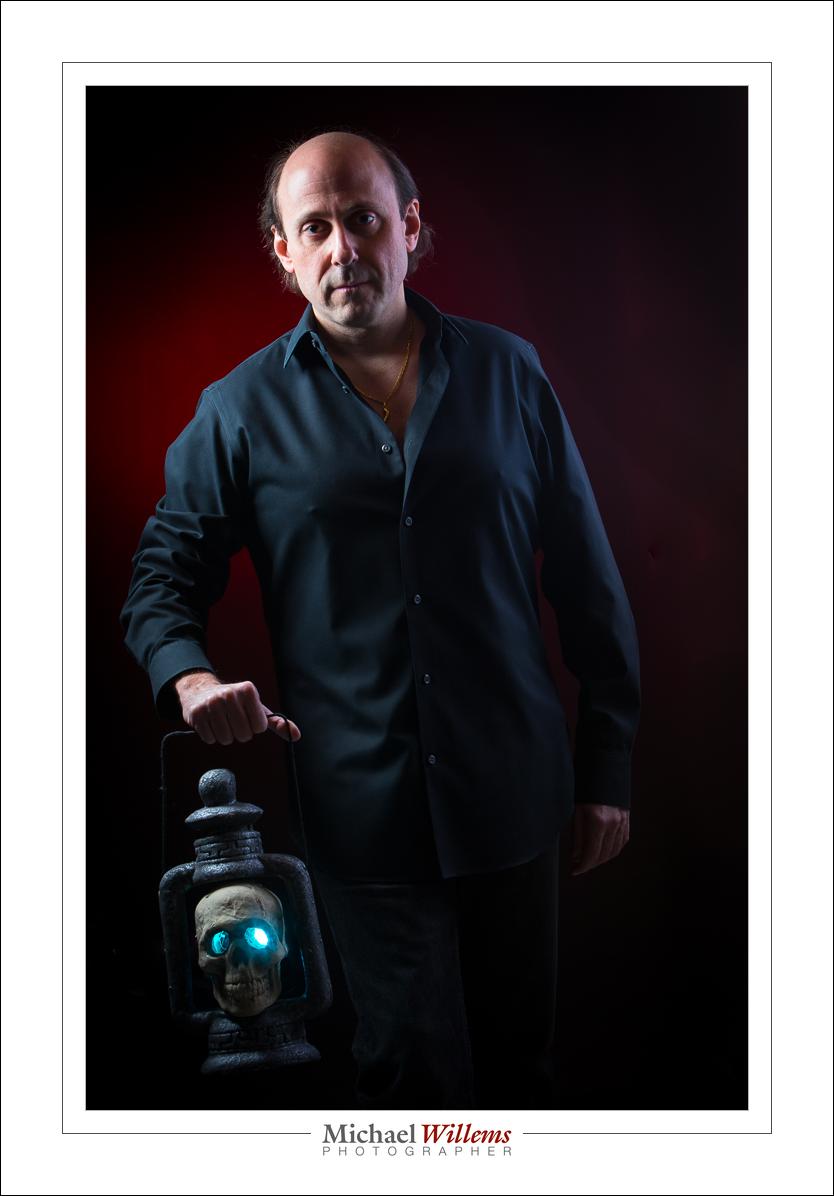
For the making of this kind of wizard, I need another type of wizard.

Namely, Pocketwizards. This is manual flash, fired by Pocketwizard radio triggers. I used a key light (camera left), a fill and rim light (right), a background light (gelled, background left), and a fourth flash, a gelled flash behind the skull. Four flashes, fired by five Pocketwizards.

“I don’t have that kind of money, to buy five radio triggers”, I hear some of you say. “I am going to just use wireless TTL, my camera’s built-in system (Canon e-TTL, Ninon i-TTL/CLS, etc)”.

Let’s have a look. 5 Triggers can cost up to $500. Wireless TTL is included in your Nikon or Canon (or Sony, etc) system, so costs nothing. Easy decision. Of course TTL is cheaper. Right?

All I need for the cheap “TTL solution” is four flashes by Canon or Nikon. Or, if I have a pro camera that does not contain a pop-up flash, five flashes by Canon or Nikon. One needs to be a 580EX/600EX (Canon) or SB800/900/910 (Nikon). Total cost? Between $1500 and $2500. Peanuts.

And for the expensive Pocketwizard solution, I need five expensive triggers; say $500. And then five “any type” flashes: any brand, any type as long as they use a standard hotshoe or an x-type connector, and they can fire manually at a power level of my choosing, and I can disable any auto-switchoff timeout. These flashes can be as little as under $100. And I only need four at most. Say, $400, then. And perhaps cables from Flashzebra dot com, another $100. So the total cost can be as low as $1000.

Wait. The cheap solution is $1500-$2000, and the expensive solution costs $1000? Perhaps things aren’t so simple after all. Just sayin’.

Yes, using radio triggers can be cheaper because you do not need your brand’s TTL flashes. Whatever brand you use, the remote flashes can be new or old and can be made by Canon, Nikon, Vivitar, Olympus, one of the Chinese, Taiwanese, or Korean clone makers: don’t care.  And that can save you a lot of money.

____

Check out my e-books on http://learning.photography/collections/books and learn everything I know. Taught in a logical fashion, these extensive e-books (PDFs with 100-200 pages each) will help you get up to scratch quickly with all the latest techniques. And when combined with a few hours’ private coaching, in person or via Google Hangouts, you have no idea of the places you’ll go. You’ll be a pro!

ISO, continued

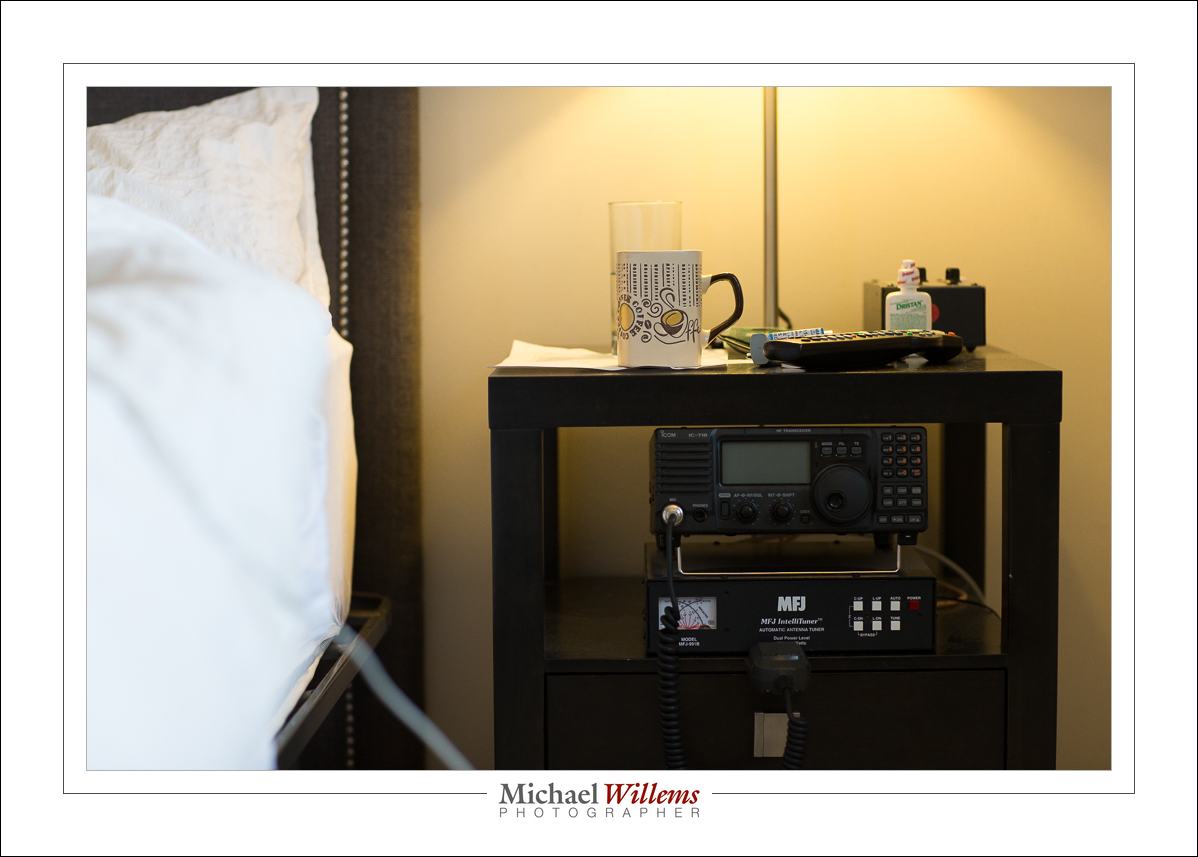
Let’s continue with the “High ISO” talk.

First, a photo mad4 with the Canon 7D at 3200 ISO. The 7D is a crop camera which is not very good at higher ISO values. And yet, 3200 ISO looks like this:

Fo comparison, here;s the Canon 1Dx, the top of the line camera, at the same setting of 3200 ISO:

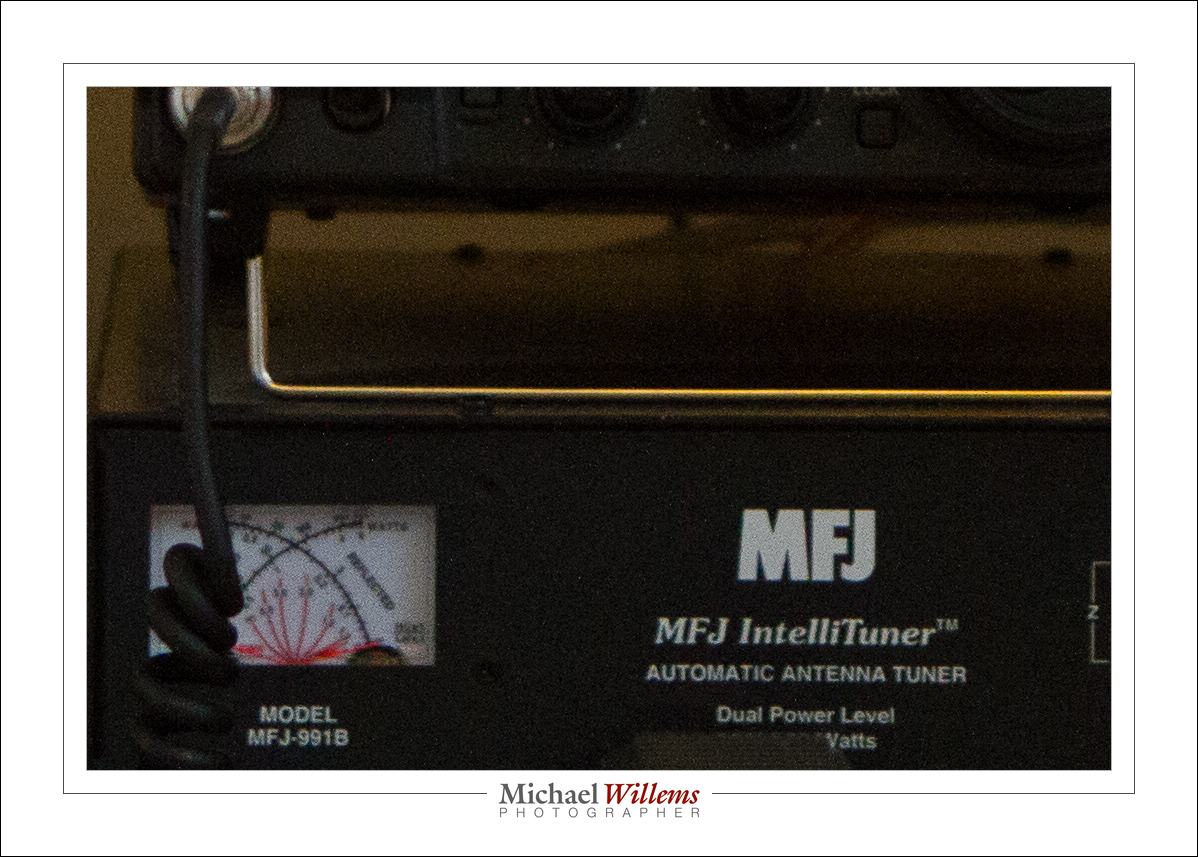
Looks about the same, eh. Now let’s look at a small part of the photo at real pixel size (once you click and view it full size):

And the 1Dx at 3200 ISO:

Look at the meter and see the difference. Considerable.

But let’s look at a photo that is well lit instead of dark. First, using the 7D:

And the 1Dx:

And now the same small real pixel size (again, once you view at full size):

…and on the 1Dx:

As you see, a well lit picture does not show a lot of difference, or at least, not as clearly.

The moral: it’s not that big a deal: you can shoot at high ISO values and if the photo is well lit and you do not “pixel peep”, you’ll be just fine,. More so than you thought, I bet.