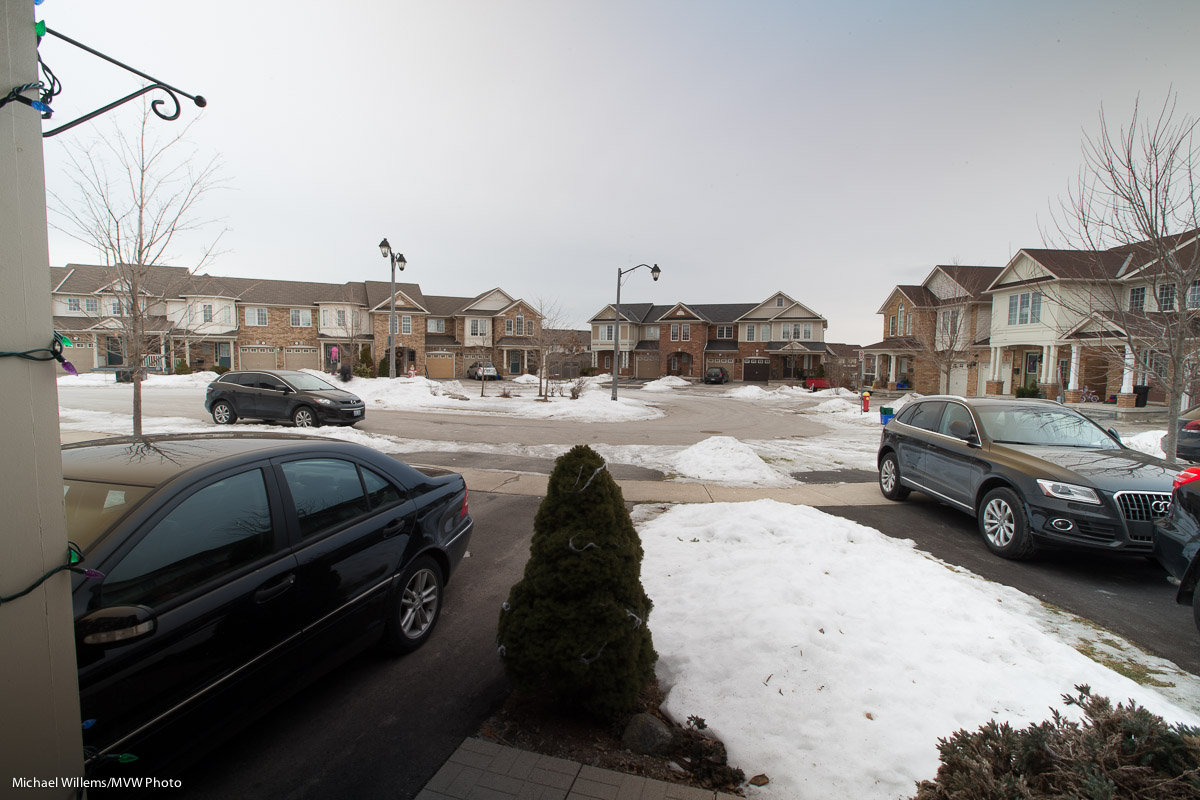
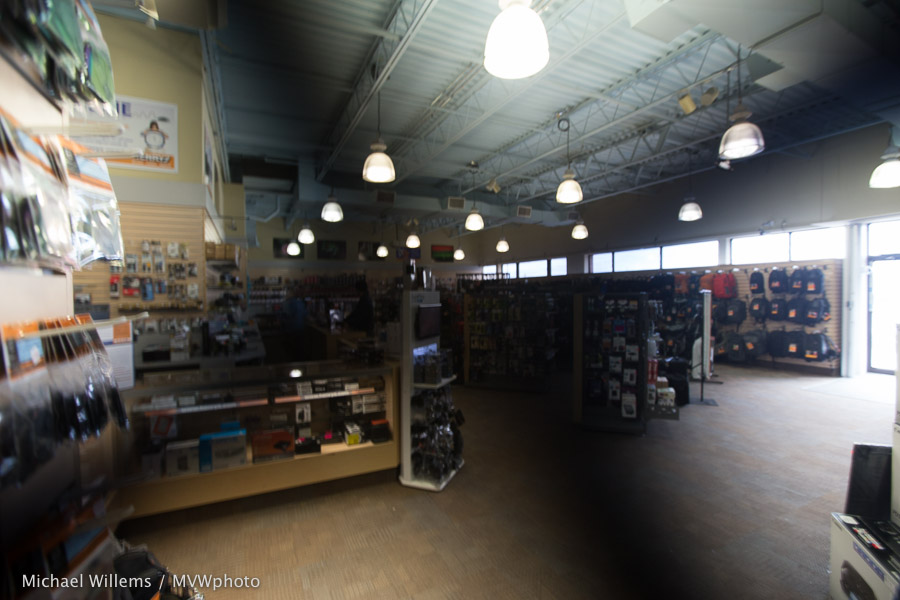
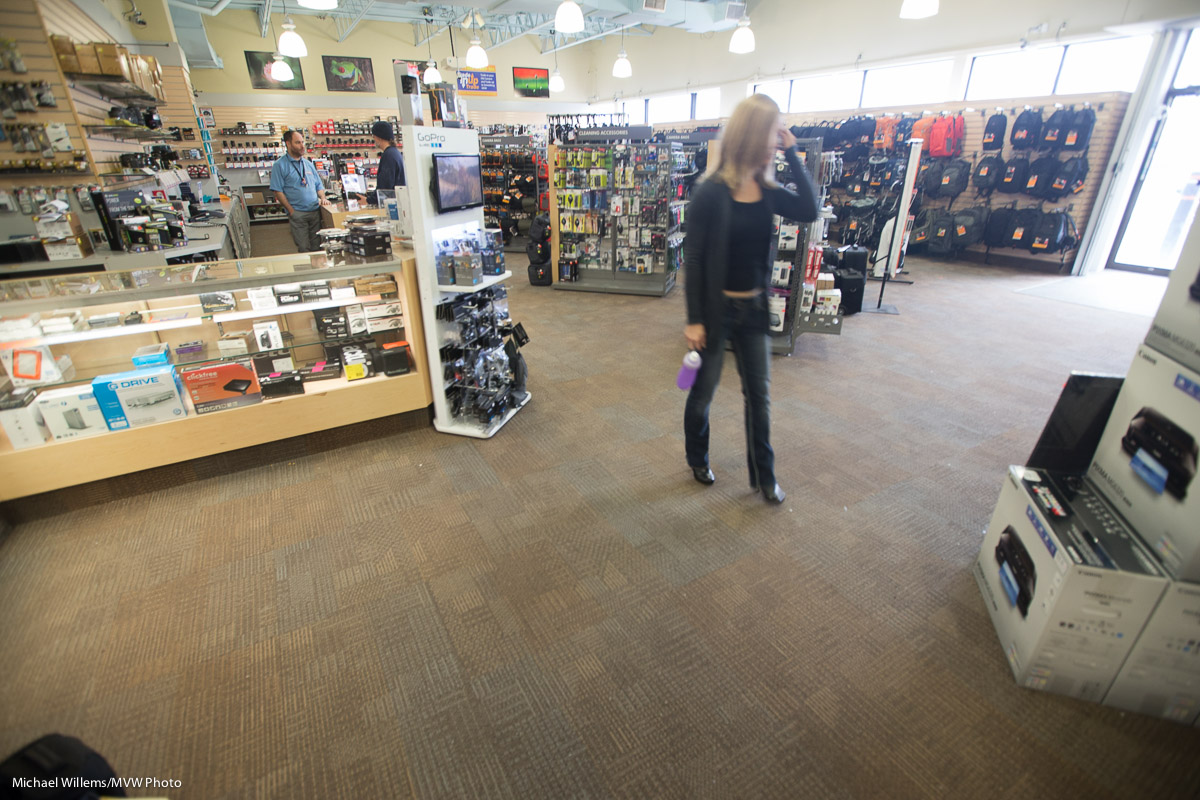
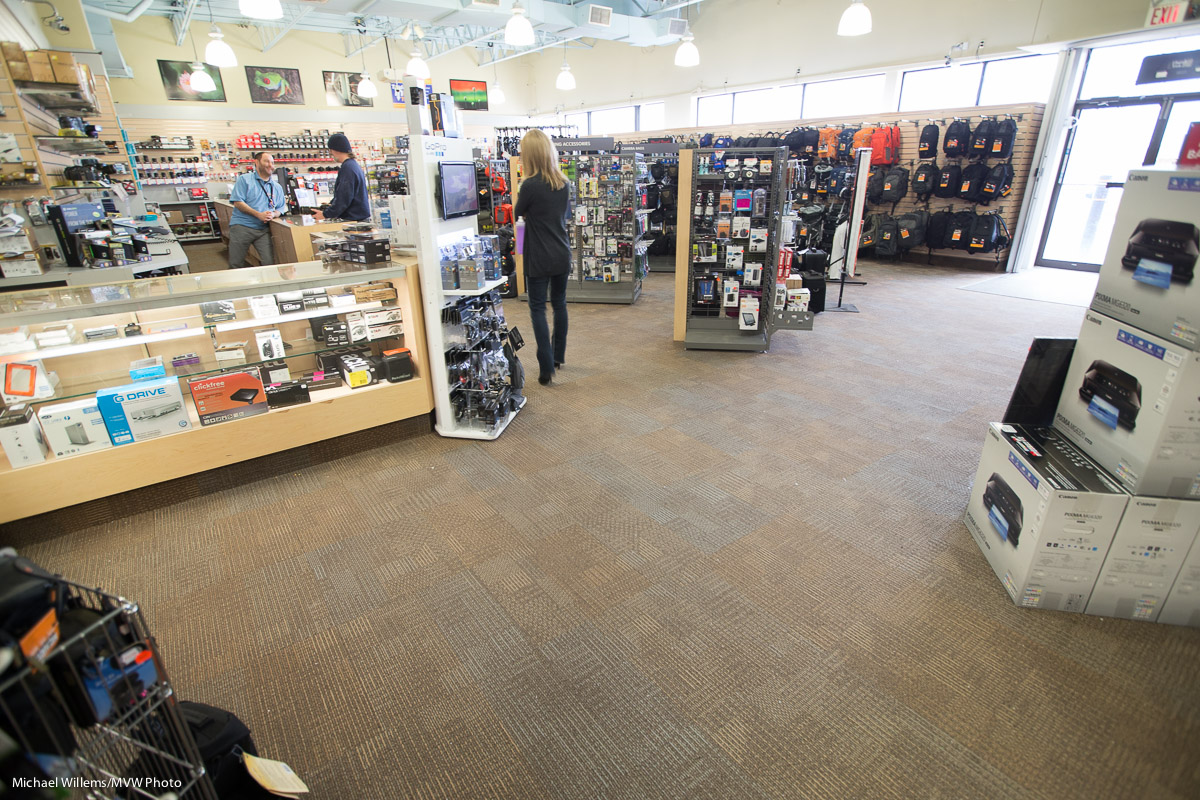
I approve.

Hey All, I have some news. There’s all-new speedlighter.ca-approved lighting modifier kits over at David Honl’s site. These give you all you need in one convenient kit.

Head on over to www.honlphoto.com/category-s/1833.htm?Click=2032 to see them and to order – yes, you get a discount, and the convenience of direct ordering from David Honl himself. And the best selected kits.As you know by now, I love the Honl lighting gear: it allows me to easily, on the road or in studio, do amazing flash work. Grids, gels, snoots, gobos, softboxes: all wonderful stuff.

And then you can easily, with just a few small flashes, do things like these. Rim lighting:

Cool portraits with great backgrounds:

Yeah… and even Duck Lips.

(But Dear Lord, think before you do.)


Hold on.

And here’s HOW you hold on: you hold the camera with your left hand under the lens. Not on top of, which beginners all do. Yes, sometimes I have major posts about complicated stuff; sometimes, however, it’s simple yips, and this is one of those days.

And when taking a portrait-orientation shot, the shutter goes on top, not below. So you do it like this (one of my students at yesterday’s class at Sheridan College):

Even better: wrap the strap around your wrist, too, so that if you drop the camera, it doesn’t fall to the ground:

Why? It’s more stable. That’s the main reason. Less shake. See yesterday’s picture: 1/10th of s econd handheld with a 50mm lens? Yup.

Also, you do not waste time moving your hand back and forth. And finally (this one is important for the guys): you look like a pro.


It Doesn’t Work!

Let me share a some camera malfunctions that I see again and again. Some of the most common ones are also very easy to fix, fortunately.

The flash does not work properly:

  • It is set to MANUAL, not TTL
  • It is set to COMMANDER/MASTER mode.
  • Your Flash Exposure Compensation is set to a value other than zero.
  • The hot shoe/flash contacts are not totally clean. This happens rather often. Always clean them – use just a drop of water and a cloth, or whatever else you can use, and clean thoroughly.

Autofocus is not working, or it is, kinda, but there is no beep:

  • Your lens switch is set to “M” (manual only).
  • Your camera switch is set to “M” (manual only).
  • Your menu is set to “M” (manual only).
  • You are set to AF-C/AI Servo instead of AF-S/One Shot.
  • You are not aiming the active focus point(s) at a subject with lines.
  • It is too dark.
  • You are too close.
  • You have disabled the beep in the camera’s menu.
  • Your lens is not fully engaged; it did not fully CLICK when you put it on the camera.

That last one happens all the time, and it is very dangerous–because of the lens is not attached, it can fall off.

The moral of this story: When your camera doesn’t behave as planned, do not panic: it’s usually something very simple.

___

Note: the “Buy Three, Get The Fourth Free” special price for my e-books is still on: I want you all to get trained up with your new cameras before you travel anywhere. Check it out on www.michaelwillems.ca/e-Books.html. If you previously bought one or more books, contact me for your price.


A Specialty Lens, Again

A good friend today bought a tilt-shift lens. Reason for me to talk about them again here, if briefly.

Like a traditional View Camera, a tilt-shift lens can:

  • Correct perspective distortion by shifting instead of aiming up/down.
  • Give you “dollhouse” selective focus effects.
  • Tilt the focal plane to get focus with wide apertures.

More often than not, the latter is the effect I am after, since the former two can be done in post-processing too, to a large extent. But the shifting cannot.

These were all taken at f/2.8. First, I focus on the nearby buttons:

Then I focus on the far buttons:

Yeah, that’s f/2.8. Selective DOPF. But only the tilt-shift allows me to focus on both buttons without going to f/11. Still at f/2.8, but I tilt the lens a few degrees and the DOF is still selective, but it rotates:

And that is why I use a tilt-shift, even if I need to expose and focus manually.

How far to tilt? I strongly recommend you read my article here. It’s full of math but even if you don’t get the math, the instructions are going to be useful: if you own a tilt-shift lens, you should be better than users who just guess ad do things by trial and error.

I’ll close by giving you three more examples, all taken at f/2.8 – the last one has both front and back objects sharp, which is impossible without a tilt-shift.

If you are a serious photographer, you might consider getting a tilt-shift – or at least renting one to see if you like it.


ND filters

A Neutral Density (ND) filter is useful when you want to cut light. Why would you want to do that? Because

  1. You may sometimes want to create longer exposure times, and cutting light may be the only way to do it.
  2. Or because on a bright day you want a larger aperture, in order to get more selective depth of field.

Imagine you have this:
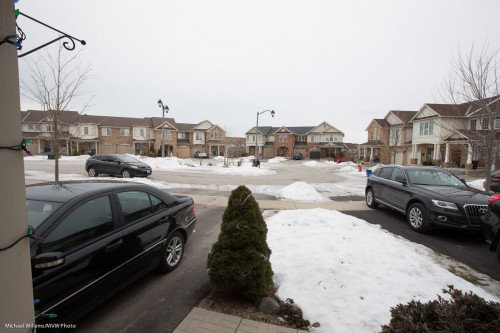
At low ISO (100) and high f-number (16) that was 1/4 second (using a tripod, of course). I used my wide angle 16-35mm lens.

But what if I wanted a slower shutter speed than 1.4 second? For instance to make a river or a waterfall look all smooth? I cannot lower the ISO or increase the f-number (at least on this lens), so I need a trick. And that trick is the ND filter. It evenly cuts light, so then you need a faster shutter. Like here, the same shot with an ND filter:
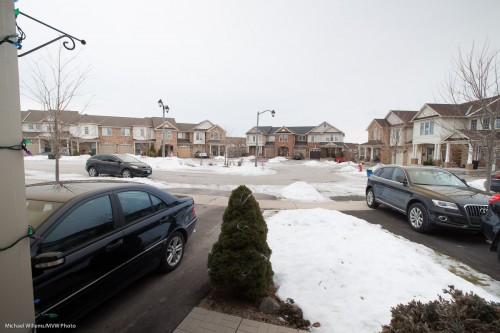
But it looks just as bright?

Yes, because at the same time as cutting the light, I set the shutter speed to a much longer time, namely one of 5 seconds (set manually and metered by trial and error as much as by the meter, which is less accurate under these circumstances). Anyway, 5 seconds is 20 times less light than 1/4 second (since 5 sec/0.25 sec = 20). How many stops is that? It is 4.32 (roughly 4 and a third) stops less light, since 24.32 = 20. Um, high schoolers and above: you can calculate this number of 4.32 as follows:

  • 2x = 20 (base 2, since a stop is halving or doubling the light)
  • x = log2(20)
  • x = log(20)/log(2)
  • x = 1.301/0.301
  • x = 4.32

So my ND filter gave me  4.3 stops less light.

I used an 82mm Cokin variable density ND filter. One where you turn the filter to make it darker or brighter. Turn it one way and it cuts 1 stop; turn it the other way and it cuts 8 stops, says Cokin. I call “no” on that. Even at the darkest, it is not that dark, and in any case, when I am zoomed out and then go beyond 4-5 stops, this happens: (made one stop darker, i.e. 5.3 stops, now using a shutter speed of 10 seconds)
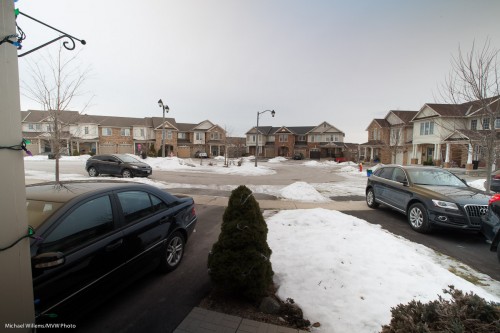
See how bottom left to top right it gets all weirdly dark? Not usable, so this filter is not really usable much beyond 4 stops with a wide angle lens.

An cheaper Cameron filter was even worse when turned all the way to the “max” mark for “dark”:
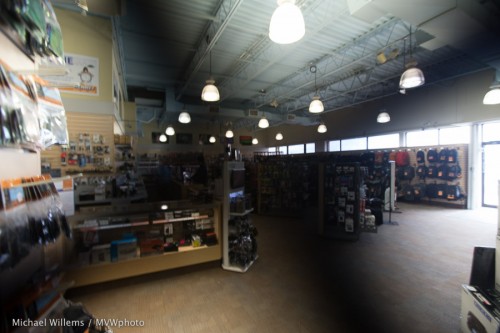
All variable filters do this as far as I know, since it is due to physics; but some are worse than others.  To avoid it, zoom in, not out, and then look through your viewfinder to see when this problem happens, and back off from there.

Another thing to watch out for is flare. The cheap filter did this, look at the bags on the top right:
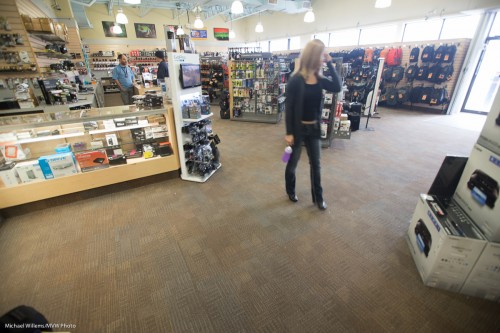
And the better Cokin filter:
Not perfect, but better.

So you now know why to use neutral density filters; how to use them; and the possible pitfalls, including what to watch out for if you buy the variable variety. You may just want to get a non-variable 5x or 8x ND filter.

And you’re welcome.

 

1Dx update

For fellow owners of a Canon 1Dx: there’s a firmware update that offers new functionality. Autofocus and exposure controls as well as customization settings have been enhanced.  Go here to download.

Details of the upgrade here. And the upgrade works: I did it this morning.

For others: always check that your camera’s firmware is up to date. At least a few times a year, check, and if necessary, upgrade. Else you lose out on bug fixes and new functionality.

Do it in style (or not)

Another page from my upcoming book, Mastering Your Camera – The Ultimate No-Jargon Guide To Using Any DSLR (ISBN-978-0-9918636-2-4) whose release is imminent. Planned for January 14, but it may well be earlier: STAY TUNED. I will announce release here and on https://www.facebook.com/CameraTraining.


Most cameras allow a “Picture Style” choice. This choice allows you to set the camera up to produce photos with a particular “look and feel”, like Standard, Portrait, Landscape, Monochrome, and various others:

This setting effects sharpness, contrast, saturation, and colour tone. And again, as in previous “in-camera editing” options, this only affects JPG pic- tures and a RAW image’s built-in JPG, i.e. the preview you see on your screen. So when you shoot JPGs, yes, do explore these options and how they all look.

Even if you shoot RAW, if you use your camera maker’s provided software (e.g. Canon’s Digital Photo Professional application), you can then have the RAW image “tuned” the same way on your computer, so in that case there is some utility to this. You can even make your own styles. Nevertheless, if you shoot RAW, I think the advantages versus the drawbacks of not using Adobe Lightroom or similar weigh towards not doing this, and just leaving it on “Standard”.

If you shoot JPG, I would not use the “Monochrome” setting—as discussed before, this will throw away all colour info and make it impossible for you to adjust the B/W conversion later.

Play with styles if you shoot JPG; else, my advice: leave the camera on “Standard” and do all editing in Lightroom. And: you can emulate most cameras’ styles in Lightroom in the DEVELOP module, in the CAMERA CALIBRATION pane, by changing the PROFILE setting. Play with that!


Review!

You all press the “playback” button to review your photos, of course. But do you also benefit from the extra information you can see?

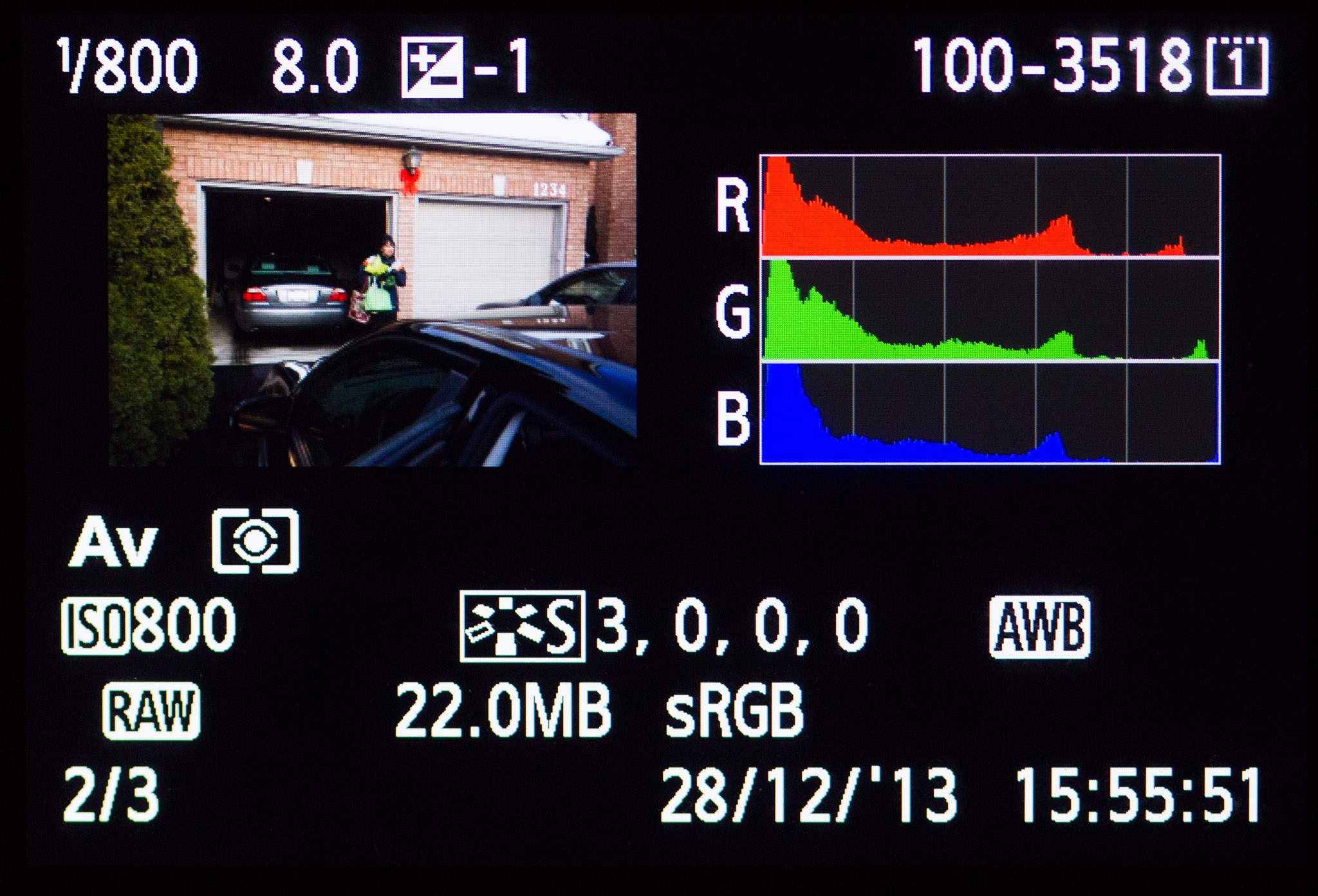
Additional Info (EXIF data): You can see additional information about your images (such as the image’s date and time; image name and number; the histogram (an exposure graph); detailed exposure and settings data. Like in the picture above.

To see such important data you press:

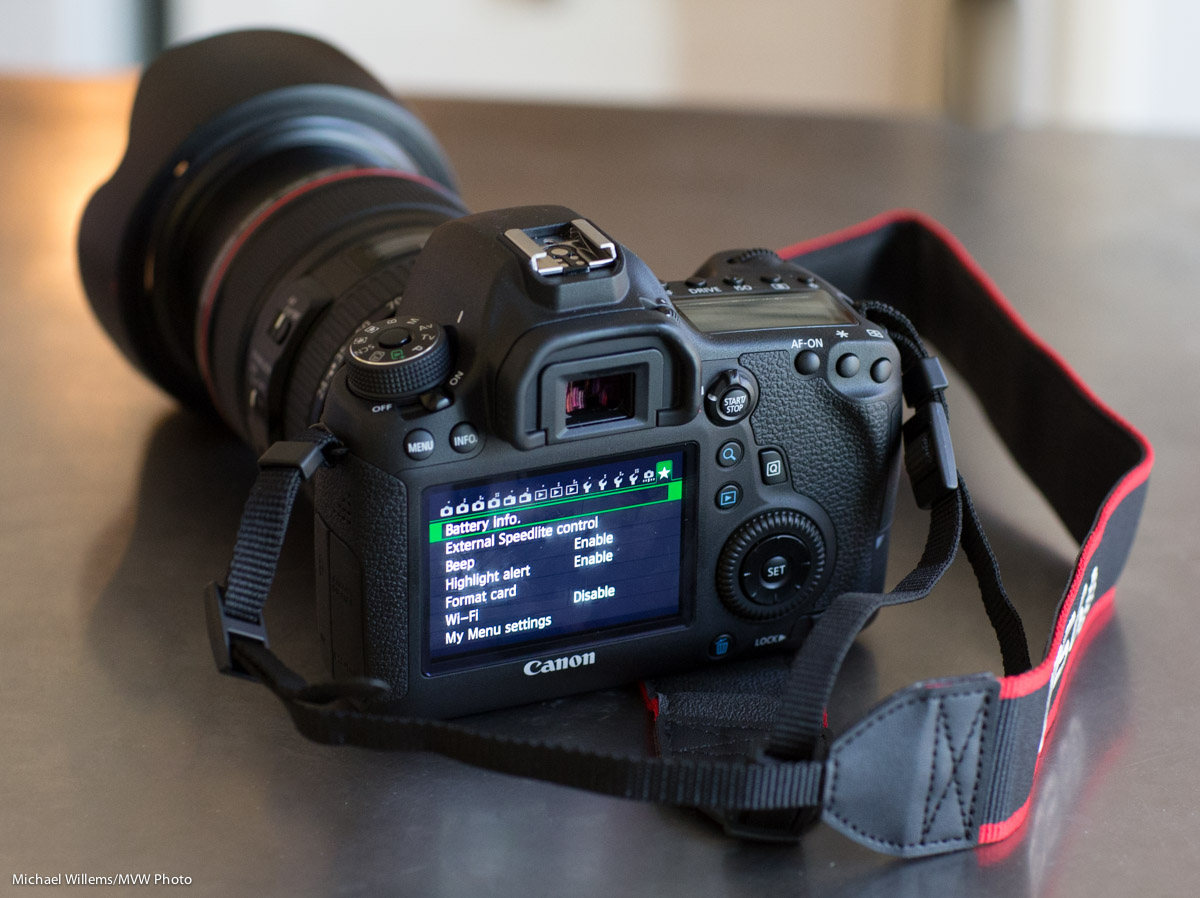
  • Canon and similar: the INFO or DISP button. Press it repeatedly, and you will cycle through the different views.
  • Nikon and similar: the UP or DOWN controls. Press them repeatedly, and you will cycle through the different views.

Try it now: press the Playback button, then repeatedly press INFO/DISP or UP/DOWN. What do you see?

Blinkies: some of these review modes can (or can optionally, when enabled) show blinking “highlights”. These blinking areas are the areas that are, or are close to, overexposed. Are blinking areas a problem? Not necessarily, but when half your subject’s face is blinking furiously, then, yes, of course.

___

These words are from my next e-book, “Mastering Your Camera-The Ultimate No-Jargon Guide to Using Any DSLR”, (ISBN 978-0-9918636-2-4) which will be released within the next couple of weeks.


Reader Question

Today, another reader question–one that will interest many of you, so I will answer it here. Reader R.D. asks:

I am seriously considering “investing” in a full frame camera from my crop (CanonT3i).  I am considering the Canon 6D and 5D MkIII.  It will be a quantum shift for me. I have read your posts on the topic and I believe you feel both cameras are great.
My two questions are, 1) if you were going to choose between the two, which one would you go for; and 2) given I would also need to invest in new lenses (mine are EF-S), what would be your first and second choice in lens selection (I am asking having read your bakery’s dozen lens tips).

Great questions both, and very relevant. Let me try and answer them, with the proviso that I can only tell you in and outs; only you can make the decision. A bit like asking “what car should I buy”. That said, with the right ins and outs, you will know what is right for you, I am sure.

First, the camera choice. Yes, correct: I love both of them. I was amazed to see how good the 6D is: I thought Canon would have left significant functions out, but no. The main thing you lose compared to the 5D3 is the ability to write each picture to two memory cards: this is essential if you shoot weddings, but less important otherwise. There are other differences (the 6D has more plastic and is less weather resistant, and has simpler focus point geometry: 11 points vs 61 points. Also, it has slower continuous shooting, and a very slightly smaller viewfinder. The 6D has a stereo microphone. The 6D uses SD cards; the 5D3 CF and SD cards.

If these differences are important to you, spring for a 5D Mark III. I would say if you shoot weddings, the “dual cards” feature will be necessary. If you like a lot of focus points, too, the 5D might be your choice. Otherwise, I love the 6D. I advise you go into a store and hold both of them, use them, take them through their paces. Both are excellent choices. And a full frame, modern camera will amaze you: yes, this is a great time to upgrade.

Then the second question: lenses. This depends on what you want to shoot. My newly released Travel Photography book has a long section on lenses. I would say this:

  • If you travel, think of a wide angle lens like the 17-40 f/4L or the 16-35 f/2.8L.
  • If you shoot wildlife, consider a long telephoto lens.
  • If you shoot sports, try to obtain a 70-200 f/2.8 lens.
  • If you shoot “general purpose” photos, if you can afford it, the 24-70 f/2.8 is a superb lens and I know it is on sale at several retailers now.
  • If you want to save money, then go for some general purpose lens, but see if you can afford at least one “L”-lens. The cameras are both superb, and both warrant a superb lens.
  • You can also consider third-party lenses. Here, my advice is: hold them, try them, feel them: if you love the feel, you can save money this way. Today, some third party lenses are very good.

And finally: do, please, please, get a prime lens also: I would recommend the 50mm f/1.4, or even the extremely affordable 50mm f/1.8. Those lenses will allow you to get those beautiful crazy blurry backgrounds and to shoot in dark rooms without having the ISO cracked up very high; and they are both very sharp.

Tell me more about your type of shooting and I will help more, but this may help you along already, I think.

Finally: also learn the ins and outs of Lightroom!

Michael — standing by for more questions.


Simple, innit?

Today, I present you with one page from my next upcoming book, “Mastering Your Camera”, a no-jargon guide to using any DSLR.


Simplifying.

When people ask me “what is the difference between my snapshots and a professional picture?”, I most commonly say “the pro simplified her picture”. Simplifying your images is probably the most important thing to not forget.

“Simplifying” does not necessarily mean “removing everything but your subject from the photo”, although that is one way. More accurately, it means “ensuring that everything that is in your photo is in your photo because it should be in your photo”. If it shouldn’t be there, it shouldn’t be there!


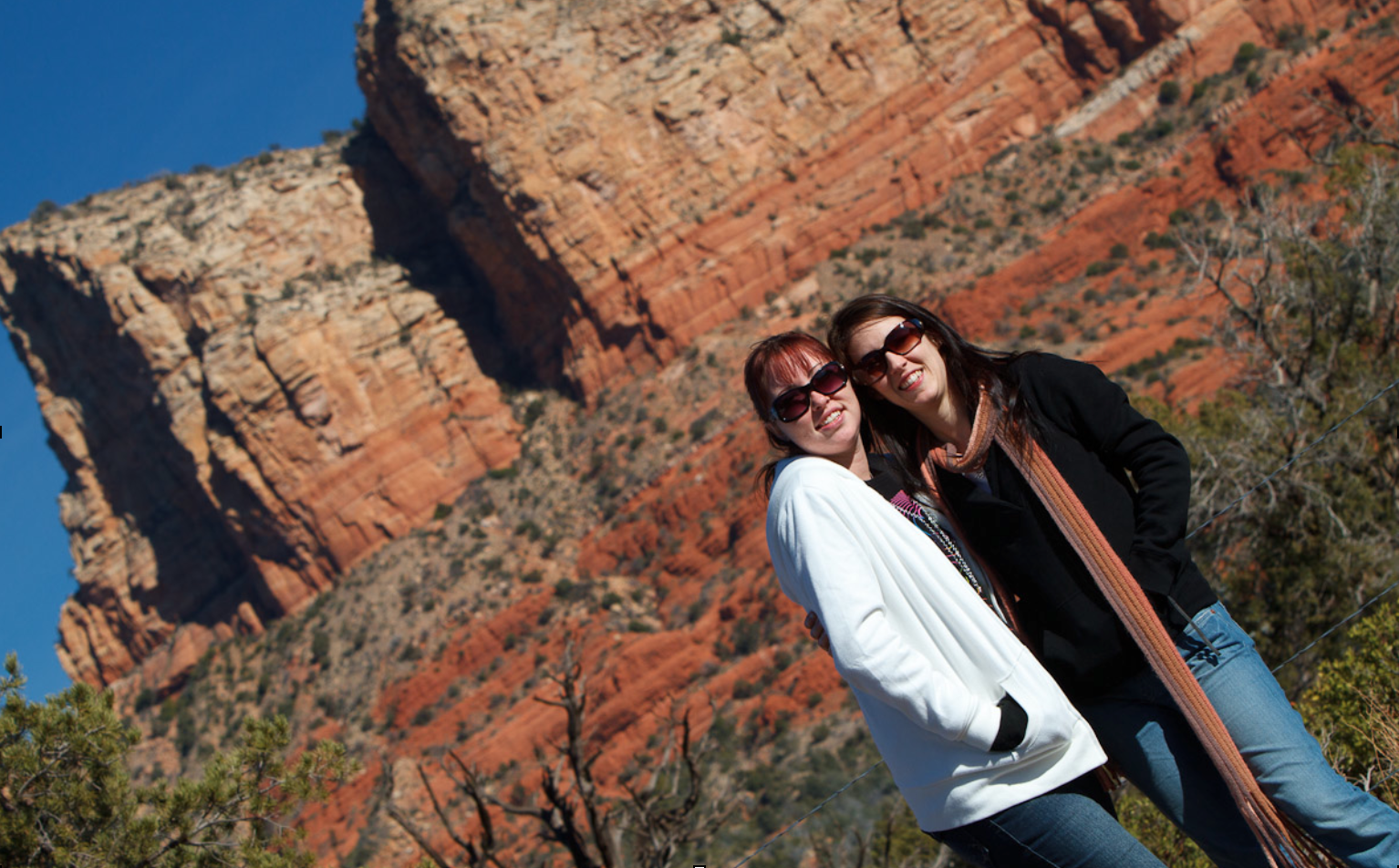
Sedona, AZ: Tilting Away The “Stuff”

Take the picture above. I tiled this image because next to the girls, there was a garbage can. That garbage can did not belong in the picture – it was not a picture of “two garbage cans in Sedona, AZ” – so I wanted it gone.

How can you simplify a picture? There are many ways, and you can come up with them yourself. They include:

  • Move: you do not have to take the image from right where you are. Often, moving to a different location makes all the difference.
  • Wait: Often, distractions disappear. The photo of the guard at The Alamo earlier in the book had three tourists right behind his neck: I waited until they were thus invisible, and then pressed the shutter.
  • Viewpoint: shoot from a different angle: a circle has 360 degrees, not just one…
  • Zoom: filling the frame is also a good way to get rid of distractions.
  • Blur: blurring the background by using a low “f-number” is also a great way.
  • Tilt: see the example above!
  • Selective light: only light the objects you want to see; keep the rest in the dark.
  • Move the subject or the offending objects. If you are not a photojournalist (for whom this is taboo!) then you can ask the subject to move, or move the distracting objects.

That is a partial list: you can come up with more ways yourself. The key is just to remember to do it.