Lots of short instructional videos, including one I just posted, on my YouTube channel. Go watch them if you haven’t yet! Today’s video is about shortcuts, more of them; and personalization options in this great productivity software.

Lots of short instructional videos, including one I just posted, on my YouTube channel. Go watch them if you haven’t yet! Today’s video is about shortcuts, more of them; and personalization options in this great productivity software.
Here, from yesterday’s class at Sheridan College, is talented student Darryl. First with just one light. Then with a second light. Then with that second light brighter. Then with a hair light added. And finally, with a background light also. Four flashes. Can you see how important it is to light a portrait just right, just the way you want it? Light makes all the difference.
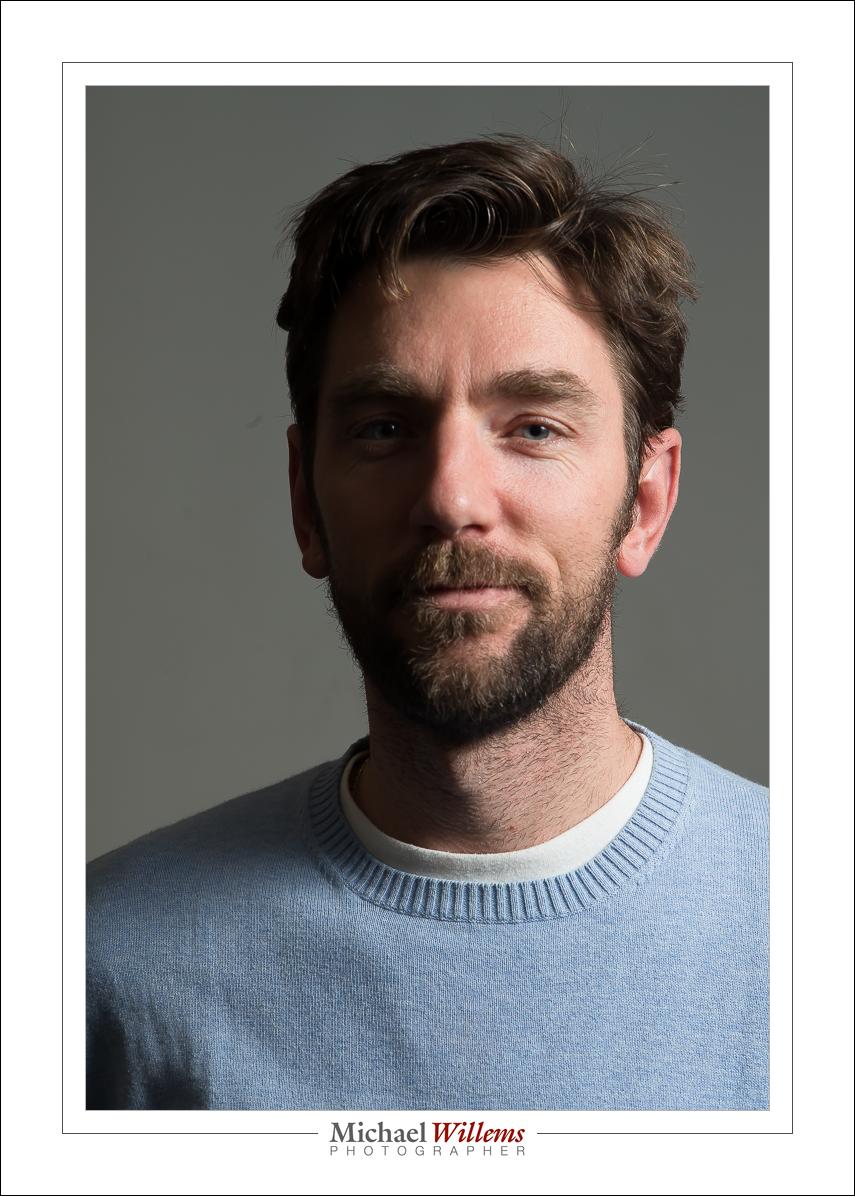

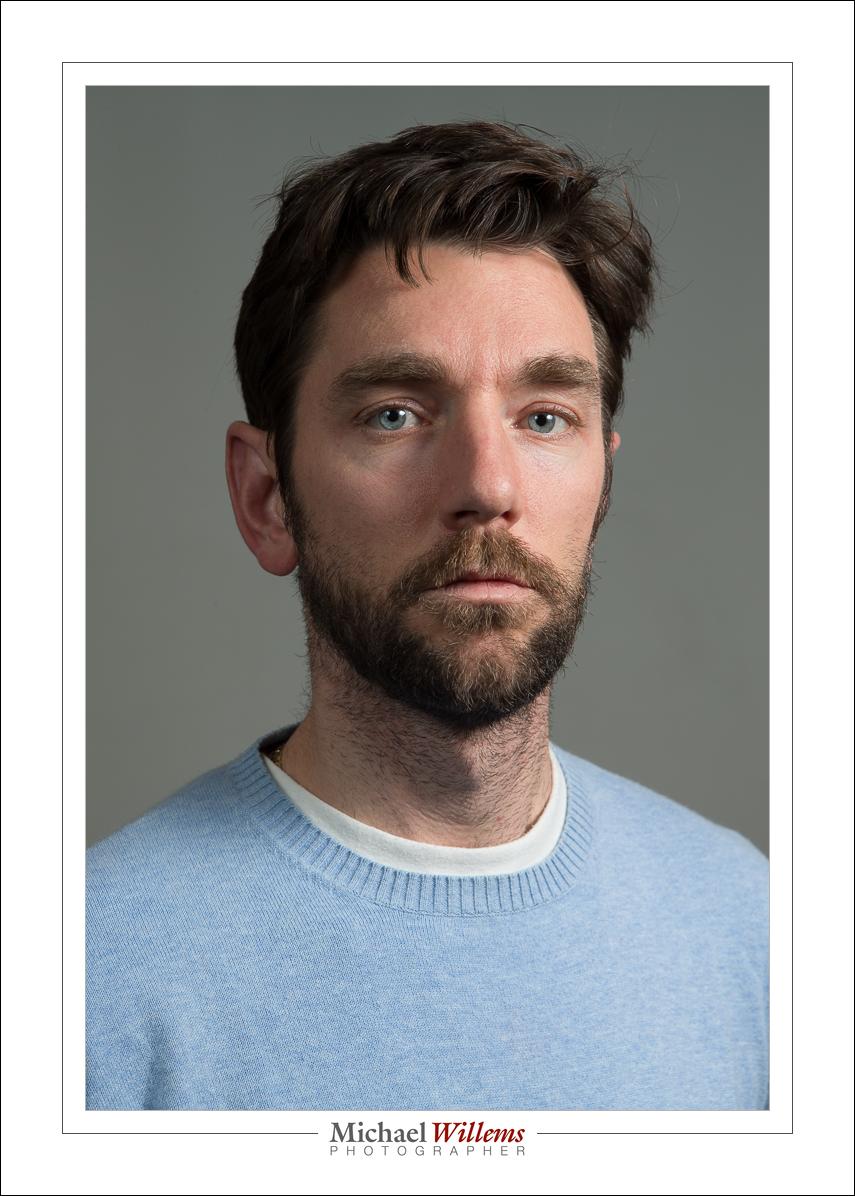
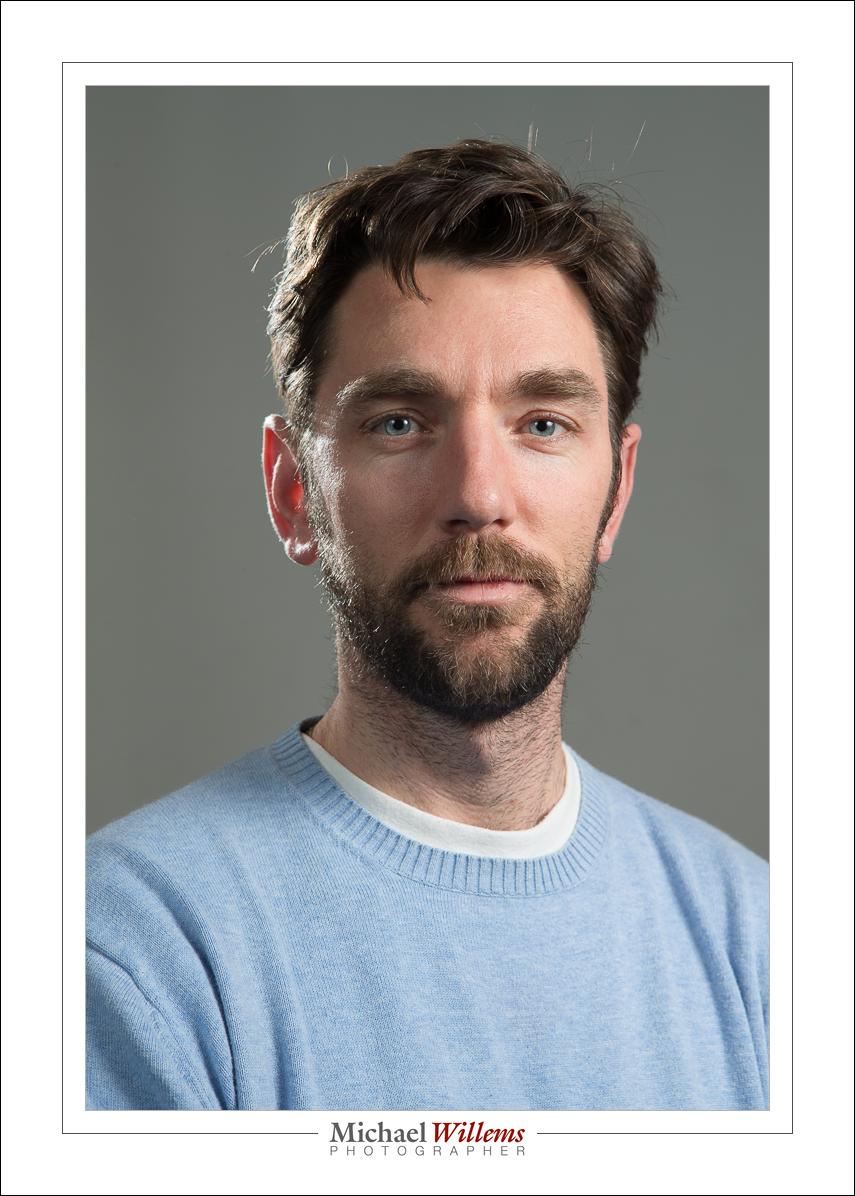

Now we’re talking. And that took the following:
And that’s all – not complicated once you know how. And that’s what I teach, and as a photographer, you should know how to do a portrait like this in a few minutes.
Miscellaneous notes, today.
First: a note on flash for my recent students. As you recall, flash gives you opportunity to do more. And to get the most out of the opportunities, the first question you always ask is “what should the ambient light do?”.
The answer can be: “nothing”. In other words, only the flash shows. This means “studio settings”, f/8, 1/125th sec, 100 ISO:
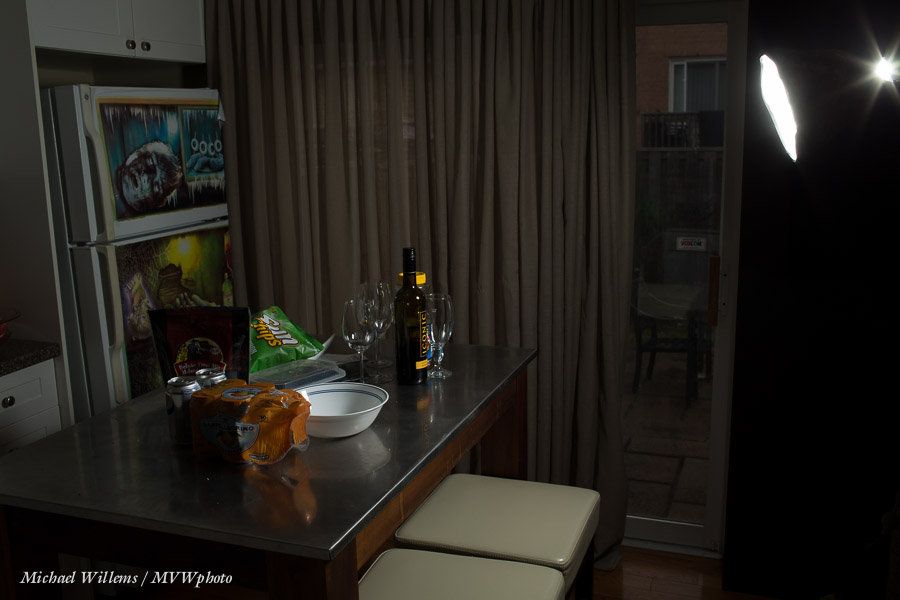
All the light is from the flash, since the settings make the ambient go away.
Or you can add some ambient light.
Here, a slightly slower shutter speed:
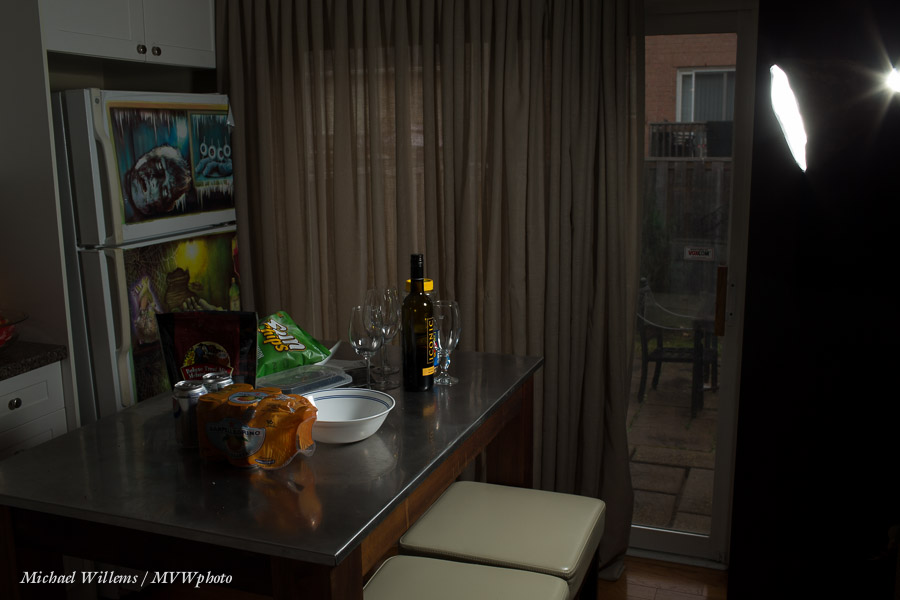
And more…

And slower still…
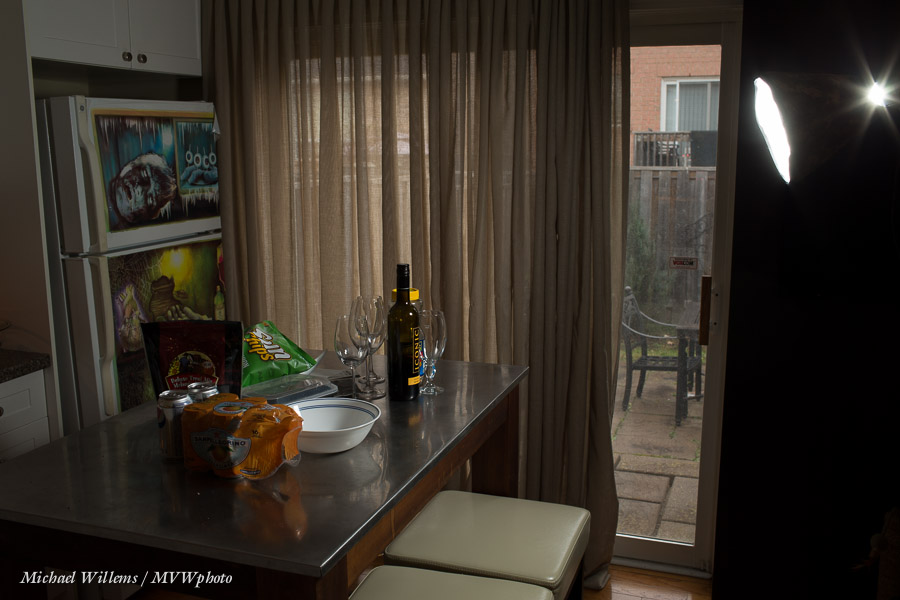
And even slower…
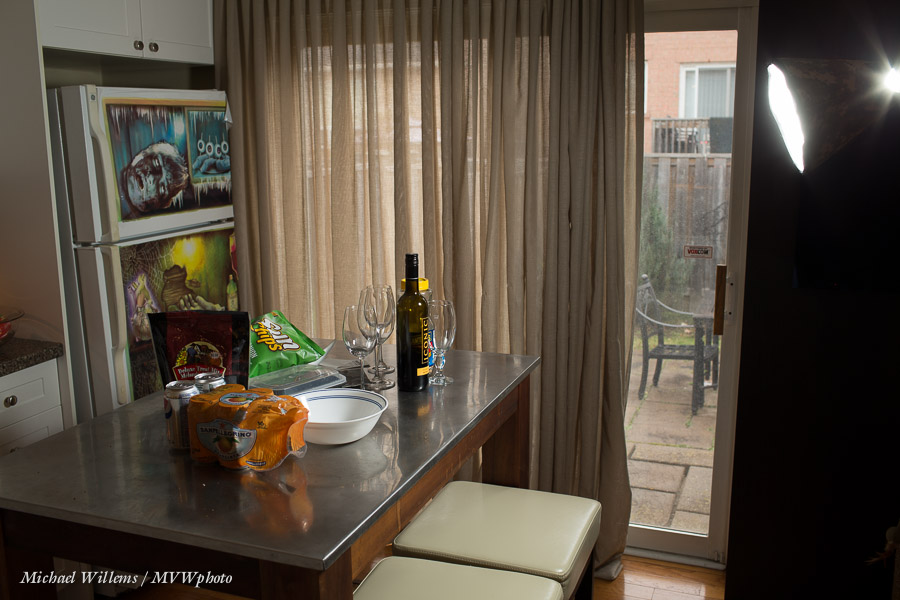
And finally:
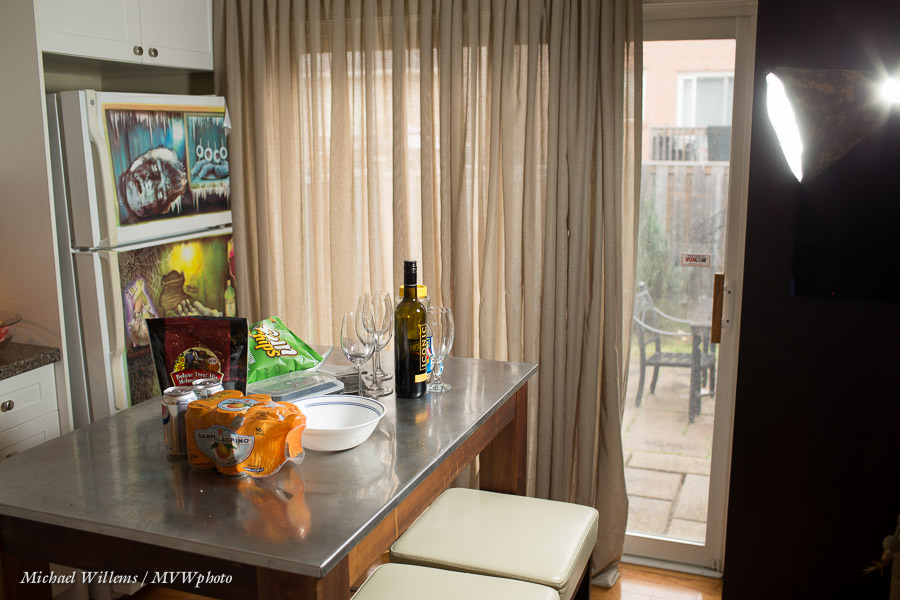
Now, the items on the table are lit at least as much by ambient as by the flash.
And this is your job, not the camera’s: to decide what the ambient light should do. Sometimes the answer is “a lot”, sometimes “a little”, or “nothing”, but it should be a conscious decision that is always your responsibility.
Second: I shall be travelling next week in Europe, so from tomorrow until Nov 23rd, posts may well be sporadic. Internet connectivity is not easy unless you want to unlock things, buy cards and hence disable your actual phone, or pay thousands (literally) to your ripoff provider. (Ripoff Rogers – yes, corporations are great, but when they charge thousands for something that should cost pennies, they are ripoff artists and deserve all the scorn we heap on them.)
Third: I am doing a very small Lightroom tutorial on December 9 in Oakville. Lightroom makes us more productive – far more productive. But you need to know how to set it up, how to organize your files, what to do and what not to do The secrets, the tips that make your life much, much easier. I will also ask you to bring some pictures, because we will do a practical picture critique and I will show you how to finish your images and in doing so, make them into images that clients, relatives, and you will love.
For this practical hands-on workshop you need a laptop, and I will take a maximum of only four students. The course takes 4-5 hours (it depends on your questions and experience: allow 5 hours just in case) and costs $195 plus HST. If you want to be part of this unique workshop, simply pay that amount via http://www.michaelwillems.ca/Payments.html and in the comment field, indicate which course/day.
Fourth: have you checked out my Lightroom (etc) tips videos on YouTube yet? Here’s my video channel.
And finally: what are you doing here reading? Go make some photos!
If you have not yet looked at my Adobe Lightroom and other photography videos, then head to my YouTube video channel: www.youtube.com/user/cameratraining. Regular new tips and techniques. Today’s tip: Secrets of the Healing Brush. A few things I bet you didn’t know.
Note: there’s one spot left on tomorrow’s Oakville Advanced Flash course. Contact me if you are interested.
Something new today: another video.
Click to see my Best Practice advice on where and how to store your images and your catalog in Adobe Lightroom.
OK, here’s what we do. I am now offering TWO Oakville “Advanced Flash” Courses: on Saturday, November 9; and again on Sunday, November 10. Both in Oakville, Ontario. This course is for everyone from amateur to pro: I expect you to know basic camera operation including the use of aperture and shutter, but you need know nothing at all about flash.
Why flash? So that you can make pictures like this, straight out of your camera:
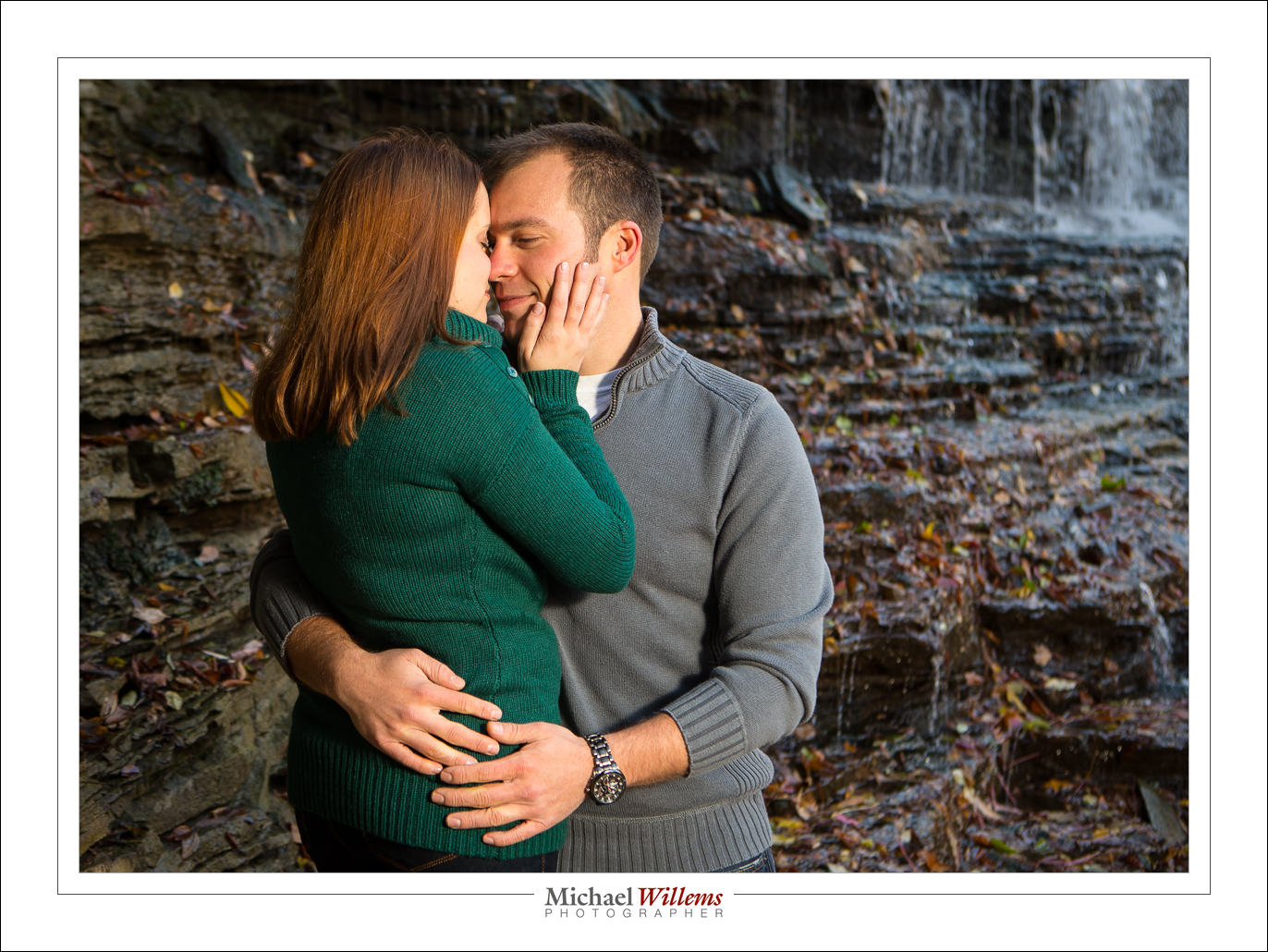
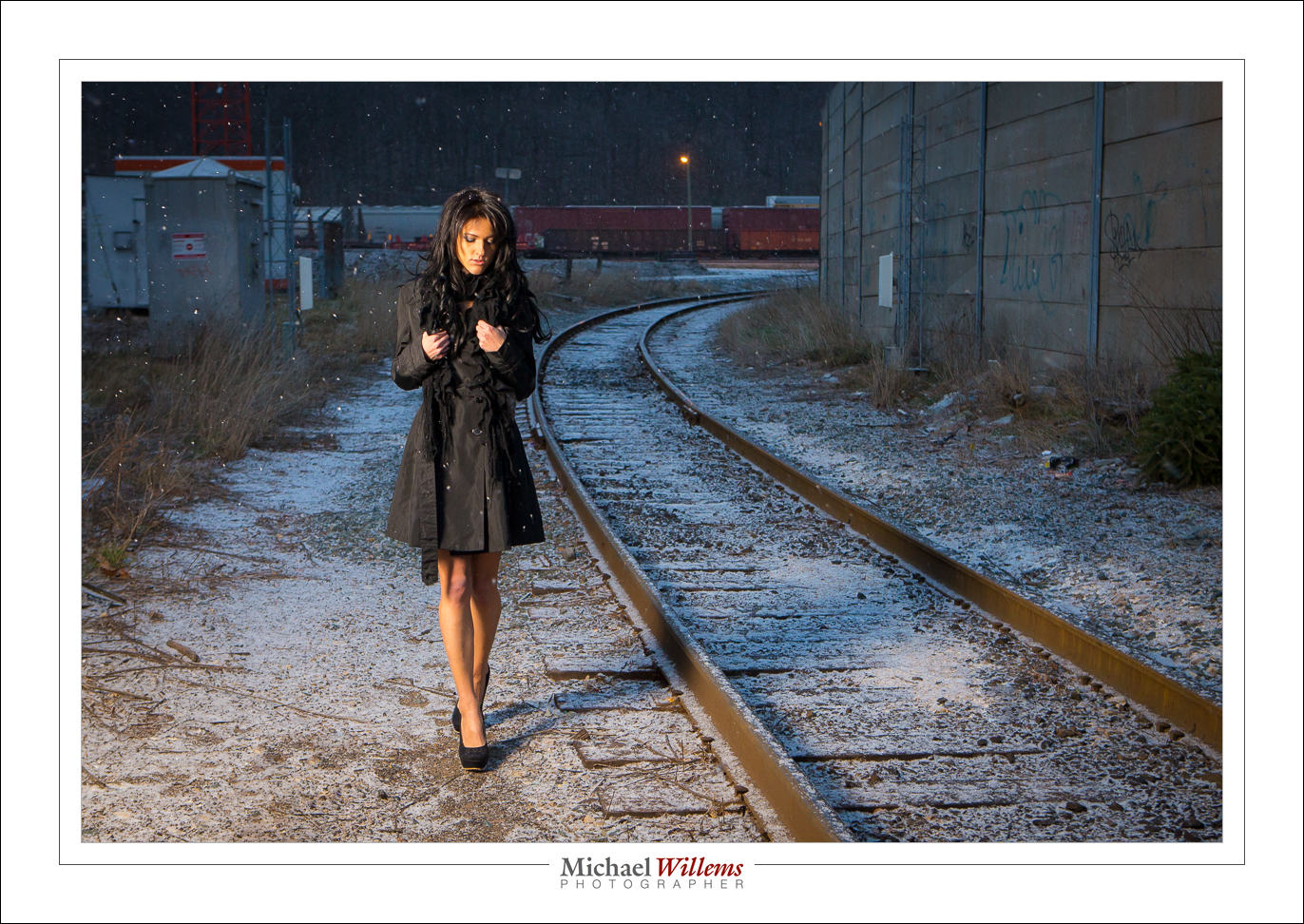

As mentioned yesterday, I am limiting the number of students in each class to no more than 4-5, so do get there first. See the syllabus here, and book via the link at the bottom of that page – indicate your desired date!
Your flash tip for the day: when using your flash outside, keep your shutter speed at 1/200th second or below. Else, your flash would have to go into high-speed/FP mode, which drastically reduces the range. Use manual or shutter-speed priority mode to be sure!
…and that last post reminds me: I am putting on a special “Advanced Flash” Course on Saturday, November 9, in Oakville, Ontario.
I am limiting the number of students to no more than 4-5, so do get there first. See the syllabus here, and book via the link at the bottom.
Once again, military technology is at the basis of what we do with technology. It is incredible what humans will do in order to more efficiently fight other humans.
In the early 20th century an Austrian army captain named Scheimpflug worked out how to handle perspective in aerial photographs (this would come in handy in WWI, no doubt). Hauptmann Scheimpflug is famous for explaining what we know as the Scheimpflug principle. If you like math, look it up on Wikipedia. I warn you, it took me a while to get my head around all those formulas.
What do they do for us? They tell us how to use tilt-shift lenses (or view cameras) to change the plane of focus.
And I will give you a simplified version of its implications here today (yes, it’s simplified: no need to start pointing that out). I am talking about tilting here today, not about shifting. But even simplified, this is an advanced article that assumes you already know at least the basics of what tilt-shift lenses do.
I wrote this because I usually see people with tilt-shift lenses just wildly change every adjustment randomly: and that is not at all a way to guarantee results. Knowing stuff is always better.
WHAT TILT-SHIFT LENSES CAN DO
A tilt-shift lens (its tilting, specifically) allows you to shift the plane of focus so that you can make sharp not “stuff parallel to the sensor” (like the wall in front of you), but “stuff at an angle to the sensor” (like the floor below you).
Consider this, the normal situation. With my 45mm lens set to f/2.8, I focus on the door, so it is in focus (but the stuff close to me is not):
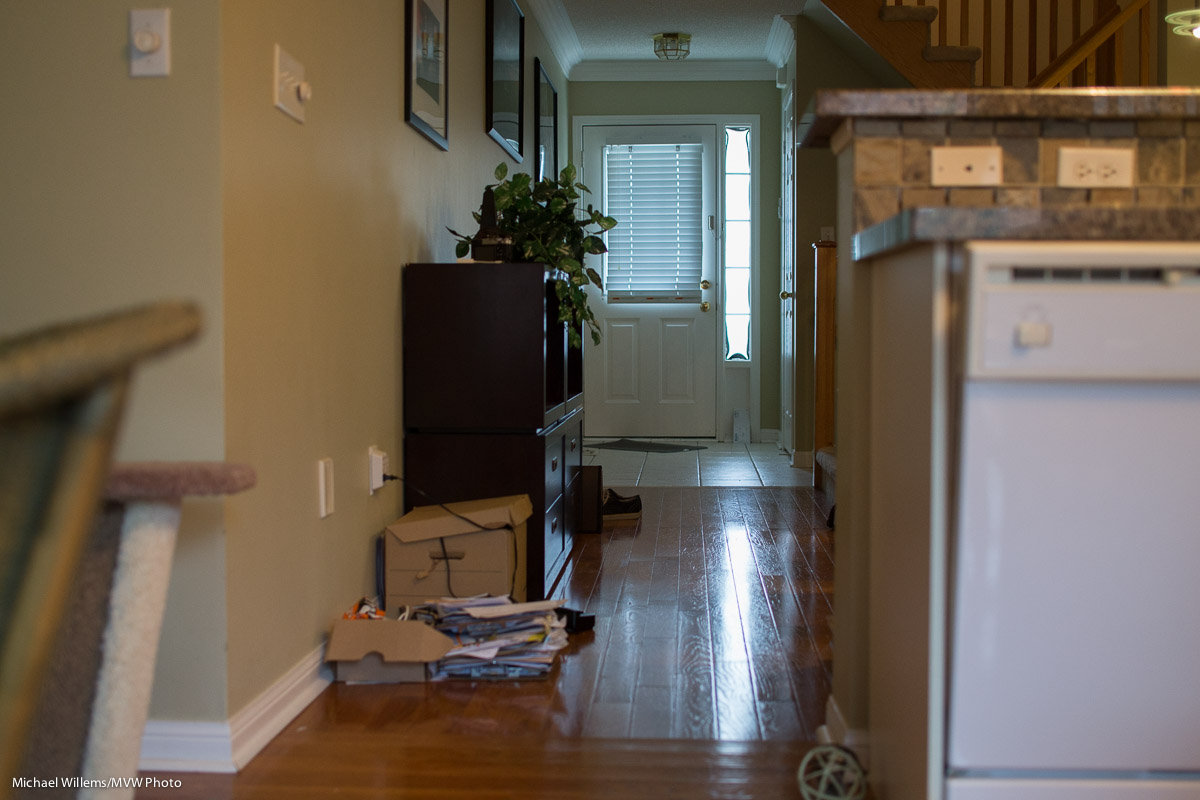
Or I focus on the stuff closest to me, so it is sharp (but the door is not):
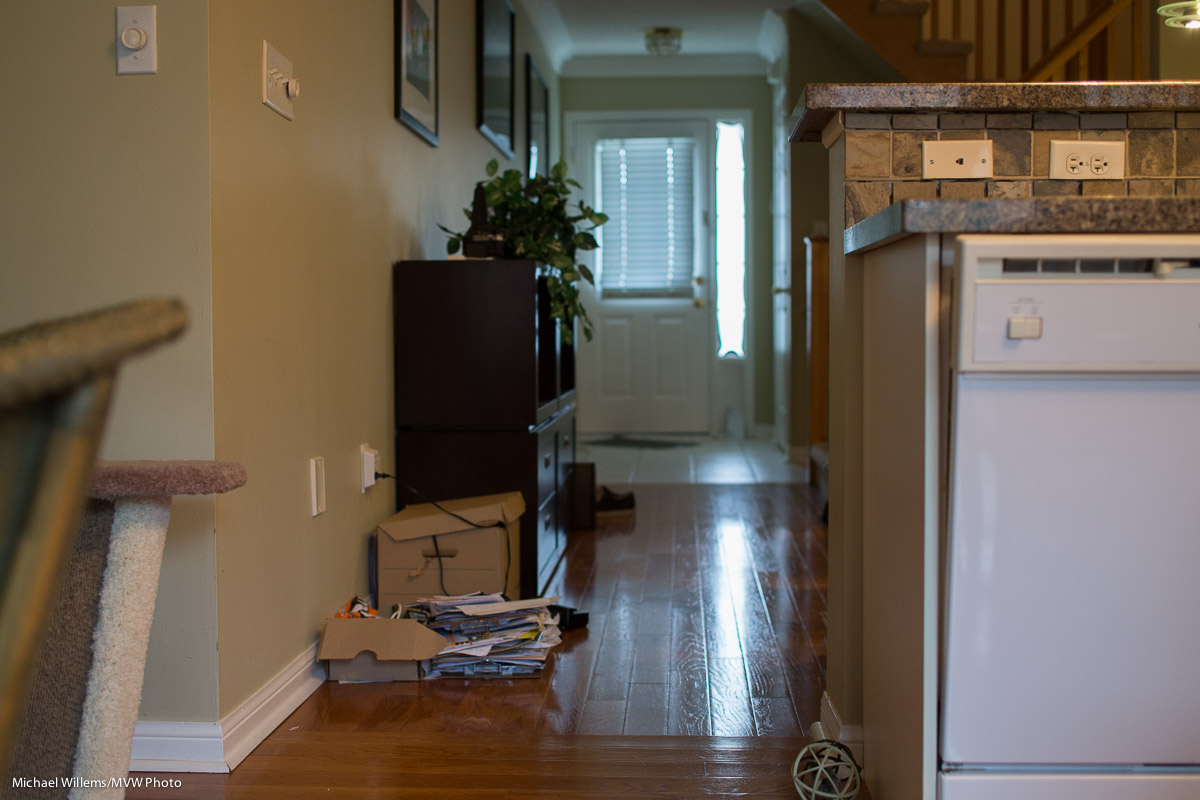
And if I want both in focus, well, I would have to go to a very small aperture (maybe f/16 or even smaller) to get them both sharp. Or to a wider angle lens, or I would have to move way back. None of which may be practical, or even possible.
Enter the tilt-shift lens. If I…
(I told you this was complex), then I can do anything I like. Like this:
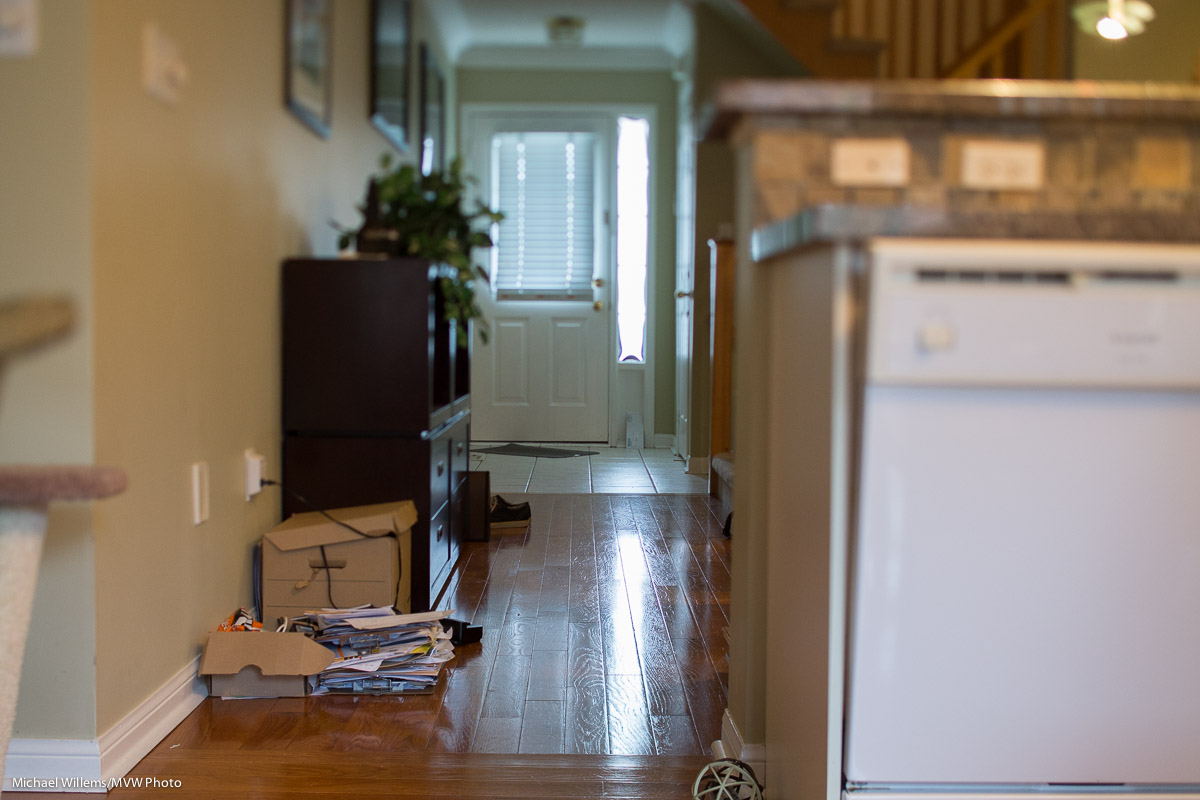
The floor is in focus, from close to far. And yet I am still just at f/2.8!
So far, so good. The question is: once you have a tilt-shift lens, how do you focus it where you want? With the number of variables I just mentioned, there’s just about infinite possibilities, and very few of those actually work for you.
LET’S SIMPLIFY!
I like simplifying. So let’s start with taking variables out. Let’s hold the camera parallel to the floor (i.e. aiming straight ahead, not up or down) and set the focus to infinity. Then the focal plane (“where it’s sharp”) will be perpendicular to the sensor, and since we are holding the camera straight, that means it will be the floor – provided we get the height of the camera above the floor and the angle of tilt down right. Just two things!
And the relationship between them is given by a simple relationship:
J = f/sin θ
Where:
My 45mm lens can shift down up to 8 degrees. So the relationship between angle and “how high you have to be above the floor if you want the floor to be in focus” is:
45mm T/S LENS
TILT ANGLE (deg) – DISTANCE (mm)
Remember, this is with the camera pointed straight ahead, and the focus set to infinity. (Why this is so is easily derived from the formulas in the Wikipedia articles and basic knowledge, but I will spare you the math, except to mention that that the tangent of 90 degrees is infinity).
So in my last image, I was about 85cm above the floor, with the lens angled down by 3 degrees. Bingo.
(A tilt-shift pens is hard to adjust very finely: the adjustments are very precise. Patience is needed.)
An alternate way to use this simple rule is to start with what you want. I.e. “if I am x distance away from the floor (and pointing straight ahead with my focus set to infinity), what should my angle be?)
The formula is simply the same as above, so it becomes:
θ = sin-1 (f/J)
So if I want my camera to be, say, 1.7m above the ground, I would have to angle down by sin-1 (a.k.a. arcsin) (45/1700), which my calculator says is 1.52 degrees. Yes, a scientific calculator is handy. Or you could work these out once and carry a little table with you, like this:
45mm T/S lens
DISTANCE (m) – TILT ANGLE (deg)
NOW WE GET A LITTLE MORE COMPLEX
Now let’s let go of the assumptions, namely that you focus on infinity and point straight ahead.
When you alter the focus setting of your lens (i.e. you do not focus on infinity), the focal plane swings up and down. It still starts below your camera at a distance given by the formula at the top, but now it is not parallel to the horizon. As you focus closer, it swings up (or you swing the camera down, whichever you prefer):

Scheimpflug Intersection (Source: Wikimedia)
By how much? I.e. what focus setting will give you what angle?
Aha, glad you asked. Another formula!
From Wikipedia:
ψ = tan-1 ( (u’/f) sin θ)
Where:
So that means that while at infinity focus the plane is perpendicular to the sensor, as you focus closer, the plane tilts up.
IN PRACTICE
So now.. knowing all this, in practice, this is what you would do if you want a particular focal plane to be sharp:
Alternately:
Both these ways to get to the same result give you a sharp ground (if that is what you are intending). The first method is less error-prone, of course; calculating angles rather than trial and error is always recommended if you can.
Not perpendicular?
And if the focal plane should not be perpendicular to your sensor, e.g. because the landscape slopes up, or because you wish to aim down at an angle, then start as in the first method above; then (after aiming down if need be*) and simply adjust focus closer than infinity until the plane tilts up to where you want it.
(*) If you aim the camera down, of course the actual distance between it and the intended focal plane increases, so you will have to lessen the tilt angle.
Did I mention this was a little complicated?
Disclaimers: Any errors here are mine. And as said, of course I am simplifying a little here. If we were to be totally accurate, we would take into account the different distances between lens and focal plane on the one hand (hinge rule) and sensor and focal plane on the other hand (Scheimpflug rule); and the fact that a T/S lens on an SLR does not rotate around its axis, but instead, rotates up or down in its entirety; and the fact that a lens is not a simple single-element idealized lens (lens plane versus lens front focal plane). But what I discuss in this article will do entirely well enough in practice.
___
American friends: why am I using metric instead of feet etc, you may ask? Read what The Oatmeal says, and no more words necessary.
Tomorrow, I teach two seminars at Vistek in downtown Toronto:
There is space on both of these, so if you are interested in learning essential skills: sign up now!
No – not “Kill Bill”… “kill spill”.
What I mean is this: if you want to shoot pictures with dark backgrounds, the essential trick it to keep light from lighting up the background.
I mean shots like this, that depend on not lighting things that you do not want lit (strategic bits, as well as the background):

A shot like that is easy if you do five things:
That’s how you Kill Spill!
So in this case, the setup was:
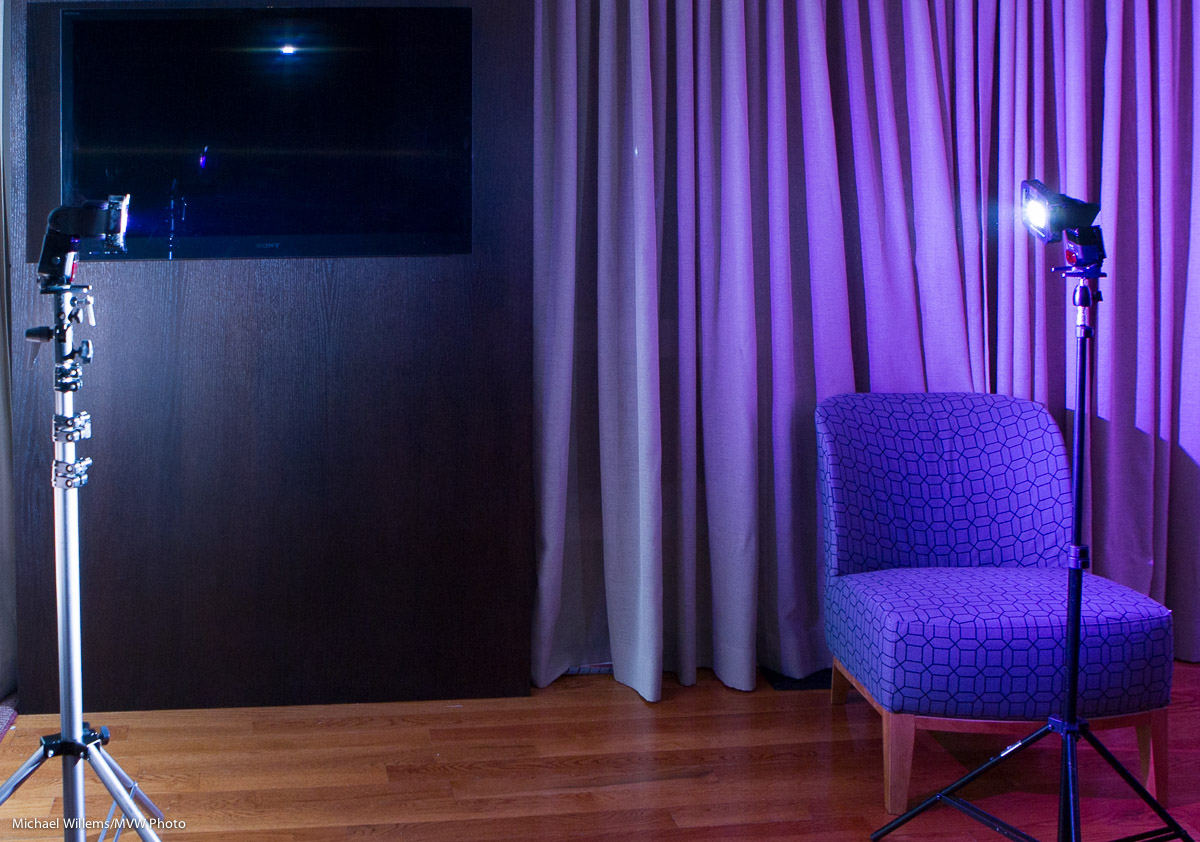
Both flashes have a grid – this is essential, or the shot simple will not work. I used Honl Photo 1/4″ grids. The distance of the model to the background is not great, but the background is black, so things will work out.
The flashes also have gels, because I wanted colour. But: a free tip here: when using multiple flashes, also use gels to analyse what light is spilling where!
And I wanted colour, so I get:
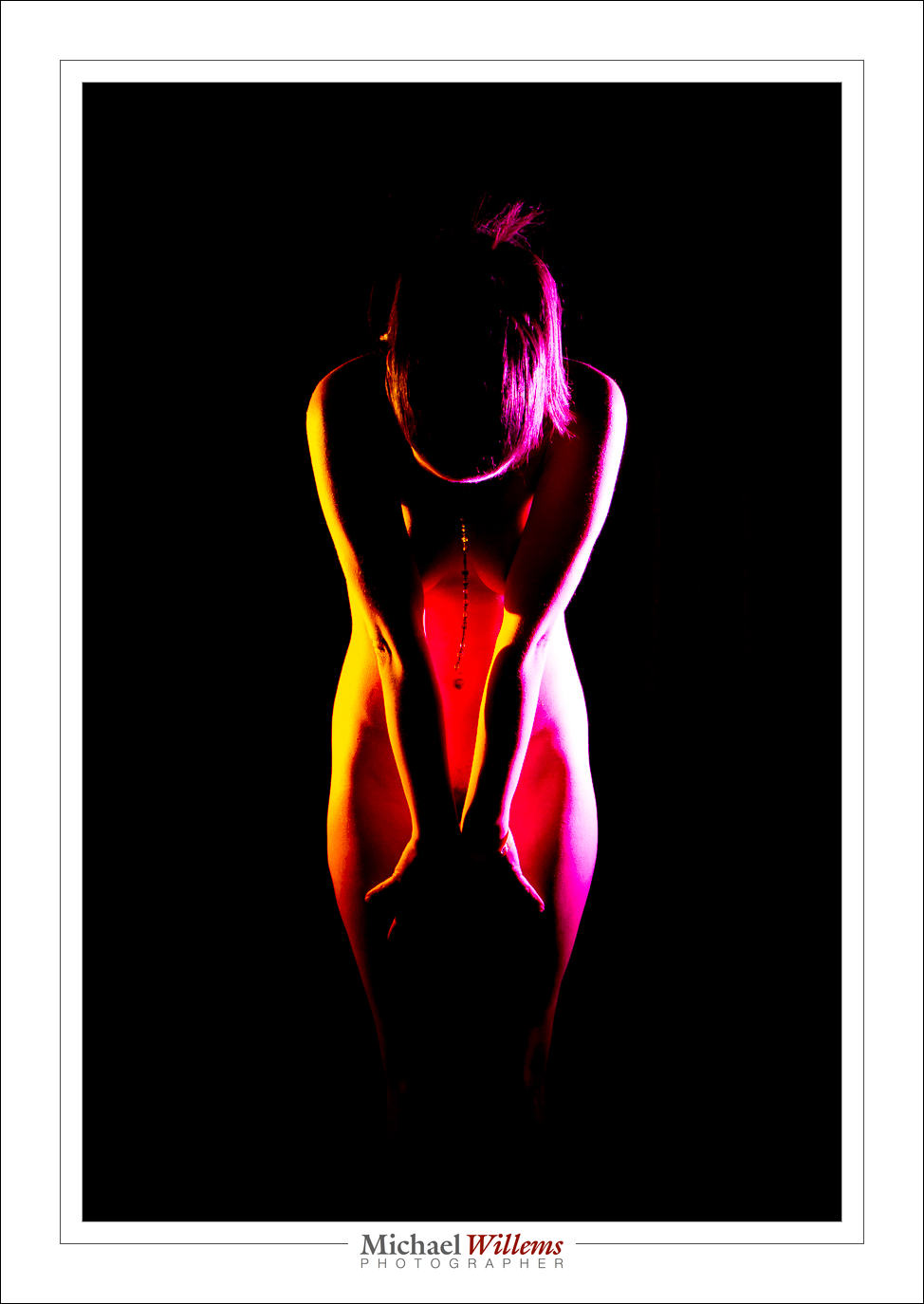
You see, as Antoine De Saint-Exupery said: perfection is achieved not when we have nothing left to add, but when we have nothing left to take away.
___
End Notes: