Light = photons

Light consists of photons. And photons are photons, whether they were emitted from a large strobe-type flash or from a small speedlight.

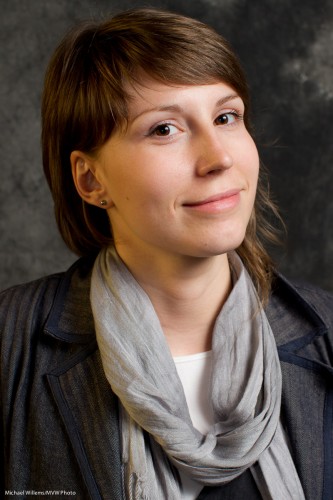
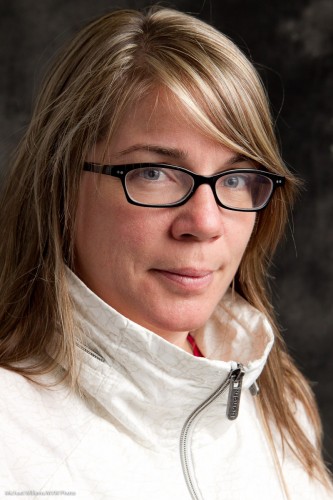
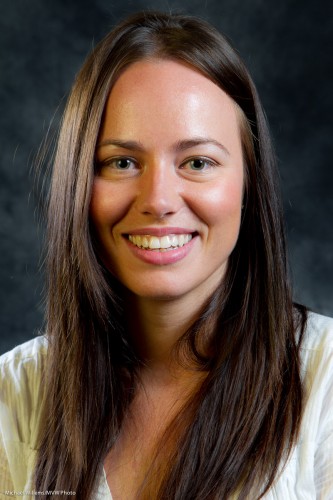
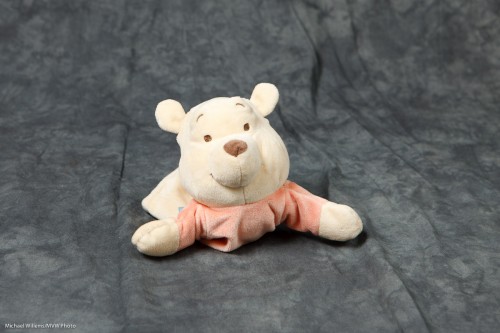
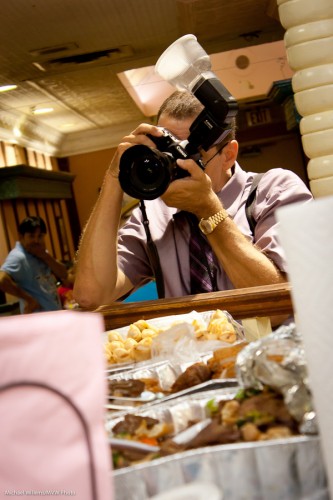
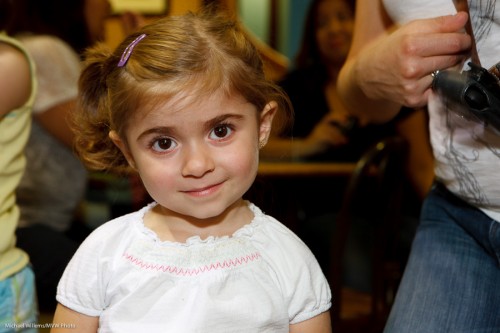
To see what I mean, look here, at a few pictures I took of kind volunteers, during classes I taught at the Exposure Show today (note – tomorrow is day three, and I will still be there teaching – come catch this it, is worth it!):
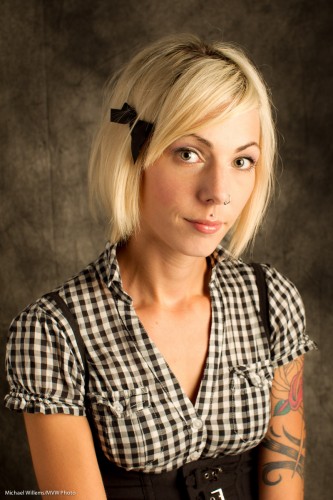
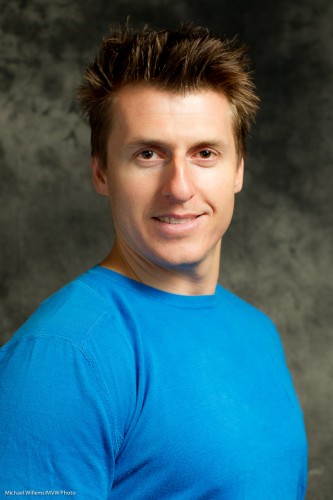
Portrait (Photo: Michael Willems)

Portrait (Photo: Michael Willems)

Portrait (Photo: Michael Willems)

Portrait (Photo: Michael Willems)

Portrait (Photo: Michael Willems)

All extremely attractive and wonderful people.

But can you tell me….

  • Which ones were shot with studio flashes (strobes) and a reflector?
  • And which were shot with one small off-camera flash and a reflector?

Answer below the line, after you click:
Continue reading

Vignette

I admit to a guilty pleasure: I like vignettes. In other words, I like a dark area around my subject, to make it stand out.

Like this:

Which , when subtle enough (yes, I am laying it on a little thick here so you can see it clearly), looks better to me than this, the original:

You can achieve a vignette like this by using the “Post Crop Vignette” function in the Lightroom Develop module’s “Efects” pane. Or in Photoshop.

But you can also do it with your lens. And in some cases, like when I shoot news, this is the only way: when shooting any editorial picture, you may not change anything (other than cropping, white balance and exposure adjustments). Distorting is not allowed!

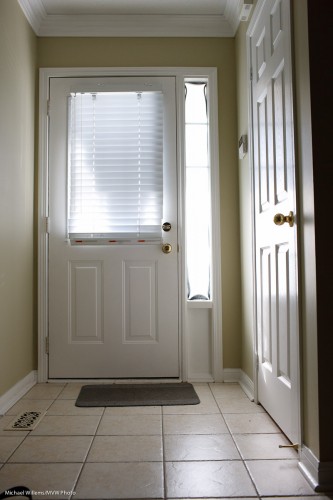
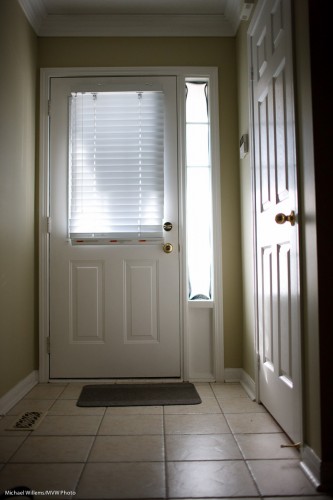
But if I shoot with a fast lens wide open, I can get the same. Here’s my 35mm lens at f/4:

Hallway (Photo: Michael Willems)

And here it is at f/1.4 – wide open. See the effect?

Hallway (Photo: Michael Willems)

And no editing was done here – so I can do this for news pictures when I like.

Of course the drawbacks are obvious: very narrow depth of field can be too narrow.  But often, the vignetting effect is beneficial, which is one reason I sometimes shoot wide open.


Magic Bowl

A simple trick for you today.

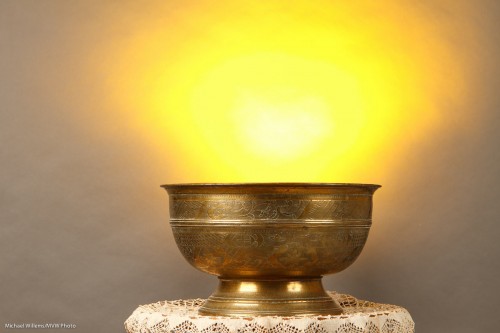
How do you create a magic bowl like this?

Magic Bowl (Photo: Michael Willems)

Gold? Incantations?

Simple technology, of course – you knew that, or I would not have mentioned it here.

  1. Use studio lighting with a key and fill light.
  2. Use a darker background – or move the subject away from a lighter background, to also make it darker.
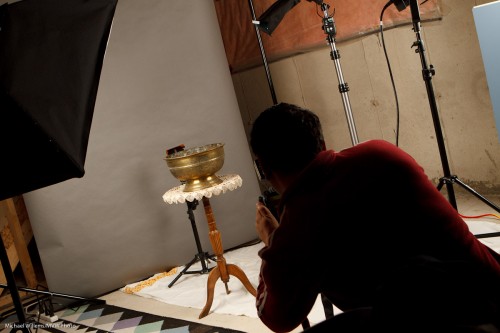
  3. Then light the background with a flash with a gel – I used a speedlight (as it befits the speedlighter), with a Honl Photo “egg yolk yellow” gel.

That looks like this:

Magic Bowl Setup (Photo: Michael Willems)

See the flash behind the bowl, aimed up? Simple, innit – once you know?


Tools

As I recently said here, you need to do what you need to do with whatever tools do it. And sometimes those are not the ideal tools.

And once again, let me say that the tool of last resort for me is the Gary Fong Lightsphere. I can be seen here using it at a recent shoot:

That is needed in an environment where it is hard to bounce. So then I get acceptable pictures by all acounts: not art but not bad either:

As you see. a shadow, but not a hideous one. This is light I can live with, and you will see me using this kind of light in events regularly – but only until I can find a place to bounce.


Hidden worlds

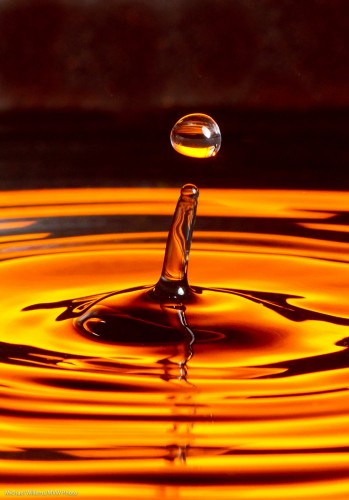
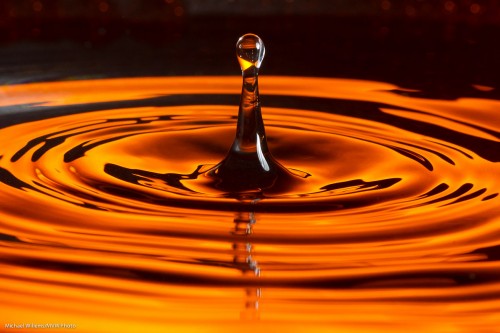
There is a hidden world in water’s surface tension. A world like this:

Water Drop (Photo: Michael Willems)

Is that difficult to photograph? Depends on how much patience you have.

Here’s how I just took this picture:

  • Camera on a tripod, equipped with a suitable lens – I used a 100mm macro lens but a 50mm or a telephoto lens may also do.
  • I set the camera to 320 ISO, f/11, 1/250th second.
  • A black background, lit up with a gelled flash – or just a coloured background.
  • A tray with water – also preferably black. I used a wok since I had nothing else, plus a wok is round, so you get circular waves.
  • A plastic bag with water. I hung it from my microwave. Poke a very small hole in it with a pin.
  • A for the background – I used a 430EX with a Pocketwizard driving it. The flash set to manual 1/4 power and equipped with a Rust gel from Honlphoto.
  • Another flash aimed at the drops from the side. Also driven by a Pocketwizard, this flash was equipped with a Honl snoot. Also set to manual 1/4 power.

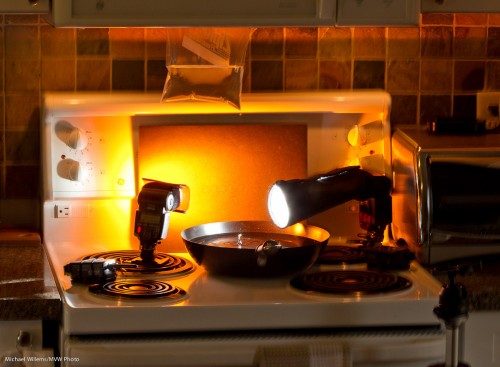
This looked like this:

Water Drop (Photo: Michael Willems)

See the ziplock stuck in my microwave door? And see the tripod on the right?

And given enough patience you will get pictures like the one above. Yes, patience is required – I just shot 500 pictures to get 10 great ones.

Gotchas to watch out for:

  • Too big a hole will give you streams of water – not flattering. You want slow-moving, large drops. Small pin hole achieves this (else, wait until the pressure lessens).
  • Like in any macro photo, you may need to clean up your picture to remove the dust you lit up with the flash.
  • You will also want to crop the image.
  • Watch for reflections of the waves in the bottom of the pan – shoot as horizontal as you can.
  • Watch for reflections elsewhere too – I got a reflection in the side of the pan; some of this I had to remove in post-production.
  • Focus manually; prefocus where the drops fall.
  • You want fast flashes – and since a flash’s power is set by its duration, this means not full power, so make sure the flashes are close.

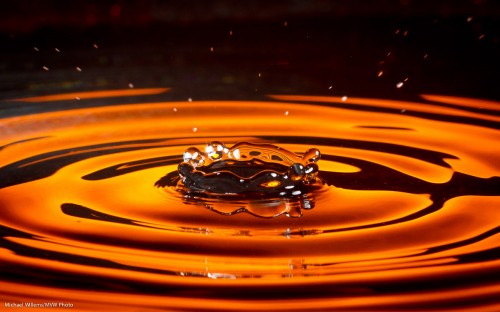
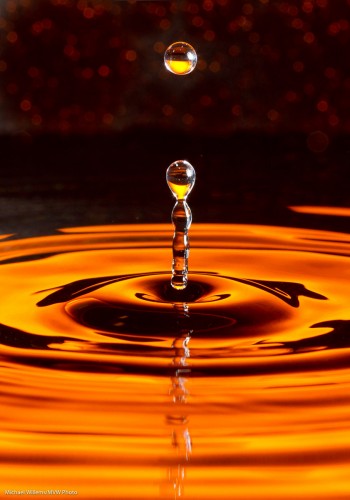
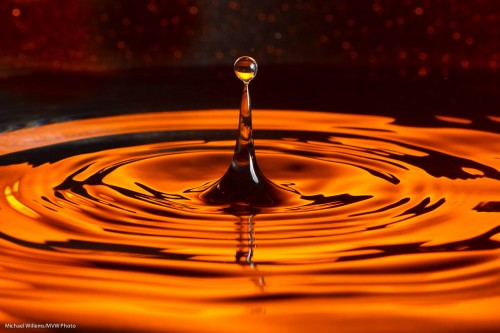
A few more samples:

Water Drop (Photo: Michael Willems)

Water Drop (Photo: Michael Willems)

Water drops (Photo: Michael Willems)

Water drops (Photo: Michael Willems)


What makes a shot?

What makes a shot? New photographers think “technique” – and that is understandable, since the weakest points are where you concentrate first.

But in the end, it is much more than technique.

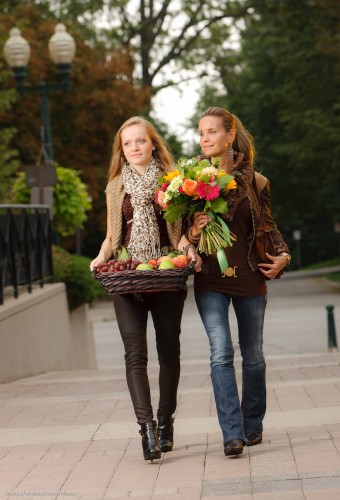
As an illustration of some of the factors, take a shot like this, from that recent “autumn” magazine shoot in Oakville:

Vanessa and melony showing fashion (Photo: Michael Willems)

What had to happen for this shot?

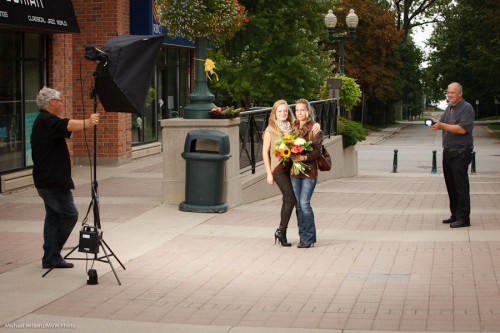
  1. Technique, of course. I described this in my post of 5 September. Two lights, and a gel on the light on our right (that autumn feeling!), and a long lens (70-200).
  2. People. Two models (thanks, Vanessa and Mel), an assistant (thanks Kurt), client for direction, and myself. Five people. And they all have to show up.
  3. The models. Modeling is a profession, and not everyone can do it equally well. Models have to look good, be the right types for the shoot, carry themselves well, and even have a good day. I am sure even supermodels have off-days, so it is something to keep in mind: you are shooting people.
  4. Clothing. The clothing here was from a great Oakville store – instant makeover. Without that, nothing.
  5. Props. The theme was “autumn”. So flowers and fruit personalized that very well – as well as introducing wonderful colour. Props are often forgotten but they can make (or break) a shot.
  6. Weather. Since I am using strobes and speedlights, I can do this in pretty much any light – but I still don’t want too much rain, and I do not want direct sunlight on the models if I can help it, and I sure don’t want sunlight into the models’ eyes-  they would squint.
  7. Location. I chose this location because it had many options, and settled quickly on this particular option – shows a “boulevard” type walk, shows trees, even shows autumn trees even though this was still summer. And those wonderful European-looking street lights.
  8. Moment. In this shoot, half the shots (40 out of 85) shots were unusable due to one or both  of the two models blinking. With two models, on a bright day, that happens! And some were not in sharp focus (6 out of 85) or were awkward moments.

Get all of the above working, and you get nice shots. It’s not just technique: subject and moment are important!


Flash restraints

When working out a photographic scenario, it is often useful to think in terms of restraints – i.e. “what to watch out for”. That can help you handle tough situations.

When using flash, especially in mixed light (e.g.outdoors) the following are the major restraints to watch for:

  1. Flash synch speed. When using flash, your camera cannot exceed the speed beyond which the shutter no longer fully opens. This is around 1/250th second on most SLRs. (Tip: open the aperture on your camera all the way at 1600 ISO and point at the sky. Check shutter speed. Now turn on the flash, and see what the shutter speed is now reduced to – that is your flash sync speed).
  2. Flash range. Your flash range gets smaller the more you close the camera’s aperture. The guide number divided by the aperture tells you the full power range. (Tip: the flash may display it on the back – most modern flashes do, when the head is pointed straight forward.)
  3. Usable Aperture Range. On the one hand, you want a small aperture number (a large aperture, say f/2.8) for blurred backgrounds – but that may be difficult due to constraint (1) above.  On the other hand, you may need a large aperture number (a small aperture, say f/11) to make backgrounds darker, but that may be difficult due to constraint (2)

Geez, life is full of impossibilities, isn’t it!

But if you keep those constraints in mind at all times, you will know when you are about to run into trouble – conversely, staying clear of those constraints guarantees trouble-free shooting. Like in this recent shoot:


Histogram Hints

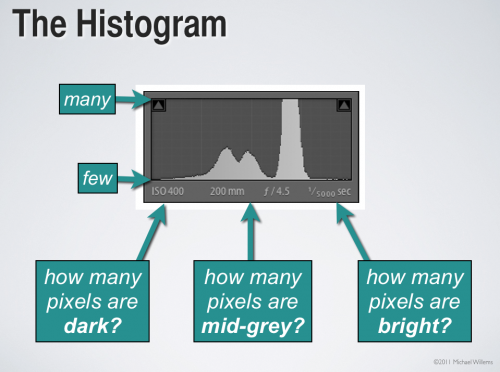
What is the graph you see on the back of your camera when you press the “DISP”, “INFO”, or “up” or “down” buttons on the back of your camera?

It is called the Histogram. It should really be called the “Exposure Histogram”.

It tells you about your exposure in much more detail than a light meter does. In a way, it is like 256 little light meters in one.

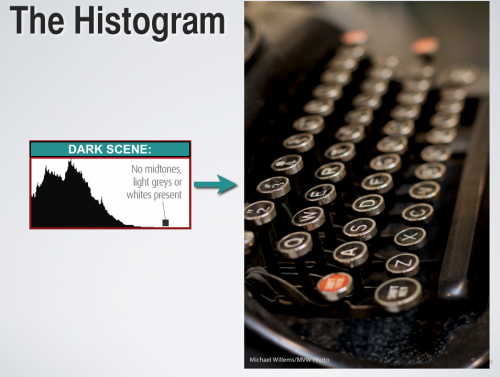
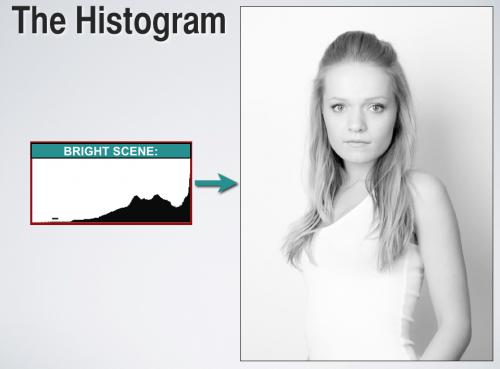
A histogram of a correctly exposed dark image would look like this (unless you are shooting RAW and “exposing to the right”, which is a good technique – but more about that again some other day):

And a histogram of a correctly exposed overwhelmingly bright image might look like this instead:

The words “correctly exposed” are key. If you expose either of the images above incorrectly, you would see a different histogram than the ones above. And that is the power of the histogram: it helps you expose correctly.

Try it now: go shoot a black bag or coat or wall. Fill the entire viewfinder with that bag or coat. Now check the image – and the histogram. Then do it again, using exposure compensation to get a correct histogram.


Exposure lock

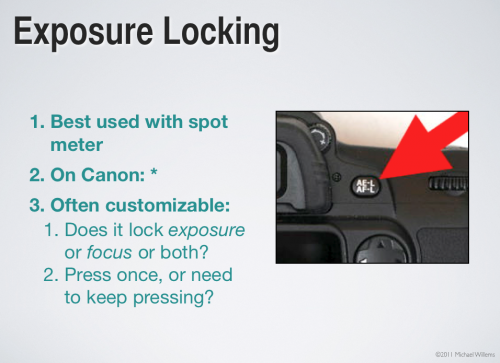
Beginners may wonder what the AE-L/AF-L or the “*” button on their camera is for.

Here’s what. It’s called “exposure lock”.

It allows you to do the following:

  1. Aim at something you want to expose well (a mid0greay object, ideally);
  2. Press the lock button;
  3. While still holding it down, now recompose (i.e. aim the camera at another area);
  4. The focus and click.

That way you get a picture that is focused on what you set as the final composition, but its exposure is based on where you were aiming earlier, when you pressed the lock button.

You might use this if shooting a person against a very white or dark wll. Aim at the person, lock, now aim back at the rest of the scene, now takethe image The exposure will be based on the person, not on the wall.

Two things you need to be sure to do for this to work:

  1. Set your meter to spot metering.
  2. While locking, be sure to aim at an object that is not very dark nor very light – an “18% grey” object, like a Grey Card or like Uncle Fred’s grey suit.

Do this and all your images will be exposed great.

So why do we not use this all the time? Simply because it takes time.


Sunny Sixteen

Why do you need to be able to operate a camera manually? Because it gives you an idea of what values might fit a situation. The same way you need to know arithmetic even if we have calculators.

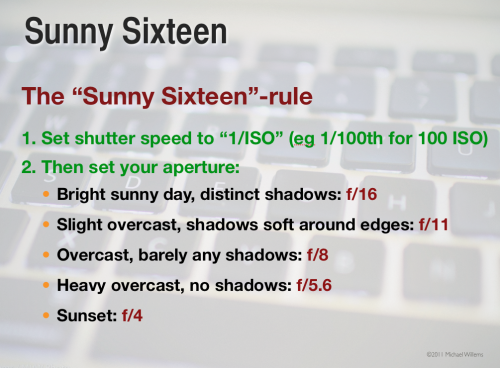
So here’s a rule all photographers need to know. A rule of thumb – that’s all it is of course – but a useful one. Namely, the “sunny sixteen rule” for exposures at mid-day:

Selecting these values will give you a “good standard exposure”. Of course you adjust when it is not mid-day, or you are a very high latitudes, and so on.

If you do not yet know it, learn this “rule” today. It’s great to be able to shoot without a light meter sometimes.