Amateur Aesthetic

Today, another example of the “Amateur Aesthetic” or “Snapshot Aesthetic”made popular by such contemporary photographers as Terry Richardson, after Diane Arbus and Nan Goldin, two of my favourites.

Here’s mine, a high-key model shot:
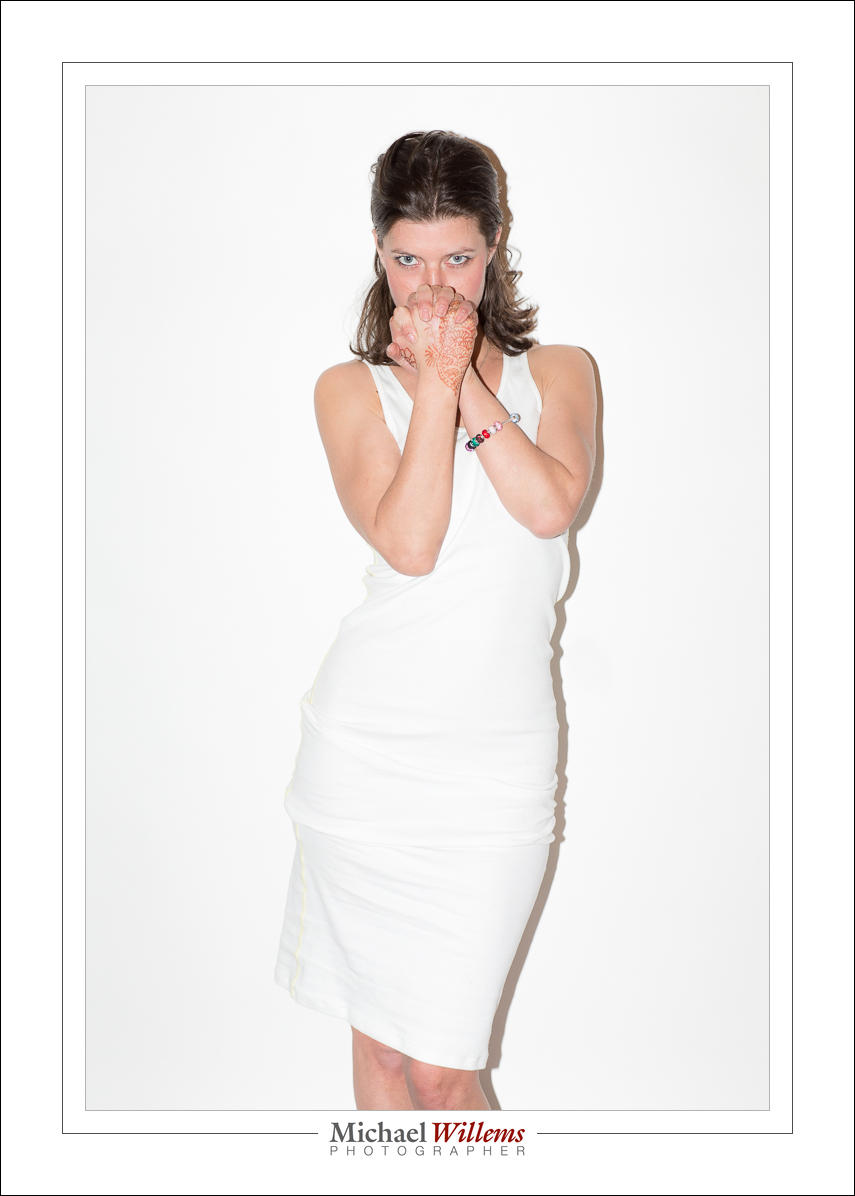
We call it amateur, or snapshot, because you use a flash straight on, and aim at the subject, and have the subject stand in front of a white backdrop, camera aware. Like Uncle Fred does. This gives you the drop shadow. It also, however, gives you very flattening light, and models like this: it hides any facial features. Overexposing a little, or rather, exposing brightly, makes it even better in that regard.

Unlike your Uncle Fred, my models and I think carefully about composition, light, and expression and pose. The direct flash means you need to aim the subject’s face down a little, else light comes “from below”, which is never flattering.

So nothing is left to accident, in spite of the amateur look.

For this shot, I used 1/160th sec, 400 ISO, f/5.6 and an on-camera 600EX flash. The flash compensation, like in the examples of a few days ago, was set to +2 stops, and I used TTL flash metering for flexibility.

Your assignment for today: shoot a portrait like this. I am about to teach a TTL flash course, and my student will do this as well. In addition to “proper” flash, you need to know techniques like this as just another tool in your toolbox.

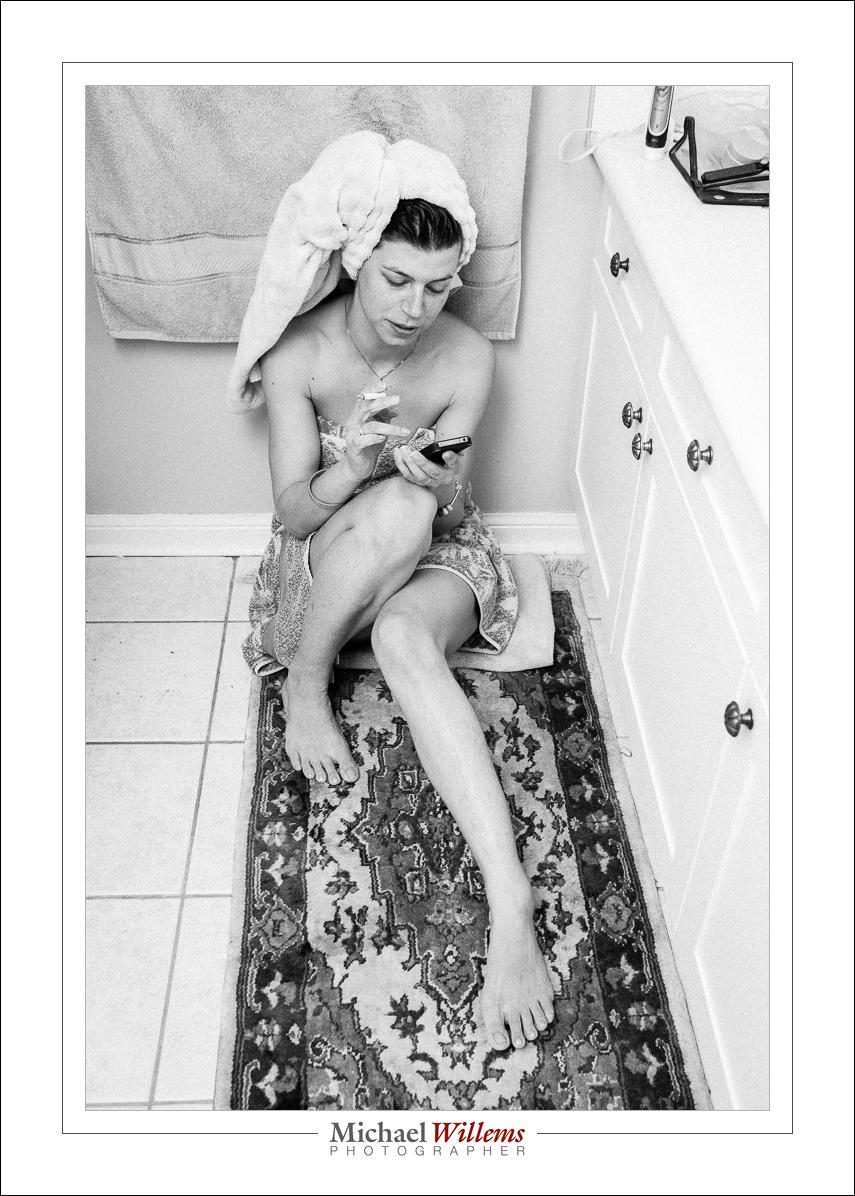
 

Effective Black and White

Black and white (“Monochrome”) is very effective when you want to draw attention to the subject, not the surrounding “stuff”. We should all do more black and white.

I find that in particular, high-key photos like this benefit greatly from being in B/W:

Any colour in the walls etc take away from the effectiveness. And B/W makes it much easier to make a face really stand out in this kind of light.

How do you do a picture like that? Very simple:

  • Camera on manual.
  • 800 ISO, 1/125th sec, f/5.6.
  • Flash Exposure Compensation set to +2 stops.
  • Flash aimed up, behind me. .

Why 800 ISO? To give the flash enough power. Why Flash Exposure Compensation? It’s a white scene and I want the camera to shoot it as such.

A little post work can be good in “documentary” shots like this:

Wide angle lens creates pleasing shapes.

And that post work I mentioned consists of B/W conversion, cropping/rotating, and adding a little contrast and a little film grain. Yes, ADDING film grain. Film grain (a standard option in Lightroom’s DEVELOP module, in the EFFECTS pane) is nice (unlike digital noise). Makes this look like an old B/W film picture.

Photography is such a rewarding activity.

___

Video too! I now have a new course, “Video with your DSLR”: see www.cameratraining.ca or ask me for private training. Worth it, learning to do pro video!


High ISOs again

As for what I said the other day about high ISO values, here’s a reminder. It is better to get a grainy picture than to get no picture.

Case in point. Here’s Jamaica’s Luminous Lagoon last year, with swimmers :

That was taken from a moving boat at:

  • 12800 ISO
  • f/2.8
  • 16mm lens (on a full frame camera)
  • 1/4 second

Yes, yes, 12,800 ISO. And yes, one quarter second on a moving boat. So it took a few attempts. Note that I used the 16mm lens to get as wide as possible: the longer your lens, the faster the shutter speed needs to be for a motion-free picture. So the wider, the better for slow shutter speeds.

But the moral of the story: even when it is pitch dark, you can often get better pictures than you thought. Always try, and do not be afraid of high ISO values if that is the only way to get the picture.


Selfies…

I often do a quick self portrait—all photographers should. Both so you understand what your subjects go through; and just to remember.

Here’s a selfie in Aruba the other day:

Done with an off-camera flash and a Honl softbox and the self timer.

And here’s me in the Air Canada Rouge aircraft the other day, at around 24mm, handheld:

And here, the same but zoomed in to around 70mm. See how “filling the frame” can be effective?

In the latter two shots, I set the camera to choose the focus point automatically.

The point of this post? That you should have some fun with your photography. And that you should document every part of a trip, even the trip itself, the taxi to the airport, the airplane: you name it.

And if you feel like an assignment, here it is: go do a selfie or two.


Old much?

On an Internet forum for pro photographers I frequent, a young woman, a full-time photographer, said this recently: “I cannot possibly imagine hiring a 50-year old to shoot my wedding”. And she was being serious.

Ah, the young, and how they think they will never age, and they do not realize age means experience! Personally, I would hire the best person for the job, be they 17 or 70 years old. Age discrimination is silly.

And important. Because our societies are aging. More of us are older, and soon, many old people will be supported by few young people. Start thinking of problems and solutions. “Head in the sand” is not going to help.

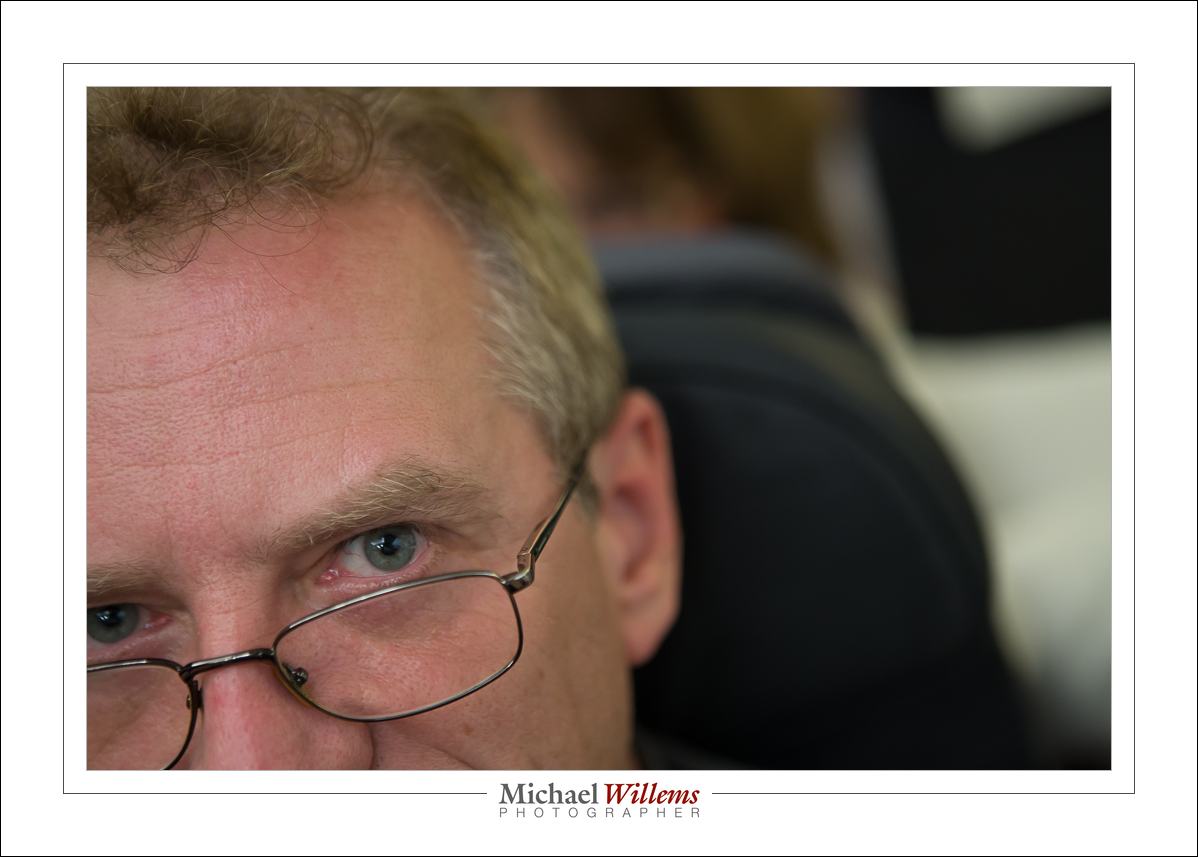
“Photosensitive”, a Canadian collective of photojournalists, has just kicked off their new project, whose working title is “Aging Canada”. Here’s the collective’s kickoff meeting last Thursday, in Toronto:

I am honoured to once again have been asked to participate. Last year I was one of the 100 photographers who together made the “Picture Change” exhibit and book; now, I am very much looking forward to “Aging Canada”.  I think photojournalism is, or should be, a force for social change. And change is needed: I keep wondering “if we know that xyz will be different 50 years from now, why not do it NOW?”. Photography is often the catalyst that kicks off change (think Vietnam, African famine, etc). Photojournalism is not dead; it is now, however, a non-profit endeavour. So be it.

I am looking for old people who do something unusual. I will be shooting an older radio ham, an older pilot, and whoever else occurs to me.  I will show that older people do not just sit and watch the geraniums grow; I also, however, want to show some of the societal challenges; challenges we will need to meet , whether we like it or not.

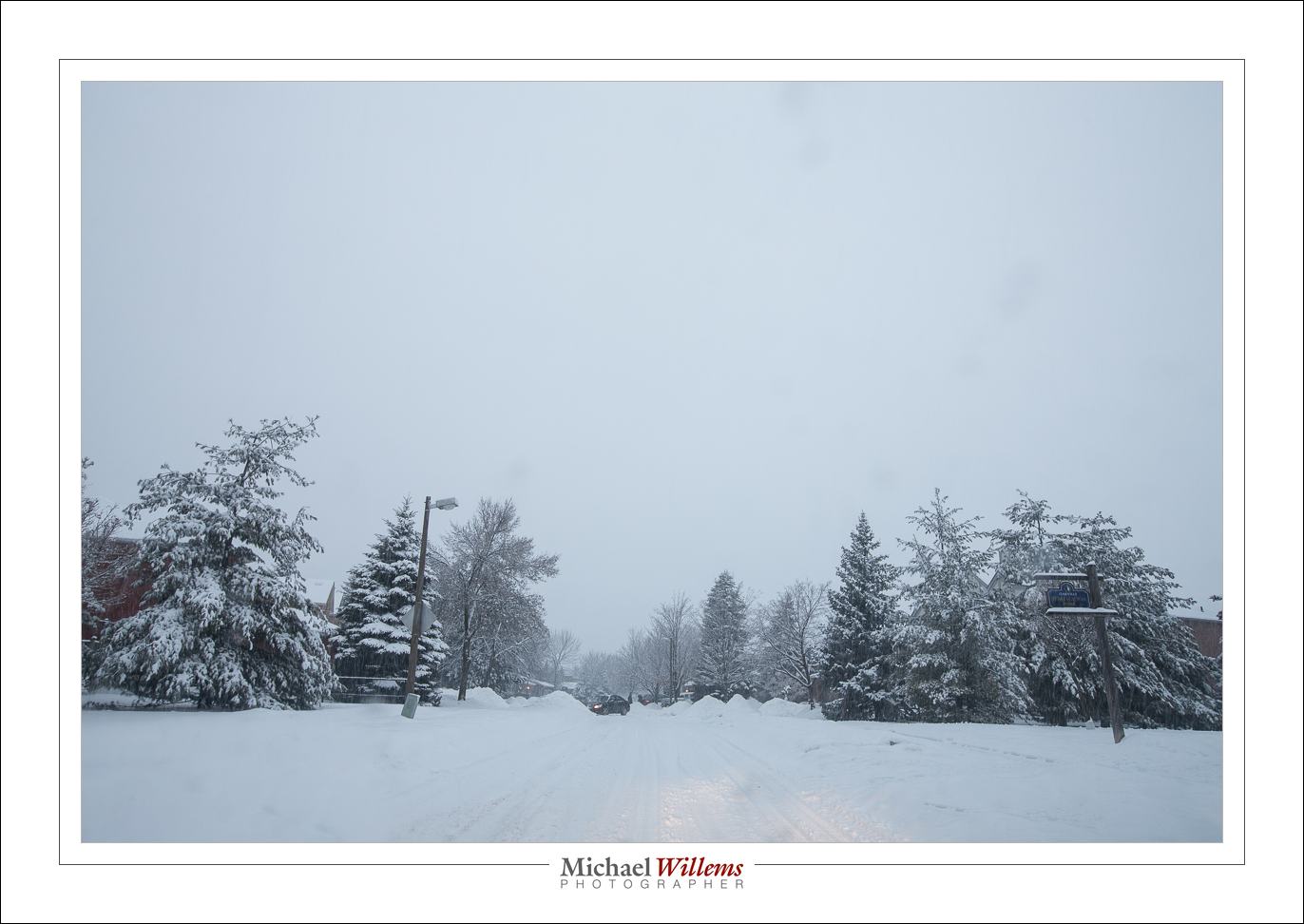
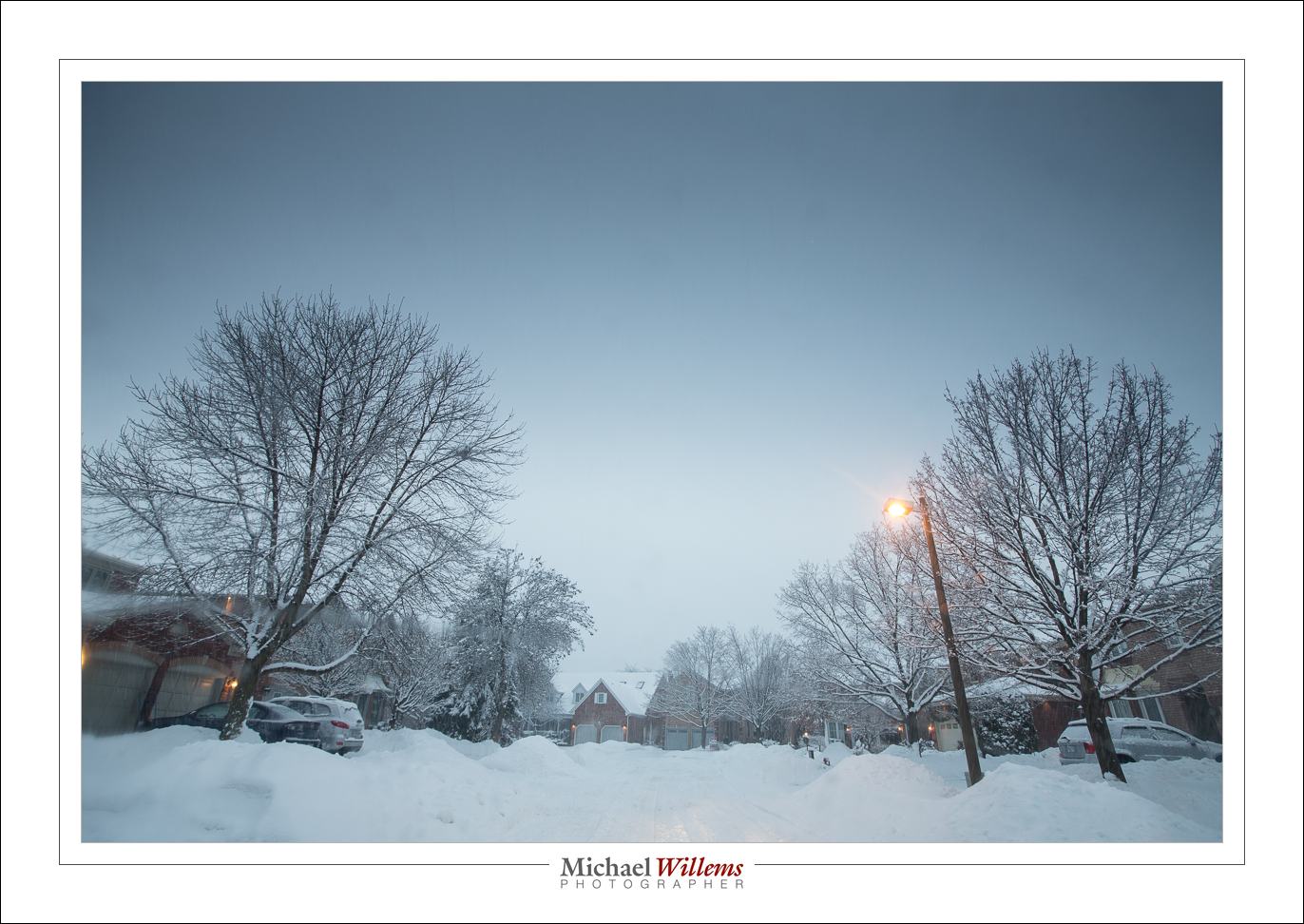
Talking of challenges: This was my neighbourhood yesterday afternoon. 24mm, 1/25th sec, f/5.6, at 400 ISO. Brrr.

Did I mention I always carry my camera? Whether it is part of a photojournalistic project, or just my life, I like to document, and preserve forever. You should probably do the same, but you should also organise and use your images.

And oh – if you should need a photographer, I may not be 24 (or 45) anymore, but chillax… hire me and I’ll do better than when you mupload your own selfies, bitches… I do the chill hustle. I will smoke yo’ event. Word!

Yeah, if you want, if that’s what it takes to get your business, I can talk like that. Bro.


Before and After

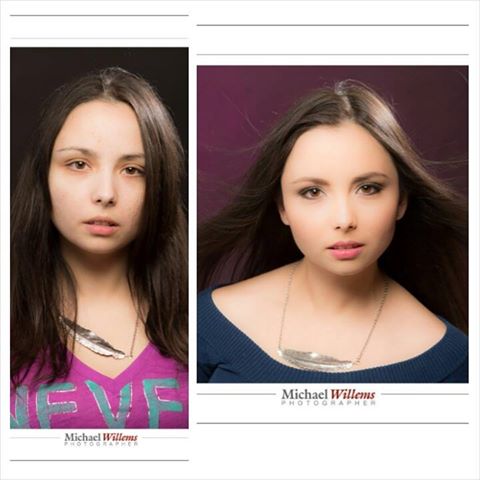
Here’s the power of a make-up artist: “before” and “after” shots of Liz Medori:

Now of course you will notice a few things. First: on the left we have done nothing to make the image look good. NO make-up, but you will also notice the lack of a background light, the lack of a friendly expression, no fan for the hair: while this is not a deliberate “let’s make her look bad” shot, it’s certainly not a “let’s make her look good” shot!

The photo on the right has all those things and a little post work, but in regards to that post work, I want to emphasize “a little”. I do not like to “Photoshop” (Lightroom, really) the heck out of someone to make them look like something they are not. I never, ever do any liquefying, or anything like that; only minor fixes of skin contrast, fixing of temporary blemishes, and so on.

So what we did on the right:

  1. Lit the background
  2. Better expression
  3. Used a fan on the hair
  4. Fixed minor blemishes
  5. Decreased “Clarity” a little (skin-tone contrast, if you will) – but not by much. -15 to -20 is a common setting for me. Much more and it gets obvious, porcelain dolls, and while some photographers love that look, I would rather see people the way they are.

A rule of thumb: if any alteration to a person is obvious upon seeing it, I do not like to do it. I am not fan of the “Portrait Professional” ads that show people made into something completely unlike the way they actually look.

Anyway – the make-up is the major difference: thanks to Melissa T. for doing make-up, and to Liz Medori for modelling.


Runway Bride

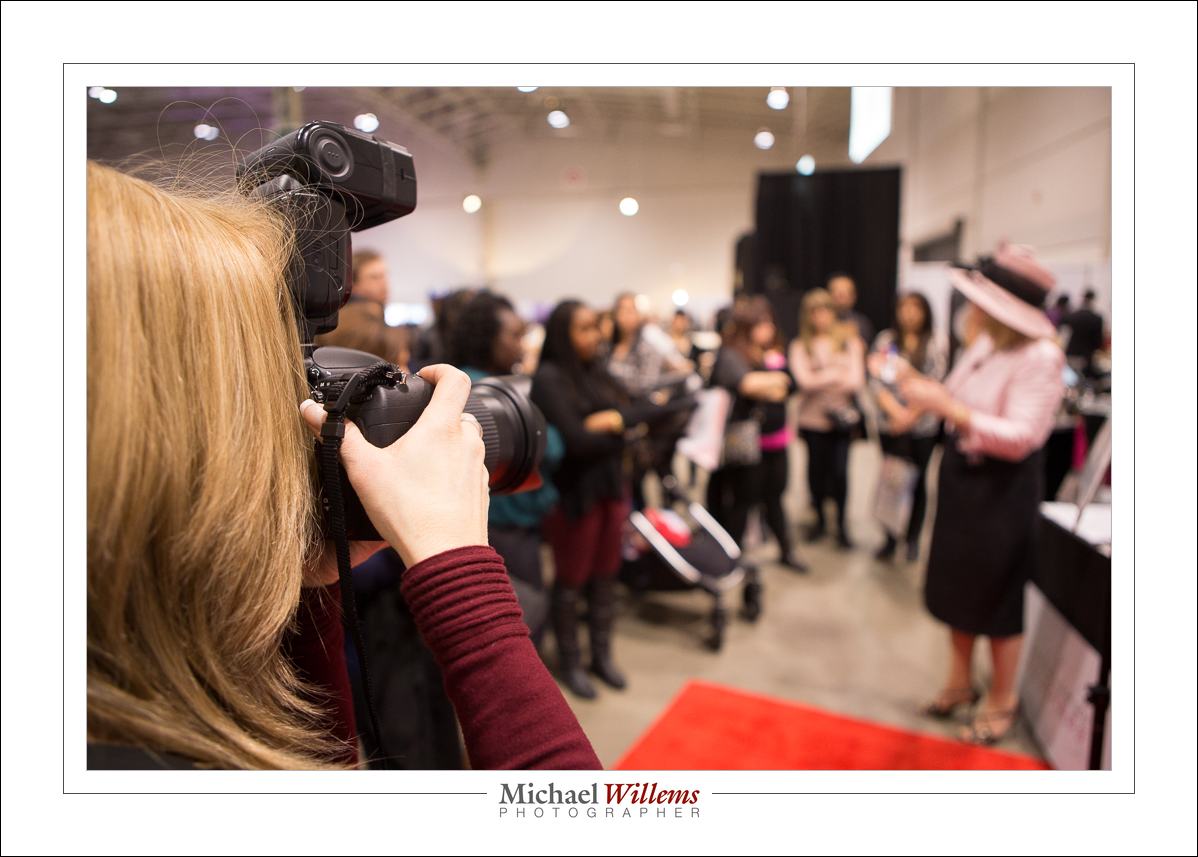
Today I and my assistant shooter shot some pictures at the Toronto National Bridal Show, and I think it might be useful for me to share a few things about that shoot. As you know, I like to share what I do and how, so that you can learn more quickly than I did. Photography is part art, part trade, part technical skill, and all three swirl around each other like a three-core DNA string.

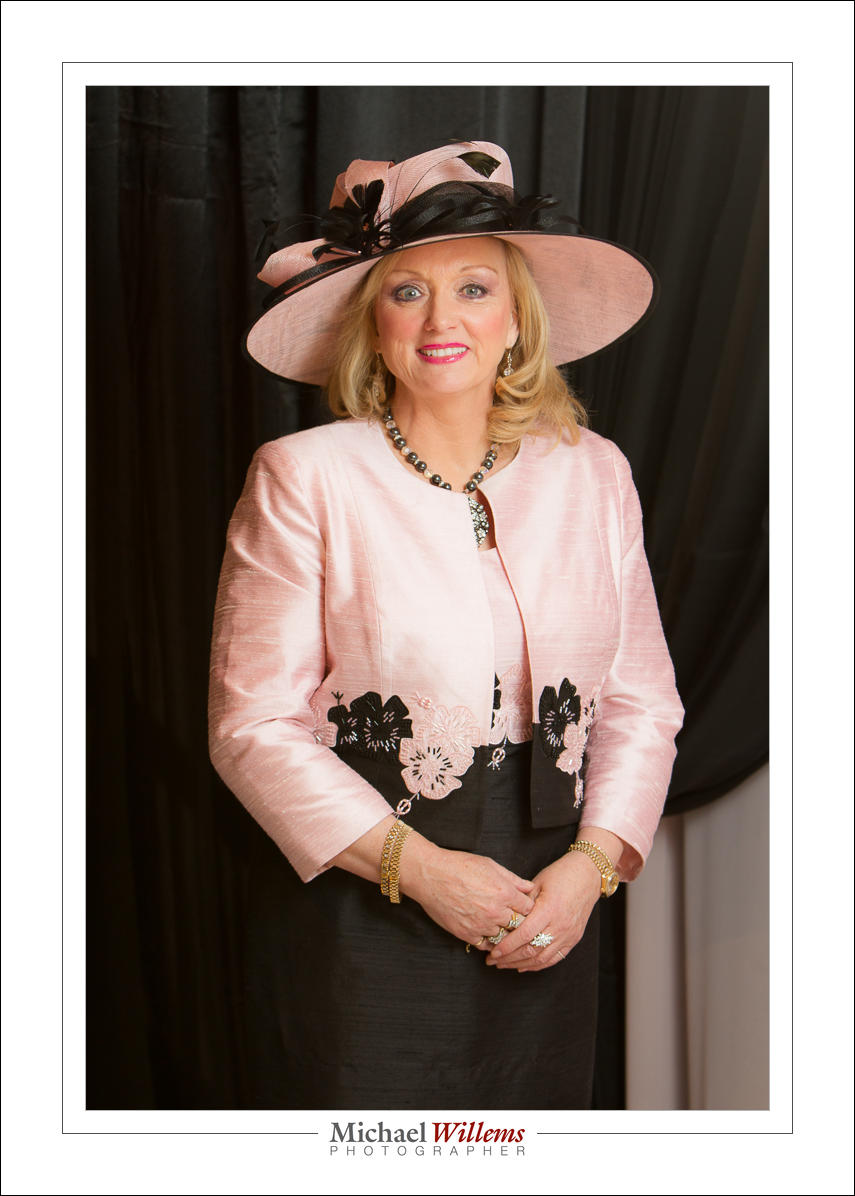
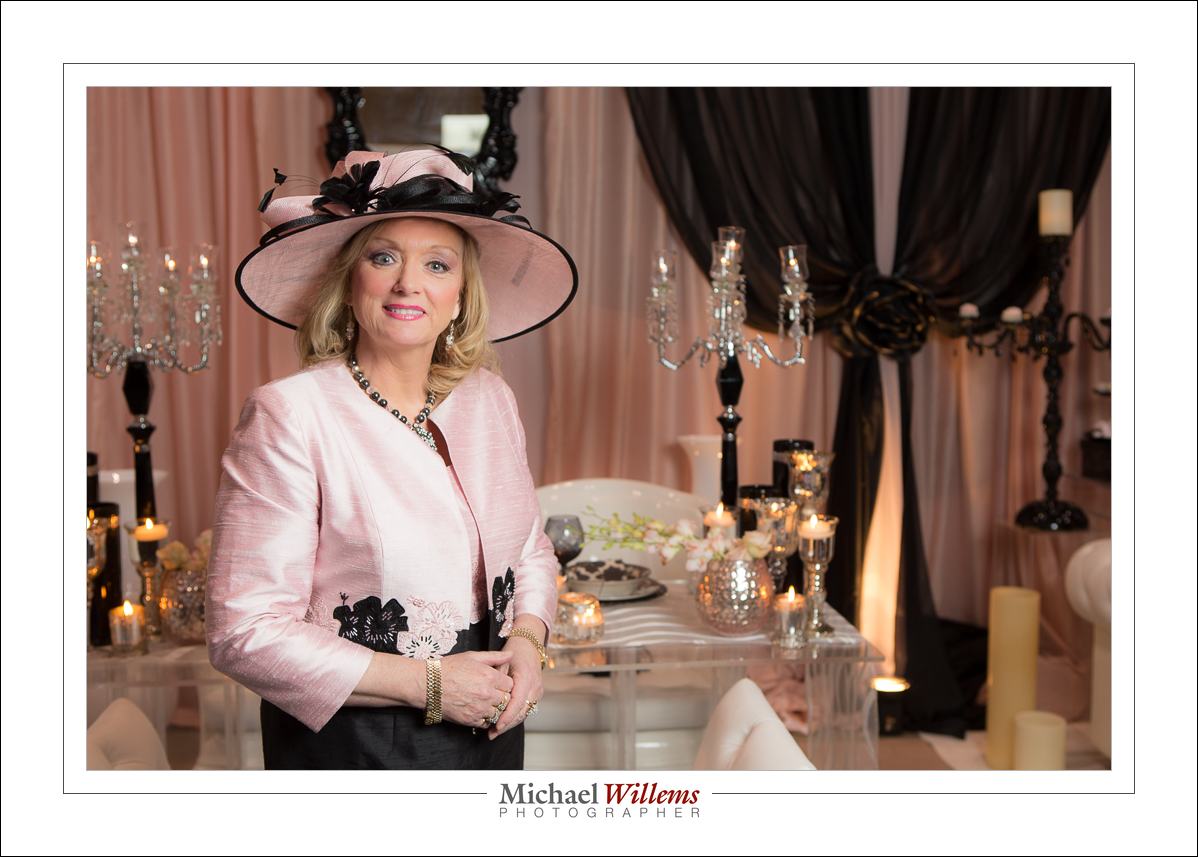
Today was part portraits, like this of TV wedding organizer Jane Dayus-Hinch:

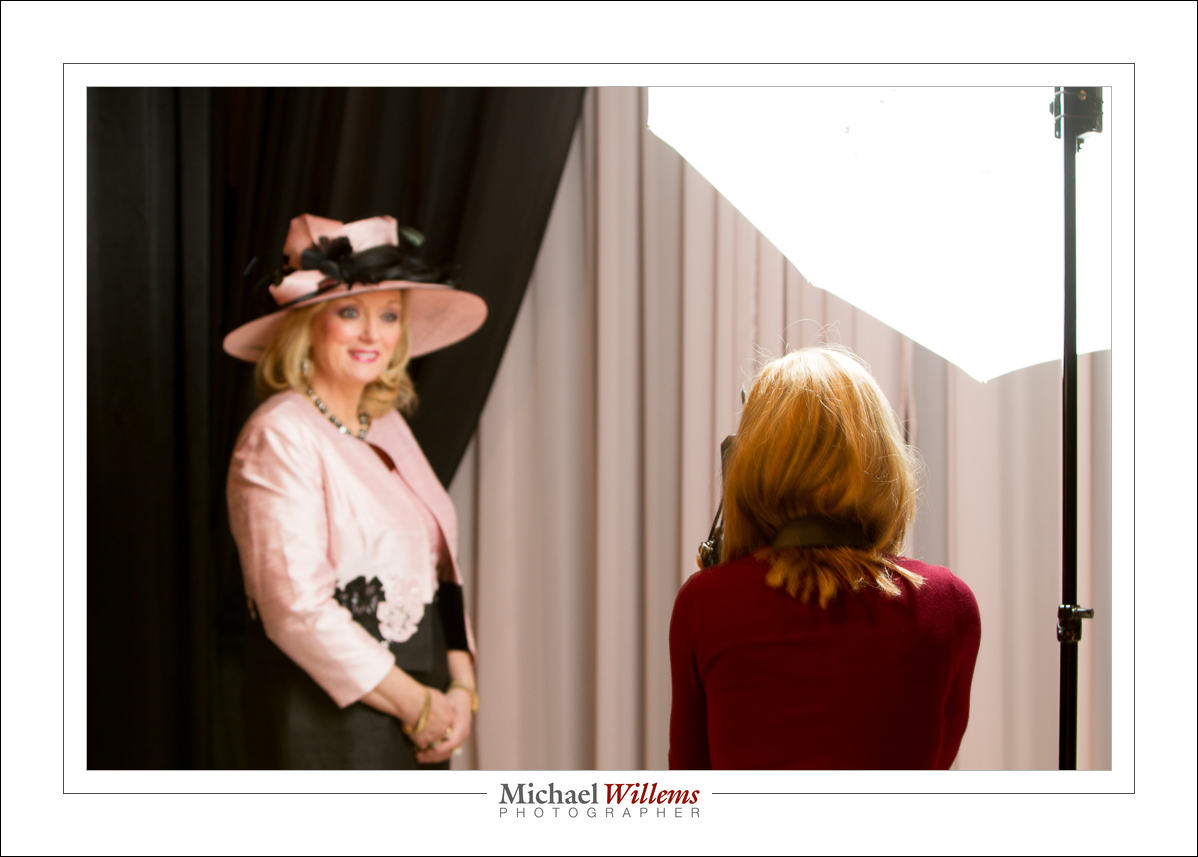
Those studio-type portraits were the easy ones. All I needed was:

  1. Camera with 24-70 and 70-200 lens (the latter preferred but only if I have space);
  2. Pocket wizard on the camera;
  3. A portable light stand (yeah, we carried it through the exhibition hall);
  4. Bracket for mounting umbrella and flash onto light stand;
  5. Flash;
  6. Shoot-through umbrella;
  7. Another pocketwizard on the flash side;
  8. Cable between flash and pocketwizard.
  9. Flash set to manual, 1/4 power
  10. Camera set to manual, 400-800 ISO, 1/60th sec, f/4 when mixing ambient light with the flash; 1/125th sec at 800 ISO and f/5.6 when not: play with the settings until the right balance between background and flash is obtained.

Those are simple, because you turn the subject to the umbrella, ensure the brim does not catch too much light, and once you have the exposure right, keep the distance the same as in other shots and every subsequent picture is good – guaranteed.

Now you can concentrate on composition, expressions, and so on.

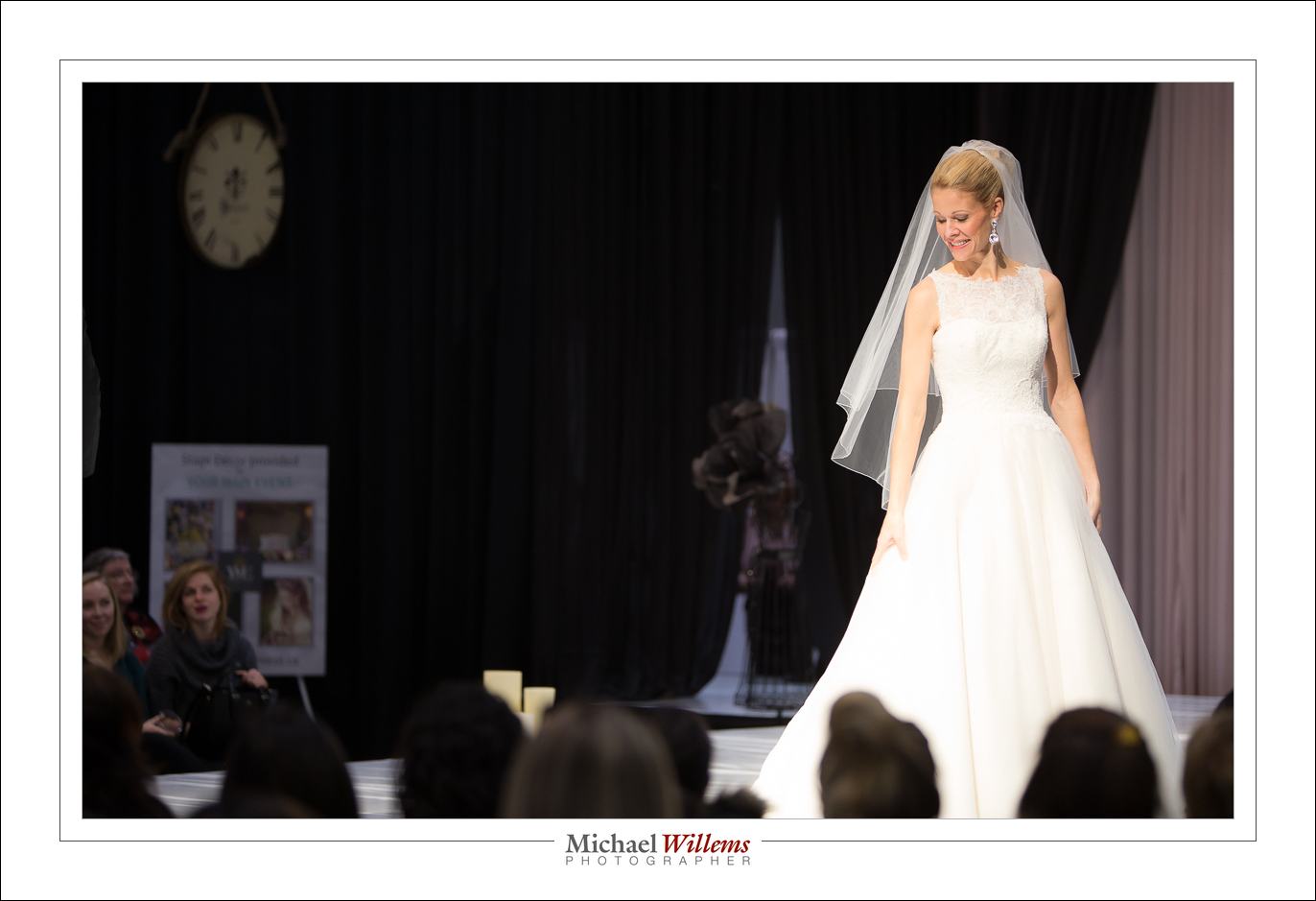
But the rest was different. Some involved only ambient light:

For these, it is important to get a fast enough shutter, and shoot when the right light is on the subject. And use high ISO – I went to 1600. And here I used something I seldom do, namely a combination of:

  • AI Servo (Nikon: “AF-C”) focus;
  • The camera chooses the focus area, not me!

That is anathema to me normally, especially the latter; but here I found the subjects moved just a little too fast for me to set the focus point accurately, since I was shooting at f/2.8 with a long lens, meaning critical depth of field/focus. So I thought quickly and after a couple of shots set the above settings. Razor sharp shots as a result. Dogma should never get in the way of results.

Finally, some pics needed ambient light and a little fill flash:

For that, turn the fill flash level down – I used minus 3 stops flash compensation.

So: many different shooting situations today. A great way to do a Sunday, since photographers need to keep in practice just like airline pilots do. I am happy with my work, and if you learn the basics (do get the e-books: http://www.michaelwillems.ca/Buy_Books.html), so will you be with your work!


Today’s photo

Today’s post is once again a “a day in the life of” post. The photo of the day one I took today of model Khoral, who is of course totally gorgeous, but much more importantly, who is both intelligent and a very nice person. Those are rare qualities: more rare than good abs (or whatever physical attribute you wish to name).

And as you see, she has dress sense too.

But how did I shoot her?

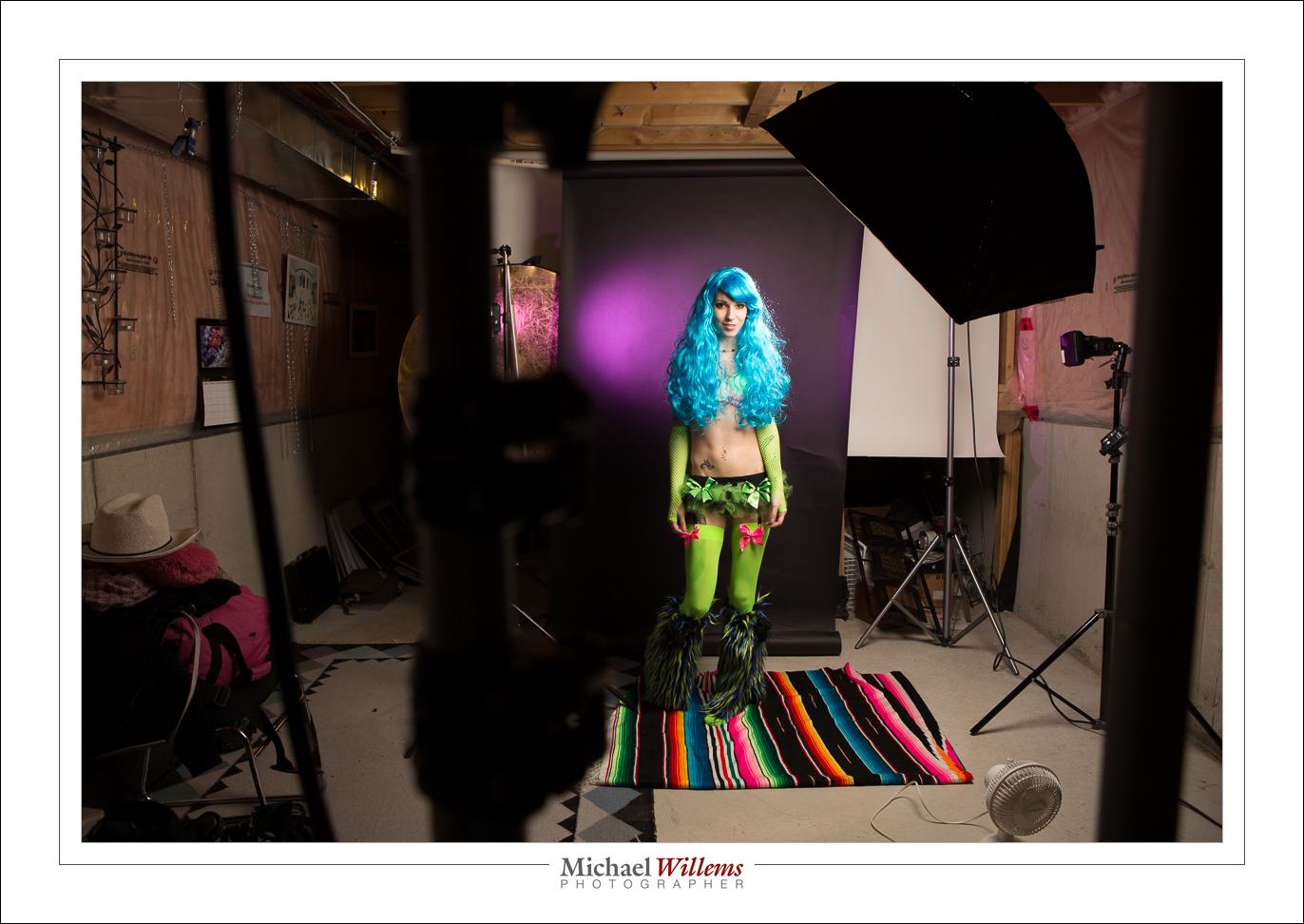
I shot her like this, in the studio:

The details:

  • The main light was a strobe with a softbox, mounted on a boom. It was fired by a Pocketwizard.
  • The hair light (needed for Shampooey Goodness™) was a strobe with a snoot. It was fired by using its cell (i.e. when the main flash fires, it senses the flash, and fires too).
  • No fill light was used, but in some pictures I used a white reflector as the fill light.
  • The background was a black paper roll. Black is good: it eats up stray light and given enough flash power, I can make it any colour I want, since it does not pick up white light from the other flashes.
  • The background light was a speedlite (a Canon 580EX), also fired by a Pocketwizard. It was fitted with a purple Honlphoto gel stuck on top of a 1/4″ Honlphoto grid (the gel colours the light; the grid restricts it to a small area to produce that nice oval with dropoff).
  • The camera was a 1Dx with a 70-200m lens. The longer the lens, the less distorted and more flattering the pictures.
  • Why the purple gel? This was a key decision. Her clothes were extremely colourful, and I had to choose a colour that matched. Purple was a good choice.
  • The camera was, of course, set to studio settings: 100 ISO, f/8, 1/125th second. You can finess this. For instance, if you have insufficient light you can either turn up the light, or turn up the ISO, or turn down the f-number. (Not the shutter speed. Why? Read the flash manual).

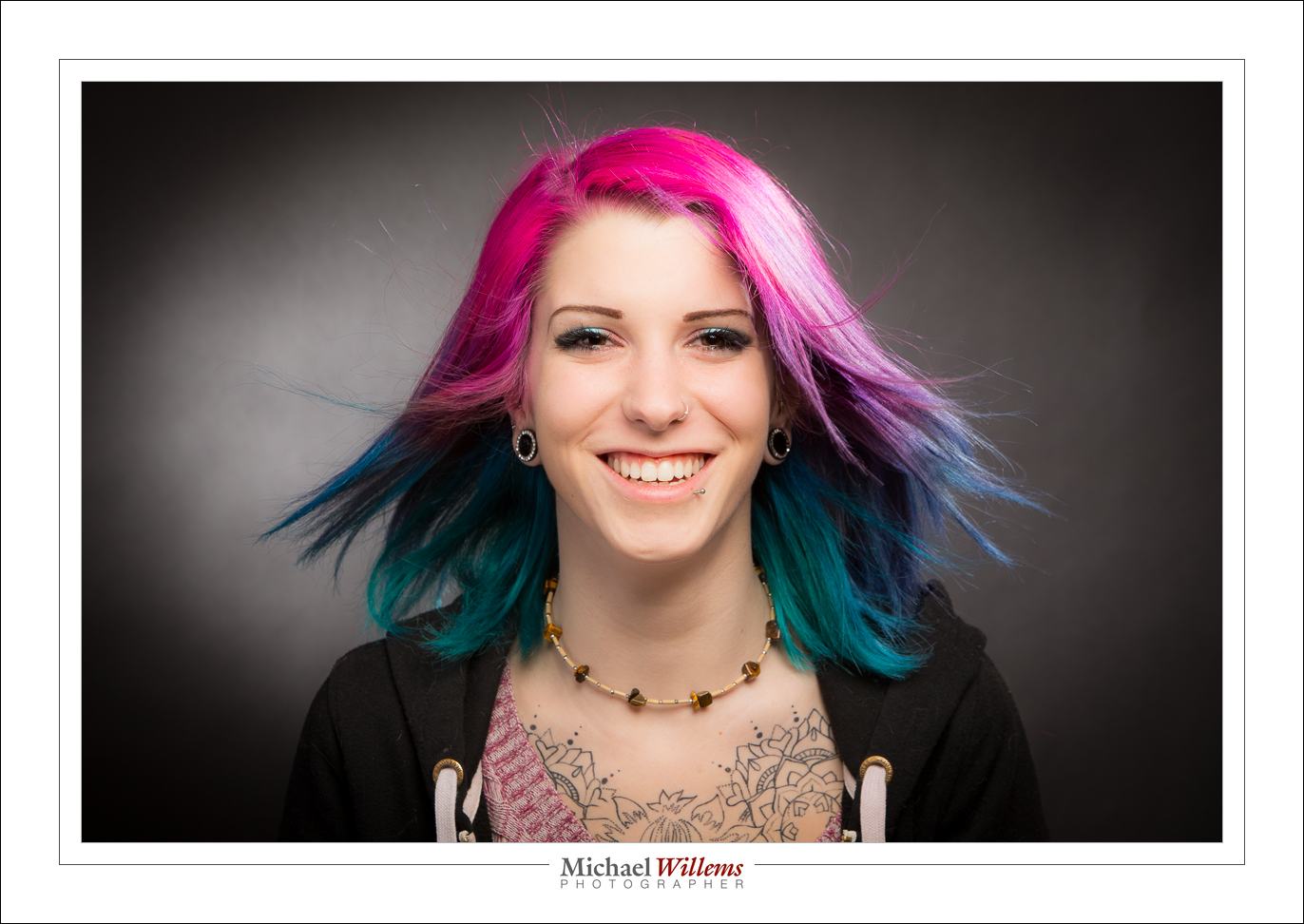
And one last one, one that shows the model’s genuine smile – an asset much greater than other assets people can have. No, models do not always need to look grumpy.

(You will see that once again, I used a fan for some of the shots, since she has longish hair).

One more word. Was this all done in camera? Yes, with a few exceptions. Slight exposure and white balance changes in post production (for which I use Adobe Lightroom) are OK: as long as they are slight, and could not have been done in camera. Skin blemish fixes are fine – but this model has almost perfect skin, so little needed to be done. Removing the odd stray hair? Fine. A little vignetting in post is fine too. Cropping and rotating, ditto. And I made the pink cushion into a red cushion (using the Lightroom masking tool and its colour setting). But these photos were mainly done in camera. You need to learn to do it in camera if you wish to call yourself a photographer. But even when you are, do realize that every ophoto needs a little TLC in post until you can call it “done”.

Slowly now

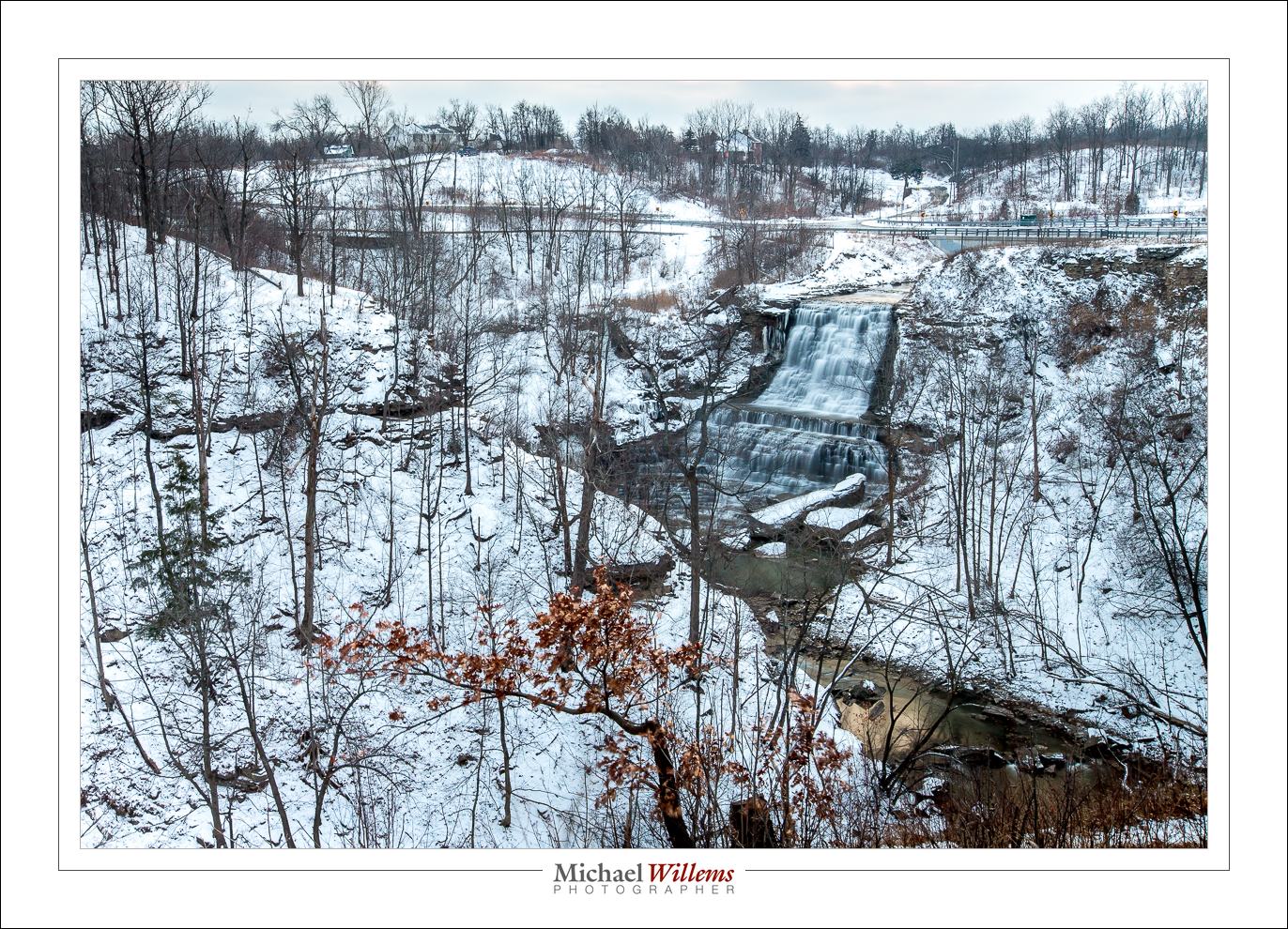
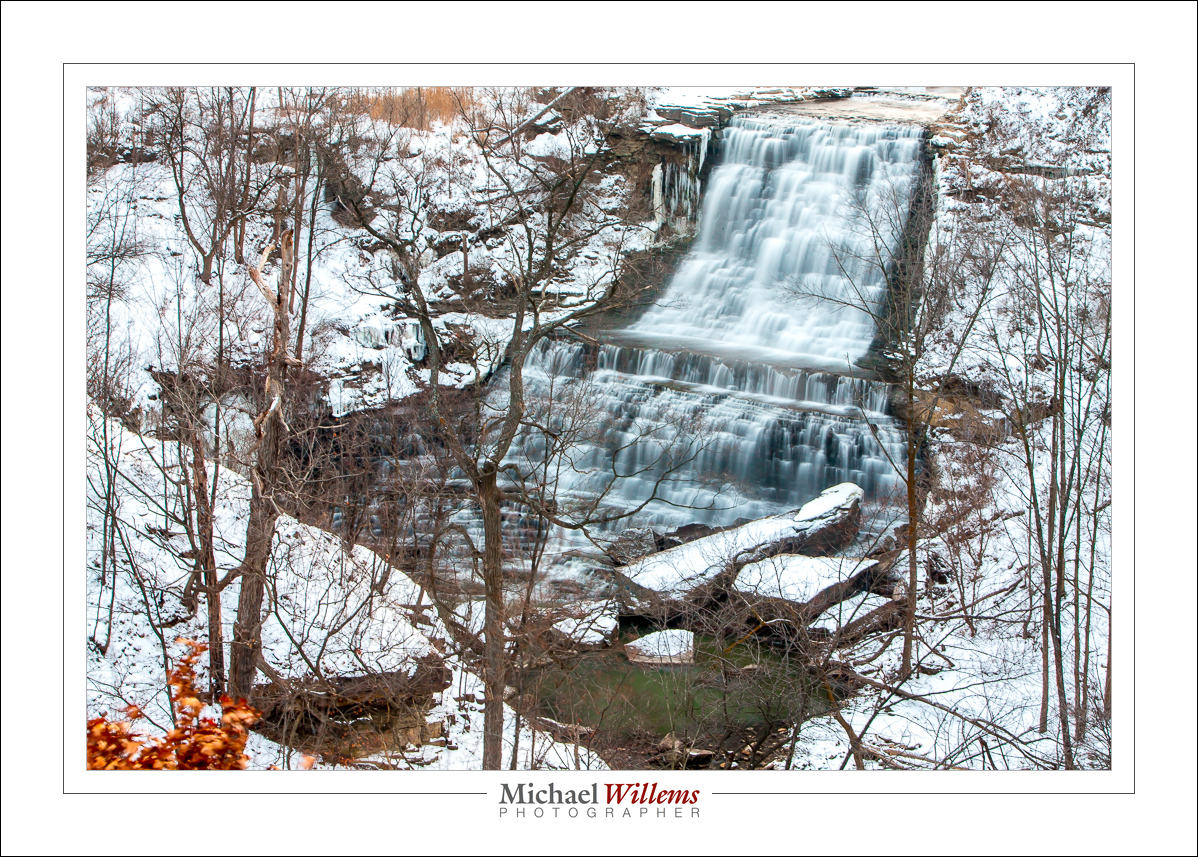
I was going to shoot some waterfall pictures yesterday. Alas: one park (Hilton Falls in Milton, Ontario) had its trails closed because of downed power lines and trees (which I discovered after paying the $14 fee, thanks, Halton Conservation), and the other waterfall, Albion Falls in Hamilton, Ontario, had its access routes closed also, but permanently, because of the danger. I had wide angle pictures in mind, but from above, which is all I could get to, they are not what I wanted, exactly. You will forgive me for that and just look at Albion Falls:

Imagine it is about minus infinity Celsius (a wicked cold wind, plus way below freezing), which is why my companion and I took only a few shots. Groan, that was freezing. I had to stop when my ears froze – literally, I felt ice inside my ear.

Now, the shot. How did I decide on settings?

I wanted a slow shutter, so I started with 100 ISO and f/16. I try to avoid apertures smaller than f/16: any larger f-number and the images tend to get a little less sharp. That would have given me a shutter speed of perhaps around a second at most: not long enough. So I used the variable ND filter, set to a dark setting, to get to 20 seconds.

And on the long lens, the 70-200, I used a polarizer, since it is all I had. That cut almost two stops from teh light, so I got to 5 seconds. Here’s one taken with that long lens:

(See the large version on my Flickr stream).

What do you need to watch out for when doing these shots: Mainly, motion.

  • Avoid moving the camera while pressing the shutter. This is worse with shutter speeds between, say, 1/15th and 2 seconds (shorter and there is no time for camera shake; longer and the little shaking will disappear compared to the rest of the exposure).
  • I had a tripod, of course, but it was too cold to go back to the car to get the sandbag I would have liked to hang from the bottom to stabilize it. So the tripod moved just a tad in the strong wind. This is worse with longer lenses, and much less noticeable with a wide angle lens.
  • The viewing platform itself moved a little, leading to a little shake too.
  • And finally: trees move in the wind over the course of a long exposure.

So of my ten pictures, three were good and sharp. Which is about what I had hoped for. Keep this in mind when shooting waterfall pictures!

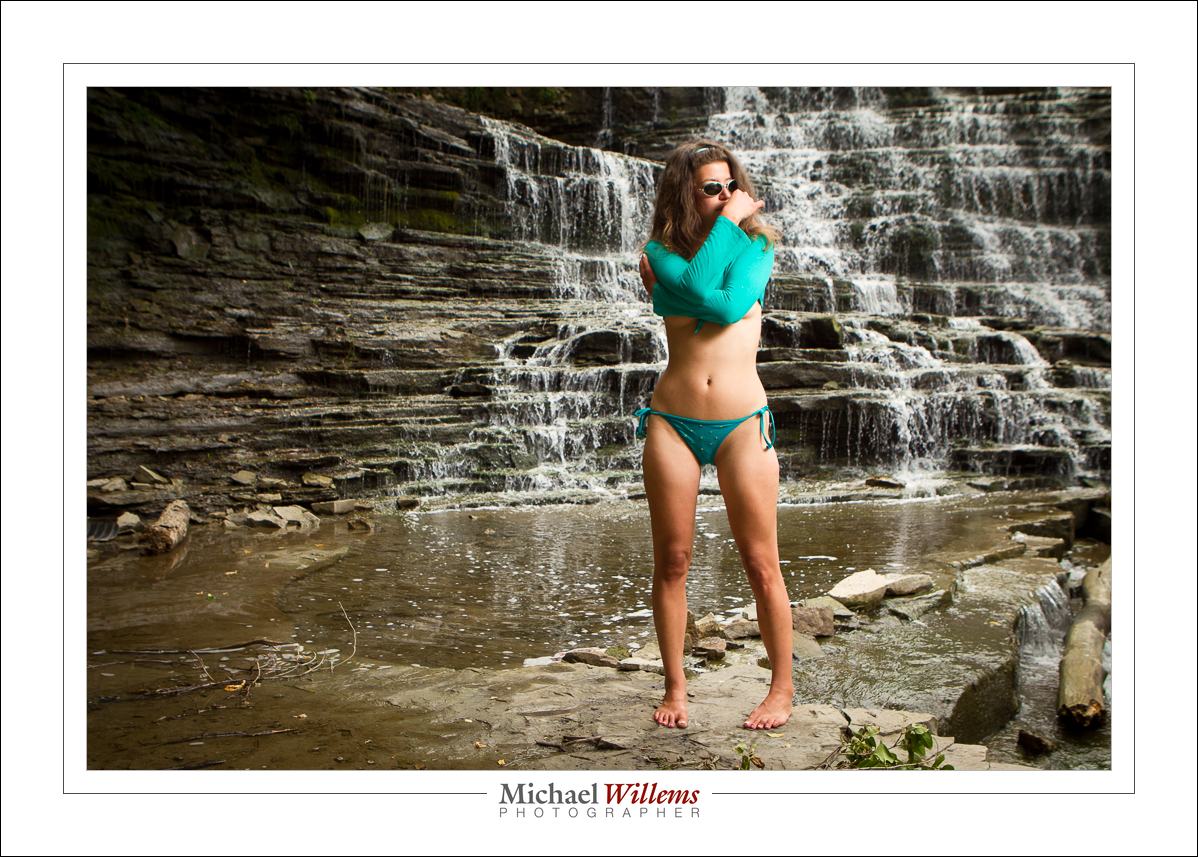
And finally, here is a model shot at the same waterfall, from 2012. Just so you seee Canada is not always cold.

I cannot wait until it is summer again.

___

Camera technique? Composition? Flash techniques? Specific situations?  I explain it all in my e-books. PDF files for viewing on computer, phone or tablet. Get them here.


Of colour and detail

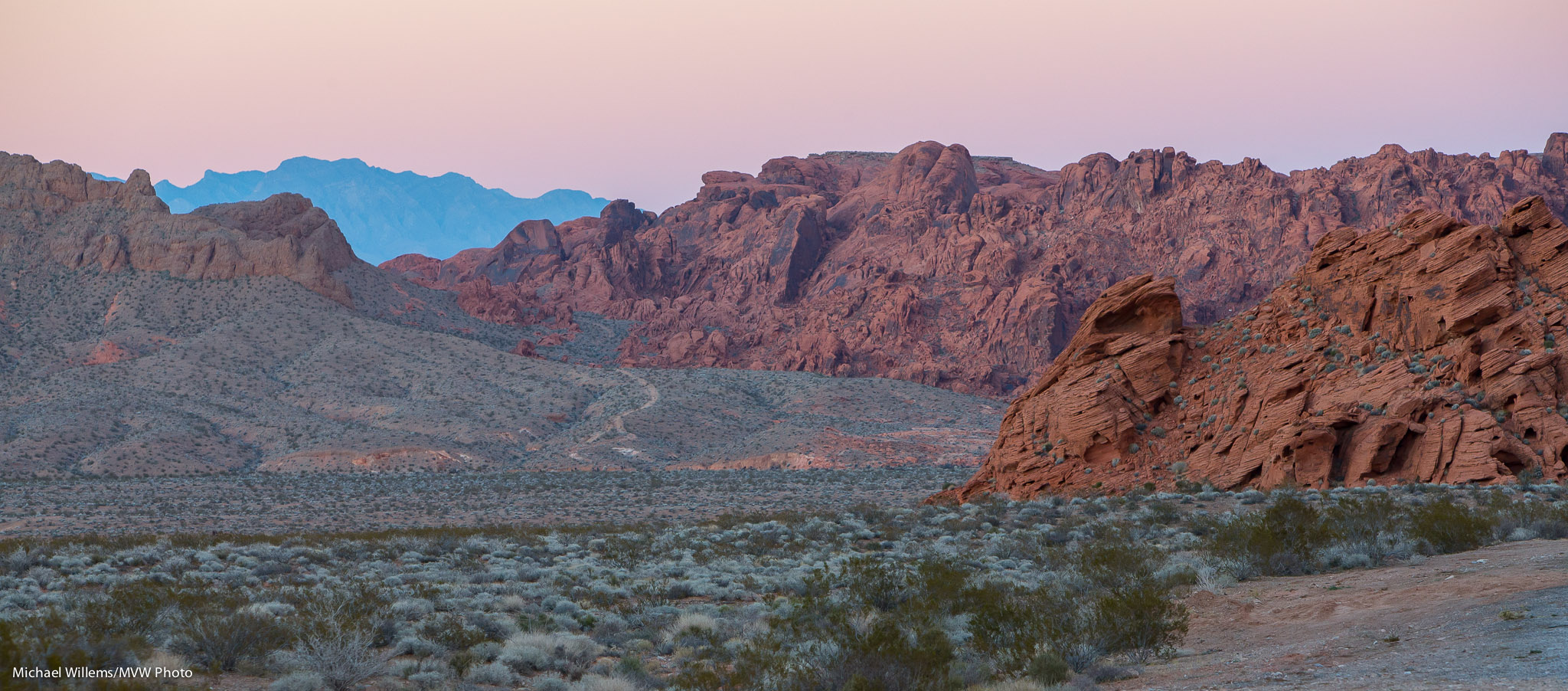
Look at this shot of the Valley of Fire, Nevada – and watch closely: click until you see it full size.

Taken with the 1Dx using a 70-200mm lens at 1/80th sec, f/6.3, 1000 ISO.

What I see there is more than just some rocks.

I see vastness, even though I am using the long lens. Usually, I would prefer wide, but in this landscape, long is good: compressing the vastness makes this look as huge as it is.

And as a result, I also see layers: foreground, middle ground, and background. Often a recipe for a good composition.

I see curves, elegance in a composition.

I see detail: sharpness, a good lens stopped down, is essential here; and if you are using a slow shutter speed, then a tripod is a must.

I see balance – the crop was needed both to increase the sense of size (horizontal lines emphasize size and quiescence and vastness) – and to balance the composition.

And finally, I see spectacular colour, even though this was taken just after sunset. The blue background is essential here, to offset the reds and greens. The pink sky matches the pink rocks, which contrast against the green vegetation.

And putting all that together, I see a good landscape photo that does justice to a spectacular Nevada view.  What do you think?