One.

One light can be enough.

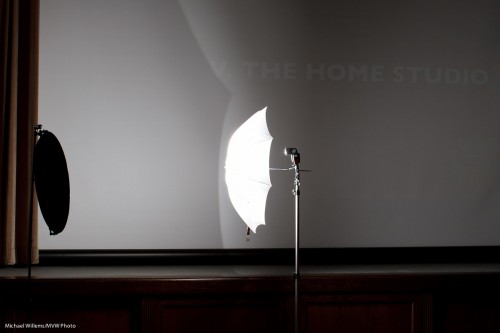
Look at this great image. How was it made?
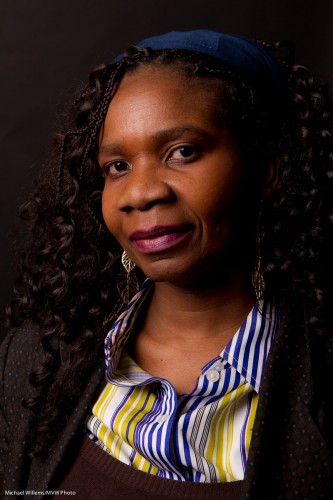
The answer is: one flash. Yes, that is all.

In this case it was a strobe, fired through an umbrella. But it could have been a speedlight.

The difference between those two options:

  • On a strobe, I measure the light with a light meter, and set my settings on the light and on the camera accordingly. And they are set for the entire shoot. So whatever the subject, the settings are the same. Done!
  • If I am using speedlights, however, the camera meters every shot. And it meters it by measuring light reflected off the subject. So the subject matters. A dark subject will fool the camera into overexposing, so you need to use negative exposure compensation. A very bright subject, the opposite – you will need positive exposure compensation.

Those are very essential differences. Read the above until you understand it, or ask me if you do not.

They have consequences:

  • If the subject distance will be static, use strobes/manual. If, however, the distance changes, then you should use TTL.
  • If the subject brightness changes from shot to shot, use strobes/manual. If, however, the subject brightness is the same between shots, TTL may be useable.

Confused yet? It is really very simple, once you know it. But then, the same applies to brain surgery.
Simple Means.

Today, I taught a flash workshop that concentrated on the use of just small flashes. (Of course as you know I am doing an in-depth version of that workshop on March 19, with special Guest Star David Honl, yes? See www.cameratraining.ca/Flash-Honl.html – not to be missed!)

Anyway, simple portrait lighting with speedlites. You normally use wireless TTL for that – multiple flashes that the camera talks to using its wireless TTL technology. All major brands support this.

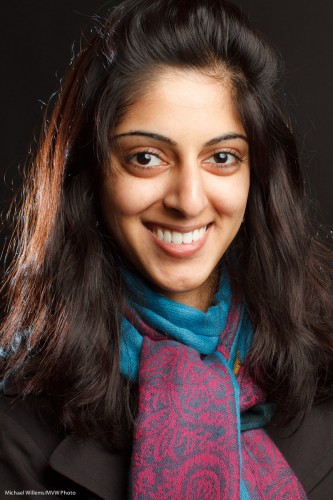
So here we have a simple shot of one of tonight’s students, using:

  1. a 580EX flash on our right…
  2. …shot through an umbrella, and
  3. a 430EX flash on our left…
  4. …using a Honl 1/4″ grid and a blue gel.

All this fired from a 580EX on a Canon Camera (if you have a Canon 7D or a 60D, or a Nikon, you can use your popup flash for this).

If you set the two flashes to different “groups”, i.e. A and B, you can set the ratio to what you like (e.g. A:B set to 4:1 means A is 4 times, or two stops, brighter than B). On Nikon, the system is the same although the way you set it is different (stops with respect to zero).

One important thing to remember: a key difference between strobes (you meter by measuring incident light, and it’s always good whatever the subject) and speedlites (TTL meters reflected light). So when using TTL instead of a studio, your subject makes a difference.

A subject with dark hair, a dark top, and against a dark background, will be overexposed so you need to use Flash Compensation of minus 1 to minus 2 stops. In the shot above, I used minus 1.3 stops.

Go try this if you haven’t. It’s fun. As a minimum, you need a camera with an on-camera flash (or use the pop-up on a 7D or 60D or a Nikon); one additional flash; a light stand; an umbrella; a bracket to mount them together; and a reflector (see yesterday’s post).

About that home studio

One more about the simple TTL home studio. I can give you some pointers to do your own.

Here’s how.

You need:

  1. A modern SLR camera.
  2. A lens – anything over 50mm will do. A 50mm f/1.8 might be a great choice: sharp and affordable (and if you need it, fast).
  3. If you have a Nikon, or a Canon 60D or 7D, just one flash (a 430EX/580EX for Canon or an SB600/SB900 for Nikon).
  4. If you have a different Canon camera, an additional 580EX to command the other flash.
  5. An umbrella (shoot through).
  6. A stand for the flash, with a mount for flash plus umbrella.
  7. A reflector (silver or gold or white, or a multi-purpose one).
  8. A stand for that reflector.

As an option, another flash with a small stand to light up backgrounds, but this is not a must have. You can just move the umbrella and subject closer to the wall if you want the wall to be lighter.

Now that you have the equipment:

  1. Set your flash to “slave” (Canon) or “remote” (Nikon) mode. Use the manual to find out how. On a modern Canon with a modern flash you can use the camera to set the flash.
  2. Set up your on-camera flash to be the “master” (“Commander”, on Nikon).
  3. Ensure that the on-camera flash is not going to fire (it will only  send commands to the remote flash, but it will not actually fire – else you get a shadow).
  4. Move the umbrella close to your subject. For a “standard” portrait, the best position is 45 degrees up, off to the side 45 degrees.
  5. Move the reflector close on the opposite side.
  6. Set your camera to manual exposure mode, f/8, 1/125th second, 100 ISO (or 200 on a Nikon).
  7. Take a test shot.
  8. Check the histogram. If you are shooting a dark subject against a dark wall, you may need negative (perhaps -1 stop) Flash Exposure Compensation; if you are shooting a light subject against a white wall, you may need positive (perhaps +1 stop) Flash Exposure Compensation.
  9. Make sure there is a catch light in the subject’s eyes. Ensure that any glasses do not reflect (move subject or umbrella if they do).

It is as simple as that. You will have studio quality shots, for very little investment. Shots like this (which I made with the exact setup above):

With a modern camera and flash and a little knowledge, it really can be that easy.

Granigif

That cryptic title means “Animated GIF at the Granite Club”. Which is where I was teaching portrait photography last night.

I cannot image a more fun way to spend an evening: some of the most committed, fun, outspoken, and friendly people I have had the pleasure of teaching.

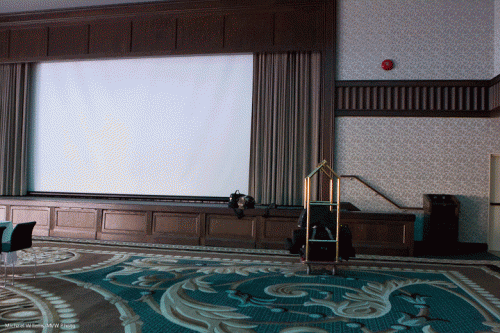
So let’s start with how I set up. Click below to see it as an animated GIF. The time elapsed here was over an hour:

Studio Photography Lesson Setup, by Michael Willems

Studio Photography Lesson Setup, by Michael Willems

Last night was a lightning-fast lesson in portrait photography basics, from lights to pocketwizards to positioning techniques.

The interesting thing, I think, is that while for full control, the more “stuff” you have the better, you can often keep it remarkably simple.

A shot with “the standard four lights” might be this:

Portrait at The Granite (Photo Michael Willems)

Portrait at The Granite

That uses a key light (softbox), a fill light (umbrella), a hair light (Honl snoot), and a background light (Honl Grid).

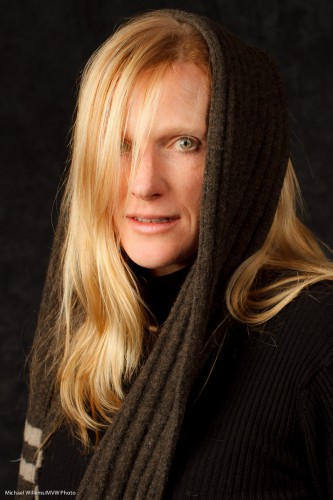
But you can also keep it simpler. For a lady with light hair, I would not light up the background. We would also not really need the hair light. So now indeed it is simpler:

Robbin at The Granite (Photo: Michael Willems)

Robbin at The Granite

Beautiful, no?

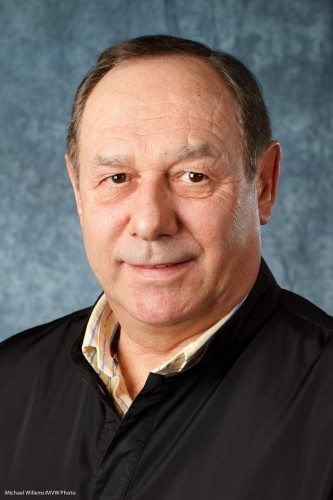
But the real surprise is the simple setup on the left: you can just see it. A TTL flash through an umbrella. A reflector to provide fill light. And a background light to add a bit of brightness to the available background. Now all we are using, then, is two flashes and some affordable stands and a reflector.

That gives us:

Matt at The Granite (Photo: Michael Willems)

Matt at The Granite

You see: you can often keep a studio setup simple. Why use a light when a reflector will do just as well?

Studio photography is incredibly rewarding. If you think so too, I strongly recommend you take a course or private coaching and learn how to do it.

Another…

…delayed post. Things in my life are intervening, but here is a snap: a food shot. Inspired by the feeling that at 2am, I am hungry.

How do you shoot that?

  1. A soft light above the food (a flash in an umbrella).
  2. A back light from behind the food, to give it that extra sparkle (and to light up the steam).
  3. A simple composition.

Simple once you know, as always.

Another light example

Here is another lighting example for you.

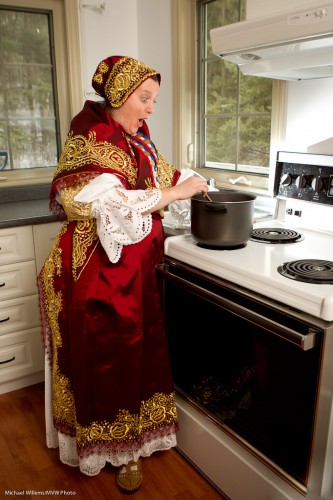
A very nice lady with an amazing traditional dress (which I am told took a year to make, which does not surprise me):

Croatian dress and mystery pot (Photo: Michael Willems)

Croatian dress and mystery pot

So how was that lit?

Here’s how.

  • First, I exposed properly for ambient light. That is why the background foliage looks good.
  • The camera, of course, is on manual.
  • Then, I added a main light on my right – a strobe in a softbox. This again gives us nice soft light. Fired by pocketwizards.
  • Then finally, I felt it needed more. So I used a speedlight in the sink, on manual, fired also by pocketwizards.

That’s how. Try some of the same if you have time!

A picture

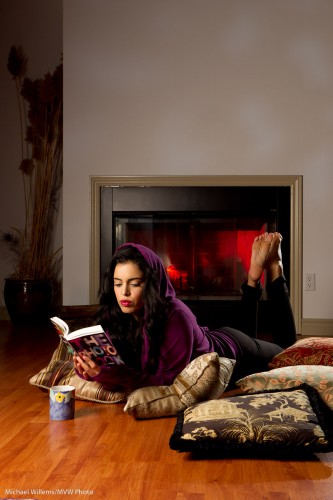
I would like you to look at this picture and see if you can tell how it was lit:

Tara Elizabeth (Photo: Michael Willems)

Tara Elizabeth (Photo: Michael Willems)

So I’ll give you a few. It is all artificial.

  • The main light is a strobe in a softbox on our left. This leads to nice soft light onto the model’s face.
  • Then, a flash with a grid, on our right, behind Tara. That gives us the oh-so important rim light.
  • Now look at the fireplace. Is that a fire? No – the wood would not light, so it is a speedlight fitted with a red Honl Photo gel. Those gels are incredibly useful!

The mottled light on the wall – that is more involved. Think cookie cutter (it too is artificial), and take one of my advanced lighting courses one day (see www.cameratraining.ca).

Also, keep March 19 open for a special Advanced Lighting course I am putting on in Toronto with David Honl (yes, the David Honl) as my special guest! The location and further details will be announced soon.

In the mean time: start thinking about how to light a scene with multiple lights.

Macro, anyone?

A definition for you, today.

“Macro” (or as Nikon calls it, “Micro”) means “showing ordinary things large”.

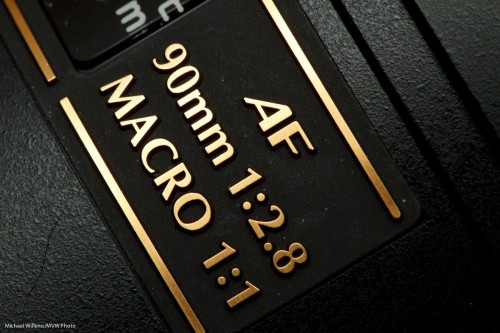
But true Macro, following the official definition, means the ability to obtain a 1:1 ratio between the object’s size and the size of the image on the sensor. So a 1cm long bug casts an image 1cm long onto your sensor.

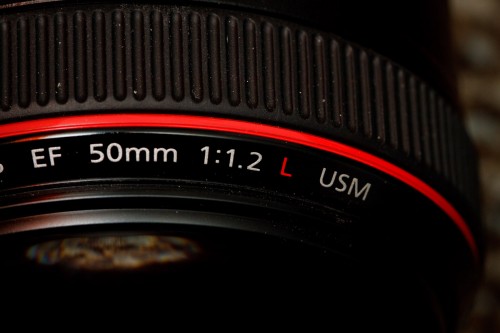
A lens can be a normal lens (not macro, usually 1:5 or worse, meaning a tiny bug image on the sensor), or a “macro featured lens” (perhaps 1:4, so that would make the bug 1/4 cm long on the sensor), or a true macro lens, like this one:

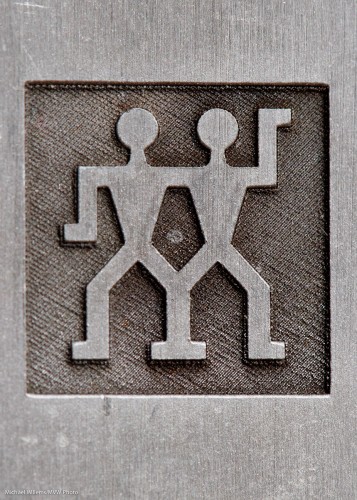
See the “1:1” marking? This, as you have seen, can give you cool images of day-to-day objects in a new light. Like this, the top of a knife:

Or this:

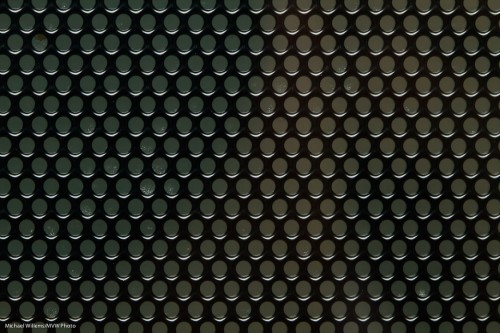
Yup. That’s the front of a microwave.

Or finally this:

Cute eh?

If you have a macro lens, try to shoot a few normal objects close-up, in your kitchen.

Depth of field in Macro

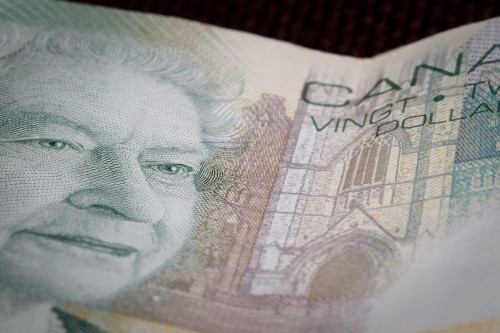
When shooting Macro pics, you often fight to get enough depth of field. Even f/16 might only get you this:

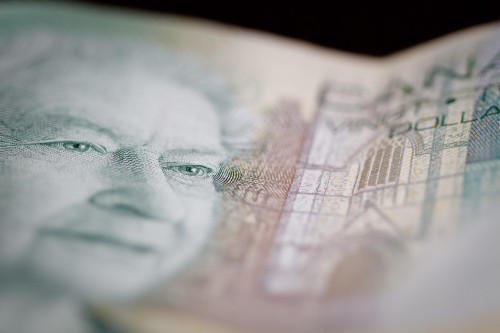
So why not forget that and play? Selective DOF can be very effective, as in here:

That was f/2.8 with the 100mm macro lens. Doesn’t that make Her Majesty’s eyes stand out nicely?

As in all these things, it is a matter of choosing the technique to suit the message.

Macro tip

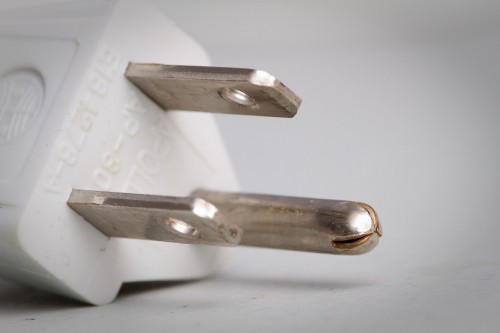
Macro photography is the only type you can do 365 days a year in your kitchen – and you’ll never run out of subjects.

Macro photo of a household plug

Macro photo of a comb (Photo: Michael Willems)

Macro photo of a comb

Combs have names? Really? Yup.

Of course you use reflected light (open daylight, or bounced flash), and a tripod. And you use exposure compensation (or flash compensation) when shooting subjects like the ones above.

One more tip though.

You need to clean up dark subjects. Either before you shoot, with a brushm or afterward in photoshop. So you go from this:

To this (and that is only partially cleaned up):

And that was your tip for the day: Always clean up Macro objects or they will look dirty.