Snow Tips

Snow. The many inches I got here in the last day or two prompt me to write you a quick post about snow pictures. And how to take them safely.

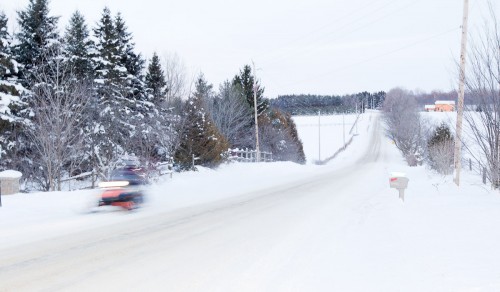
Pics like this:

Snow scene outside the driveway

The things to keep in mind are:

  • Exposure: expose to make the snow bright. If you are using a semi-automatic mode (like A/Av) or an automatic mode like P, you will need to use exposure compensation: usually +1 to +2 stops. Use the histogram to verify.
  • White balance. On a sunny day, snow is blue. Setting your white balance to “daylight” minimizes this problem.
  • Camera safety. When going back inside to where it is warm, your camera will mist up. To avoid this, wrap it inside a tightly closed ziplock or ordinary plastic bag, and let it warm up in there. No condensation!
  • Flare. Use a lens hood to avoid flare.
  • Lens safety. if it is snowing, use a filter on the lens to avoid water getting in.
  • Battery. Carry a spare, because your camera’s battery will not last all that long if it is cold. Put a warm spare in and warm up the cold battery, and you will be fine.

Simple tips that make the difference between missed opportunities and nice pictures.

And yes that is a snowmobile in the picture. Ontario. Snow. Cold.

Establish

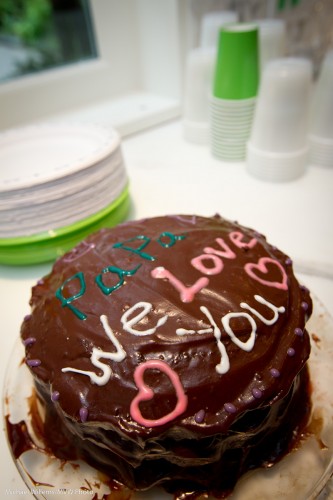
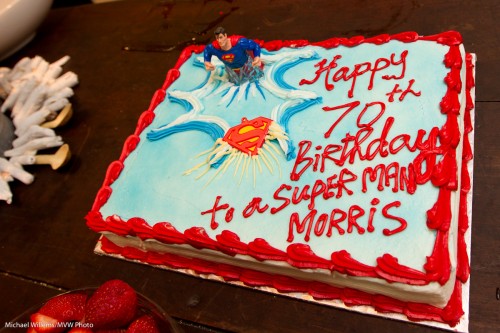
(EDIT): When shooting an event, always shoot a “B-roll” of images, as movie people would call it. In your case, as a still photographer you use your B-roll to help establish “where, why, who, what, and maybe even “when”.

So recent shoots I have done have included the following as shots in the first dozen or so:

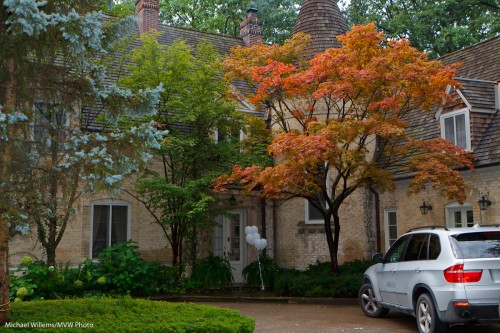
Where

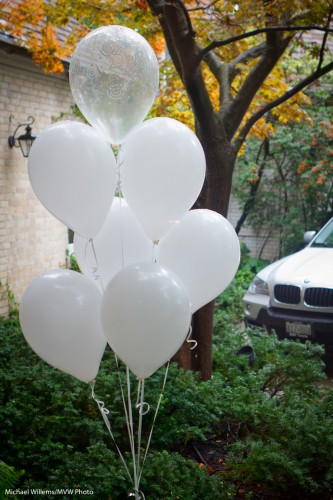
What

Why

Who

This kind of storytelling is essential for a successful shoot.

Tip: To arrange your images, use Lightroom collections, where you can order things the way you like, rather than folders.

TTL: 10 Problems, 20 Strategies

I shot an event yesterday that prompts me to give you some TTL management strategies. This is a long post – one that you may want to bookmark or even print and carry in your bag.

TTL Management Strategies? Huh?

Yup. TTL (Through The Lens) flash metering is great, but it can have its challenges. Unpredictability, or perhaps better variability, being the main one.

So why use TTL at all? Well, for all its issues, it is the way to do it since you are shooting in different light for every shot, and you have no time for metering. Metering and setting things manually (or keeping distances identical) in an “event”-environment, especially when bouncing flash, is usually impossible. So TTL (automatic flash metering by the camera and flash, using a quick pre-flash) it is.

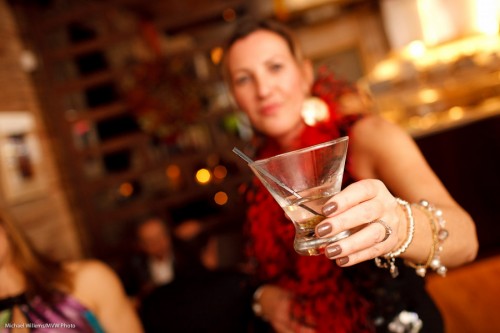
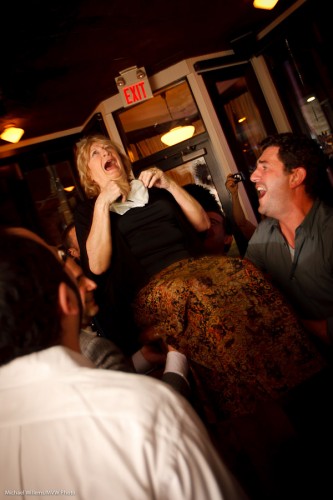
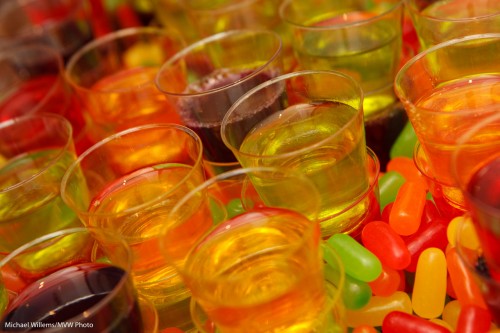
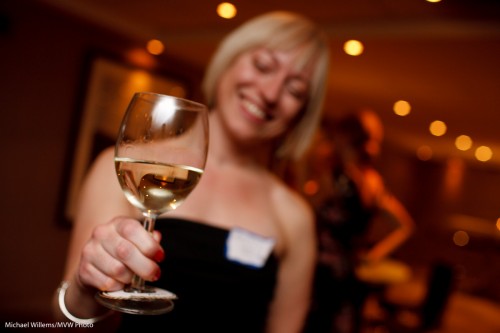
Cheers! (a Michael Willems signature shot)

Yesterday’s event was in a restaurant that had been closed to the public for the night. Challenges for me were:

  1. Light. It was dark. Very dark, meaning achieving focus was tough and settings needed to be wide open and slow.
  2. Consistency. The venue was unevenly lit: parts were light, parts even more dark. Meaning that achieving “one setting” is difficult.
  3. Space. Space was limited: hardly enough space in a small venue to walk around, let alone to compose shots.
  4. Bounceability. Walls were all sorts of colour, mainly dark brown, making bouncing a challenge.
  5. Colour. This also created coloured shots. Orange wall = orange shot.
  6. Predictability. Long lens? Very wide? Fast lens? Every shot seems to need another lens – which is impractical.
  7. Reflections. There is a good change reflections of glass or jewellery will upset your shots, causing them to become underexposed.
  8. Motion. People kept moving (uh yes, especially when the chair dances started).
  9. Technology. Batteries run out. Flashes stop working. Cards get corrupted. Nightmare scenarios we all know.
  10. Time. People were not there for me – it was of course the other way around. So my ability to ask people to pose and to move was limited. They are there for a party, not for the photographer.

So then you shoot and you notice that shots are too dark. or too bright. Or faces are too bright while backgrounds are too dark. But this is all in a day’s work for The Speedlighter… that is what I do for a living!

Mazel Tov!

I am sure everyone who has ever shot events is familiar with these issues. To solve them and come up with solutions, I have developed a number of strategies. So let me share some of them with you here.

(Click to continue and read the solutions…)

Continue reading

And may all your…

….festive seasons be white!

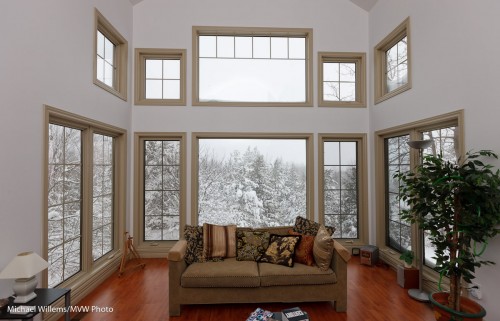
A quick reminder therefore of some basic flash technique.  Look at this shot of my living room the other day:

Snow outside

To shoot that you take the following steps:

  1. Expose for the background (use your camera’s spot meter and point at a tree, or use smart metering with +1 to +2 stops exposure compensation).
  2. Add a flash you your camera. Turn the flash head above and behind you.
  3. In a white room such as this, also use flash compensation, say +1 stops for a start.

And there you go, a well exposed picture. Have fun!

A very Canadian endeavour

Since it is winter, I thought it might be a good idea to give you a quick recipe for a winter sport a lot of you (and not only the Canadians!) play, or shoot when your kids play.

That is, of course, hockey. (“Ice hockey”, for my European readers).
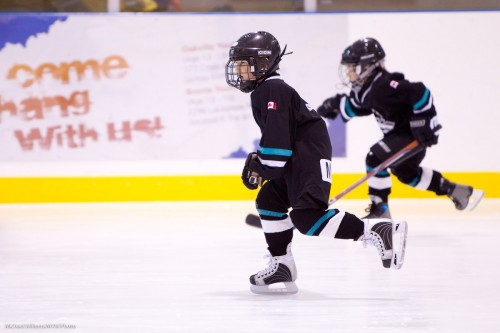
A hockey arena is quite bright.

Perhaps. But in your images, you need it to be really white, which means longer exposures. While to stop motion, you need shutter speeds to be fast. Which pulls you the other way.

So the solution, if you can afford it, is a fast lens (like an f/2.8 70-200 lens, which  lot of pros use). For that lens, a typical starting “settings-recipe” might be:

  • Camera on manual mode (“M”).
  • 1600 ISO.
  • Aperture f/2.8.
  • Shutter 1/400th second.
  • Continuous shutter drive.
  • AF-C/AI Servo focus.
  • White balance on “Fluorescent” .
  • Lens IS/VR off, or mode 2 (or ON if you keep the lens steady).
  • Shoot through the glass at right angles, if you can.

For a standard f/3.5-5.6 “kit” lens, the settings are:

  • Camera on manual mode (“M”).
  • 1600 ISO.
  • Aperture f/5.6.
  • Shutter 1/100th second.
  • Continuous shutter drive.
  • AF-C/AI Servo focus.
  • White balance on “Fluorescent”.
  • Lens IS/VR off, or mode 2 (or ON if you keep the lens steady).
  • Shoot through the glass at right angles, if you can.

In the latter case, you will have to work harder to get enough sharp images.

In both cases, of course, these are starting points. You may well find that your particular arena is darker, or even lighter. Look at the histogram to ascertain which it is – the ice should show as a large peak on the very right side of the histogram, just shy of the right edge.

And have fun!

POSTSCRIPT: an anonymous user said, and I paraphrase: “White balance should be according to the temperature of the light which varies from arena to arena. Custom white balance off of the ice or better yet the referee’s jersey. Also; 1/100? They better skate super slow… Even 1/400 is a bit on the slow side. Crank up your ASA: Your mark-IV can go higher than 1600. Finally; try and get the puck in the picture.”

Read carefully, please: those are starting points, anonymous user. Of course you can accurately white balance off the ice, as I have pointed out here repeatedly in the past, and of course when you shoot, you shoot action, puck, wipeouts, emotion, and so on. But fluorescent WB is usually very close, and for parents, a picture of their child is better than a picture of someone else’s kid who has  the puck.

And finally, yes, my 1D can go to very high ISO – but I do not need to: I have an f/2.8 lens. Parents with an f/5.6 consumer lens, however, will often have a consumer camera, hence will be stuck at 1600 maximum. This therefore will mean something not unlike 1/100th of a second. Not ideal, and it will take many shots to get a few good ones. Compare the two situations: I am making a didactic point, which was perhaps lost on you.

But then – we pay nothing for those extra shots, and if it is all you have, it is what you will have to use. And fortunately, small hockey kids do not skate fast!

Finishing

Today’s post is about finishing faces. It has no illustrative photo, for a reason.

You see, when you shoot a portrait, with today’s multi megapixel cameras and great lenses, you can zoom in to pore-level. And when you do that, even Angelina Jolie is human rather than angelic.

So it behooves us to be a little easy on the skin. To go easy on imperfections. But in a subtle manner.

Here are a few things to make things look better after the fact:

  1. Use a softening filter. We rarely do this anymore in the Photoshop age.
  2. Select a soft image setting in our cameras. This too is unnecessary.
  3. Use the “Clarity” setting in Lightroom, and set it to, say, -15. This is mathematical magic worth trying.
  4. Use Lightroom’s (or Photoshop’s)  healing brush to permanently remove temporary blemishes – such as pimples, bruises, etc.
  5. Use Photoshop’s Healing Brush to move wayward hairs into place.
  6. Use the same Lightroom Healing brush to make slight facial adjustments (I have been known to ever so slightly move an eye).
  7. Minimize permanent features – Healing brush set to an opacity of 33%, say.
  8. Use the HSL tool to increase the luminance of orange – this is kind to skin.
  9. Optimize the exposure of skin – the brighter, the smoother.
  10. Slightly vignette the image.

And with some simple tools like the ones above, carried out in seconds, we can subtly impriove faces until the subject loves the image without knowing quite why.

And that is why I am not illustrating this with an image. I would rather keep everyone guessing.

Portrait tip

A quick tip or two – a few things to keep in mind when shooting studio portraits.

Like this one of my assistant Matt at this morning’s location shoot (where Matt kindly stood in for the subjects prior to their arrival, while we measured and adjusted the lights):

When shooting a studio portrait like this, there are a few things to keep in mind. These include:

  • Be sure you get a catch light in the eyes (usually from your main light)
  • If your subject wears glasses, do not turn their head too much.
  • Also, make sure the glasses do not reflect light. If they do, move your light source or ask the subject to aim their head very slightly down.
  • Ask your subject to move their head a little each time, and thus take various shots. I usually try to get at last four images – even the same look when shot seconds apart will lead to a different picture each time.
  • Ensure the ties, collars, etc, are well adjusted. You cannot do it over when you look at the pictures at home.

That was the quick tip of the day. Quick five tips, really.

Storytime

When you shoot an event, say a party, remember to tell a story. That means you also shoot, in addition to the “grip and grin” happy faces, the following background shots:

Where? – an “establishing shot”

What? Is it a happy occasion?

Why? What is the occasion?

Who?

And finally, How?

These shots, which you intersperse with the happy snaps, make your shooting so much more valuable.

Most event photographers forget this. If you don’t your shots will be better.

On another note: I need an assistant, maybe an ex student, for a two-hour corporate headshot shoot, tomorrow morning (Friday morning) in north Toronto by the 401, at 8am. If interested, email! (UPDATE: this position has been filled)

Light as a creative tool

A quick tip today. Look at this portrait of a personal trainer which I helped a student take earlier today:

Portrait of Travis

Standard key light (a small strobe), fill light (in an umbrella) against a white background. But instead of onto the head, which is already separated from the background by its colour, I turned the hairlight onto the background.

And because it has a snoot on it (a Honl Photo snoot, attached to a speed strap), I get this nice parabola-shaped beam of light behind the subject’s head. A technique worth using occasionally. Avoid getting stuck in the “same old light” category!

(The parabola reminds me of a satellite, somehow. Probaby because have an engineering degree?)

Party recipe

There will be many parties in the next few weeks for many of you, so I would like to give you a few tips and reminders for better event photos.

I shall illustrate with a few pictures of an event I shot the other day.

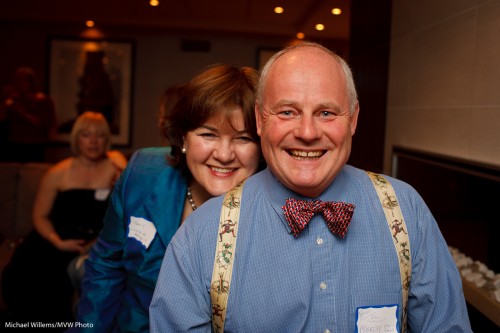
A Recent Party picture

First, your equipment:

  1. Use an external flash. Never the popup.
  2. Aim it behind you – yes, behind you, high so that you bounce off the ceiling, provided there is a ceiling and it is somewhat like white.
  3. Use a “slightly wide angle” lens. I love the 35mm prime (fixed) lens – on a full frame camera, which means a 24mm lens on a typical crop sensor camera.
  4. A prime lens is good as it forces a consistency to your compositions, which will pay off since it also means consistency in your settings.

Cheers!

Then, the settings:

  1. Mode: Camera in manual exposure mode (“M”)
  2. Flash: in its normal TTL mode
  3. ISO: Set ISO to 400 for most venues (800 if it is dark, possibly even higher if the venue is pitch black)
  4. Exposure: Set aperture and shutter speed to a combination of values that gives you an ambient exposure of -2 stops. That is, when you press half way down on the shutter as you aim at an average part of  the room, your meter in the viewfinder points at a value around -2.  A typical combination at 400 ISO is f/4 at 1/30th of a second.
  5. White balance: Set your white balance to Flash. That gives you warm backgrounds, but your subjects will look natural, since they are lit primarily by the flash.
  6. Flash compensation: if your subjects are small in the picture, with a large background, your camera may overexpose the flash portion. In that case, use flash compensation and set it lower: try a value of -1, say.

If you shoot in a very dark venue, you will need to go to a wider aperture, so I recommend fast lenses. I often end up shooting at f/2, or even lower.

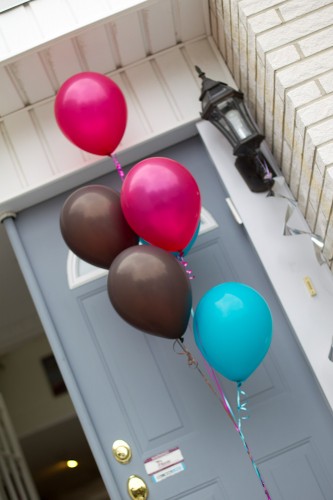
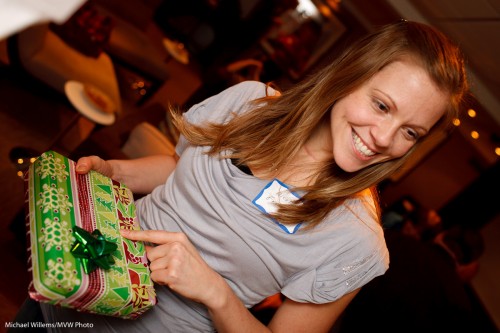
Is this present for me?

And finally, composition:

  1. Shoot “grip and grins” like the first one above: people like those. Heads together!
  2. Also shoot “fly on the wall” pictures. “If it smiles, shoot it”.
  3. Use the rule of thirds – “off-centre composition”)
  4. Tilt whenever you like.
  5. And please also shoot the food, the room, the small details.

The above will give you great images. But remember to finish them in Adobe Lightroom: crop, do minor adjustments, and only show your great pictures!

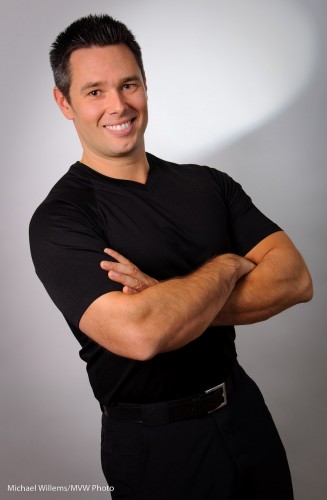
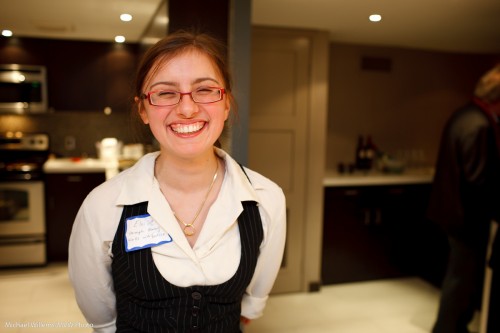
A wonderful smile

Above all: have fun!