Quick portrait

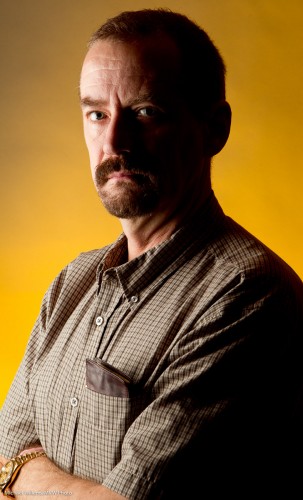
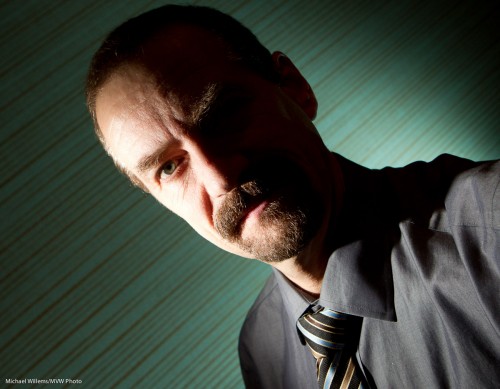
Prior to a class the other day, I decided to do a very quick self portrait or two. Let me share, and explain how.
How? This is how:
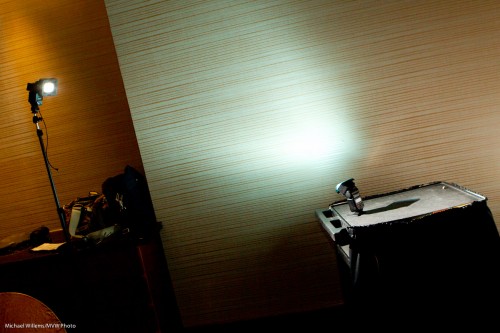
  1. A 1D camera with a 580EX flash on it – with that flash used as a master, and disabled otherwise, so it only drives additional flashes.
  2. The camera set to manual, 1/125th sec, f/5.6, 400 ISO.
  3. An additional flash A on our left: a 430EX on a light stand, with a HonlPhoto grid to avoid the light spilling onto the wall.
  4. An additional flash B on our left: a 430EX on its little foot, equipped with a HonlPhoto gel.
  5. A 1:1 ratio of A:B flashes.
  6. The camera set to choose its own focus point for once, since I am holding it myself!
  7. The camera in my outstretched arm, tilted for diagonal line effect.

Not bad eh?

Finally, one more with a different gel on the background flash: egg yolk yellow, my favourite colour.
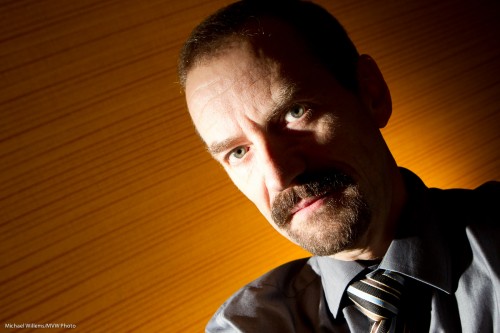
Total time taken: Maybe two, three minutes.
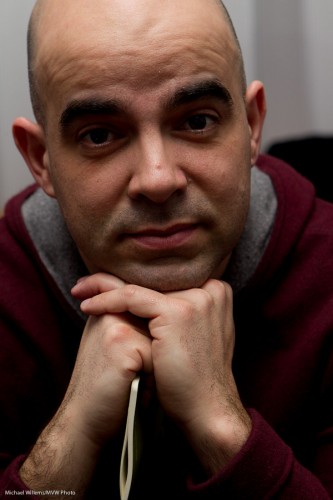
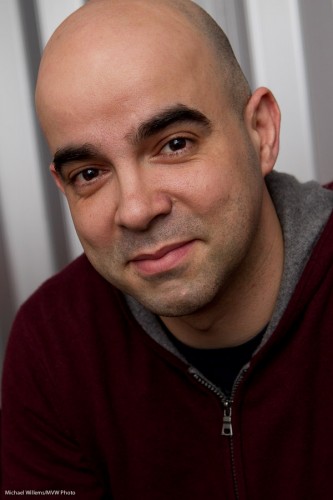
 

My Flash pic is too dark!

I am using a flash and my image is too dark! What’s wrong?

It could be any of several things. The top ones in this handy checklist:

  1. You are too far (especially when bouncing). Increase the ISO or open up the aperture, or get closer.
  2. You are shooting a reflective object. Avoid shooting directly at a reflective object: bounce, or move it.
  3. Your Flash Exposure Compensation (“FEC”, symbol lightning rod and +/1 symbol combined) is set to “minus”. Set FEC back to 0, on the camera and on the flash.
  4. You are shooting a white scene. Set FEC to plus, eg +1 to +1.7
  5. Your flash is set to commander mode. Set it back to normal TTL, using the commander/remote button or menu.
  6. Your flash is set to manual mode. Set it back to normal TTL, using the “mode” button.

Now try again!


Expose brightly = decrease age

Ah.. who does not want their face and skin to look smoother and younger? I thought so.

So here, from a Flash class I taught at the School of Imaging the other day, is a simple example. All of you can do this – simple camera, simple lens, and simple flash, in a small room with white walls and ceilings. To ensure that only flash light shows in your image, set the camera to manual, at 1/25th second, 400 ISO, f/5.6.

First, let’s do it wrong (sorry and apologies to my volunteer): aim the flash straight up at the ceiling. Result: dark circles under the eyes, many wrinkles: ouch. Do not do this at home!

Instead, when close to your subject, aim the flash behind you, up 45 degrees. That gets you a much better image:

That’s a nice portrait. But now look at this: let’s “overexpose” it by one stop: to do this, set your Flash Exposure Compensation (FEC) to “+1.0”.

Aha, that is better! We have taken years off the subject’s age just by lighting brightly. These images, basically straight out of the camera, show very clearly how you light and expose well: now go try to do it yourself!

Flash rocks, once you know how it works. This post shows just one small sample of what I teach you in my Flash courses and coaching.


Self portrait

The other day I decided to do a quick self portrait. And instead of the normal “traditional” portrait, I did the following:

Moody, dark – I don’t smile much in pictures and life is serious! And as you see, lighting is all about what you do not light.

I made this picture as follows:

  1. I put up a grey backdrop.
  2. Using paper tape, I put a cross on the floor where I was going to be standing.
  3. I put a light stand there.
  4. Having put the camera on a tripod, I aimed at the light stand and focused on it; then set the focus to “manual”.
  5. I set the camera to self timer.
  6. I selected 1/125th second at f/11 (you want f/5.6 – f/11 for these shots normally).
  7. Using my light meter, I set my main light, which I fire with pocket wizards, to these values. That main light is a Bowens strobe with a softbox.
  8. I added a background light: a speedlight with a Honl Photo grid and a Honl Photo Egg Yolk Yellow gel. I set this to quarter power (experience). The speedlight was also fired via pocket wizard; if you have a Nikon speedlight you can use SU-4 mode (cell).
  9. I pressed the camera shutter button and took the exact place of the light stand. 10 seconds later: flash!

And that was that – simple once you know. Now you try!


Cool colour

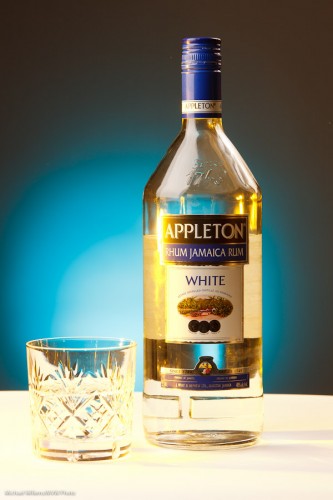
I shot some demo product shots with my student Merav today, and I thought I would share them here to underline the importance of colour.

Here’s one, a simple one. Lit by a softbox on the leeft, an umbrella on the right, and against a grey backdrop. That gives us this:

Bit boring? Yes it is. So I add a gridded, “egg-yolk yellow” gelled speedlight aiming at the background. (I use the excellent Honl Photo grids, gels, and other small flash modifiers):

Product Shot (Photo: Michael Willems)

Much better. Then we added another light – a green-blue gelled speedlight shining in from the left:

Product Shot (Photo: Michael Willems)

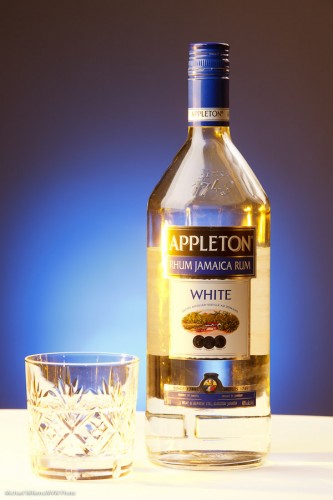
Then we reversed the gel colours:

Product Shot (Photo: Michael Willems)

Then, tried another background colour, rose purple:

Product Shot (Photo: Michael Willems)

And finally got to a background coloured Just Blue, which had been Merav’s idea all along:

Product Shot (Photo: Michael Willems)

Which one did you prefer? Can you see how different they all are?

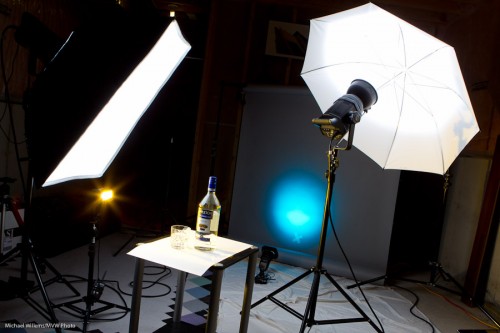
To shoot this I used this setup:

Product Shot Setup (Photo: Michael Willems)

This works as follows:

  1. Put the bottle on a table, with white paper underneath
  2. Put up a grey backdrop, far from the bottle so it does not get any light
  3. Get the main lights right – use a light meter to set them to your desired values (I used f/9 and 1/125th second at 200 ISO). Main strobe is fired with Pocketwizard; secondary strobe by its cell.
  4. Add a background light: a small flash also fired by a Pocketwizard, through a Flashzebra cable. Set to 1.4 power. Equipped with a 1/4″ Honl grid and a gel.
  5. Add a side light: a small flash also fired by a Pocketwizard, through a Flashzebra cable. Set to 1/4 power. Equipped with a gel.

Simple. Once you know!

Why the rum? It was the only bottle I had in the house. Amazingly, for the first time I can remember, I had not a single bottle of beer or wine or anything else available in the house. Time to hit the liqor store!


The WIllems 4-4-4 Rule – redux

A readers asked, the other day:

Recently in some event shooting that I did, I followed the famous Willems 4-4-4 rule with my 430-EXII set to ETTL metering. The pictures that resulted were a bit overexposed and with the ambient light not doing as much “work” in behind the subjects. (I think could have been a variety of reasons such as brighter ambient light, distance of subjects, etc). In these instances, what is your first suggestion to correct this? Flash compensation? change shutter speed / ISO / aperture?

See the article above (under “ARTICLES”) for the 4-4-4-rule explained.

The 4-4-4 rule is a starting point. Your mileage may vary depending on many factors – ambient light intensity for one, but also distance, bounce surface, the flash power, and many others.

My suggestions:

First, the flash part:

  • First: if the flash part is too bright, use FEC (Flash Exp Comp) to decrease that (set it to, say, -1 stop).
  • If the flash part of too dark, you need to increase ISO, or open the aperture more (lower “f-number”).

Second, the background:

  • If the background is too bright, increase shutter speed.
  • If the background is too dark, increase ISO. 800, even 1600 is fine if you need it – you are aiming for -2 stops indicated on the meter, when you aim the camera at an average part of the room.

This is not the only way, but it is usually the best way.

Anyone with issues like this: send me a picture with EXIF data and I’ll tell you my suggestion/analysis.


Why aim back?

You remember the Willems 400-40-4 rule (the “444 rule”)? If not, check under “ARTICLES” above. Part of that rule: indoors, aim the flash 45 degrees behind you.

Behind? Why?

Of course the main reason is that this way, the light will come from 45 degrees above, well ahead of the subject, rather than from “right above their head” – i.e. the angle of light onto your close-by subjects is good.

But the other reason is also worth mentioning – I am unsure I have pointed that out explicitly. Namely…. If you aim your flash forward, some light will go forward directly to your subject. And what does that do? Cast a shadow: the bane of flash photos. That’s something to watch for very carefully, especially when there is a wall, say, behind your subject.


The Gost of Parties Past

A persistent question I hear: “what about the unsharpness that occurs when you shoot using your famous recommend 400-40-4 rule“?

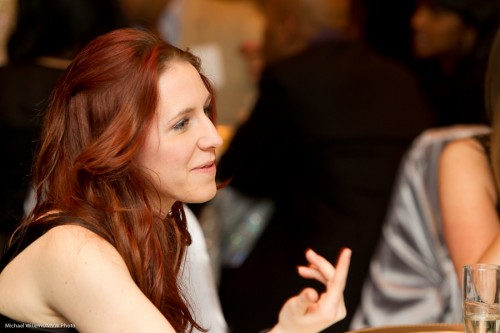
As said before. Yes – you may get some unsharpness, especially in the shape of ghosting, like in this shot – look at the hand:

Fair enough. BUT….

  1. Motion blur occurs mainly in the “background” area, where the flash is not lighting your subject. Else it is just a little “ghosting”.
  2. It’s only when there’s movement, really;
  3. Key point: it is still better than a badly lit image!
  4. And especially – it depends on your lens too. Wider is better.

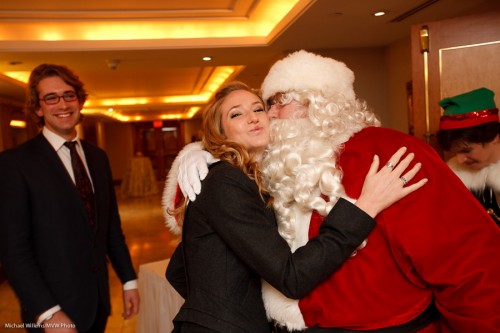
The shot above was 1/40th second (or course) at a recent event shoot with the 70-200mm IS lens. When I use a wide lens, this hardly happens – see here the 35mm (on a full frame camera, so this would be a 24mm lens on  a crop sensor camera):

Santa Kiss (Photo: Michael Willems)

So do not hesistae – you can shoot at slow shutter speeds.


Images taken at f/4, 1/40th second, 800 ISO – it was darker than usual, so an increase to 800 ISO was warranted to keep the background bright enough. This also gave my flash more durability and power.

TTL Flash and Batteries

A couple of days ago, a reader asked me this:

I did your flash course about a month ago and enjoyed it so much, I actually bought a flash 😀  I got the 430EX II.  I do have a question about it.  I used it this past weekend doing some Christmas photos and I found that I just ran through batteries REALLY fast.  I’m wondering why.  I thought that the battery life would be longer than an hour or so (continuous shooting but I had it set to ETTL which I thought would adjust for my lighting).  Do I need to set the flash in some way?  Am I firing too high?  I just pulled it out of the box and started using it and made no adjustments and I am wondering if that is my problem.  I used Energizer rechargeable batteries, that were fully charged.  In total I took about 650 photos (was doing shoots for different families) and went through three changes of batteries.

Well… I would say that is roughly about the expected battery life for a shoot where you use the flash at high power. An hour of non-stop shooting takes a lot of power, so you need to carry lots of batteries.

If you had a 580EX, it has twice the power, if you should need it – but it can take an optional battery pack. Whether this warrants the price difference I am not sure: this is a decision only you can make.

You are using your flash right. And the mode you use your flash in makes no difference to battery life: after all, whether you set the flash power level (“M” on the back of the flash) or whether you let the camera do it (“ETTL” on the back of the flash), it’s still going to be the same power level!

So what does affect the power level the flash needs to emit? Factors include:

  1. The size and reflectivity of the room, if you are bouncing your flash. A dark high ceiling eats power; a small room with white ceilings and walls reflects more, so needs less flash power.
  2. Or if you are shooting direct, which I hope you are not, then the zoom angle of your lens and the proximity to the subject determine power needed.
  3. ISO. The higher the ISO, the less power the flash needs. (Set it to at least 400 for indoors flash – often, you may need 800).
  4. Aperture – the smaller the “f-number”, the longer your flash will last. Shoot at f/4 if you can, and if your subjects are in one plane).

So you can help the flash along by bouncing wisely, increasing ISO, and decreasing the “F-number”. But in essence, yes, a flash will use batteries – which is why you (a) use rechargeables, and (b) carry many of them.


Manual, again

Another skill you may want to practice when using flash is to set the flash power to manual (instead of TTL), and see how you do. Push the “Mode” button on the back of the flash to “M”, and try various power levels.

Of course in a studio you always do this. But in an event shoot it is not usually practical. TTL is better. But still, knowing what kind of power level would work for you is a great skill, since it helps you know the possibilities.

And it is fun when you get it right. The other day during a class at Sheridan College, I guessed that 1/4 power would be the right level when bouncing the flash behind me, for this image of the class’s star student:

Star Student, shot with manual flash (Photo: Michael Willems)

Pretty much aced that huh? So having an idea is good… it’s like being at the supermarket, where you need to have some idea of whether the bill will be $7, $70, or $700. Makes you a better shopper.