
Scale carefully

How do people see your images? Do you ever wonder?

So maybe you shoot at a gazillion megapixels. Or at 12 megapixels. Or even at a lower number: say 6. (That would be 3,000 pixels wide x 2,000 pixels high).

Great when you want to print. But when you want to use your image at a lower resolution, like when emailing, or posting on the Web, then what do you do?

After you create it (whcih you always do at the highest pixel setting), you then need to “scale down” the image to the right size, that is what. And you can do it, or you can let your email program or web site do it, which is even easier.

Easier – but not better. When you scale down an image, you can do it in many way.

Just now I uploaded a image to Facebook. A large-ish image. And it looked like this, after Facebook scaled it down to its required size of 720×480 pixels:
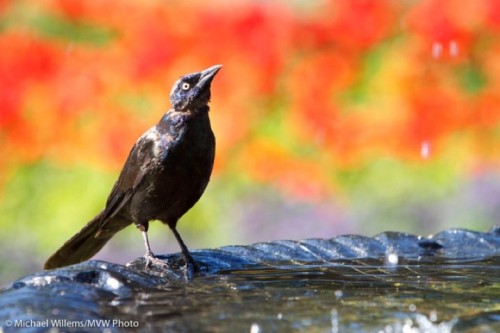
Bird bathing, by Michael Willems

Bird bathing (Aug 29 2010)

(You can see it’s not great, but to really see this, you need to see it full size by clicking on it, since WordPress also reduces the size that you see there!)

So then I did it myself in Lightroom before uploading, to exactly 720×480. Lightroom, when scaling, first applies a proper scaling algorithm, and then sharpens the image – which you need to do, since reducing the size blurs it slightly.

The Lightroom-scaled version looks like this:
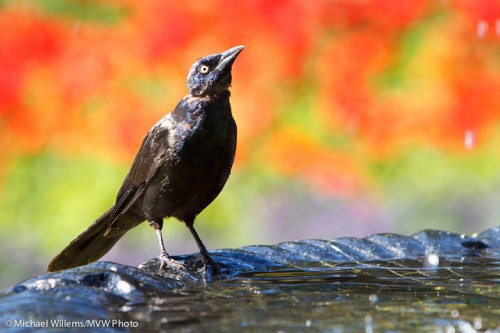
Bird bathing, by Michael Willems (scaled well)

Bird bathing (scaled well)

(Again, you need to click and see at full size. In fact, better that you save both to your desktop an then flip between them there.)

And you will see that the version I scaled is much better than the version Facebook roughly scaled down.

So remember: pixels are everything. When producing output, find out how many pixels wide and high it should be, and produce it in that size in Lightroom (or Aperture, or Photoshop: whatever you edit in). And sharpen as the very last step.

Some suggested pixel sizes:

  • Facebook: 720 x 480
  • Email: largest dimension 1200 pixels
  • iPad: 2304 x 1536
  • Small email-sized: 800 pixels widest dimension

And remember, DPI does not matter if you specify the pixels. I set it to 300, but you will see that the file is identical whatever you set it to, as long as you can specify the actual pixels (which you do, in, say, Lightroom).
Why is my picture blurry?

Why is my picture all blurry?

I hear this all the time from both experienced and new photographers.

Well, here’s why.

Focus:

  • You have not focused properly. Solution: select ONE focus point; focus; hold it; and only then shoot.
  • You are using a shallow depth of field. At f/1.4, it is hard to focus.

Subject:

  • Your subject is moving fast. Solution: pan with the subject or increase ISO, open aperture, or shoot the subject at the apex of its jump, say.

Shutter speed:

  • You are using a slow shutter speed (slower than twice the lens length, say, so on a 100mm lens you are using a shutter speed slower than 1/200th second). Solution: open the aperture or increase the ISO).
  • You are using a long lens (say a 300mm lens). On that lens, fast enough shutter speeds are hard to obtain). Solution: Zoom out, increase ISO, open the aperture, or use a tripod.
  • You are not using a tripod when you ought to. Solution? use a tripod!
  • You are using a slow lens. An f/3.5-5.6 consumer lens will never do as well as an f/2.8 pro lens. Solution: need I say?
  • You are using a small aperture, like f/8, when you should be using f/2.8. Solution: open your aperture.

Miscellaneous technique:

  • Your subject is in the dark – where it is muddy and blurry. Solution: Light your subject well.
  • You are not using flash when you should be. Solution: need I say?
  • You are  not using IS/VR. These are great features: stabilized lenses are superb and give you several stops. Solution: get an IS/VR lens.

Equipment:

  • Your camera is faulty – this is very unlikely, but have it checked out.
  • Your lens is faulty – this is also rather very unlikely, but have it checked out.

Clear? (Pun intended). Try all these and you will see your images improve amazingly.  Yes, I know, there are a lot of them. Yes, it’s complicated. But yes… you will take brilliant images once you get all of these right.

Remember these tips:

  • Bright pixels are sharp pixels (that is Willem’s Dictum);
  • Flashed pixels are sharp pixels;
  • VR/IS works;
  • Use one focus spot;
  • Hold the camera right;
  • A tripod is a good thing.

Have fun – a crisp, razor sharp picture really is a joy.

Love them. Love them not. Love them.

Large corporations, especially Japanese ones, can be hard to deal with. Customer Service tends not to be top of mind – dealing with these companies can be a little like dealing with the government.

They have only a vague understanding of the Internet. Their web sites are designed, it seems, to obfuscate. Long trees of site-to-site navigation, often having to chose between several options, none of which are right. “The interwebs”, for these old grey guys in suits, is, it seems, quite often just a way to get rid of those pesky customers who keep calling. (And I say that tongue-in-cheek: I am middle-aged, male, and wear suits quite often, and a tie even more often).

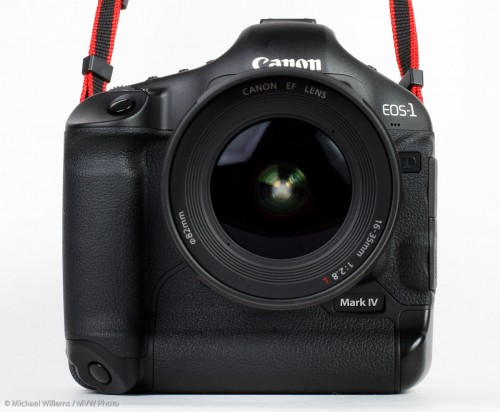
I use Canon equipment. The cameras are a 1Ds Mark III, a 1D Mark IV, and a 7D, and all the “L” lenses I need. Probably $45,000 worth of Canon equipment. And I love it all to bits of course, but I do rely on my cameras for a living, so I need good service when I need it.

Canon has CPS for that: Canon Professional Services. Pros get better service.

But here’s the catch.

Catches.

  • In Canada, CPS costs hundreds of dollars a year. It used to be free, and in most of the world it still is, but for Canada it costs. Much! We get a really bad deal. Why do photographers in other countries get reasonable service for free, and we in Canada pay $250 a year? After paying tens of thousands of dollars?
  • Well, at least in return, you get service. But wait. That service appears to have been downgraded from what it was, just last year! More money for more process, less service!
  • Emails from Canon about CPS have links, but the email is a graphic and you cannot click on the link.
  • The CPS program has no email. Their emails are signed by “CPS Services”. Who wants customers to email them? Not Canon, it appears. Makes me feel very unwanted: Canon goes out of its way to not be contacted by me. I am an annoyance.
  • Service? Well, I signed up. I got “approved” (ludicrous that you have to get approved, but anyway). I got a bill. Had a question. Called the person whose name and number was on the bill. She was on holiday (it’s OK for some!) so I left a message on her voice mail. This lady never called me back. I guess perhaps they have a “policy” against that.

As a result, I have not yet paid. And I doubt that I will. Maybe I’ll switch to another brand of camera equipment if I ever need service. Paying tens of thousands of dollars for less service, and getting no help? Doesn’t seem like such a good deal to me.

I cannot imagine treating customers this badly. Suppliers of any product or service should go out of their way to make their customers, who part with their hard-earned money for them, happy.I am delighted to work at midnight, or to go the extra mile in any way I can. I love my customers. I am grateful to them. I cannot imagine treating them badly!

So when my thousands of students ask me whether Canon service is like Apple’s, I can only sigh. And I doubt that Nikon is better (correct me please, if I am wrong!)

One thing I will say: retailers can be a very useful buffer.  Henrys (Canada’s largest photo store) are fantastic. (Disclaimer: I teach there. That said, I do not work for them, and I can say this independently). Any service issue at Henry’s is dealt with very well. They invite contact, instead of avoiding it.

And I am not just saying that: I take out the additional Henrys warranty on all my cameras. The only additional warranty I ever buy. Because it is worth it.

The summary of this post:

  • Large corporations can be good (Apple) or useless (you know who you are) at service.
  • Retailers can be a very useful way for customers not to have to deal with these corporations (just like insurance brokers).
  • Service is important: if your camera breaks, you are out of business!

Now back to photo editing, my job for tonight.

Welcome to speedlighter

Speedlighter.ca: the new home of Michael’s blog.

Why now? Because WordPress changed themes, dropped layouts, and showed themselves to be untrustworthy. But also because now I can do more: in particular I can now add a wide range of “plugins” on this blog.

Why “speedlighter”? As you know, a small flash is called a speedlight. Because they are fast to use. And I specialize in speedlighting: I teach lighting seminars all over. I teach pros as well as beginners how to use flash technically and creatively. I will help you know the exact differences between Nikon’s CLS/iTTL and Canon’s e-TTL. I love small modifiers like the Honl Photo gels, grids, softbox, reflectors etc.

Michael Willems. Lighting: three small speedlites

Photography is about composition/subject, moment and light. While I talk about all three, I particularly like to help people understand light, and how small flashes can help produce professional photography quickly and easily, without lots of heavy equipment.


IV

My “IV” photojournalistic work is featured on this month’s 180 ( http://180mag.ca/ ) style/art/fashion magazine. The first article in the July Issue.

IV - Intravenous, by Michael Willems

IV - Intravenous, by Michael Willems, on 180mag.ca

Go check it out. This is the work I am passionate about: showing worlds we do not normally see. Several of the images there are new and have never been seen.

Searches on this blog

Today so far, these have included:

annie leibovitz aperture 2
can you shoot in black and white with th 1
street light site:.ca language:en 1
24-70 2.8l 1
turning off the beep on canon 7d 1
7d and monolights 1
canon leibovitz 1
kodiak gallery in the distillery distric 1

——

Well, in short:

Annie shoots Canon but I am not sure at what aperture, or whether she uses Aperture or Lightroom. Yes you can shoot B/W with any camera – but best to convert from colour on the computer.The 24-70 2.8L is a very good standard pro lens. Yes you can turn off the beep and yes you can use any camera with monolights, just use pocketwizards or a cable.

"IV - Intravenous", Kodiak Gallery, Toronto

And my “IV” exhibit at The Kodiak Gallery in The Distillery District (55 Mill St, Building 47, Toronto) finishes today – last chance to see this shocking but ultimately triumphant exhibit.

In the UK, photography=antisocial

In another fine example of anti-photography harassment, a Lancashire photographer was arrested for taking photographs. “Because of terrorism” and “photography is suspicious” were some of the reasons expressed by police in the photographer’s tape of the incident, in this article in The Guardian.

I have seen this many times when visiting the UK: Big Brother does not like photography except when He is doing it.

The photographer in this incident was polite and articulate and knew the law. It is indeed incumbent on us photographers to stop this escalation of nonsense.

Marie is retarded

Like so many companies now, Canon Canada has an “automated attendant”.

Alas, “Marie” is not a good listener – she does not start listening until she has finished her long list of mainly irrelevant options (they are mainly irrelevant by definition, since you only want one). Also, she cannot understand “Technical Support” when I say it clearly, and she does not know what an “EOS Mark IV” is – the best she can do is “EOS Mark II n”. She has not been told about recent product releases, it seems.

Tip to Canon: if you want to help humans, use humans, not “automated attendants” with an IQ of zero. The actual support people are so good, it seems a shame to put up Marie as a barrier first.

Why am I calling? Because C.Fn I-7, when set to “1”, which uses the active AF point for spot metering, does not in fact seem to do that. Most peculiar and I am sure I am missing something obvious. What? I’ll tell you when I get past Marie.

UPDATE: when you use all 45 focus points, you cannot spot meter to the focus point. You have to reduce the AF points to just 19. That’s pretty useless, and I missed that in my review. Damn!