Blog mod

My son Jason modified this blog’s software: the layout is much better now, with less wasted space at the top, and the search field in a place where people can actually find it. Check it out above — and check out Jason’s Internet offerings, including web site surveys starting at just $5 on http://fiverr.com/jwillems – he provides great value. Have a site? Have him check it out. A McGill engineer for $5? A deal, I’d say.


Simple, innit?

Today, I present you with one page from my next upcoming book, “Mastering Your Camera”, a no-jargon guide to using any DSLR.


Simplifying.

When people ask me “what is the difference between my snapshots and a professional picture?”, I most commonly say “the pro simplified her picture”. Simplifying your images is probably the most important thing to not forget.

“Simplifying” does not necessarily mean “removing everything but your subject from the photo”, although that is one way. More accurately, it means “ensuring that everything that is in your photo is in your photo because it should be in your photo”. If it shouldn’t be there, it shouldn’t be there!


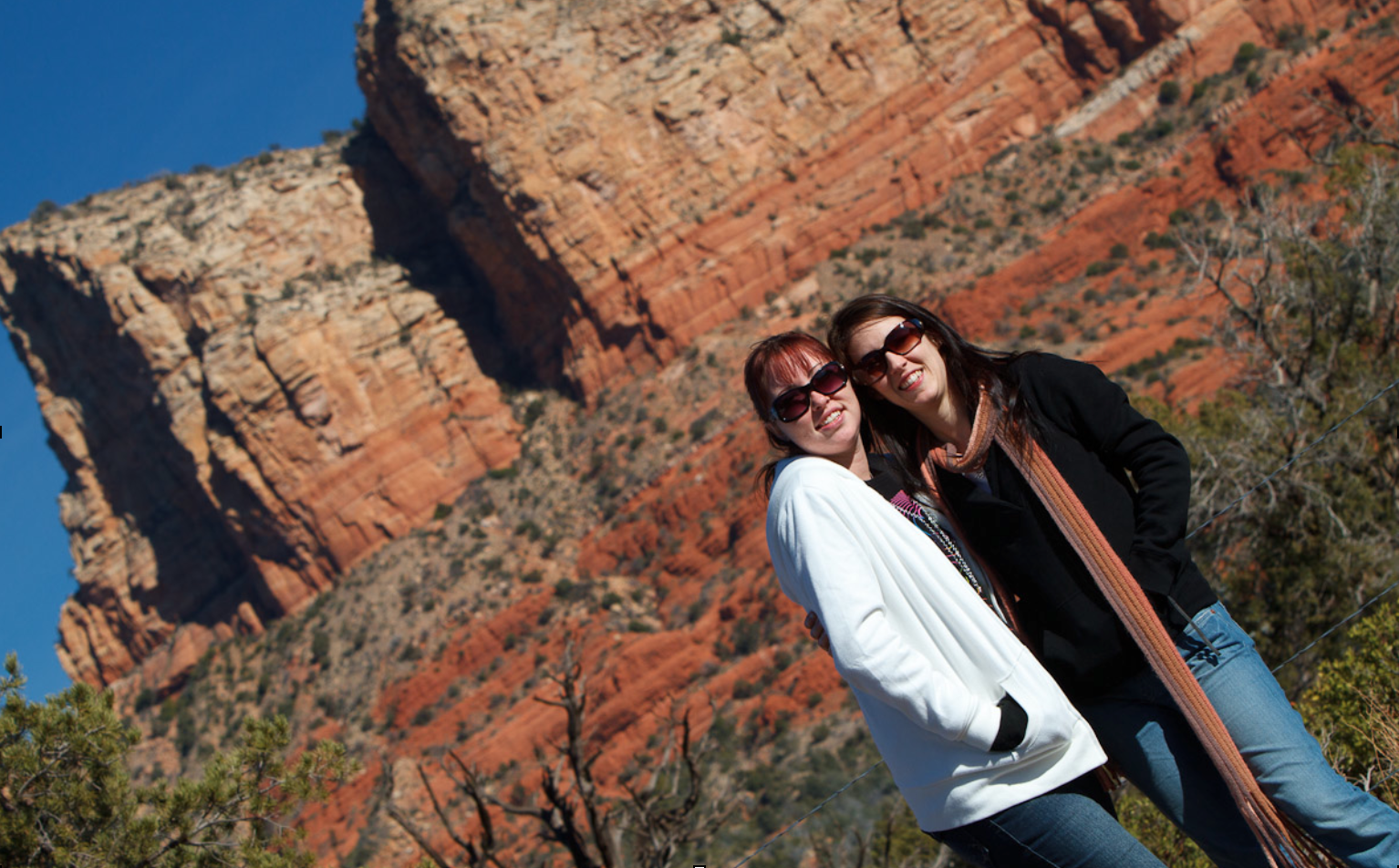
Sedona, AZ: Tilting Away The “Stuff”

Take the picture above. I tiled this image because next to the girls, there was a garbage can. That garbage can did not belong in the picture – it was not a picture of “two garbage cans in Sedona, AZ” – so I wanted it gone.

How can you simplify a picture? There are many ways, and you can come up with them yourself. They include:

  • Move: you do not have to take the image from right where you are. Often, moving to a different location makes all the difference.
  • Wait: Often, distractions disappear. The photo of the guard at The Alamo earlier in the book had three tourists right behind his neck: I waited until they were thus invisible, and then pressed the shutter.
  • Viewpoint: shoot from a different angle: a circle has 360 degrees, not just one…
  • Zoom: filling the frame is also a good way to get rid of distractions.
  • Blur: blurring the background by using a low “f-number” is also a great way.
  • Tilt: see the example above!
  • Selective light: only light the objects you want to see; keep the rest in the dark.
  • Move the subject or the offending objects. If you are not a photojournalist (for whom this is taboo!) then you can ask the subject to move, or move the distracting objects.

That is a partial list: you can come up with more ways yourself. The key is just to remember to do it.


Weather the weather

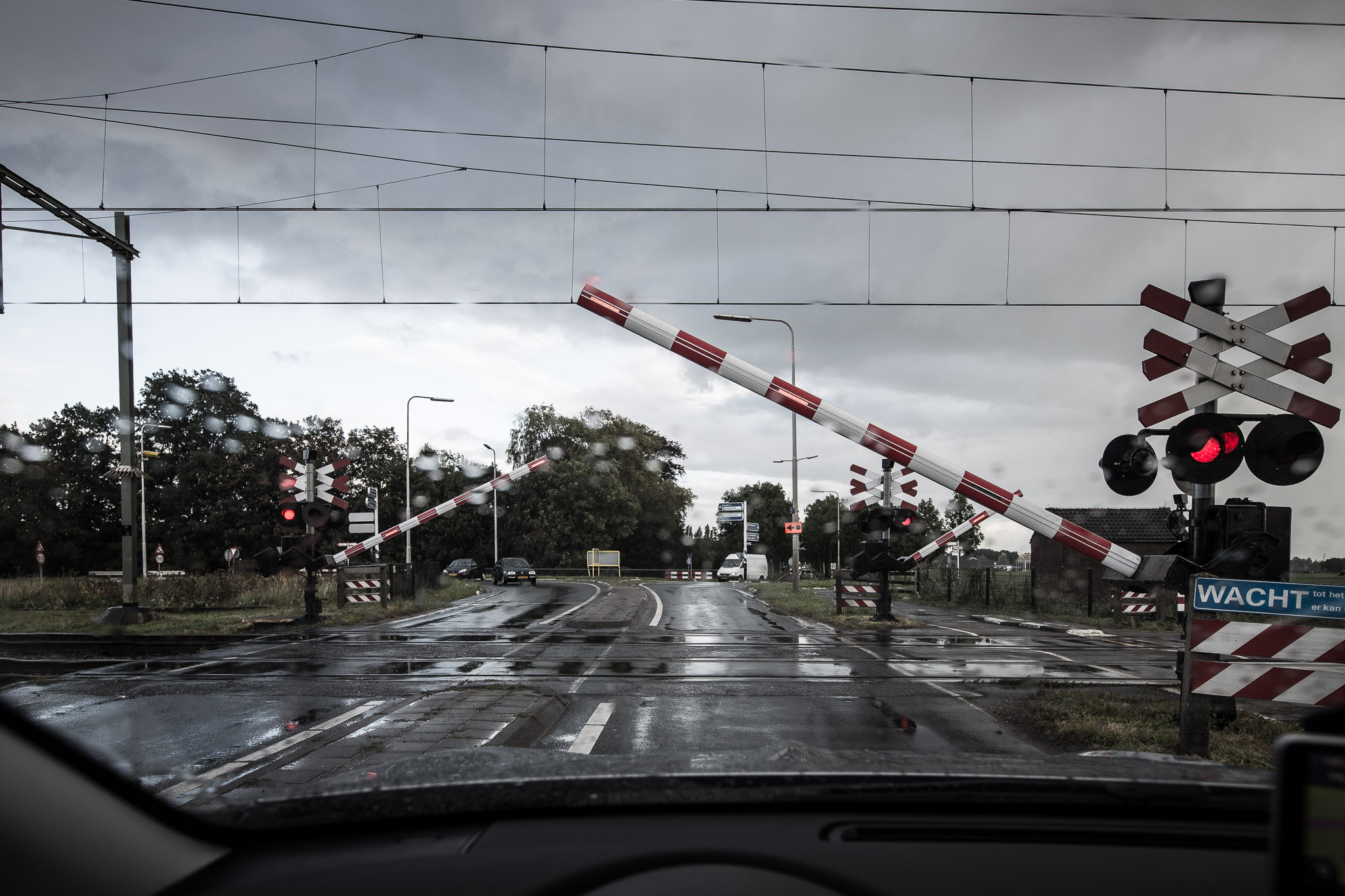
Weather is important to us. But it is a misconception to think, as we did in the “Kodak Instamatic days”, that we can only make nice photos on sunny day. See the photo of a dreary day in the Netherlands. above.

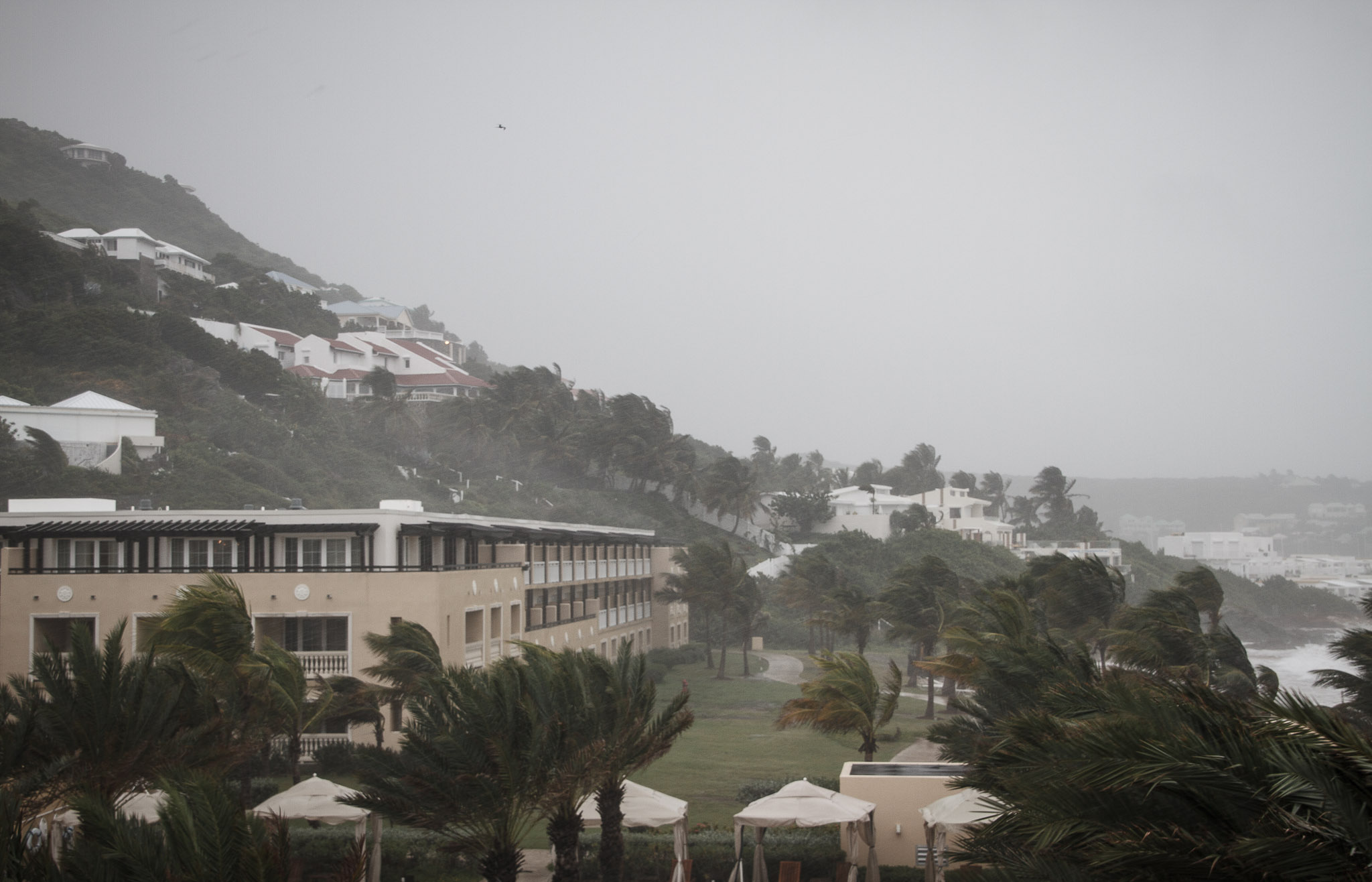
First, the weather is part of the story-like the hurricane winds in St Maarten in the photo here:

Second, you can always make photos work somehow: there is no “impossible weather”. You may need high ISO, or a tripod, or rain gear, or even a flash, but every weather type is usable.

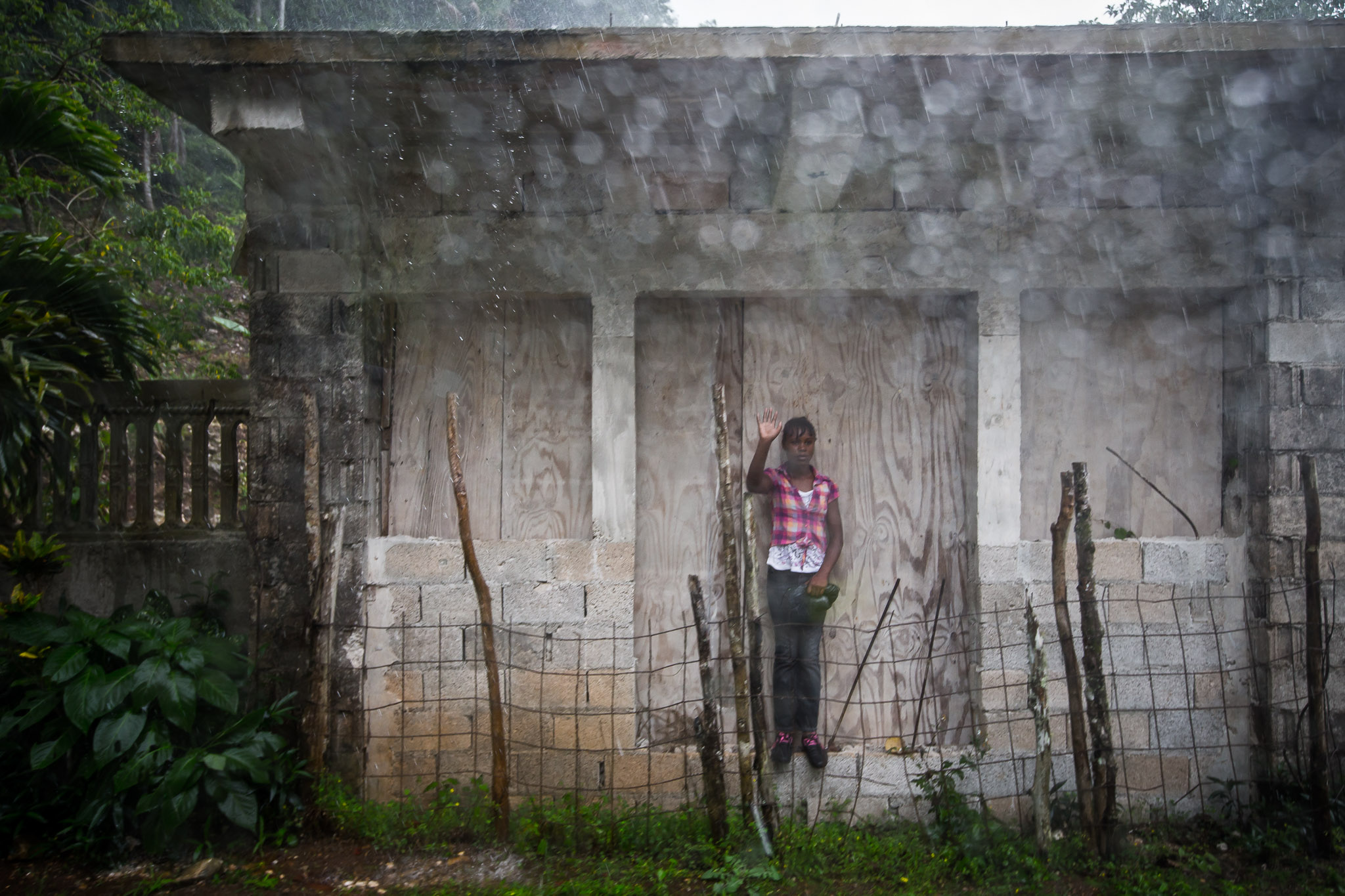
And third, sometimes “bad weather” is good for your photos. A grey sky, for instance, allows flower colours to pop much more than a sunny harsh sky. Rain can convey mood and give you soft lighting! Grey skies, too, and the resulting low contrast can be very good. Not every picture needs to be super contrasty, as a cloudy and wet Jamaica shows here.


This tip is a small part of my all-new Impactful Travel Photography e-book, published yesterday. $19.95, or a special price of $49.95 for all three books. Head on over: www.michaelwillems.ca/e-Books.html – just in time for Christmas, Just saying!


Cyber-Week Sale!

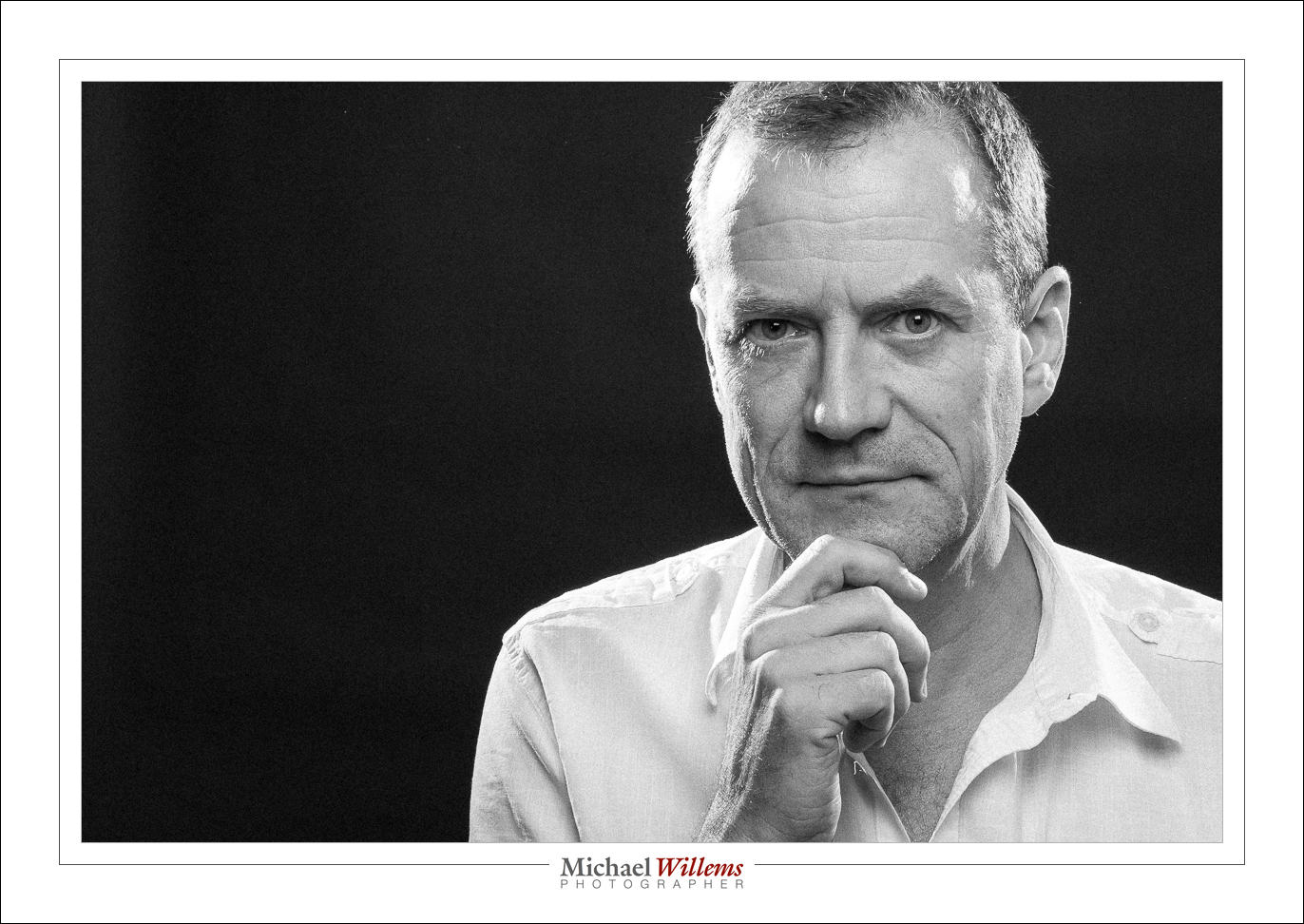
Have you always wanted to be able to create proper portraits? Like this self-portrait, which I made minutes ago (in minutes)?

Of course that is not the only “proper portrait”: there are almost as many portrait styles as there are photographers. But they do have one thing in common: the photographer knows light. And often, that means the photographer knows flash.

And that’s probably not the only thing you have always wanted to be able to photograph. But it has just eluded you except for some lucky hits.

Well, I am here to help. As you know, I am a full-time pro and educator, and I have two ebooks available: the Photography Cookbook, a book with 52 “photographic recipes”: quick start settings and tips that get you good pictures immediately in various situations, from “fireworks” to “graduation ceremonies”. And the Pro Flash Manual, a guide to using flash: from knowing nothing to producing creative pro work. Both books are PDFs without DRM, and they retail for $19.95 each.

If you do not yet own the two books, go get them now. Because I really want you to learn these things, I have a Cyber-Week Offer: this week, get both books for the price of one. That is 50% off, for one week only.

To take advantage of this offer, all you need to do is head on over to http://www.michaelwillems.ca/e-Books.html and order either one of the books. Do not order both – order just one, and for that price of $19.95 I will send you both. Go do it now; enjoy the holiday period with your camera; and astonish your family and friends with your sudden expertise!


Print.

I have talked about this before: make use of your work.

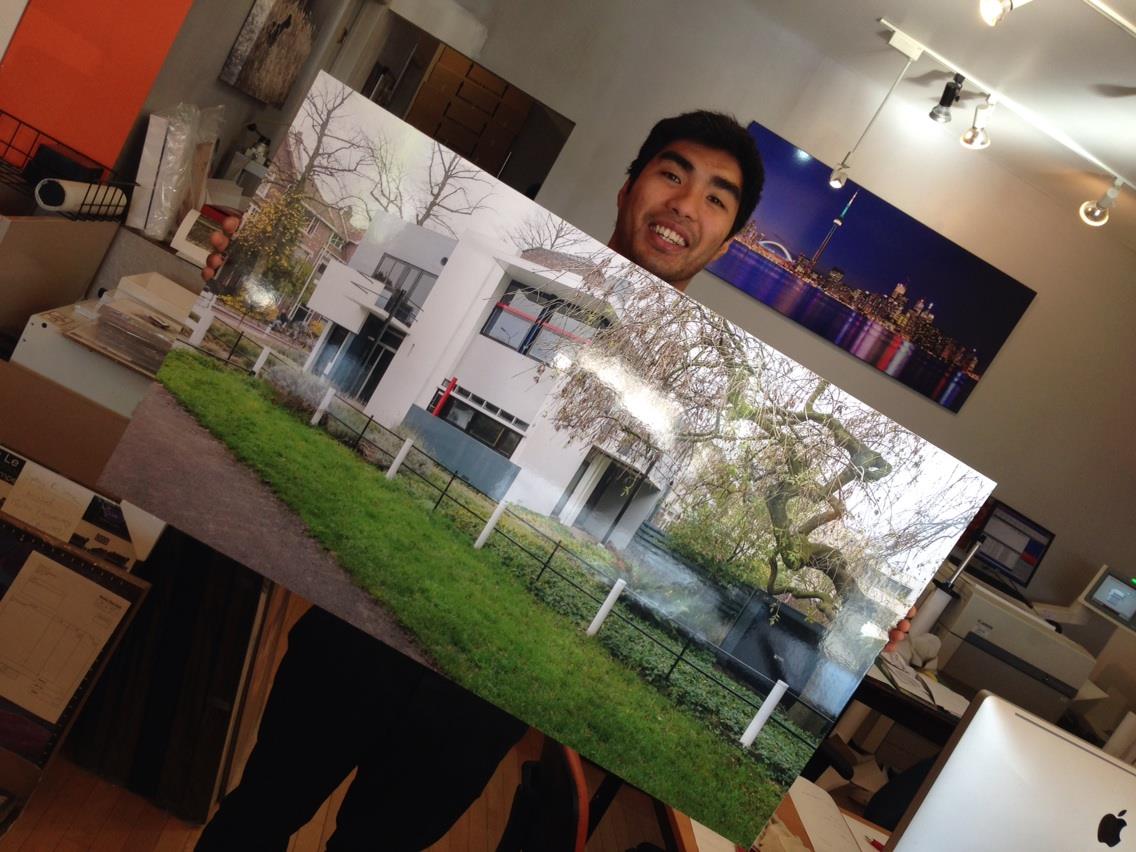
And prints are an excellent way of doing that. Here’s a print I just picked up that other day at the printer – a print I made for a friend and client:
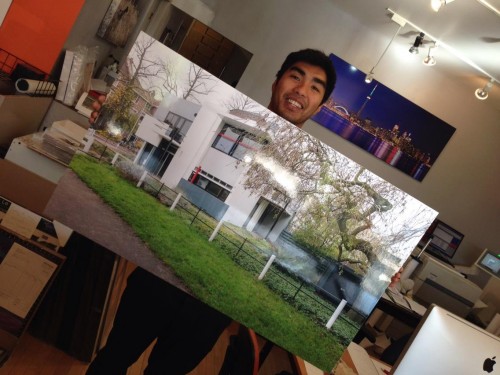
It’s not terribly cheap, but it’s not terribly expensive either, for what it is. Now, I am having it framed. The same goes for framing: It’s not terribly cheap, but it’s not terribly expensive either, for what it is. It’s worth it to have art on your walls.

A print is, oh, 1,000 times better than a picture on your PC, Mac or iPad. A tactile, real, thing that will liven up one of your walls forever. That you will look at multiple times every day. That your guests will see without you making a point of showing them.

A print has more pixels than your screen, too, so it looks more real. You can study its detail. Plus, it is larger, which also makes that easy. For me, a 13×19″ print is a small print. For wall use I often recommend metallic paper, 40″ wide, such as the gentleman above is holding, Then, a simple frame around the edges – I use metallic prints often, because not only are they sharp, but also because they need no glass that distorts. If it gets dusty, you can wipe it.

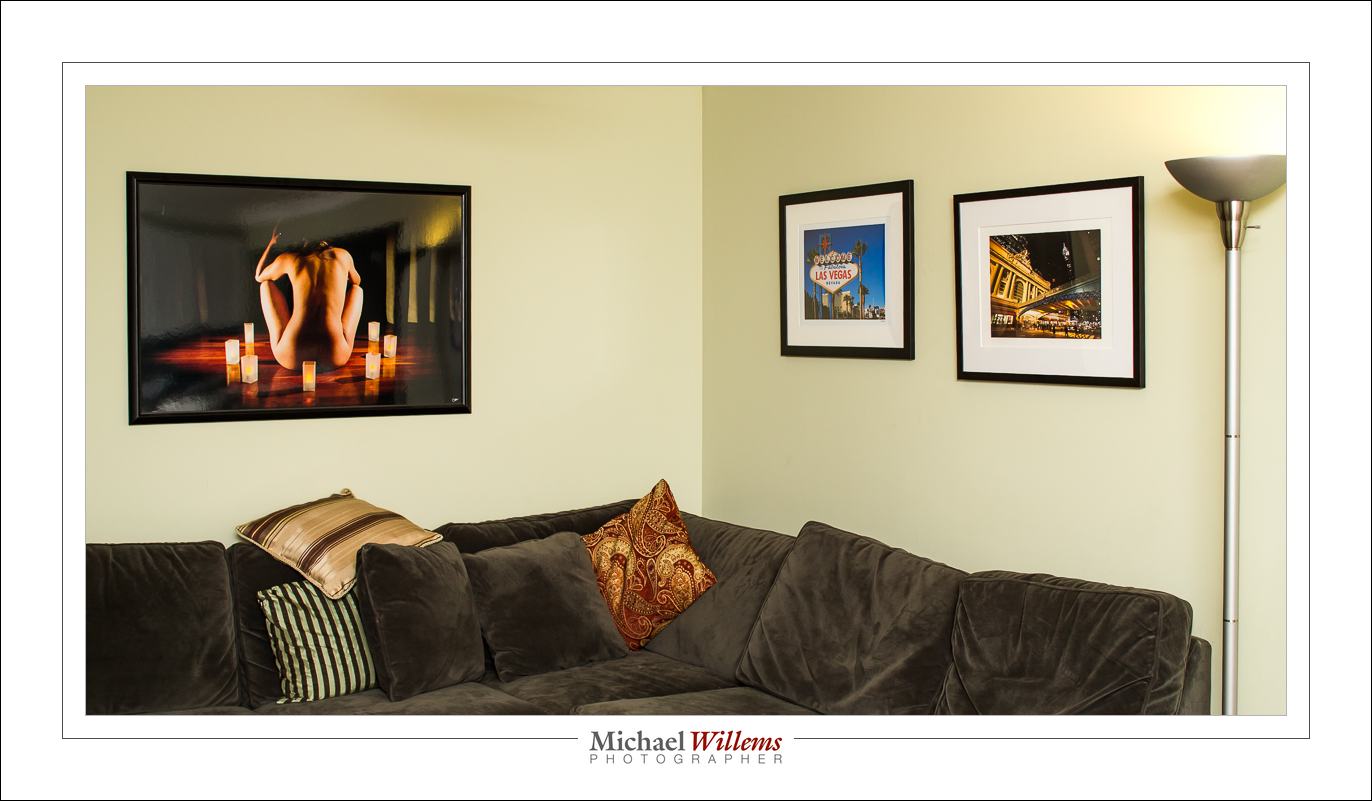
Here’s one 40″ on metallic, and two framed and matted 13×19″ prints:
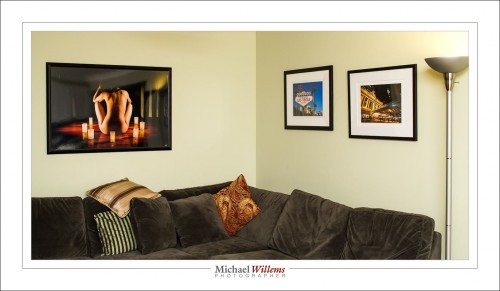
I just bought a little Canon Selphy 4×6″ printer, too. 4×6 is small, but even at that small size, a print has something special.

My advice: Go back to that special, and use your photos to make prints. Or if you have had a photographer make photos, then order some prints, too. Enjoy photography!

 

Be An Apple.

Would-be pro photographers, I have some very important advice for you: Do not compete on price. Stay away from bargain-hunters. Just do NOT do it!

I am saying that this is important advice for several reasons:

  • If you compete on price, there will always be someone cheaper than you. It’s a race to the bottom.
  • Price hunters take an inordinate amount of your time and are disloyal: the moment someone else is cheaper, there they go.
  • Your value proposition is wrong – competing on price says “I am not worth much”. You should be selling a premium product! After all, everyone can take snaps by clicking an iPhone, You can do better. You know the rule of thirds. You have good glass. You know how to do post. You know flash (*). And you need to make that very clear. Low pricing does not achieve that: rather, it achieves the opposite.
  • You will drive away the best customers – those who want a premium product. These are the customers you really want, and they do not go to Sears for photos.
  • You will go bankrupt. Do the math: say you do a portrait shoot. What are you going to spend both in terms of immediate cost (your travel cost, your camera, your batteries, your parking fees) and time (preparing, getting there, shooting, driving back, unpacking, downloading, post work, sending to client, discussing with client, invoicing, follow up)? When you do a little spreadsheet that contains all this, yes, it’s a lot more than you think. Take your bill; subtract immediate cost; then divide the remainder of the money over the hours spent and you will see that you work for minimum wage or less. You cannot build a business that way.

Aha, I hear you say, “but Michael, others in my market are cheaper, so everyone goes to them!”

Oh? I can buy an Acer PC laptop for $300, or I can buy the Macbook I am typing this on for $2,000. I did the latter, and so do many others. Guess who makes more money, Apple or Acer? I bet that in your market too, Apple sells laptops. There are no markets where everyone only buys Acers. In a market where there’s a McDonalds (i.e. everywhere), there are still expensive restaurants. Always keep that in mind. You are a bistro, not a McDonalds.

The secret is that people really want the Apple laptop or the expensive steak au poivre. Once your client really wants what you are selling, they will pay what you want them to pay.

So – make sure that:

  1. You do the math. If you are selling below cost, you will go bankrupt. Or you are subsidizing a hobby. Not good.
  2. You dare to ask for premium prices. Asking for real money takes confidence, courage, even. It is a natural impulse to say “oh, I don’t want to insult people by asking too much”. But resist that urge: You are worth the price. You don’t do iPhone snaps. You know your stuff. Your hours are worth something. You offer value.
  3. You profile yourself well. You should exude quality, from A to Z. Apple takes enormous care when designing the boxes. The web site. The cables. The boxes for the cables. Yes, even the damn boxes for the cables are a work of art! It’s not just “Apple makes better laptops”. For all I know, Lenovo also makes great laptops. But Apple gives you a great, quality experience from the start to the box. And you should do the same – your entire business, every touch point with the client should be a great experience. Be a pro! No gmail email addresses. No cheap printing. No husband answering the phone with “oh yeah, right, well my wife’s not in right now, she’s gone to the doctor for her checkup, one of those woman things”. (**)

My location sitting fee is $335. That is what I charge to turn up and take pictures for an hour. The photos are extra. I am pretty sure there are people who do this for less, but I do not care; in fact, I shall increase it soon. I want to be Apple, not Acer.

Michael

(*) Oh, you do not know flash yet? Come to me, I will teach you. www.cameratraining.ca
(**) This has actually happened; I was told this by a student.

Making Things Easy

Making Things Easy: I now also accept BitCoin (BTC). You can now pay me for photography, books and services via:

  • Credit card via PayPal or via Square (phone or in person)
  • Interac e-transfer
  • PayPal
  • BitCoin

See www.michaelwillems.ca/Payments.html.

I try to make things easy for customers – and with the festive season coming up, what better time to have portraits made (www.michaelwillems.ca), buy wall art (www.michaelsmuse.com) or learn to use your camera (www.cameratraining.ca) – gift certificates available?

Now on to more blogging. Meanwhile, here’s Iceland just before landing, Friday: little ice.

So..?

So – do you all like my snazzy new interface?

Seriously – a call to my readers: let me know what you would like to see on speedlighter and on my YouTube channel. In terms of content, design, functionality, anything. And all my posts are open to discussion, and I welcome it. (I need to approve your comment just once and you’re good for life. And no-one but me sees your email address).

Michael

Zombies ‘R’ Us

Last night I held a little zombie party. And that prompts me to tell you about the importance of two things in photography.

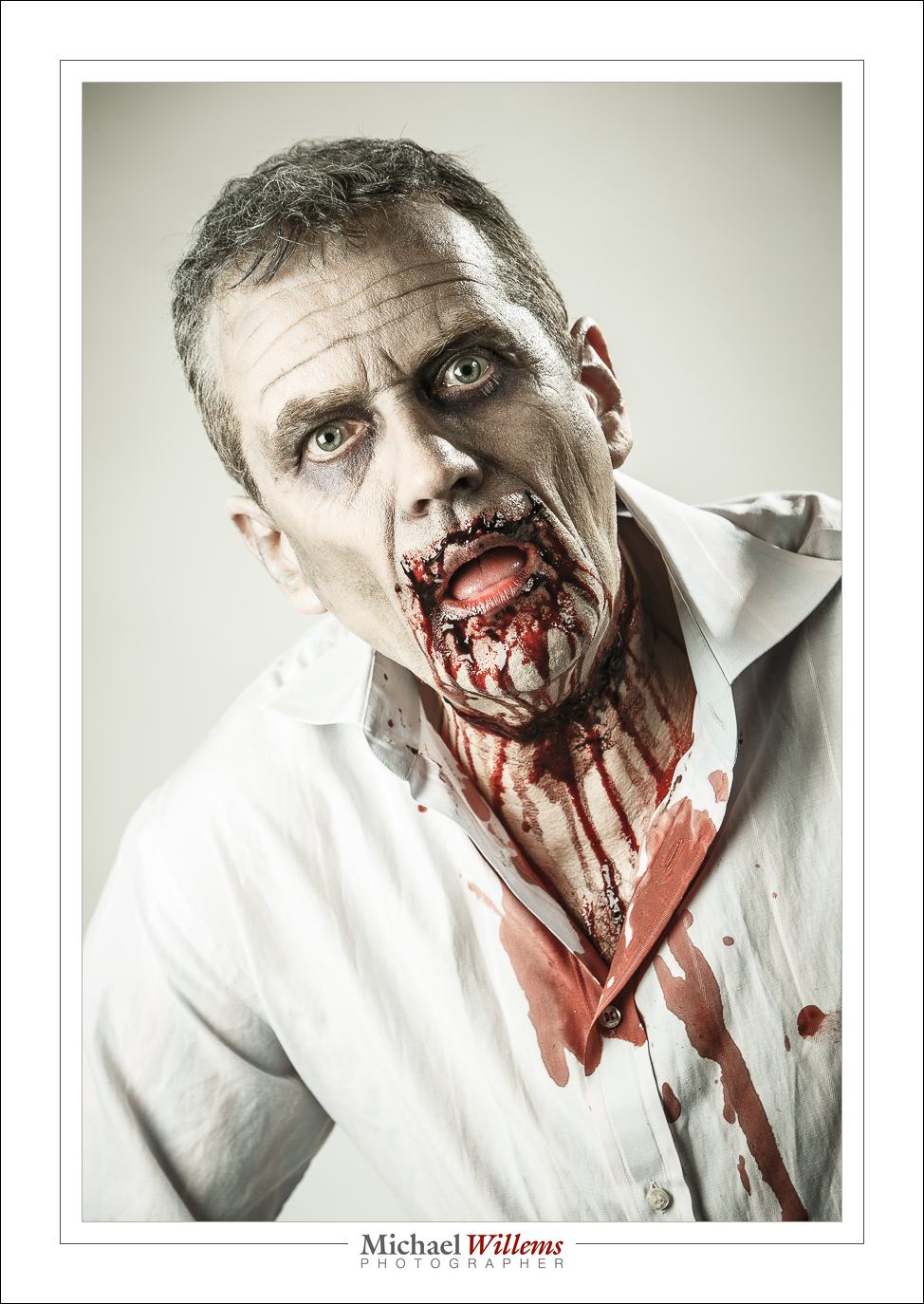
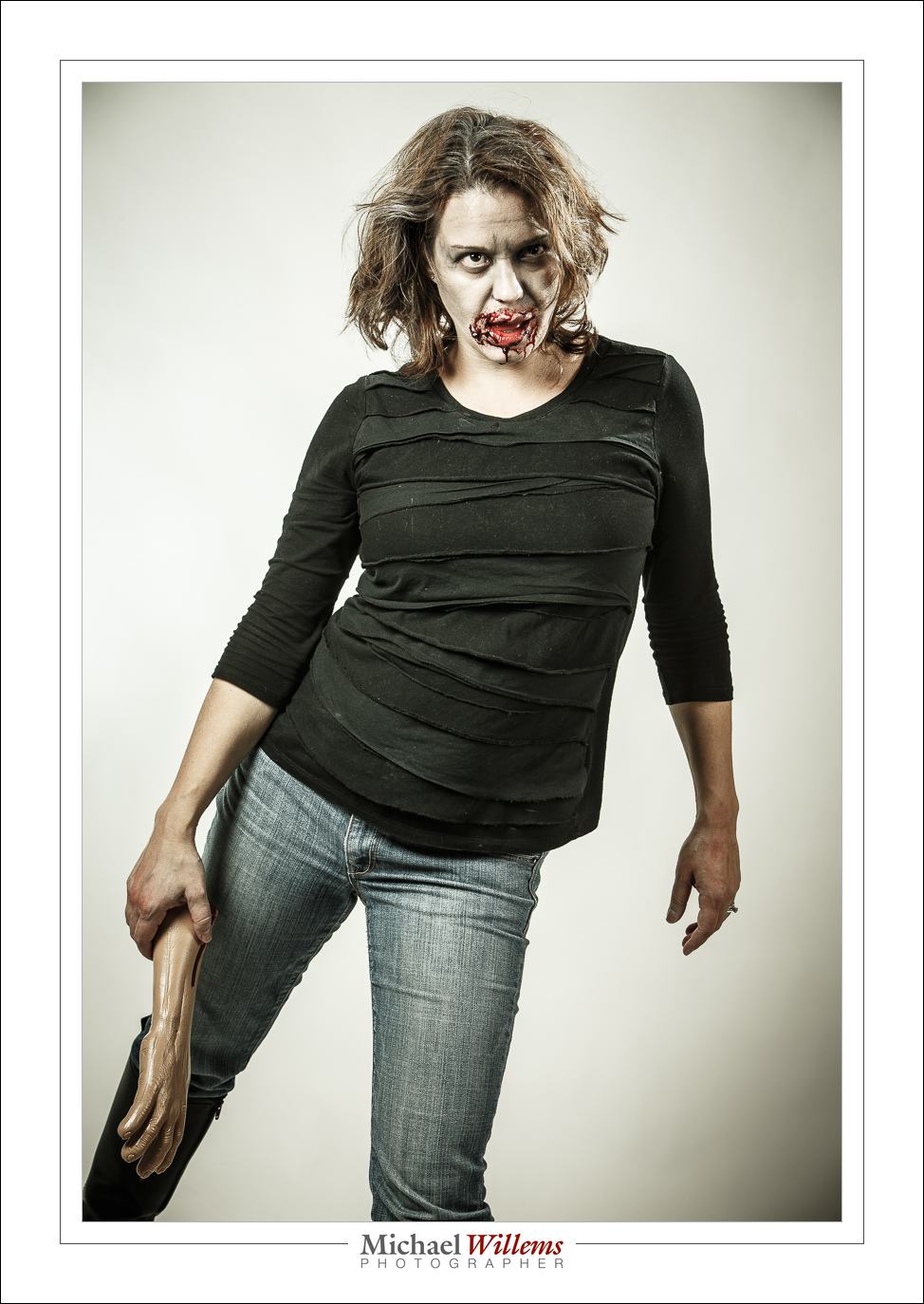
One is the make-up artist (the “MUA”), who is present at many shoots. Without one, you are limited. You cannot, for instance, change anyone into a zombie, like this:

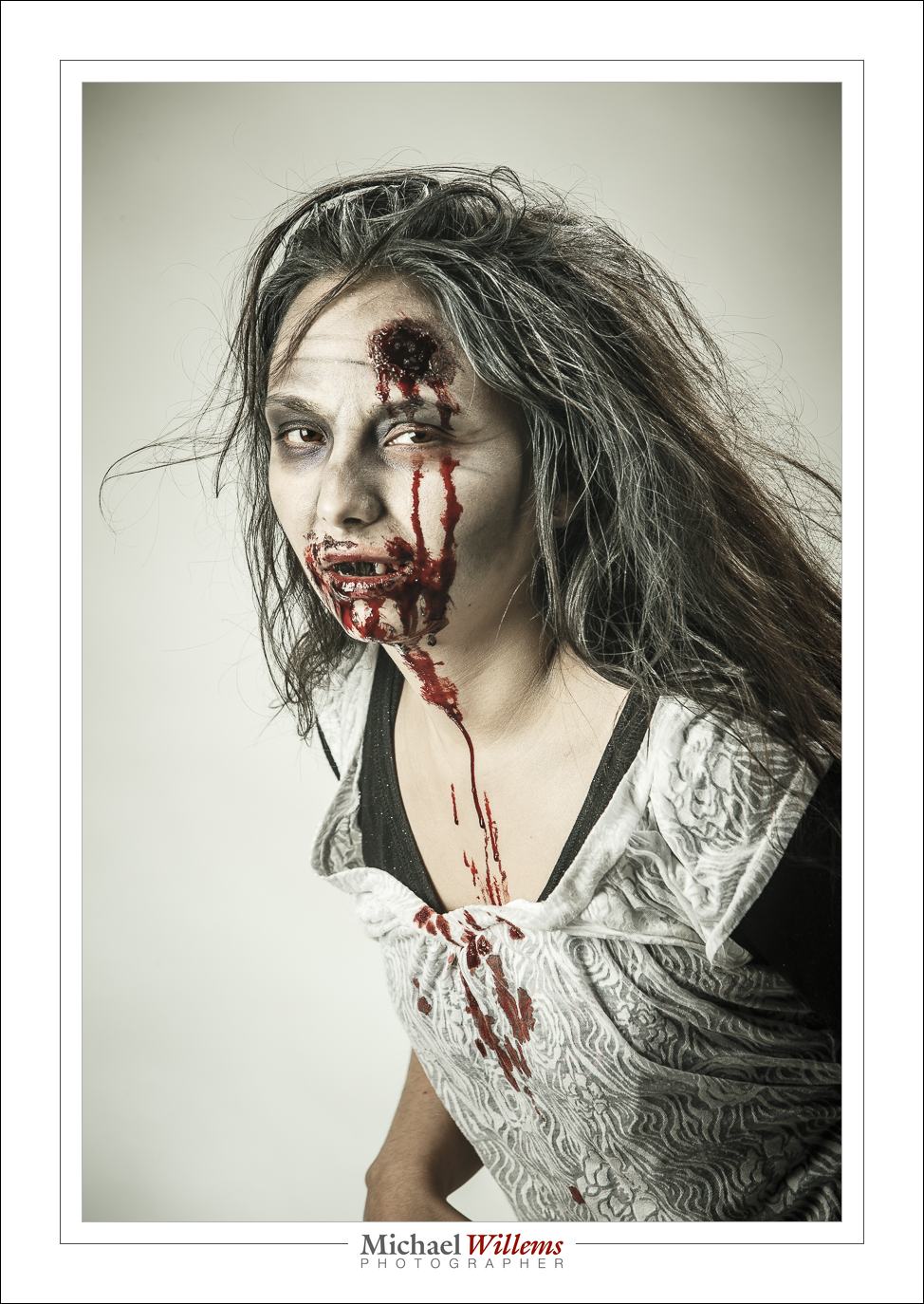
Or this:

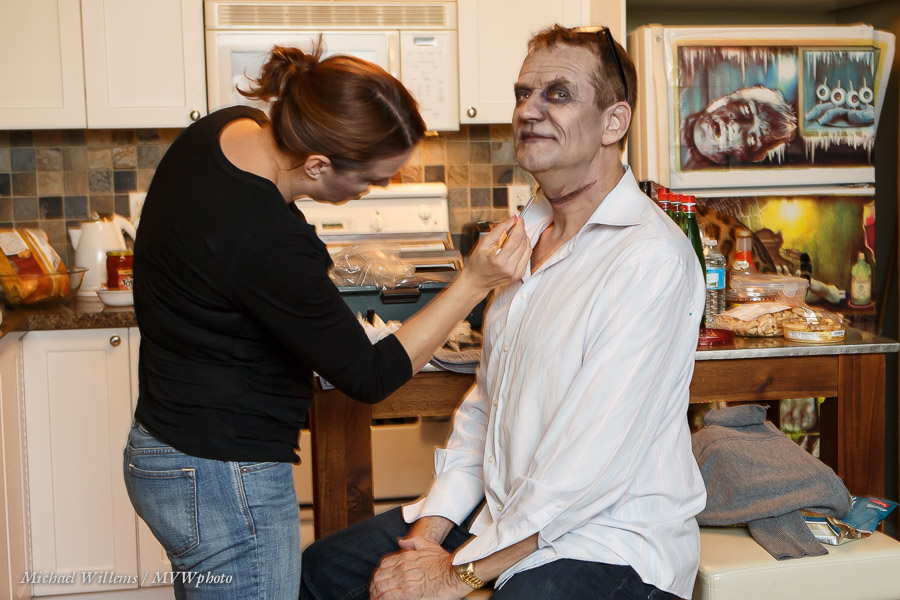
Here’s Melissa, last night’s MUA, working hard on making me ugly (not all that difficult, according to some):

But even for simple shoot, a make-up artist can be essential. Why does professional photography involve so much time (each make-up job took over an hour, in two parts: make-up, then blood and wounds) and money? Because doing a professional job takes real effort, knowledge, and time. Accept the extra expense and do it, next time you have a shoot that needs a professional look – whether that look is beauty or zombie. Same thing, for a good Make-Up Artist.

The second thing is post-processing. While I do what I can in the camera, some things cannot be done there. Like the “Walking Dead” look in these pictures. Here’s Melissa, the Make-Up Artist:

So to get this look I quickly created a Lightroom preset, which I call “zombify”. That makes image 1 below into image 2 below:

Lightroom “Zombify” Develop Preset, by Michael Willems:

  • Temperature 6150K (with my studio flashes)
  • Tint -44 (my version of “Walking Dead Green”)
  • Exposure +0.5
  • Contrast +12
  • Highlights +7
  • Shadows +11
  • Clarity +65
  • Vibrance -42
  • Sharpening 80
  • Noise Reduction 20
  • Post-crop vignetting -27 Highlight Priority

Do those settings (tune to taste), then save as a new preset and you are all set for Halloween. You’re welcome.

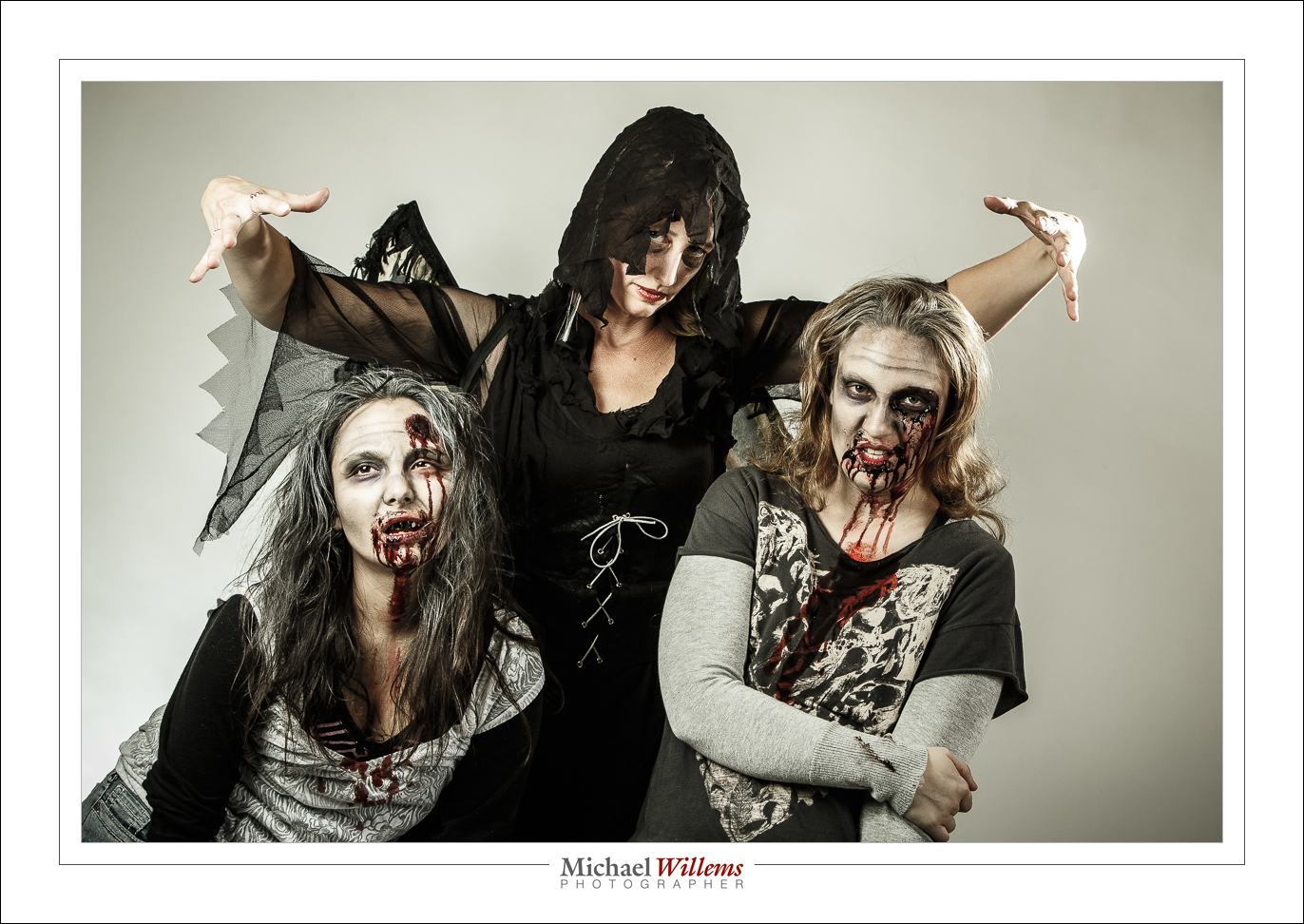
The Angel of Death is watching.

Enjoy your Halloween, later this week.

___

Come to me for a little Lightroom coaching, and I’ll set up your Lightroom structure professionally while we are at it, too. www.michaelwillems.ca