Equipment Pays

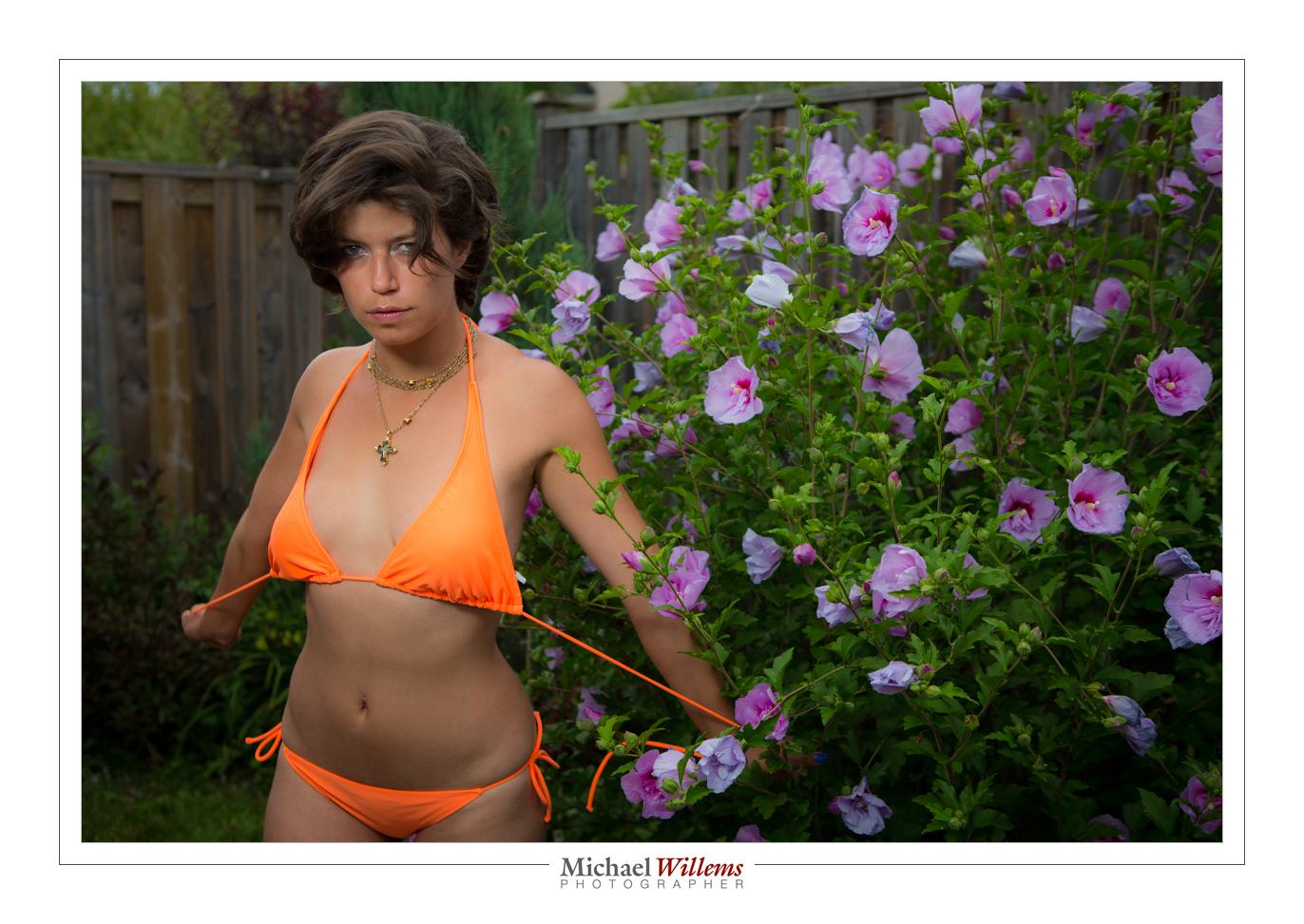
I made pro portraits of people last weekend. The setup was a large strobe with a softbox, and a Canon 1Dx camera with a 24-70 f/2.8L lens.

That gives me this kind of shot (this is a self-portrait to test):
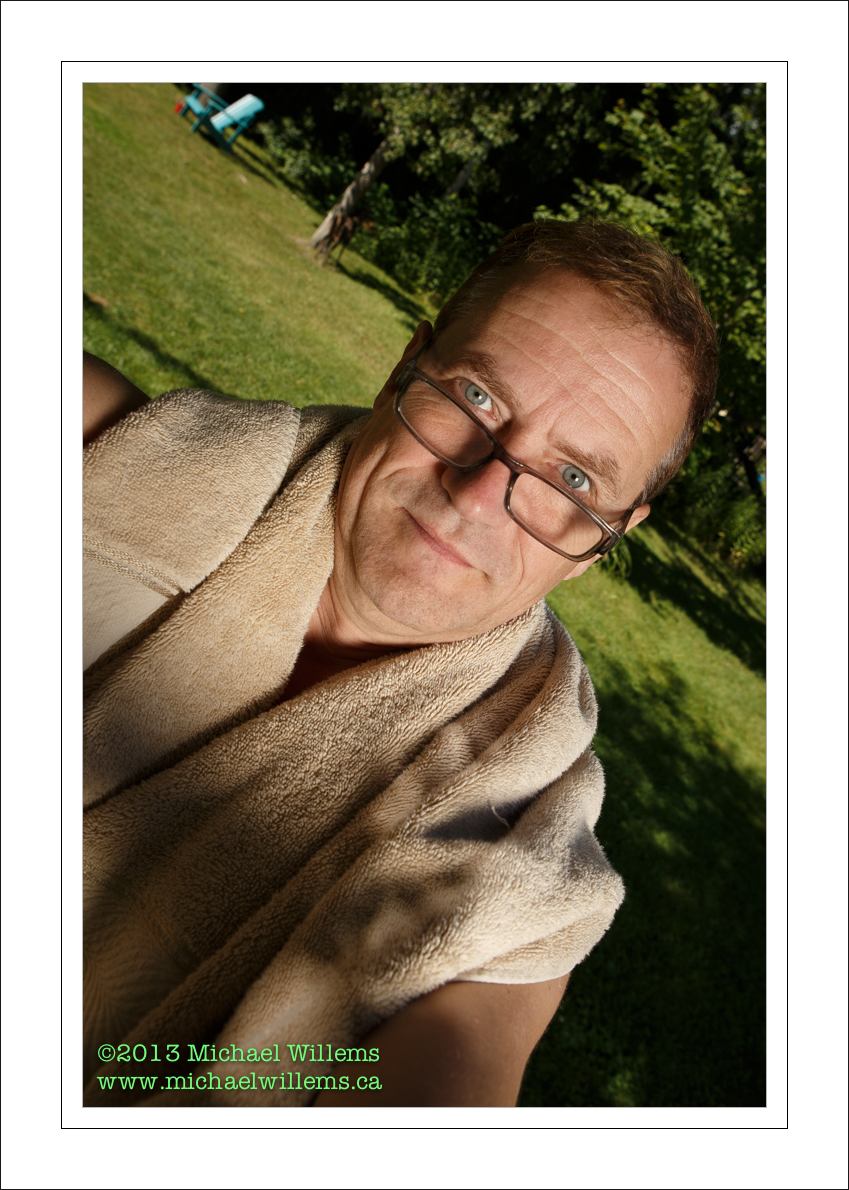
But it is not until you view this at real pixel level that you see how great this kind of equipment is. Even in this picture, which was slightly back focused (it is impossible to focus accurately on yourself), look at the hairs around my ear, and at the towel:
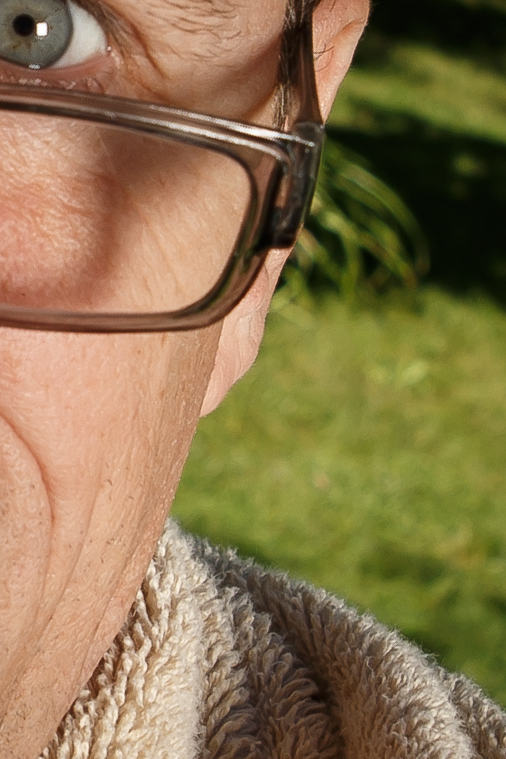
But better still, look at this small cut from a picture of one of the people pictured:

Now click on that, and then select “full size”, and if necessary on your computer, click on any “+” buttons to view this at its actual size (of 1200+ pixels wide). Then you see how incredibly sharp this is. Basically, DNA level.

So when you think your “kit”-lens does OK, or your iPhone does OK – that is true when viewed small. But when viewed large, or better, when printed (and you really should print your photos!) then the difference between basic equipment and professional gear really shows up. I wish I could show you all these photos on my large

And that is one reason (one of many) to have your portrait made by a pro.

Other reasons are the printing itself – when I print for you, I make “giclée” prints, using permanent pigments on non-fading acid-free museum-grade paper. Not Wal-mart prints that, while they only cost a few dollars, will discolour and fade after just a few years – let alone decades.

Please – have me or some other pros make your portraits. We are only on this earth once, and the older “us”, as well as the generations after us, should be able to recall you as you are today. I have only a few photos of myself as a child. In fact just one, I think. As I said in the workshop I taught the same day: it’s the only time travel we will only do. What’s a few dollars to keep your “today’s self” frozen in time forever?
 

Back Yard

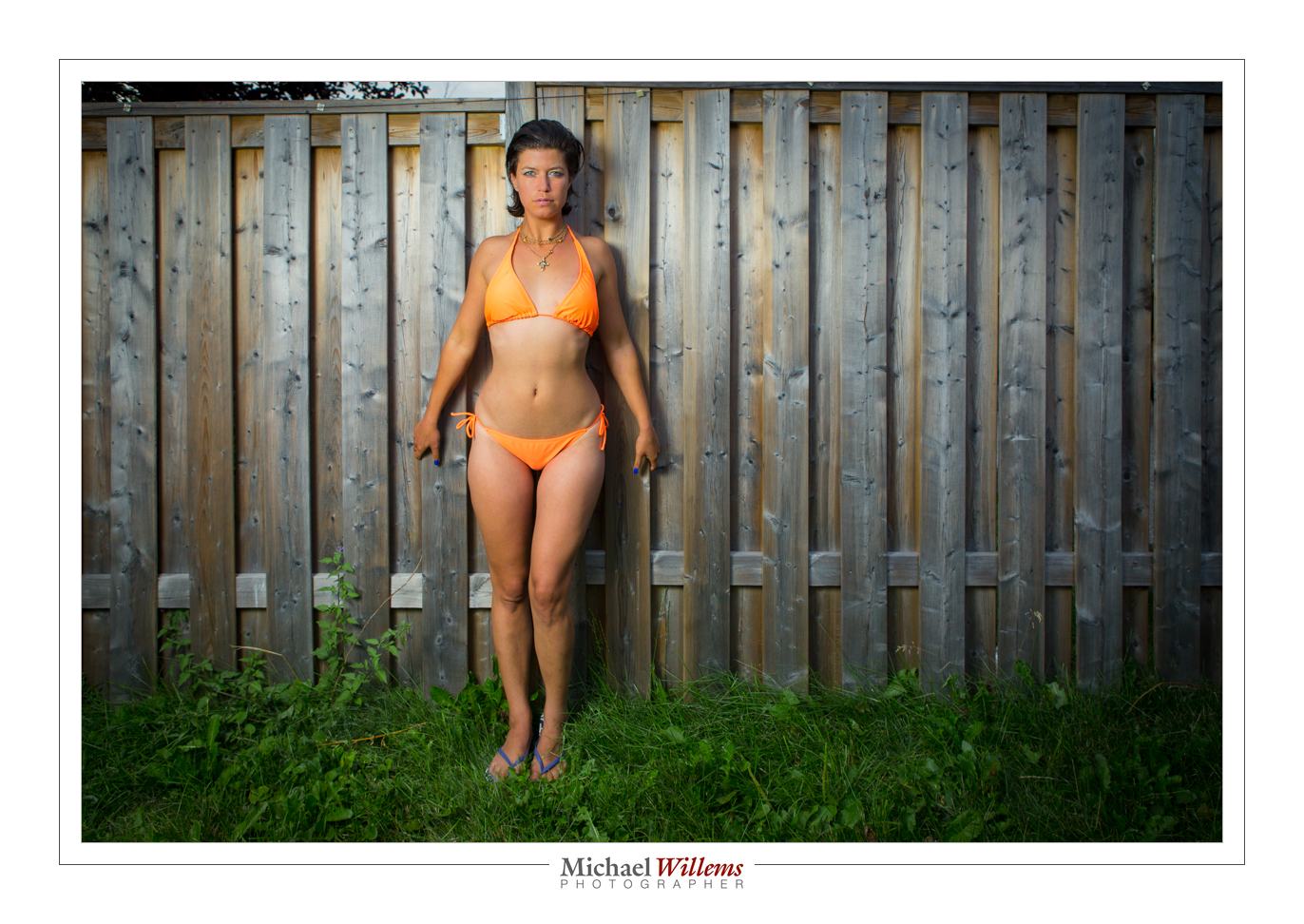
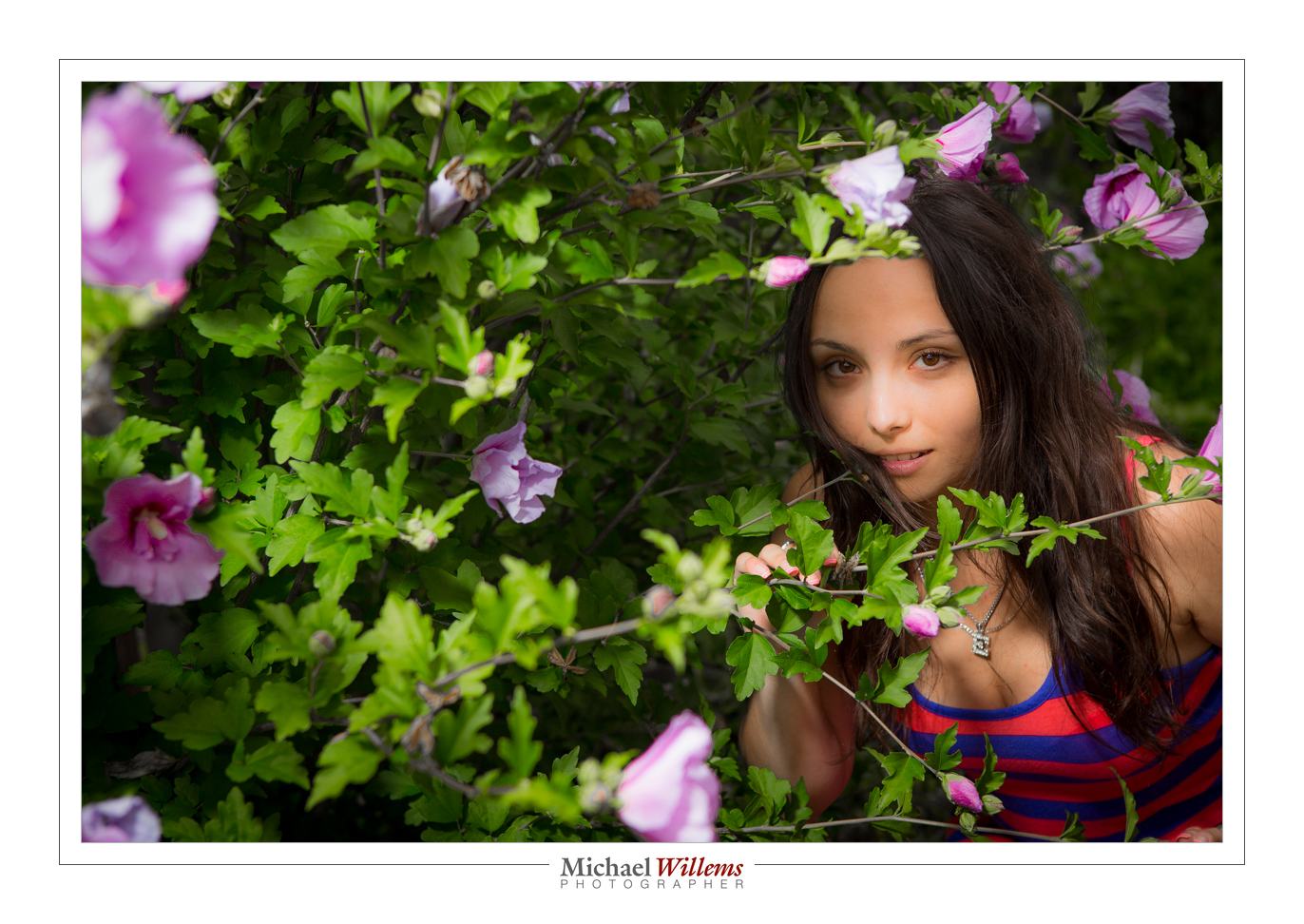
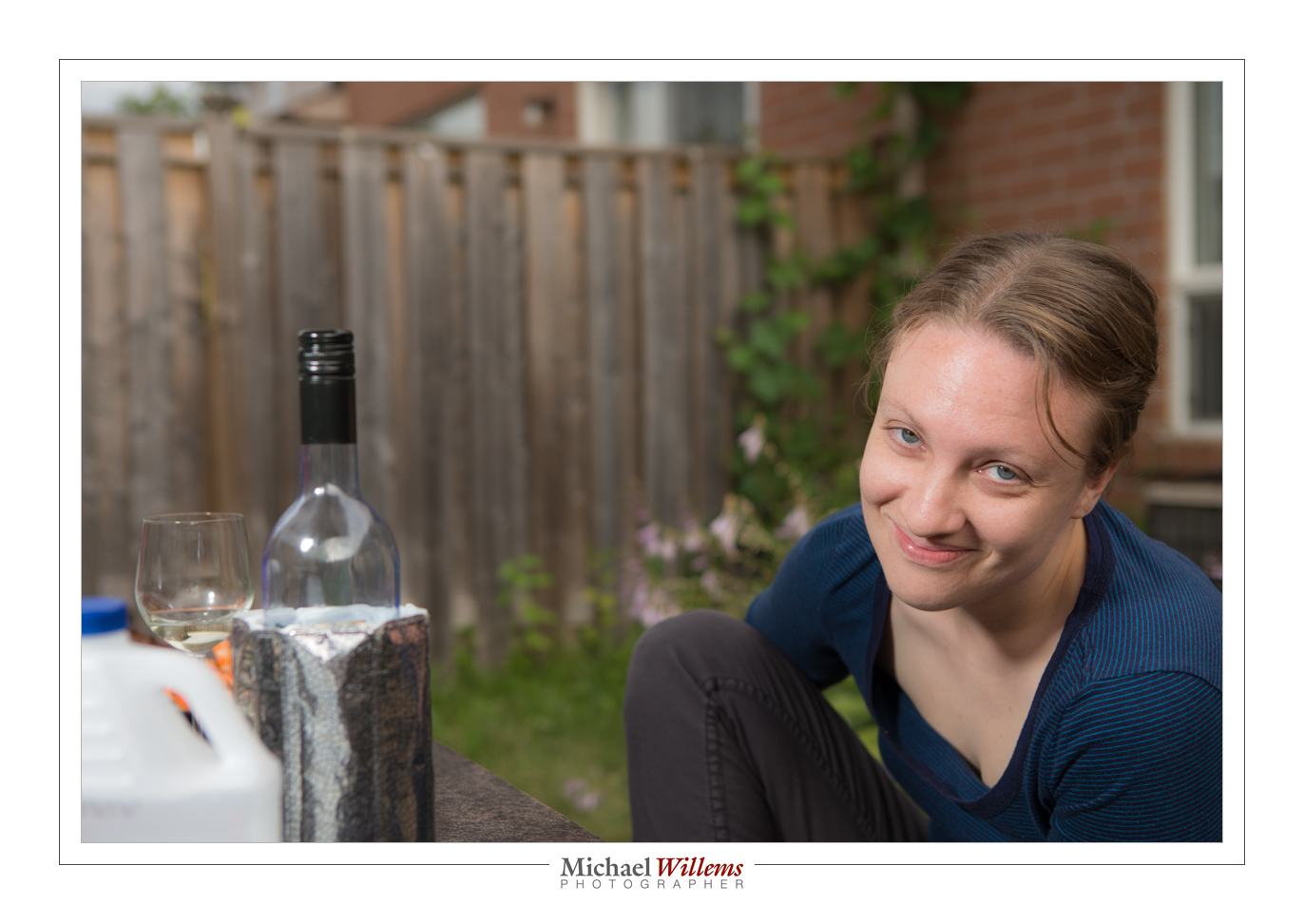
You can take nice pictures in the back yard. Like this one of yesterday:

To do this, you need:

  • An SLR camera with manual mode.
  • Off-camera flash: e.g. a remote flash in TTL mode fired by your camera’s pop-up, for many cameras, or by a 580EX/600EX/SB-900/etc on the camera; or a remote flash in manual mode fired with Pocketwizards.
  • Perhaps a modifier, like an umbrella or a small softbox.
  • A light stand and bracket to mount all the above.

So the equipment is relatively simple. And the use? Not so difficult either. Let me repeat how you do this.

First we set the exposure of ambient part of the image (the “background”):

  1. Camera on MANUAL mode
  2. ISO: Set to 100 ISO
  3. Shutter: Set to 1/250th sec
  4. Aperture: Start at f/5.6 if it is overcast. Or if it is brighter, go up to f/8, f/11, even f/16. Trial and error can work: you simply go as high as you need to get a darker background (for instance, on a sunny day, f/5.6 or f./8 will give you a way too bright background). For me, a “darker” background is -2 stops. If you like less drama, -1 stop is OK.

That’s the background done.

What about the foreground?

If the aperture you need to get to a darker background is f/8 or a smaller number, and your flash is close to the subject, you can probably use an umbrella or softbox. If it is f/11 or higher number, you will possibly need to use direct flash, unmodified, since a modifier loses power.

All I did was add a little vignetting and some minor tweaking.

Easy once you get the hang of this. And I can help in many ways. One of those ways: Aug 18-22 you get the chance to learn from me in a very intensive 5-day workshop at the annual Niagara School of Imaging, held at Brock University. There are still a few spots open: book now if you dig flash as much as I do.


Make it all work for you!

One piece of advice I give all photographers is: make it all work for you; in particular, spend a little time making things efficient. And spend up to a day doing it every month.

That means things like:

  1. Packing your bags the best way (hint: I have no camera bag. Camera on one shoulder; bag with lenses etc on the other. Camera in bag = unready camera.
  2. Carry a little checklist or drawing that tells you what goes where in the bag(s). Enormous time-saver!
  3. Have at least one camera that is charged and set up, ready to go. Perhaps read settings from a memory card, if your camera allows that, or have a user preset ready to go. That way you can start shooting immediately.
  4. Finding a good camera strap: all my cameras have Domke straps, because they have a rotating joint at each end that avoid tangled straps.
  5. No lens caps on the camera you are using. Filters are your option, but I do not use them unless it’s snowing or I am at a beach or in a sandstorm.
  6. Always carry a flash and some modifiers (I really like the Honl photo range and always carry a reflector and a softbox and some gels.)
  7. Use Lightroom to asset-manage and edit your images. Only go into Photoshop when you need to (and do that from within Lightroom).
  8. Get a Mac – yes, I’ll say it. The productivity gain is so great, I am no longer OS-agnostic: I recommend the Mac with OS X. Yes, I know Windows and I love Linux, but the Mac just gets on with it, its interface is consistent, and especially when it gets to things like networking, it’s just so much more reliable than Windows. (*)
  9. Mark your equipment. Personalize all your gear. label things.


And find the right apps for your devices. To get you started, I have some recommendations.

This month’s app winner: One little gem I recently discovered is an app for Mac OS X (i.e. for the Macbook or iMac) called Keyclick from Sustworks (click here for the app’s page). It features selectable sounds and many more options:

This app makes my Mac’s keyboard sound like an electric typewriter, and I totally love that adjustable sound: it even has a carriage return sound with a bell. At $9.99, it has made typing an activity that I once again enjoy. At the risk of annoying young people like my young engineer son: 1-0 for skeuomorphism. I find that the discrete and heavy click auditory feedback makes me a much faster and better typist. I have been using it for over a month now and it’s proven reliable and useful. And it’s fun to watch people turn their heads looking for the typewriter. Get the 30-day tryout version now, or just get it: it’s not exactly expensive.

The iPad is a great business tool too. Honourable iPad app mentions go to:

  • OmniFocus for to-dos and project planning,
  • HP15C for a calculator with RPN notation,
  • Exifwizard to tell me the EXIF data embedded in photos I have on my iPad,
  • for credit card payments,
  • Portable Numbers for spreadsheets,
  • Easy Release for releases.

On the iPad, set up your screens in a way that works for you!

My rule of thumb: I find that if I spend roughly a day per month setting things up to be optimal for me, I gain at least several days per month forever.

Stop That Noise!

I am often asked about megapixels.

Yawn.

They are not interesting, not anymore. Any camera over, say, 12 megapixels (Mp) will have enough resolving power to make nice big prints. Sure, if you shoot fashion you may want a 50 Megapixel camera, but for most of us, megapixels are no longer important.

They can even work against us – images get larger and take more disk space to store; transferring is slower; and so on. And there is another reason I say that megapixels no longer rule. A very important reason: electronic noise.

The more pixels you cram onto a sensor, and the smaller you make that sensor, the denser, and hence the smaller the pixels are. And small sensors create more such noise, leading to a lower signal to noise ratio.  Basically, this means less quality at high ISO values. A small sensor camera with a lot of pixels crammed onto the sensor is not very good at high ISOs: it produces grainy images.

A modern top camera therefore often has fewer pixels. My Canon 1Dx has fewer Mp (18.1) than my previous camera, the older 1D MkIII which had 23 Mp. Hence, the new camera has truly great low noise performance at high ISO values.

Here’s a snap at 3200 ISO:

And I can go much higher.

So when you buy your next camera, do not ask about Megapixels: ask “how large is the sensor” (larger is better) and “how good is it at high ISO” (fewer Mp means better). Because when you can take pictures at night without having to worry about grainy images, you will be a happy camper.


Rent!

I am often asked “what lens to buy”. One answer: rent. Renting a lens for a few days allows you to try it out risk-free and pressure-free.

Typical long lens photo (70-200mm f/2.8 lens)


And renting is possible almost everywhere, especially in North America. In Ontario, for instance, you have Henrys/Headshots and Vistek as two good options.

But a new third option also sounds interesting: GTA Lens rentals. Interesting especially because prices are lower, and they stock exactly the Canon (and Nikon) lenses (and a few third party lenses) that you are most likely to want to try out – all the pro lenses I own in fact, and then some. Worth a try, and I am going to rent the 85mm f/1.2 every now and then  -my favourite Canon lens, and the one I do not own yet!


Lens and perspective

A basic tip, to support my class today – I taught a teen workshop at the local library. Some amazingly talented young people, who, as a bonus, learn quickly, too!

The question: when do I zoom in, and when do I walk towards my subject instead? Similarly, when do I zoom out, or when do I walk away?

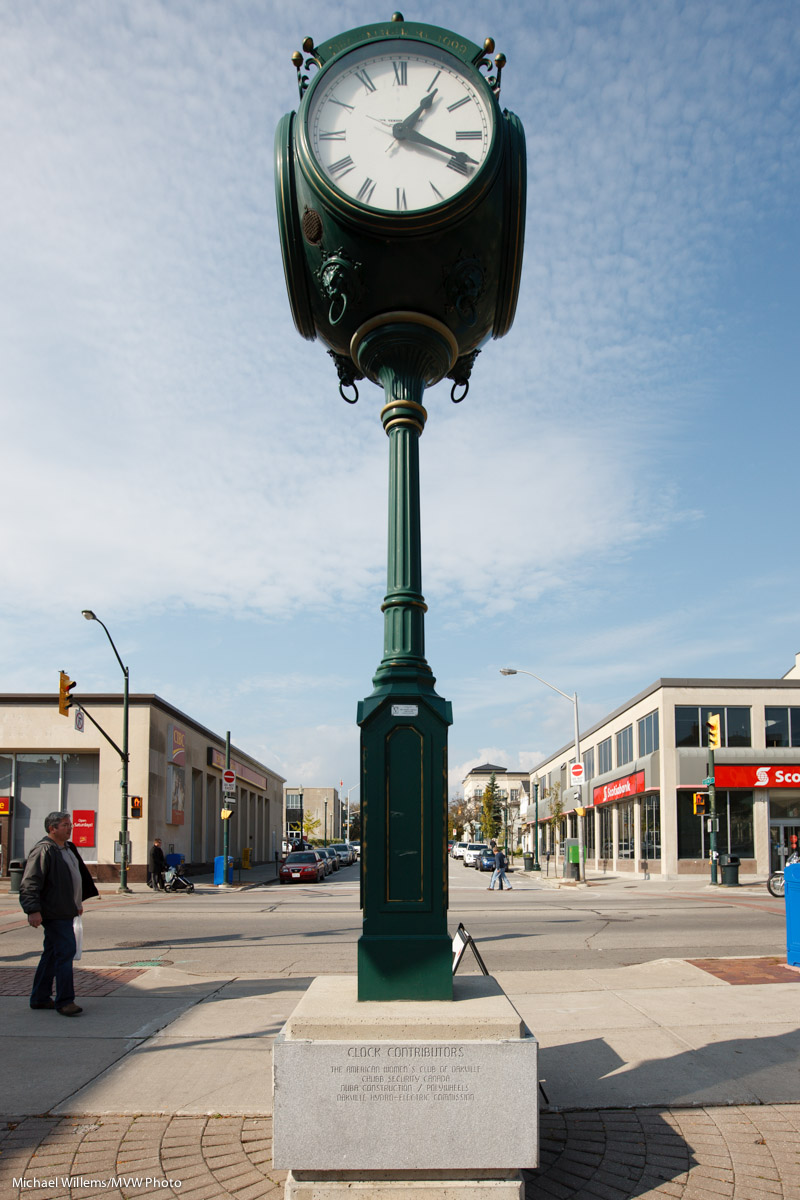
Take this clock:

With a 16mm lens. Wide angle lenses make the remote objects small, and hence enhances the feeling of perspective.

Now we walk back, all the while zooming in so that clock remains the same size. We end up at around 200mm, but from a “far away” distance:

Now look at the background objects. See?

A long lens makes background objects large, and hence compresses the feeling of perspective.

So the choice of what focal length lens to use is often not dictated by the need to get closer or the need to get more in, but instead, by creative needs.

A GOOD EXERCISE: Try to shoot some images today both “zoomed in and from afar” and “zoomed out, but close”. See what the difference is, See what works: try “close-far” in both cases: which is easier?

___

I am off to Las Vegas tomorrow morning for a few days, so posts may be slow for a few days. Stay tuned for some new Las Vegas photos soon, though.


No Meter? No Problem

In studio shoots, you use a flash meter.

But if you do not have one, can you do it? Sure you can. Here’s a trick:

  1. Set up your lights. Guess the light’s power setting.
  2. Get a grey card, and hold it in the exact spot where your subject will be, aimed half way between the light and the camera, as your model may be.
  3. Set focus to manual (we are worried here about exposure, not focus!)
  4. Fill the viewfinder entirely with the gray card (be sure not to block the light)
  5. Click.

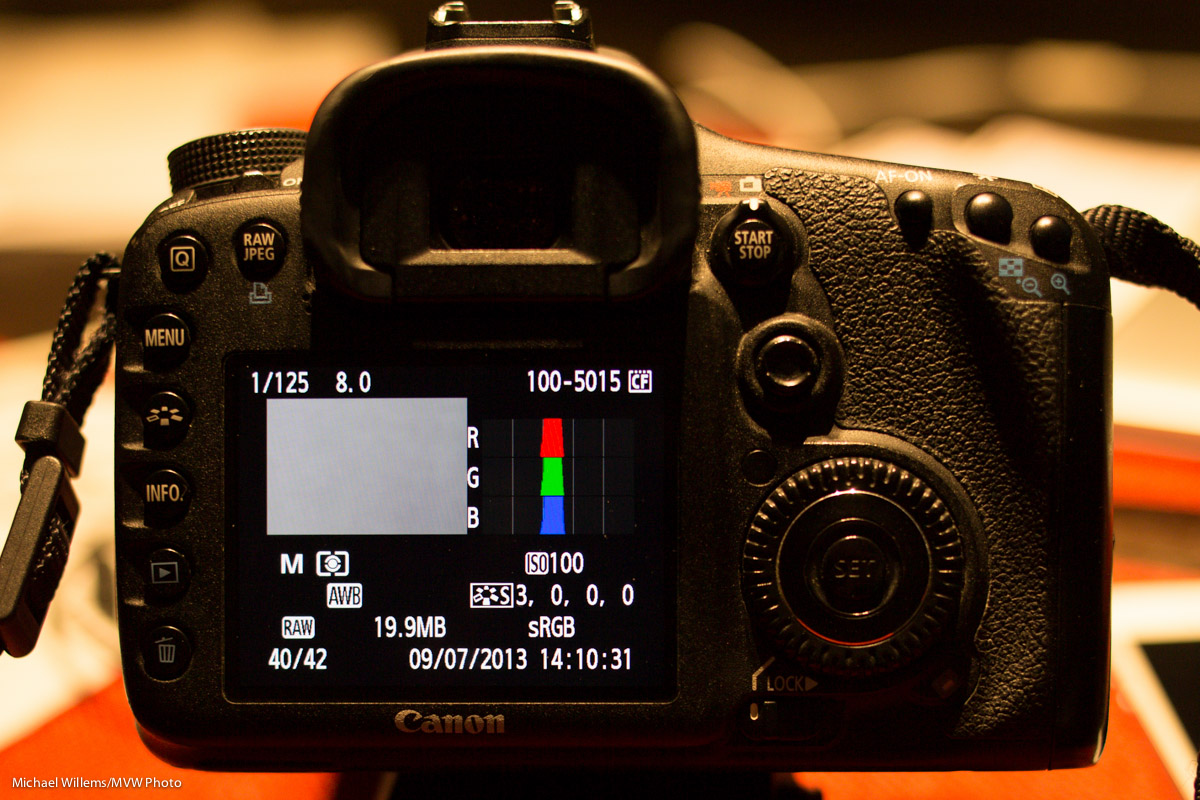
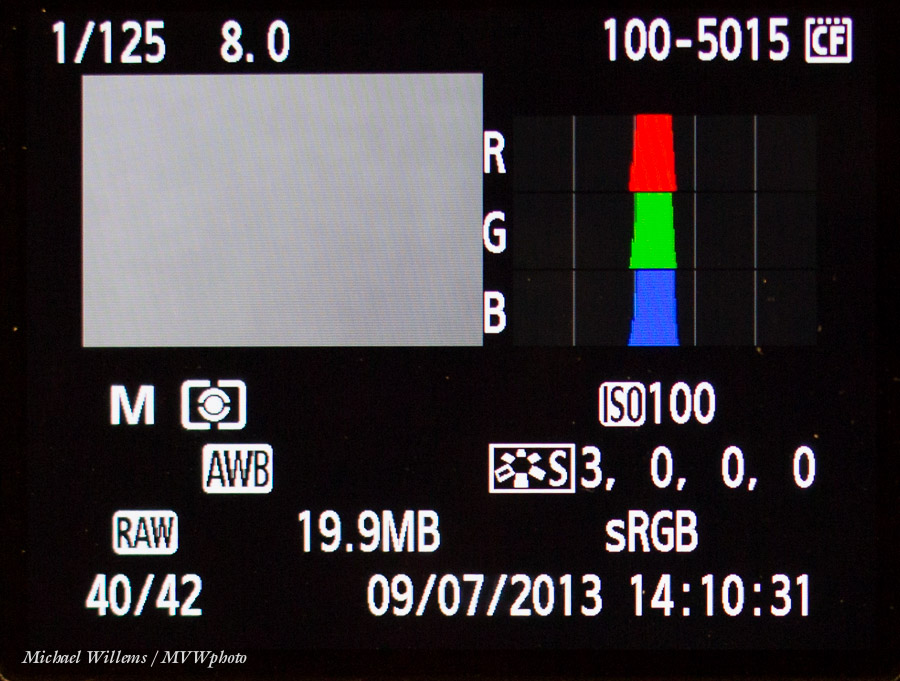
Now review the pictures. Press INFO or DISP, or hit UP/Down, until you see the view that includes the histogram.

Now here’s the trick. A good picture has the histogram peak (or peaks) in the centre. So if you see this, you are ok:

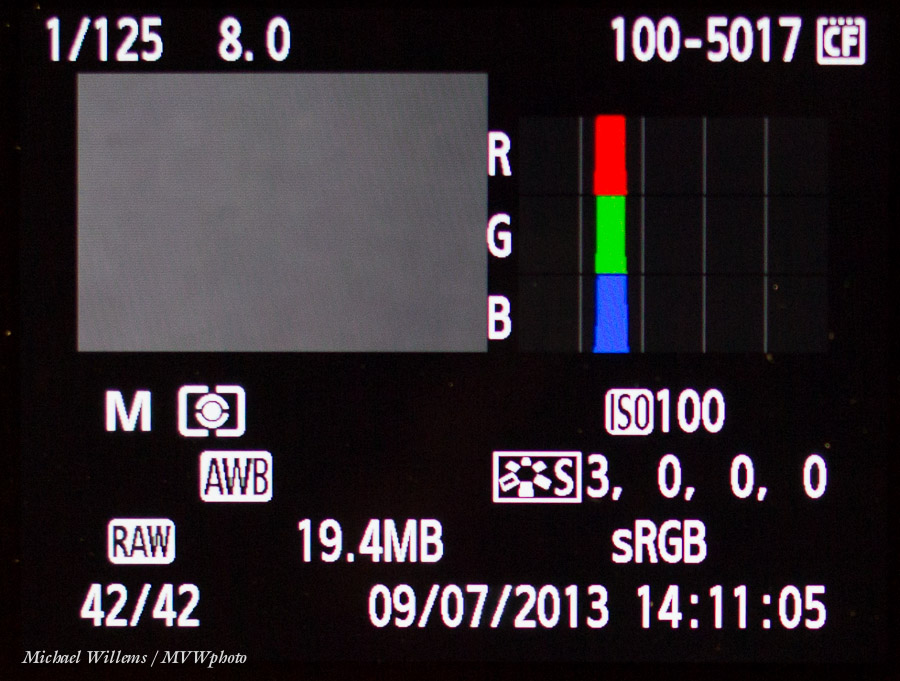
What if you see this, a histogram on the left side:

That means you are underexposing. You need to turn up the flash power and try again:

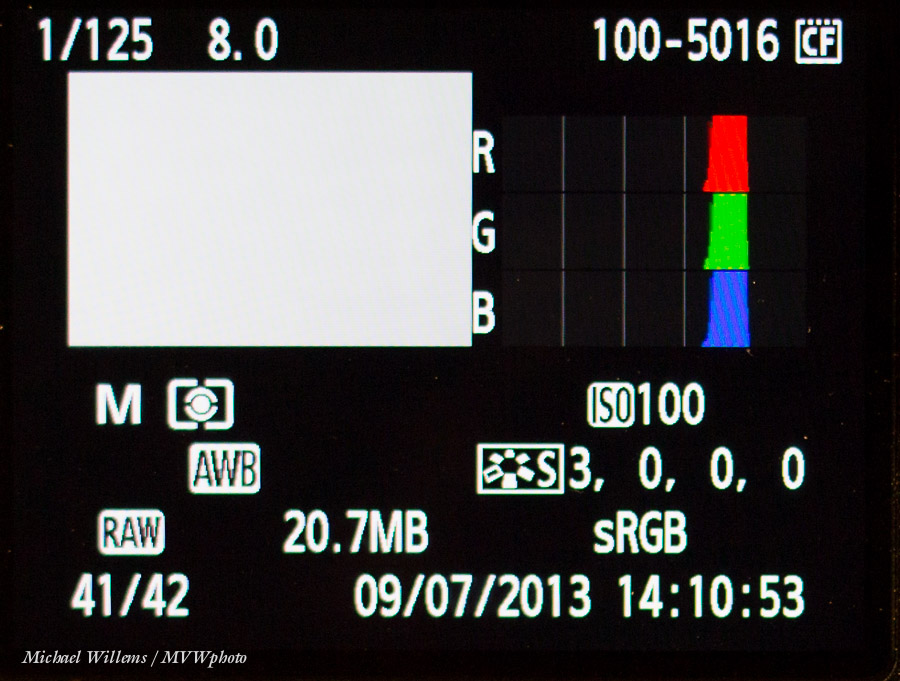
And if you see this, the histogram on the right side:

The histogram is on the right; you are overexposing: turn down the flash power, wait a few seconds so it can dump its excess charge, and try again.

As soon as you are in the centre, take a real shot and check – you should be OK. And you metered it – and all without a light meter!


What…

….camera should I buy? In particular, if I already have lenses, should I upgrade?

In general, I recommend you upgrade your camera body every 3-5 years because of higher ISO. So when a friend just asked me what to replace his old Canon 40D with, I thought it might be helpful for me to share my thought process in today’s post on the DAILY blog.

First off, I said yes, replace it. It’s time. Higher ISO is a good reason.

1/80th sec, f/6.3, 16,000 ISO (yes, 16,000, not 1600)

For my friend, his options if he wanted to stay in the mid range camera bodies would include the Canon 7D and the newer 6D.

  • The 7D is a crop camera with a not-all-that-great sensor at high ISO values. It has pro features, like fast rapid shutter release,  great focus system, and more. Great studio camera, not as good when you need the high ISO values.
  • The 6D is a more modern camera with great high ISO, and it has a full frame sensor. Great quality camera, but leaves out some of those cool “pro” features you would get on the 5D (of course).

Unless I needed the pro features, like the focus system, I would go with the 6D if I were him.

But then what about lenses? When you update to a full frame camera, you can no longer use your crop lenses (on some Nikon cameras you can, but then you get limited use out of them).

My friend had two EF lenses (can be used on any body) and one EF-S lens (can only be used on crop bodies), the 10-22 f/3.5-5.6 lens.

When you buy lenses today, keep in mind tomorrow you way upgrade to a full frame body. I only buy EF lenses for that reason. Which my friend did, except for the wide lens, which there is no other option for – he had to buy the EF-S to go that wide. So he only has one lens to replace. Only one EF-S lens makes it easy: I would sell the 10-22 and buy a 17-40 f/4L, in his case.

___

OPPORTUNITY KNOCKS. Questions like these, and many others, can also be answered in a one-to-one online coaching session.

I do those over the Internet (using Skype and similar tools) and I work 24/7. Give it some thought: a one- or two-hour private session can really help you get pro use out of your camera. It can:

  • Answer your equipment questions.
  • Identify, and then solve, gaps in your knowledge.
  • Go over your work in the form of a portfolio review.
  • Teach you specifics you need to know.
  • Enthuse you and inspire you.
  • Give you homework.
  • Keep you focused!

And I have great news. The usual fee is $125 per hour plus any applicable taxes, but to encourage you to try it out, for July 2013 only, I am discounting that by 35%.

You need to book soon and the training needs to take place in July. Email me (michael@michaelwillems.ca) or call (+1 416-875-8770: Eastern US time) to set up your time and date.


Open, or not quite open?

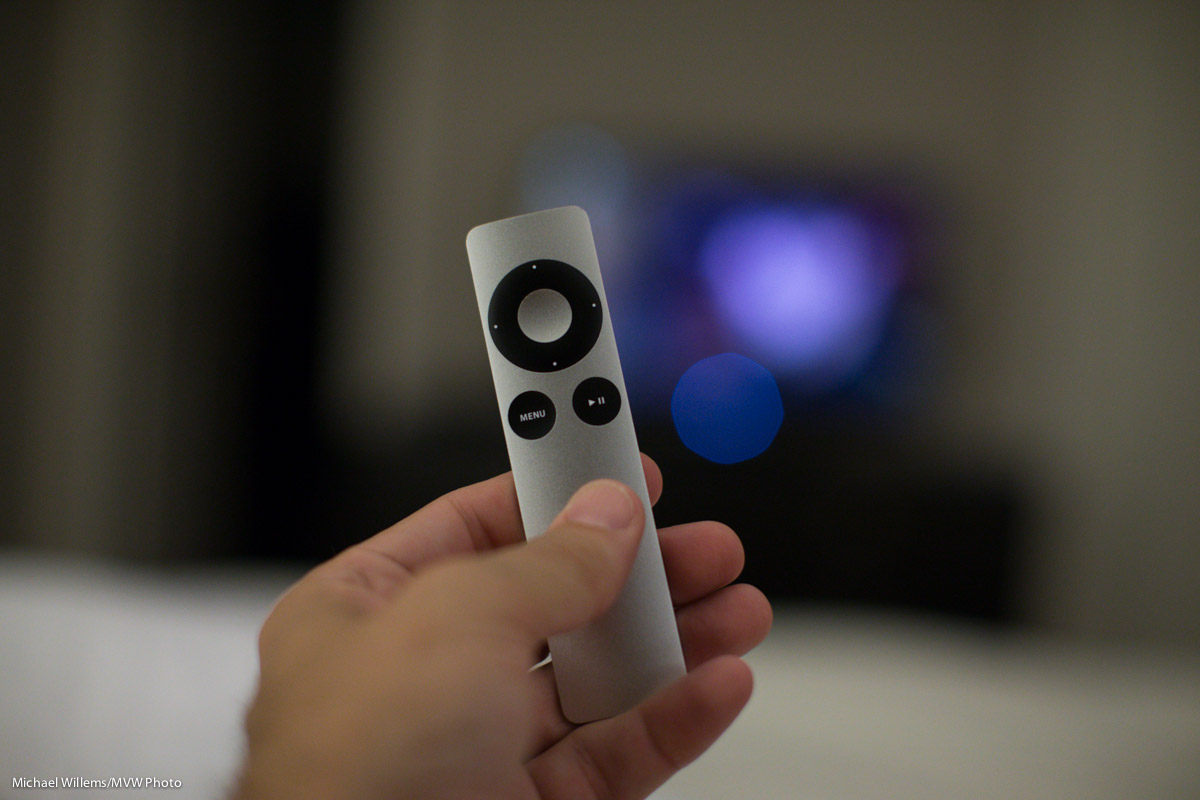
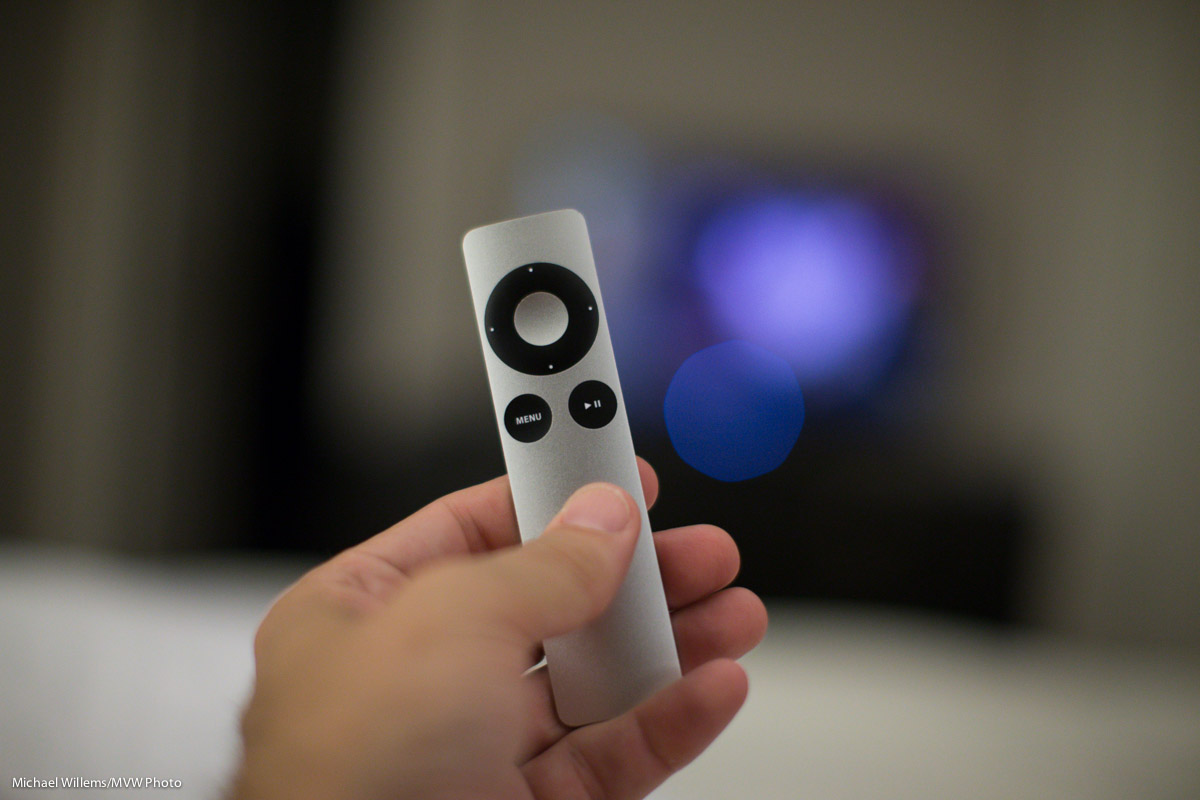
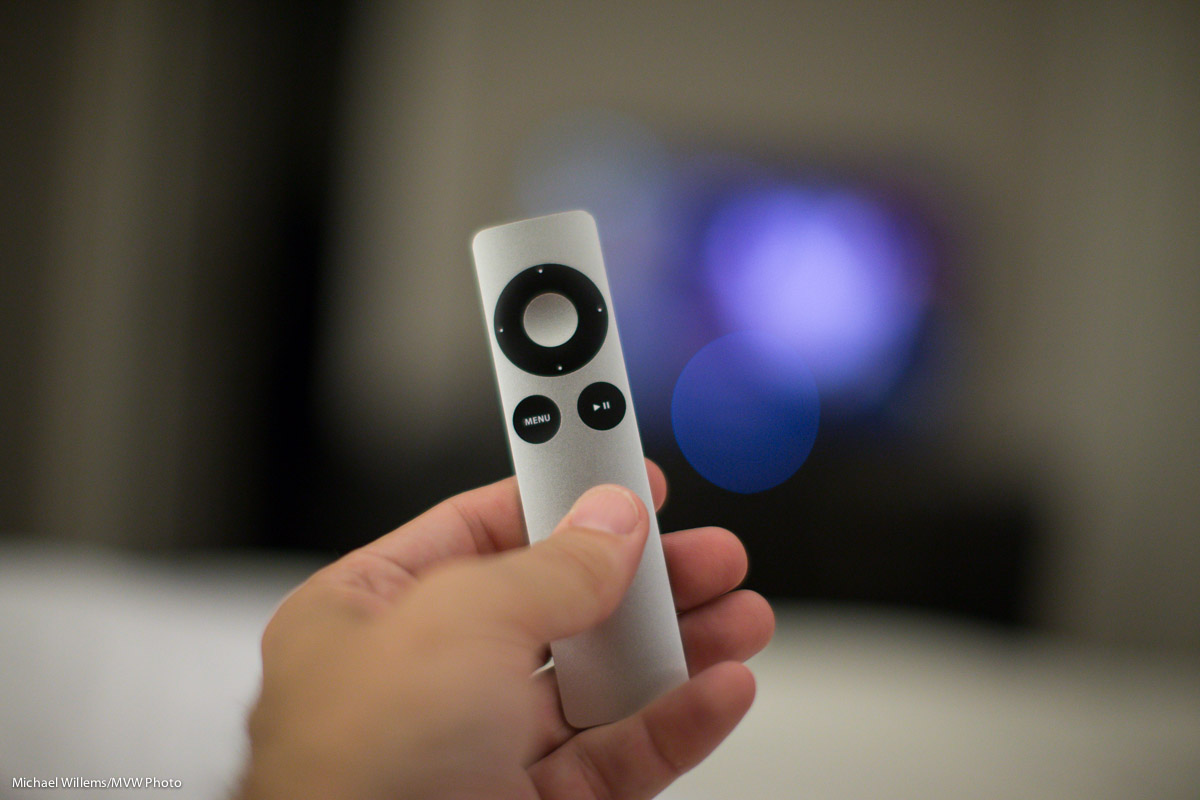
Look at these images of an Apple remote:

1/125th sec, 3200 ISO, f/1.8

1/125th sec, 3200 ISO, f/1.4

1/125th sec, 3200 ISO, f/1.2

They get a tiny bit brighter as you go down. Correct. And that is because I opened the aperture a little more each time: f/1.8, f/1.4, and f/1.2, respectively, on my 50mm f/1.2 lens.

Ah. But now look at the circle next to the remote. The actual light source in the distance was the “ON” light on my TV, a tiny blue light. But the more open my aperture, the larger the circle caused by that out-of-focus light.

And now observe the most important thing. Only wide open do we in fact see a circle. In other images, the “circle” is not a circle, but the shape of the lens diaphragm that creates the aperture (“opening”). In my case, an octagon. Not quite a circle.

So if you want out-of-focus hexagons or octagons in the distance, stop down your lens. If you want out-of-focus circles, open the lens as far as it can go.


Camera Care

I am just back from having had my Canon 1Dx repaired: there was an important recall, so I bit the bullet and had it done. At the same time, I had my 70-200 2.8L lens looked at, and Canon Canada kindly did it all in 48 hours for me, and they replaced some bits and tightened all internal lens elements – and that brings me to a small blog post on maintenance.

In particular, preventive maintenance. Which can be very useful so you can keep making, say, cat pictures:

(I know – I just had to get a cat picture in there).

Just like for your car, preventive maintenance is not a bad idea for your camera gear either. Changing gaskets every now and then; tightening screws (they come loose, see this previous post); cleaning; replacing internal filters; adjusting and calibrating: all these can be worth the effort.

When to service? I would do this when:

  1. An expensive “pro” lens is ten years old, say.
  2. Especially when there has been any hint of a malfunction or a deterioration in its performance.
  3. You see dust on a camera sensor, or you see a lot of dust in a lens (a little dust is normal in non “pro” lenses; dust sealing is one of the benefits of pro lenses).
  4. You see visible signs of wear in rubber or plastic bits.
  5. There’s play; i.e. anything is loose. (This is a very good indicator for quick service, since loose bits will fall off, and play will affect focus)
  6. You have dropped the equipment hard.
  7. You hear unusual sounds when shaking the equipment.
  8. Equipment has not been used for a long time (years).
  9. You depend on the lens/camera for a living.
  10. You live in a tough climate and it’s been a few years.

You can do the simplest parts yourself, but for anything that involves opening up the equipment, I would go to the pros. That can be Canon, Nikon, i.e. the maker, especially for newer equipment. It can be worth joining the pro program; free for Nikon and in many cases free or cheap for Canon (alas, not in Canada). You can also use third party repair shops, but in that case it is wise to only use specialized shops.

In any case: preventive maintenance is often the difference between failure and success, so don’t ignore it. TIP: put dates in your calendar now, even if it is for years hence, that way you will have one less worry.

___

Yes, I talk about equipment also, during all my courses. That, and photos… Have a look at the “featuring Michael” video for August’s Niagara School of Imaging Course. And do check out the expanded schedule, online now – book soon to assure your place!