Doing A Studio Shoot?

Studio shooting? In that case, I have a few quick tips for you.

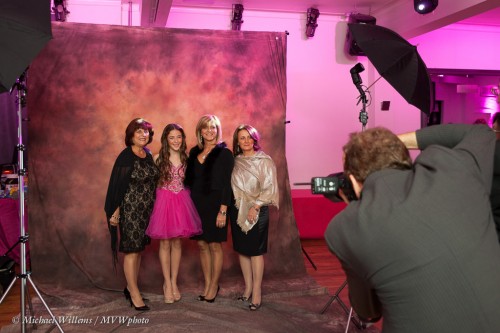
(Here’s hamiltonstudio.ca and its owner:)
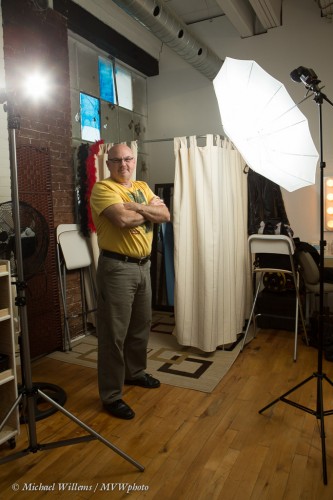
So here are my studio success tips:

  1. Always have music playing. I have an ipod with a Bose dock and it just sits there playing away.
  2. Supply some refreshments like drinks and snacks, and have them sitting on a table in the studio.
  3. Make sure you have some of your art on the walls; large prints are good.
  4. Set up your cameras prior to a shoot. 1/125th second, f/8, 100 ISO, and set your lights accordingly. Consider sharp primes.
  5. Use a tripod. Not for every shot, but use it when you can.
  6. Free as much space as you have. Try to create space so you can move back and use a longer lens. There’s never enough space!
  7. Have backdrops and stands – or better, a hanger, which takes less space.
  8. Display some extra light stands, etc, showing that it is a studio (even if it is a basement).
  9. Ensure that you have softboxes and umbrellas for your studio strobes.
  10. Ensure that you have modifiers like barn doors, strobes, gels and grids. I use my speedlights for those.

These simple tips will help you get started with successful studio shooting.

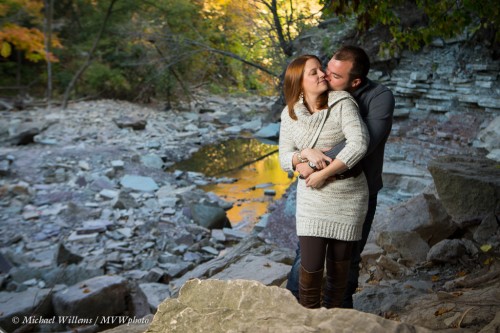
And going back to the image above: why am I using speedlights in that shoot? Because I can – and they are lighter and smaller than my strobes.
 

New Macbook…

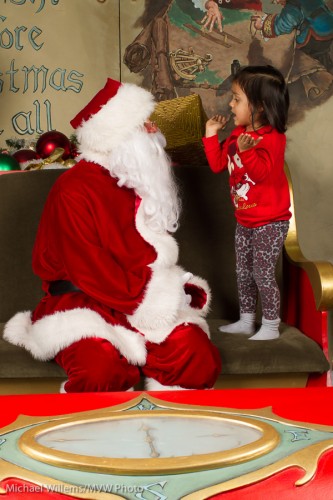
My MacBook Pro died yesterday, in the middle of a shoot. So this morning I quickly bought a new MacBook Pro (Retina screen, 15″) and then proceeded to the Santa shoot; installed Lightroom; and the shoot continued.

Great stuff, but a new MacBook shows me some Apple problems. The MBAs are taking over, so Apple is doomed, unless Mr Ives fixes things. Like:

  • I cannot set the screens to not mirror from the top bar anymore.
  • iTunes is a terrible kludge: just a vessel for sales and advertising that needs a degree to sort out.
  • iCloud ditto… like my dead laptop: how do I “de-authorize” it? You can de-authorize a working computer, but a dead one? No idea how!
  • iWeb, the world’s only proper GUI web app, is no longer downloadable – it’s been killed. All my web sites are made with it. There’s no other app I know of that is as easy.

That’s just for a start: there’s much more. Apple makes great hardware, but many apps are iffy, and the good (not for dummy) apps are killed. Wow. Apple is becoming IBM.

Regular teaching posts will continue after the end of tomorrow’s Santa shoot!


Tethering your camera

As I have mentioned before, tethering your camera to the computer is a very simple solution. You get the pictures onto the computer immediately for review and post-production.

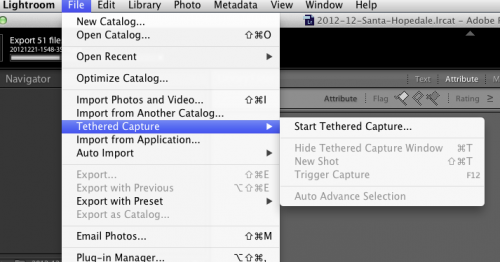
It is especially simple in Adobe Lightroom:

It does, however, have some watch-its.

For one, it is not always stable. Even with the latest version of Lightroom, that fixes bugs that “only happen to Canon cameras tethered to a Mac” (yeah – only the most popular combination!), there’s still plenty to worry about. Disconnect the camera momentarily and things grind to a halt. Change the memory card: ditto. In real-life use like the Santa shoot, several times a day I have to reset camera, restart tethering; even restart Lightroom or worse, reboot the Mac.

Also, you can be lulled into a false sense of security.  The pics are on the computer now, so all i swell, right? Yes, but backups… what if your computer fails?

So my tips for real life tethering:

  • Find a long USB cable
  • Secure it well
  • Use large memory cards
  • Do not delete them – keep them until your computer is backed up
  • Take your time, allow for restarts
  • Update Lightroom to the very latest version
  • Avoid doing anything else with the camera while shooting tethered.
  • Unselect “Auto Advance Selection” if you are working while shooting.
  • Apply your favourite develop settings as at of the tethered setup.

Do all that and you can have a good workflow!

Back to Santa shooting.


Anyone have a double A?

I am often asked “Why do you use the oldfashioned Pocketwizard IIs, Michael? Why not the new ones, or a cheaper smaller Korean or Taiwanese version?”

When I use wireless flash transmitters, like Pocketwizards, or when I use any other battery-powered equipment, two things matter.

  1. Are they reliable? They need to be 100% reliable – I cannot have things malfunction when I am shooting.
  2. Are they tried and tested? If everyone uses a certain type of equipment, it is likely that this is trustworthy equipment.
  3. Do they use ordinary batteries? I am not a fan of special batteries.

The latter point is big for me; as big as the former points. Any equipment that uses funny cell batteries – i.e. expensive, hard to find batteries that last for days, not months – is a no-no in my book. Pocketwizard IIs use ordinary AA batteries.

And if there are three things in life that are certain , they are death, taxes, and the availability of AA batteries.


Lightroom 4.3 is out

Lightroom users (and why aren’t you all?): Lightroom has just been updated.

Currently, on my Santa shoot job, I am shooting “tethered” – meaning my camera is connected to Lightroom, which shows the client what I am shooting as I am shooting it.

Problem is, it would hang up several times a day, causing long delays.

Now, in the new update, Adobe says the follwoing is fixed:

Tethered capture fails when turning camera off and back on. This also can occur if the camera goes to sleep and then wakes. This occurs only with Canon cameras and on Mac only.

Since I am using a Mac and a Canon camera, that makes sense. Let’s hope it is indeed fixed. Many more Santa pictures to come… 12-5 today and tomorrow at Hopedale mall in Oakville.


Another note on primes…

“Why should I buy a prime lens”, I am asked often. The answer is always the same: sharp, small, fast, and consistent. Oh – and fun.

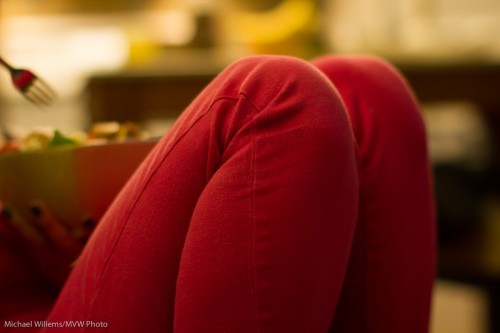
Look at this photo:

A typical prime shot: 50mm lens on a crop camera (meaning a “real” 80mm). In available light, I used the following settings:

  • Manual exposure mode.
  • 800 ISO
  • 1/80th second shutter speed
  • f/1.6 aperture.

Let’s say I had used a consumer lens: f/5.6 at 50mm. That’s almost four stops slower, so I would have had to use either:

  • A slower shutter, like 1/6th second; meaning a shaky picture;
  • Or 12,000 ISO, meaning a grainy picture;
  • Or a combination, meaning a little of both.

And the background would not have been nice and blurry, and simple.

Even an f/2.8 zoom lens would have meant 1/25th second or 3200 ISO, or a combination. And again, less blurriness.

So in real life available light situations, a fast prime can be invaluable. So you can document everyday moments and tell everyday stories, which are often the best. Here, the storytelling is done by the simple composition, the leaving out of the face, and the fork hovering expectantly.


Tilt-Shift question

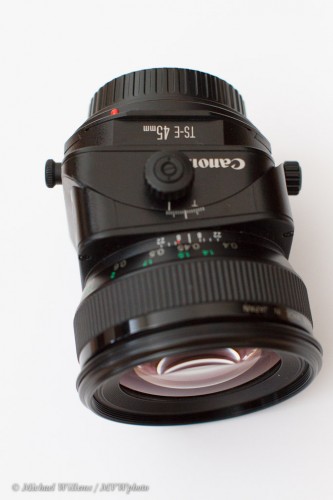
I have talked here before about tilt-shift lenses (search in the search field on the right). I love my 45mm TS-E tilt-shift lens, and I mentioned it in my talk to the Brampton Photo Club.

David H asks:

On Thursday at the BPG meeting you mentioned using tilt-shift lenses for architectural photography. But people have told me that given the price of the lenses, you are better off using photoshop or lightroom for correcting perspective. Now, I realize that tilt-shift lenses have other uses such as their control of focus, but for architectural photography are there other advantages of using them that you can get from using Photoshop or Lightroom?

Good question, David.

And yes, there are benefits to using one of these lenses.

First, the tilt-shift lens has other benefits than architecture. Moving the field of focus (tilting) is often important, rather than perspective correction (shifting).

Second, a Tilt-Shift lens is a prime lens, meaning it is sharp and has a large aperture – f/2.8 typically.

But even for perspective correction there are benefits to doing it in lightroom. Sure, Lightroom makes it easy to correct the convergence at the top you get with vertical lines when you aim a camera upward – a couple of clicks and you are done.

But this is at the cost of

  • Pixels. You draw out the center pixels, meaning that is an image is, say, 4,000 pixels wide, when you are done correcting the top may be only 3,000 pixels wide – meaning less resolution in the finished image. The tilt-shift uses your whole sensor – al 4,000 pixels in this example.
  • Space. By cutting, you are losing bits of your picture.

All these benefits of this type of lens means you may well consider renting one to see what they are all about. Read the articles I wrote here about them and then decide. Remember, you have to both expose and focus manually when using one of these – but that too can be a benefit. Humans know more than chips!


A lesson – for me!

I too can sometimes take a few minutes to get things together in my head. Sunday was a good example.

I was at my Santa kids shoot (using strobes). During a quiet period, I was showing my second shooter a few speedlight tricks. Bouncing, and so on.

But.. the speedlight was not working! Every time I fired, I got dark pictures. I started at 400-40-4 (i.e. at 400 ISO, 1/40th second, f/4: the Willems 444 Rule for indoors mixed light flash), and then got dark pictures -background good as per 444, but flash part dark. Huh?

  1. First thing to do in these cases: Turn your flash to MANUAL mode, at full power (1/1). That shows you if you have enough power available at all – if the picture comes out overexposed, all is well and you have enough power available, so the problem must be a metering or setting problem. And that was the case: bright pictures, way overexposed. So there was enough power available: it was simply a TTL metering problem or hardware problem.
  2. Second thing to do: check that metering is not “spot”; check all other camera settings, like flash exposure compensation; and verify that you are not sdhooting a very dark or very bright subject. Nope, no problems there.
  3. Third thing to do: reset camera and flash by powering down and up; remove flash, clean contacts; reconnect; turn it all on again. Did not work.
  4. Fourth thing to do: try a different flash. Same problem!

Now what?

This is where I was flummoxed for a few moments. Huh? I do not like surprises like this.

Until it hit me. D’oh! Each time I fired, my speedlight’s preflash (that is how TTL flash works) was setting off the nearby second strobe (which uses a cell to detect when it must fire). So the TTL measurement got way too much light back – hence the flash was told to fire at ultra-low power.

The solution was simple: turn off the slave cell on the strobe. Now, no extraneous flashes, and all was well.

So remember: Accidentally co-firing strobes can leave your pictures extremely underexposed – or extremely overexposed (whether over ort under is unpredictable because it depends on the exact timing of the strobe flash).

Of course I knew this, but I was momentarily not thinking. Goes to underscore: all photography is always problem solving, and if you take it logically the answer wil come to you!


Prime primer

I teach “Lenses” this afternoon (Saturday) at Vistek in Mississauga before leaving for the Sunday workshop in Timmins, Ont.

So while I am on it, let me see if I can give you some input as to why you might want a prime lens. I have explained before of course (consistency, sharpness, size, wider aperture..) but a picture, well, a picture tells 1,000 words.

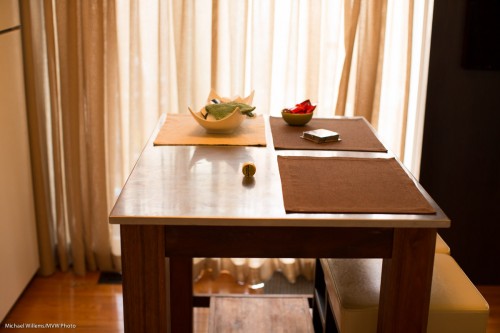
Here’s my kitchen island:

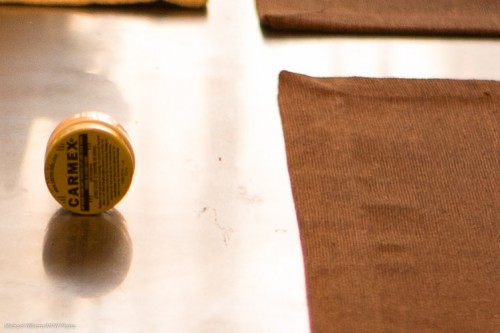
Now let’s look at 1:1 pixels. Straight out of camera, and pixel for pixel; 1/80-th second at 800 ISO.

First, the 24-70 f/2.8 zoom at f/2.8, set to 50mm:

And the 50mm f/1.2 lens, also set to f/2.8:

Both are good. But when you look closely, really closely, especially at the cloth material, you see that the 50 is much sharper.

No surprise, it is stopped down while the 24-70 is wide open. But that is the point, isn’t it? In real life use the prime often gives me sharper pictures.

This fact, and a million others, in the “Lenses” course at Vistek Mississauga (after “Flash”, also a great course, if I say so). See you there perhaps!


What you need

A studio setup usually uses big, wall-outlet powered lights (“strobes”) and more.

But here’s me, on a recent shoot:

As you see, I used speedlights there. They are smaller, lighter, easier.

The setup was:

  1. Camera and a backdrop.
  2. Two light stands.
  3. On each light stand, a bracket for mounting umbrella and flash.
  4. On each light stand, a Pocketwizard (as received) and a Flashzebra cable to connect pocketwizard to flash.
  5. Pocketwizard on camera (as sender).

All you need to do simple portraits like this:

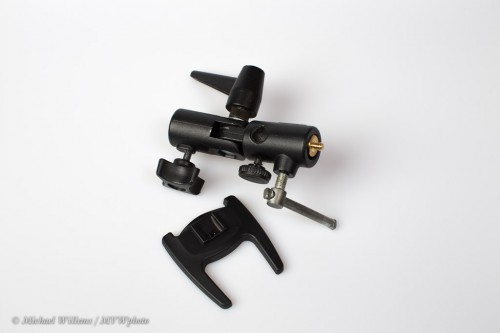
But the real minimum is this:

1. One light stand

2. One bracket like this:

3. One remote flash to put on that bracket

4. One umbrella to put into that bracket

5. One way to fire the remote flash using TTL (the on camera flash is set to not flash, but to just send “morse code” commands to the remote flash). This local master flash can be a large flash (SB-900, 600EX) on your camera, or on certain cameras like most Nikons and many recent Canons, the pop-up flash.

And that is really all as a minimum!

When using that, you simply mix available light with flash, using the techniques outlined on this blog. Then you can do shots like this, of Dan and Kristen, whose engagement photos I made recently in Hamilton: