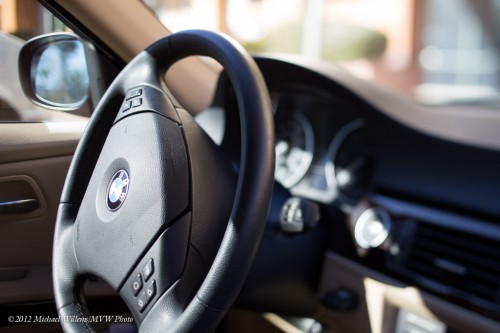
How did I get both front and back of the steering wheel sharp, while its clearly a narrow depth of field image?

How did I get both front and back of the steering wheel sharp, while its clearly a narrow depth of field image?
I am on my way to the American southwest, on Southwest Airlines. So a short post that comes to you from 36,000ft (SWA has wifi).
When I travel, I put the wide angle lens on as my default lens. Sure, I can use other lenses, and often do, but the default is the wide lens.
It is dramatic. It introduces the depth we crave in travel images. It is small and light and flexible. It is also easy to use at slow shutter speeds and it is very easy to focus “all over”.
That’s why my 16-35mm f/2.8 lens is my default on a full frame camera. (On a crop camera, it would be a 10-20 or similar).
Look forward to some images soon. And one more tip: rent a wide angle lens for the weekend and see what it does for you!
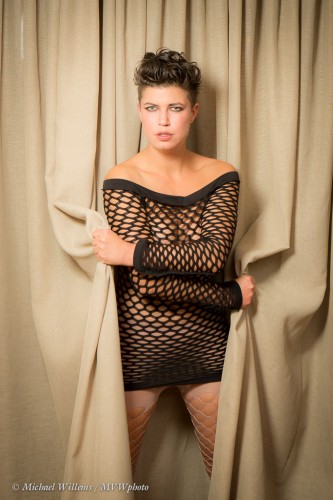
Tonight, I shot my model with her new short hairdo using the simplest of means. And yet, they look like studio shots. With the minimum of post work done, the images look like this – and this was an hour or two ago:
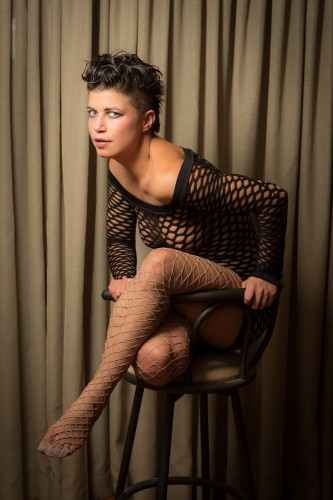
What did I use for this? Simply an available background, a camera, and two speedlights.
One on the camera, and one on a lightstand, equipped with the Honl Photo Traveller 16 softbox. This softbox, which is much larger than the Traveller 8, looks like this:
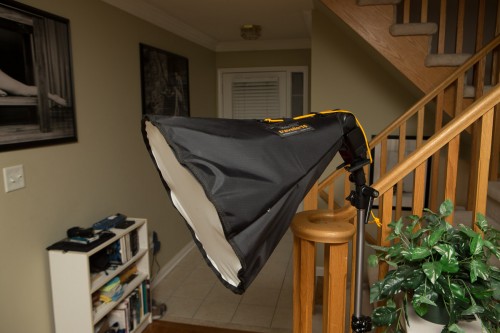
I used a Canon 580EX as the flash. The softbox comes equipped with an inside baffle so that the light spreads evenly:
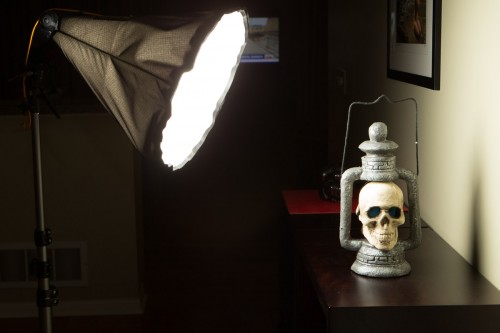
(Can you tell that Halloween was a couple of days ago?)
The baffle makes the light spead evenly, but it does mean the Traveller 16 is not the obvious choice for outdoors daytime, where power is at a premium. But for outdoors on darker days, or for indoors, it is perfect:
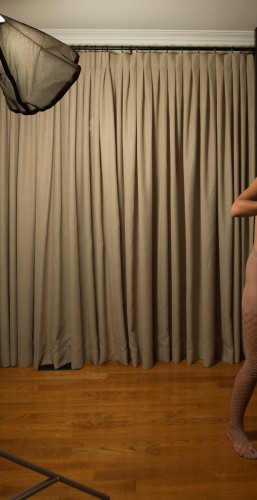
I used this setup:
Always take a pullback shot! Here’s the main flash:
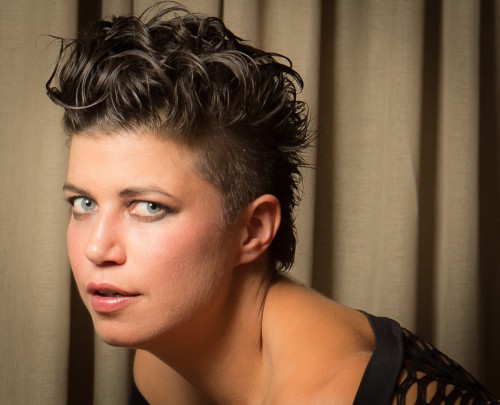
The results? They are, as you see, very good.
One thing I like about the Honl softboxes is the nice round catch light:
The point of this post: That with simple tools, you can get very good results. You do not always need the clinical studio setting. In fact, I avoid it as much as possible: clinical means intimidating, and strobes mean arthritis.
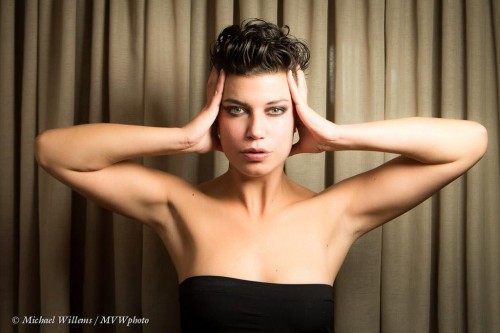
If you can do it with one or two speedlights, as I did here: do it!
I frequently point out to my students that there is no such thing as “manual” – there are many “manuals”. You can set (not sex) exposure manually. Or focus. Or flash power. Or focus point selection. And so on.
So today let’s talk about manual focus. When you you use manual focus?
If you are me, the answer is “fairly frequently”. Like when I was picking up lunch just now:
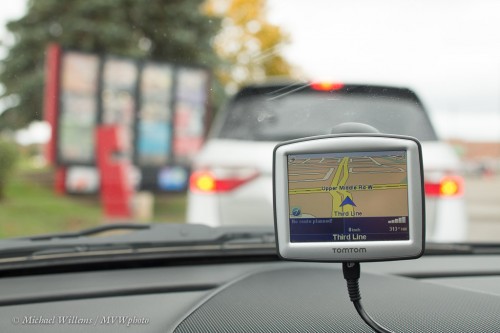
The full list of reasons can include:
In my case, all of the above sometimes apply. The AF system is quicker, and pretty good; but I am pretty good also.
My front door, earlier today:
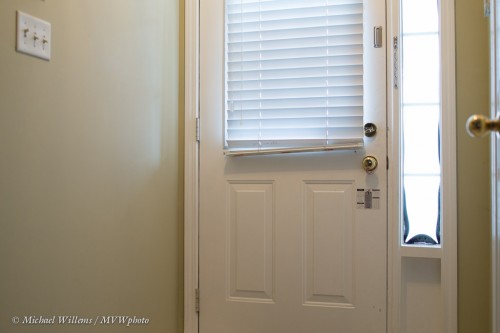
Which as you can see is sharp:
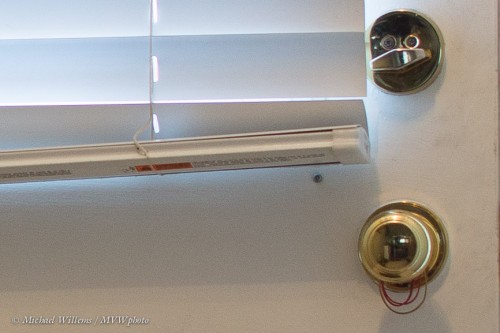
So try doing manual focus for a day. Set the switch on your lens to “M” and do it by hand.
The best technique is to go back and forth around the sharpest point, making the oscillations smaller and smaller. While this is slower then the AF system, it can rival, or sometimes exceed, its results, especially on full-frame classical SLRs, with their bright viewfinder and their clear sharp view. It is a little trickier on smaller-frame SLRs and on transparent mirror cameras like some Sony cameras, but it is still doable.
When do I not use manual focus?
But failing this, manual can be a good way to do it.
Oh, and my lunch? A Big Mac, and taken with the Canon 45mm Tilt-Shift lens – a lens which only has manual focus abilities.
You know when you buy a speedlight, you get the little foot thingie? Yes, check the flash bag – it’s in there. So what is it for?
First, you can simply mount the flash on that foot and then set it on a table, say, and use it as a remote flash that way. All major camera makers have that ability – you may (on a Canon 5D, say) or may not (on a Canon 60D, 7D or on most Nikon cameras) need another flash on top of the camera to fire the remote flash.
Second, you can attach your flash to a light stand with it. Using this:
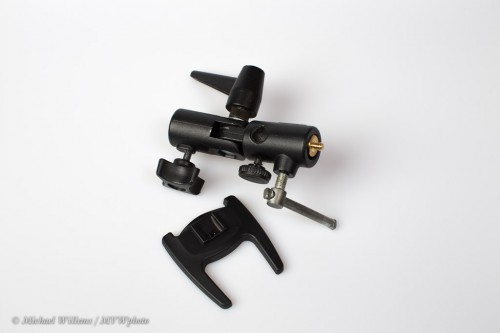
The down side of the foot screws onto the gold-coloured screw on top of the mount, and the entire mount now goes onto a light stand. It angles and turns, and it has a holefor an umbrella.
So for a pro umbrella shot, all you would need is:
And of course some simple knowledge – that is what this site is for, and you can complement that with some personal training – a few hours and you know all you need to know. Do that before the festive season and you get pro festive season pictures this year!
If you want to do “studio type” shooting, set your flash power manually. On strobes you have to do it that way; on speedlights you can. Then use a flash meter.
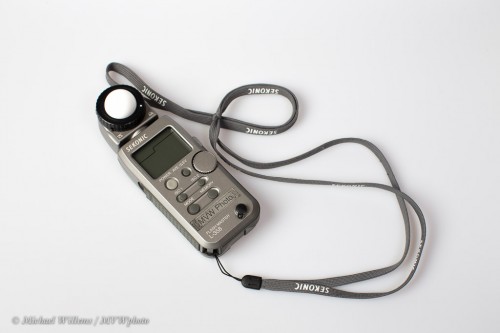
How? Here’s how.
That is how you meter a studio, type shot like the one above. I usually meter each light separately and allow for that (e.g. two lights that both say f/5.6 will give you a total of f/8, if light from both hits the subject.).
Those of you who know me know that I do not do a lot of video. Stills, mainly! Why? Because video takes rather too long for my liking to produce. Hours just to load, edit, convert, and so on, even for relatively small clips.
Still, I keep my hand in there! One way is by using a new dash cam I just bought for my car (you never know). It’s a JVX GC-XA1 “Adixxion” action camera:
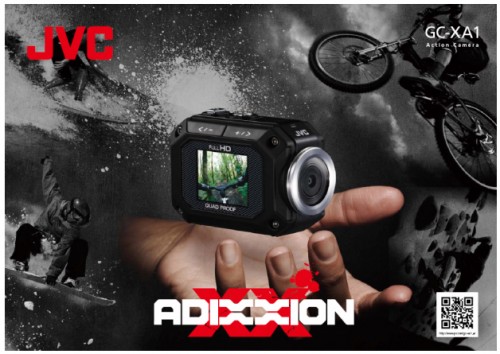
This is the kind of camera that you can tie to your bike or helmet or whatever: small, light, one hour battery life (though you can use a USB power cable as well). It is shockproof, waterproof, freeze-proof and dustproof – a step up from the usual small cameras.
It shoots high-def video, of course, up to full 1080p, with a simple wide-angle lens. Remember, wide angle is good because it is easy w.r.t. shaking and it is easy w.r.t. focusing.
Even better, I was able to buy it locally in Oakville, ON – I like to see what I am buying. My friend Steve Jones pointed me to a car-related company that sells these: Johnston Research & Performance at 2344 South Sheridan Way in Mississauga, ON.
So is it suitable as a dash cam? Yes it is, and more than I thought.
I just tested it during an actual drive. Here’s a 40 second HD link:
http://www.youtube.com/watch?v=IyNY8g8BoaI&hd=1
Note, this is not the highest quality this camera can do – rolling 15 minutes (and USB -powered operation, which requires it) is restricted to 720p at 30 fps – which as you can see is pretty great (on that subject, a few encoding tips from Youtube here.)
So is there anything this camera could do better? Well, that’s a value judgment, but if I were to respectfully give the engineers at JVC some tips on how to make it even better, especially as a dash cam, I would say:
This is a list of features that I hope will be added in future firmware: I already upgraded the firmware after buying the camera. JVC, please keep me informed of firmware updates on this excellent little camera. Also, please fix typical “Japanese”: errors in English (“Inversed” is not English; “Inverted” is).
And for your benefit, I shall try some more video in the coming weeks. I am pleasantly surprised by the fact that even with slow North American Internet speeds, uploading video is becoming practical at least for clips. And I am impressed by this great little camera.
Oh, and why a dash cam? Because it is a good way to do some more video.. and also this: go to http://carcrashes.altervista.org/ to find out. Protection in case of insurance claims – or even scams. Try and explain to the cops what happened without video evidence! And I don’t think I ever want to drive in Russia.
As many of you have seen, I shoot with prime lenses as often as I can. Here’s why:
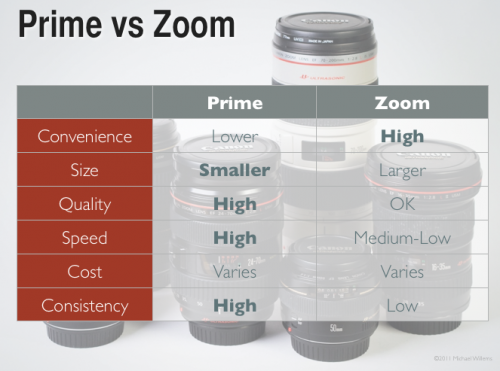
Primes are smaller, lighter, sharper, less likely to exhibit distortion, and above all: faster. The ability to go down to f/1.8, f/1.4 or even f/1.2 is often a life-saver.
I have four primes:
The 85mm f/1.2 is the sharpest lens I have ever seen, but alas, I do not own it. Yet!
One advantage that I also need to point out again: primes are consistent. In terms of your compositions, but also -especially when you are learning – in terms of behaviour. Why? Let’s look at what changes with focal length:
With a zoom, all these change with every shot. With a prime they do not.
So if you do not have one yet, get a prime – like a 50mm f.1.8, which casn be had very affordably. And go play with it. You’ll be pleasantly surprised at how good you get!
Digital. Means “new”. “hi-tech”. And “need new stuff”, “short lifecycle”.
I have seen “digital” filters in stores. And I have seen digital lens cleaners, digital everything else.
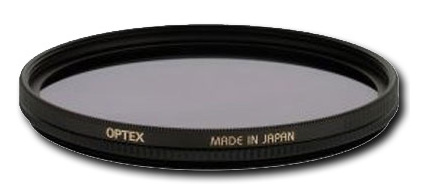
Well, to this I have two notes.
First: “digital” is often used just to get you to buy things. Digital sounds new, and new, in Don Draper’s words, is an itch you desire to scratch. A way to get you to buy. The reality: if you use a protective filter on your camera, an “analog” filter will do just as well. There’s no difference. A filter is a filter.
The same goes for many other “digital” items: digital lens cloths? Really?? Caveat emptor: buyer beware; Careful what you pay for; or rather, careful that you really need it.
Second note… I do not use filters. As regular readers will have seen here, few pros put filters on their lenses in normal use. Yes, I do own the filters: when it is raining, snowing, I am in a sandstorm, at the beach: that is when I will put on a filter to protect my glass. Otherwise, it just adds flare and unsharpness (see my post in June).
We often like vignettes in our pictures – meaning, the outside is darker so that the subject, closer to the centre, stands out more. Gives your pictures that professional “wow” feeling.
You can do that in post-production, of course, by using Lightroom’s “Post-Crop Vignetting” function:
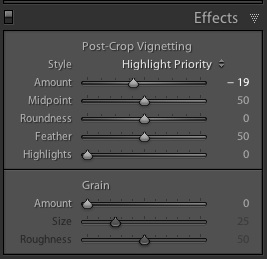
Your best strategy is to decrease the “amount” setting by a small amount, say minus 15-20. Any more and it often becomes obvious.
There are of course ways to actually shoot with vignettes. I prefer to do that when possible.
One is to use a fast lens, normal to wide angle, and to shoot with it wide open. Like my 16-35 lens:
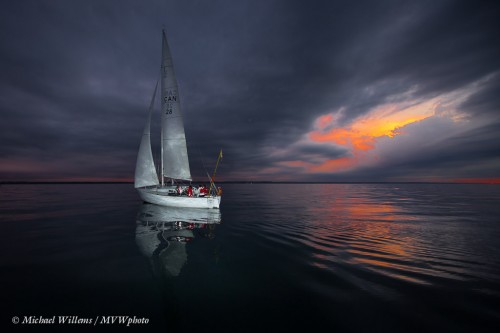
That often introduces a bit of a vignette: stopped down, lenses behave “better”. So if you want a vignette, “wide open” gives you that not as a problem but as a benefit. And you still get depth of field when wide open with an ultra-wide lens.
Another way is to light selectively. I did that in the above picture also. You can use an off-camera flash (and I often do!), but in this case I used on-camera flash. My lens zoom angle was wide, but instead of letting my flash automatically also zoom to “wide”, I manually set the flash zoom to 135mm. That means the flash’s light only lights up the centre (or where you point the flash head).
Another benefit of this technique: the flash has much more power now, going forward. And you are often going to be fighting at the limit of what power you have, so this is not a bad idea.
Last note: Some flashes (like the 600EX) also have a mode to always send the flash light to a slightly wider or narrower area than the lens covers. I use narrower, to give me some natural vignetting. Check out this function on your high-end flash!