Rumour debunked

Staff in several photography stores have been mistakenly saying that the Canon 600EX flash cannot be used as a master with 430EX slaves.

Wrong. It certainly can. Proof:

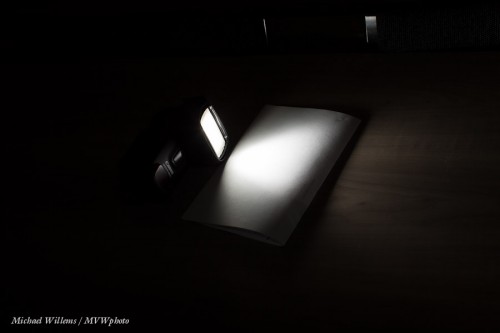
A 430EX acting as slave to the 600EX on my camera.

The 600EX has both radio-controlled remote abilities, and light-controlled abilities like the previous generation. You can choose which type to use: set it to light control and it’s just like a 580EX flash.

Rumour debunked, I hope.

..and more hardware.

Today, a further hardware tip.

One of the lenses I had looked at by Keno-san of Canada Camera Repair (see prior post) was my 50mm f/1.2L prime lens. It was never the sharpest, and I figured a $2,000+ lens should be pretty sharp even wide open. The inspection turned into a repair, but not a very expensive one – under $175 for the repair, including a new rear lens element.

Good news: it is indeed sharper than before: I can now use this lens in available light situations. (The lesson in this: lenses should last forever and a well adjusted lens is worth having – lenses are therefore worth inspecting and repairing.)

Here’s a handheld (both) shot at f/1.2:

And detail:

The testing process also prompts me to remind you of a few important things:

  1. First of all: Do not be too critical. 50mm at f/1.2 is silly if you want more than a few millimeters of depth of field.
  2. Best use a lens test kit.
  3. Use a very small focus area to test focus. I used the “spot focus” option on the 1Dx.
  4. Focus elsewhere, then come back and focus on your subject
  5. Eliminate shake issues by using a tripod or fast shutter speed.
  6. Avoid “fully open”. Every lens is better when stopped down a little. That is why you buy an f/1.2 lens: not just to use at f/1.2, but also so it’s sharp at, say, f/2.0. (just like an f/1.8 lens would be sharp perhaps at f/2.8).
  7. Learn how consistent any issues are. A little back focus is fine, for instance, if your camera has a micro-adjust setting. But only if it is consistent.
  8. Focus in bright light. Use your center focus point; have the camera perpendicular to the surface you are focusing on.
  9. Focus is dependent on aperture, on distance from your subject, and on light intensity. If I adjust for close-by shots in my office, I need -15 on this lens; but at a distance, zero is what is needed. You need to adjust to an average that reflects what you shoot. Like (1 metre distance at f/2.8 in bright open shade”. Yes, this is complicated!

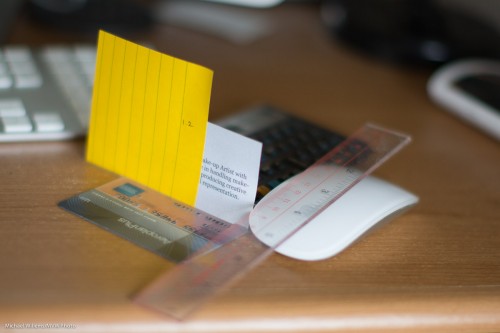
I used this setup:

That gets me to a micro-adjustment of around -15 for close-by shots (on a scale of -20 to +20): I focused on the “o”.

As said, this is complex. I would keep it simple; avoid shooting too wide open, shoot at least 1 metre away, say; and adjust lenses to an average (for you) situation.

For my 50mm lens, the conclusion is clear: “When shooting wide open, if the subject is very close by, apply a -10 to -15 micro-adjustment. But for subjects far away, or for shots at f/4 or smaller, apply no auto-adjustment. By default, therefore, leave it off.”

Yes, this stuff is indeed complicated. But so is flying an airplane: complexity is sometimes necessary for best results.


Cameras!

Today, a post about hardware.

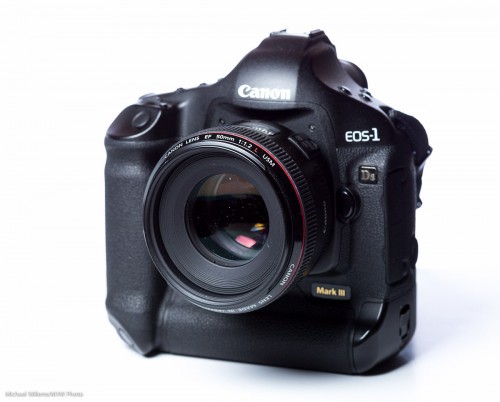
I am selling my 1Ds Mark 3 (see this ad here), because 1 1Dx, a 7D, and a 1Ds is one camera too many – two will do.

At the same time, I am doing a general cleanup. I recommend you do the same. This includes:

  1. Checking what I do not need anymore and getting rid of it or selling it.
  2. Organizing to pack things where they should go.
  3. Checking for common faults, like screws on lens bases coming undone (see an earlier post!).
  4. Checking for missing items (filters, battery covers, etc) and replacing those.
  5. Having all my lenses checked or repaired if needed. If you are in the Toronto area: Kino-san of camerarepair Canada does a great job and is very charming – and knowledgeable.
  6. Replacing batteries on Pocketwizards (these are Alkaline: they need to last without being used).
  7. Recharging all my NiMH batteries also.
  8. Cleaning all my equipment! First the outside, with a brush. Then inside if there is mirror dust – with a blower. Lenses too! And then, if I must, the sensors – with a blower first, then with antistatic brushes or wet pads (in that order) if I really have to.
  9. Making sure I have all serial numbers recorded
  10. Making and storing a picture of each piece of equipment for insurance purposes.

And then I am done, ready for the fall and winter shoots. Looks like I am shooting a lot of events, food, interiors, portraits, and Bat Mitzvah parties this month and next.  And you can hire me too, by the way – for photography or fort private training)!

But it all starts with a well-organized equipment.

Tripod trio

Debbie asks: “Time to invest in a really good tripod. What is your favorite and why? I have a 7D and with my new lens 70- 200 my current tripod makes me nervous: time to get a heavy duty one. But I’m also looking for a light on that I can carry.”

Good question.

There are basically three types of tripod.

The first is light and cheap and basically disposable. These cost around $50, are made out of plastic, so not provide good mounts or stability but nevertheless can be a good option when traveling and expecting to perhaps lose the tripod.

The second option is the heavy, big, sturdy, tough tripod. Usually made out of steel, these cost in the range of $200, and will last forever, and they are solid, have a hook for sandbags, etc. The problem is that these tripods are heavy, and therefore more for studio than for outdoors or travel use.

Then the option you may want to look at: a good carbon fibre tripod. These are as sturdy as the steel tripods, but weigh less. A great option for frequent use, travel use, and location use. Manfrotto and other top brands make these: expect to pay up to $1,000 or more, but they will last you forever. I have recently seen Chinese carbon tripods for around $300: they may be an option but beware, they may or may not be quite as sturdy.

Whatever you get: get a good tripod. Pictures a simply better, sharper, clearer. Not just the very long exposures! When people say ” I don’t need one”… I’m not so sure!

Don’t forget to think carefully about the head. I prefer ball heads but there are many options. Try the mechanism, see how easy it is to handle, how it handles vertical shots, etc. You may also want to make sure your tripod has a hook for sandbags or other weights.

And finally, when you cannot take or use a tripod, consider a good monopod. These too can be worth their weight in gold.

Have fun… Invest, and enjoy the shake free results.

Fear nothing but fear itself.

Certainly, on new pro cameras (and soon on all), do not fear ISO.

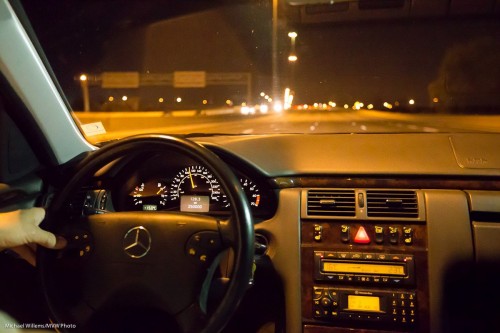
Here’s a shot at 51,200 ISO (with a little Lightroom noise cancellation applied):

So now we can shoot handheld on the freeway as a car gets to exactly 250,000 km… no worries, just go to high ISO, find a brighht spot to focus on (or use manual focus), and away you go. (Be sure to expose well: pushing the exposure will result in more noise; pulling it will reduce noise).


Tardy Tuesday

A late post today – but since I have no boss, late is OK.

A quick tip for beginners: always make sure your lens is set to allow autofocus! (Set the switch on the side of the lens to “AF”, or “A/M”. If you set it to “M” or “MF”, you are disabling the autofocus system. A very common beginner’s mistake… and all your images are blurry. So, every time you change lenses, ensure you are set to autofocus. And if the camera refuses to focus, check the switch. And on some Nikon cameras, also ensure that the switch on the side of the camera is set to AF-S (usually) or AF-C (action).


Miscellany Monday

Miscellany Monday, here on speedlighter.ca!

First: I am selling my Canon 1Ds Mk3. See the ad here: http://toronto.en.craigslist.ca/oak/pho/3277248183.html – if you are interested, contact me!

Second: The next few weeks, I am teaching my workshops at Vistek Mississauga – there are spots open, so take them right now!  Book here now.

  • Sep 22: DSLR Basics plus DSLR Advanced
  • Sep 29: Exposure and Composition, plus Basic Lighting for portrait and table-top photography
  • Oct 13: On-Location Mississauga Walk

Third: helping a student with his T3i Rebel the other day, I realized I need to point out something. Namely, metering, and in particular flash metering for shots where you use a flash as well as ambient light.

  • On a Canon 1-series body, evaluative metering is biased heavily toward the focus point. So if I compose a shot with the subject on the side, and I use a single focus point on the right to achieve that, metering will be biased towards the subject.
  • But on lower-end Canon cameras, evaluative metering is often biased toward the centre. So the camera in the shot above would try to light the centre, and would overexpose the subject.

If you see this phenomenon, you have several options.

  • You can set metering to average (centre-weighted) – this may just help.
  • Or you can put the subject in the middle and press the * button (flash lock), then recompose and shoot.
  • Or you can use flash compensation.

The thing is not to necessarily attempt to memorize what each camera does. The important lesson here is to realise that metering can make or break a shot, and that you have several options to solve issues that arise from this. As long as you know the fundamentals, you can solve any issue.


Macro fun

Winter is approaching here in Canada. Yes, soon.

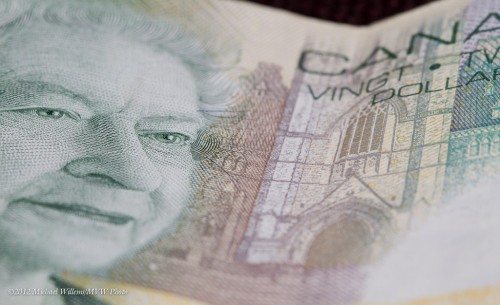
So this winter, take some macro shots. Macro (or close-up) photography is fun because you can engage in it all winter. In your own home. Even a $20 note can look interesting.

To do macro shots you need either a point-and-shoot with a mini tripod, or better, an SLR with a macro lens (a “micro” lens, says Nikon), a tripod, and perhaps wire release. Use manual focus, perhaps in Live View. Avoid wind – that is why inside is good. You may need to shoot at f/16 to f/22 or even beyond if you want depth of field.

And then see what you can come up with. Any object takes on a life of its own when viewed close-up: worlds we never normally see!

(And yes, you can use macro “filters” on top of normal lenses – much cheaper than a lens, but interior quality.)


Tip of the day…

You know how I say it is advantageous to set your white balance right when shooting? If you are shooting RAW (as I hope you are) it makes no difference-  all colour is captured and you can do it later, by clicking on a neutral white/grey in an image. But on the other hand… if you get it right while shooting, it’s less post work.

So one tip is to, when you have time, use Live View to set white balance. That gives you a pretty good view of what the colour will look like. Set it so you are happy, then after you do that, you can go back to normal shooting.


Portrait lesson

A quick portrait lesson today.

Here’s student and photographer Emma, in a coaching session on Friday:
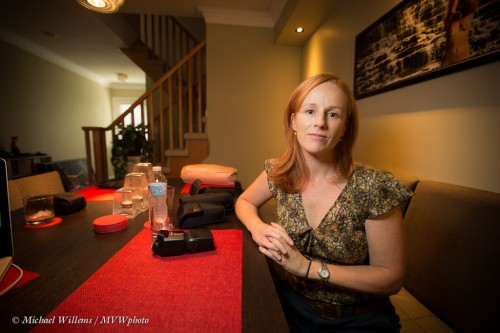
For this photo I used a 16-35mm lens, set to 16mm. On my full-frame Canon 1Dx camera, that is a proper wide angle lens – like a 10mm lens on your 5D, 60D, Rebel, D90, or similar.

So first, let’s put paid to the adage that “you cannot make portraits with a wide angle lens”. Yes you can: environmental portraits, where you do not fill the frame with the subject. Distance between subject and photographer is the only important thing, not lens angle. A wide lens gives you that wonderful “wrap around” effect that we love in this type of portrait – the subject in, and as part of, her environment, rather than as a standalone object.

So that out of the way, what about camera settings?

I used the Willems 400-40-4 rule for indoors flash. Since our indoors environments are often roughly the same brightness, a manual setting of 400 ISO, 1/40th second, f/4 will give you a starting point that is ambient minus two stops.

Which is what I want if I want to see the background, but not too brightly: just like Rembrandt, I want to make my subject the “bright pixels”. Because as a reader here you also know Willems’s Dictum: “Bright Pixels Are Sharp Pixels”.  So that means a slightly darker background.

OK,  so that is the background  taken care of: -2 stops, give or take. How about Emma?

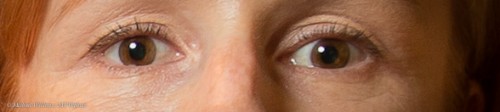
I used an off-camera 600EX speedlight, driven by an on-camera 600EX that was set to only command the other flash (using the new radio interface). I equipped the flash with a Honl  photo Traveller 8 softbox for that wonderful light – and that wonderful circular catchlight in Emma’s eyes:
Good, so we are set.

But what about the idea of making it a monochrome image, to stop the red distracting us? In Lightroom, simply select “B/W: in the Develop module:
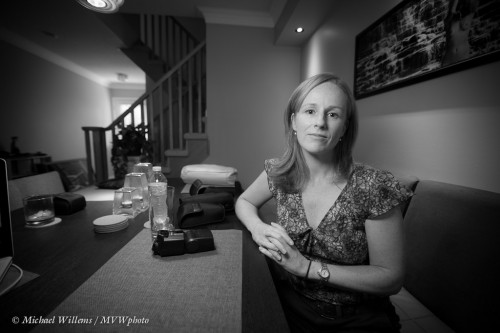
You may or may not prefer that to the colour image. If you do, then consider dragging the red to the left a little in the B/W module. That means red light will be used less in the conversion, i.e. it will be less bright in the black and white image:
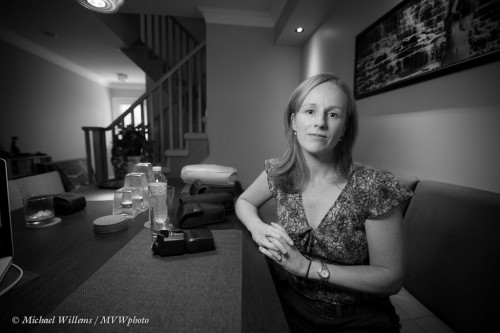
Now we have gotten rid of the red place mat almost entirely, allowing us to concentrate on Emma. That is often a good reason to go to black and white: you get very extensive creative options.

Mission accomplished, in a very simple-to-do shot that is miles beyond a snapshot.

Yes, simple – once you know how (this is what I do, and it is also what I teach).  Invest some time and effort in learning these techniques – you will love what your new photography allow you to do creatively.