Humdrum to competent in easy steps

One thing I teach photographers in my flash courses (like the one I teach tomorrow in Hamilton – hint, just two spaces left) is to take pictures away from what Uncle Fred does. You know Uncle Fred, the guy with the camera, who always carries it but h knows little about how it works. Every family has one.

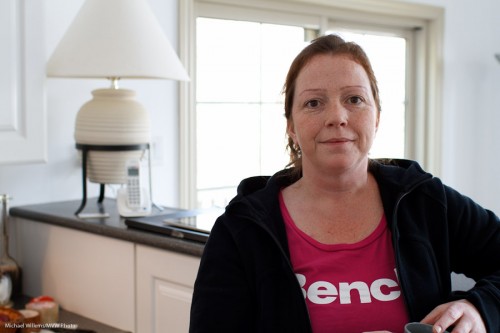
If Uncle Fred knows about exposure (which is not at all a given!) he might produce this:

So he has exposed for the subject. Good. But a little boring.

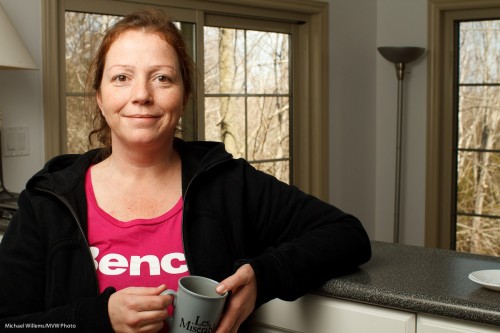
I prefer this:

By using flash I have achieved:

  1. A much better background, with colour and saturation.
  2. My subject is now the Bright Pixels (and remember Willems’s Dictum: Bright Pixels Are Sharp Pixels).
  3. We have shaped the subject’s face. Flat light “from where the camera is” is boring and makes faces look flat.
  4. We have catch lights!

Not bad, and not difficult. Simply:

  1. Camera to manual
  2. Expose for the background, keeping shutter below 1.250th
  3. Bounce flash up and left (or right)

Oh. That was easy.

Yes, and those of you who read here and especially those of you who are my students tomorrow will learn this, and a whole lot more.


Learn.. how?

You can learn by taking my lessons, for instance. Supported by the book.

Lessons at Vistek Toronto. And lessons at Sheridan College.

And two workshops in Hamilton, open NOW for booking:

  1. 17 Feb 2013, in Hamilton, “Advanced Flash”. Info/book: http://www.cameratraining.ca/Flash-Ham.html
  2. March 2: “The Art of Shooting Nudes”, same location. Info/book: http://www.cameratraining.ca/Nudes.html

I hope to see you there – learn from me and kick your photography into the next level!


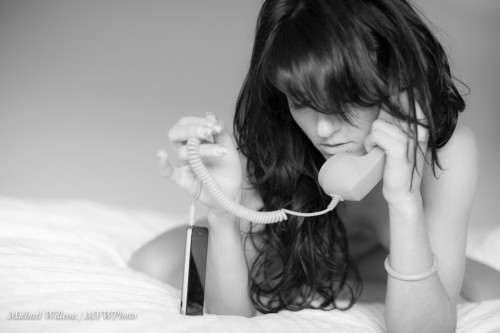
Never do this.

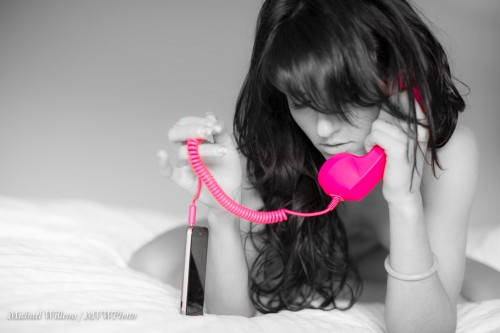
This. Selective colour. As I mentioned here before: a sin, a never-do, a teary clown: a cliché.

So why did I do it in that image I shot yesterday?

Because to every rule, there is an exception. Don’t ever let anyone tell you to “always” or “never” do something. Always or never means “Always or never – EXCEPT if you have a good reason in your own mind to break the rule”.

In this case, the image worked best in B/W, but the cool iPhone headset in luminous pink was too good to not show in colour. OK, selective colour then, and damn the torpedoes.

How:

  1. Go to the DEVELOP module in Lightroom
  2. Enter the HSL section and select S (Saturation)
  3. Drag down all colours to zero, The with the pick tool, select the handset and drag UP. (Red and Magenta, in this case).
  4. Now with the BRUSH tool, set saturation to zero, and wipe out any saturation in the rest of the image (face, hands, and so on).

Took me just a few seconds. Which is why I can try it out, and then decide perhaps the B/W version is better after all?

You judge. And remember: never take anything for granted in how you shoot. Always be ready to experiment. That’s how you get unexpected results. But also, never be afraid to throw out your experiments.


Inverse Square

You have heard, perhaps, of the Inverse Square Law. I hope you have. Because it is rather important in photography.

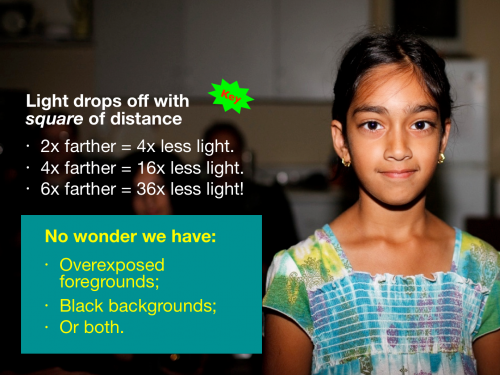
The Inverse Square Law says that the intensity of light shining on an object from a light source decreases with the square of the distance of the light source to that object.

You can see what this means for us in practice: dark backgrounds if we aim a light forward from where we are (say, a pop-up flash). If the background is ten times farther away than your subject, it gets 100 times less light. Solution: do not have the light where your camera is. Or bounce. Or use several flashes. Or use ambient light also (“dragging the shutter”).

Important note: It is important to realize that this applies to the distance between light emitter and subject. Not the distance between you and the subject!  (If you find this hard to visualize, consider this: when you back away while looking at a Caucasian, he or she becomes a smaller Caucasian to you, not an African-American).

Other than dark backgrounds, what else does the inverse square law mean to you in practice? This, for instance:

  • If you move a studio light twice as far from a subject, you lose two stops of light (2 squared = 4, and two stops equals a factor of four).
  • If you move it 41% farther, you lose just one stop, since 1.41 is the square root of 2.
  • To get one stop more light, move the light closer by 30%, to 70% of its previous distance, since 0.707 is the square root of 0.5).

So knowing a little math, geometry and physics comes in handy. I speak not as an engineer, but as a photographer. I can move a studio light into the right position to get a  stop more, or a stop less, light without metering.

And now, so can you. You are welcome.


Firmware Note

If you have not done so yet, you may find it useful to check for updates to your camera’s firmware regularly.

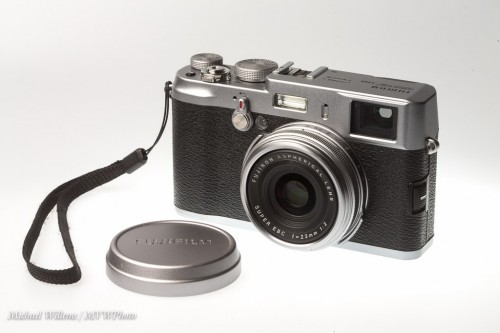
I have a Canon 1Dx, a Canon 7D, and a Fuji X100 (the latter pictured here, in a close-up shot from a class on Friday):

All these cameras have had their firmware (the built-in software that makes it work) updated in the last year; several repeatedly. I just noticed last night that the 1Dx had another update waiting; one that introduced some important new functionality. I am now up to date again!

How do you update?

  1. Search for “<Camera name> firmware update” on Google.
  2. Then check your firmware against what options are available, if any.  These are usually (in all cases I have seen, certainly) free updates.
  3. If an update is available, first ensure that you have a cleanly formatted memory card and a full battery.
  4. Then download the file, and install, following instructions.

It’s simple, and it’s worth it. If a camera has available updates, they will include new functionality and often bugfixes as well. In some cases, like the 7D update and the X100, it’s almost like getting a new camera.

___

NOTE:

As you may know, my “52 photographic recipes” eBook is available now from http://www.speedlighter.ca/photography-cookbook/.

Also, learn to shoot nudes from me on March 2 in an all-day (10AM-5pm) workshop in a great Hamilton, ON Studio: See more, and book, on http://www.cameratraining.ca/Nudes.html


Why flash at all? Why outdoors?

No, I am not referring to people who enjoy opening their raincoat outdoors to show that they are wearing nothing underneath. As the Speedlighter, I am of course once again referring to flash lighting.

On a pro photographers’ forum recently, a few people said they shot “with available light only”. They seemed proud of it.

I have heard this many times. And I admire people who can do this. But I must admit that whenever I hear it, I think “this is probably because the person in question does not know flash”. And in most cases, that is true.

I know, there are legitimate differences in artistic insights. And yes, you can make great art without flash. No dispute there.  But that said:

  1. The number of situations you can handle is very much restricted if you do not use flash as an option.
  2. The number of styles you can produce is very much restricted if you do not use flash as an option.

Situations include very dark rooms. Back light. Bad colour. High contrast light. Badly directed light. Uneven lighting. Direct sunlight without squinting. Special effects requiring extra light. Special effects requiring colour. The list goes on.

And styles, even more so.

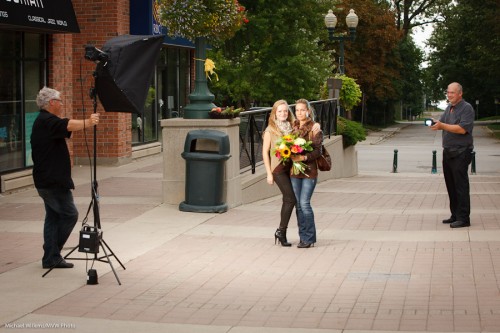
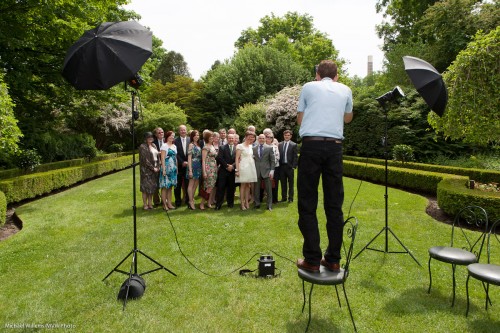
An example. Lucy and Matt’s wedding last year. Here’s me, about to shoot a group shot in direct sunlight:
\

(Notice how I am up? That is the only way to get all these people into the shot, if there are many layers of people.)

Anyway, if you zoom in (click until you see “original size”, you will see the people are not that well lit – not, that is, in a flattering way. And “bright pixels are sharp pixels” (Willems’s Dictum) – here, the people are not the bright pixels!

But in my shots, they are:
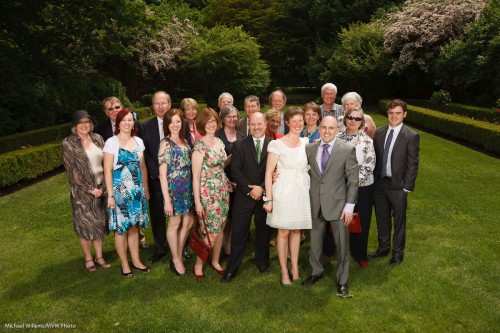
See what I mean?

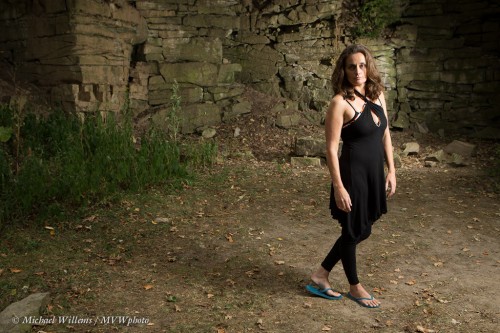
And take student Melissa at last year’s Niagara School of Imaging at Brock University. No way you could do this type of dramatic portrait without flash:
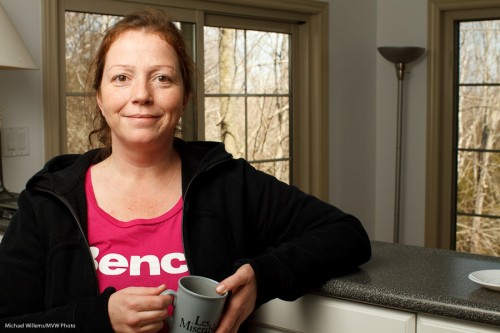
Obviously, the effect photo from the other day cannot be done without flash either:

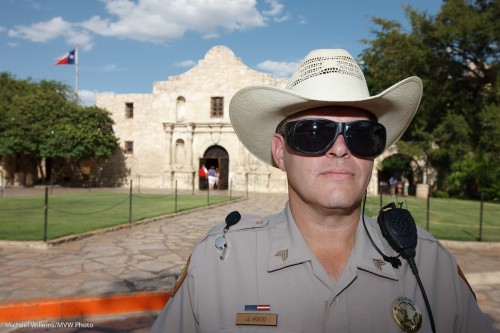
Nor can this:
Or this:
And the list goes on. Like this outdoors fashion shot of Melony and daughter Vanessa:
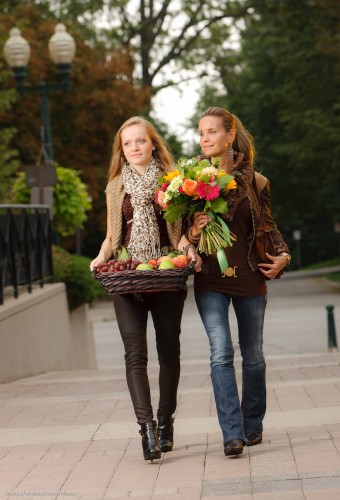
Vanessa and melony showing fashion (Photo: Michael Willems)

Which was shot like this, of course:

This, too, needs flash:
The list goes on. I think perhaps over half my images could not be made without flash. So.. why would you want to be a photographer who deliberately restricts herself or himself to half the possibilities?

___

Don’t forget, my new eBook is out: A unique book with 52 photographic “recipes” to help you get started immediately in many situations – including many that need flash. Read all about it here and order online today:

www.speedlighter.ca/photography-cookbook/



Simply simple.

I had lunch with a student today – this student is bright, and is doing a private one-week full time crash course with me, something I recommend for anyone wanting to do real photography (tomorrow, we do a studio shoot).

Over lunch, we brought our cameras. Of course.

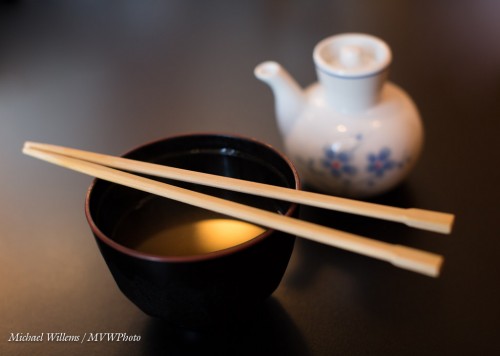
And I made this shot of my Miso soup:

A few questions. Like: “what was I using”? And “What makes this shot effective”?

I was using a full frae camer with a 50mm prime lens. My student, a crop camera with a 35mm lens. Equivalent, therefore. The prime lens allows those nice blurry background, and it allows fast shutter speeds at low-ish ISO values: I shot this at 1/80th second at f/2.8, at 400 ISO. With a non-prime lens I would have had to use slower shutter speed (motion blur) or higher ISO (grain), and I would not have obtained the nice blur.

What makes this image work, though?

  • The simplicity. The original shot was just a little wider but had some “stuff” in it. A pro shot is good is if has no “stuff” in it that should not be there – and generally, “stuff” should not be there!
  • The blur. Only part (around the chopsticks) is sharp.
  • The contrast – the dark table really helps.
  • The 45 degree angle.
  • And finally that wonderful sunlight reflection in the soup. Yes, that was deliberate: I angled the shot until I got the reflection.

My student did well, too: here’s his shot:

Well done, Jeff. Here, again selective sharpness, combined with the backlight, makes this an effective shot. In this shot, too, we cropped to get rid of distractions.

So the lesson today?

Keep. It. Simple.

That is so often the secret to one of those “wow, that one worked!” shots. Everything that is in a photo should be in that photo because it should be in that photo, or else it should not be in that photo.


Square roots? …Really??

Why, I am sometimes asked, do the engineers who design cameras make it all so darn difficult? Like using square roots, and stuff.

And I agree, sometimes they do make it complicated. Like by calling “Continuous Focus” (which you might just understand) by a name like “AI Servo” instead, which relies on you knowing that “AI” means “Artificial Intelligence” and that a servo motor is a closely controlled electrical motor with built-in negative feedback loop. Right. And like by making the zoom-in/zoom-out function on my new Canon 1Dx as unintuitive as the one on the old Nikons. Why make it simple, eh?

But sometimes, the engineers are right.

Like in using fractions. f/16 is smaller than f/4 because it is a fraction. Instead of saying “f 16” we should really say “Focal length F divided by 16″, and we certainly would say that way if it weren’t so many syllables. Clearly, 1/16th of a pizza is less than 1/4 of a pizza, and the same is true of aperture.

Anyway – fractions are very useful when a magnitude (like shutter speed or aperture) tends to double or halve all the time. (In contract, ISO is not expressed as a fraction, and hence it can be confusing… 12800 ISO is only a little faster than 800 ISO, but because we do not use fractions here, it looks much faster.)

So get that out of the way. Fractions can be useful.

But why those silly numbers? f/2, f/2.8, f/4, f/5.6, f/8, f/11, f/16: why not just f/1, f/2, f/3, and so on?

Ah. There is a reason.

  • You see, those numbers mean something. The “f-number” indicates the size of the lens opening as a fraction of the lens length (so a 200mm lens set to f/4 would have an opening, or aperture, of 200/4 = 50mm).
  • And if you want to, say, halve the light that enters your lens (i.e. reduce it by a stop; a stop means double or half), you would have to halve the area of the aperture (the opening).
  • And to halve the area, you would have to reduce the diameter by… the square root of two. (area is Pi x radius squared, you may recall from high school). And indeed, the square root of two (roughly, 1.4) just happens to be the ratio between those funny numbers.

In other words: hose funny numbers mean that every next number up gives you a stop less light (or when you go to lower numbers, a stop more light). And that, you will agree, is a very convenient thing!

So before you dismiss the engineers and their silly complexities: sometimes it is actually quite useful to see why they do what they do. Confession: I am an engineer (electrical), but unlike other engineers, I do not assume that everyone knows engineering language. I do, however, know when the techie bits are needed. And I will teach you all of then if ytou hang around!

___

NOTE: In case you missed it: my “Photography Cookbook” eBook is now out! Click here to read about it, or click here to order.


Book!

As I mentioned, my long promised eBook is ready and is available now!

Here’s the link:

www.michaelwillems.ca/Buy_Book.html

The book, a 108-page PDF (without DRM) costs $19.95.

(“Without DRM” means you are not addled with complexities in downloading or cumbersome technical restrictions on how you use the book you buy!)

This book is pretty unique in that it gives you recipes you can apply immediately, not just basics where you have to work out how to apply them.

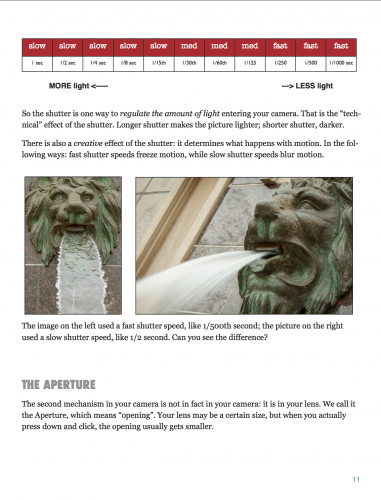
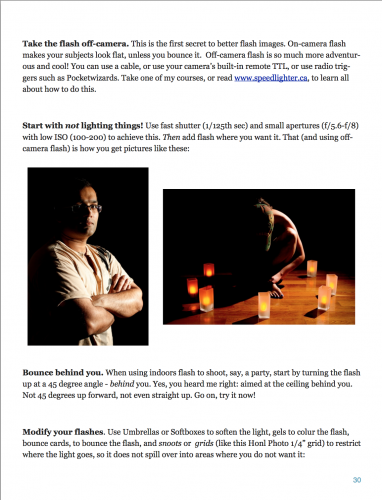
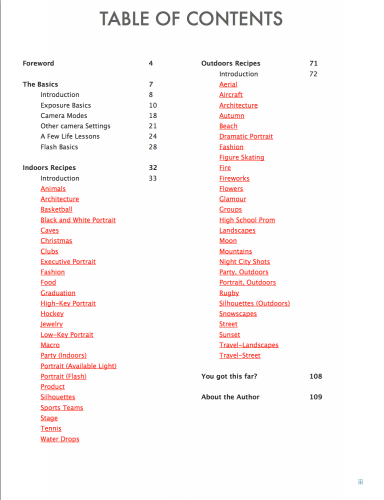
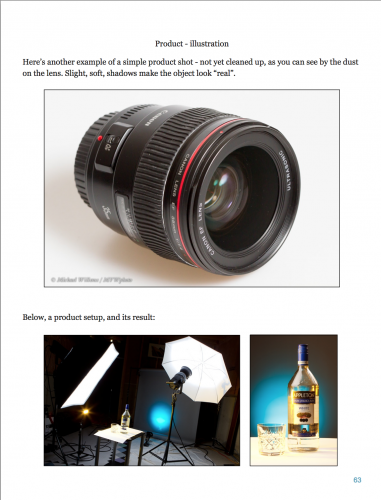
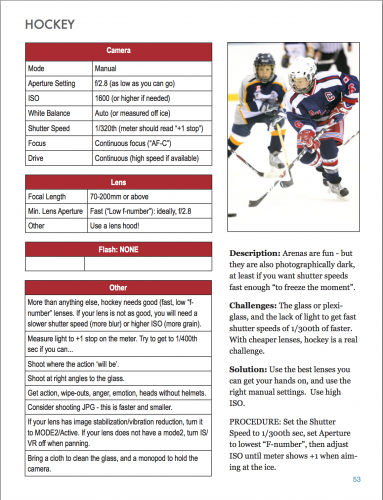
A few sample pages:

I look forward to hearing what you all think. And remember: questions and requests are always welcome.

Michael

(PS Why not free, or $5? Well, I do give away the free speedlighter.ca as you know. But as for eBooks: There are many free ones, but they tend not to be the best. Many eBooks like mine sell for $30-$50. Look at Kelby, Grecco and McNally, all of whose books sell for around those prices.  I myself recently bought a photography eBook for $79US. Also – most eBooks are DRM protected; mine is not. An important distinction. And finally, the Photography Cookbook is 108 pages, not the 30 pages you so often see in eBook PDFs. Enjoy!)