Sears Oakville. Avoid.

Get good service, tell a few friends; bad service, tell them all. And that is what I am doing here, in an off-topic post.

Executive summary: Avoid Sears Oakville, and in particular their clock and watch department.

I took  my Omega watch in to them a few months ago to have the battery, which had recently finally died after several years, replaced. This is a thin watch and is hard to handle. The last battery was installed there too, but by a watchmaker.

The current manager of the clock department, Nancy Kaye, told me she was not a watchmaker.

That became obvious. She broke my watch. I got it back not working, with the dial turned. She tried again: now completely broken, and the dial dented.

“We have no way of knowing it was working when you brought it in”, she and Sears say. Cost: $350 plus tax. My cost, they say.

So beware, when you bring a perfectly functioning watch (and not a cheap one either) into the clock and watch department at Sears, and they break it, you end up paying, and they wash their hands of it. Implicitly accusing you of lying.

This is not acceptable. My letter to the Better Business Bureau has gone out. Facebook is next. Small claims court too, maybe. Thousands of you now also know that having Sears do anything is taking a huge risk. I assume this will cost them much more than owning up would. I hope so: this kind of running roughshod over the customer is not acceptable.

Hyperfocal what?

What is a “hyperfocal distance”?

In essence, the hyperfocal distance for any given camera, lens and aperture combination is:

“The focus distance you set your lens to for that camera, lens and aperture combination that gives you a focus distance that goes exactly to infinity, no farther”.

You see, if I set my lens to infinity, for instance, I am focusing well beyond infinity, and “wasting” some of my sharp range. By focusing before infinity, I can set the lens just so that the far edge of my “acceptably sharp”area goes exactly to infinity, not more. And now I am not wasting any sharp area.

In the past, on prime lenses we had a focus indication dial, with aperture numbers indicated on the focus ring to help us set the hyperfocal distance. On today’s zooms, this is absent; plus, since a lens can be used on cameras of various sensor sizes, it would not work anyway.

So today you go to DOFMASTER, via this link here, to calculate the distances for your lens/camera/aperture combination.

Nice to know, so you can set your lens to the right distance for manual focusing, for instance. And nice to know just so you get a feeling for what you can achieve in a shot.

Need for speed.

The need for LOW speed, that is. Not every picture has to be razor sharp. In fact, often, to give the impression of speed and movement, you need to blur parts of a picture. The background parts.

You do this by panning.

To pan a picture, you need a slow shutter speed. Like 1/15th of a second. Panning gives you pictures like this:

Panning picture by Michael Willems

Panning picture by Michael Willems

Panning picture by Michael Willems

Panning picture by Michael Willems

To do this:

  1. Set your camera to Tv/S mode
  2. Select a shutter speed of 1/15th of a second
  3. Wait for the car. bike, child, etc to approach
  4. Start following them with the camera, keeping them in the middle
  5. When they are half way, right in front of you, SHOOT!

To focus, you can either focus quickly, or pre-focus “where they will be”, or use AI Servo/AF-C mode.

You can vary the shutter speed as you like, of course.

Have fun!

Today

“Creative Urban Photography”: a snap from today:

Kid at Lake Ontario, photo by Michael Willems

Kid at Lake Ontario, photo by Michael Willems

Fun course, fun students, great weather: what could be better?

Oh alright, just a few more.

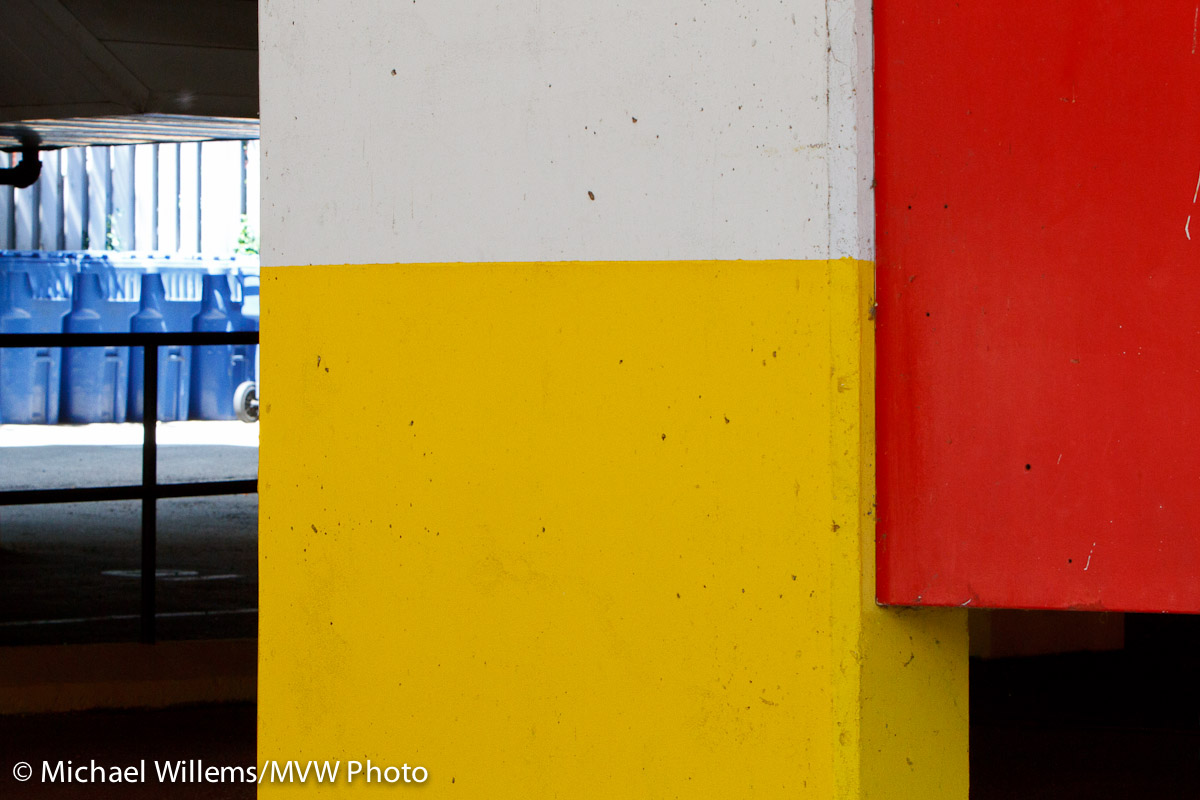
Composition with Yellow, Blue and Red; art in a car park; Photo by Michael Willems

Composition with Yellow, Blue and Red

Coffee by wall, photo Michael Willems

Coffee by wall, photo Michael Willems

Bike detail, photo Michael Willems

Urban Bike detail, photo Michael Willems

Erin, by Michael Willems

Erin with flash, by Michael Willems

Ha ha… can you see my flash (with Honl 1/4 CTO gel) in the last picture?

EDIT: Alright, one more, taken with the GF-1:

Flowers in Oakville, by Michael Willems

Flowers in Oakville, by Michael Willems

CUP

Today I am doing a walkaround in Oakville: “Creative Urban Photography”. A three-hour mix of tech review, storytelling, and more.

What kind of situations do we look for? Things that tell our story. Whatever it may be (and we go into that).

But also, there are visually interesting things we always look for, because they may contain interest. For example, in no particular order:

  1. Curves, particularly S-curves
  2. Converging lines
  3. Reflections
  4. Frames
  5. Colours (contrasting or strong)
  6. Textures
  7. Overview – medium view – detail view: don’t forget the detail
  8. Juxtapositions (often funny ones)

There’s more, of course, much more. On these walks we explore that.

Steeling up to carrying bag and cameras all afternoon!

One more quick recipe

Quick recipe for you.

Remember this shot, done in the workshop I taught three days ago in Las Vegas with David Honl?

Yasmin Tajik in Las Vegas, by Michael Willems

Yasmin Tajik in Las Vegas

Shot how, you ask? I mean – at what settings and such?

  • Camera: 1D Mark IV with 35mm f/1.4L prime lens.
  • 100 ISO.
  • Camera on manual, 1/320th second at f/16 (slightly exceeding the 1/300th sec synch speed).
  • Flash is an SB900, also on manual (“M” rather than “TTL”); set to full power (“1/1”).
  • Flash is on a boom, and is fitted with a Honl Photo Traveller 8 softbox (notice the nice round catchlights), and is held a couple of feet from Yasmin’s face.

And you know that at full power, with a softbox, an SB900 will give you those settings.

A 430EX will need to be about twice as close to her face.

Try your own flash at those settings: how close do you need to hold it to ensure proper exposure, using the modifier of your choice. Once you know that, it will always be the same. Simple, really.

Note: the SB900 flash will overheat at these settings, especially in Las Vegas. A dozen shots in you will suddenly get no more flashes. The Nikon flash cannot be used at full power, while the Canon flashes can. With a Nikon SB800/900 flash, I would simply go to half power and live with that. If I needed more light, I would add another flash.

Want to know more? Want to learn all this and go home with a few cool portfolio shots? There is still space on the all-day Advanced Flash workshop Sunday in Mono, Ontario. Book now to get a spot.

Oh, one more thing. Am I cheating? Is this just sunlight lighting up Yasmin?

I think not. Here is the same shot without firing the flash (always a good thing to do to test your settings!):

I rest my case.

Zoom zoom zoom

Another flash tip for you today.

580ex2 Flash

580ex2 Flash

Say you are using a flash for a portrait outdoors. You want to decrease the ambient light, of course, and add flash to light your subject. But uh oh – you run out of enough power. You verify this with the full-power tip I gave you the other day. Not enough.

Now what?

One option: concentrate the light more.

Your flash includes a zoom mechanism, to ensure the light goes as wide of the lens. If you have insufficient power, you can:

  1. go to manual flash zoom (press buttons on the back of the flash for this)
  2. zoom in to a longer setting then your lens (e.g. 100mm when in fact you are using a 35mm lens).

Drawback: only the centre of where the flash aims is now lit – so, aim carefully. The big benefit, however: the light is concentrated more, and hence brighter. You get more power when you need it!

I am off to Vegas now, to teach Advanced Flash with David Honl. Talk to you all soon!

CUP

One of my workshops is called “Creative Urban Photography”. I take a group of students around Old Oakville for three hours to practice and hone their technical skills, and especially to practice their eye.

This is a great workshop, that I can recommend to all (go to your nearest Henrys to sign up for it).

The wonderful thing is to see what “Urban” means to people. To some it means this:

Paint flaking, by Michael Willems

Paint flaking, by Michael Willems

Bicycle, by Michael Willems

Bicycle, by Michael Willems

Photographers and mannequin, by Michael Willems

Photographers and mannequin

Or this, Oakville’s very genteel version of vandalism:

Phone box in Oakville, by Michael Willems

Phone box in Oakville, by Michael Willems

While to others, it means happy things like this:

Lonely yellow flower, by Michael Willems

Lonely yellow flower, by Michael Willems

And this:

Red, Yellow and Blue (bins), by Michael Willems

Red, Yellow and Blue (bins)

And this:

Flowers, by Michael Willems

Flowers

(Can you see how I am filing the frame in these images?)

Others yet have a theme like “churches” or “textures”. All good. The thing is, once you have a story, you are great. It does not matter what that story is, and no-one can tell you what it should be. It is your story. All I can tell you is that there should be one.  Random images are not as effective as images that try to tell a story, convey a viewpoint.

So next time, ask yourself what your story is. Once you know, you will fimd ways to portray that photographically.

What mode should I use?

The most common question I hear is “what lens should I buy?”.

Boy, that is a tough one – a bit like asking “what car should I drive”. The answer: “It depends”!

Almost as often, I hear “what exposure mode should I be on?”. That one is much easier.

Photographers taking photos in Oakville, photo by Michael Willems

WHAT MODE? Photographers taking photos in Oakville

I should start by saying that here too, of course the answer is “it depends”. So instead of giving you a canned answer, I am going to explain a bit about what modes I use in my daily photography practice.

And these are:

  • The green “Auto” mode: never – but I could use it if anyone asked “let me take your picture with your camera”. The green auto mode turns your expensive SLR into a point-and-shoot.
  • Scene modes (portrait, landscape, sports, etc): never. None of my cameras have these, but even if  they did, I would not use them. They are useful learning tools, and good for people with little experience, but they take a lot of power away from you, and you should learn how to do it yourself. Use them while learning, but as soon as possible, free yourself from these “canned” modes.
  • Program mode (P): occasionally, when I am in a hurry. Like when shooting while driving a car, or when covering a rapidly unfolding even where “get the shot” is the essence. P mode means the camera sets aperture and shutter, but you can override it in this and in many other aspects, like white balance and flash use.
  • Aperture Mode (A/Av): Almost always in many situations. When I am in an environment with changing light, I will likely use aperture mode. Because of what I shoot, I am in this mode maybe 70% of the time. Aperture is very important to me.
  • Shutter Speed Priority (S/Tv): when covering some sports. When I want to freeze or blur motion. Sure, those are obvious. But also when shooting flash outdoors and I want to be sure I do not exceed the flash sync speed. In those cases I often set my shutter to 1/250th second (the fastest flash sync speed, depending on which camera I am using) and I know that I will not be needing “Fast/Auto FP” flash, which reduces my power by at least half.
  • Manual (M): Always in studios. Always when shooting indoors flash. And usually when in a controlled environment. Manual (often combined with spot meter, incident light meter, and grey card) is my second most common mode.
  • Bulb: when shooting fireworks, or other events that take a long time and cannot be metered or timed.

So that means typically I might do this – a few examples:

  • Outdoor event: A/Av mode
  • Outdoor event with flash: S/Tv mode
  • Indoor event with flash: M
  • Studio: M
  • Outdoors rugby game: S
  • Indoors hockey game: M
  • Family snaps: A/Av
  • Product: M
  • Panning shots: S/Tv

Try them all, and learn how each mode works. Especially, do not underestimate Manual, where you get full control. You need to know what you are doing, but it pays to learn.