Piece it together

I have mentioned this before: the need to have your audience piece things together themselves.

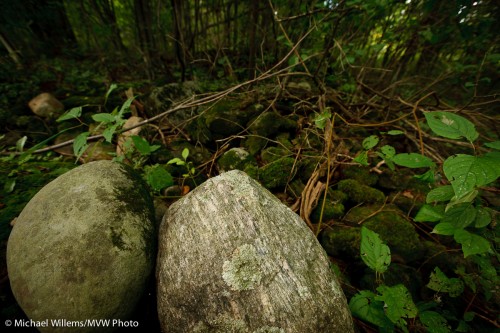
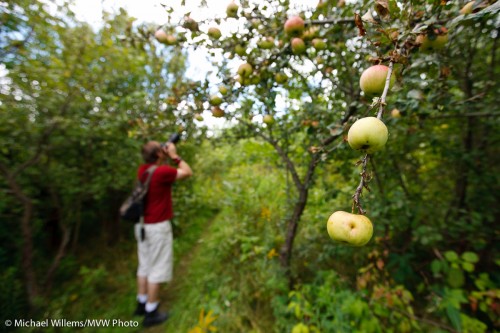
One way is to use selective depth of field. Like in this snap from a recent outing in Mono Cliffs Provincial Park:

Mono Cliffs Provincial Park, photo Michael Willems

Mono Cliffs Provincial Park

You see the apple first, then a blurred out view of the photographer, then you figure out what it is, then you slowly see what’s happening.

This snap also shows the benefit of wide angle lenses. As does this:

Mono Cliffs Provincial Park 2, photo Michael Willems

Mono Cliffs Provincial Park 2

Depth! And I also used a bit of flash, with a half CTO gel.

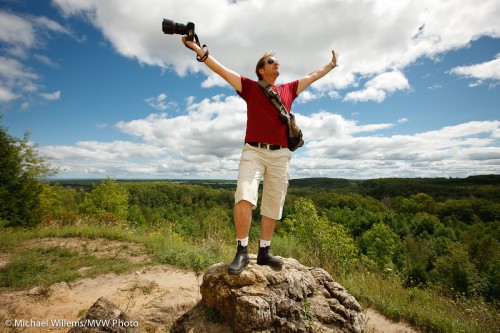
And one more, finally: colleague Joseph Marranca in the park at the lookout point. Also shot with a little fill flash with a half CTO gel, with the camera’s white balance set to flash. After first exposing properly for the background, of course.

Mono Cliffs Provincial Park 3, photo Michael Willems

Mono Cliffs Provincial Park 3

What we are doing there? tracing out  the route for the upcoming Nature Walk course!

All those shots were taken with a wide angle lens. Wide meaning 16mm (or 10mm if you have a  “crop factor” digital camera, i.e. one that is not “full frame”). Wide angles rock.

Data mining

Photography is not about gear. It is about art, expressions, emotion, colour. About the end product, not about what you use to get there.

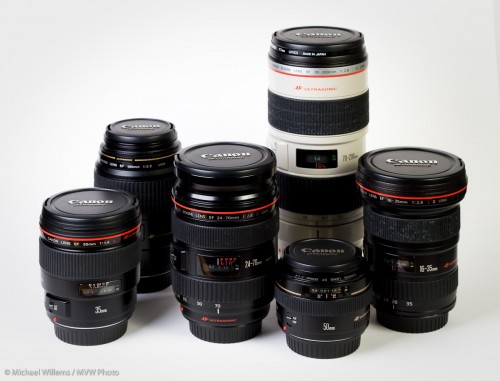
Right. But it does start with gear. I thought, therefore, that you might be interested in what lenses I used for what shoots. I get asked this rather a lot. So I did some data mining of my shoots of the last few years.

Michael Willems's Lenses

Michael's Lenses

EVENTS:

First I picked some recent event shoots: “grip and grins”. The lenses I uses were, out of a total of thousands of images:

Canon 1D Mark IV (1.3 crop factor):

  1. 42% – 24-70 f/2.8 (equiv. 30-90) (by shoots, this is number 2)
  2. 39% – 70-200 f/2.8 (equiv. 90-260) (by shoots, this is number 1)
  3. 17% – 16-35 f/2.8 (equiv. 20-45)
  4. 1% – 35mm f/1.4 (equiv. 45)
  5. 1% –  50mm f/1.4 (equiv. 65)

Canon 1Ds Mark III (full frame)

  1. 51% – 16-35 f/2.8
  2. 33% – 24-70 f/2.8
  3. 12% – 35mm f/1.4
  4. 2% – 70-200 f/2.8
  5. 1% –  50mm f/1.4

That is interesting. On the 1Ds, I use the 35mm f/1.4 lens in too few shoots (a lovely lens!).

GENERAL:

Now the total, all types of shoots, out of a total of tens of thousands of images::

Canon 1D Mark IV (1.3 crop factor):

  1. 49% – 24-70 f/2.8 (equiv. 30-90)
  2. 25% – 16-35 f/2.8 (equiv. 20-45)
  3. 19% – 70-200 f/2.8 (equiv. 90-260)
  4. 3% – 35mm f/1.4 (equiv. 45)
  5. 2% –  50mm f/1.4 (equiv. 65)
  6. 2% – 100mm macro

Canon 1Ds Mark III (full frame)

  1. 33% – 24-70 f/2.8
  2. 27% – 16-35 f/2.8
  3. 19% – 70-200 f/2.8
  4. 13% – 35mm f/1.4
  5. 5% –  50mm f/1.4
  6. 3% – 100mm macro

One surprise here is how often I use a specialty lens like the macro. The real surprising thing is how often I use the 24-70, on both cameras.

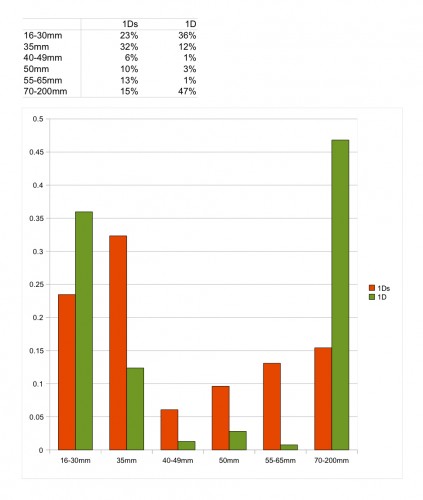
Here is another breakdown: What focal length do I use in event shoots. More data mining from Lightroom gives me this (out of aroud 2,000 shots in a number of event shoots):

Michael's event shoot focal lengths

Michael's event focal lengths

As you see, peaks at 35mm for the full frame and at 70-200mm for the 1.3 crop camera.

So for an event, here are a few suggested combos.

Large room: A good safe “vanilla” combo, for larger rooms:

  • 1Ds with 24-70
  • 1D with 70-200

Smaller Room: Another safe combo, good for wider shots, e.g. in smaller rooms:

  • 1Ds with 16-35
  • 1D with 24-70

Creative: A slightly riskier combo, great for both wide effects and long shots (and covering a super-wide range, but maybe a bit riskier because the range between “real” 35-90 is missing):

  • 1Ds with 16-35
  • 1D with 70-200

Dark: Finally, a combo for darker rooms:

  • 1Ds with 35 f/1.4 prime
  • 1D with 70-200 – or with 50mm f/1.4!

Of course you can also just pick what you have. I mentioned a friend and student who recently showed me a wedding he had shot entirely with a 35mm (equivalent) lens. You do not need to obsess too much.

That said, it is fun to use the tools in the best possible way. And I strongly recommend that you also make checklists.

What camera?

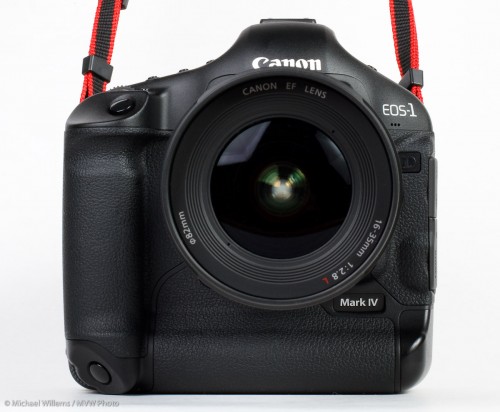
Or more importantly, why do I use these big, heavy, costly 1-series cameras? Like my 1D Mark IV?

Even in tonight’s course, a student asked me that (yes, you know who you are). Good question.

Canon 1D Mark IV camera

Michael's Canon 1D Mark IV camera

So do they give me better pictures?

Of course not. Unlike the lens, the camera makes little or no difference to the image. Sensors are pretty much sensors, now, and when the image is being taken, the sensor and the lens are really the only two thing sin play. The camera is ust a box.

Nevertheless, I invest in these heavy things. I’ll give you some clues as to why.

  • I can write to two memory cards at once. This is important when the event is important, like a wedding: memory cards can, and occasionally do, fail.
  • They can get wet – on last Sunday’s Creative Urban Photography shoot, my 1D bodies were dripping with water, literally.
  • They are fast (the 1D Mark IV, a sports camera, takes 10 shots a second!)
  • They are more customizable. The less you spend, the more functions are removed by Canon and Nikon et al.
  • They last. The 1-series bodies can take 300,000 shots before the shutter needs replacing. A consumer camera can take a fraction of that.
  • Support. I can sign up to Canon CPS and pay extra money to get support: but only if I have “professional” cameras.

That’s why I spend money, and if you do not need these benefits, that’s why you do not have to. Spend your money on lenses and flashes, in that case!

Bad light

Have you ever thought, or said, the following?

Waah. It’s raining, I can’t take pictures.

There’s no sun, I can’t take pictures.

Don’t you believe it. A cloudy, rainy day is better than a sunny day in so many ways.

  • No harsh shadows to wrinkle clothes (or faces)
  • No squinting eyes
  • Saturated colour
  • No impossible contrast to handle
  • Those great raindrops

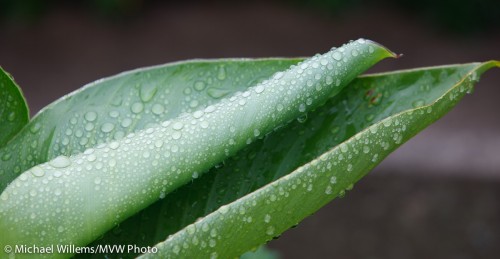
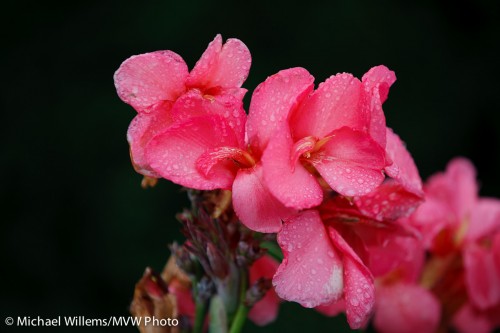
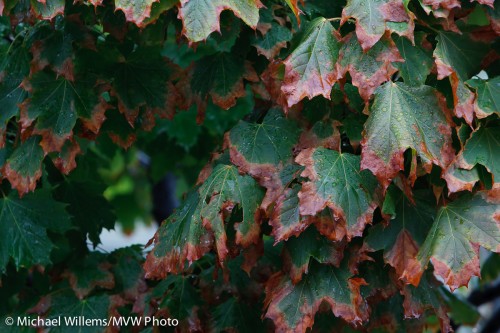
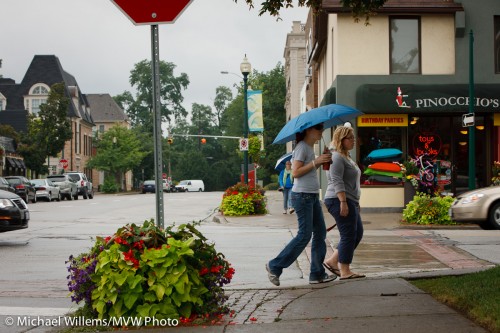
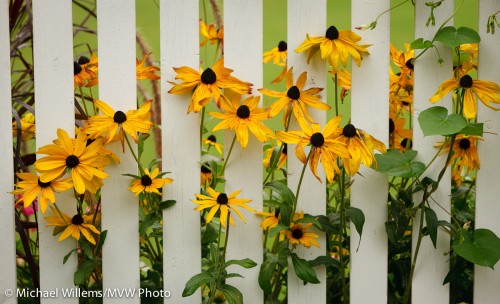
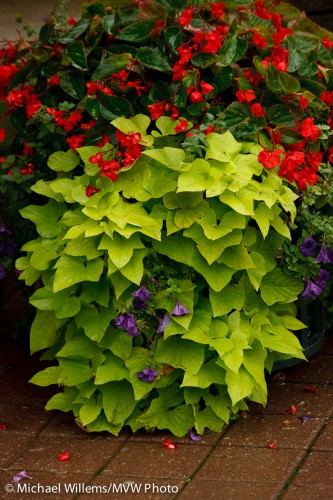
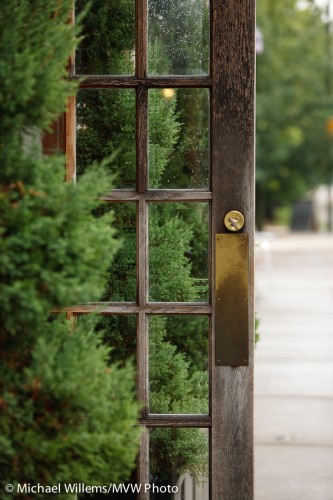
The other day, I took a few snaps during the Henry’s Creative Urban Photography walkaround. Here’s a few of them: are those saturated colours not beautiful?

Leaf in the rain, by Michael Willems

Leaf in the rain

Flower in the rain, by Michael Willems

Flower in the rain

Turning Leaves in the rain, by Michael Willems

Turning Leaves in the rain

Oakville in the rain, by Michael Willems

Oakville in the rain

Tired Flowers, by Michael Willems

Tired Flowers

Oakville plants in the rain, by Michael Willems

Oakville plants in the rain

Oakville door, by Michael Willems

Oakville door

A rainy, overcast, dreary day: provided you expose properly (remember exposure compensation. Hint: it’ll likely be “minus”), there’s really nothing quite like it.

Canonnews

I hear that Canon is announcing new camera and lenses etc for release by late 2010:

  • EOS 60D
  • 8-15 f/4 fisheye
  • EF 70–300mm f/4-5.6L IS USM
  • EF 300mm f/2.8L IS II USM
  • EF 400mm f/2.8L IS II USM.
  • Extenders EF 1.4X III and EF 2X III.

Canon has also issued an announcement that the EF 500mm f/4L IS II USM and EF 600mm f/4L IS II USM are currently being developed, with delivery planned in 2011.

OK… get your wallets ready!

Sensorama

I cleaned my sensors today. On the 1Ds Mark III and the 1D Mark IV. This took more than an hour.

So I thought this might be a good opportunity to talk about sensor dust.

Unlike a negative, which gets “replaced” for every shot, the sensor on your camera can gather dust over time. This then shows up under certain circumstances on your images.

When? When do you notice it?

To understand this, image a small piece of dust just above the sensor. If the lens has a wide open aperture, this piece of dust will not cast much of a shadow, because light from the left might cast a shadow on the right, but light from the right lightens that shadow. The wider the lens aperture, the less defined the shadow cast by the dust.

Now imagine a narrow aperture, a pinhole. Each piece if dust casts a nasty shadow. I.e. it is visible. That’s what dust spots are: shadows from dust specks.

Now think along with me. Say I want to shoot this, as I did during the Henry’s Creative Urban Photography session I taught in Oakville on Sunday.
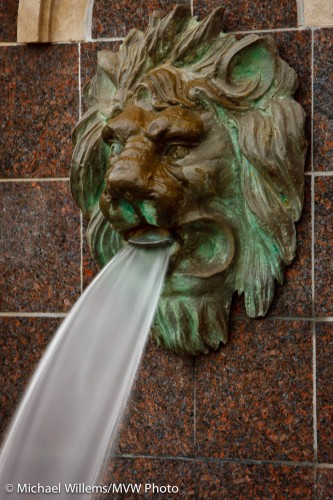
Lion and Water

Lion and Water

Evidently I need a long shutter speed to blur that water: in this case I selected a quarter of a second.

For which I need a small aperture. f/22 or f/32. A tiny opening in the lens.

So then, when you shoot at small apertures (large “F”-numbers), and especially in plain areas like the sky, dust shows up. Which got me here.

To clean dust, you need:

  1. A freshly charged battery.
  2. A spare camera in case you break the sensor (which I have never heard of, but I am sure it happens).
  3. A rubber air blower, your first port of call.
  4. A rotating brush from Visible Dust.
  5. Also from Visible Dust, pads in the size of your sensor (1.0, 1.3 or 1.6), and the appropriate liquid.
  6. A healthy dose of patience, and a calm demeanor.

First, measure. Switch the lens to a wide angle, and switch to manual focus. Focus close, then while gently moving the camera, shoot a distant white wall, using an 8 second exposure at f/32 at 100 ISO. Adjust as needed to get white, but not blown out. Now check by zooming in and you see dust and smears.

Now clean. Make sure you have a full battery. Now use the manual sensor cleaning function on your camera to open the shutter. Then remove the lens. Carefully blow first, using the bulb blower. Now close the camera, turn it off and on, and repeat the test.

Then if it’s not yet fixed, repeat using the brush, which you first rotate for a few seconds first. You may have better results. But you will equally probably make it worse instead of better.

In that case, repeat again using a pad, after you drop 3-4 drops of liquid onto it. Again, you will make things worse before you make them better.

This is where the patience comes in: after using up three or four pads you will despair. Smears, dust: it gets worse and worse. Every time you remove one dust speck, you add two. Will you ever get it done? Is your camera toast?

And yet… after an hour you get to a point when suddenly, there’s no significant dust. That is when you stop.

So after more than an hour, I now have two as-new cameras.

Two more things:

My camera does this by itself! Yes, but it does not clean off all the dust with its ultrasonic shaker.

Is this not risky? Yes it is. Do this at your own risk. (That said, I have been cleaning sensors for a decade without any mishaps.) My advice: do this when needed, but do not obsess. If you never shoot at f/16 or beyond, don’t worry. If you do not see the dust, do not worry. But if you do – get it done.

Think Tank Airport Security

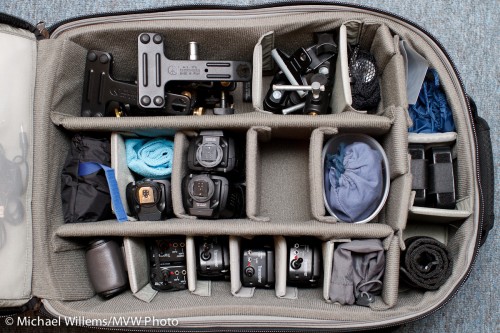
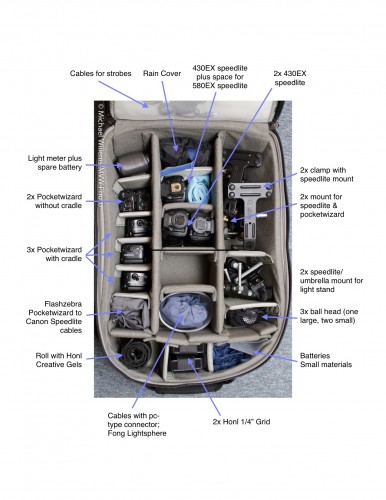
Always short of space to put things, and never one to shy away from adding to my number of bags, I recently bought myself a Think Tank Airport Security™ V 2.0 bag. This huge rolling bag (allowed onto aircraft in the USA, but too big for most of the world) now holds my lighting gear.

Not cameras or camera gear: just my lighting gear, like so:

Airport-security-v2-roller-camera-bag

Airport Security V2 Roller Camera Bag

That holds all my  clamps, ball heads, five Pocketwizards, three or four speedlites, cables, grids, gels, my light meter, and more. In addition, the side compartment holds the other Honl Photo modifiers, a gray card, and other small materials.

Michael's Big Lighting Bag

Michael's Big Lighting Bag

This bag is well built and has many cool gadgets. Such as three separate locks (two of which can be opened by the TSA). Emergency backpack straps. Many removable compartment sides. Two lockable cables to attach things to it, or it to things. A rain cover. Many things I will not need, like a tripod mount.

Small areas that could perhaps be improved:

  • The cutouts do not fit large Canon bodies (they are on the wrong side), so you need to remove your lenses if you are to use this as a camera bag. Quite an oversight.
  • Not quite enough internal compartment dividers for my liking: I had to add one or two dividers from another bag.
  • The lid hinges at the bottom, so things may spill out from pockets in the lid when it’s open.
  • The front external compartment is a little too small.
  • The external “laptop compartment” seems a bit of an afterthought and is rather insecure (yes, it has a cable to attach to the laptop – still not quite secure enough for me).
  • The uneven bottom made it a one-hour job to decide how to fit in all my gizmos. But that’s OK.
  • The handle that you use to roll the bag is flimsy and even has a warning, “do not lift by this handle” – that is a design flaw, if you have to warn people how not to use a product.

But those are small gripes. It’s a fantastic bag.

Michael’s Quick Judgment: recommended. This is one huge bag – where I carried two before. Anything that reduces my bag numbers is good. This bag does it in style and with intelligence. And all my lighting gear in one bag, in neatly arranged divisions: utterly fantastic.

Colour has to be real

Right?

Um, no, of course not: colour is a tool for you to use in your artistic endeavors.

And colour can be anything you like.

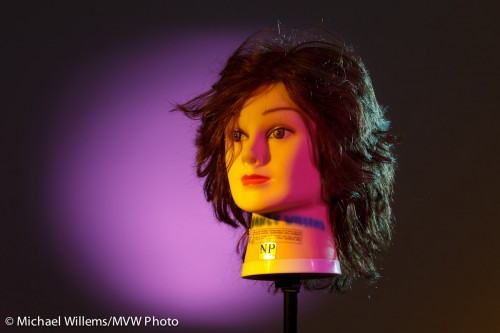
A few nights ago, I though I would see how long it would take me to recreate a lighting setup that my friend Dave Honl (yes, he of the excellent Honl Photo modifiers) did recently. So I looked at his shot and put it together the same way he shot it, in exactly 20 minutes:

Fun with gels, Photo Michael Willems

Fun with gels

That is including:

  • Setting up four light stands.
  • Connecting four flashes (3x 430EX, 1x 580EX) to Pocketwizards using Flashzebra cables.
  • Mounting these on the light stands using ball heads etc.
  • Equipping the key light with a 1/4″ grid and an Egg Yolk Yellow gel.
  • Equipping the fill light with a 1/4″ grid and a Follies Pink gel.
  • Equipping the hair light with a small snoot and a Steel Green gel.
  • Equipping the background light with a long snoot and a Rose Purple gel.
  • Setting the power levels correctly (by trial and error, combined with histogram: key light = 1/4 power, fill=1/8, hair=1/8, background=1/16).
  • Setting the camera up correctly (I used the 7D and set it to manual, 100ISO, 1/125th, f/6.3).

Huh? Egg Yolk Yellow, a crazy bright colour, to light the face? Are we crazy?

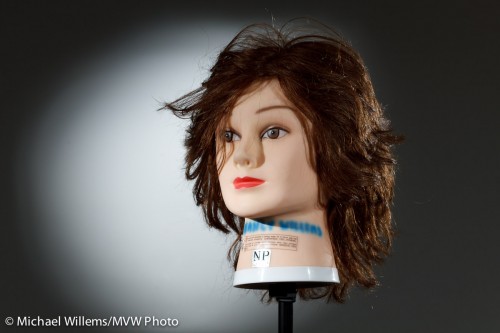
No, just having fun. Yes, of course Dave could have made his shot using no colour. Here’s what the same shot looks like without the gels. (Of course I switched the camera to an aperture one stop tighter, namely f/9, to compensate for the extra light once I removed the gels):

Grids and snoots, photo Michael Willems

Grids and snoots

Yeah, nice, and appropriate for a corporate head shot. But compared to the previous, it is kinda boring, no? So next time you shoot someone, unless they are a law firm executive, you might have fun and try some colour. You don’t need to go crazy and use four colours, but a splash here and there can really help your picture come alive.

By the way, what was the colour of the backdrop?

White.

Remember the following equation:

White – light = black

Similarly, in practice, black + enough light = white.

And finally, a real person: my son Daniel (“sigh, not again, Dad”):

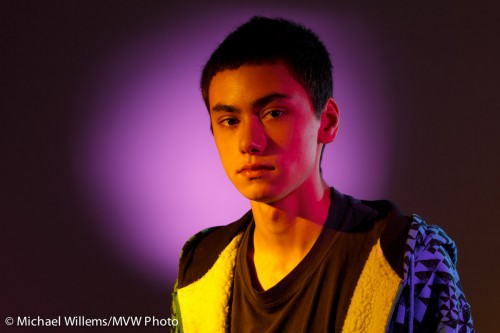
Daniel, photo Michael Willems

Daniel in colour

But here’s the thing. After seeing it, he grinned and said “Rad.”. That‘s a first!


Size matters.

…the size of your umbrella, anyway.

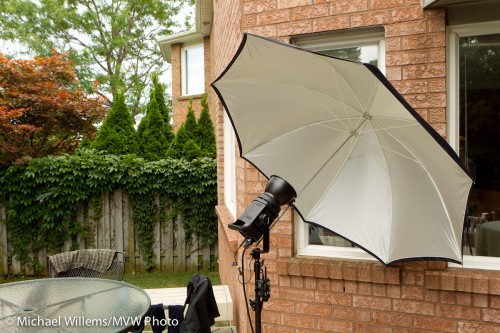
I am using a big Photoflex umbrella today. How big? Here’s how big:

Big Photoflex Umbrella

Big Photoflex Umbrella

This umbrella, which can be used to shoot into, as I am doing here, or to shoot through, is huge. Which makes the light softer.

It is also very reflective, more than most. And that helps: I was able to overpower daylight on an overcast day with the single Bowens 400 Ws light set to 3 (out of 5), somewhat close to the subject. With my regular, smaller and less reflective umbrellas, I would have used a setting of 4 to 5 for that shot.

So, all this amounts to:

  • Softer light (since the source is larger),
  • Greater distance I can bridge,
  • Less spillover behind the umbrella (which in a studio is important)
  • A lot more shots out of my battery pack,
  • Faster recharge time between shots.

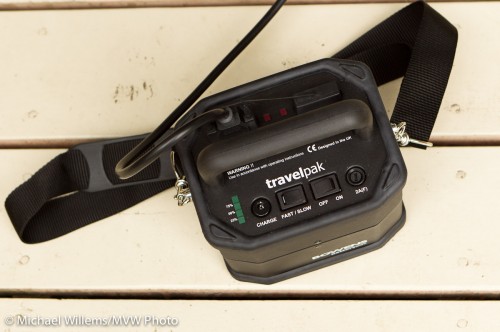
Here is that battery pack:

Bowens battery pack

Bowens battery pack

At full power, I get 150 shots out of a small battery (attached at the bottom); at power level 3, it is closer to 300 shots.

So by using a nice umbrella, metering to minus two stops ambient (minus three if metering off the dark garden), then setting the flash to the aperture thus achieved, which was f/5.6), I get this shot:

Nancy, photo by Michael Willems

In the back yard, lit by flash

As you can probably see, I am also using a speedlite on the camera left, to separate the hair from the background and to give some edge lighting interest. That speedlite is fitted with a Honl Photo 1/4″ grid to avoid the lens flare I would otherwise get.

Time for this snap: couple of minutes.

If all that is confusing, as it will be to beginners, then just take one of the flash courses and learn how to do this. It is fun, and well within reach of amateurs – not just for pros!

Michael’s Quick Judgment:

  • Photoflex large reflective umbrella: recommended.
  • Bowens Travelpak power pack: recommended.