Open wide

I have said it many times: wide angle lenses are under-rated. Few of my readers even have one.

I mean a wide angle lens in the range of 16-35mm if you have a full-frame camera like a 5D or a D700, or 10-20mm on a crop camera like a digital Rebel, D90, 60D, or D7000.

A wide lens, as I said yesterday, makes the scene wrap around you, or around the close by object.

Upstate New York (Photo: Michael Willems)

Upstate New York (Photo: Michael Willems)

Upstate New York (Photo: Michael Willems)

Boating in upstate New York (Photo: Michael Willems)

Frequent readers here will know the following:

  • Do include a close object (even the ground, as in picture #1 above)
  • Do not put people in the corners – they will be distorted, sinc eanything near the edges will look larger.

Use a wide lens and get close, and your pictures will look unlike others’.


Wide angle diffuser tip

Tip: if you use a wide angle lens – and I hope you are, because you will get pictures like this, that look very three-dimensional, with the scene “wrapping around you”:

Upstate New York (Photo: Michael Willems)

…then you need to know about your flash’s wide angle diffuser.

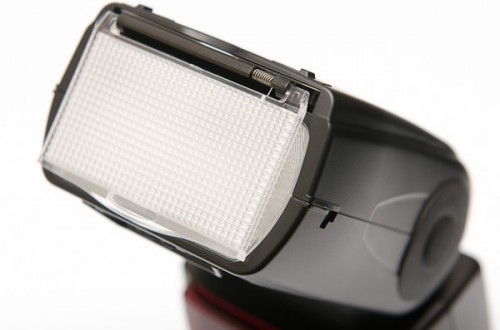
This is the piece of plastic that you can pull out, that looks like a diffuser:

It looks like a diffuser, but it is not. All it does is make the light go to a wider angle, when you are using a lens wider than the flash’s internal zoom mechanism can handle. Else, you would get vignetting.

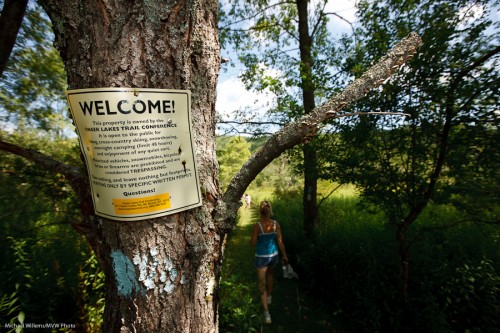
When you shoot with a lens wider than around 24mm (on full frame), you need it to ensure the entire picture is lit. Like in this 16mm (on full frame) image, the sign would not be lit if I had not used the adapter.

Upstate New York (Photo: Michael Willems)

But here comes tip 2: you can also choose not not use it, when shooting with a wide lens. This might be a good choice if you want vignetting, or if you are short of power, like on a sunny day, and your subject is in the middle. Then why waste power lighting up the side?


Small tip

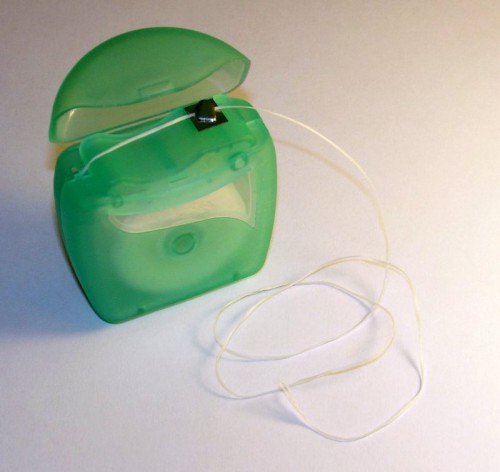
Simple, small tip: when travelling, carry dental floss.

Not only can it come in handy for emergency flossing – a piece of food stuck in your teeth would qualify – but it is extremely handy to tie things together in emergencies when something breaks. Cameras, straps, bags: a bit of floss and it’s good for the day.

Put some in your camera bag right now!


Focus Point Confusion

I get the following question rather  lot – so when another reader asked a few days ago, I thought “let’s answer for everyone”.

When shooting, I usually use the center focus point (Canon 40D) to select what I want to focus on, press halfway and then recompose. I have recently gone through some pictures I have taken with Aperture 3, and have clicked “show focus points” and it shows that my focus point was off. It appears as though my camera did not lock the focus. I have done some research on different forums to find out what the problem could be, and some people discussed the modes “AI Servo, AI Focus, One Shot”… Should this affect the focus lock? Would I be better off changing which of the 9 focus points I wish to use for each shot rather than locking and recomposing? (I would rather not since it’s more time consuming!)

A-ha.

You are fine. You are using “one shot”, or you would not see a focus point displayed. You see, the “display focus point” function is only useful if you do not recompose, since the computer doesn’t know you recomposed. So the computer shows which point you used, but not where it was when you shot.

I.e. There’s no problems. The image is sharp where you wanted, right?

Your other question: yes, although the centre point is more sensitive, and is sensitive to both vertical and horizontal lines, it is usually more accurate to move the focus point. You can make this easier on many cameras by custom functions. But unless you are shooting with very narrow depth of field, you can usually get away with using the centre point and recomposing.


Fuji X100 tips

Two more Fuji X100 tips for you today. This little camera continues to amaze me.

First: turn off the shutter sound. And perhaps also the focus chirp, although I must admit I find it hard to dispense with that altogether, so I leave it on but turn its volume down to the minimum. Why add a shutter sound when the super-quiet operation is exactly why you bought a rangefinder-like camera in the first place?

Second: pre-focus. Do this as follows: set focus to “manual”, then aim at your subject, then press the AF-L/AE-L lock button to focus. The camera now focuses (i.e. manual was not all that manual). You can now let go of the AE-L/AF-L button: focus is taken care of. You can now worry about moment, composition and exposure.


Studio cameras

Professional studio portrait cameras have to be the most expensive models. That’s just a given.

Right?

Oh wait. No… they do not need to be the most expensive. I have taken many studio shots with Digital Rebels and a 50mm f/1.8 lens (go get one if you do not yet own one).

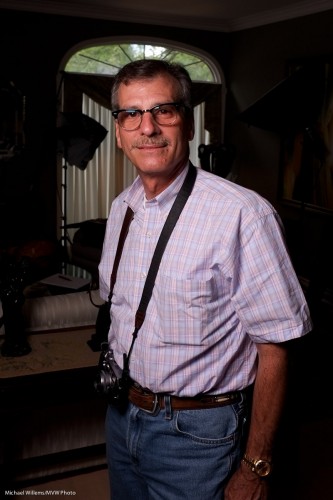
Today I took a studio shot of my friend and student Paul M. Rather than using my 1Ds Mark III, I used the little Fuji X100 with its fixed 35mm equivalent lens – and got this:

Fuji X100 Portrait of Paul M (Photo: Michael Willems)

This was made to show the effect of one flash and showing no ambient light. i.e. a setting which ensures that the flash does all the work. To do this I simply:

  1. Set the camera to manual, 1/125th second, f/5.6, 200 ISO. (take a test shot: it should look dark. If not, check that your auto ISO is disabled).
  2. Turned on the “external flash enabled” setting in the X100’s menu (you need to do that, or the hotshoe will be inactive).
  3. Connected a radio sender to the camera’s hotshoe, in order to fire a battery-operated Elinchrom portable strobe in a small softbox .
  4. Fired a test flash while holding the meter to where the person would be, then set the flash power level until the peter read f/5.6.

That was all. A professional quality studio shot with a point-and-shoot.  Yes, true, it is not any point, and shoot, but still. And of course a simple SLR would have done too.

Is it sharp? Sure it is. Here’s a true size part of the picture, pixel for pixel:

(To see the true sharpness, click, then view it at true size)

X100 owners: remember to turn on the “external flash” setting, as described above. Also, remember to turn it off again when you are done – with this setting enabled, the camera refuses to go slower than 1/30th second in Aperture mode or Program mode. (if that is documented I am not sure where – but it is a sensible setting I suppose -as long as you know about it).

Note, finally, that this was a JPG straight out of the camera – yes a JPG, with the camera using standard settings. No extra sharpening was applied – all just standard settings.

So yes, if the lens focal length suits the portrait you are shooting, you can certainly use a small camera for studio work.


Grueling GUIs

I always marvel at the lack of sense when engineers (or perhaps marketing departments?) design numbingly dumb user interfaces. All through our lives.

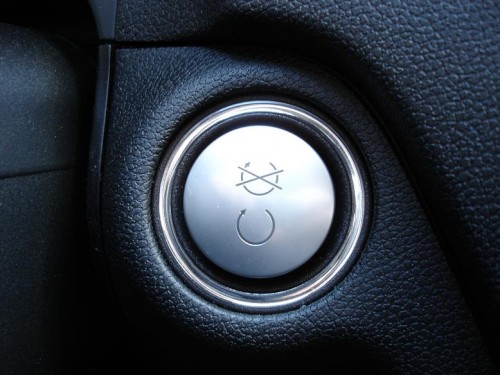
Start/Stop or Stop/Start? Babylonian confusion reigns

Things like:

  • A “no right turn on red” sign used to say “no right turn on red”. Now it is a picture with a traffic light showing red, and an arrow underneath that, and a line through the arrow. Such pictograms are not optimal in conveying meaning: they  make you waste brain cycles on working out what they mean. If you mean “no right turn on red”, just say that, not code that the reader has to decipher.
  • The keyless on/off switch in the American Mercedes Benz M-class says “ENGINE START / ENGINE STOP”. On the Canadian version, pictured above, alas, we get the pictogram combo in the picture above: an almost complete circular arrow above, and a similar almost complete circular arrow with a line or two through it, below. Or the other way around if you insert the key fob the wrong way – there’s no guide as to how it goes. Huh? (Personally, marketers, I could not care less about Quebec: I do not want to waste my time working out what these things mean.)
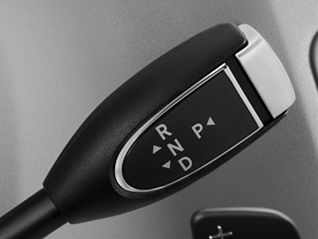
  • And Mercedes’s gear lever – also so confusing I am amazed it has not yet led to lawsuits. See below.
  • And the button for closing the rear lid has two buttons – one of which says STOP, followed by a pictogram. Huh? I have never not hesitated before closing the lid. And that is dumb. I have these cycles only once in a lifetime, guys, don’t make me waste them.
  • Same for the front and rear window heater buttons we all have in our cars. Anyone else here never know whether the square one is front, or whether the slightly trapezoid symbol means front? So help me God, I have been driving over 30 years and still do not (and will never) know. Tell me FRONT HEAT and REAR HEAT. If aircraft had these stupid icon symbols, do you have any idea how many terrible crashes we would see every week?

In aircraft, sense often prevailed. In WW2, when inexperienced pilots flew, the engineers who made aircraft changed the flap lever to look like a flap, and the gear lever to look like a wheel. Now that is clever.

To make sense, that "P" should be on the left!

And why this ramble about dumb interfaces? Because cameras have them too.

  • Nikon menus with tabs on the left: no-one gets that, Nikon. And worse – more functions than screen space, so there is a scroll bar. Only no-one knows it’s a scroll bar. The local Nikon rep once said “no-one has ever told me that”. Well, I have trained 10,000 more people than Mr Nikon there, and let me tell you, I am right and he is wrong. That interface is dumb.
  • Nikon and scales that are the wrong way around (+ 0 – rather than the usual – 0 +).
  • Sony and its incredibly poorly designed menus where one tab turns into three tabs when you scroll right.
  • Canon’s terminology – “AI Servo” (really. “AI Servo”. We discuss artificial intelligence and servo motors in consumer devices, in a world where most people cannot multiply 1,000 x 1,000) and “One shot”, when you mean “Continuous focusing” and “Lock focusing”. Who on earth designed this jargon!
  • Canon and Nikon and the interfaces on the flashes – I have been operating SB-x00 and 430/580 EX flashes for many years and the interfaces with all the buttons that do multiple things depending on the order you press them in still make me tut-tut-tut.
  • Fuji with dials that all turn the wrong way… anticlockwise for higher ISO and exposure, and clockwise for lower ISO and exposure.

The list goes on, and on. So if you sometimes think you must be dumb for not getting it: you are not dumb. If the system seems confusing, that is because it is confusing. A truism, perhaps, but it’s true. (* Yes, that was humour).

The sad thing is that this poor design is avoidable. A few focus groups should do it. Or at least hiring a competent UI designer. Cancel a few corporate lunches and you get your money back.

I await the day that Apple designs a camera. Of course it will only be able to be operated in Apple’s prescribed manner, and you will need annual licenses to use it – but at least it will be logical.

What other poor design have you seen in cameras? And how would you improve it?


Tip of the day

Tip of the day: Do not use lens caps when using your camera.


Lens caps are designed to protect your lens when it is in storage. They are not designed for use when you are using the camera. For obvious reasons: you want to see through your camera.

Amateur photographers think you “must” use a lens cap. Whatever indoctrination has driven them to this I do not know, but it does make me smile when I see people remove the lens for every shot, and then immediately put it back. A pro never does this: the moment the lens goes on the camera, the lens cap goes in the bag. Liberate yourself, and do the same.

If you feel like protecting your lens, use a clear filter (that too is something the pros seldom do, but there are times when it is useful, so I will get back to this in a later post).

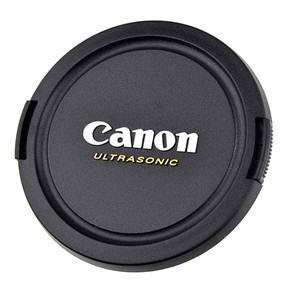
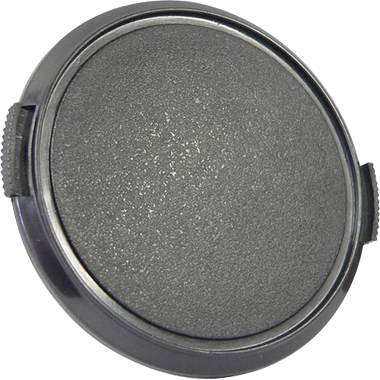
If you feel you must use a lens cap, then at l;east do yourself a favour and use a generic lens cap:

These generic lens caps have two advantages:

  1. They do not cost $40 to replace. Instead, they cost around $8.
  2. They do not shout out “EXPENSIVE LENS. WEALTHY PERSON. STEAL ME!”.

Little things like this make all the difference, so you can concentrate on what is really important.


Darn Good 9, Third Impression

OK, that is a bad wordplay on Emerson, Lake and Palmer’s “Karn Evil 9, Third Impression”. In other words, in my continuing “X100 impressions” posts, a few more points.

As I said yesterday, it’s just a matter of learning how to work the technology. Like a new car – after a few weeks you have learned how it works “inside and out”. And like a new aircraft, which is why a pilot needs to be checked out on each type of aircraft he is going to fly.

So, back to the camera.

One thing in particular is worth mentioning. When you focus closely, the camera often misses – and yet it indicates it is focusing. So watch me as I focus on one of Canada’s most talented photographers, Joseph Marranca, Yes, even taking into account parallax I am focusing on him, not on the background, with a small enough focus point to not hit the background at all, and I am on a contrasting area of his face – and yet it completely misses:
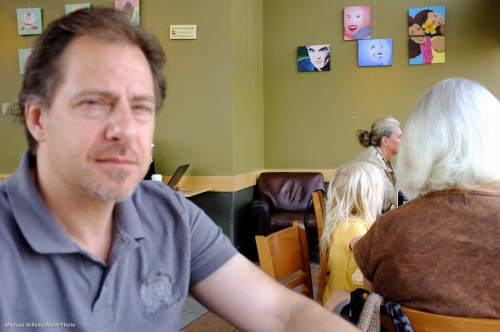
This common issue seems to not just occur in OVF (optical viewfinder) mode – in EVF (electronic viewfinder) mode also, in spite of what other reviewers have said. And mainly when focusing on close by subjects.

Here’s the same shot a moment later.

Why? No idea.

Note that when the subject is too close you have to go to Macro mode. (And I also note that some reviewers have said “macro mode does not get close enough” – well, that is merely a subject of the large sensor. Nothing to complain about.. move on.)

Now to exposure. More than others, this camera seems to want to keep all exposures mid grey, leading to this kind of mistake:
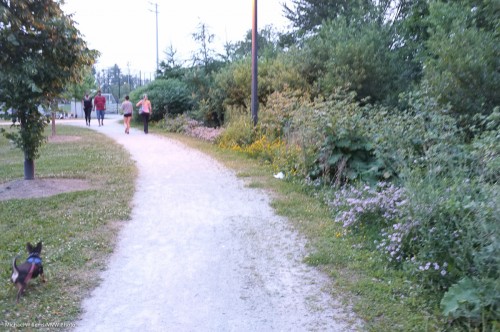
That was 9pm and rather dark – and yet, by using 1/35th second at f/2.8 at 1600 ISO the camera insists on making this look like bright daylight. And in this case, that ensures a blurry pic. So the camera does not take actual light levels into account as much as my other cameras.

No big deal! Because of this bias, simply use exposure compensation (down) when using a semi-automatic mode (I was in Aperture mode). This adjustment is much needed in evening shots. But since the control ends at -2 stops, that means for proper evening shots you simply must go to manual., where you can dial in any exposure you darn well like.
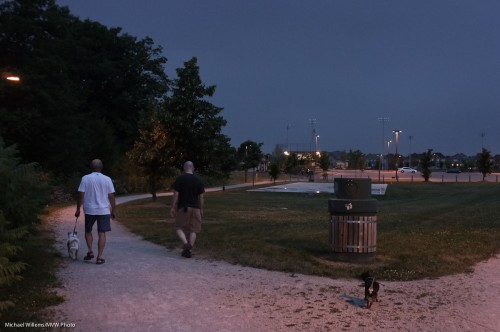
And still I go back to two points:

First, the image quality, which is really superb. I am shooting all these as JPG – and that is the first time I have shot JPG in a decade. The quality is often just about as good as the work I produce with my 1Ds MkIII and 1D Mk4. Amazing – for the first time, I actually have SLR quality out of a point-and-shoot. (And yes, if I had money for a Leica M9 I would get that too, of course. But that’s $9,000).

Second, I keep how cool a little camera is for street photography. No-one comes and asks me what I am doing. Uncle Fred does not come up to talk about aperture and lenses.

(OK, these two gentlemen in the background did rather worriedly ask “HEY! You taking our picture?” – but they took my assurance of “No, I’m taking his” (meaning Joseph’s) at face value.)

A small camera is just less threatening.


 

When you get a new camera…

…you need to learn to use it. Its instructions. Its strong points and weaker points. Its do’s and dont’s. Its quirks, even.

I am learning to use my Fuji X100:

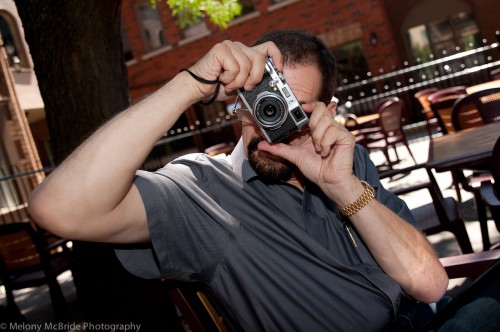
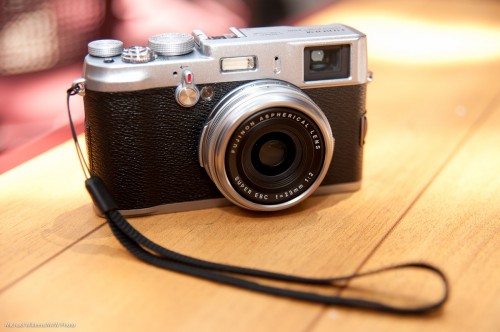
Fuji X100 (Photo: Michael Willems)

It will take me a few days of use until I fully “get” it – its instructions (cannot use the optical viewfinder for close focus); when it does not accurately focus; when exposure is off; how it displays pre- and post-shot; how best to focus (in manual, I can use the AE-L/AF-L button to focus, which I only just discovered!), and so on.

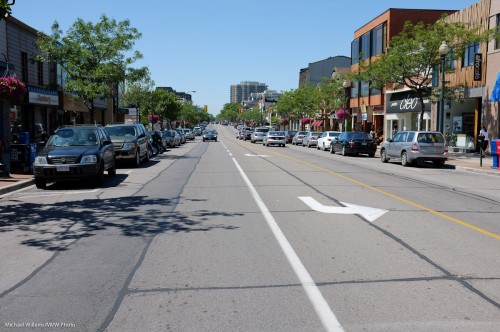
Let’s start with a few snaps taken during a nice downtown Oakville “getting to know the camera” walk today. All these were shot as JPGs, and post-editing in Lightroom was minimal – a little cropping, perhaps a slight exposure tweak, that sort of thing.

Oakville Scene (Photo: Michael Willems)

Oakville Scene (Photo: Michael Willems)

Oakville Scene (Photo: Michael Willems)

Oakville Scene (Photo: Michael Willems)

Oakville Scene (Photo: Michael Willems)

Oakville Scene (Photo: Michael Willems)

Oakville Scene (Photo: Michael Willems)

Oakville Scene (Photo: Michael Willems)

Quality is excellent. Results are good.

In using the camera today, I found a few issues I have to work on. Namely:

    1. I have to get quicker at the “switch to EVF (electronic viewfinder) if you want to focus closely” thing.
    2. Switching focus points. I switched to “let camera select focus points” half way, since I was not quick enough switching. Next time, manual focus plus the AE-L/AF-L button to pre-focus!
    3. When does the camera refuse to focus? And when does it miss, and focus on the background instead of on the object I am clearly pointing the focus spot at?  I am not 100% clear yet, so this needs a little more work too.
    4. I have to get more familiar with shutter speed limitations: at what ISO is it limited to what shutter speed? This needs to be second nature to me.
    5. Exposure is sometimes unpredictable, or at least seems so when looking pre- and past-shot. In fact looking at the results, they seem good, if somewhat hot in the highlights – forgiveable on a bright sunny day at 2pm. So maybe on a crazy bright day like today I just shoot and ignore the previews and post-views.

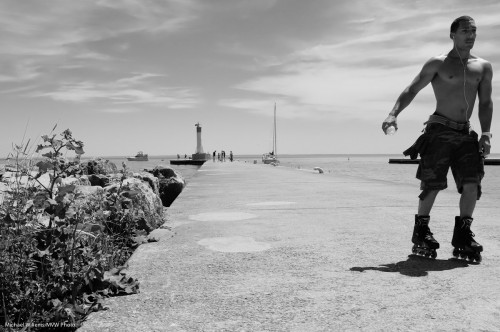
      And here is my favourite of the day, because it shows clearly what you can do with a little camera: people do not even notice you. Not even Mr Muscles here:

      Oakville Scene (Photo: Michael Willems)

      (Click and see it at large, original size to see the full effect.)

      The Degas-like composition is due less to my artistic input than to the fact that the camera was just fast enough for me to capture him before he skated out of the frame.

      The pedagogical point of this post: when you get a new piece of equipment, whether it is a camera, a set of lights, a flash, or a lens, do not be discouraged too quickly. Learn its quirks and benefits and how to best use it.