Ready.. aim (flash)… shoot!

An event shoot the other night prompts me to point out how important it is to bounce your flash into the right place.

When you shoot an event, you:

  1. Set your camera to a good starting point: Manual mode, 400 ISO, f/4.0 and 1/30th sec.
  2. Use the right lens: perhaps 35mm prime (on a full-frame camera, or 24mm prime on a crop camera).
  3. Aim your flash roughly behind you.
  4. Fire.

That gives you images like this:

You now adjust aperture, shutter and ISO according to ceiling height, available ambient light, background colour, and “how you like it”. For a neutral, normally lit background you want your in-camera meter to read roughly -2 stops when taking an average reading. So take a test shot, adjust where needed, and carry on.

Fine. But where exactly do you aim?

You aim the flash:

  1. Where you want the light to come from. Usually this means behind you.
  2. And it should throw light into your subject’s face, not onto the back of their head.
  3. This flash bounce area must be outside the image area.
  4. And it must have a nice bounce surface (not too far, not too coloured).

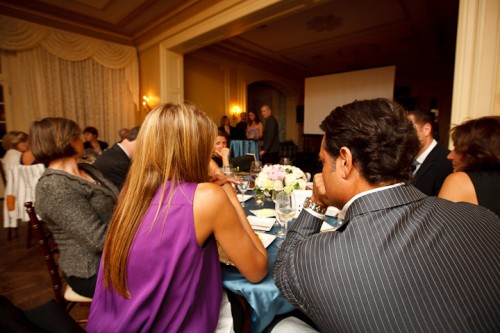
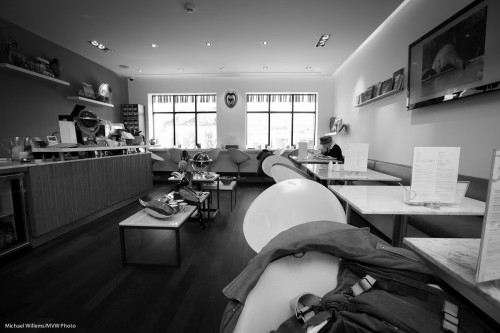
If you do not get the bounce area right, you get this, where I got it wrong (I aimed the flash too far forward):

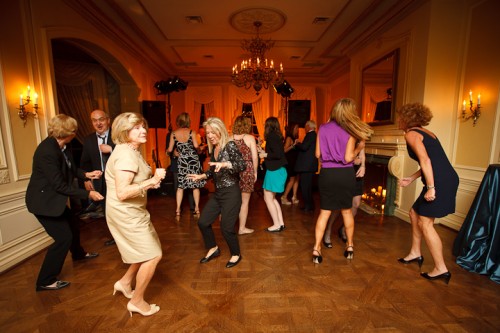
Instead of this, where I did it right (I aimed it behind me):

Because I aimed correctly, the wall behind me became a big virtual umbrella, and cast natural light throughout the room, not mainly into one area like in the previous shot.

Another couple of shots from the event:

I like warm backgrounds. That’s my style.

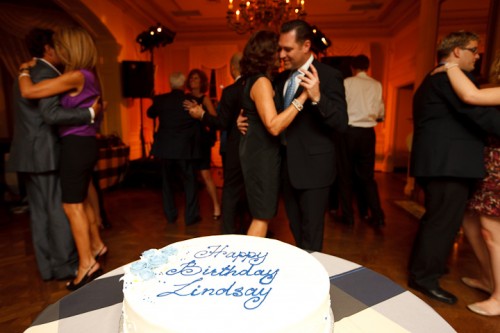
Dancing in dark rooms is hard to capture. Shoot a lot.

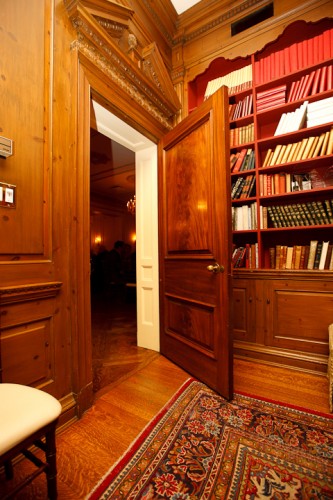
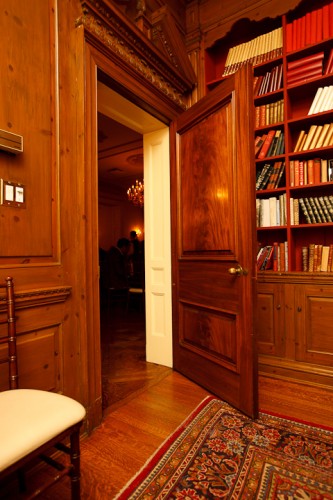
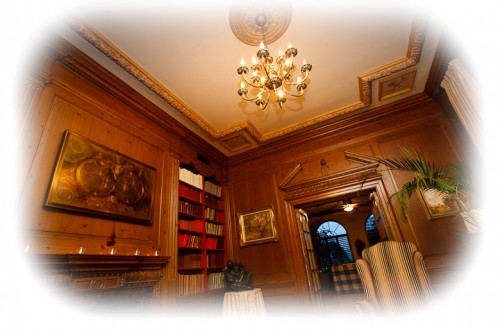
Yes – you can shoot in wood-paneled rooms too, but it can be challenging.

Want to read more? Watch out for the June/July issue of Photolife Magazine, with my article on “Flash: 20 problems, 10 solutions”. It should be in the stores any day now.


Glass problems

When I shoot, I like as little glass between me and my subject as possible. Obviously I need a lens, but as little extra glass as possible is good.

The reason is that glass can distort, and it can introduce extra flare.

  • If glass is not optically great, this will be more easily noticeable (use drug store glasses, look though airplane windows, or old windows).
  • If it interferes with filters, e.g. with a polarizer (try shooting through your car windshield with a polarizer).
  • If you shoot at an angle.

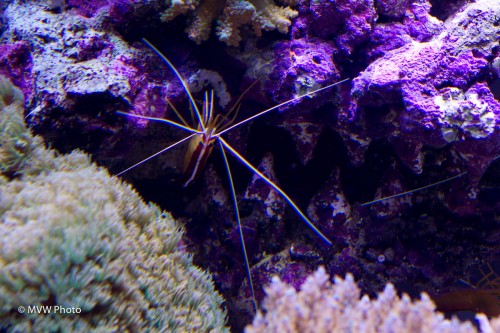
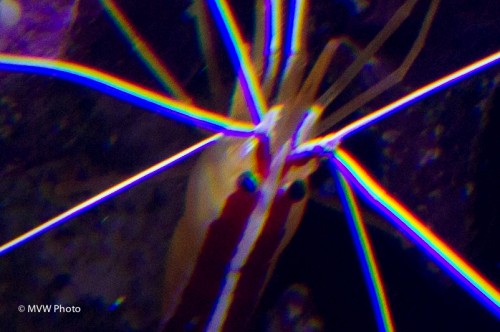
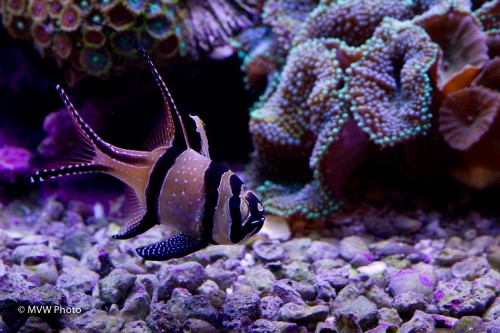
When you shoot through an aquarium, for instance, do not shoot at an angle. Because this results:

Look closely:

Ouch. We call this “chromatic aberration”.

The solution: shoot straight, and avoid wide angle lenses.

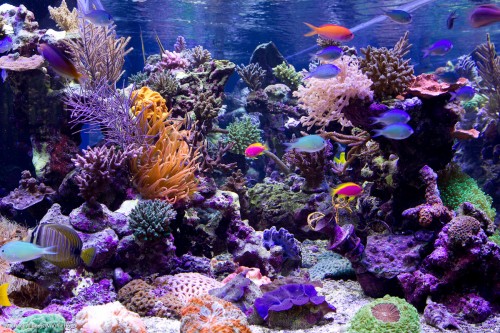
No aberration even when you look up close.

So glass can cause problems – which is why I use as little as needed. Meaning I do not use filters on my lenses except when needed. Like “Protection”, “Daylight” or “UV” filters. Yes, I have them in my bags in case it starts raining or snowing, or I am in a sandstorm or on a  beach, but unless those things are happening, I will not use them. Every little bit of clarity helps.


An underestimated mode

One mode is underestimated today – black and white.

As I have pointed out here before, black and white can make your images much more powerful by allowing the eye to concentrate on your subject – not on coloured objects.

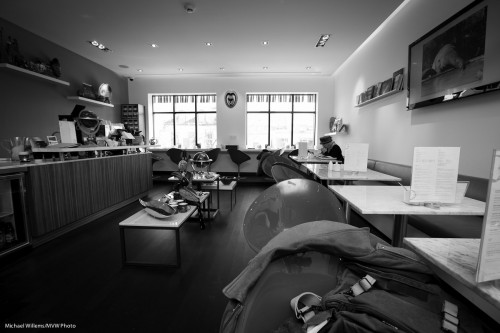
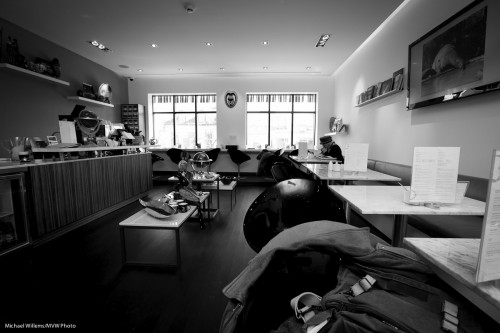
This image works better in black and white:

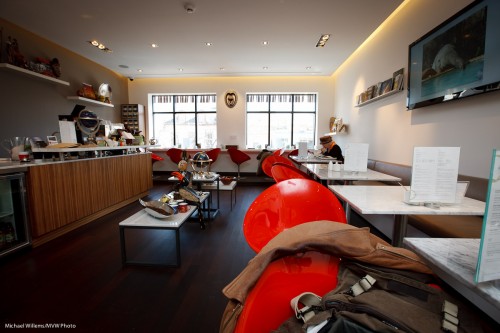
Because in colour, the red chairs draw the eye towards them instantly. You do not see the forest for the trees:

So when your subject is not the colours in your scene, consider using black and white. When colours would distract, use black and white. When you want to convey a certain mood, use black and white.

And when you use black and white, convert afterward, in Lightroom. That way you can tune the relative brightness of colours – this is like using filters in the old days.

So by using the HSL control to tweak the red colour, you can, if you wish, make it look light like this, say:

Or dark like this:

And the same goes for all other colours.

All those reasons are why if you are not yet using B&W, you should start. Shoot RAW and do the conversion later. And have fun.


Tulip Mania

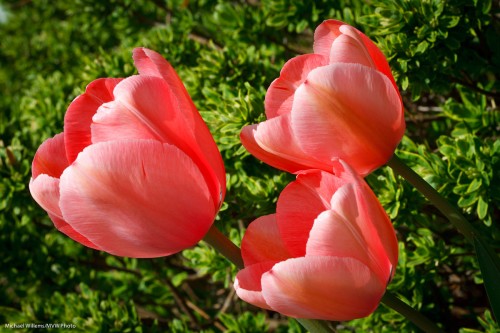
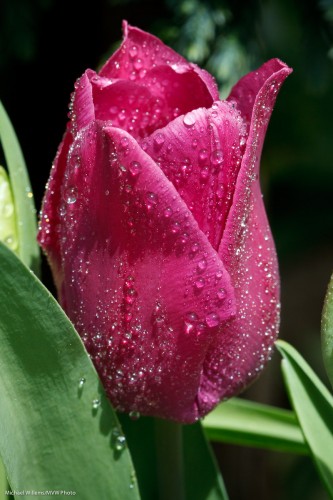
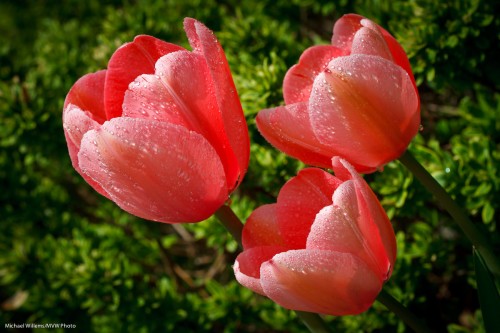
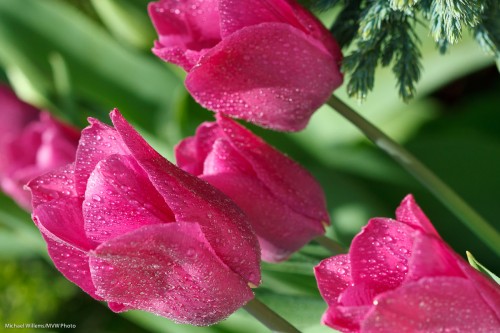
The front porch is full of tulips. Beautiful. And we will have Vancouver-type weather (i.e. rain) for the next seven days so I shot a few snaps while I could.

Tulips in the front garden

Tulips in the front garden

I used a macro lens.Handheld, which is bad. And I used the light you should never use: direct sunlight. And yet, I wanted a few pics.

So what are my strategies to deal with this? here are some of them.

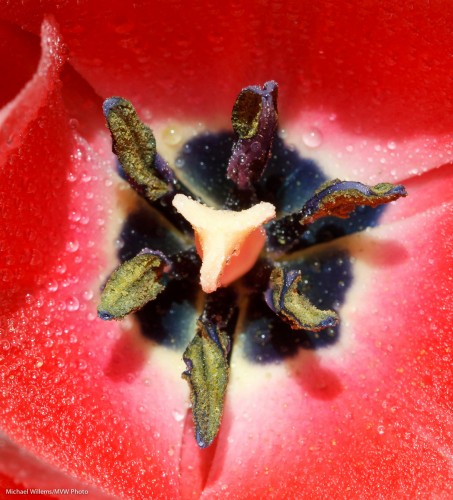
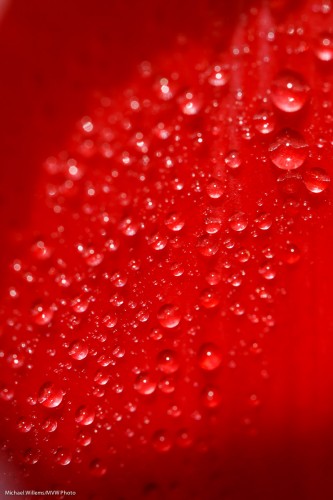
Shoot close up. Use a macro (Nikon: “Micro”) lens if you can and capture detail.

Tulips in the front garden - detail

Tulip sex organs

Select a small enough aperture. A small “F-number” like 5.6 or 4.0 will give you way too restricted depth of field. You may need to shoot at f/8, f/11 or even f/16 or sometimes beyond.

Tulip (Photo: Michael Willems)

Tulip

Watch the wind. Shield the flowers from it, or shoot when they are momentarily still.

Use a high enough ISO. That way you can get the shutter speed up to, say, 1/500th of a second, while keeping a nice small aperture.

Shoot through the flower if you can. Nice saturated colour will result, instead of washed-out overexposed colour.

Tulips in the front garden

Tulips in the front garden

Watch the backgrounds. Simple is good. Simplify, simplify, simplify.

Select contrasting colours. Red and green. Or colours that go very well together like purple and green, my favourite combo.

Tulips and background (Photo: Michael Willems)

Tulips and background

Wait for a rain shower. Gentle spring rain looks good:

Gentle Spring Rain (Photo: Michael Willems)

Gentle Spring Rain

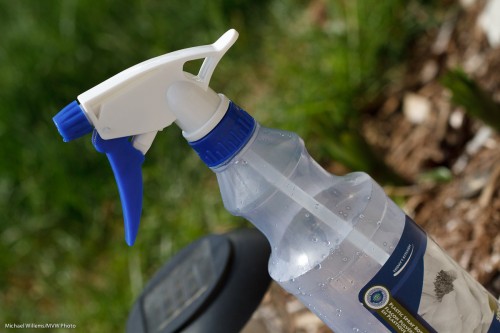
Alternately, do not wait. I have two secret words for you. Spray bottle, and water mixed with glycerine (available from any drugstore). OK, that’s six words.

Gentle Spring Rain (Photo: Michael Willems)

Gentle Spring Rain

Go on, go have some fun. Even if you live in Vancouver – sunlight bad, overcast good, for flowers.


B&W tip

Have you ever thought that a nice black and white photo was very worth looking at?

That is because in B&W we do not get distracted by colour: we see the pure image. A photo is composition + moment + light, and in some cases colour just distracts from that.

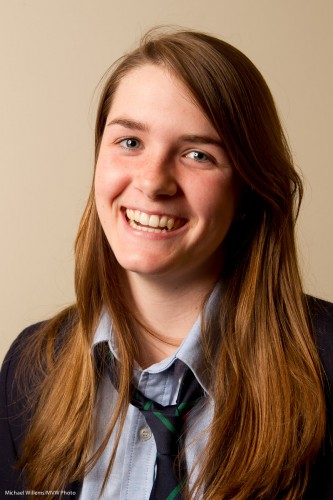
So this one-light image, from the other day, is fine:

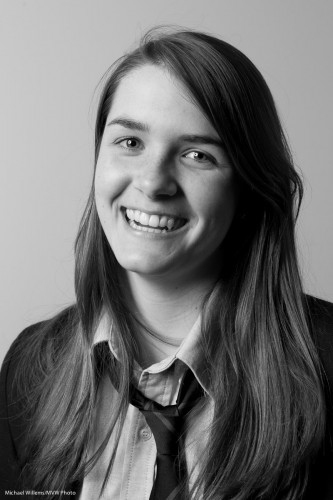
But this image is simpler, and, I think, more powerful:

Plus… there are fringe benefits. Doing a B&W conversion I can selectively increase or decrease colour channels. And by slightly, every so slightly increasing red, orange and yellow, I can:

  • Fill in shadows;
  • Make skin even smoother;
  • Increase the brightness of teeth.

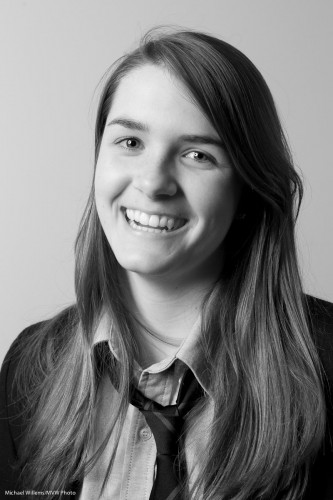
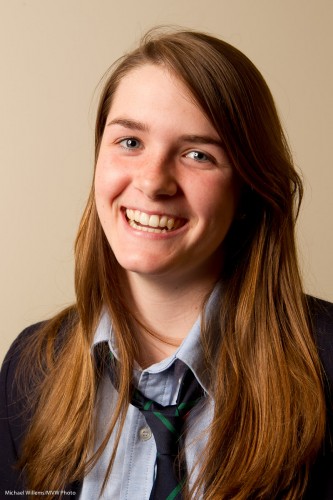
Now of course a teenager needs none of these, but you can nevertheless see this is a better image:

And this only took a few seconds in Lightroom, which has en excellent B&W conversion tool.

And we do this in Lightroom, not in the camera, because  that way:

  1. It saves time;
  2. We can change our minds;
  3. We can do a selective per-channel conversion as described above;

When you shoot B&W, do feel free to set the image style to B&W on your camera if you shoot RAW (because in that case you are still saving all colours; it is only the preview that is shown in B&W), but see that preview just as a rough idea and convert properly in Lightroom on the computer.

TIP: if you want to see where someone may develop skin issues decades from today, convert to B&W and then pull red up and pull orange down in Lightroom. You wil now see someone with any skin imperfections magnified hundreds of times. I wil not do it to this lovely young lady, but to see the effect, do it to a picture of yourself.


Event Photographers

Note to all – I can still take one more person for my small, intimate “Event Photography” course in Oakville at 10AM on Sunday. If you are interested, please let me know.

Event photography is challenging. You never have enough time, light or space. Your customer has told you the wrong time. There’s misunderstandings about what should be shot. You can’t carry all your gear. You’d love to light up the room, but you cannot. Or you shoot outside and can’t bounce your flash. Things move. But you must deliver – failure is not an option. How do you handle this? What are the success strategies that help you deliver? What gear to carry, what preparation to make? I teach you all these in an intensive four-hour course. If you are, or want to be, an event photographer, come learn how to best handle this tough type of shooting.


Simple portrait.

I taught at a local college today. A real pleasure, teaching bright young enthusiasts.

However, due to scheduling the two hour lecture turned into a barely one-hour lecture. This forced me to take some shortcuts. I taught some fast hands-on lessons. One was how to shoot indoors with a bounced on-camera flash. The other lesson was all about studio light.

“Studio? But surely, Michael, that takes a lot of time”, I hear you say.

Not necessarily.

  1. Set the cameras to 100 ISO, 1/125th second, f/8.
  2. Attach a sending Pocketwizard to the camera.
  3. Put up one strobe on a light stand.
  4. Attach a receiving Pocketwizard to it.
  5. Fire into an umbrella (I could not find a white shoot-through umbrella quickly).
  6. Set it up 45 degrees to the side of your subject, 45 degrees up.
  7. Fire and meter the light using a light meter. Adjust light until the meter reads f/8.
  8. add  a reflector on the opposite side to bounce back a little light.

What does that get me?

This:

Nice light, nice catch light. So I handed the Pocketwizards to the students,one by one. They all got similar shots.

Why did I say I would have preferred a shoot through umbrella? Here’s why:

See the flash in the umbrella? If we had shot through, no flash would have been visible.

But that’s a minor quibble. Nice portrait, took only a minute or two.


Making it seem easy.

A student wrote to me just now, about last Saturday’s workshop, “You and Joseph make it look so easy!”.

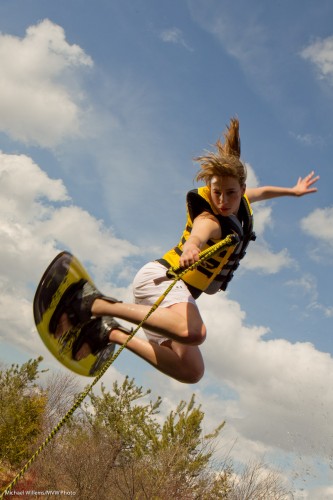
He means things like turning this well-conceived but not-very well made available light snapshot…:
…into this creatively lit art photo:
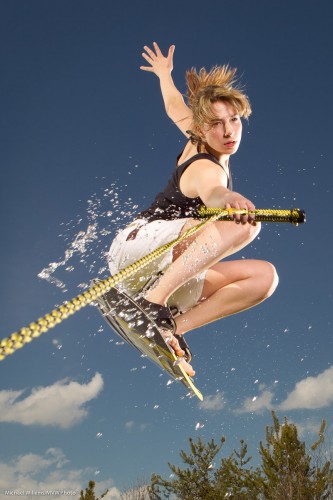
That was from the workshop last Saturday. And yes, we shot this in the camera like that – it’s not Photoshopped.

Our student is underestimating himself, and based on past performance I am sure he did great – but his point is well taken. Experience makes everything seem easy. Brain surgery, too (one day I must ask  brain surgeon).

How do you learn? My teaching uses the following methodology:

  1. You learn by understanding technical basics.
  2. Then you build on those in a step-wise manner – logical progression is key here. Build understanding, one fact at a time. Only when you “get” one fact, move on to the next level, that builds on the previous.
  3. Then you lean how these principles and technologies apply in real life: i.e. what situations they address.
  4. Then you practice. This is when you really learn. During, and after, this practice, of course you continually go back to step 1 and review the fundamentals – and it is at this point that they will all eventually click into place.

That is behind my basic teaching (“learn the camera”), and my advanced teaching, in particular the “Advanced Flash” and “Event Photography” signature courses. And it is also behind the practical workshops Joseph Marranca and I teach to small groups of students.

Sometimes this teaching can seem a bit much. So many facts to learn! But compare this to driving a car, which is also complicated. Or try riding a bicycle.

An image is the confluence of moment, subject, and light. So, the key to the shot above is:

  1. Know the technical aspects of your photography (without that, all else fails);
  2. Come up with the concept;
  3. Ensure you have equipment;
  4. Ensure you have model, setting and props;
  5. Design the right lighting – the key step in this image;
  6. Execute!

On the workshops, we do everything from step 1 to 6. The shots above are made by everything coming together. Without the idea – nothing. Without model and props – nothing. Without technical skills – nothing. Without equipment – nothing.

So how did we make that shot?

We rented a boat, and… oh wait. No lake.

So we used the following:
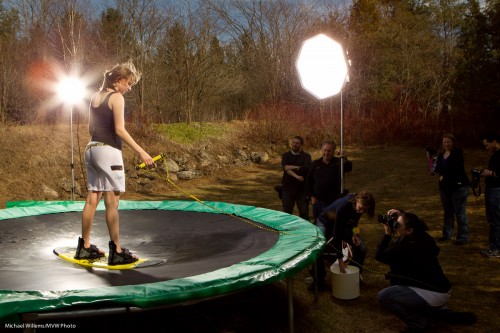
Not something you set up in ten minutes, of course. But when you do it, and it all comes together, the images are great.