Engineers

I have always been a good teacher because I am, at heart, very simple. I think intelligence means “making complex things simple” – not the other way around. Ask any consultant. The consultant who uses obfuscatory language (complicated words) is the wrong consultant. The one who explains complex things in simple words is the one you use.

And as an engineer, I think sometimes other engineers make things seem too complex.

So, an example. Somewhere deep in its menu, my Canon 1D MkIV camera has (among many other settings) four possible settings for how it achieves focus when you are shooting a burst of shots. Here’s how Canon explains it is an explanatory document (and remember this is meant to clarify!):

The Engineers’ Version…:

C.Fn III-3: (AI Servo 1st/2nd image priority) has had the optional [3: Release/Tracking priority] setting added. Shutter-release priority (rather than focus priority) is given to the first shot. During continuous shooting (from the second shot onward), stable focus-tracking of the subject is given priority. This new setting, which was the only option for AI Servo AF release/tracking priority with the original EOS-1D, EOS-1D Mark II and EOS-1D Mark II N, was conspicuously absent on the EOS-1D Mark III. Now, EOS-1D Mark IV users will have the best of both worlds together with the new improvements to AF hardware and software.

Now the detail:

(Michael’s note: Four options in the C.Fn III focus customization setup menu are explained here. Each one defines “First frame during continuous shooting/All subsequent frames in burst”.)

  • 0 AF priority/Tracking priority: Shutter is released once subject is in focus. There may be a delay when image is blurred./Focus is prioritized. Continuous shooting speed may slow down depending on amount of blur , contrast and brightness.
  • 1  AF priority/Drive speed priority: Shutter is released once subject is in focus. There may be a delay when image is blurred/Continuous shooting speed is prioritized. Continuous shooting may slow down. (depending on amount of blur , contrast and brightness) but is faster than for tracking priority.
  • 2 Release/Drive speed priority: Shutter is released even if subject is out of focus/Continuous shooting speed is prioritized. Subject tracking may not be active depending on amount of blur , contrast and brightness.
  • 3 Release/ Tracking priority: Shutter is released even if subject is out of focus/Focus is prioritized. Release timing may be delayed depending on amount of blur, contrast and brightness.

All clear? I did not think so: I have spent time deciphering this. So now let’s look at…

Michael’s Version:

The camera focus system has the following options for “burst shooting”:

  • It can either start shooting only when good focus is achieved, or it can start shooting as soon as possible, even if focus may not be perfect yet.
  • And that decision can be different for the first shot versus for all subsequent shots.

There are therefore four different setup possibilities:

  1. First shot: shoot only when focused. Subsequent shots: shoot only when focused.
  2. First shot: shoot only when focused. Subsequent shots: shoot as quickly as possible, even if focus may not yet be perfect.
  3. First shot: shoot as quickly as possible, even if focus may not yet be perfect. Subsequent shots: shoot as quickly as possible, even if focus may not yet be perfect.
  4. First shot: shoot as quickly as possible, even if focus may not yet be perfect. Subsequent shots: shoot only when focused.

Another, simpler way to explain this would be:

  1. First shot: shoot accurately. Subsequent shots: shoot accurately.
  2. First shot: shoot accurately. Subsequent shots: shoot quickly.
  3. First shot: shoot quickly. Subsequent shots: shoot quickly.
  4. First shot: shoot quickly. Subsequent shots: shoot accurately.

When do you use these modes? If “getting the shot” is more important, in developing news events, for instance, then you should probably shoot quickly. If quality is more important, and if events repeat, as in some sports, then you should shoot accurately.

The default is to always shoot accurately. We recommend that you leave it like that, unless you are shooting events where you simply must get the shot, even if it may not be quite as well focused.

——–

And you realize, that is just one of the many options and settings on the 1D MkIV camera. I would love to produce a plain English “how to”-guide, including a “recipe book” of all the recommended starting settings for various situations and sports (Canon, if you are interested, do let me know).
Checklist: Aye Aye

Back when I spent a lot of time flying airplanes, I would never have dreamt of leaving without going step by step through a detailed checklist. Much as you know, without the checklist you’ll forget that fuel tank selector once – and once is all it takes.

Photography is less critical – but not much. So I propose that you use a checklist much of the time.

This checklist depends on what you are shooting. I usually start from standard settings for snaps:

Focus:

  1. Lens (and camera if it has a setting) on AUTO
  2. Select one focus point
  3. Mode: One-Shot/AF-S

Exposure:

  1. Mode: Aperture, set to f/5.6
  2. ISO: 200 outdoors, 400 indoors and 800 in difficult light
  3. Exposure Compensation: Off (Zero)
  4. Flash compensation: Off (Zero)
  5. Meter: Evaluative/Matrix (“Smart”)

Other:

  1. White balance: Auto
  2. Shutter release: Single

Then I vary from there.

For indoors flash pictures, for instance, it would be as above, except:

  1. Mode: Manual
  2. ISO: 400
  3. Aperture: f/5.6
  4. Shutter: 1/30th second
  5. Flash: On, pointed 45 degrees behind me

You can make your own, and I encourage you to. One of my flight instructors once told me: every item on the checklist is there because that feature has killed several people. And for photography, every item is there because it has ruined someone’s wedding pictures.

Lightroom post note

So you have a nice image – now you need some post-production work done, since the image out of camera may well need a little bit of need cropping and other adjustments. But you want to do these adjustments quickly and well.

What adjustments? Well, let’s take this example out of the camera. I shall show you how I do one.

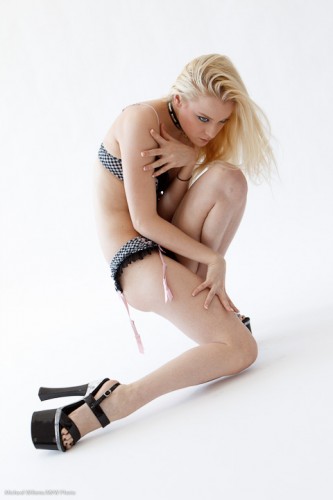
Here, an image from last Sunday’s workshop. Model Kassandra lit using available light, and using a paper backdrop. First I crop, and then here is the image:

I am after a high-key look to make her eyes stand out. But it is a little dark, because the model was pointed the wrong way (available light comes from a direction, in this case the camera’s left side), and because my camera told me the wrong exposure (yes, I should have probably done this in the camera, but even when you do, the RAW file can turn out different from the camera’s histogram).

So using the histogram to guide me, I dragged the white area to the far right. And here it is, with exposure corrected (up half a stop):

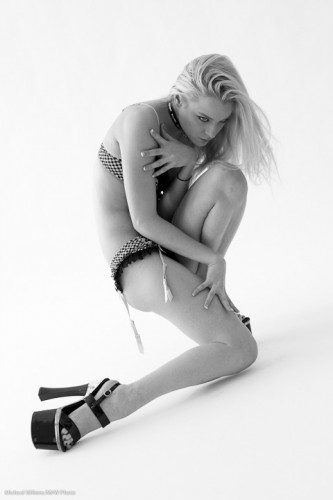
Now the next adjustment: using the HSL/Color/B&W tool, click on B&W to make it black and white. (Important tip: ensure you set white balance correctly before you do this).

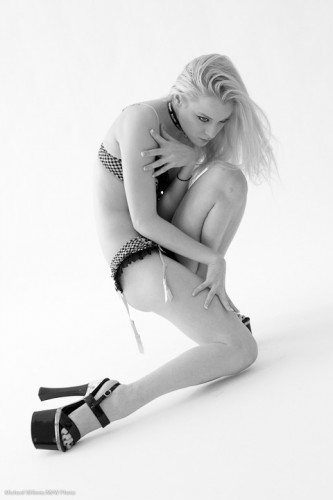
Mmm. That is “vanilla” black and white. But now the trick. Go into the B&W adjustment in Lightroom, and drag the luminance of orange and red (but mainly orange) up to, say, +20 or more (in my case here: +39, and red to +20). This gives clearer, smoother skin:

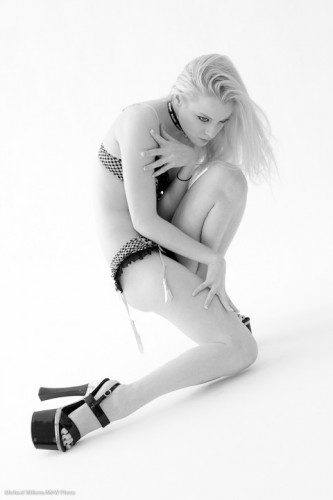
Now use the healing tool to cleak a few skin blemishes on the model’s left knee (and I turned up the exposure just tad more):

And there we have it, in a few seconds, an image that was a bit dark has been made into a great black and white image.

Softly softly.

In keeping with yesterday’s post, one more post on lighting humans, and why a”softly softly” approach is good especially in glamour and art nudes photography.

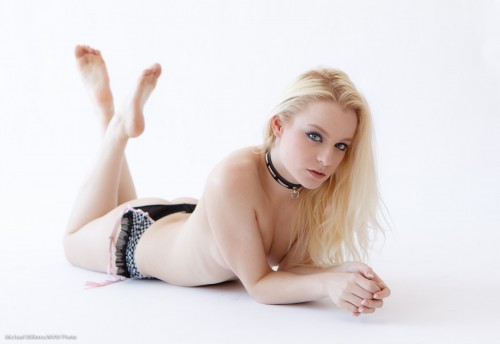
In Sunday’s “The Art of Photographing Nudes” workshop, we shot a lot of the images using available light. Images like this:

Model Kassandra relaxing

In a shot like this, you take a “soft” approach in various ways.

  • You use soft light, especially when shooting females. Available daylight from a north-facing window is good. That is what we used here.
  • You also use bright light, Bright, high-key light makes skin softer and smoother. Everyone likes that.
  • You take an easy approach with the model. Calm, take your time, do not rush and do not over-direct. If a model has an idea of her poses, some light instruction is all you will want to do. Else, the shoot will be less relaxed and your images will suffer.
  • You go easy on explicitness. Keeping things hidden is often a way to make a picture more interesting and more alluring.
  • You go easy on complexity: keep it simple. In nudes especially, the emphasis is on the human body, not on the backgrounds. I like using very simple backgrounds for much work, like the image above.

Those simple tips will help you get the most out of any portrait session. In our next workshop on this subject (which we will do in the next few months, probably in March) we shall do more.

Warning: bodies here

Today marked the first “The Art of Photographing Nudes” workshop that Joseph Marranca and I held in Mono, Ontario for photo enthusiasts.

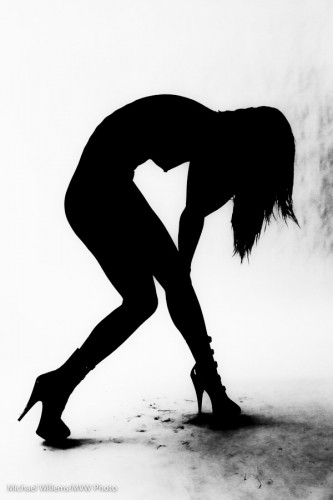
Kassandra, grunge James Bond nude silhouette

In this workshop, students learned about such things as:

  • Background of the nude photograph
  • Types of nude shots
  • Challenges
  • Equipment/technical
  • Model: interaction, finding, putting at ease
  • Men vs Women
  • Light: how to keep it simple
  • Colour vs Black and White
  • Composition
  • Do’s and Dont’s

Many practical tips made this a very useful way to spend a Sunday, and everyone went back with lots of shots.

When you have a great model like Kassandra, your task shifts slightly from directing every shot to “setting up the shot, then taking lots of images, then selecting the ones you like best”.

We shall be holding another one in March – let me know if you think you might want to be one of the students. Two expert photographer instructors, one cook (thanks Michelle) and no more than ten students at the most.

After the click, another few shots.

Warning: those of you that are offended by the sight of the human body (I am sorry if in 2011 you are: we all have one – and  if you want to be a photographer you had better get used to that fact!) – that there will be unclothed human bodies after you click here:

Continue reading

Snow Tips

Snow. The many inches I got here in the last day or two prompt me to write you a quick post about snow pictures. And how to take them safely.

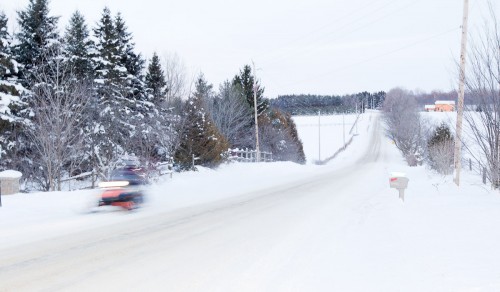
Pics like this:

Snow scene outside the driveway

The things to keep in mind are:

  • Exposure: expose to make the snow bright. If you are using a semi-automatic mode (like A/Av) or an automatic mode like P, you will need to use exposure compensation: usually +1 to +2 stops. Use the histogram to verify.
  • White balance. On a sunny day, snow is blue. Setting your white balance to “daylight” minimizes this problem.
  • Camera safety. When going back inside to where it is warm, your camera will mist up. To avoid this, wrap it inside a tightly closed ziplock or ordinary plastic bag, and let it warm up in there. No condensation!
  • Flare. Use a lens hood to avoid flare.
  • Lens safety. if it is snowing, use a filter on the lens to avoid water getting in.
  • Battery. Carry a spare, because your camera’s battery will not last all that long if it is cold. Put a warm spare in and warm up the cold battery, and you will be fine.

Simple tips that make the difference between missed opportunities and nice pictures.

And yes that is a snowmobile in the picture. Ontario. Snow. Cold.

Building the shot

…and the excitement, takes time.

So let me talk you to a shot I took today while explaining flash techniques. Talking you through my process will help you come up with a process of your own.

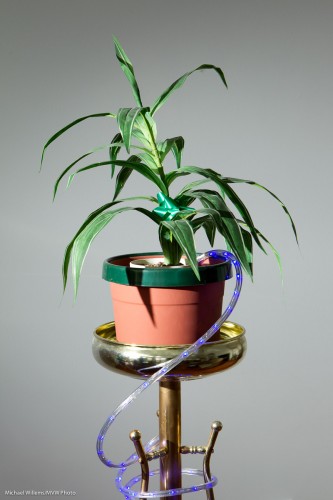
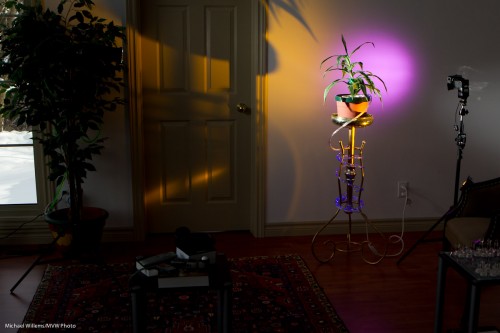
First, I decide what to use. Okay, small speedlights, but on manual, and used like studio lights.

Studio light means the available light does not work. So I set my camera to settings that ensure that – 200 ISO, f/8, 1/200th second. And before Ido anything else, I ensure that those settings give me a dark picture:

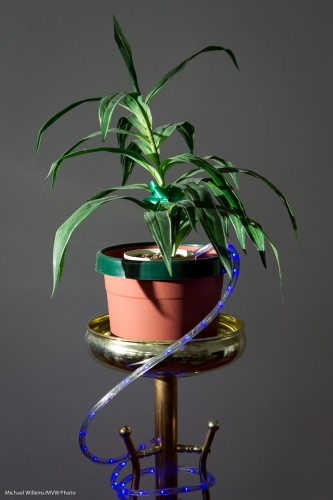
Then I add a flash. One bare flash on our left, once I set it to the right power level (half power, a power level that my light meter told me would result in f/8 at 200 ISO on the camera) gives me this:

Yeah, fine, but too much light on the background.

So now I add a Honl Photo snoot to the flash (a 430EX in manual mode, fired by a Pocket Wizard and fitted with a Speedstrap to attach snoots etc). That avoids spilling as much light on the background.

Now I get:

Niice. But now I think… Okay, can I add some excitement? Maybe some colour in a Hollywood spotlight.

So I think – what goes with green? Purple. Purple and green is a great combination which you will find in nature all over.

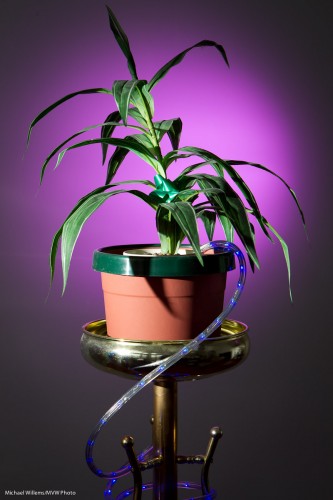
So I equip another flash (anotyher 430EX) with a Honl 1/4″ grid and on that grid, a purple gel. That gives me:

Nice, no? But now I am all into excitement, so I want to add more. And I also think the right side is a little dark. Okay.. “Excitement ‘R” Us”, I think: Honl’s Egg Yolk Yellow gel is my favourite since it gives a great saturated light.

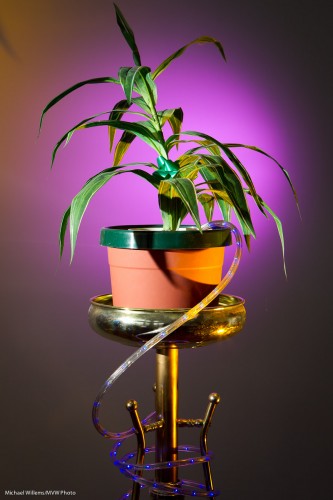
So I add a third flash (also a 430EX and also with a Honl grid and the yellow gel) – like this:

So now I have this:

I could go on from there – you see how this works?

Important Note: David Honl is joining me in a special workshop in Toronto on Saturday March 19 – keep that date open, it’ll be fun. Dave and I have taught workshops together in Phoenix and Las Vegas, and the Toronto one will once again be fun. “Shooting Events” and “Creative Light” will be the themes. See you there!

The horror.. the horror…

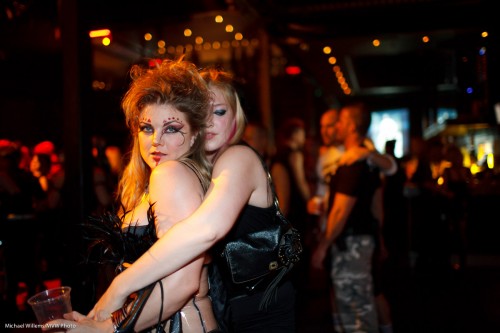
…of walking into a venue where you have to shoot, only to discover that the ceiling is about 1,000 ft high and the walls are black, and there is zero light.

1600 ISO, 1/30th second, f/1.4

My strategy?

In this order, I:

  1. Reduce Shutter to what I am comfortable with.
  2. Open Aperture to what I am comfortable with.
  3. Increase ISO as much as needed.

That is how I got to those values above. Using, of course, my prime 35mm f/1.4 lens. I reduced the shutter to 1/30th, which is as low as I want to go with a 35mm lens if I can help it. Then I went to f/1.4: wide open (focus carefully!). Then I raised ISO until I got light into the background. Phew!

Learning opportunity! Stay tuned for an exciting new “Events Photography” course – details soon. And there are also still spots on “The Art of Nude Photography”, Sunday January 16, 2011 (See yesterday’s post).

Course for past students only

Joseph Marranca and I are planning a number of new workshops. One is an all-day workshop in Mono, Ont. on January 16.

This is a course for past students only. It is about a slightly more advanced subject than the technical courses. About a subject that has kept artists busy for centuries. Namely, “The Art of Nude Photography”.

Throughout history, artists have pictured the human form. Nudes are always timeless when tastefully done, especially in black and white, using natural light or simulated natural light.

It is easy to photograph a nude model but it is difficult to do it with taste and meaning. Using a professional model, Joseph and I will teach you how to light, how to interact with your model, and how to produce art that takes a fresh look at a subject that will always remain interesting.

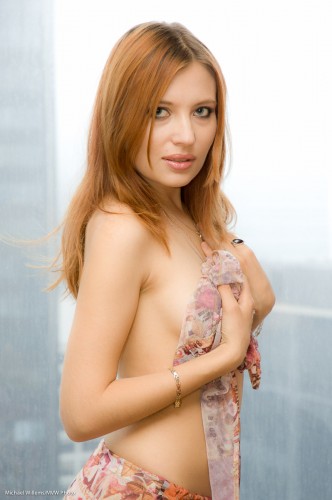
Model Katrina modest

Let me give you a few tips for nudes – a teenie tiny excerpt from the course:

  • You will often want to shoot implied rather than explicit.
  • Use soft light for females – back light is great for round shapes.
  • Hard light is better for males.
  • Keep it simple. Props if appropriate, but as a general rule, nudes are about the nudes, not about the rest!
  • Consider using available light.
  • High-key lighting is more flattering than low-key lighting, especially for females.

A slightly more revealing photo after the click:

Continue reading