More from Sunday

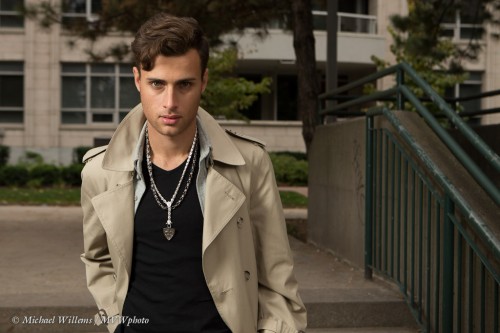
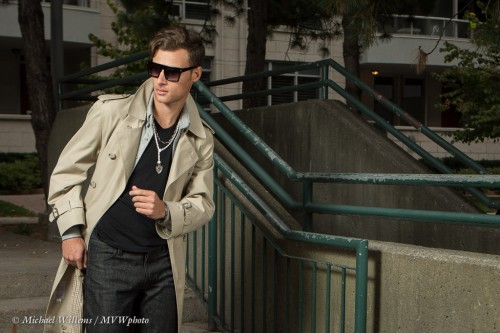
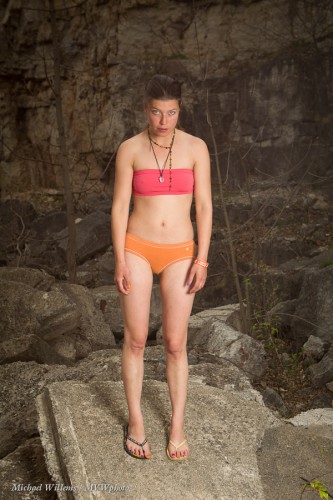
From Sunday’s shoot, here is another shot:

The scene was to be urban, so after we walked into the park I settled quickly on the concrete wall and stairs. Stairs are good; concrete is good; leading lines are good.

Now, a shot like this needs the same care and attention as the previously discussed shots. The same people – jewellery people, hair stylist, make-up artist, wardrobe people, model, assistant, and so on.

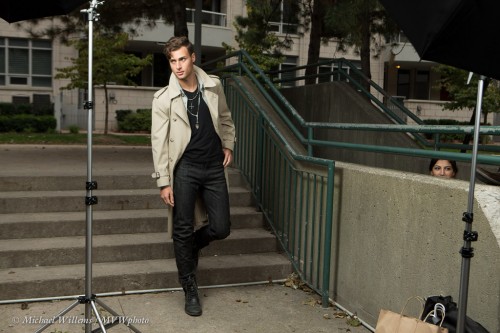
It was cold – very cold. So, fortunately, a shot like this can be done with relatively simple equipment. You can see some of it here:

Two umbrellas with speedlights, driven by one speedlight on my camera.

Of course that means line-of-sight is necessary (unless you can afford all radio-driven flashes). This needs some athletic moves on the part of the photographers.

Also, if you are using umbrellas, use sandbags or get someone to hold on to them: they will be blown over constantly.

The light, you say? Why flash outside?

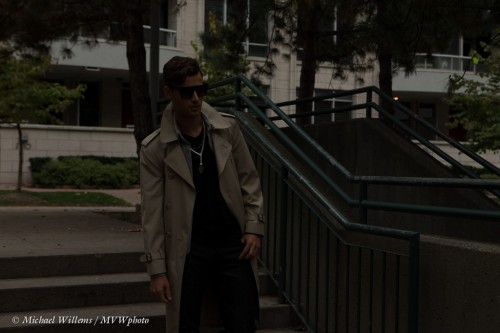
Here’s why. I want the background darker. The camera is on manual, of course: I used 200 ISO, 1/125th second. f/5.0. Look what happened when the flash did not fire:

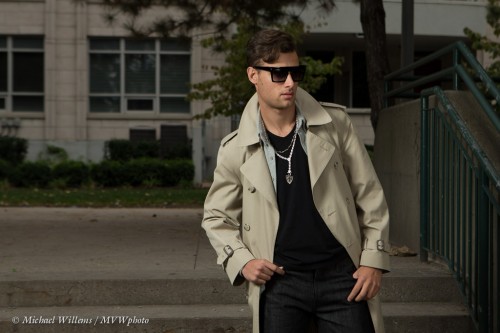
Nice – for the background. And with flash that becomes:

So my subject is now the “bright pixels”. Remember Willems’s Dictum: Bright Pixels are Sharp Pixels. I lit with two flashes: one from the left at higher power, and one on our right at lower power (to get modelling in the face).

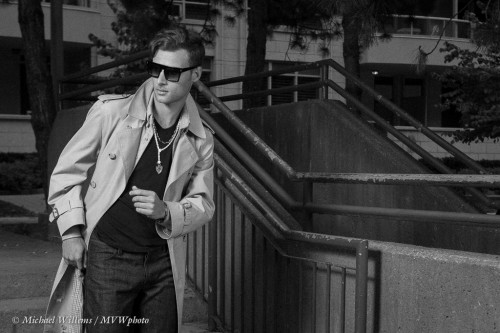
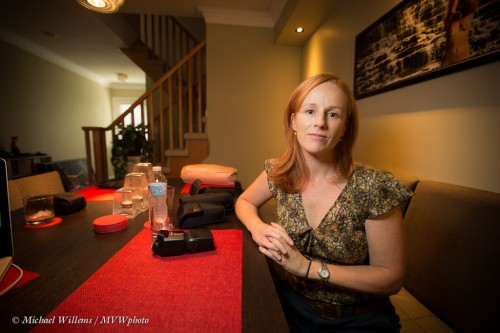
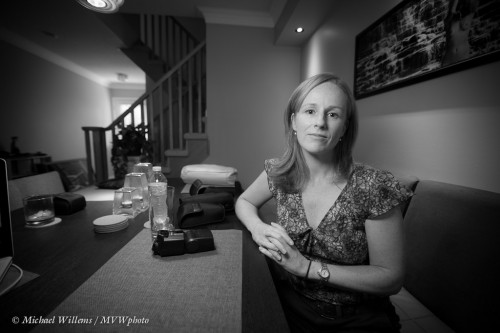
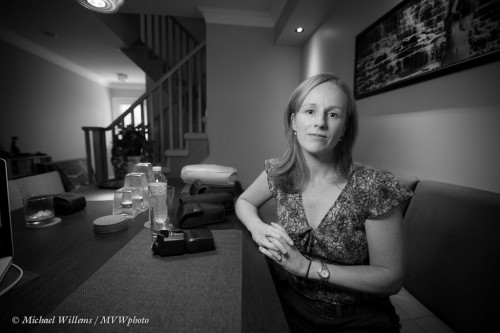
I like colour for these, but a black and white version with grain added can also work well. Compare these two versions:

Which one do you prefer?

The lesson here? Light is good. Speedlights rock. And photos take some thought. The final click is just the culmination of experience, people, preparation and thought.

And the good news: there is virtually no post work on these pictures. If you prepare well, you can often get results in the camera, not on the computer.


About A Shoot

Often, people who do not know photography think it is simple. Just press the button.

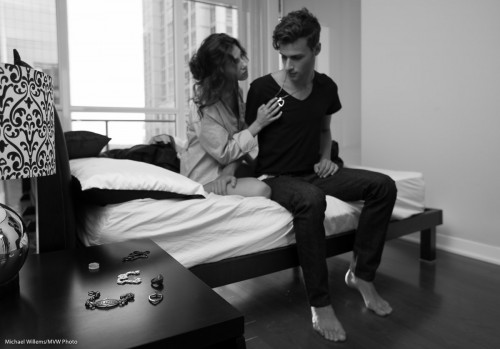
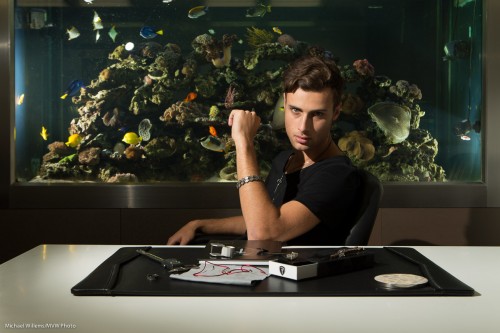
Alas, not so. Yesterday, I did a lifestyle/male jewellery shoot:

Not so. I didn’t – not alone. I was helped by another excellent photographer, my colleague and friend Kristof, but also by, among others:

  • Business owner and stand-in creative director.
  • His assistant
  • Male model
  • Female model
  • Clothing providers and coordinators (3)
  • Jewellery coordinator
  • Make-Up Artist
  • Hair Stylist
  • General assistant

In all, about 15 people were involved. And we took about eight hours to get what amounts to something like eight shots at three locations. Make-up and clothing can easily take as long as the shooting. And this was an awesome shoot: fun, and everyone worked exceedingly well together. Not always the case: here, it easily was.

As for the work: that is a lot – but it is not all. Those chosen shots are then finished meticulously. The post work takes as long as the shoot. Cropping, fixing, simplifying, adjusting perspective – all this takes time.

In technical terms of course it is not just the camera. It is the camera and lenses and lights – two off-camera speedlights in the shot above, and four, fitted with modifiers such as snoots and grids, in this shot:

So while the final click may only take 1/200th second, the preparing, packing, carrying many things from site to site, setting up, make-up, clothing, coordination, creative, post work, logistics, and so on take much work from many people. That is why photography takes time and costs money.

For these shots I used off-camera flash; manual flash with Pocketwizards for the first shot above. and TTL flash for the second shot. The camera was in manual. In the first shot, to give pretty good exposure – almost enough – using ambient; in the second, to give a totally dark room.


Welcome to new readers

Welcome to all my new readers. As you will see here, I am a Toronto-based full time photographer and teacher of photography – I teach my signature “Advanced Flash” and “Event Photography” seminars and courses worldwide and I do private coaching as well.

This site is free. All I ask is that you tell all your friends. I write an article here every day (yes, I must be a masochist) with a photography tip, a technique explained, or a technology clarified. Often about speedlighting -flash rocks once you know intimately how it works – but can be about everything. Aimed at every level from beginners to pros.

Speedlighting is my forte, and has been for years; but I engage in every type of photography. I shoot everything from news to art nudes to weddings to family pictures to food and product to corporate headshots. That keeps me as fresh as an amateur. “Amateur” is not a bad word by the way – it means someone who loves something. Amateurs have the best of all worlds in that there is no pressure and they can shoot what they like. As a photographer, I always try the same: to shoot what I like, and to keep it varied.

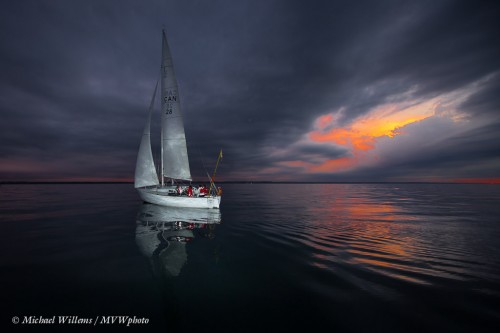
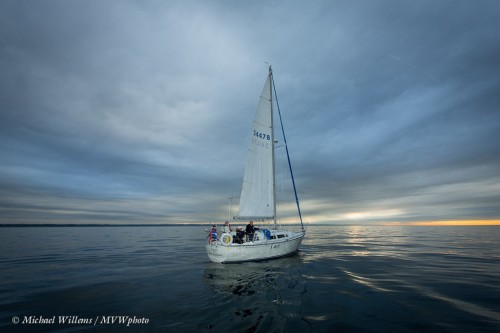
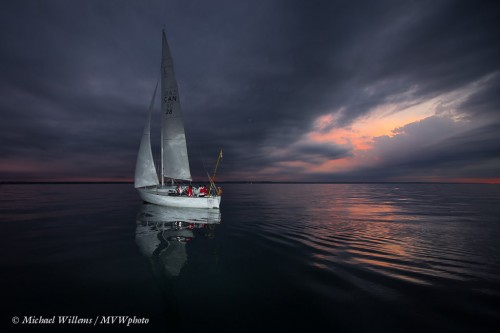
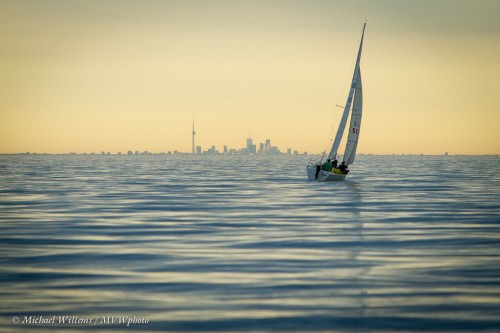
So today, then, a quick word or two about my recent Lake Ontario sailing pictures. Shot during the last three Wednesdays.

Pictures like this one:
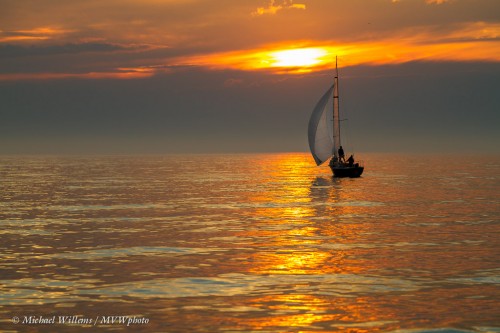
That used – unusually for me – a long (70-200mm) lens. And on a 1.6 crop camera, to make it 110-320mm.

Why? For two reasons:

  1. The obvious: boats can be far!l
  2. The less obvious: lake sunsets are often small, and the long lens ensures that I get “all of it”.
  3. The reflections are essential-  they too would be too small without the long lens.

Key is to keep the exposure time fast enough, even with a stabilized lens. Boats move!

Of course sometimes the sunset throws its light wider – then, the 16-35mm lens is called for:
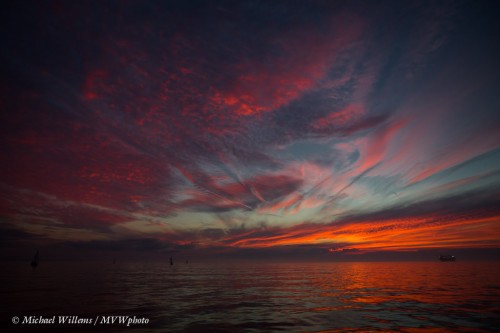
Now it’s not about the barely-visible boats, but all about the sky and reflection.

The key element in this image? Time. I had literally two minutes to capture that sky before it turned dull again. I was using two cameras: there was insufficient time for lens changes – plus, who wants to change lenses on the water?

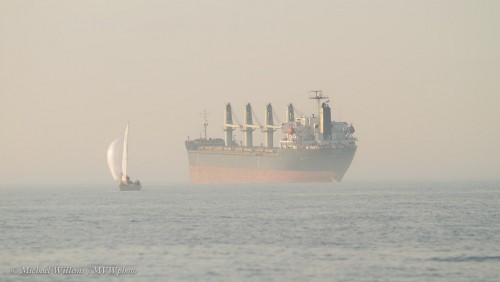
Fog is always good. Not every picture needs to be high contrast:
For crew pictures on a sail boat, a super wide lens is a must. The 16-35mm (on the full-frame 1Dx again) gives me this:
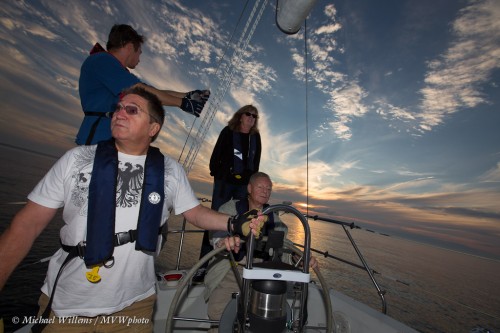
I tilted phe picture to give it a dynamic look, as well as to get everyone in. And you see the fill flash, of course? My flash is always on the camera when shooting, and is often used.

Do not forget to use the flash wide angle adapter when using the 16mm lens (that is the clear flap that pulls out of the front of the flash. As readers here know, that is not a “softening adapter” – it is merely a wide angle adapter!)

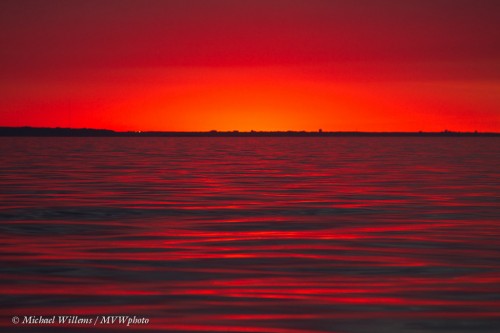
Going back to sunsets: sometimes, for a minute or so, they get spectacular like this:
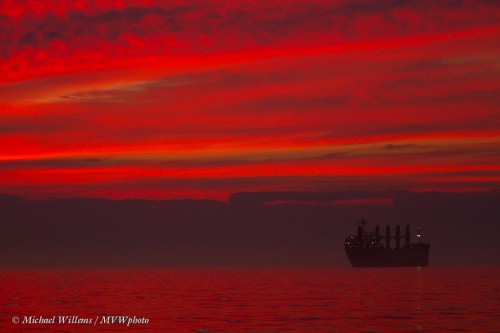
Important in that image is the long lens and good exposure. Making the image too bright makes it less saturated.

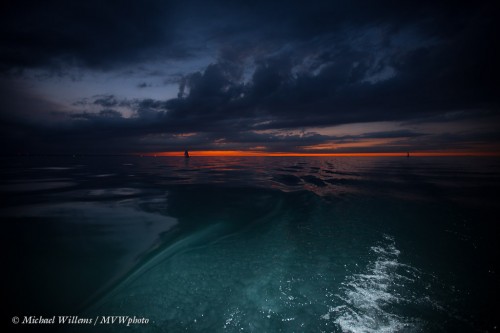
With a wide lens, skies and lakes can be great even when not lit up in red: the super wide lens (16mm on the full-frame camera) makes this all about the shape; the world bending in, wrapping around the centre.
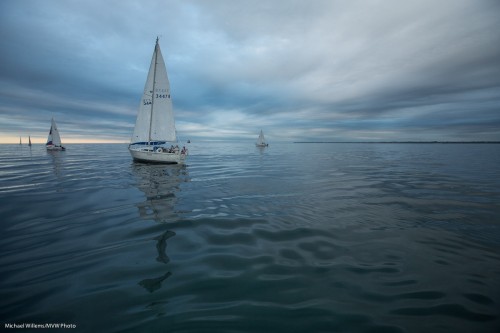
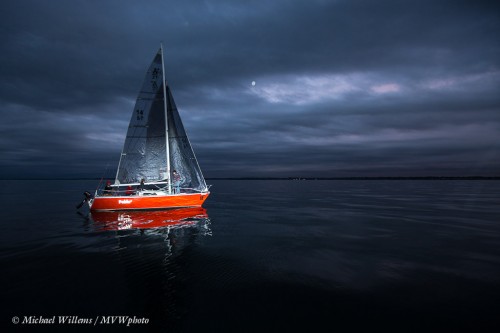
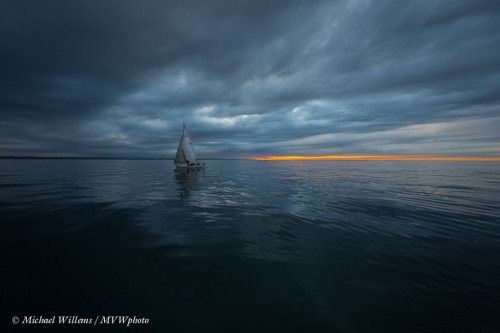
Finally, one more to show the effect of flash.
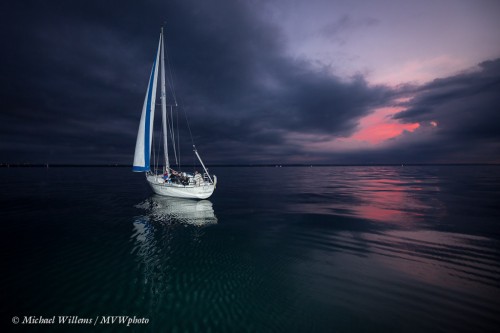
With tow notes:

  1. I exposed for a dark background.
  2. I then used the flash (a 600EX) to light the boat.
  3. I zoomed the flash in manually to 100mm to get the range I needed – if the flash had been sending its light as wide as the lens was looking (ca 24mm), most of its light would have been wasted and not enough would have been left to light the boat, even at f/4.0 at 400 ISO.
  4. I turned the flash slightly to the left, since my subject is not in the centre!

Now go enjoy sunsets and lakes while you can – on the Northern Hemisphere there’s little time left.

 

You can do this too.

Here’s a quick portrait of Ivan, the manager of Mississauga’s Vistek store.

Took about… oh, all of one minute.

Here’s how.

  1. Set camera to manual exposure.
  2. Select values for Aperture, ISO and Shutter Speed that will make the room go dark. Here, that was 1/160th sec, f/8 at 100 ISO.
  3. Put a flash on the camera in MASTER mode (a Canon 600EX here, set to using light, not radio, as a master). (You can use the popup flash on a Nikon or on modern Canons like the 7D, 60D, etc.)
  4. Make sure that this master flash will not fire during the shot – it fires only commands (“morse code”) to slave flashes, prior to the shot. Set this on your flash or camera.
  5. Hold a slave flash (in my case a 430EX in slave mode) in your left hand.
  6. Ensure that this flash in in TTL slave mode on the same channel as your master flash.
  7. If the room is very small, put a grid (eg a Honl Photo 1/4″ grid) on the slave flash.
  8. Aim that flash directly at the subject (really).
  9. Focus, recompose
  10. Shoot!

It really was as quick as that. When you learn good technique, you too can be quick with creative shots like this.


About that portrait

Several of you asked “How do you take a portrait such as the one you posted yesterday? Looks like you’ve photoshopped her in.

You mean this one:

And nope, no photoshopping or Lightrooming done at all.

Here in a nutshell is my technique. I have mentioned these things before but they bear repeating, often:

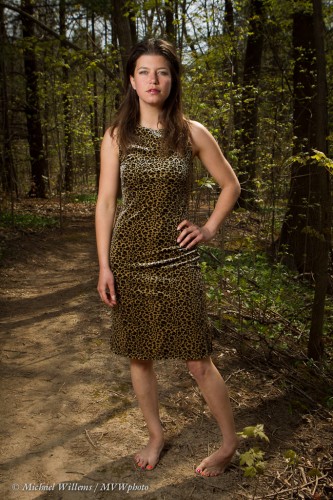
  1. I set my camera to manual exposure.
  2. I select a low ISO – 100 ISO in this case.
  3. Next, I select a location where the sun, coming in from behind, provides a hair/rim light for the model.
  4. Now, I will want to darken the background, in order to (a) get saturated colours and (b) make my subject “the bright pixels”.
  5. I am looking for perhaps -2 stops on the meter (evaluative metering, wide angle) in this shot.
  6. To achieve this, first I go to my flash sync speed, in this case 1/250th second. That way I am not stealing my flash power.
  7. I then do further darkening with aperture. This photo needed f/5.6. Perfect.
  8. I now set up my umbrella. On the left in this case.

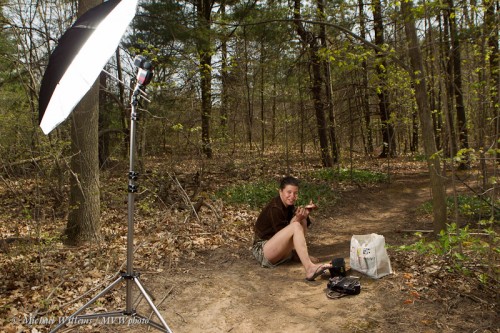
That looks like this:

An umbrella with an off-camera speedlight. A small one: a Canon 430EX.

I now meter the flash – or I use TTL. Depends on how much time I have. TTL is much faster and very convenient,. but can be tricky in terms of consistency. In my courses I teach you all about it.

I position the umbrella 45 degrees of centre and 45 degrees up.

And I shoot.

And I’m done.

___

Everyone can learn to do this! Of course there’s a lot of subtlety here (like, why go to the synch speed first, exactly?), and in my flash courses, I teach you all you need to know to do this. Contact me to learn more.


Easy Vignette

We often like vignettes in our pictures – meaning, the outside is darker so that the subject, closer to the centre, stands out more. Gives your pictures that professional “wow” feeling.

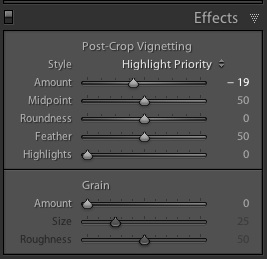
You can do that in post-production, of course, by using Lightroom’s “Post-Crop Vignetting” function:

Your best strategy is to decrease the “amount” setting by a small amount, say minus 15-20. Any more and it often becomes obvious.

There are of course ways to actually shoot with vignettes. I prefer to do that when possible.

One is to use a fast lens, normal to wide angle, and to shoot with it wide open. Like my 16-35 lens:

That often introduces a bit of a vignette: stopped down, lenses behave “better”. So if you want a vignette, “wide open” gives you that not as a problem but as a benefit. And you still get depth of field when wide open with an ultra-wide lens.

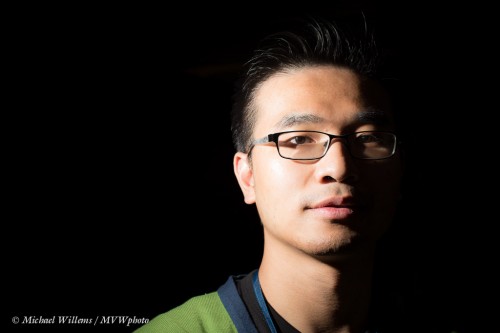
Another way is to light selectively. I did that in the above picture also. You can use an off-camera flash (and I often do!), but in this case I used on-camera flash. My lens zoom angle was wide, but instead of letting my flash automatically also zoom to “wide”, I manually set the flash zoom to 135mm. That means the flash’s light only lights up the centre (or where you point the flash head).

Another benefit of this technique: the flash has much more power now, going forward. And you are often going to be fighting at the limit of what power you have, so this is not a bad idea.

Last note: Some flashes (like the 600EX) also have a mode to always send the flash light to a slightly wider or narrower area than the lens covers. I use narrower, to give me some natural vignetting. Check out this function on your high-end flash!


A-sailing….

The Dutch are a seafaring nation and I spent many days sailing, as a kid.

The last few weeks I have been lucky enough to go sailing with some very nice new friends. I am going to share a few of the photos I made last night.

First, for shots in the boat, and for shots showing “wide” landscapes use a wide angle lens. You get that “world wrapped around your subject” feeling, as in this shot of Lucy:

Can you see in the image above that The Speedlighter Strikes Again? if not, here is an even more clear example: I made the boat stand out like an almost ghostly apparition:

For that, I exposed the background dark, and use my flash, zoomed manually to 135mm, to light the boat.

I also made sure I got enough setting sun:

As well as background objects of interest:

And the sunset itself. Sailing is great for photography becuase there is no foreground clutter!

The skies were cloudy. I love clouds with wide angles.

And as you saw in picture three, I also like the long view. Here’s Toronto again:

Lessons from the shott:

Hope for interesting skies. Expose the background well. I used manual mode for everything. Light up close objects with flash. Use wide angles but also bring a long telephoto lens.

I’ll share one more:

Tropics? Nope, Lake Ontario. Speedlighting rocks.


Photography is drawing with….

…light!

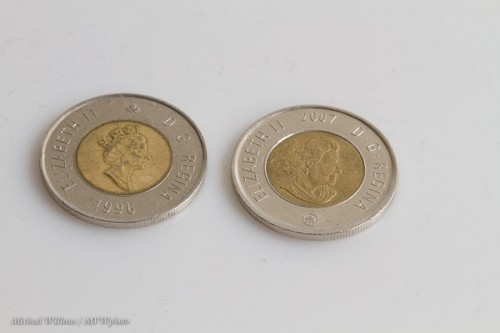
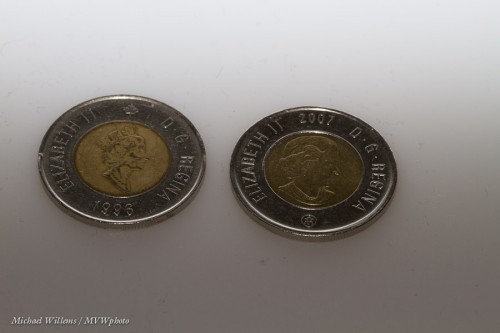
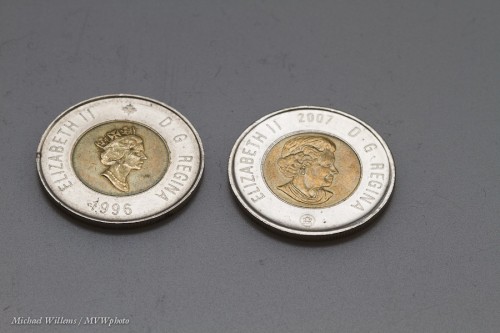
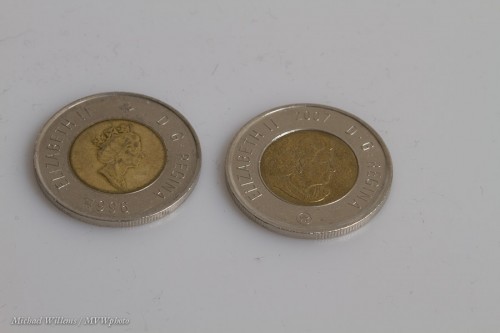
And to once again explain how important this is, let me show you a few images of two toonies ($2 coins). All I changed between them was the direction of the light.

Neutral:

Aimed behind:

Backlit:

Dull:

As you see, a small change in the nature or direction of the light makes a huge difference.

And the same is true in any photo ytou make. So always ask yourself: where is the light coming from? How is it hitting my subject? How contrasty is it? What colour is it? And so on.

I bet that just asking that question will make your photos better.


Portrait lesson

A quick portrait lesson today.

Here’s student and photographer Emma, in a coaching session on Friday:

For this photo I used a 16-35mm lens, set to 16mm. On my full-frame Canon 1Dx camera, that is a proper wide angle lens – like a 10mm lens on your 5D, 60D, Rebel, D90, or similar.

So first, let’s put paid to the adage that “you cannot make portraits with a wide angle lens”. Yes you can: environmental portraits, where you do not fill the frame with the subject. Distance between subject and photographer is the only important thing, not lens angle. A wide lens gives you that wonderful “wrap around” effect that we love in this type of portrait – the subject in, and as part of, her environment, rather than as a standalone object.

So that out of the way, what about camera settings?

I used the Willems 400-40-4 rule for indoors flash. Since our indoors environments are often roughly the same brightness, a manual setting of 400 ISO, 1/40th second, f/4 will give you a starting point that is ambient minus two stops.

Which is what I want if I want to see the background, but not too brightly: just like Rembrandt, I want to make my subject the “bright pixels”. Because as a reader here you also know Willems’s Dictum: “Bright Pixels Are Sharp Pixels”.  So that means a slightly darker background.

OK,  so that is the background  taken care of: -2 stops, give or take. How about Emma?

I used an off-camera 600EX speedlight, driven by an on-camera 600EX that was set to only command the other flash (using the new radio interface). I equipped the flash with a Honl  photo Traveller 8 softbox for that wonderful light – and that wonderful circular catchlight in Emma’s eyes:

Good, so we are set.

But what about the idea of making it a monochrome image, to stop the red distracting us? In Lightroom, simply select “B/W: in the Develop module:

You may or may not prefer that to the colour image. If you do, then consider dragging the red to the left a little in the B/W module. That means red light will be used less in the conversion, i.e. it will be less bright in the black and white image:

Now we have gotten rid of the red place mat almost entirely, allowing us to concentrate on Emma. That is often a good reason to go to black and white: you get very extensive creative options.

Mission accomplished, in a very simple-to-do shot that is miles beyond a snapshot.

Yes, simple – once you know how (this is what I do, and it is also what I teach).  Invest some time and effort in learning these techniques – you will love what your new photography allow you to do creatively.


Outdoors modifiers

Reader James asks:

I’ve read you advocating for unmodified on camera flash outdoors (as fill), and for on camera flash diffusers (Bounce card, Gary Fong,etc), but is there a reason you don’t use the techniques together? Why not use a diffuser while using fill flash outdoors? Wouldn’t that produce better images?

Good question, and one I am grateful you asked. To avoid confusion: yes I certainly do advocate modifiers outdoors.

Like an umbrella, as in this image:

(That image, by the way, was my tribute picture to Rineke Dijkstra, famous Dutch photographer whose work is in MOMA and many other museums. I was amazed that in The Netherlands, several people, when seeing this image, immediately said “That’s a Rineke Dijkstra”! Europeans really do have a great sense, and knowledge, of art.)

So why do I often advocate direct flash outdoors?

I have several reasons.

  1. Main reason: modifiers take power, and with a speedlight, you are fighting the sun at top power already; taking away a few stops of light (and you take away at least that!) is fatal: in bright sunlight you would now need to move the flash very close to the subject.
  2. Ancillary reason: It is quicker and simpler. Often, you have to move quickly; an on camera flash is convenient in those circumstances. Imagine carrying an umbrella with you when sightseeing in a foreign city!
  3. Ancillary reason: outdoors you are mixing with lots of available light, so you can get away with the shadows direct flash gives you: these are filled in by the ambient light.
  4. Ancillary reason: sometimes you want harsh shadows. Rarely, but it does happen!

And that is why I often use direct flash. But generally, modifier, softened flash is better, absolutely.