Direct flash

You cannot use direct, unmodified flash.

Oh wait.

Yes you can. and sometimes you have to.

Like when you are outdoors and you want to reduce the ambient light, and light your subject with flash. This gives you control over the light. But it is not simple, at first.

  1. You want to reduce ambient exposure.
  2. You do this by setting your aperture , ISO and shutter to give you a darker background.
  3. You start with choosing a low ISO and fast shutter speed. But your ISO cannot go below 100, and if you wish to add flash, your shutter cannot go beyond 1/200th second, if that is your “flash sync speed”. So you set those values. 100 ISO, 1/200th second.
  4. But… too much light still, on a sunny day.  So now you must reduce your aperture to what you are happy with – say, f/5.6.

When you do this you will find that you get darker backgrounds. All right. Not as dark as you would like but not bad.

Now the challenge will be: at 100 ISO and f/5.6, how far will your speedlight reach? The answer: not far. Not if you add softboxes, umbrellas, reflectors or other modifiers, anyway.

So now we are where I thought we would get: you need to use a bare flash.

And that is fine. But take it off camera.

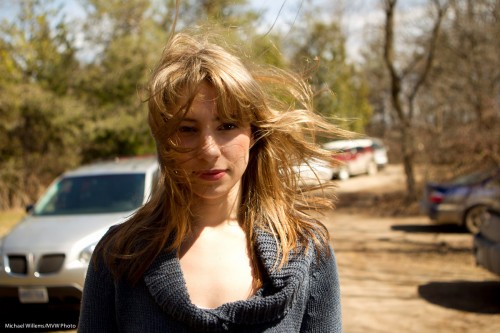
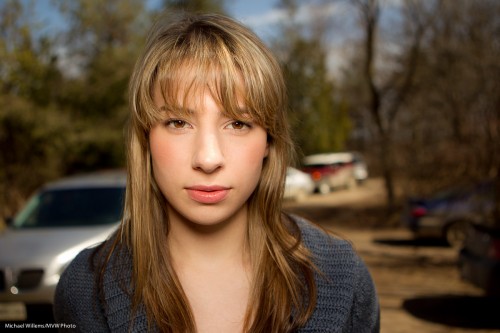
Direct flash is just “OK” if the flash is near the lens. Like in this image of volunteer model Vanessa in today’s class:
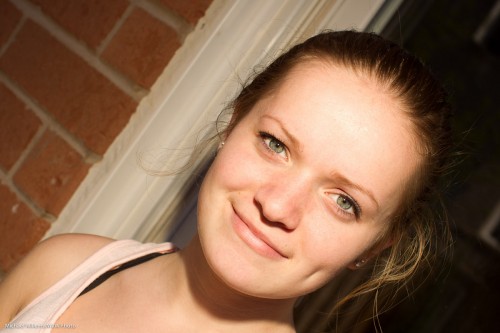
Not bad, and well eexxecuted. But there could be more shape to the face, no?

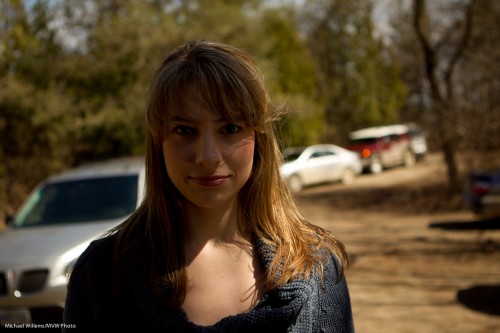
That is why it is often nicer when the light source is off to the side. The face now gets shape, like in this example:

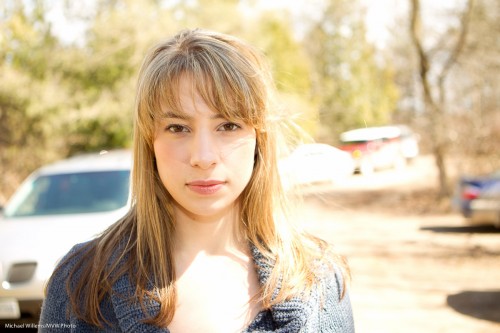
Now, to be clear: light straight into the face is OK – just as long as that is not also where the camera is!

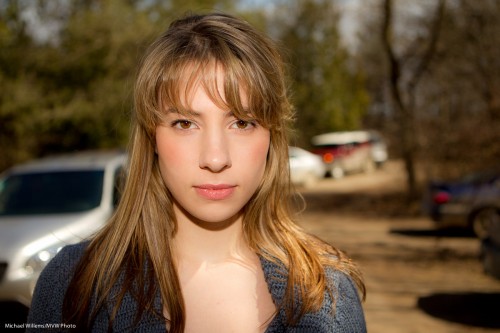
Like this example – this is just fine:
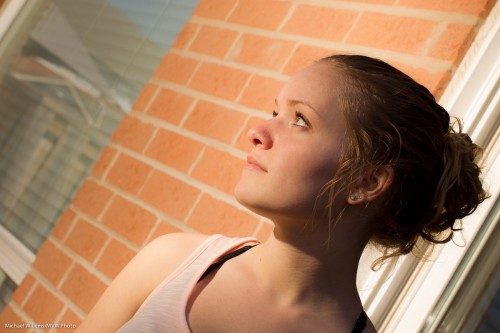
And that is direct flash, unmodified.

So yes – you can do this, whatever anyone else says. Just as long as the light is not in line with the lens.
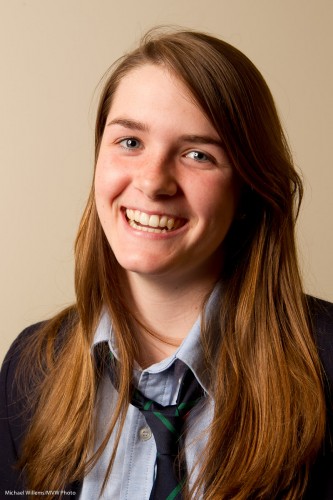


Simple portrait.

I taught at a local college today. A real pleasure, teaching bright young enthusiasts.

However, due to scheduling the two hour lecture turned into a barely one-hour lecture. This forced me to take some shortcuts. I taught some fast hands-on lessons. One was how to shoot indoors with a bounced on-camera flash. The other lesson was all about studio light.

“Studio? But surely, Michael, that takes a lot of time”, I hear you say.

Not necessarily.

  1. Set the cameras to 100 ISO, 1/125th second, f/8.
  2. Attach a sending Pocketwizard to the camera.
  3. Put up one strobe on a light stand.
  4. Attach a receiving Pocketwizard to it.
  5. Fire into an umbrella (I could not find a white shoot-through umbrella quickly).
  6. Set it up 45 degrees to the side of your subject, 45 degrees up.
  7. Fire and meter the light using a light meter. Adjust light until the meter reads f/8.
  8. add  a reflector on the opposite side to bounce back a little light.

What does that get me?

This:

Nice light, nice catch light. So I handed the Pocketwizards to the students,one by one. They all got similar shots.

Why did I say I would have preferred a shoot through umbrella? Here’s why:

See the flash in the umbrella? If we had shot through, no flash would have been visible.

But that’s a minor quibble. Nice portrait, took only a minute or two.


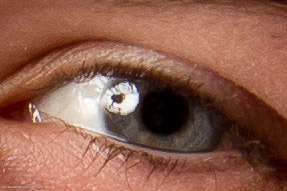
In the eye of the…

Take a day outside. You want to shoot a snap of a pretty model.

If you are Uncle Fred, you shoot in the “AUTO” mode. Or in Program, or even in Aperture mode, with a large aperture (low “F”-number), to blur out the background. OK, here we go. SNAP:

But because you read Speedlighter.ca, you realise that background should be darker. So then you shoot again, after setting exposure compensation down two stops (-2). That gives you 1/1000th second, and the image looks like this:

Mmm. So now you need to turn on the flash (and again, you know this because you are a Frequent Reader here).

So then you do this – and you get this:

Oh. That’s right. The flash sync speed is 1/200th second, so your camera will not allow the 1/1000th second shutter speed you need. So the image is overexposed, at 1/200th second.

OK-  so now you use Fast Flash (“High Speed Flash”, on Canon, and “Auto FP Flash” on Nikon). And you move close, very close – or you have insufficient power.

That gives you this:

Nice.

But could that shadow be softer? Yes. So you put a Honl Photo softbox on the flash – yes, you can use a softbox like this on the on-camera flash – and now (after once again ascertaining you are close enough – even closer now, since the softbox loses some light too), you have the image you were after in the first place:

Compare this excellent image with the snapshot image at the top and you see why it pays to know flash techniques, and you see why I am passionate in teaching them.


What if there’s no wall?

I keep recommending that when you use TTL flash, you bounce it off walls or ceilings.

So what if there is no wall or ceiling?

Then you do the following.

  1. Ensure you expose the background well, with high ISO, open aperture, and slow shutter as needed.
  2. You may be able to bounce after all, when your ISO is high and aperture is open. Flash can reach farther than you think! So – try.
  3. You can move the subjects! Ask them to “move over here for a second” – near a wall. Every venue has some wall or other, or perhaps a low ceiling in one part of the room. No reason you cannot ask people to move!
  4. If that fails, bounce of “anything”, using a Fong lightsphere. Not creative light, so this is not your first choice, but it can save your behind.
  5. And if all else fails – direct flash, but perhaps still modified by a bounce card (or even a Fong thing aimed forward). And do not forget flash compensation.

So you see, there are always options.


Science or craft?

In response to my “quick portrait” instructions, a reader asks:

What do you think about Strobist.com’s method where he recommends adjusting shutter for ambient and aperture for flash, by “chimping” (no light meter).
Just interested in your response.
As the two methods have similar results, yet dramatically different philosophy.

Great question.

David Hobby (the Strobist) and I (the Speedlighter) sometimes differ – he says “don’t use TTL”, I say “do” – but it is never a case of “you don’t know what you are talking about” – it is more “personally, I’d do that differently”.

First, I think for ambient you set both aperture and shutter. Clearly, changing aperture affects foreground as well as background.

The table of “what affects what” is as follows:

  • Shutter: Changes mainly the background.
  • Flash power setting (including distance of flash to foreground subject): Changes mainly the foreground.
  • Aperture – changes both.
  • ISO – changes both.

So first off, I’d change the two boldfaced properties above.

But secondly – I like to meter, since it takes guesswork away. Then I finesse.

Yes, my experience tells me I can just choose 1/4 power on the flash, say, and with f/5.6 this will give you a good picture at standard ISO and distance. But it’s still guesswork so you need to iterate. When I use my meter I am objectively sure I’ll get that good starting point with less iterating.

That said…

  1. I will not go to extremes and set my light meter to tenths of stops. No way. The last bit may be chimping, not metering to 1/10th stop which I will never see anyway.
  2. I set the values I know will work to get close enough before I even meter. You will see that with a little experience, this will work just fine.

So taking into account 1 and 2, David and I are not that far apart after all, are we?


A quick product recipe

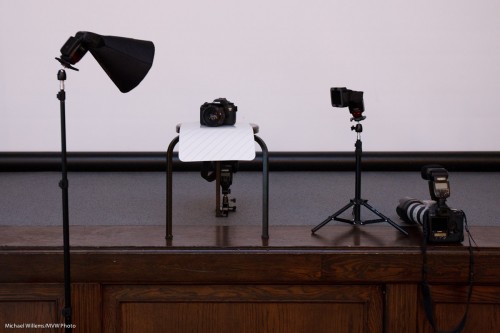
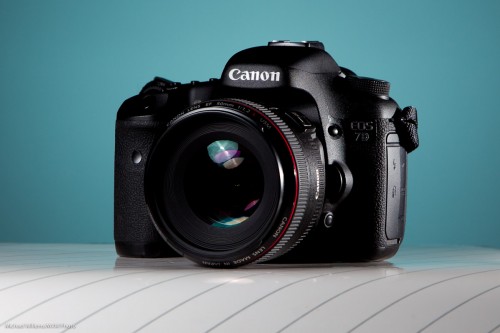
Here again is a quick product flash recipe using small flashes, since many of you have asked me.

Step by step, then:

ONE. Find a neutral background.

TWO. Now find a stool, plus a surface for the product, preferably a sloping one. Put the product on the surface, with the background behind (far enough – the farther the better, usually), and do a sanity check. Look ok?

THREE. Add a main light. For this, use a flash with a modifier. I used a Honl Photo softbox in yesterday’s Three Minute Shot. Put this on a light stand, close to the product (close means larger, hence softer; it also means less light falls onto the background. This is important if you want to color it or leave it dark.)

FOUR. Add a fill light or edge light. I use a speedlight with a grid. Aim this at the product’s other side. In my case, slightly from behind.

FIVE. Add a background light. Again, I use a speedlight with a grid. Aim this at the background. I added a gel to the light: steel green seemed a nice colour.

Simple, no? This looked like this, in yesterday’s Three Minute Shot setup:

%2</p

—-

POST: Oh I hate this. I wrote a LONG blog post here, with TEN points, and then some more. And it seems to have vanished. And at midnight, I am not going to rewrite it.

But at least let me share the resulting shot:

Sigh!

Let there be…

..light. Because when it is dark, it may not be.

Let me explain.

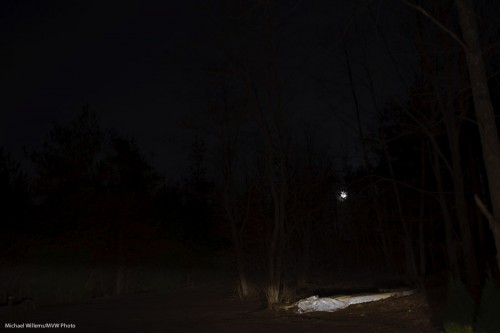
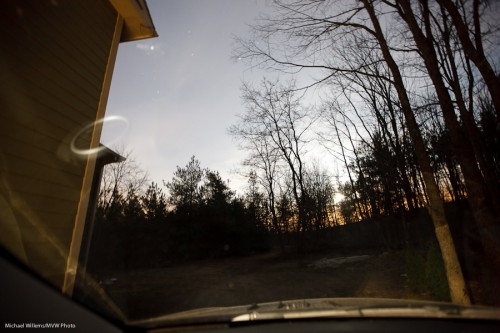
I am home and as I just parked my car I thought “let’s take a snap of the driveway as I am seeing it”. This is what I was seeing. Not much.

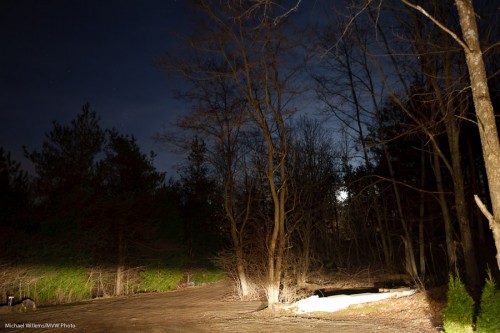
Then I did it again but now four stops brighter. I simply used aperture mode, set my ISO a tad higher since I had no tripod (I was simply holding my camera on the steering wheel, and the foreground light was my dim parking light):

The point: it is as bright, or as dark, as you want it to be.

Hey, even when I turn off all the lights: simply expose for 30 seconds and I get this (and here I should have used a tripod since I was shivering – it is freezing, April 18 and it is below freezing. God, bring on Global Warming please).

Night into day. So the message is this. While we cannot be God and turn Canada into Bermuda (if only), what we can do is “let there be light”.

Light is like spray paint. The longer it keeps coming for, the more you get. “Dark” does not mean “dark”, necessarily, and “light” does not always mean “light”. Your camera is a light-shifting device, and if you never use this aspect, you are missing out big time.

Let there be light.

When you shoot a studio portrait, you can use big studio lights – or small speedlights.

Because they are smaller and lighter, I tend to use small speedlights whenever I can.

And that does not mean compromising quality. Take this example. I took this shot of a very nice model and student during a course the other day, using TTL speedlights:

How is this done?

  • One flash on a light stand into an umbrella (the “A”-flash), on our left. High enough to give us nice catch lights in the eyes, but no reflections in the glasses.
  • The hairlight is one snooted speedlight (the “B”-flash) on the right (using a Honl photo snoot). I made sure this hairlight only lit of the hair, not the cheeks. That is what the snoot is for.
  • I used a Canon 7D with a 50mm lens.
  • I set the camera to manual, f/8, 1/200th second, 200 ISO. Normal settings for studio light. I made sure auto ISO was disabled.
  • The flash was set to its normal TTL mode.
  • I used flash compensation of, if I recall right, +1/3 stop.
  • The “A:B ratio” was set to 3:1, meaning A was three times stronger than B.

I could have metered and used Pocketwizards and the flashes set to manual, and if I had done many portraits, I would have. But for a quick shot like this, I think TTL is a better way, since it is very quick. Indoors, wireless TTL is a no brainer, and it works:  the on-camera flash, which is only used to direct the slave flashes, can be seen by any flash in the room. On a Nikon, or a Canon 7D or 60D, I need only the camera and its pop-up flash. On any other Canon, I would also need a 580EX flash on the camera, to direct the slaves.

But the portrait above is missing something, no? The background is a bit, well, bland.

So we add one more light, using a grid. And a gel. For the gel, I choose a complimentary colour: complimentary to the hair colour. So for brownish-reddish hair I use a beautiful blue-ish gel.

Now we get:

Better, no? Nice portrait, and it took only one light stand, one umbrella, three flashes, one grid, one gel, one 5″ snoot.  All this is affordable, small, light.Professional portraits are now within reach of everyone.

“One step at a time” lighting technique

You have heard me say it many times: “bright pixels are sharp pixels”.

Let’s say you want a picture of a lady. Just let’s say that.

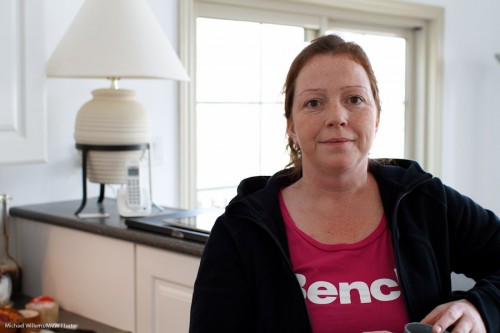
So then you put a lady by the counter. Because there’s a bright background behind her, and you know your camera, you use Exposure Compensation to avoid her turning into a silhouette. I used a Canon 7D with a 35mm prime lens. And hey presto, here’s the snap – and that is all it is, a snap:

The background is now too bright, and the person is “dark pixels”, meaning the picture misses that crisp sharpness you were after.

So now let’s take it in steps.

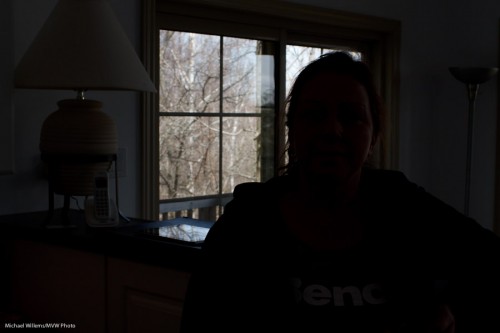
First, decrease the exposure to get the background right. Use manual, or use exposure compensation (minus!). In my case, it was manual exposure mode, 200 ISO, and 1/200th second at f/8, which gave me this (and that should not be a surprise to those of you who know the “sunny sixteen rule”):

Better – for the background. Now we have a nice dark background, and we can see the trees, and so on.

Now the next step: to light up the foreground!

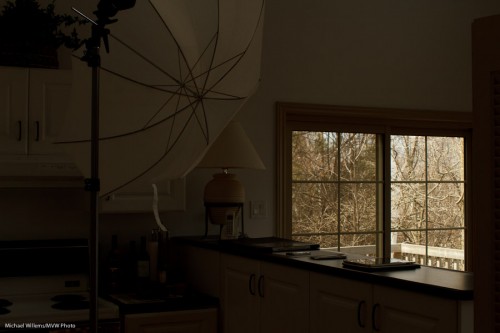
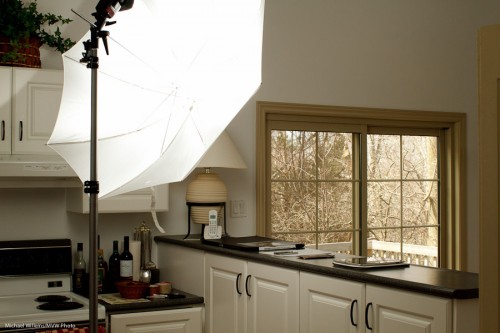
Flash is evidently called for. So I used a light stand with a flash-and-umbrella mount on top, with a simple 430EX flash on it, shooting through an umbrella:

Now I do the following:

  1. I set the flash to “slave” mode (“remote” on Nikon”)
  2. If I have a 7D, or a 60D, or a Nikon, I use the popup flash to fire that remote flash in TTL mode. If I have another Canon, I use a 580EX on my camera to fire the remote flash.
  3. In both cases, I ensure that the on-camera flash (popup or 580) is disabled, other than sending commands.
  4. Since the background is white, and I am using TTL rather than manual flash, I use flash compensation, +2/3 stops.
  5. I set my White Balance to “flash”.

And now when I fire, the umbrella lights up:

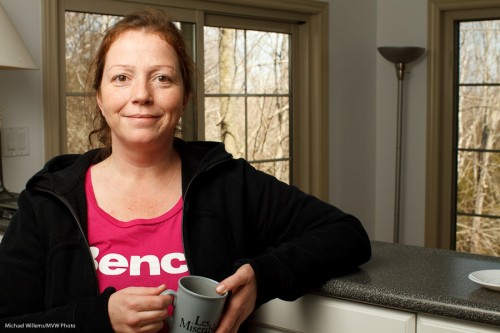
Which, finally, once we ask the lady to stand by the counter again, leads to this shot:

(Thanks for being the patient model, Lita!)

I have now achieved what I wanted: Lita is “bright pixels”, and the background is nice and colourful. Other than explaining, this all took just a few seconds, of course.

The technique above is just one of the many things students learn on my Flash courses. The last Mono, Ontario course ever is “Creative Lighting” with Joseph Marranca, on April 23rd – and there are only a few places left. Just saying!

Low contrast is bad. Right?

We all learn that images should be peppy, contrasty, “punchy”.

That is how cheaper cameras are made to manipulate the data in making the JPG file, which is one reason a point-and-shoot often gets you “nicer” images out of the camera. Existing data is increased in saturation, contrast, sharpness, and brightness.

So yes, punchy can be very good.

This is certainly the case if you are shooting the same old same old.Snapshots. Air balloons. Kids in bright clothing.

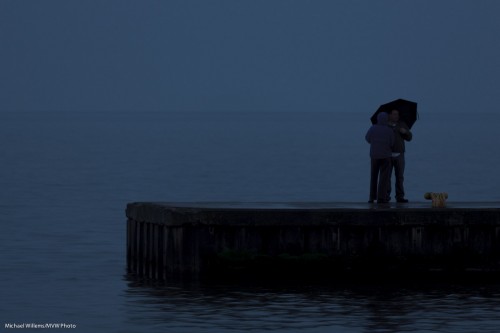
So we want punchy. But is that always the case? Nope. It ain’t necessarily so. Look at this image, for example.

Lake Ontario, Oakville (Michael Willems)

Lake Ontario, Oakville

A low contrast image can be good.

I recommend a few things:

  1. Think about the light and contrast. Do you really want more contrast, or would low contrast be nice? A fog scene is low contrasts. Is a fog scene bad? No.
  2. Disable your camera’s built-in image manipulation settings. Do any needed manipulation later, on your computer. This gives you better quality and more freedom to vary both ways.
  3. Shoot RAW!

Use your histogram and use careful exposure to get it right in camera if you can. Art is created by questioning the givens, and quality of light is certainly something you ought to be questioning at all times. Do a mini Socratic dialog with yourself and ask: should I in fact be doing this, or that? Or could I zag where I would normally zig?

(When I mix that many metaphors in one post it is probably time to go to bed. If you want homework: go take a low contrast shot where this makes sense).