Fighting for light

When shooting outdoors in sunlight, it is better to turn people away from the sun, so they do not squint.

So you do it as in this recent shot (with the Hon. Minister Harinder Takhar of Ontario in the centre):
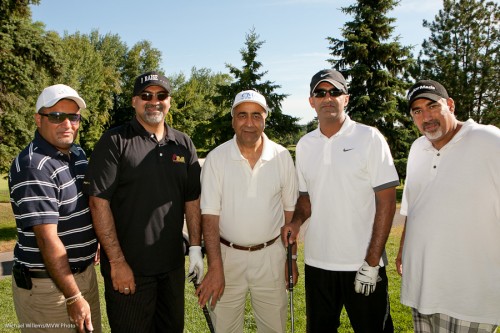
As you see, you now need a flash to light up the subjects. Else, they would become silhouettes.

And the constraining factors are:

  1. First, the power of the flash. If it is not as bright as the sun, roughly, then you will get an insufficiently exposed image.
  2. Second, metering. To check if this is an issue, turn the flash to manual, full power, and check if you are now getting an overexposed image.

In this image I used 1/250th second (the fastest I could do with the 1Ds) and f/11 at 200 ISO. Why?

  • 1/250th, since higher speeds would have meant high-speed flash would be needed, which would reduce flash power.
  • f/11, to get a dark enough background.
  • 200 ISO, since higher ISO would not have worked: lighter backgrounds would have resulted, necessitating smaller apertures

That last part is important: raising ISO is not a solution to the need to “nuke the sun”. Only more flash power is.

 

Outdoor flash

Summer is still here, so I think it might be a good time to repeat a couple of flash tips for the summer. Especially as I plan to disappear into the sun for a week, Friday.

Outdoors you often need flash. Sunlight is harsh: so you need to fill in the shadows.

Outdoors you need max power. So keep your speed below the synch speed – 1/250th second on my 1Ds camera. Else you need to use high-speed flash, which loses power. Which you can ill afford on those sunny days.

Outdoors you can use direct flash, aimed at your subject. It is better to have studios and umbrellas and such – but outdoors you do not have that luxury, and you do not want to lose light.

So use a direct flash, and really, it can look very good. Especially if you take the flash intensity down a little (that’s what we call “fill flash” – 1-2 stops below ambient).

For a recent example of fill flash, see this image I shot at Minister Takhar’s Golf Open the other day.

Golfers (Photo: Michael Willems)

Not high art – but you can see the faces, and they are not half black. And often, that is all we want from a picture.


On-camera softbox outdoors

When taking a picture outdoors on a sunny day, you may, as said many times here, want to use flash. Else you get this:

Sunlight bad. Shadows, brrr.

So instead, you use a flash.

But you all know that on-camera flash is bad. It has three major drawbacks:

  1. Harsh light.
  2. Non-directed – flat light.
  3. And the speedlite is not powerful enough.

True. But you can solve these three problems – as follows:

Harshness: use a softbox on the on-camera flash. Like the Honl Photo Traveller 8 softbox. Flash on camera; softbox on flash; aim straight ahead.

Non-directionality: a-ha. So if your model is looking to the right, say, then you turn the camera to the right, so the light is coming from the right and hitting her in the face from there. Yes, that is contrary to the way you normally hold a camera in vertical orientation! The shutter is now below, instead of on top. Bad technique normally; but here, necessary!

Power: if you want a dark background on a sunny day, you need to shoot at 1/200th second (stay below your sync speed!), 200 ISO, f/16. the only way to use a flash with that small an aperture is to be close. So you get very close!

So that is:

  1. 1/200th second, 200 ISO, f/16
  2. flash on camera
  3. softbox on flash
  4. flash aimed straigh ahead
  5. camera turned so that the flash is on the side of your subject’s face
  6. get close

And that gives you:

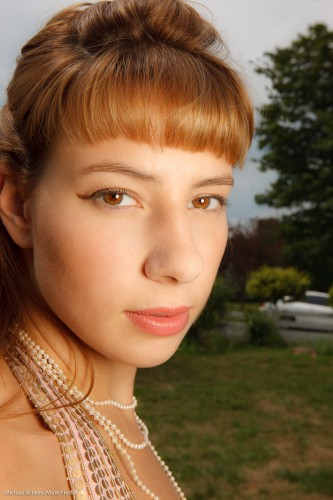
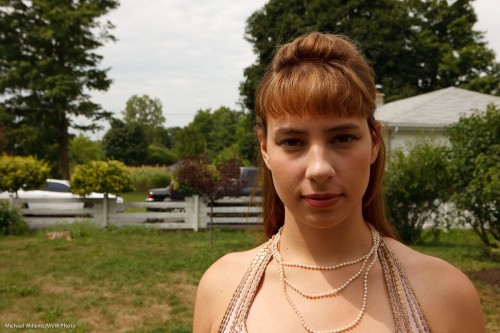
Jenna Fawcett, model (Photo: Michael Willems)

Not bad for an on-camera flash snap, huh? I used a Honl Photo Traveller 8 softbox, which was essential in this shot. It also gives you those wonderful round catchlights. Beautiful.

(I took this shot as a demo for students in the all-day Creative Light workshop we did Saturday. Stand by for more dates soon. ou can do this – it’s a matter of knowing the technique!)


Hay there girl!

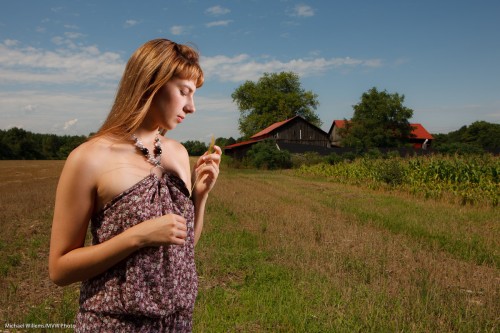
Here is model Jenna Fawcett, as I photographed her in yesterday’s Creative lighting workshop:

Model Jenna Fawcwtt (Photo: Michael Willems)

To make a picture like this, several things must come together.

Namely:

  1. A location. Simple, beautiful, with red and green and blue together. You have heard me before: red, green and blue in one shot, especially if saturated, make for a good picture.
  2. A subject. In this case a model, and clothing-make-up, props.
  3. The right equipment – camera and lens.
  4. Now, first of all, exposure set to expose the background properly.  Meaning nice and dark – “saturated” means “not overexposed; not mixed with white light”. The camera’s meter points at, say, -2.
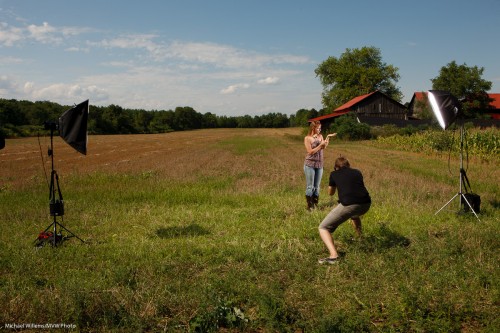
  5. Light to light up the subject. Meaning flashes-  in the case of a sunny day – biiig flashes, with octoboxes, umbrellas or softboxes. Battery-powered if you are in a field in Ontario. One on the right; one on the left.
  6. Proper exposure of this flash light (this may need a light meter). Becasue you underexposed the background, your subject, if exposed “normally”, will now stand out wonderfully.

And that’s the story. This setup looks like this:

Model Jenna Fawcwtt (Photo: Michael Willems)

Is a sunny day better for these shots? No – a sunny day is much more difficult. Nasty shadows, and you need very high power to be able to “nuke the sun”. So for a sunny day you need strobes, and power.

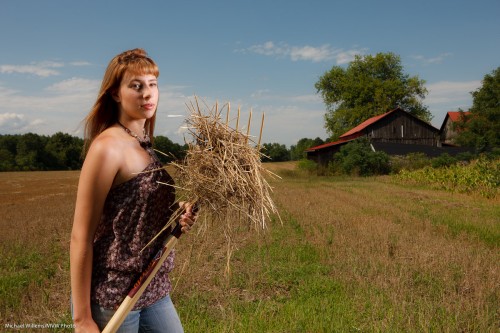
Why did I call this post “Hay there”? Here’s why:

Model Jenna Fawcwtt (Photo: Michael Willems)

Can I learn this? Yes. Easy – follow the rules above.

Yes, you need to learn lots of finicky stuff about aperture, shutter, and ISO – but it’s worth it. Read this blog daily. Try. Take a course. And take one of the workshops Joseph and I do – they are quite the experience, and include beer and wine and portfolio shots – and great images to take home!


Simple portrait with background

A simple portrait recipe for a portrait with background:

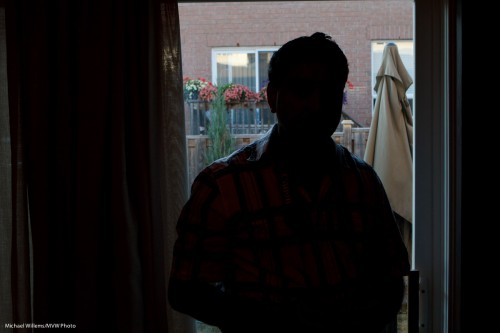
Find a background. Then, using manual mode, set your ISO, aperture and shutter to expose for that background – like here:

Balwinder (Photo: Michael Willems)

As you see, the outside is well exposed. The inside part will come later.

Now:

  • Remember to keep the shutter below your sync speed.
  • Exposing for the background means your subject is dark, if it is inside. So you will need flashes to light up that subject.
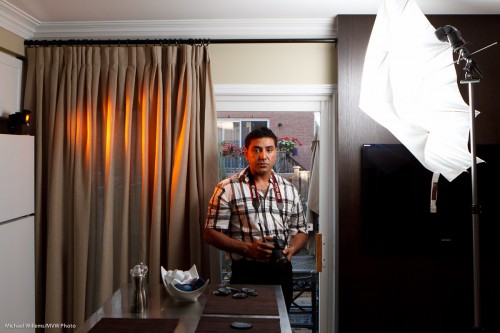
  • First,  add a main light, diffused – in my case through an umbrella, on our right. Measure that, and ensure its brightness is good.
  • Then add an edge light – in my case, a rust-coloured edge light, using a Honl Photo “Rust” gel, and a Honl Photo 1/4″ grid.
  • Remember, an umbrella does not have to be all the way open.
  • For the main light, shoot-through is best.

All that gives me this:

Balwinder (Photo: Michael Willems)

Note the curtain.

And the finished image.. now crop judiciously. Avoid reflections. And note the use of the rule of thirds in my image here:

Simple, takes a minute to set up. You can meter, or you can use TTL (I used TTL, with an A:B ratio).

The point here is not that kitchen portraits are the thing to aim for – the point is, a background adds (both the curtain texture here and the garden), and a portrait like this is easy to set up and quick to do.


Flash Tip: Bright Days

Following on from my previous post, one more quick flash tip.

On bright days, decrease your exposure. Then use flash to fill in the foreground.

Here: a bright recent day.

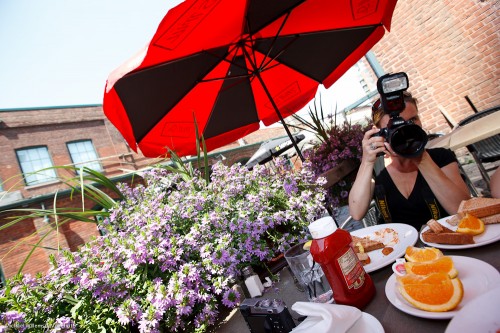
Bright Day (Photo: Michael Willems)

Not bad, but can we do better? I woujld like the sky to look blue, not washed-out. For blue, I need to decrease my exposure.

Which I do (using manual or minus exposure compensation),. Nic eblue sky – then I turn on teh flash to fill the foreground. I make sure I use high-speed flash if my shutter speed wants to exceed 1/200yh second.

All this now gives me this:

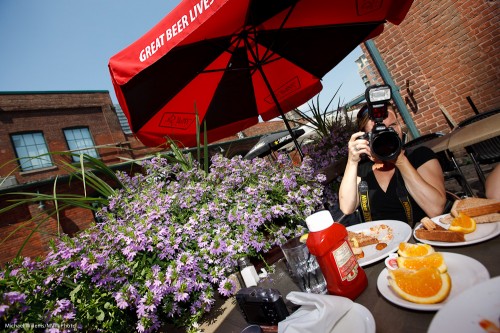
Bright Day (Photo: Michael Willems)

Not bad, eh?

Finally – also note the use of red, green and blue. All in one image. All three primary colours, saturated, in one shot makes the photo visually interesting.


August 13, Joseph Marranca and I will be doing a Creative Light workshop where I guarantee we’ll use light just like this. There is still space if you book now!

Tip time: Fill Flash

Tip time: fill flash and how it works.

Fill flash means flash “helping a little”. It is not a particular type of flash; it is a particular use of flash.

In fill flash, the flash is used to light up the foreground a little, to get rid of shadows. On bright days, say, or when backlighting, or when a subject it being hit by harsh sunlight.

As in this example:

Yonge-Dundas (Photo: Michael Willems)

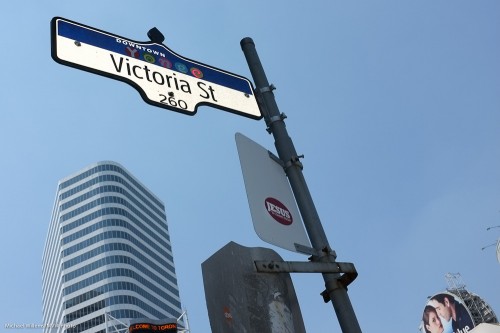
The sign above is lit up by my Fuji X100’s little flash, on a bright summer day.

Tip one: traffic signs will light up with minimal added light, since they are designed to reflect brightly.

Tip two: when you use exposure compensation to decrease the exposure to get a darker blue sky, the flash may also decrease in power. It does that on Nikon, but not on Canon. This is an arbitrary design decision. You can solve it by either of these two options:

  1. increase the flash (i.e. opposite adjustment) using Flash Exposure compensation;
  2. Simply set the ambient exposure in manual mode. That way flash is not also adjusted.

Tip Three: when it is bright, turn on high-speed flash (“Auto FP Flash” on Nikon) and get very close to your subject.

One more:

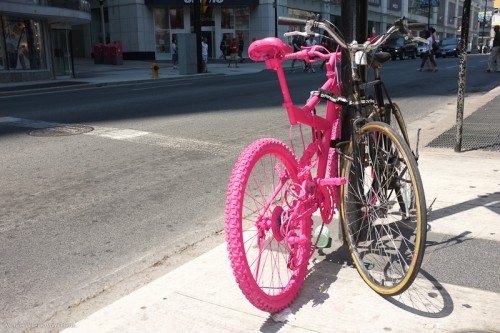
Pink bike (Photo: Michael Willems)

Try fill flash – start in program mode, then work your way up to manual modes and adjustments.


Studio cameras

Professional studio portrait cameras have to be the most expensive models. That’s just a given.

Right?

Oh wait. No… they do not need to be the most expensive. I have taken many studio shots with Digital Rebels and a 50mm f/1.8 lens (go get one if you do not yet own one).

Today I took a studio shot of my friend and student Paul M. Rather than using my 1Ds Mark III, I used the little Fuji X100 with its fixed 35mm equivalent lens – and got this:

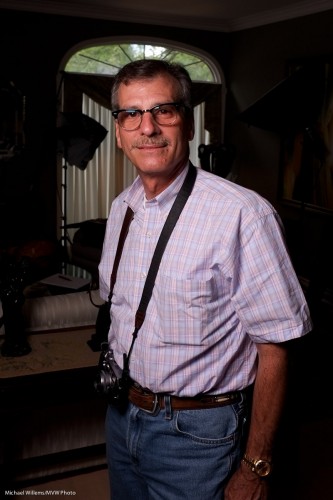
Fuji X100 Portrait of Paul M (Photo: Michael Willems)

This was made to show the effect of one flash and showing no ambient light. i.e. a setting which ensures that the flash does all the work. To do this I simply:

  1. Set the camera to manual, 1/125th second, f/5.6, 200 ISO. (take a test shot: it should look dark. If not, check that your auto ISO is disabled).
  2. Turned on the “external flash enabled” setting in the X100’s menu (you need to do that, or the hotshoe will be inactive).
  3. Connected a radio sender to the camera’s hotshoe, in order to fire a battery-operated Elinchrom portable strobe in a small softbox .
  4. Fired a test flash while holding the meter to where the person would be, then set the flash power level until the peter read f/5.6.

That was all. A professional quality studio shot with a point-and-shoot.  Yes, true, it is not any point, and shoot, but still. And of course a simple SLR would have done too.

Is it sharp? Sure it is. Here’s a true size part of the picture, pixel for pixel:

(To see the true sharpness, click, then view it at true size)

X100 owners: remember to turn on the “external flash” setting, as described above. Also, remember to turn it off again when you are done – with this setting enabled, the camera refuses to go slower than 1/30th second in Aperture mode or Program mode. (if that is documented I am not sure where – but it is a sensible setting I suppose -as long as you know about it).

Note, finally, that this was a JPG straight out of the camera – yes a JPG, with the camera using standard settings. No extra sharpening was applied – all just standard settings.

So yes, if the lens focal length suits the portrait you are shooting, you can certainly use a small camera for studio work.


Outdoor Flash technique

In today’s lesson in my ongoing master flash course, a word or two about outdoor fill flash.

First: you need it, quite often, and for various reasons:

  1. To fill in dark areas on those bright sunny days;
  2. To brighten the foreground subject and get a darker background subject (i.e. to make your subjects “bright pixels”, which you have heard me say many times is a Good Thing, since Bright Pixels are Sharp Pixels);
  3. To add a catch light in the subject’s eyes.

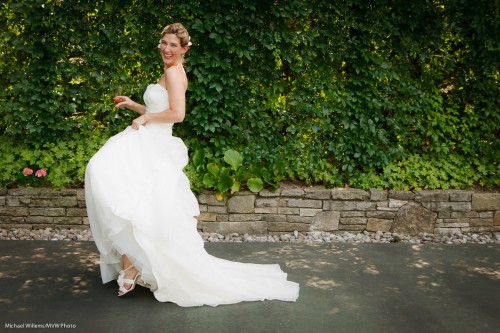
So what techniques are best to get pictures like this, at the wedding I shot the other day?

Trish at her wedding (Photo: Michael Willems)

Trish at her wedding (Photo: Michael Willems)

When deciding on modes and techniques, look for where the issues may be; the constraints. The need to stay clear of these will help you decide the most appropriate modes and settings.

The issue in using on-camera flash outdoors is that (and follow the deductive reasoning here, step by step):

  1. I want the darkground to be darker than the subject, as said above (especially when it is dark, like these plants).
  2. Outside being well lit by our local star (that would be the sun), I can achieve that by means of a low ISO and small aperture.
  3. But these will both reduce flash effectiveness! Exactly what I do not want on a bright day.
  4. But fortunately I can also do it by selecting faster shutter speeds – these do not affect flash.
  5. Until, that is, I get to the flash sync speed – beyond that, if I exceed that I can either no longer us flash at all, or I go to high-speed flash (Nikon: Auto FP flash), and that decreases the flash effectiveness enormously.

Ergo: my shutter speed should be at my flash sync speed (1/250th second on my 1Ds Mark III) before I start reducing ISO and increasing the f-number.

Ergo: I need to chose a mode where I set the shutter speed.

Ergo: Only Shutter Priority (Tv/S) or Manual mode will do. QED.

A common technique for finding a good fill-flash starting point when using an on-camera TTL flash in variable outside light:

  • Tv/S exposure mode (Shutter priority).
  • Select your camera’s flash synch speed (if unsure, select 1/200th second).
  • Exposure compensation: -2 stops.
  • Aim at your subject and check that aperture is somewhere around f/5.6. If not, change ISO until it is.
  • Flash compensation: if and as needed (do a test shot. On a Nikon, and when shooting a bright white dress, you may need it, up (+). At other times, down (-) may be called for).

A common technique for finding a good fill-flash starting point when using an on-camera TTL flash in more predictable light (as on the day I shot the picture above):

  • M exposure mode (manual mode).
  • Select your camera’s flash synch speed (if unsure, select 1/200th second).
  • Set Aperture (Av) until your meter reads -2 stops.
  • Aim at your subject and check that aperture is now somewhere around f/5.6. If not, change ISO until it is.
  • Flash compensation: if and as needed (do a test shot. On a Nikon, and when shooting a bright white dress, you may need it, up (+). At other times, down (-) may be called for)

The shot above was made in manual mode at 1/200th second at f/5.6, ISO 400.

Joseph Marranca and I will be teaching Advanced Flash as part of the “Advanced Creative Lighting” workshop we teach on August 13 in Millgrove, Ontario . Click here to learn more.


Snaps

Today, Joseph Marranca and I were checking out the location for one of our next “Creative Light” workshops, this one to be held on August 13 at a beautiful location near the African Lion Safari park near Burlington/Hamilton. We will do great creative shots there with those who join.

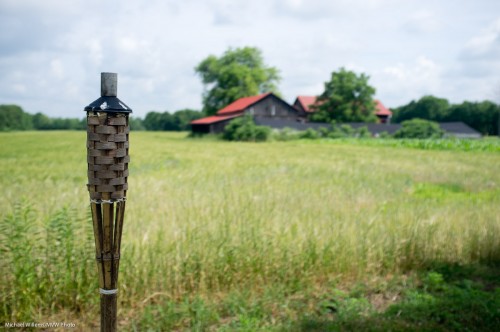
The setting is agricultural, as this snap shows:

Agriculture (Photo: Michael Willems)

Great setting for creative photography – we could not hope for more.

But wait. Wouldn’t that shot be better with nicer light?

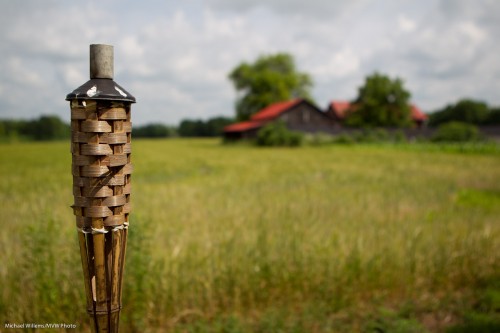
Yes it would! And that is one reason I always carry speedlights. With speedlights, you need not rely on nature to give you light. As it happens, nature did, so I did not need lights: moments after that shot, the sun appeared. But if it had not, I would have needed flash to get a shot like this:

Agriculture (Photo: Michael Willems)

I would have simply used a 580EX speedlight off camera, with a 1/2 CTO Honl Photo gel fitted with a 1/4″ grid. I promise you would not have been able to tell this from the shot above. And at the course we will use light for truly creative purposes.

A couple more snaps. That’s what they are, but even in snaps you try to be creative.

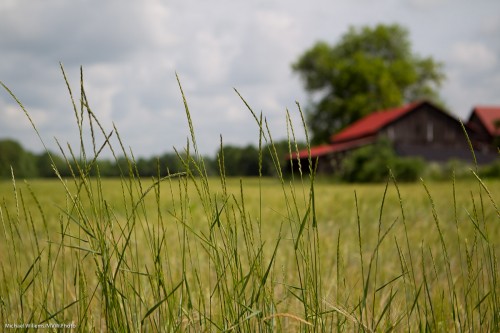
Blurred backgrounds that tell the story.. I like those:

Agriculture (Photo: Michael Willems)

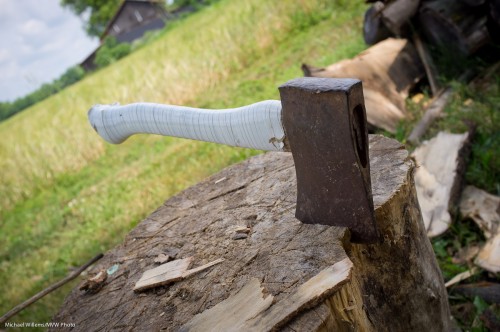
I also like large detail that you can use to tell a story. We’ll talk about props at the course. Props like this axe:

Axe (Photo: Michael Willems)

More about props in future posts!