Why you should not use Flash

What? The Speedlighter.ca is telling you not to use flash?

Yes – but I mean Adobe Flash software.

Flash is great because it is one media-rich environment that works on every platform. But it is also bad, and increasingly not a great thing to use.

Why?

  • It is slow to load. Making your customer wait.. those horrible progress bars: if I see one, I am gone. And I am not alone in that!
  • It is slow in performance; very inefficient (especially in playing video).
  • It is unreliable – it crashes (Steve Jobs is right in his technical objections to F;lash).
  • iPad and iPhone users cannot see it (I keep seeing sites that I cannot see – well, those sites lose me. How many people have an iPad? A lot!
  • It is all about “you”. Readers of your site want it to be about them, or at least want to see why they will benefit from spending their time there – they are less interested in seeing why you are so great.

That is why my sites are simple HTML sites.

Yes, I know, I lose out on some functionality and on a lot of coolness. But “it is what it is”, as they say. My sites are clean, can be read by anyone using any device, and are, I hope, more about quickly telling the reader what’s in it for him or her than just about telling the world how great I am.
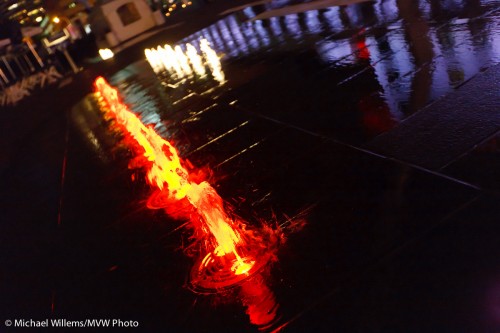
Dark

Always carry your camera, even at night.

I just got back from teaching, after an executive portrait shoot this morning.

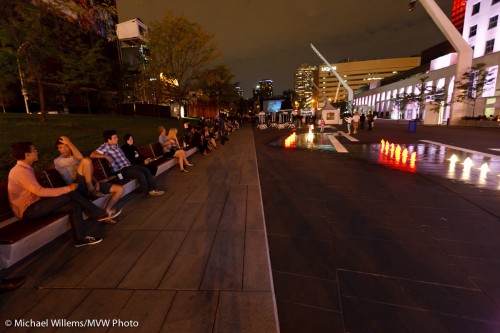
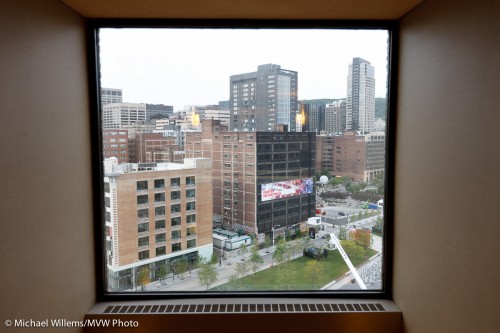
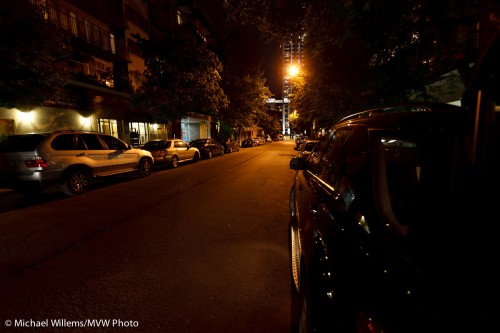
But I want to talk not about light, but about lack of light. And how when it gets dark, you do not put away your camera. Like I carried mine, just the other night in Montreal:

Montreal, night scene, handheld photo by Michael Willems

Montreal, night scene, handheld (Aug 2010)

Montreal, night scene, handheld photo by Michael Willems

Montreal, Rue Hutchison, Aug 2010

Montreal, "The Shining", handheld photo by Michael Willems

Montreal, "The Shining", handheld

All those were handheld shots.

Tips for those:

  • Hold the camera steady!
  • Use a wide lens, since they are more forgiving of motiong
  • Make it a fast one the fastest you can get (I used a 16-35mm f/2.8 on a full-frame camera);
  • Use a high ISO if handheld (but low if using a tripod);
  • Expose down 1-2 stops (use manual, or use aperture mode and Exposure Compensation “minus”) ;
  • Shoot multiple times to make sure!

If you do it that way, it is easy. And you will be happy with your images.

Back trouble

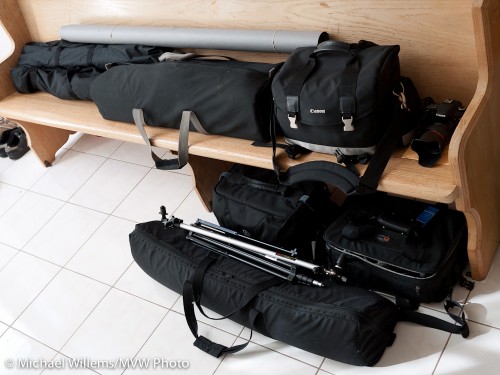
Back trouble is what I think of when I see what I carry to one shoot. And this is not even all of it:

Michael's Gear - part of it

Michael's Gear - part of it

That contains:

  • Light stands
  • Lighting stuff: speedlites, pocketwizards, etc
  • Big backdrop stand
  • Small backdrop stand
  • Additional Camera gear
  • Backdrops
  • Tripod
  • Strobes

In addition, I carry:

  • Two more cameras
  • Camera bag

So when people wonder why a shoot costs hundreds of dollars, this is why. A photographer is prepared for everything (No power? Then use speedlights. You also want formals? Then I set up the backdrop. One camera breaks? Then I grab another. Long lens no good? Then I use a shorter one. Batteries dead? Then I grab replacements.)

The only problem is my back. Price to pay!

UPDATE:

Today, at 10:30, I shoot in an office building in Toronto, on the 35th, 37th and 38th floor. And so far, I have been unable to find an assistant for the shoot, so if you’re interested, give me a call before 10am!

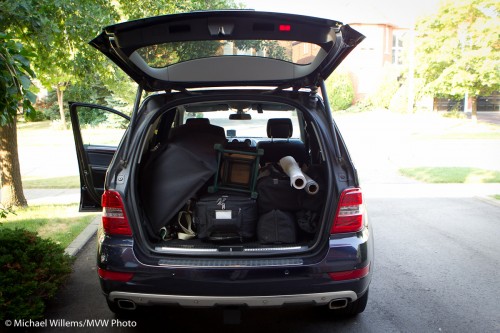
And here is my car. You can probably see why I need that assistant!

Car full of photo gear, ready for a shoot

Car full of photo gear, ready for a shoot

Light

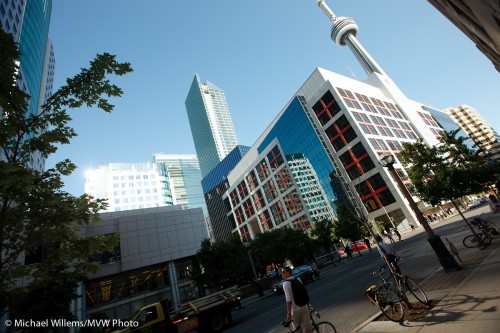
I like the light in modern downtown areas of some cities – like Toronto.

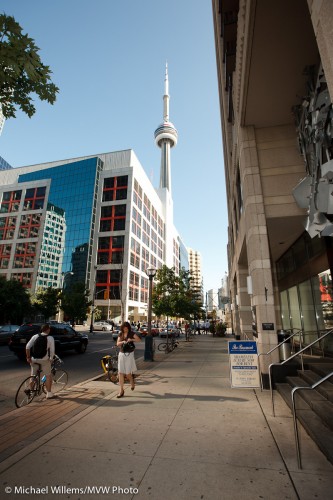
Why? Because you get light like this, in a hot I took the other day during a Microsoft even shoot:

Toronto Downtown Light, John Street, photo by Michael Willems

Toronto Downtown Light, John Street, Aug 2010

Look at the light illuminating the woman and the bike. Crazy. Unnatural – in a good way. Hyper-realistic light.

The light in the very foreground, the first two metres of sidewalk, was due to my flash (the Speedlighter never travels without his speedlight!), but how about that side light? The picture looks like an HDR shot!

Exactly like the runner in Mono I showed you not long ago. Light from two directions, a spotlight with shadows: spotlight, or a huge softbox, on the left while the sun is on the right. Impossible light, and that is why it appeals.

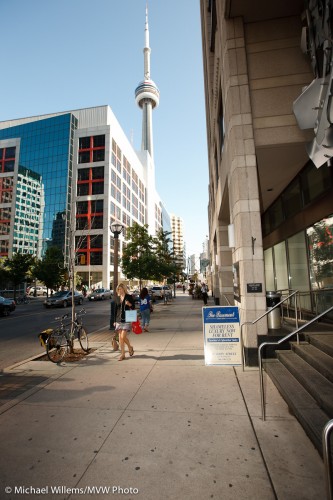
No, very possible, and here’s why:

Toronto Downtown Light, John Street, photo by Michael Willems

Toronto Downtown Light: mirror action

See that big mirror?

Wonderful. Saved me the effort of using a huge softbox.

Here’s another example:

Toronto Downtown Light, John Street, photo by Michael Willems

Toronto Downtown Light, John Street, August 2010

The moral of this post: always look for light – train your eye to look for unusual light, and use it in your pictures.  I thought to get these shots it was worth foregoing my Starbucks visit (that’s what I was actually doing, during a break in the event shoot).

Gizmo of the day

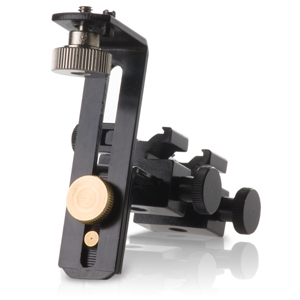
The gizmo of the day is this Photoflex bracket:

Photoflex dual flash bracket

Photoflex dual flash bracket

Intended mainly to put two small flashes in a softbox. For which it works well. Adjustable just like it should be.

But I have another use for it.

You see, I am a speedlighter. I use small flashes. And pocketwizards, when I am not using TTL. So I am always looking for ways to mount those flashes and Pocketwizards, and no-one has yet come up with any good ways to do it.

So that’s where this bracket comes in. I use it to put one flash and one Pocketwizard onto a light stand. I mount it on a ball head, which I put on the light stand.

In order to do so, I had to use a metal saw to remove the little tag that sticks out: you can see it on the very top, sticking out next to the screw. I am not sure why they put that there: much better without.

But that done, I now have a bracket that allows me to securely, safely and sturdily mount two flashes, or a flash and a pocketwizard, for use on a light stand.

Michael’s Quick Judgment: recommended, provided you have a saw.

Nature close up

Nature can be beautiful, as in the snap I made in downtown Toronto yesterday afternoon:

Bird, Fountain and Flowers (Toronto, 29 August) - photo by Michael Willems

Bird, Fountain and Flowers (Toronto, 29 August)

Sometimes, as in this example, nature is best seen close up; sometimes better using wide angles.

That is the kind of thing we will be going over in the upcoming full-day Nature Walk workshop, which, take note, has now been brought forward to 11 September. It is also one of the subjects I go through in the Henry’s “Creative Urban Photography” half day walkaround I do in Oakville.

Choosing the right angle is a very important part of making (not “taking”!) a photo, and it is one of many subjects covered.

Oh, the photo? A 70-200mm f/2.8L lens, set to f/4 (I wanted the bird to be sharp, and these birds never sit still for more than a moment). At 200 ISO, that gave me 1/250th second. I used the Canon 7D camera, because its 1/6 crop factor gave me a longer reach (the 200mm effectively became 320m).

iPad Sort Tip

Do you use Lightroom on a Mac? And have an iPad? And want to sort the images you see on your iPad?

Perish the thought.  Unless you also want to use iPhoto in parallel to Lightroom (which makes little sense), that is difficult.

But it is possible.

And you do it as follows. If you are an advanced user, that is!

  1. Install EXIFTOOL (Google it. It’s a great little command line tool that you will need for this).
  2. In Lightroom, make a collection, add your selected photos to that, and sort them any way you like.
  3. Now click the A-Z icon at the bottom to reverse the sort order. (Apple sorts the images in reverse order for some odd reason!)
  4. Export to a folder (While we are at it, use the maximum file size the iPad accepts, 2304 x 1536 pixels)
  5. In the export dialog, change the filename to a number, instead, e.g. a number from 00 to 99. You can select this (rename file) in the export dialog.
  6. Now open a command window, go to that folder.
  7. In that folder, type something like exiftool -alldates=”2010:08:22 13:00:00″ *.jpg
  8. Delete the *-original” files from that folder
  9. Now move that folder to the place where you have told iTunes to sync photos to your iPad (if you tell iTunes such a folder, all folders and photos you put within that folder will be synchronized with the iPad.)

That is all.

That is all? You need to be a computer scientist for this?

Yes, it is a little involved – that’s thanks to Apple mandating that no sorting must be done unless it’s by creation time. or unless you use iPhoto so you manage your photos twice. Or give up using Lightroom, which is what Apple really wants you to do, I suspect.

But at least you now know there is a workaround. And it works like a charm.