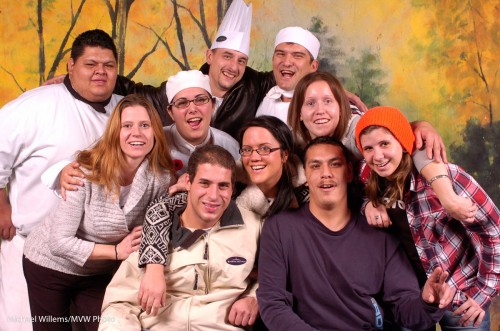
The festive season.

Whether you celebrate the Festival of Lights, or Christmas, or Kwanzaa, or whatever Eid this season has – or whether like me you just like parties and colourful lights, I urge you to shoot some unusual holiday pictures this month. So I will post a few posts in the next week with some ideas.

Idea number one is: detail and out of focus pictures of lights.

Start with the latter. Select a high enough ISO (say, 400 to start). Open your camera all the way (in Aperture Priority mode, select the lowest “F-number” your lens supports, like 3.5) and manually focus as close as possible (turn the lens to “MF”), while the lights are far away:
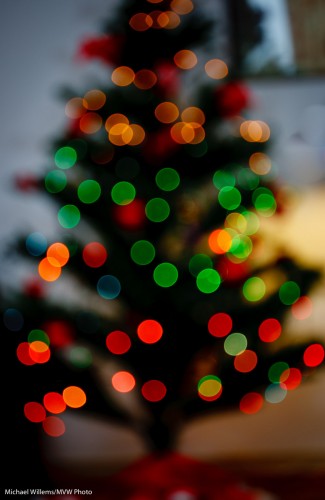
Out-of-focus tree lights

And then for the second type of image, get close to a subject and autofocus on the close subject. When using flash, use an external flash (not the pop-up), and aim this flash behind you (yes, behind).
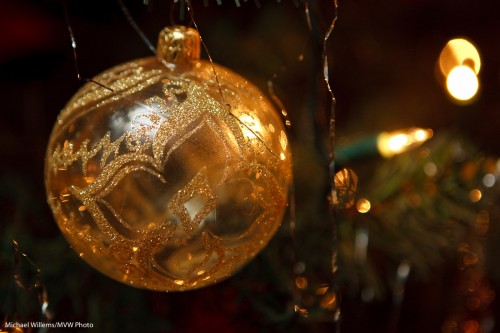
Ball

Ensure that you expose right: use exposure compensation (or when using flash, also Flash Exposure Compensation) as needed (minus, when shooting dark objects):
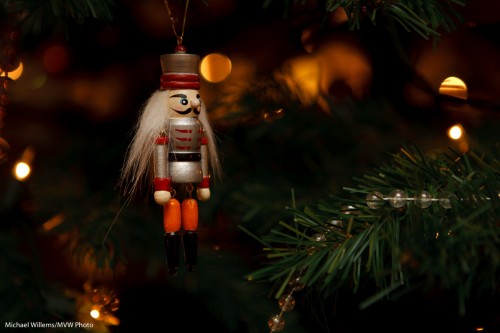
Nutcracker

That way you get pictures of detail that will help you tell the story and that in themselves are visually interesting.

That was tip 1. More later this week.
Classic Portraits

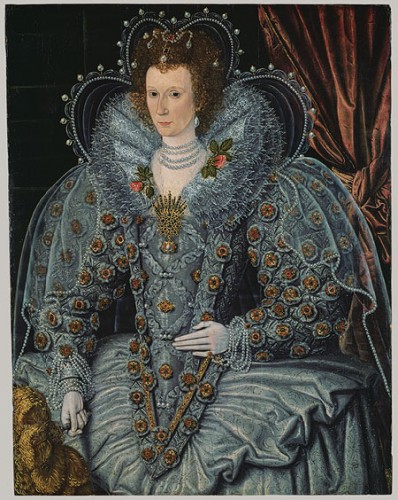
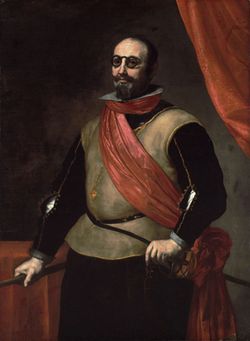
Here’s one tip for classic portraits: you can use classic backgrounds.

In the 17th century, that meant an elegant drape behind the subject, to provide:

  1. Nice texture;
  2. Elegance;
  3. A sign of wealth and comfort;
  4. A nice curve.

Somewhat like this:

1630 - portrait

You do wonder how people walked around in those Halloween costumes. But anyway, back to backdrops. Why not do that today?

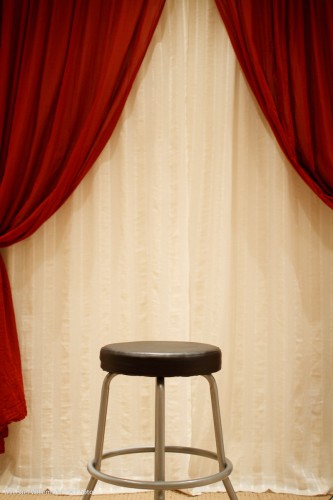
My student Melony built this in her home studio.

Home Studio Backdrop System

Against a wall, two curtain rods: the back one with white curtain hanging from it, and the front one with red curtain. Both operable independently so you can open or close either or both. Easy, and it is not in the way of normal use of the room.

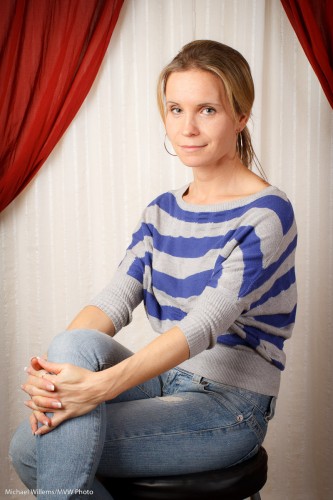
And with proper, light and white balance, this results in portraits like this:

Student Melony in home studio

That kind of setting is very suitable for family portraits. Even in 2010. Many times, I much prefer this to a standard white or black backdrop, or to a muslin.

I might even say especially in 2010. Tip: go to an art museum if you want to see great portraits.

How did we light that portrait?

  1. A softbox to camera left
  2. A fill light behind me to camera right

Questions?

  • Why a softbox? Because it does not spill light everywhere, like an umbrella. Umbrella = safe; softbox = more controllable, and hence more for art.
  • Why the fill light? Because without it, even in a small studio, the non-lit side of your subject can get a bit dark.
  • And if the light is too bright even at the lowest setting? Move it back.
  • Could we have used a reflector instead of a fill light? Absolutely.
  • But will you sometimes want a roll of paper for a neutral, simple background? Of course. Having a drape does not mean you have to use it every time.
  • What kind of lens were you using? A prime (fixed) 35mm lens on a crop camera (the Canon 7D). That means effectively a 50mm lens, which is perfect for half body portraits like this.

So, a classic portrait does not have to be complicated: a few simple tools and you have great options.

Cheers.

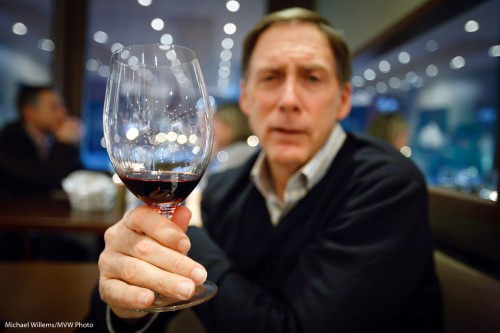
The other day, before a course I taught, here’s a friend and student holding out his glass of Merlot – no, it was not a Merlot, it was an Italian red:

Bruce holding glass

Isn’t that a nice shot?

So here are a few notes, numbered for your convenience, to help you take the same.

    1. As I point out time and time again, a shot that “makes the viewer put it together” is often great.
    2. A blurry person is often also appreciated by… the person, if they are shy. When people (ladies and teenagers, often!) say a panicked “no pictures”, try this.
    3. I used a 16-35 mm lens set to 30mm on a full frame camera, set to f/2.8.  On a crop camera, you could use a 24mm prime lens, for example. On my 1Ds I could also have used the 35mm prime. This would have been my favourite lens for this shot.
    4. The wide angle gives you those wonderful converging lines.
    5. The wide open aperture of f/2.8 enabled me to shoot at 1/15th of a second using available light – at 3200 ISO.
    6. The blur also gives me a simple image with no distractions.
    7. It is very important that the lens is wide open. Look at the out-of-focus lights. They are circles. If the lens had been partly stopped down (to f/3.2, or f/4, say) you would have seen octagons or hexagons instead of circles.
    8. And yes, you can shoot at 3200 ISO with a good camera. Point-and-shoots will not do this, even with Lightroom noise reduction.
    9. That speed of 1/15th second is still a bit slow. You could easily get motion blur. So I took 3 or 4 pictures, of which this one was razor sharp.
    10. I focused carefully, using one focus point, on the glass.
    11. I had the subject move his glass forward, and I moved as close as the camera would let me focus. This makes the background go blurrier.
    12. Finally, I had to get the white balance right in post. This is very important with available light shots, which can otherwise take on an orange/yellow cast.

      A little work – some thought goes into even a simple snap. But do it, think, and you get nice shots where you would not have expected them. And that is what sets you apart from Uncle Fred.

      Be Not Uncle Fred

      You know Uncle Fred. He carries a camera and thinks he knows about photography, but he does not. None of you are Uncle Fred, or you would not be reading this.

      Uncle Fred takes snaps like this, where everything is wrong. See if you can spot the problems in this recent snap of a student:

      Uncle Fred Takes A Picture

      And there are many, including:

      • The picture is blurry (both out of focus as well as motion-blurred due to a slow shutter speed).
      • The orientation is wrong.
      • There is too much mess.
      • Fred puts the subject right in the centre and cuts off the bottom.

      Uncle Mike, on the other hand, does the following:

      • He turns the camera to a vertical position.
      • He gets closer.
      • He watches the background and simplifies.
      • He uses good composition rules, like the Rule of Thirds.
      • He uses a fast lens – a lens with a low “f”-number.
      • If he uses a flash, he bounces the light off a wall or ceiling behind him.
      • Using one focus point, he focuses on the eyes – the closest eye, to be precise.

      Uncle Mike Takes a Picture

      That is simple. None of this needs a lot of knowledge, does it?

      Here’s another one, of a lovely student the other night,taken with a 50mm lens:

      Student Robbin

      So for your next portrait, please try to get close, fill the frame, shoot vertical, and use a fast lens, focused on the closest eye, using either available soft light or a bounced flash. See the difference!

      Elements of a picture

      This, another photo from last Saturday’s Mono workshop, prompts me to write today’s post:

      Tara Elizabeth

      Tara Elizabeth in Mono, 20 November 2010

      It prompts me to talk about how to make a photo like this. You see, a photo is not just one thing. It is a culmination of things all coming together.

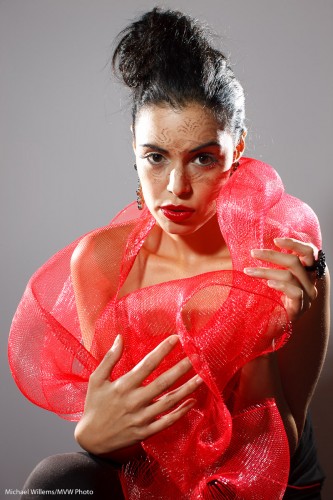
      First you need a subject. Yes, the subject is important. When all else is equal, your subject makes the image. After all, it is an image of something. Photographers are often enough all technique, to the extent that they forget about the subject. In this image, model Tara is looking great; her clothing is avant garde, her make-up, by Make-Up Artist Tea, is superb. Tara’s expression is just right.

      Composition is also important, even in a simple portrait. Uncle Fred puts the subject (Tara’s eyes) in the middle. I use the rule of thirds; off-centre composition. Balance the image.

      Next, you need technique and technology. I used a Canon 1Ds with a 50mm prime f/1.2 lens set to f/8 at 100 ISO and 1/125th second – pretty standard “studio” settings.  Pocket wizards were used to fire the flashes. A digital Rebel with a 50mm f/1.8 would have done the same here.

      That brings me to the next factor: you need light. We used three speedlights. Two on the sides, with grids: edge lighting is always good. And one behind us, on our left, the fil-from-the-front light, down two stops, and fitted with a Honl Traveller 8 softbox. See that wonderful round catch light in her eyes? (yes, that is important.) The edge light also separates Tara’s arm, on our right, from the background.

      Finally you need to simplify. A good photo is a simple photo. We used a simple white wall. I zoomed in enough to have nothing else in the picture. I used no background light or gels. Sometimes simple is better.

      And there you have it, a photo worth using!

      I encourage you to do the same kind of analysis on your own images. Always good to see what you are doing – it may remind you to think carefully about the image. And that will make it better. Promise.

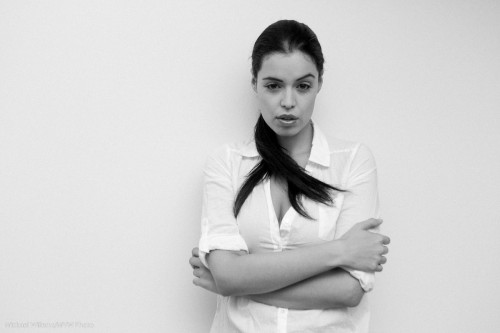
      High-key black and white

      One of my favourite photo styles is this: high-key black and white, against a simple white background. This reduces the clutter to a minimum and starkly emphasizes the subject. Like in this image from the 20 November Mono, Ontario all-day workshop:

      Tara, by Michael Willems

      What I would say if I were to discuss this:

      • The image screams out “black and white”.
      • Clothes (white)  and wall (white) both disappear. I like the emphasis this gives the subject and the pose.
      • I like the 1970s feeling. I added a little grain to this image in Lightroom to emphasize that.
      • Slight, very slight, soft beautiful shadows are important.
      • Light is simple: one flash bounced behind me.
      • Of course you use exposure compensation and the histogram to check your exposure. But you knew that. Hit the right side (just).

      Try a portrait like this! All you need is a white wall, a camera, an on-camera flash, and a model in white.

      Kiss kiss.

      Another message I iterate often is the need to keep it simple.

      A good photo is often distinguished by its simplicity. Everything in the photo is there for a reason – or it’s not there.

      Simple can be achieved by:

      1. Filling the frame (zooming in or stepping closer)
      2. Changing your viewpoint
      3. Blurring the background
      4. Moving things or people.

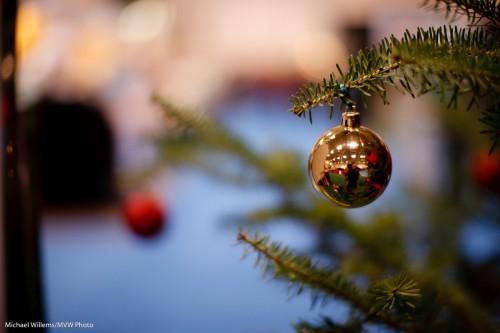
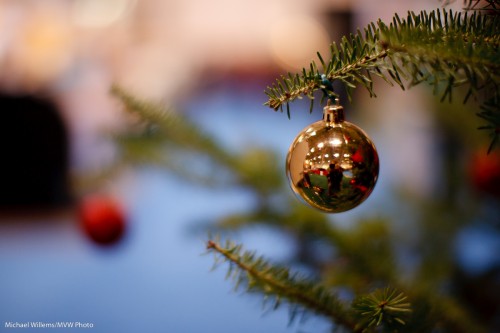
      An example of blurring and subsequent cropping:

      Before:

      Tree and ball

      And after:

      Tree and ball

      As you see, a simple crop makes the picture better. The crop tool in Lightroom should be your best friend! An even tighter crop would be even better, I bet.

      View the picture at full size and you can see me taking the shot.

      Portrait tip

      As I said before, you can use just about any lens for portraiture.

      But there are certain guidelines to obey. Like: when using a wide lens, put the subject small in the centre. Then optionally crop.

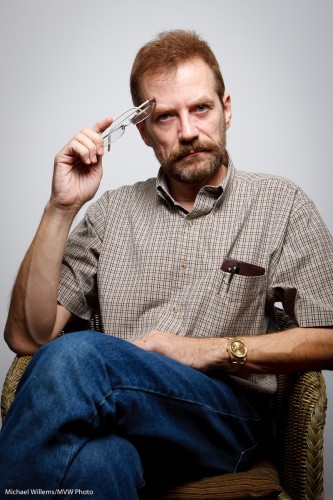
      To illustrate. This is a 50mm portrait of me just now:

      Michael Willems by Michael Willems (50mm)

      Michael Willems by Michael Willems (50mm)

      That is just about OK. Any wider and it would be too wide, and for a portrait like that, ideally I would like to zoom in more, to maybe 70mm, and then to stand back.

      But perhaps you cannot do that because there is no space. Or you want the environment in the image.

      Fine, you can use a wide angle lens. But be careful. If you put your subject too close, the nose will be too large and the face distorted. And if you put your subject near the edge of the image, it will be distorted also.

      Look at this 35mm portrait:

      Michael Willems by Michael Willems (35mm)

      Michael Willems by Michael Willems (35mm)

      Not good. But what if we put the subject smallish in the centre?

      Michael Willems by Michael Willems (35mm, subject in centre)

      Michael Willems by Michael Willems 35mm, subject in centre)

      That is fine, And optionally, then we crop:

      Michael Willems by Michael Willems (35mm, cropped)

      Michael Willems by Michael Willems (35mm, cropped)

      By cropping, we have now essentially made the 35mm lens into a longer lens. But even without cropping, it is the fact that the subject is in the centre and not very big that makes the composition fine.

      I can think:

      Michael Willems by Michael Willems (35mm, cropped)

      Michael Willems by Michael Willems (35mm, cropped)

      I hope this brief example helps dispel the thought that you “must” have an 80-135mm lens for portraits!

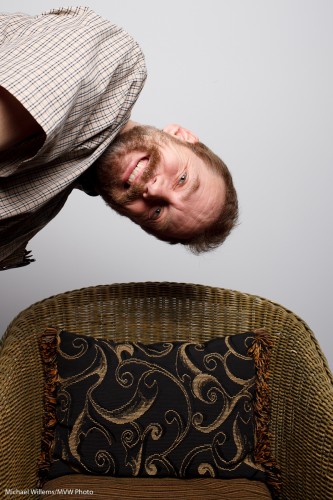
      And to finish, a silly image.

      Michael Willems by Michael Willems (35mm, silly)

      Michael Willems by Michael Willems (35mm, silly)

      Yes, I can be silly.

      Finally, a question for you to try your hand at, at home. Can you figure out how I lit these images?

      Be invisible

      Sometimes you make interesting pictures by being invisible and using a long lens.

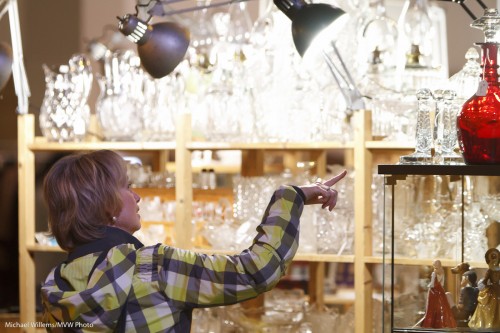
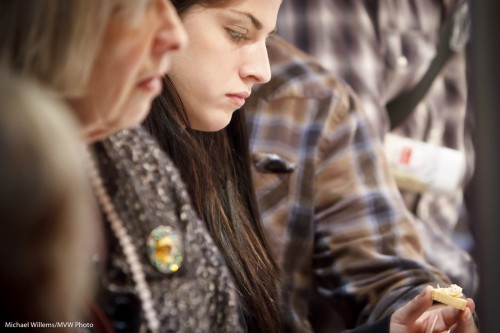
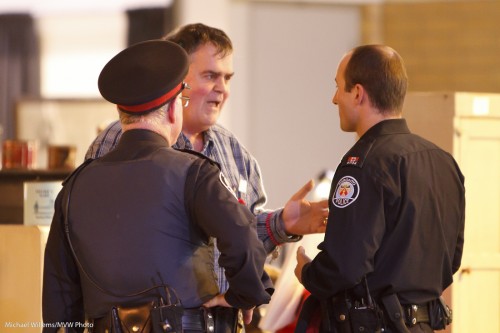
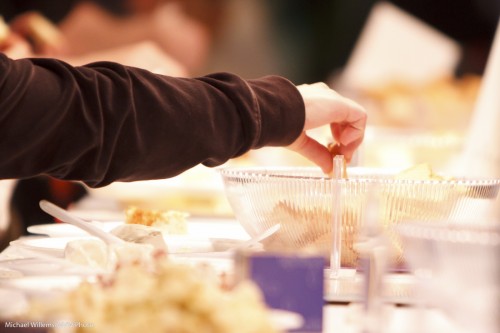
      I was at The Royal Agricultural Winter Fair today, as for the last few days and the next seven, and I grabbed a few quick people “moment” shots with the long lens, while I was invisible:

      Pointing

      Pointing

        Cheese Sampling

      Cheese Sampling

      Cops

      Cops

      Sampling

      Sampling

      The secret to grabbing pictures of “the right moment” is:

      • Get close. To do this, use a long lens. I used a 200mm lens on a crop camera; that makes it effectively a 300mm lens. This is long enough to be out of the way, unobserved, and yet close.
      • Use available light. Flash will not reach.
      • Do not be afraid to go to high ISOs. 3200 ISO is usable on a modern camera with a little Lightroom noise cancellation,
      • Use a stabilised (IS/VR) lens if you can,
      • Shoot a lot! You will get some interesting shots out of hundreds.

      Have fun. Go and try some moment photography!

      The Royal

      The last few days, and the next eight days, I am taking portraits at the Royal Agricultural Winter Fair in Toronto. Family portraits.

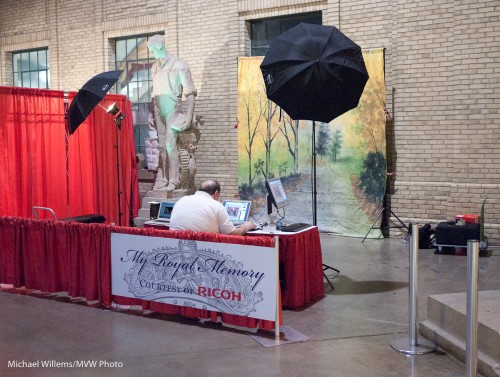
      To do this, my colleague Paolo and I use this simple setup:

      Setup at The Royal

      Setup at The Royal

      Two strobes in umbrellas, and a backdrop. That is it!

      So you need a camera plus:

      • Two monolights, 45 degrees off to the side, high
      • Two stands and two umbrellas
      • A light meter
      • A backdrop
      • A way to connect the camera to the lights: perhaps pocketwizards, but a cable will do.

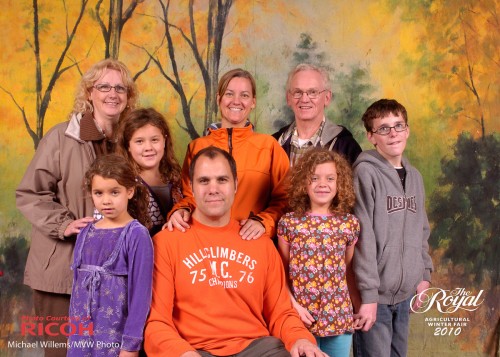
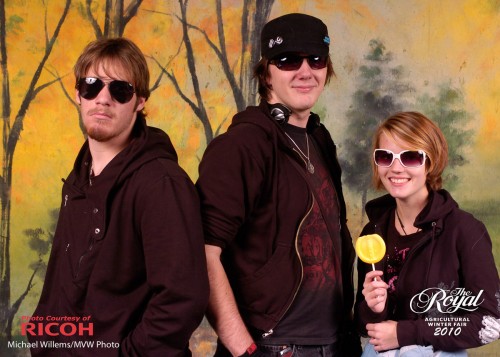
      That is all. And every picture is reliable. Like this:

      Family Portrait

      Family Portrait

      Friends

      Friends

      Friends

      Friends

      More tips:

      • People skills and compositional insight both help greatly.
      • Positioning (not “posing”) is the most important thing.
      • “Straight on” poses are not normally pleasing.
      • Telling people to “Smile!” is not a guarantee for nice photos

      The moral of this post: simple light, two umbrellas, can do very well in giving you reliable images.