Science or craft?

In response to my “quick portrait” instructions, a reader asks:

What do you think about Strobist.com’s method where he recommends adjusting shutter for ambient and aperture for flash, by “chimping” (no light meter).
Just interested in your response.
As the two methods have similar results, yet dramatically different philosophy.

Great question.

David Hobby (the Strobist) and I (the Speedlighter) sometimes differ – he says “don’t use TTL”, I say “do” – but it is never a case of “you don’t know what you are talking about” – it is more “personally, I’d do that differently”.

First, I think for ambient you set both aperture and shutter. Clearly, changing aperture affects foreground as well as background.

The table of “what affects what” is as follows:

  • Shutter: Changes mainly the background.
  • Flash power setting (including distance of flash to foreground subject): Changes mainly the foreground.
  • Aperture – changes both.
  • ISO – changes both.

So first off, I’d change the two boldfaced properties above.

But secondly – I like to meter, since it takes guesswork away. Then I finesse.

Yes, my experience tells me I can just choose 1/4 power on the flash, say, and with f/5.6 this will give you a good picture at standard ISO and distance. But it’s still guesswork so you need to iterate. When I use my meter I am objectively sure I’ll get that good starting point with less iterating.

That said…

  1. I will not go to extremes and set my light meter to tenths of stops. No way. The last bit may be chimping, not metering to 1/10th stop which I will never see anyway.
  2. I set the values I know will work to get close enough before I even meter. You will see that with a little experience, this will work just fine.

So taking into account 1 and 2, David and I are not that far apart after all, are we?
 

A quick product recipe

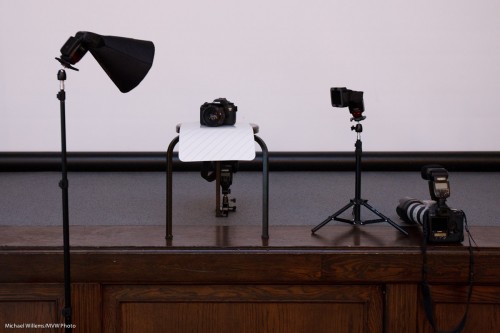
Here again is a quick product flash recipe using small flashes, since many of you have asked me.

Step by step, then:

ONE. Find a neutral background.

TWO. Now find a stool, plus a surface for the product, preferably a sloping one. Put the product on the surface, with the background behind (far enough – the farther the better, usually), and do a sanity check. Look ok?

THREE. Add a main light. For this, use a flash with a modifier. I used a Honl Photo softbox in yesterday’s Three Minute Shot. Put this on a light stand, close to the product (close means larger, hence softer; it also means less light falls onto the background. This is important if you want to color it or leave it dark.)

FOUR. Add a fill light or edge light. I use a speedlight with a grid. Aim this at the product’s other side. In my case, slightly from behind.

FIVE. Add a background light. Again, I use a speedlight with a grid. Aim this at the background. I added a gel to the light: steel green seemed a nice colour.

Simple, no? This looked like this, in yesterday’s Three Minute Shot setup:

%2</p

—-

POST: Oh I hate this. I wrote a LONG blog post here, with TEN points, and then some more. And it seems to have vanished. And at midnight, I am not going to rewrite it.

But at least let me share the resulting shot:

Sigh!

Turkey shooting season

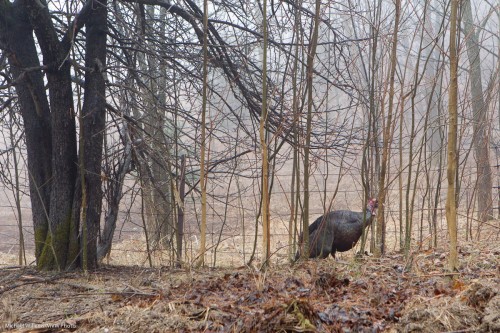
Man, the turkeys are wild out here in Mono. So I encountered this guy the other day, on my way home (I am informed he is a tom):

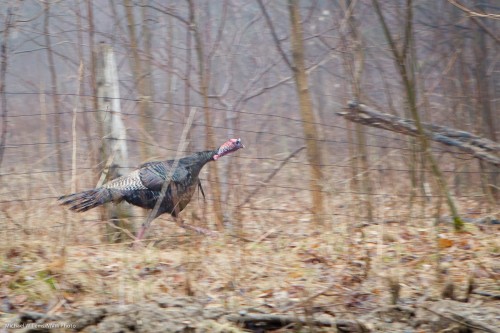
He is trying to get away from my car, but the fence prevents this. He runs and runs but the fence never ends. Brains are not the strongest suit for these birds, apparently. His girlfriends, incidentally, did run the right way, and they got away much more easily.

So I pan – in other words, I follow him with my camera as I shoot. That results in a blurred background and a fairly sharp bird:

In the original of image two, I had fairly low contrast: it was a very foggy day. Plus I was moving. Plus the bird was moving, too. I therefore did a little post work in Lightroom – a few seconds worth:

  • Exposure up half a stop;
  • “Blacks” to +25;
  • Slight white balance tweak to bring it to what I saw.

That was all I need to make a low-contrast image into an acceptable shot.

Sometimes you cannot capture what you want in the camera, and in those cases, as long as it not a news image, a little post work is, I think, allowed. (Click and view original size to see the real image, as always.)

Let there be light.

When you shoot a studio portrait, you can use big studio lights – or small speedlights.

Because they are smaller and lighter, I tend to use small speedlights whenever I can.

And that does not mean compromising quality. Take this example. I took this shot of a very nice model and student during a course the other day, using TTL speedlights:

How is this done?

  • One flash on a light stand into an umbrella (the “A”-flash), on our left. High enough to give us nice catch lights in the eyes, but no reflections in the glasses.
  • The hairlight is one snooted speedlight (the “B”-flash) on the right (using a Honl photo snoot). I made sure this hairlight only lit of the hair, not the cheeks. That is what the snoot is for.
  • I used a Canon 7D with a 50mm lens.
  • I set the camera to manual, f/8, 1/200th second, 200 ISO. Normal settings for studio light. I made sure auto ISO was disabled.
  • The flash was set to its normal TTL mode.
  • I used flash compensation of, if I recall right, +1/3 stop.
  • The “A:B ratio” was set to 3:1, meaning A was three times stronger than B.

I could have metered and used Pocketwizards and the flashes set to manual, and if I had done many portraits, I would have. But for a quick shot like this, I think TTL is a better way, since it is very quick. Indoors, wireless TTL is a no brainer, and it works:  the on-camera flash, which is only used to direct the slave flashes, can be seen by any flash in the room. On a Nikon, or a Canon 7D or 60D, I need only the camera and its pop-up flash. On any other Canon, I would also need a 580EX flash on the camera, to direct the slaves.

But the portrait above is missing something, no? The background is a bit, well, bland.

So we add one more light, using a grid. And a gel. For the gel, I choose a complimentary colour: complimentary to the hair colour. So for brownish-reddish hair I use a beautiful blue-ish gel.

Now we get:

Better, no? Nice portrait, and it took only one light stand, one umbrella, three flashes, one grid, one gel, one 5″ snoot.  All this is affordable, small, light.Professional portraits are now within reach of everyone.

Finding Nemo

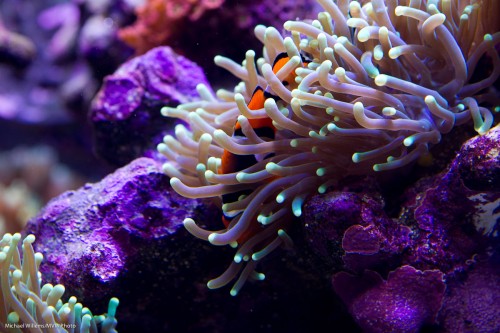
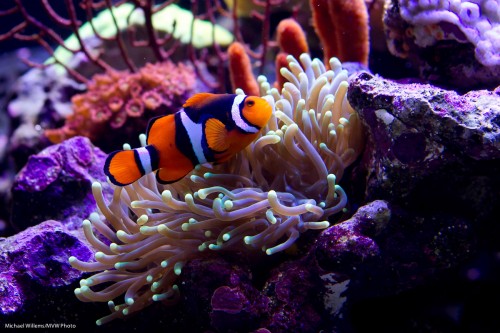
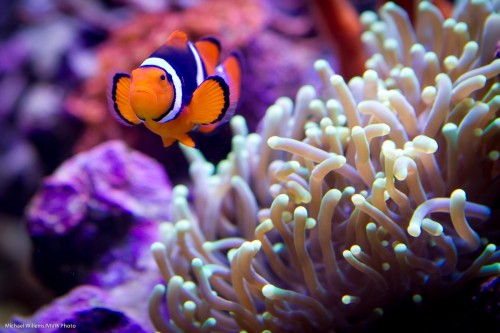
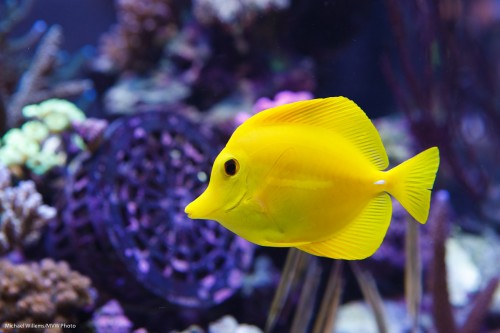
Found him:

He was hiding in these coral polyps. Which is, I understand, exactly what these fish do.

Today, in other words, some more aquarium shooting, and a few more tips on the same.

This time, on the camera settings:

  • Lens: I used a 24-70mm lens set to 70mm for most shots. On a 1.3 crop camera this gave me 90mm effective length. A 100mm macro lens would have done nicely, too.
  • Exposure mode: The mode to use is manual (although you could use program or aperture mode, since an aquarium probably does not vary all that much).
  • ISO: I shot at 800 ISO, which was a nice compromise between quality and speed.
  • Shutter speed and aperture: I used a shutter speed around 1/200th second and an aperture of f/5.6. At the chosen ISO of 800, this gave me a meter reading slightly below zero, and hence, well exposed pictures. An aquarium can be fairly bright, which is a good thing. The setting of f/5.6 (or f/4 in some images) gives me some depth of field, and 1/200th second gives me the ability to somewhat freeze motion.
  • Focus area: I set the focus area to one focus spot, and pointed that point at the main interest point in the picture – the fish’s eye.
  • Focus mode: I set the focus mode to AI Servo (AF-C for Nikon users). That way you can shoot moving objects.
  • Drive mode: I set the drive mode to continuous.
  • White balance: I used “Daylight”, since this aquarium was lit by sunlight-type light. Failing that, use “Auto” white balance.

Now that we are all set up, we shoot. A lot.

A few more tips:

  • We try to get as close to the glass as we can. This minimizes the imperfections of the glass.
  • The glass, of course, is clean.
  • Room light is dimmed as much as possible.
  • We may want to stabilize the camera e.g. with a monopod.
  • Avoid picturing too many artificial things (equipment) if you can.
  • Shooting perpendicular to the glass (see previous post on aquariums), since this preserves quality and minimizes the need to do any post-processing.

Remember that when using AI-Servo (AF-C) to shoot moving objects (or fish), you will be lucky if one third of your pictures are razor sharp even when you are experienced and have everything going for you. If you get one in ten extremely sharp, be happy.

At the same time – do not be too critical. If you print at 5×7 or even 8×10, you will not notice a slight blurriness.

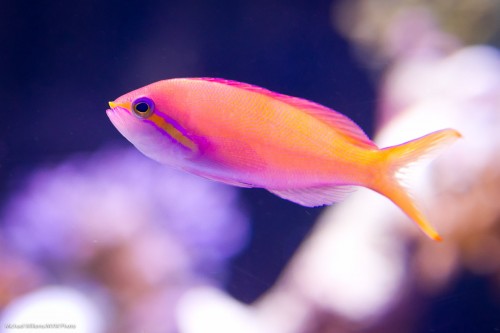
Nemo’s friend:

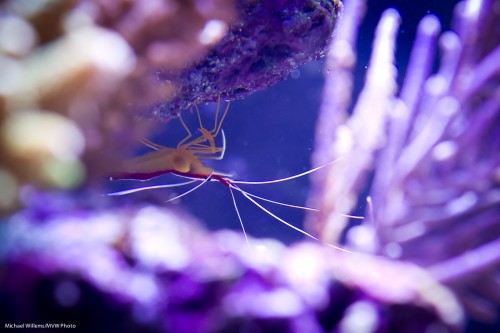
Prawn pregnancy:

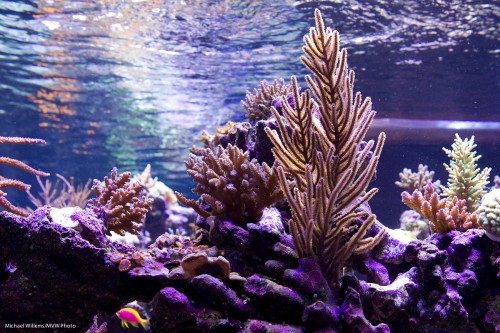
Nice reflections on top:

And finally, one more shot of our friend little Nemo:

Next week, a few more tips on photographing aquariums. In the mean time, if you have access to an aquarium, be prepared to spend a lot of time coming up with great shots. It’s worth it – an aquarium is a truly fascinating place, where nothing is ever the same.

“One step at a time” lighting technique

You have heard me say it many times: “bright pixels are sharp pixels”.

Let’s say you want a picture of a lady. Just let’s say that.

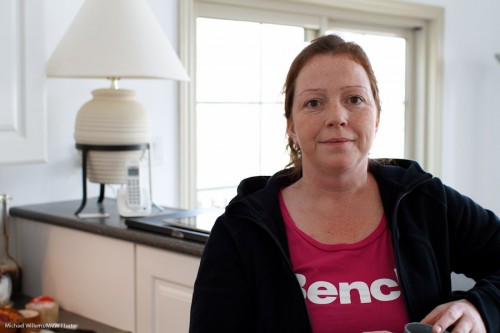
So then you put a lady by the counter. Because there’s a bright background behind her, and you know your camera, you use Exposure Compensation to avoid her turning into a silhouette. I used a Canon 7D with a 35mm prime lens. And hey presto, here’s the snap – and that is all it is, a snap:

The background is now too bright, and the person is “dark pixels”, meaning the picture misses that crisp sharpness you were after.

So now let’s take it in steps.

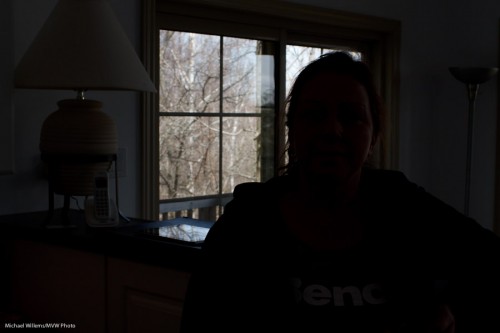
First, decrease the exposure to get the background right. Use manual, or use exposure compensation (minus!). In my case, it was manual exposure mode, 200 ISO, and 1/200th second at f/8, which gave me this (and that should not be a surprise to those of you who know the “sunny sixteen rule”):

Better – for the background. Now we have a nice dark background, and we can see the trees, and so on.

Now the next step: to light up the foreground!

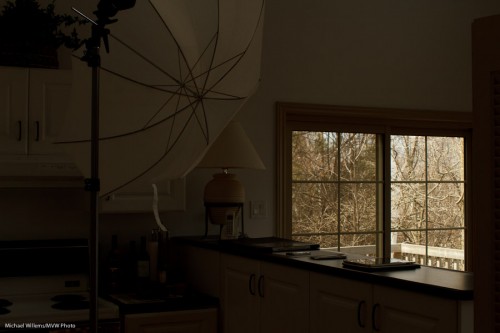
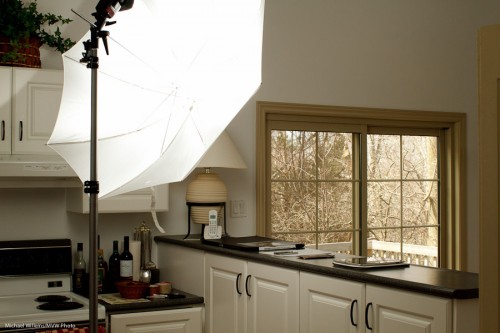
Flash is evidently called for. So I used a light stand with a flash-and-umbrella mount on top, with a simple 430EX flash on it, shooting through an umbrella:

Now I do the following:

  1. I set the flash to “slave” mode (“remote” on Nikon”)
  2. If I have a 7D, or a 60D, or a Nikon, I use the popup flash to fire that remote flash in TTL mode. If I have another Canon, I use a 580EX on my camera to fire the remote flash.
  3. In both cases, I ensure that the on-camera flash (popup or 580) is disabled, other than sending commands.
  4. Since the background is white, and I am using TTL rather than manual flash, I use flash compensation, +2/3 stops.
  5. I set my White Balance to “flash”.

And now when I fire, the umbrella lights up:

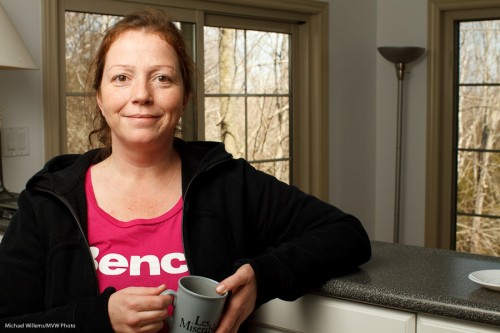
Which, finally, once we ask the lady to stand by the counter again, leads to this shot:

(Thanks for being the patient model, Lita!)

I have now achieved what I wanted: Lita is “bright pixels”, and the background is nice and colourful. Other than explaining, this all took just a few seconds, of course.

The technique above is just one of the many things students learn on my Flash courses. The last Mono, Ontario course ever is “Creative Lighting” with Joseph Marranca, on April 23rd – and there are only a few places left. Just saying!

Adding flashes GOOD.

As readers here know, “one flash” gives you “OK light” – provided you bounce it off a wall or ceiling, usually behind you.

But off-camera flash is better. This image would really not be as good if the flash was on the camera:

Jason in July 2010

Jason in July 2010

That is because good lighting is all about what you do not light.

And multiple off-camera flash is better still.

The great news is that all modern camera systems support multiple off-camera TTL flash.

TTL flash is enormously sophisticated. For instance, a modern TTL flash will tell the camera its colour temperature with each flash fired (yes, it can vary per shot); that way, as long as your camera’s white balance is set to “Auto” or “Flash”, each picture will automatically have the right colour temperature set. Bet you did not know that.

This site is called “speedlighter” for a reason: I teach people this stuff (the last Mono workshop, on April 23, contains a full “Advanced Flash” course). Even before or without that, I strongly recommend you all try some off-camera flash using TTL remote control.

  • On Nikon cameras you need just the camera and its popup flash and any remote flash (SB700, SB900).
  • On Canon 7D and 60D cameras, the same: just the camera and its popup, and any Canon slave flash.
  • On other Canon cameras, a 580EX flash or a wireless IR transmitter on the camera

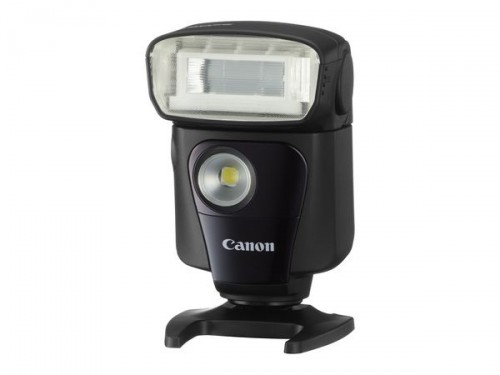
Attention Canon users: two new small flashes are now available. I love the specs on the all-new 320 slave flash, which brings remote flash into many more people’s reach:

Get a few of those and you have a full flash setup. Full slave functionality. 32 Guide number. It also has a continuous LED light for video, and a remote switch – it is a remote control for cameras like the 7D, 60D, 1D, 5D and so on. I am getting one or two as soon as I can!

Heeere, fishy fishy fishy!

Today I had the pleasure of seeing a wonderful live coral reef aquarium in Oakville – a world class aquarium, one with live coral reef flown in from Indonesia that sort of thing. You will be able to, I think, see more pictures soon on its owner’s web site, but I thought I might say a few words about shooting aquariums here.

Fish

A Fish.

Hence, my ten tips.

The following things immediately occurred to me. In no particular order:

  1. Use existing light – avoid flash if you can (reflections, loss of contrast).
  2. Shoot perpendicular to the glass. Glass distorts.
  3. Look for contrasty subjects first of all – make life easy for yourself.
  4. Ensure your shutter speed is rapid enough to freeze motion.
  5. Use a higher ISO if you must, but try to keep it down if you can.
  6. Look for opposing colours, as in the shot I made above.
  7. Be ready to enhance contrast in Lightroom. Sea water and glass will reduce your contrast, and there is little you can do, so be ready to fix afterward if you have to.
  8. Shoot lots of detail before trying the bigger shots.
  9. Avoid wide angle lenses as these will not shoot perpendicular to the glass. Use longer lenses (macro lenses, even).
  10. Use Manual mode: once you sort out the light, it will stay constant.

The above shot was made as follows:

  • 24-70 lens set to 70mm on a full frame camera (so a 50mm would do if you had a crop camera).
  • I was in manual mode
  • I used f/5.6 and 1/60th second
  • My ISO was 200. Fast enough to freeze the fish motion (if not the fish); slow enough for great quality.

In a later post, more on the overview/large/wide shots, but for now this ought to get you started.

I would love to spend a week shooting that particular aquarium, by the way.  Exciting. And the photographic opportunities. Wow!

Primes. Why?

Today I would once again like to chat for a moment about using prime lenses. This is a regularly recurring theme here at Speedlighter, because primes are beneficial in many ways.

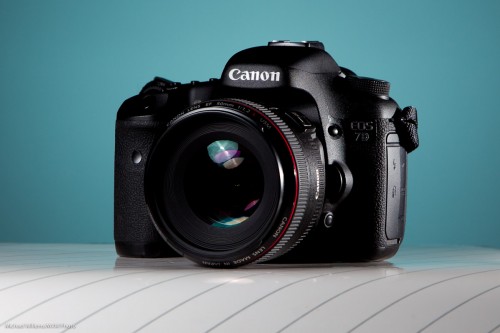
50mm prime lens, set to f/1.2

A prime lens is a lens that does not zoom in or out. It is fixed. Like a 35mm lens, or a 50mm lens, rather than a 17-55 or 70-2oo zoom lens.

So that is a drawback, right? Zooming is more convenient than walking back and forth or than changing lenses all the time.

But prime lenses have many benefits, three of which are pretty well-known.

    1. They are usually sharper than zoom lenses, and often have less distortion around the edges.
    2. They are usually faster (wider aperture,lower “f-number”), meaning blurrier backgrounds and better low-light performance.
    3. They are often smaller and lighter than zoom lenses.

      There are, however, three other benefits, and these may surprise you.

        1. They enforce consistency in a shoot. You do not have a different look and feel for every image!
        2. “Work it out once during a shoot, you have worked it out for all other shots too”. When you zoom, each shot works differently. Use a prime, this is more predictable. Hands up everyone who likes “predictable”?
        3. Primes really teach you about depth of field, shutter speed, and how these work together. Using a zoom lens it can be very difficult to get a grip on how all these factors work together. Using a prime, you get to really understand how aperture, depth-of-field, distance, ISO, and shutter all work harmoniously together – an understanding every photographer needs.

          This is why I shoot with 50mm and 35mm prime lenses as often as I can.

          35mm prime lens

          35mm prime lens

          35mm prime lens

          35mm prime lens

          50mm lens

          50mm prime lens

          If you can, get yourself at least a 50mm prime lens.

          (Note that the examples here were shot on a full-frame camera, so 50 means 50. If you had a crop camera, like a Digital Rebel or a D90, you would want to use 24mm and 35mm lenses where I use 35mm and 50mm lenses.)

          Sharpness strategies

          Today, I helped a student get to grips with shooting with a long lens.

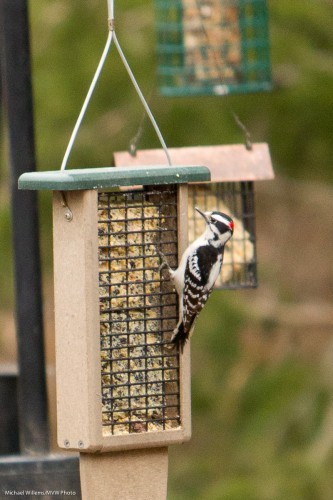
          So….was it really all that long? 70-200mm. And 200mm is not actually long when you are shooting small birds, some 10m away:

          This was shot at 1600 ISO – it was a dull cloudy day and with birds you want high speed, which means high ISO even when you have a good lens opened up to f/2.8.

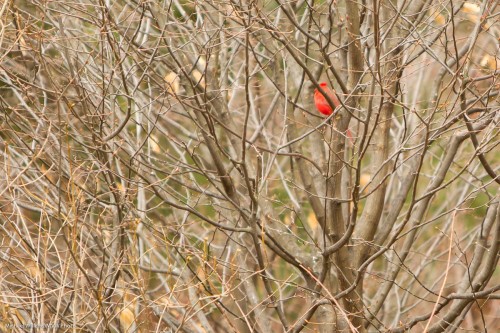
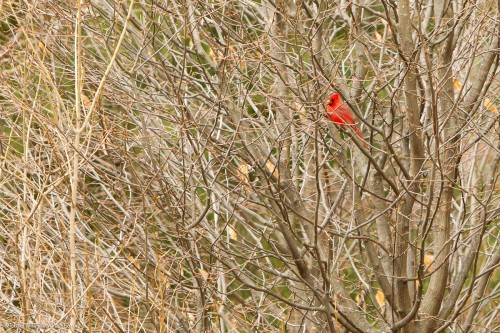
          So the lens is short. So we have to crop. And when you crop, you see the limitations (click to see this part of the image at full size):

          So.. what are some strategies you can use to get sharp pictures?

          First, do not shoot through obstructions. Through a clean window pane, and with a filter on the lens, we got this (a small crop out of the image):

          Without the filter and window, this becomes:

          Better!

          Other strategies:

            1. Use a good quality lens. Lenses are not what you should be saving on!
            2. Shoot at a fast enough shutter speed. “1 / lens length” or much better. I prefer to do this by using aperture mode at aperture wide (or nearly wide) open.
            3. Now set the ISO high enough to get a good shutter speed.
            4. Use VR/IS stabilization.
            5. Consider using a monopod (or even a tripod): one with a quick release.
            6. Focus on the background, then focus on the bird, then shoot.
            7. Use One Shot/AF-S focus, unless the subject moves. In that case use AI Servo/AF-C.
            8. Focus on contrasty bits!
            9. Use one focus spot, and avoid mis-focusing.
            10. Light well, if you can – meaning “light bright and expose to the right”. My dictum: “Bright pixels are sharp pixels”.
            11. Take multiple images and use what works. Your lens will mis-focus occasionally.

              Also, consider stopping down the aperture a bit when you have to. Like when the bird is inside a tree… f/2.8 gives you this:

              While f/4 gives you this:

              That depth of field is much better.

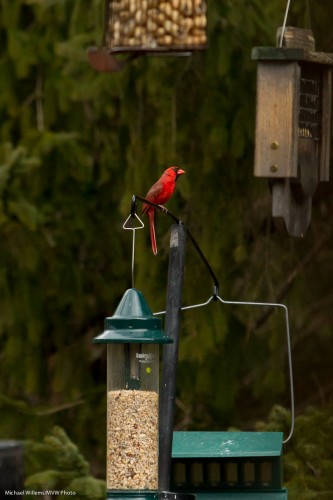
              And one more, where a bird is “bright pixels”:

              Concluding, there is not one way to get sharp pictures. The best technique is to try to stack the odds in your favour by using as many of the techniques described above.