The making of a group shot

I shot this at a wedding the other day: a group shot featuring bride and groom Pat and Jim, relatives , maid of honour, and best man.
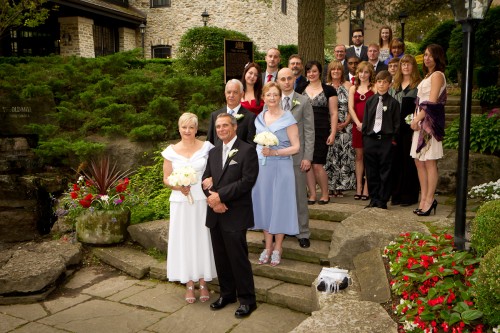
Pat and Jim Wedding (Photo: Michael Willems)

How did I shoot this? I thought it might be good to go through the process that went into creating a shot like this.

Setting

The day was ideal for photography (bright overcast). So I had lots of options at The Old Mill in Toronto. But therein lies a problem: which one to choose, out of hundreds? So I decided to look for…

  • Background: A nice, full, non-distracting and darker background.
  • Context: the background should say something about the event: it supports the image so it should provide context (notice the venue’s sign).
  • Colour: I want some colour. The flowers provided this.
  • Space: A space large enough to pose over 20 people.
  • 3-D: Preferably some various levels (e.g. steps).

Steps give you an automatically full background, so these steps were the chosen spot.  So far. so easy.

Arranging

I would often do a sit-stand-lean arrangement, but in this case, all standing is OK.  Arranging 21 people takes time and by the time you tell the last person what to do, the first person has turned around again. So speed is of the essence. I arranged bride and groom, best man and maid of honour, and from there on much of the rest fell in place and only minor adjustments were needed.

I then arranged them so I could see them all. This takes a fair amount of doing, because people move – my experience shooting sports clubs came in handy.

Now I told the group to relax – I would be doing test shots, so no worries yet – and to all breathe in deeply, and then all to breathe out at once. I demonstrated this. Silly, and silly is good, it relaxes people.I avoid saying “Smiiiiile…!” – it brings out the worst fake smiles in people, especially in men.

Then I watch body language and go, “checklist-fashion” through everyone, to see any awkwardness. If I see any, I ask them to adjust.

Technical

I used a slightly wide angle lens on my Canon 1D Mk4 body – the 24-70 f/2.8 set to 33mm effective focal length, meaning not very wide (distortion) but wide enough, giving me the following benefits:

  1. The ability to get it all in.
  2. Extended depth of field.
  3. Tolerance of slow shutter speeds.

I first of all exposed for the background. I wanted it to look nice and dark. This emphasises the people, and it also allows background colours to become saturated.

So I set my camera to:

  • f/7.1 (which gave me enough depth of field, which I needed with 8 rows of people!);
  • 1/80th second, which is fast enough for a 35mm lens hand held;
  • Getting a  dark background (between -1 and -2 on the light meter) now necessitated 800 ISO, which is great on today’s cameras. This also enabled the flash to reach far.

I then used my on-camera 580EX II flash to light the people.

On-camera, from the speedlighter? Yes, outside you can get away with it. If I had had more or more annoying shadow I would have used my Honl Photo softbox.

And there you have it. Simple shot, took a minute to make, and with little or no post work.
 

Simplifying and diagonals

In a photo:

  • Simplifying is good. Often very good.
  • Diagonals can also be very good.
  • The Rule of Thirds is also often very good.
  • Tilting the camera is a way to simplify.
  • Tilting is also a way to create diagonals.
  • And to help you get to the Rule of Thirds.

So it stands to reason that if you tilt and simplify a the same time, you may end up with some reasonable images.

A few examples from the other day – taken with the Fuji X100, which is still a great toy. As you learn more about it it gets better.

Because this camera has a fixed lens (35mm, full frame equivalent) you end up tilting instead of zooming in and out – and this makes your pictures better.

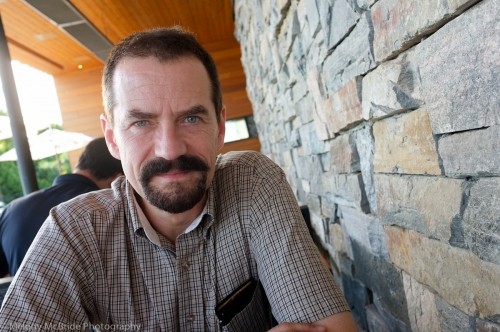
Here’s me, the other day – and look at the texture and converging diagonals:

Michael Willems (Photo: Melony McBride)

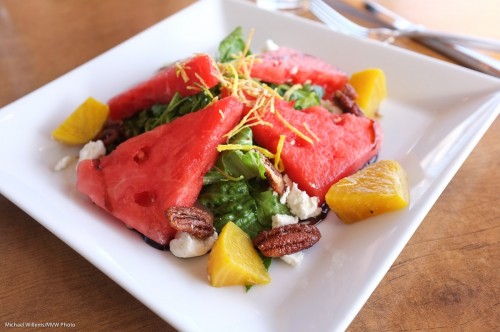
Here’s a salad, served with colour and texture – and with a blurred background that “tells a story by making the viewer put it all together”:

Salad (Photo: Michael Willems)

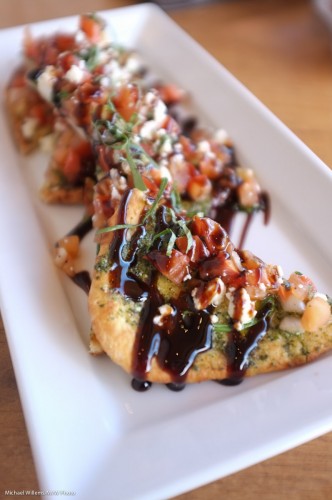
And a few more food and drink snaps:

Bruschetta (Photo: Michael Willems)

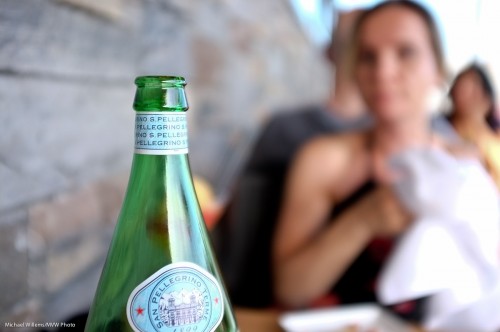
Cheers (Photo: Michael Willems)

Acqua Minerale (Photo: Michael Willems)

And a non-food snap: the best calculator series ever made (you do not need an “=” button!)

HP11C (Photo: Michael Willems)

Can you see a pattern emerge?

Here’s your homework. Go shoot some pictures:

  • With a 35mm lens length (real 35, i.e. use 24mm on a crop camera).
  • Tilt to simplify or to get diagonals or to be able to compose with the Rule of Thirds.
  • Shoot at wide open aperture (low “f-number”).
  • Get close.
  • Use high enough ISO to get non-blurry images.
  • Use available light.

And have fun!


Uncle Fred to Uncle Mike

A repeat of a favourite subject – repeated here because it is so important. Namely – avoiding “being Uncle Fred”.

I see a lot of snaps like this, when I look at people’s photos:

Ouch. OK, I took that – but only, I assure you, to demonstrate the point.

What is wrong with that image?

Other than everything, you mean? (Photographically speaking: the kind volunteer student is fine).

  • The subject is in the centre.
  • She is small in the image
  • The image is cluttered
  • I shot down at her
  • I exposed the image badly
  • I have bad “tension points”, where I cut off feet, etc.

So then I did it properly.

I chose a subject and got close. Chose a long lens (the 70-200, a portrait favourite). Then got closer (by zooming in as well as by getting physically closer). Got down to their level instead of shooting down. Avoided clutter. Shot at f/4 to blur backgrounds. Used the rule of thirds – his face is centered one third from the top.

Bingo:

Same light. Same room. Same time.

View the original image (click!), and then view at the original large size, to see how good that is.

You see, sometimes it’s just about composition. “Filling the frame” often dramatically improves images.


Architectural

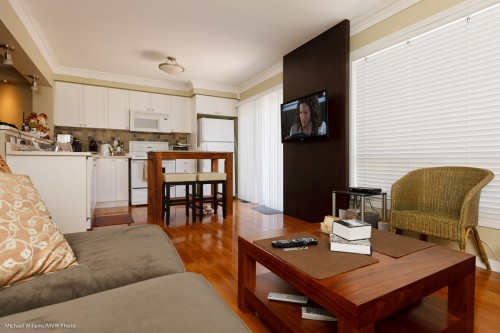
My living room prompts me to write a couple of words about indoors architectural photography:

Amberglen Court, Photo Michael Willems

To take architecture:

  1. Use a wide angle lens – 10-30mm on a crop SLR camera. That gets the rooms in.
  2. Not too wide though. If you shoot everything at 10mm, rooms will look huge, and people who see the home in real life will be disappointed. Underpromise and overdeliver is a good strategy.
  3. Focus a third of the way in – but when depth of field is not sufficient to get it all in, keep close objects sharp.
  4. Consider shooting from a lower vantage point. This makes rooms look bigger without exaggerating.
  5. Use bounced flash, if you use flash.
  6. Balance outside light with flash. Set aperture and shutter for outside, then fill rooms with flash.
  7. If that means slow shutter speeds, use a tripod.
  8. Keep the strongest verticals vertical.
  9. Compose to avoid clutter.
  10. Capture the feeling of the room.

Simple, really: these basic rules will make your architecture photos better. If you are bored today, and want a photo assignment: shoot your home indoors.


Hold it!

Hold your camera, that is. And hold it the right way. Holding your camera correctly ensures that you minimize the shaking, and you make adjustments as quickly as possible, without losing time.

And how do you hold the camera?

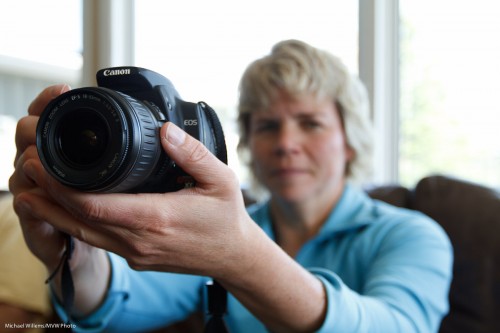
You support the lens with the palm of your left hand, thumb on the left side (not under the lens). I.e. you support the camera like this:

(Of course when you are taking an actual picture, and not just demonstrating, like today’s student, then you would ensure the viewfinder bumper actually touches your face.)

Note how I used “off-centre composition” – the rule of thirds. The subject (the camera, in this case) is not in the middle. Only Uncle Fred puts the subject in the middle in every picture.

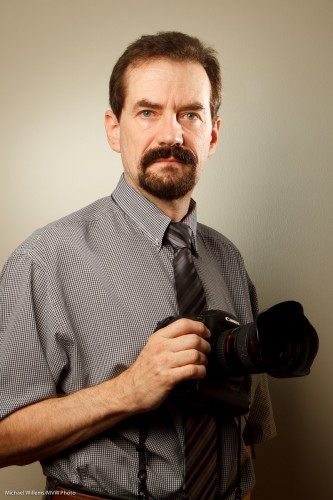
You would also consider turning the camera 90 degrees to the left, to get it into vertical position (i,e. the shutter is on top now, not at the bottom). Shoot vertical when shooting vertical subjects, like towers – or people, like me:

Photographer Michael Willems

(Oh, and one more benefit to holding the camera right: you look like you know what you are doing).


Shake it up.

In photography, like in many endeavours, it is easy to get caught up into a routine. “Always the same lens”. Or “always the same mode”. Or “always the same creative shots”. Or “always the same composition”.

So let’s shake it up. Starting with composition. Next time you shoot, use unusual viewpoints or angles:

One way to do this is to tilt your camera. As I have mentioned here before, you do this to get things in, or to introduce a sense of dynamic energy, motion:

Another way is to shoot from unusual viewpoints. When I shoot for a newspaper, I will try to get up or down.

Here, my friend, international fashion photographer Kristof is doing it:

Ever noticed photographers always carry ladders? That’s why.

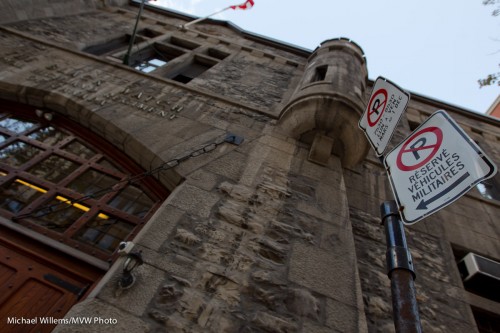
And an army building looks interesting when tilted:

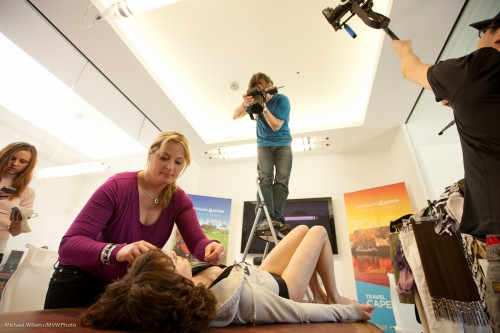
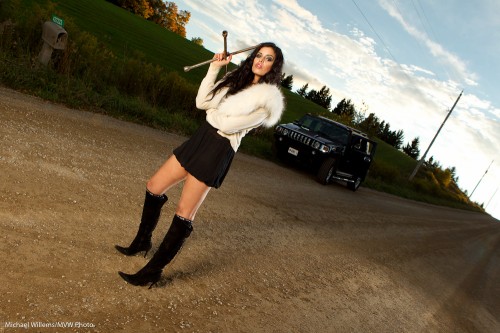
As does a model in a provocative pose:

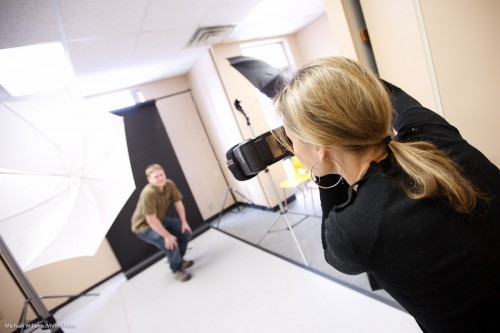
And a photographer shooting:

So next week, turn and tilt your camera, get on the floor, or get on a ladder.


Wide means deep

“Wide angle means deep depth of field”. Meaning, a wide angle lens makes everything sharp, from close to far.

That’s true, but as this image of my friend and colleague Joseph Marranca shows,  it is not quite all there is to be said:

Even with a 16mm lens you can create selective depth of field, by:

  1. Using the lens open (this was at f/4)
  2. Getting close to the subject that is closest.

You see, it is the ratio between close and far that counts. If the far subject is twice as far as the closest subject, then both will be sharp. But if the far subject is, say, twenty times as far as the closest subject, then it’s a different story: you can get the far subject blurred.

And getting it 20 times farther can be done in two ways: move it farther, or move the closest subject closer.  Or get closer to it. And that is why, and how, this works.

Grain

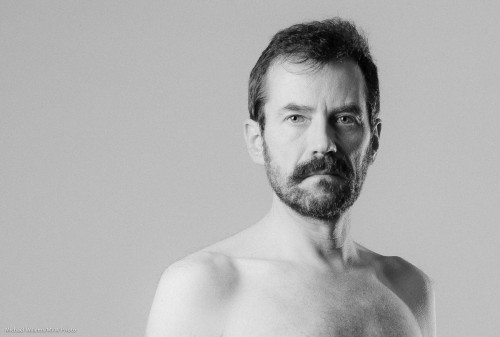
I recently, while preparing for a commercial shoot, took a few self-portraits. Including this one:

Michael Willems, Photogrpaher (self portrait, December 2010)

Michael Willems, Photographer (self portrait)

As always, click to see it large. (You really do need to see this one at original size to see the full effect.)

To do a portrait like this, I did the following – and I thought it might be useful for me to share the thought process:

  • I decided I wanted black and white, and to shoot it that way.
  • I set up the right studio lighting. I used a softbox on camera left; an edge light on camera right at the back; and a fill light using an umbrella on camera right in front.
  • I metered for these lights, with a fairly high key:fill ratio. In other words, I wanted the less-lit part of my face to be much less lit. To get this, I set the fill light around three stops darker than the main light.
  • That in turn allowed me to set up an edge light, to show the contours of my face.
  • I set up a white background.
  • I positioned myself at a distance from the background that would ensure a grey (rather than black or white) background.
  • I set up the main light, in a softbox, such that I would get nice catch lights in my eyes.
  • I pre-focused (on a chair), then set the camera to manual, and then used the camera’s timer to take the shot.
  • I used a horizontal layout, to create enough “negative space”, by using the rule of thirds (i.e I did not put myself in the “Uncle Fred” position right in the middle).

Finally, in post-production I added some film grain. This is one of Lightroom 3’s Develop module’s “Effects”, and it is one I really like. Tri-X film, anyone?

I am about to set up the same setups for Saturday’s workshop. Deciding on lighting is a photographer’s major job!

Groups: making them work.

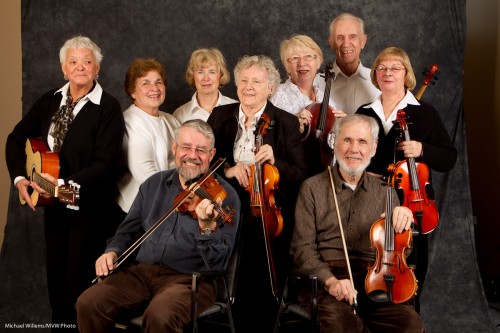
I shot a music school this past weekend. Wonderful work, great people: fun.

One shot I particularly relished setting up is a portrait group of nine musicians. This is a challenge because:

  • You need to get nine people lined up in a space that is always too narrow.
  • You want to avoid making them look leaden by lining them up straight.
  • You have to light them all well.
  • You need to light evenly, too, so umbrellas and so on need to be moved back. The room is never wide enough either, of course.

First tip: always be confident when doing this. Take your time, but never hesitate. The captain is in command, just like in the USS Enterprise.

I start by deciding who sits, who stands, and who leans. Not “the older people sit”. More like “the taller people sit”. Then the older people can lean against chairs. The rest depend on height and other properties.Sometimes you just have to do what you can.

Then I look to see how people stand. What is their body language. I turn everyone. I make small groups. Back to back or facing one another.

The biggest challenge is to get everyone in front of the backdrop, which as said is always too narrow. And when people are having fun, they will not necessarily obey your orders accurately – which is fine: they are there to have fun, not to obey.

Then you shoot. Lots. Make sure everyone’s face is clearly visible in every image. Tell your subjects that when you ask for adjustments, you want “baby steps”.

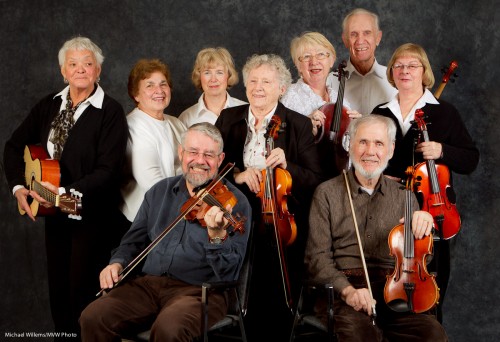
In the end I decided this shot had merit and was suitable for finishing:

A group of fiddlers (Photo: Michael Willems)

A group of fiddlers (Photo: Michael Willems)

The finishing now consisted of:

  • Adjusting white balance, exposure, and other basics.
  • Cropping and rotating.
  • Lightening a few darker areas using Lightroom’s selective brush tool.
  • Darkening bits that need darkening. Possibly even a little vignetting.
  • Now popping briefly into Photoshop CS5 and using the “content aware fill” tool to fill in the backdrop.
  • Then, one last look and  final adjustments.

And I am done. Here is the image almost finished:

A group of fiddlers (Photo: Michael Willems)

A group of fiddlers (Photo: Michael Willems)

See it larger by clicking. Not a boring shot – a little more like Rembrandt’s Night Watch.

Yes, OK, that is a stretch – but you get my meaning.

And that, as they say, is a wrap!

Tip: If you are near Toronto and want to learn technical flash techniques using small flashes and modifiers, there are still a few spots left on the March 19 one-time special featuring special Guest Star David Honl. If you are interested, act quickly, since they are filling up rapidly.

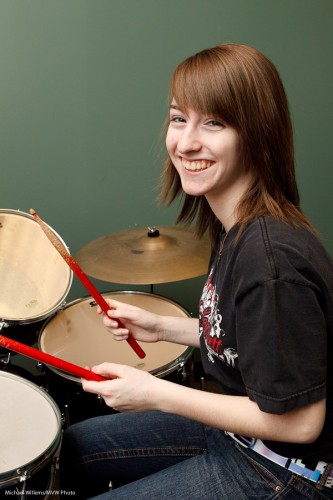
This weekend I shoot (with a camera, I assure you) music school students.

Like this, from last year:

Music School Shoot

Music School Shoot

With two other photographers, I will make parents happy with great images. To do that, I use (as I thought you would appreciate hearing):

  • Manual camera settings (1/125th, f/8).
  • Manual flash settings; with lights in umbrellas or softboxes.
  • White balance set to Flash (though I shoot RAW).
  • Simple backgrounds if I can.
  • A good zoom lens – 16-35 “L” or 24-70 “L”. Good lenses are costly but they do help in terms of sharpness, among others.
  • A light meter
  • Pocketwizards
  • Standard to slightly wide or sometimes slightly telephoto lenses
  • Personality.

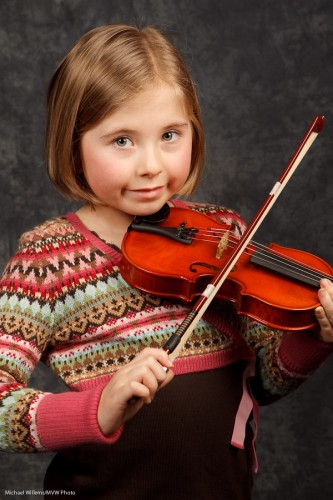
Most images were like this, with a backdrop:

Music School Violinist

Music School Violinist

A grey background gives you some separation whether the subject is light-haired or dark-haired, and separation is very important.

As are catchlights: I am sure you can see them.

And you noticed the rule of thirds being applied. Right?

But do you need all that stuff? No (but “personality”probably helps). The first photo was taken with a simple SLR, zoom lens, and one on-camera flash bounced off the ceiling.

You can make these things complicated, or sometimes you can keep them simple.

Next blog posts will be longer: tonight, however, I need to sleep before packing 500 lbs worth of gear into the car.